
UNICOO KT1001
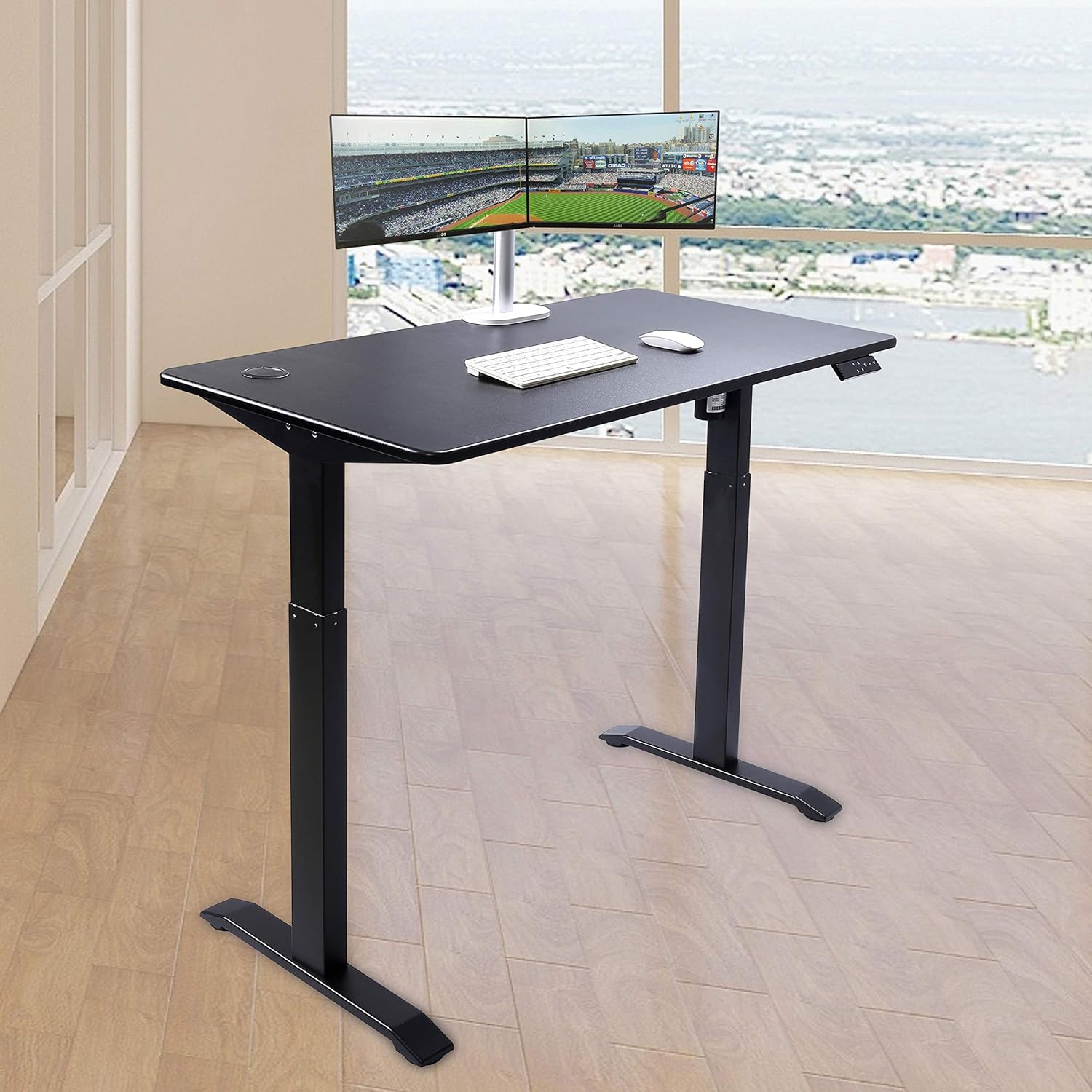
UNICOO Electric Height Adjustable Standing Desk
모델: KT1001
Brand: UNICOO
소개
This manual provides comprehensive instructions for the assembly, operation, maintenance, and troubleshooting of your UNICOO Electric Height Adjustable Standing Desk, Model KT1001. Please read this manual thoroughly before use to ensure safe and efficient operation.
안전 정보
- 어린이의 손이 닿지 않는 곳에 보관하세요.
- Do not touch the moving parts while the desk is in operation.
- To avoid accidents, ensure the desk is at least 2 degrees from horizontal when loading.
- Overheat protection will activate if the motor runs continuously for more than 2 minutes.
- Always unplug the desk when not in use or during cleaning.
설정 및 조립
The UNICOO Electric Height Adjustable Standing Desk is designed for easy assembly, with most parts pre-assembled. Most users can complete installation in under 30 minutes. All necessary assembly tools are included.
조립 단계view:
- Insert the motor bar into the column.
- Attach the crossbar to the columns using the provided screws (M6*12). Ensure screws are loose initially to facilitate alignment.
- Insert the drive rod into the column without the motor, ensuring the O-rings are fully inserted into the gearbox.
- Connect the drive rod to the motor, ensuring the hexagonal rod is properly inserted. Tighten the plastic cap on both sides.
- Mount the control box to the underside of the desktop using M4*12 screws.
- 제어판 케이블을 제어 상자에 연결하십시오.
- Secure the power cable and other wires using cable ties (ST4*16), being careful to avoid the transmission rod.
작동 지침
The desk features an elegant 7-button programmable controller for easy height adjustment and memory settings.
높이 조정:
- 사용하세요 위쪽(^) 그리고 아래(동사) arrow buttons to manually adjust the desk height. The current height is displayed on the LED screen.
- The desk can be adjusted between a minimum height of 30 inches and a maximum height of 48 inches.
메모리 사전 설정:
The controller has four customizable presets (1, 2, 3, 4) to save your preferred sitting and standing heights.
- 위/아래 화살표를 사용하여 책상 높이를 원하는 대로 조절하세요.
- 를 누르세요 '에스' button (Set).
- 숫자 버튼 중 하나를 즉시 누르세요(1, 2, 3, 또는 4현재 높이를 해당 설정값으로 저장합니다.
- 저장된 높이를 불러오려면 해당 숫자 버튼을 누르기만 하면 됩니다. 책상이 자동으로 저장된 위치로 이동합니다.

유지
정기적인 유지관리를 통해 스탠딩 데스크의 수명과 최적의 성능을 보장할 수 있습니다.
청소:
- The desktop is made of MDF with a scratch-resistant laminate finish. Wipe the surface with a soft, damp 천으로 닦으세요. 연마성 세제나 강한 화학 물질은 피하세요.
- For the metal legs, use a mild cleaner and a soft cloth.
일반 관리 :
- Always unplug the desk from the power outlet when not in use or before performing any cleaning or maintenance.
- Ensure cables are neatly managed to prevent entanglement with moving parts.
문제 해결
If you encounter any issues with your UNICOO standing desk, refer to the following common solutions:
책상 재설정:
- If the desk is not responding or displays an error code, press the 아래(동사) button to bring the table to its lowest height.
- Then, hold the 아래(동사) button for 5 seconds until the display shows 'RST' or a similar reset indicator. The desk will then reset to its lowest position.
Unlocking the Desk:
- If the desk is locked, press the '에스' 버튼과 아래(동사) 버튼을 동시에 5초 동안 누릅니다.
모터 과열 방지:
- If the motor runs continuously for more than 2 minutes, the overheat protection will activate, and the desk will temporarily stop operating. Allow the motor to cool down for a few minutes before resuming use.
For persistent issues not covered here, please refer to the warranty and support section.
명세서
| 특징 | 세부 사항 |
|---|---|
| 상표 | UNICOO |
| 모델 번호 | KT1001 |
| 제품 치수 | 23.6인치 깊이 x 46.5인치 너비 x 30.5인치 높이 |
| 탁상 치수 | 23.6인치 x 46.5인치 |
| 테이블탑 두께 | 0.75 인치 |
| 최소 높이 | 30 인치 |
| 최대 높이 | 48 인치 |
| 최대 중량 권장 사항 | 225 파운드 |
| 상단 재료 유형 | Engineered Wood (MDF with scratch-resistant laminate) |
| 기본 소재 | 합금강 |
| 특징 | 높이 조절 가능, 전동식 |
| 높이 위치의 수 | 4 (programmable presets) |
| 필요한 조립 | 예 |
| 모든 조립 도구 포함 | 예 |

보증 및 지원
The UNICOO Electric Height Adjustable Standing Desk is covered by a 1-year limited warranty.
For warranty claims, technical support, or any questions regarding your product, please contact UNICOO customer service through the retailer's platform or the official UNICOO website. Please have your model number (KT1001) and purchase information ready when contacting support.