
1. 서론
This manual provides comprehensive instructions for the Microsoft Surface Laptop 3, Model VGY-00001. Designed for productivity and portability, this device features a 13.5-inch touchscreen, Intel Core i5 processor, 8GB RAM, and a 128GB Solid State Drive. Please read this manual thoroughly to ensure proper setup, operation, and maintenance of your device.
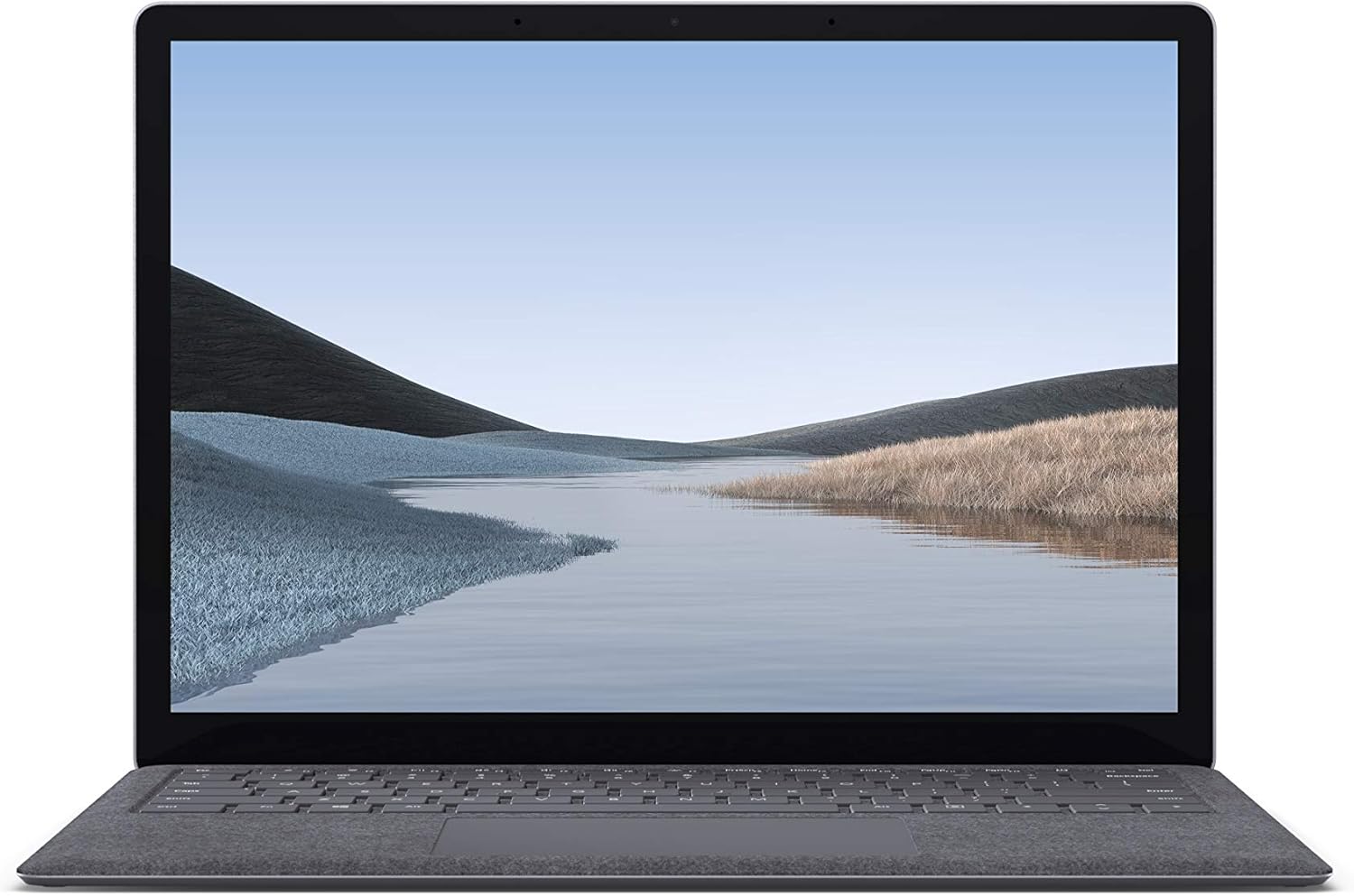
이미지 1.1: 앞면 view of the Microsoft Surface Laptop 3 with its display active.
The Surface Laptop 3 offers a clean, elegant design, weighing approximately 2.79 pounds, making it easy to carry. It features improved speed and performance with its 10th Gen Intel Core processors, offering up to two times faster performance than previous models. Connectivity options include USB-C and USB-A ports for connecting to displays, docking stations, and accessories. The device provides up to 11.5 hours of battery life and supports fast charging, reaching up to 80% in about one hour.
2. 상자 안에 무엇이 들어있나요?
Upon unboxing your Microsoft Surface Laptop 3, verify that all the following items are present:
- Microsoft Surface Laptop 3 (Model VGY-00001)
- 빠른 시작 가이드(QSG)
- Power Supply (AC adapter)
3. 설정
3.1 초기 전원 켜기
- 전원 연결: Plug the power supply into a wall outlet and connect the magnetic Surface Connect port to your laptop. The LED indicator on the connector will light up when properly connected.
- 전원 켜기: 노트북 덮개를 열거나 키보드에 있는 전원 버튼을 누르세요.
- Windows 설치 : 화면의 지시에 따라 Windows 10 Home 설치를 완료하세요. 여기에는 지역 선택, Wi-Fi 네트워크 연결 및 사용자 계정 생성이 포함됩니다.
- Windows Hello: Configure Windows Hello for secure and fast login using facial recognition.
3.2 주변기기 연결하기
Your Surface Laptop 3 includes various ports for connecting external devices:
- USB-C 포트: For data transfer, video output, and charging compatible devices.
- USB-A 포트: For connecting traditional USB devices like mice, keyboards, and external storage.
- 3.5mm 헤드폰 잭: 헤드폰이나 외부 스피커로 오디오를 출력합니다.
- 표면 연결 포트: For the power supply and compatible Surface docking stations.

이미지 3.1: 측면 view illustrating the available ports on the Surface Laptop 3.
4. Surface Laptop 3 작동하기
4.1 디스플레이 및 터치스크린
The 13.5-inch PixelSense touchscreen display offers a resolution of 2256 x 1504 pixels. It supports multi-touch gestures and is compatible with the Surface Pen (sold separately) for writing and drawing directly on the screen.
4.2 키보드 및 터치패드
The full-size ergonomic keyboard features backlighting for comfortable typing in various lighting conditions. The large precision touchpad supports multi-finger gestures for navigation and control.
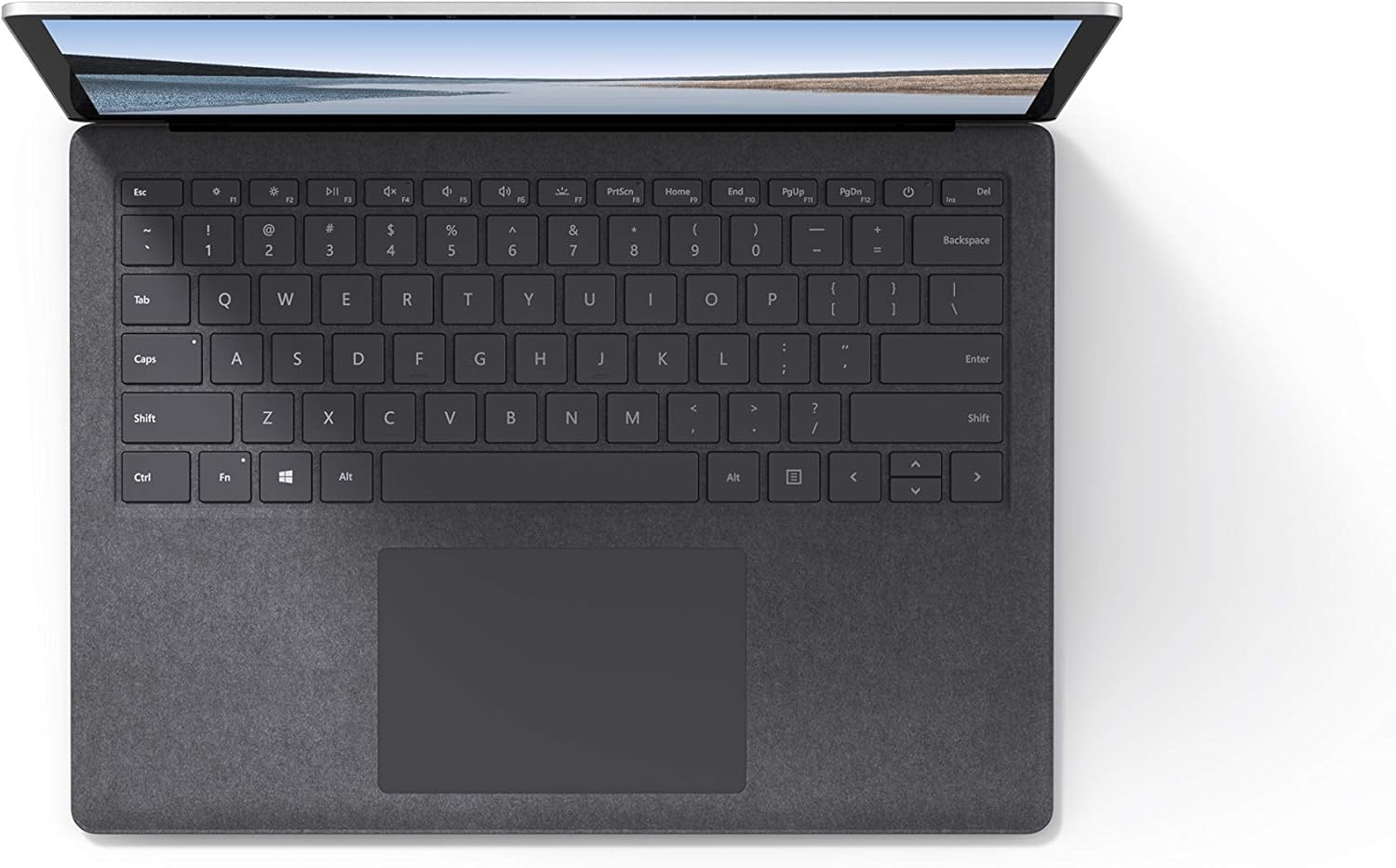
이미지 4.1: 위에서 아래로 view 키보드와 터치패드 부분.
4.3 오디오 및 카메라
The laptop is equipped with Omnisonic Speakers with Dolby Audio Premium for clear sound. Dual far-field Studio Mics enhance voice clarity for calls and recordings. A front-facing 720p HD camera supports video conferencing and Windows Hello facial authentication.
4.4 무선 연결
The Surface Laptop 3 supports Wi-Fi 6 (802.11ax) for fast and reliable internet access, and Bluetooth 5.0 for connecting wireless accessories.
Video 4.1: Official Microsoft video showcasing the Surface Laptop 3's features and design.
5. 유지관리
5.1 장치 청소
- 부드럽고 보풀이 없는 천을 사용하십시오. dampened with water or an approved screen cleaner to clean the display.
- 키보드와 본체는 부드럽고 마른 천으로 닦으십시오. 강한 화학 약품이나 연마재는 사용하지 마십시오.
- 포트에 먼지나 이물질이 없도록 하세요.
5.2 소프트웨어 업데이트
최적의 성능, 보안 및 최신 기능 이용을 위해 Windows 업데이트를 정기적으로 확인하고 설치하세요. 설정 > 업데이트 및 보안 > Windows 업데이트.
5.3 배터리 관리
- 극한의 온도를 피하세요.
- 배터리 수명을 최적화하려면 배터리를 지속적으로 0%까지 방전시키거나 장시간 100% 상태로 유지하는 것을 피하십시오.
- 제공된 전원 공급 장치만 사용하십시오.
6. 문제 해결
6.1 전원 문제
- 장치가 켜지지 않음: Ensure the power supply is securely connected and the outlet is functional. Try a forced shutdown by holding the power button for 30 seconds, then release and press again briefly to restart.
- 배터리가 충전되지 않음: Verify the Surface Connect cable is properly attached. Check for any damage to the cable or port.
6.2 성능 문제
- 느린 성능: Close unnecessary applications. Check Task Manager for resource-intensive processes. Ensure Windows is up to date.
- 과열: Ensure ventilation vents are not blocked. Avoid using the laptop on soft surfaces that can obstruct airflow.
6.3 연결 문제
- Wi-Fi가 연결되지 않음: Restart your router and the laptop. Check Wi-Fi settings and ensure the correct network is selected and password entered.
- Bluetooth 장치가 페어링되지 않음: Bluetooth 장치가 페어링 모드이고 범위 내에 있는지 확인하세요. 노트북의 Bluetooth 설정을 확인하세요.
7. 사양
| 특징 | 세부 사항 |
|---|---|
| 상표 | 마이크로소프트 |
| 모델명 | 서피스 랩탑 3 |
| 모델 번호 | VGY-00001 |
| 화면 크기 | 13.5 인치 |
| 해결 | 2256 x 1504 픽셀 |
| CPU 모델 | 인텔 코어 i5 (10세대) |
| 프로세서 속도 | 1.2 GHz (up to 3.7 GHz with Turbo Boost) |
| 설치된 RAM 메모리 크기 | 8GB LPDDR4 |
| 하드 디스크 크기 | 128GB SSD |
| 운영 체제 | 윈도우 10 홈 (윈도우 11 출시 시 무료 업그레이드 가능) |
| 그래픽 코프로세서 | 인텔 아이리스 플러스 |
| 연결 기술 | 1 x USB-C, 1 x USB-A, 3.5 mm headphone jack, 1 x Surface Connect port |
| 무선 기술 | Wi-Fi 6(802.11ax), 블루투스 5.0 |
| 배터리 수명 | 최대 11.5시간 |
| 품목 무게 | 2.79 파운드 |
| 크기 (길이 x 너비 x 두께) | 8.8인치 길이 x 12.1인치 너비 x 0.57인치 두께 |
| 카메라 | Front-facing 720p HD camera with Windows Hello face authentication |
| 오디오 | Omnisonic Speakers with Dolby Audio Premium, Dual far-field Studio Mics |
8. 보증 및 지원
8.1 제품 보증
The Microsoft Surface Laptop 3 (Model VGY-00001) comes with a 1년 제조사 제한 보증. This warranty covers defects in materials and workmanship under normal use. For specific terms and conditions, please refer to the warranty documentation included with your product or visit the official Microsoft support web대지.
8.2 고객 지원
For technical assistance, troubleshooting, or warranty claims, please contact Microsoft Support. You can find contact information and additional resources on the official Microsoft Surface support website. Keep your proof of purchase and product serial number readily available when contacting support.
온라인 지원: 방문하다 support.microsoft.com/surface FAQ, 드라이버 및 소프트웨어 다운로드는 여기를 참조하세요.