
Homtime C1 Pro
홈타임 C1 프로 디지털 알람 시계 사용 설명서
모델: C1 Pro
브랜드: 홈타임
소개
This manual provides comprehensive instructions for the setup, operation, and maintenance of your Homtime C1 Pro Digital Alarm Clock. Please read this manual thoroughly before using the product to ensure proper functionality and longevity.
패키지 내용
- 1 x Homtime C1 Pro Main Unit
- 1 x 전원 어댑터
- 1 x 사용자 설명서
주요 특징
- Adjustable LED Brightness & 25° Tilt Design for Easy Time Checking
- Dual USB Charging Ports with Over-Current, Over-Voltage, and Short-Circuit Protection
- Integrated Bluetooth Speaker for Audio Playback
- TF Card Support for Custom Alarm Sounds
- Built-in Thermometer Function (Celsius/Fahrenheit Switchable)
- Battery Backup for Time and Alarm Settings
- Snooze Mode Functionality
설정
1. 전원 연결
Connect the provided power adapter to the DC 5V port on the back of the alarm clock and plug it into a wall outlet. The display will illuminate.
이미지: 후면 view of the Homtime C1 Pro, highlighting the DC 5V power input and the battery compartment for backup.
2. 배터리 백업 설치 (선택 사항)
For battery backup of time and thermometer settings during power outages, install three AAA batteries (not included) into the battery compartment on the bottom of the unit. This ensures settings are retained even if the main power is disconnected.
3. 시간 및 알람 설정
Locate the 'LOCK/UNLOCK' switch on the back of the unit. Set it to 'UNLOCK'.
Gently rotate the large button on the top of the alarm clock to adjust the time. Press the alarm button (small button next to the large one) to set the alarm time. Rotate the large button again to set the desired alarm time.
Once set, switch the 'LOCK/UNLOCK' switch back to 'LOCK' to prevent accidental changes.
Video: Demonstrates how to set the time and alarm on the Homtime C1 Pro using the top rotary button and alarm set button.
4. 온도 단위 선택
On the bottom of the unit, locate a small hole labeled 'C/F'. Use a paper clip or a similar pointed object to press the button inside this hole to switch between Celsius (°C) and Fahrenheit (°F) temperature display.
작동 지침
1. 화면 밝기 조절
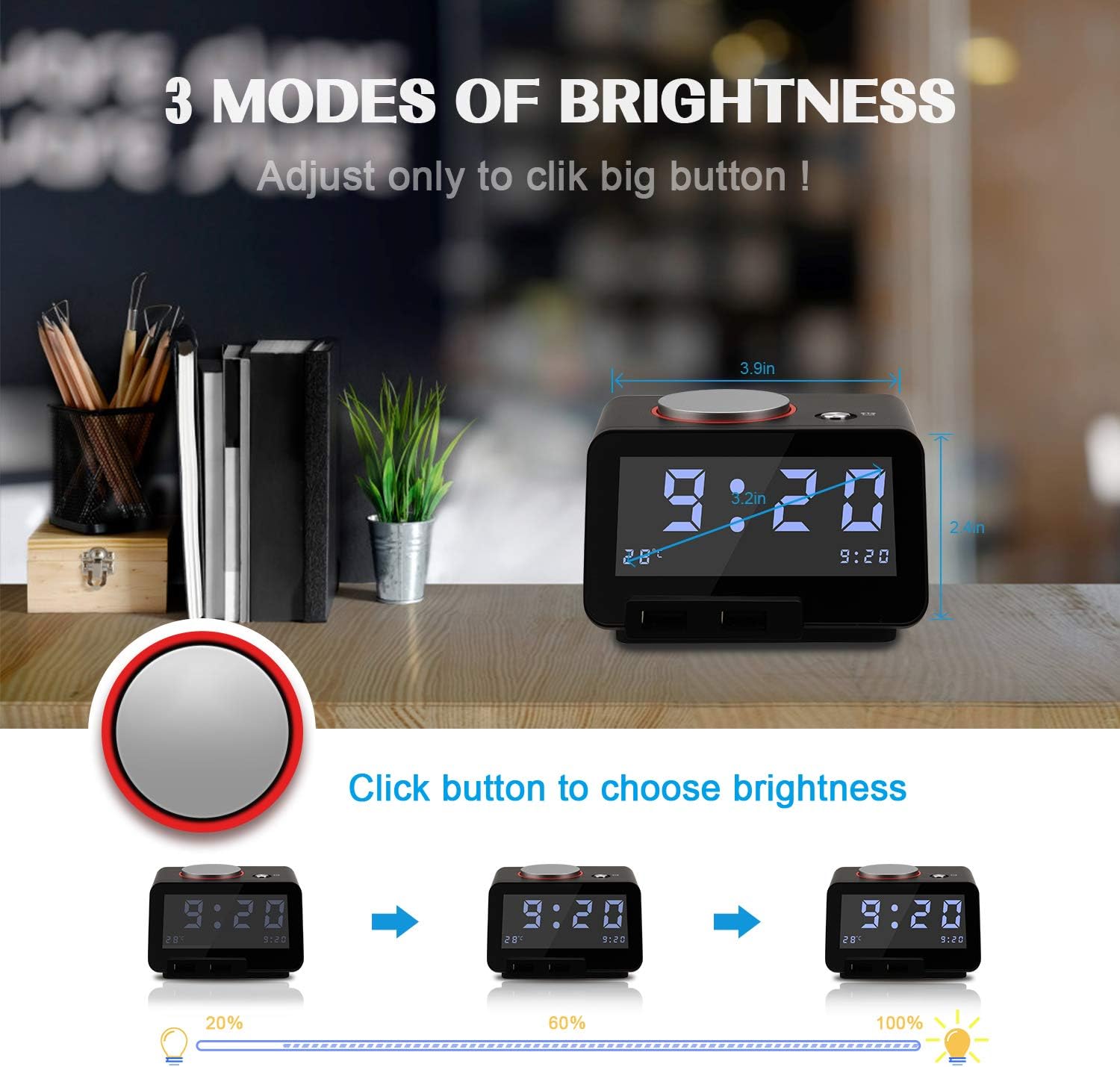
The Homtime C1 Pro features a large, easy-to-read LCD display with adjustable brightness. Simply tap the large rotary button on the top of the unit to cycle through three brightness levels (20%, 60%, 100%) and an 'off' setting. This allows you to customize the display visibility for day or night use without disturbing your sleep.
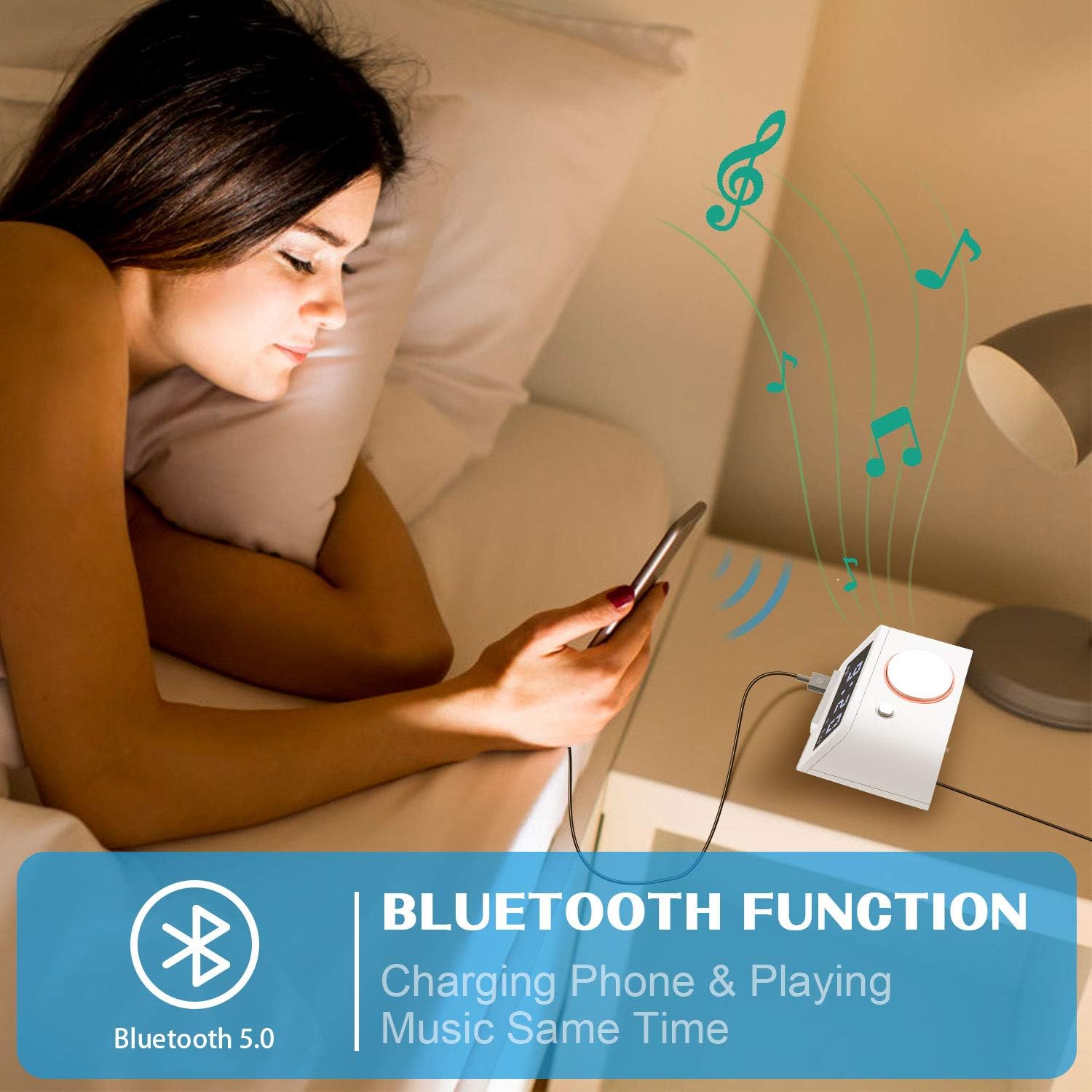
Image: Illustrates the three distinct brightness levels of the LCD display, adjustable by pressing the top button.
2. Alarm Function and Snooze
When the alarm sounds, tap the large rotary button on the top to activate the snooze function. The alarm will pause for 9 minutes and then reactivate. To completely silence the alarm, press and hold the large rotary button for 3 seconds.
The alarm features a gentle wake-up sound that starts softly and gradually increases in volume. You can adjust the maximum alarm volume by pressing and rotating the large button while the alarm is sounding.
3. 블루투스 스피커 기능
The C1 Pro can function as a Bluetooth speaker. Enable Bluetooth on your mobile device and search for "C1pro" in the list of available devices. Select "C1pro" to pair. Once connected, you can play audio from your device through the alarm clock's speaker.

Image: A user connecting their smartphone to the Homtime C1 Pro via Bluetooth to play music.
4. TF 카드 재생
Insert a Micro SD (TF) card loaded with your favorite MP3 audio files into the TF card slot on the back of the unit. The alarm clock can play these songs, allowing you to customize your wake-up sound or enjoy music directly from the card.
5. Dual USB Charging Ports
The alarm clock is equipped with two USB charging ports on the front, providing a total current output of 5V-3A. These ports feature over-current, over-voltage, and short-circuit protection. You can charge two USB-powered devices simultaneously, such as smartphones, tablets, or other gadgets.

이미지: 앞면 view of the Homtime C1 Pro, clearly showing the two convenient USB charging ports.
유지
청소
To clean the unit, wipe it with a soft, dry cloth. Do not use abrasive cleaners, waxes, or solvents as they may damage the finish. Ensure the unit is unplugged before cleaning.
저장
If storing the alarm clock for an extended period, remove the backup batteries to prevent leakage and damage. Store in a cool, dry place.
문제 해결
화면이 꺼져 있거나 불이 들어오지 않습니다.
- Ensure the power adapter is securely plugged into both the unit and a working wall outlet.
- Check if the brightness setting is set to 'off'. Tap the large rotary button to increase brightness.
- 다른 장치를 연결하여 전원 콘센트가 작동하는지 확인하세요.
알람이 울리지 않습니다:
- 경보 설정이 올바르게 되어 있고 디스플레이에 경보 아이콘이 표시되는지 확인하십시오.
- 알람 소리 크기를 확인하세요.
블루투스 페어링 문제:
- Ensure Bluetooth is enabled on your mobile device and the C1 Pro is within range.
- Forget "C1pro" from your device's Bluetooth settings and attempt to re-pair.
- Restart both the alarm clock (by unplugging and replugging) and your mobile device.
USB 충전이 작동하지 않습니다.
- 알람시계 전원이 켜져 있는지 확인하십시오.
- Check the USB cable for damage and ensure it is properly connected to both the alarm clock and your device.
- 다른 USB 포트나 케이블을 사용해 보세요.
명세서
| 특징 | 세부 사항 |
|---|---|
| 상표 | 홈타임 |
| 모델 | C1 프로 |
| 디스플레이 유형 | 디지털 LCD |
| 전원 | 코드식 전기 |
| USB 출력 | 5V-3A (Total) |
| 치수 | 4.3 x 4.3 x 2.5 인치 |
| 품목 무게 | 1.2파운드 |
| 재료 | 플라스틱 |
보증 및 지원
For warranty information and customer support, please refer to the contact details provided on the product packaging or visit the official Homtime web사이트. 보증 청구에 대비해 구매 증빙 자료로 구매 영수증을 보관하세요.
관련 문서C1 프로


Ask a question about this manual
Ask about setup, troubleshooting, compatibility, parts, safety, or missing instructions. Manuals+ will review the question and use this page’s manual context to help answer it.