
시몰리오 JH-712
SIMOLIO 어린이용 블루투스 헤드폰 사용 설명서
모델 : JH-712
1. 서론
Thank you for choosing SIMOLIO Kids Bluetooth Headphones. These headphones are designed with children's hearing safety in mind, featuring multiple volume limiting levels and a comfortable, durable design. This manual provides detailed instructions for setup, operation, and maintenance to ensure optimal performance and longevity of your headphones.
2. 주요 특징
- 청력 보호: Exclusive 3-level volume limiter (75dB/85dB/94dB) suitable for toddlers, kids, and adults.
- 듀얼 모드 연결: 무선 블루투스 및 유선 3.5mm 오디오 연결을 모두 지원합니다.
- 내장 마이크: Enables hands-free calling in Bluetooth mode.
- Share Port: Allows daisy-chaining another headphone for shared listening.
- 긴 배터리 수명: Up to 15 hours of music/talk time in wireless mode.
- 편안함과 내구성: Adjustable headband with memory stainless steel strips and soft noise-isolating memory foam earmuffs.
- 휴대성 있는 디자인: Foldable design with an included hard EVA carrying case for easy storage and travel.

Image: SIMOLIO Kids Bluetooth Headphones in grey, shown with charging cable, AUX cable, and hard EVA carrying case.
3. 상자 안에 무엇이 들어있나요?
패키지를 열 때 다음 품목이 모두 포함되어 있는지 확인하세요.
- SIMOLIO Kids Bluetooth Headphones (Model: JH-712)
- USB 충전 케이블
- 3.5mm AUX 오디오 케이블
- Hard EVA Carrying Case
- 사용 설명서 (본 문서)
4. 설정 가이드
4.1 헤드폰 충전
Before first use, fully charge the headphones. A full charge takes approximately 2-3 hours.
- USB 충전 케이블의 작은 쪽 끝을 헤드폰의 충전 포트에 연결하세요.
- USB 충전 케이블의 큰 쪽 끝을 USB 전원 어댑터(포함되지 않음)나 컴퓨터의 USB 포트에 연결합니다.
- The LED indicator light will turn red during charging and turn off when fully charged.
4.2 Adjusting Volume Limit
The headphones feature a 3-level volume limiter to protect hearing. The switch is located on the left earcup.
- 75dB: Toddler Mode (lowest volume, recommended for very young children).
- 85dB: Kids Mode (standard safe listening level for most children).
- 94dB: Travel Mode (higher volume for noisy environments, suitable for older children/adults).

Image: Close-up of the headphone earcup highlighting the 3-level volume limit switch (75dB, 85dB, 94dB).
5. 사용 설명서
5.1 Wireless (Bluetooth) Mode
- 전원 켜기: Press and hold the Multi-function Button (MFB) for 3 seconds until the LED indicator flashes blue.
- 편성: The headphones will automatically enter pairing mode (LED flashes red and blue alternately).
- 연결하다: On your device (smartphone, tablet, laptop), enable Bluetooth and select "SIMOLIO JH-712" from the list of available devices. The LED will turn solid blue when connected.
- 통제 수단:
- Press MFB once to Play/Pause music or Answer/End calls.
- Press MFB twice to Redial last number.
- Press MFB three times to activate voice assistant (Siri, Google Assistant).
- Press Volume + to increase volume.
- Press Volume - to decrease volume.
- Press Next Track button to skip to the next song.
- Press Previous Track button to go to the previous song.
- 전원 끄기 : Press and hold the MFB for 3 seconds until the LED indicator turns red and then off.

Image: A child wearing SIMOLIO headphones while using a laptop, illustrating the "Safe Volume Limited" feature in a study environment.

Image: Two children demonstrating wireless and wired modes. One child uses headphones wirelessly with a laptop, the other uses them wired with a smartphone. Note: Microphone only works in Bluetooth mode.
5.2 유선 모드
배터리가 방전된 경우에도 유선 헤드폰으로 사용할 수 있습니다.
- Insert one end of the 3.5mm AUX audio cable into the audio input port on the headphone.
- Insert the other end of the 3.5mm AUX audio cable into the audio output jack of your device (e.g., tablet, phone, computer).
- In wired mode, the headphone's battery is not used, and the volume limiting feature remains active. Note that the built-in microphone will not function in wired mode.
5.3 Share Port Function
The share port allows multiple headphones to listen to the same audio source.
- Connect the first SIMOLIO headphone to your device via Bluetooth (wireless) or AUX cable (wired).
- Connect one end of a 3.5mm AUX audio cable to the share port on the first headphone.
- Connect the other end of the 3.5mm AUX audio cable to the audio input port of a second headphone.
- Both headphones will now play audio from the same source.
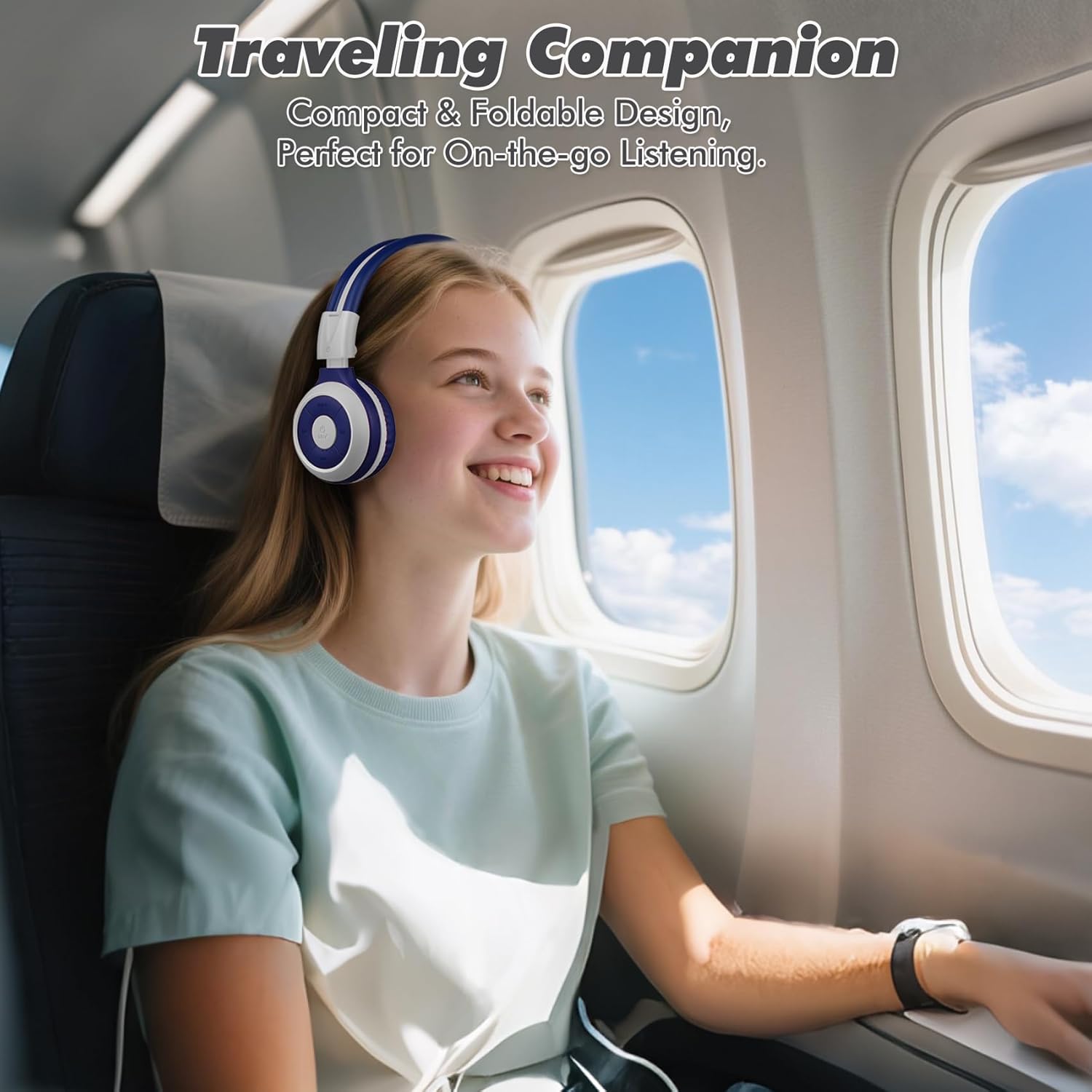
Image: A child comfortably wearing SIMOLIO headphones on an airplane, highlighting the compact and foldable design for travel.
6. 유지관리 및 관리
- 청소: 부드럽고 마른 천으로 헤드폰을 닦으세요. 연마성 세제나 용제는 사용하지 마세요.
- 저장: When not in use, fold the headphones and store them in the provided hard EVA carrying case to protect them from dust and damage.
- 온도: 헤드폰을 극한의 온도(더위나 추위)나 높은 습도에 노출시키지 마세요.
- 물 노출: 이 헤드폰은 방수 기능이 없습니다. 물이나 기타 액체와의 접촉을 피하십시오.
- 손질: Do not bend the headband hinge excessively. While durable, improper force can cause damage.

Image: Diagram illustrating the flexibility of the headband with memory elastic metal strips, showing how it can be remoulded to fit the user's head. Important note: Do not bend the hinge.
7. 문제 해결
| 문제 | 가능한 원인 | 해결책 |
|---|---|---|
| 헤드폰의 전원이 켜지지 않습니다. | 배터리가 부족하거나 방전되었습니다. | 제공된 USB 케이블을 사용하여 헤드폰을 완전히 충전하십시오. |
| 블루투스로 페어링할 수 없습니다. | 헤드폰이 페어링 모드가 아닙니다. 기기의 Bluetooth가 꺼져 있습니다. 기기와 너무 멀리 떨어져 있습니다. | 헤드폰이 페어링 모드(빨간색/파란색 깜빡임)인지 확인하세요. 기기의 블루투스를 껐다가 켜세요. 헤드폰을 기기 가까이(10미터 이내) 이동하세요. |
| 무선 모드에서는 소리가 나지 않습니다. | Volume too low; not connected; incorrect audio output selected on device. | Increase headphone and device volume. Ensure headphones are successfully paired. Check device's audio output settings. |
| 유선 모드에서는 소리가 나지 않습니다. | AUX cable not fully inserted; cable damaged; device audio jack issue. | Ensure AUX cable is fully inserted into both headphone and device. Try a different AUX cable. Test with another device. |
| 마이크가 작동하지 않습니다. | Headphones in wired mode; device microphone settings. | The microphone only functions in Bluetooth mode. Ensure headphones are connected wirelessly. Check device's microphone privacy settings. |
8. 사양
| 특징 | 세부 사항 |
|---|---|
| 모델명 | Kids Wireless Bluetooth Headphones JH-712G |
| 연결 기술 | 무선(블루투스), 유선(3.5mm AUX) |
| 블루투스 범위 | 10미터(33피트) |
| 배터리 수명 | Up to 15 Hours (wireless mode) |
| 오디오 드라이버 크기 | 40 밀리미터 |
| 음량 제한 수준 | 75dB, 85dB, 94dB |
| 재료 | 아크릴로니트릴 부타디엔 스티렌(ABS) |
| 제품 치수 | 5.51 x 3.15 x 5.31 인치 |
| 품목 무게 | 13.4 온스 |
| 포함된 구성 요소 | Charging Cable, AUX Cable, User Manual, Carrying EVA Case |
9. 보증 및 지원
SIMOLIO provides a 12-month hassle-free warranty for these headphones. For any product-related inquiries, technical support, or warranty claims, please contact SIMOLIO customer service through the following channels:
- 이메일: Refer to the contact information provided on the product packaging or SIMOLIO official web대지.
- 온라인 지원: Visit the SIMOLIO Store on Amazon: SIMOLIO Store
Please have your model number (JH-712) and purchase date ready when contacting support.
Ask a question about this manual
Ask about setup, troubleshooting, compatibility, parts, safety, or missing instructions. Manuals+ will review the question and use this page’s manual context to help answer it.