
1. 서론
This manual provides essential instructions for the proper use and care of your ProCase Leather Protective Stand Folio Case. Designed to offer robust protection and enhanced functionality, this case is compatible with specific Lenovo 10.1-inch tablet models. Please read this manual thoroughly to ensure optimal performance and longevity of your product.
2. 호환성
This ProCase folio case is specifically designed for the following 10.1-inch Lenovo tablet models:
- Lenovo Tab P10: Models TB-X705F, TB-X705L
- Lenovo Tab M10 HD: Models TB-X505F, TB-X505L
- Lenovo Tab M10: Models TB-X605F, TB-X605L
To verify your tablet's model number, navigate to 설정 > 태블릿에 대하여 > 모델 번호 귀하의 기기에서.
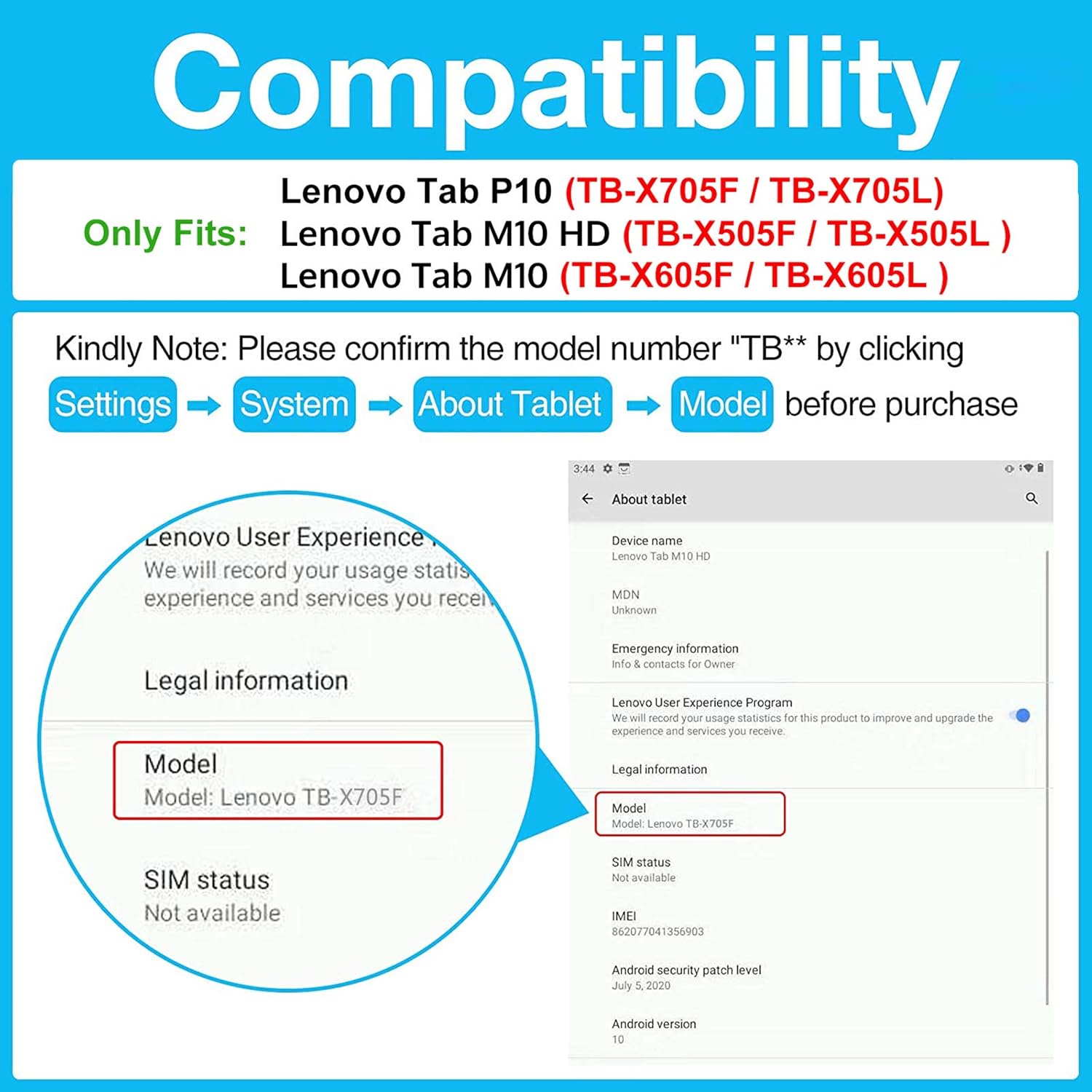
Figure 2.1: Visual guide for checking tablet compatibility and model numbers.
3. 패키지 내용
Your ProCase Leather Protective Stand Folio Case package should contain:
- 1 x ProCase Leather Protective Stand Folio Case
- 1 x Installation Guide/Instruction Card
Please inspect all items upon receipt. If any components are missing or damaged, contact customer support.
4. 설정 및 설치
Follow these steps to properly install your tablet into the ProCase folio case:
- 케이스를 풀어보세요: Carefully remove the case from its packaging. Remove any internal foam or paper inserts.
- 케이스 열기: Lay the case flat on a clean surface and open the front cover. Locate the Velcro flap designed to secure your tablet.
- 태블릿 삽입: Gently slide your tablet into the main compartment of the case, ensuring it aligns with the frame. Push the tablet firmly towards the top edge of the case.
- 보안 태블릿: Fold the Velcro flap under the tablet and firmly press it onto the corresponding Velcro tab (uncut pile) to secure your device in place. Ensure all corners are properly seated within the case's frame.
- 핏 확인: Verify that all ports, buttons, and cameras are accessible through the precise cutouts.
Video 4.1: General installation guide for ProCase Vintage Stand Folio Cover. While this video features an iPad Pro, the installation steps are similar for your Lenovo tablet.
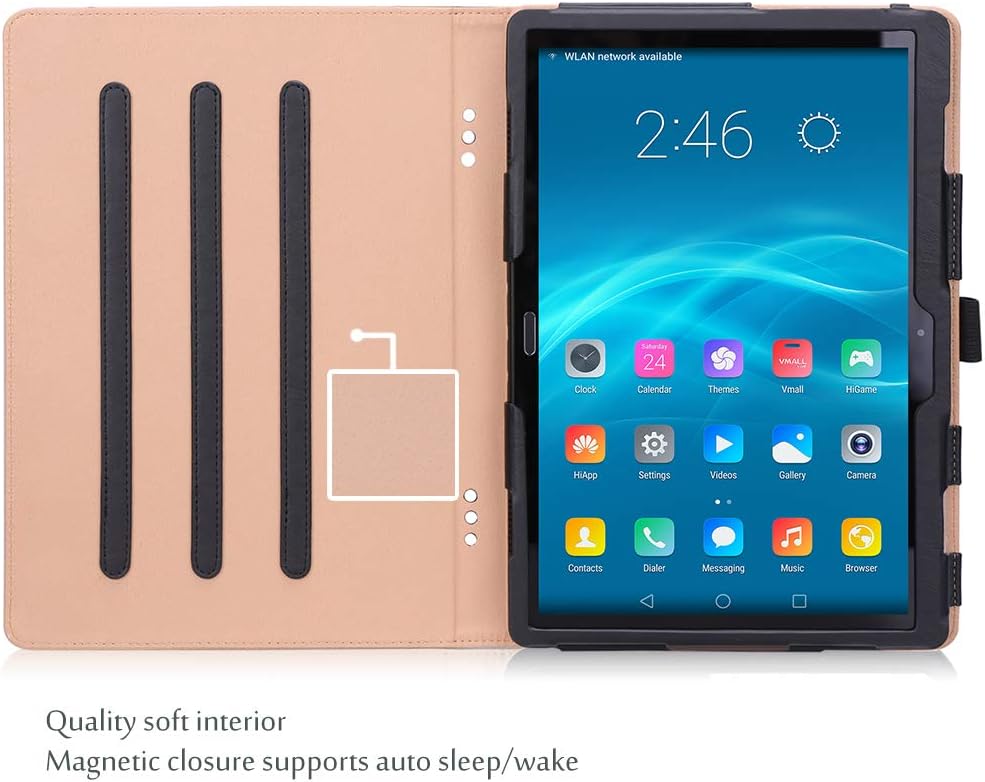
Figure 4.1: Open case interior, ready for tablet insertion.

Figure 4.2: Precise cutouts ensure full access to all tablet features.
5. 작동 특징
Your ProCase folio case offers several features to enhance your tablet experience:
5.1 다중 Viewing and Typing Angles
The case features three anti-slip stripes on the interior cover, allowing you to set up your tablet in multiple horizontal stand angles. This is ideal for hands-free viewing of videos, reading, or comfortable typing.

Figure 5.1: Tablet positioned in a stand angle for view주고받음.
5.2 자동 절전/깨우기 기능
The integrated magnetic closure supports your tablet's auto sleep/wake function. Closing the cover will put your tablet to sleep, and opening it will wake it up, conserving battery life.
5.3 Built-in Stylus Pen Holder
An elastic loop is built into the side of the case to securely hold your stylus pen, keeping it conveniently at hand when needed.

Figure 5.2: Front pocket and integrated stylus pen holder.
5.4 Front Document Pocket
The front cover features a large document card pocket, providing a convenient space to store small papers, cards, or other personal belongings.
6. 유지관리
To maintain the appearance and functionality of your ProCase folio case:
- 청소: 부드러운 천으로 외부를 닦아주세요.amp 천으로 닦으세요. 강한 화학 물질이나 연마성 세제는 피하세요.
- 저장: 사용하지 않을 때는 직사광선과 극한의 온도를 피해 시원하고 건조한 곳에 보관하세요.
- 과도한 충전을 피하세요: Do not overfill the document pocket, as this may stretch the material or prevent the case from closing properly.
7. 문제 해결
사건 진행 중 문제가 발생하면 다음 사항을 고려하십시오.
- 태블릿이 맞지 않습니다: Double-check your tablet's model number against the compatibility list in Section 2. Ensure the tablet is inserted correctly and fully seated within the frame.
- Stand Slips: Ensure the tablet is placed firmly into one of the anti-slip grooves. The grooves are designed to provide stability on flat surfaces.
- 자동 절전/깨우기가 작동하지 않음: Confirm your tablet's settings allow for magnetic sleep/wake functionality. Ensure the case is closed completely and the magnetic flap is aligned.
For further assistance, please contact ProCase customer support.
8. 사양
| 특징 | 세부 사항 |
|---|---|
| 상표 | 프로케이스 |
| 모델 번호 | PC-08361488 |
| 호환 장치 | Lenovo Tab P10/M10/M10 HD 10.1" (TB-X705F, TB-X705L, TB-X505F, TB-X505L, TB-X605F, TB-X605L) |
| 색상 | 검은색 |
| 재료 | Leather (Composition) |
| 폼 팩터 | 폴리오 케이스 |
| 추가 기능 | Anti-Slip Stand, Magnetic Closure (Auto Sleep/Wake), Stylus Holder, Front Document Pocket |
| 품목 치수 | 6.58 x 9.52 x 0.28 인치 |
| 품목 무게 | 3.5 온스 |
9. 보증 및 지원
ProCase products are designed for quality and durability. For information regarding warranty coverage, returns, or technical support, please refer to the contact information provided with your purchase or visit the official ProCase website. Please have your model number (PC-08361488) and purchase details ready when contacting support.