
소개
This manual provides detailed instructions for the installation, operation, and maintenance of your NEC SL2100 IP7WW-12TXH-B1 12-Button Display Speaker Telephone. Please read this manual thoroughly before using the telephone to ensure proper functionality and to prevent damage.
안전 정보
화재, 감전, 부상의 위험을 줄이기 위해 이 제품을 사용할 때는 항상 기본적인 안전 예방 조치를 따르세요.
- 예를 들어 물 근처에서 이 제품을 사용하지 마십시오.amp욕조, 세면대, 주방 싱크대, 세탁조 근처, 습기가 많은 지하실, 수영장 근처.
- Avoid using the telephone during an electrical storm. There may be a remote risk of electric shock from lightning.
- 가스 누출 사고가 발생한 곳 근처에서는 전화를 사용하여 가스 누출을 신고하지 마세요.
- Use only the power source specified in this manual or marked on the product. This telephone is powered by the phone system.
- 청소하기 전에 벽면 콘센트에서 이 제품의 플러그를 뽑으세요. 액체 세척제나 에어로졸 세척제를 사용하지 마세요. ad를 사용하세요.amp 청소용 천.
패키지 내용
패키지에 모든 품목이 들어 있는지 확인하세요.
- NEC SL2100 IP7WW-12TXH-B1 12-Button Display Speaker Telephone (Black)
- 핸드셋
- 핸드셋 코드
- Base Stand (for desk or wall mounting)
- Ethernet Cable (if applicable for IP connection)
제품 끝view
The NEC SL2100 IP7WW-12TXH-B1 is a corded 12-button display speaker telephone designed for use with NEC SL2100 systems. It features a clear display for call information and menu navigation, a built-in speakerphone for hands-free communication, and 12 programmable function keys.
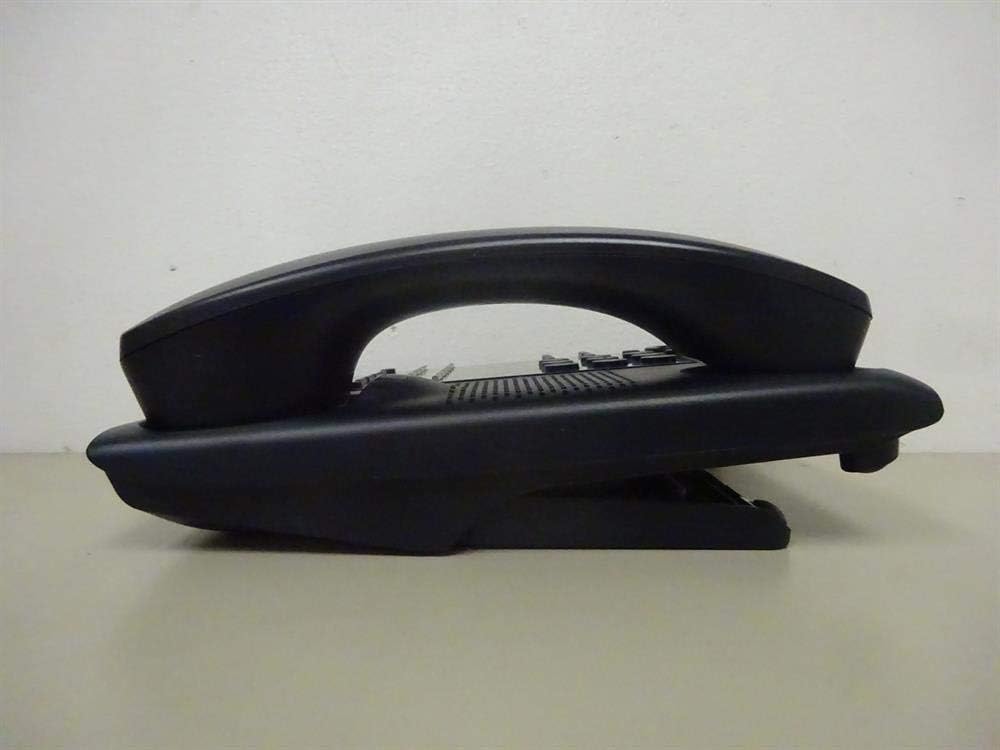
그림 1: 옆 view of the NEC SL2100 IP7WW-12TXH-B1 telephone, showing the ergonomic design of the handset and base unit.

그림 2: 뒤쪽 view of the telephone, illustrating the various connection ports for the handset and network, as well as the integrated wall-mounting slots.
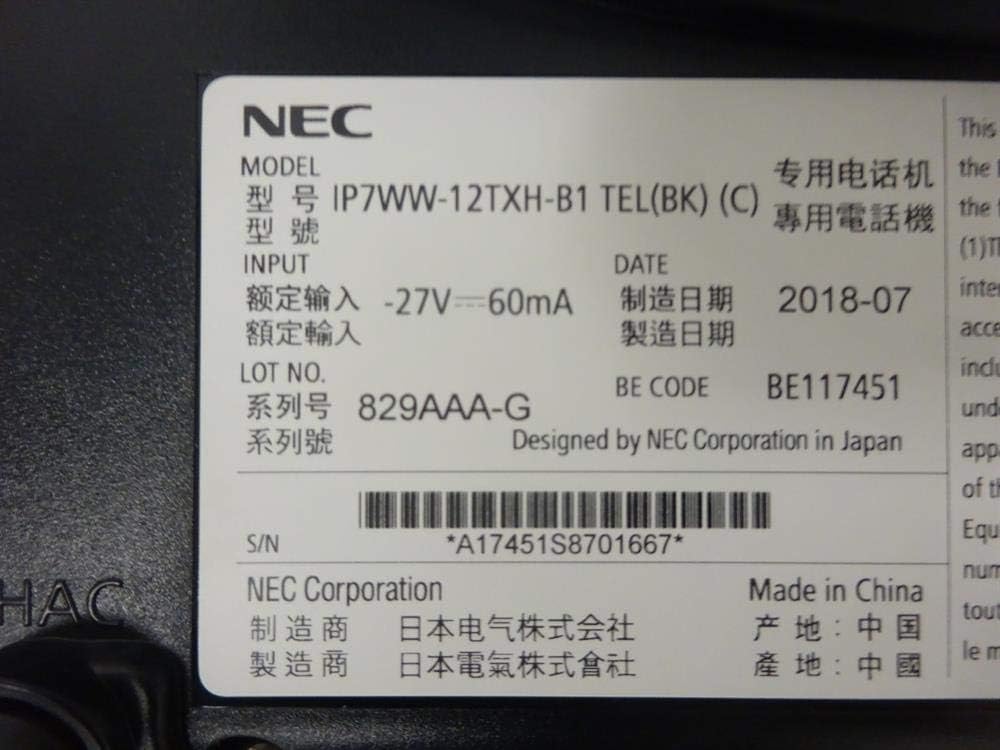
그림 3: Close-up of the product label, displaying model number IP7WW-12TXH-B1, input specifications, and manufacturer details.
설정
1. Assembling the Telephone
- 베이스 스탠드 부착: Align the base stand with the slots on the bottom of the telephone. Slide it into place until it clicks securely. The stand can be adjusted for different viewing angles or reversed for wall mounting.
- 핸드셋 연결: 코일형 수화기 코드의 한쪽 끝을 수화기에 꽂고 다른 쪽 끝을 전화기 본체 측면에 있는 지정된 포트에 꽂으십시오.
2. Connecting to the System
This telephone is designed to connect to an NEC SL2100 system. Ensure your SL2100 system is properly installed and configured.
- 네트워크 케이블을 연결합니다. Plug one end of an Ethernet cable into the LAN port on the back of the telephone. Plug the other end into an available port on your NEC SL2100 system or a network switch connected to the system.
- 전원 켜기: The telephone receives power directly from the NEC SL2100 system (Power over Ethernet - PoE) or via a separate power adapter (not included, if PoE is not available). Once connected, the telephone should power on automatically.
- 초기 구성: The telephone will typically register with the SL2100 system automatically. If prompted, follow the on-screen instructions or consult your system administrator for specific extension number assignment or network settings.
작동 지침
전화 걸기
- 리프트 핸드셋: 송수화기를 들고 발신음을 듣습니다.
- 전화 번호: 키패드를 사용하여 원하는 전화번호를 누르세요.
- 스피커폰: 를 누르세요 스피커 button to activate the speakerphone, then dial the number.
전화 수신
- 리프트 핸드셋: When the telephone rings, lift the handset to answer.
- 스피커폰: 를 누르세요 스피커 button to answer the call hands-free.
디스플레이 사용
The display shows call information, menu options, and system status. Use the navigation buttons (usually arrow keys) to scroll through menus and the 입력하다 or 선택하다 버튼을 눌러 선택 사항을 확인하세요.
Programmable Function Keys (12 Buttons)
The 12 buttons on the telephone can be programmed for various functions such as speed dial, line access, feature activation, or direct station selection. Consult your system administrator for the specific programming of these keys.
컨퍼런스 콜
The telephone supports 3-way conference calls. To initiate a conference call:
- 첫 번째 당사자와 통화를 설정하세요.
- 를 누르세요 회의 (Conference) button or the designated programmable key. The first party will be put on hold.
- 두 번째 상대방의 전화번호를 누르세요.
- Once connected to the second party, press the 회의 버튼을 다시 누르면 세 정당 모두에 가입하게 됩니다.
거는 사람 확인
When an incoming call is received, the caller's information (name and number, if available) will be displayed on the screen.
다중 라인 작업
This telephone supports multi-line operation, allowing you to manage multiple calls simultaneously. Use the designated line keys or programmable keys to switch between active lines or place calls on hold.
유지
청소
To clean the telephone, unplug it from the network connection. Use a soft, slightly damp cloth. Do not use harsh chemicals, abrasive cleaners, or excessive moisture. Avoid spraying cleaners directly onto the telephone.
저장
If storing the telephone for an extended period, ensure it is clean and dry. Store it in a cool, dry place away from direct sunlight and extreme temperatures.
문제 해결
- 발신음 없음:
- Check all cable connections, especially the network cable to the SL2100 system.
- Ensure the SL2100 system is powered on and functioning correctly.
- If using a separate power adapter (not PoE), ensure it is properly connected and receiving power.
- 디스플레이가 작동하지 않음:
- Verify the telephone is receiving power.
- Try disconnecting and reconnecting the network cable.
- 전화를 걸거나 받을 수 없습니다:
- 다이얼 톤을 확인하세요.
- Ensure the telephone is properly registered with the SL2100 system.
- Contact your system administrator to verify line assignments and system status.
- 낮은 오디오 품질:
- Check handset and network cable connections.
- 다른 전자 기기로 인한 간섭이 없는지 확인하십시오.
- Test with another telephone if possible to isolate the issue.
명세서
| 특징 | 사양 |
|---|---|
| 상표 | 국립전기기술자협회 |
| 모델 번호 | IP7WW-12TXH-B1 (Mfr Part Number: BE117451) |
| 색상 | 검은색 |
| 전화 유형 | 유선 |
| 재료 | 플라스틱 |
| 전원 | Phone System (PoE compatible) |
| 다이얼러 유형 | 단일 키패드 |
| 품목 치수(L x W x H) | 15 x 12 x 6 인치 |
| 응답 시스템 유형 | Digital (System Dependent) |
| 호환 장치 | NEC SL2100 Systems, NEC SL2100 IP7WW-082U-B1 8 Port Digital Station Card |
| 컨퍼런스 콜 기능 | 3방향 |
| 다중 라인 작업 | 예 |
| 거는 사람 확인 | 예 |
보증 및 지원
For warranty information, please refer to the documentation provided with your NEC SL2100 system or contact your NEC authorized dealer. For technical support, please contact your system administrator or NEC customer service.
NEC 주식회사
For further assistance, please visit the official NEC website or contact your local support representative.


