
1. 서론
The MLAY T1 IPL Hair Removal System (Model MLAY-M3) is designed for home use to reduce unwanted hair on the face and body. This device utilizes Intense Pulsed Light (IPL) technology to target hair follicles, aiming to inhibit hair regrowth over time. Please read this manual thoroughly before first use to ensure safe and effective operation.
2. 중요한 안전 정보
Always prioritize safety. Failure to follow these instructions may result in injury or device damage.
- This device is intended for hair removal only. Do not use for any other purpose.
- 사용하기 전에 모든 지침을 읽으세요.
- 자극받았거나, 햇볕에 탔거나, 손상된 피부에는 사용하지 마십시오.
- Avoid direct eye exposure to the IPL light. Always wear the provided protective eyewear during treatment.
- Keep the device dry. Do not use in wet environments or near water.
- 어린이의 손이 닿지 않는 곳에 보관하세요.
- Consult a physician before use if you have any medical conditions, are pregnant, or are taking medications that may increase light sensitivity.
- Perform a skin patch test on a small area 24 hours before full treatment to check for adverse reactions.
- The device is FDA cleared for home use.
3. 패키지 내용
패키지에 모든 품목이 들어 있는지 확인하세요.
- MLAY T1 IPL Hair Removal Device (MLAY-M3)
- 전원 어댑터
- 보호용 안경
- 사용자 설명서
- 보증 카드
- 사용 설명서 CD (패키지에 따라 구성품이 다를 수 있음)

Image: Contents of the MLAY T1 IPL Hair Removal System package.
4. 제품 오버view
Familiarize yourself with the components of your MLAY T1 IPL Hair Removal System:

Image: Labeled components of the MLAY T1 IPL Hair Removal System.
- Lamp 상자: The light emission window. Ensure it is clean before each use.
- 상태 표시기: 장치 상태에 대한 시각적 피드백을 제공합니다.
- LED 스크린 : Displays information such as function mode, remaining pulses, temperature, fan status, and energy level.
- On/Off, Energy Level Adjustment Key: Press and hold to power on/off. Short press to cycle through energy levels.
- 전원 포트: 기기를 전원 어댑터에 연결합니다.
- Irradiation Button: Press to emit an IPL pulse when the device is correctly positioned on the skin.
- Function Display (HR/SR/AC): Indicates the current operating mode (Hair Removal, Skin Rejuvenation, Acne Clearance - specific functions may vary by model).
- Pulses Left: Shows the remaining flashes available for the lamp.
- Temperature Status: Indicates the device's internal temperature.
- 팬 상태: Shows if the cooling fan is active.
- 에너지 레벨: Displays the selected intensity level (1-5).

Image: Detachable lamp box of the MLAY T1 IPL Hair Removal System.
5. 설정
Before using your MLAY T1 IPL Hair Removal System, follow these steps:
- 피부 준비: Ensure the treatment area is clean, dry, and free of any lotions, gels, or deodorants. Shave the hair in the treatment area. Do not wax or pluck, as the IPL needs the hair follicle to be present.
- 전원 연결: Plug the power adapter into the device's power port, then plug the adapter into a wall outlet.
- 전원 켜기: Press and hold the On/Off button for a few seconds until the LED screen illuminates.
- 보호 안경을 착용하세요: Always put on the provided protective glasses before starting treatment to shield your eyes from the intense light.
6. 사용 설명서
6.1. Selecting Energy Level
After powering on, the device will default to the lowest energy level. Short press the On/Off button to cycle through the 5 available energy levels. Start with Level 1 and gradually increase as your skin tolerates it. Higher energy levels generally yield better results but require careful skin assessment.
6.2. Skin Tone and Hair Color Compatibility
IPL technology is most effective on lighter skin tones with darker hair. It is not suitable for very dark skin tones or very light (blonde, red, grey, white) hair. Refer to the skin tone chart in your detailed manual for guidance. Using the device on unsuitable skin or hair types may result in skin irritation or ineffective treatment.
6.3. 치료 과정
- 장치 배치: Firmly place the lamp box window against the skin in the desired treatment area. Ensure full contact. The device will detect skin contact and be ready to flash.
- Emit Pulse: Press the Irradiation Button to emit a single flash. You will see a bright flash of light.
- 다음 영역으로 이동: Lift the device slightly and move it to the next adjacent area, overlapping slightly to ensure full coverage. Do not treat the same spot multiple times in one session.
- 치료를 계속하십시오: Repeat the process until the entire desired area has been treated.
- 전원 끄기 : After completing your session, press and hold the On/Off button to power off the device. Unplug the power adapter.

Image: Proper usage of the MLAY T1 IPL Hair Removal System on the arm.
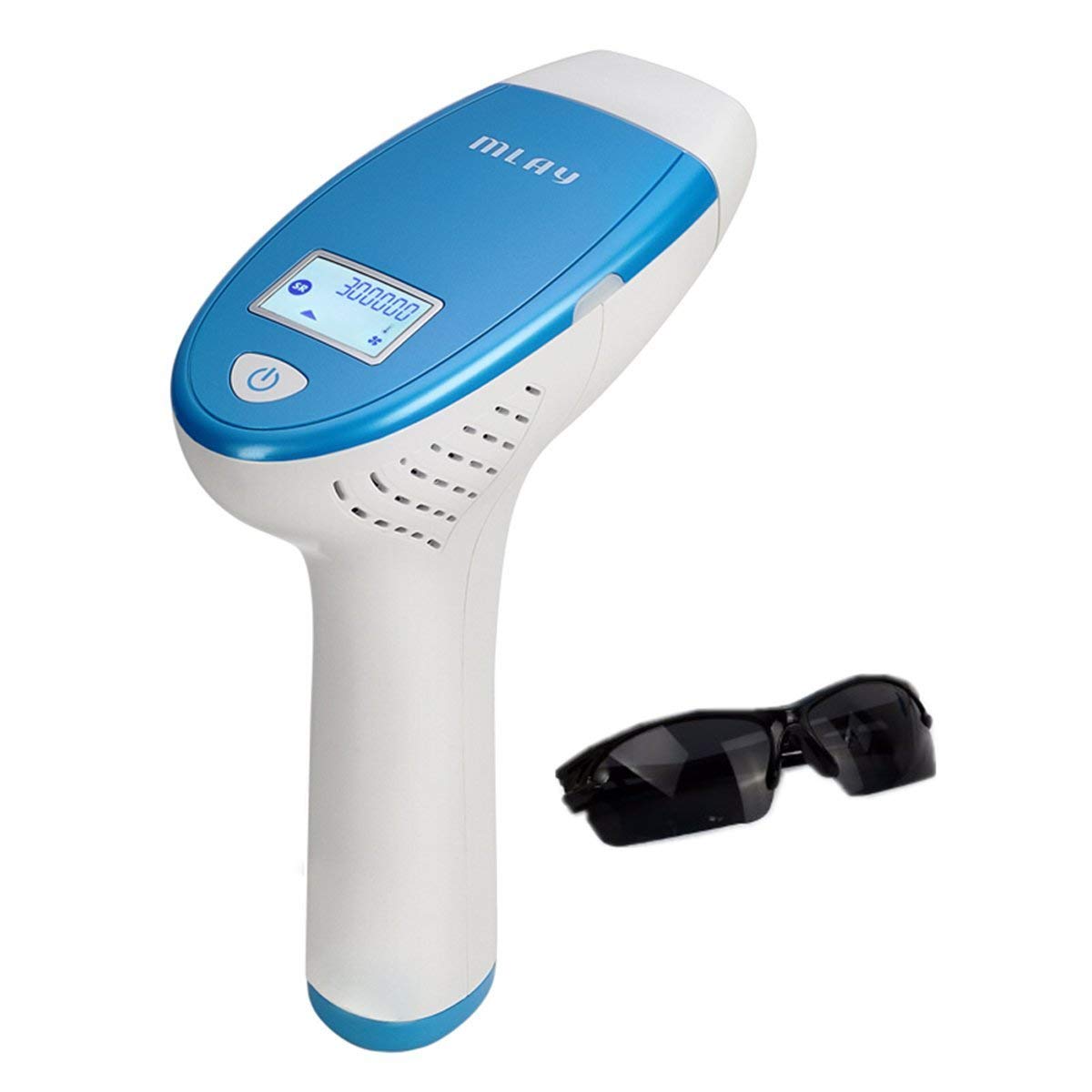
Image: Proper usage of the MLAY T1 IPL Hair Removal System on the face.
6.4. 치료 일정
최적의 결과를 얻으려면 일관된 치료 일정을 따르십시오.
- 초기 단계: Use the device twice a week for the first 4-6 weeks.
- 유지 관리 단계: After the initial phase, reduce treatments to once every 2-4 weeks or as needed to maintain results.
Individual results may vary based on hair type, skin tone, and adherence to the treatment schedule.
7. 유지관리 및 관리
적절한 유지 관리는 기기의 수명과 효율성을 보장합니다.
- 청소: After each use, ensure the device is powered off and unplugged. Use a soft, dry cloth to gently wipe the lamp window and the device body. Do not use abrasive cleaners or immerse the device in water.
- 저장: 기기를 서늘하고 건조한 곳에 직사광선과 습기를 피해 보관하세요. 손상을 방지하려면 원래 포장이나 보호 케이스에 보관하세요.
- Lamp 삶: The LED screen displays the remaining pulses. Replace the lamp box when the pulse count is low or depleted (if replaceable).
8. 문제 해결
If you encounter issues with your MLAY T1 IPL Hair Removal System, refer to the following table:
| 문제 | 가능한 원인 | 해결책 |
|---|---|---|
| 장치의 전원이 켜지지 않습니다. | Not properly plugged in; Power outlet issue; Device malfunction. | Ensure power adapter is securely connected to both device and outlet. Try a different outlet. If issue persists, contact customer support. |
| Device flashes but no light is emitted. | Lamp box not making full skin contact; Lamp life depleted. | l을 확인하세요amp window is pressed firmly against the skin. Check the 'Pulses Left' on the LED screen. If depleted, replace the lamp box (if applicable). |
| Skin feels too hot or irritated. | Energy level too high; Skin is too sensitive; Improper skin preparation. | Reduce the energy level. Ensure skin is clean and dry. Perform a patch test before full treatment. Discontinue use if irritation persists. |
| 여러 차례 시술 후에도 털 감소 효과가 없었습니다. | Inconsistent use; Incorrect energy level; Unsuitable skin/hair type. | Ensure consistent treatment schedule. Increase energy level if tolerated. Verify skin tone and hair color compatibility. |
If the problem persists after attempting these solutions, please contact MLAY customer support.
9. 사양
Key technical details for the MLAY T1 IPL Hair Removal System (MLAY-M3):
- 모델 번호: MLAY-M3
- 제품 크기: 11.02 x 7.87 x 3.54 인치
- 무게: 2.65 파운드
- 한국어: 604213123046
- 제조업체: 심천 마리얼 테크놀로지 유한회사
- 기술: 강렬한 펄스 광 (IPL)
- 에너지 레벨: 5 단계 조절 가능

Image: Dimensions of the MLAY T1 IPL Hair Removal System.
10. 보증 및 지원
Your MLAY T1 IPL Hair Removal System (MLAY-M3) comes with a 2년 보증 구매일로부터. 본 보증은 정상적인 사용 조건에서 발생한 제조상의 결함 및 고장에 적용됩니다.
For warranty claims, technical support, or any questions regarding the operation of your device, please refer to the contact information provided on your warranty card or visit the official MLAY web대지.
보증 확인을 위해 구매 증빙서류를 보관하세요.