
1. 서론
The Aputure Amaran MC is a compact and versatile RGBWW LED on-camera light designed for photographers and videographers. It offers full Hue, Saturation, and Intensity (HSI) color control, adjustable white light in CCT mode, and various built-in lighting effects. With its high color rendition, Sidus Mesh technology for app control, and multiple charging options, the Amaran MC provides flexible lighting solutions for diverse creative needs.
2. 상자 안에 무엇이 들어있나요?
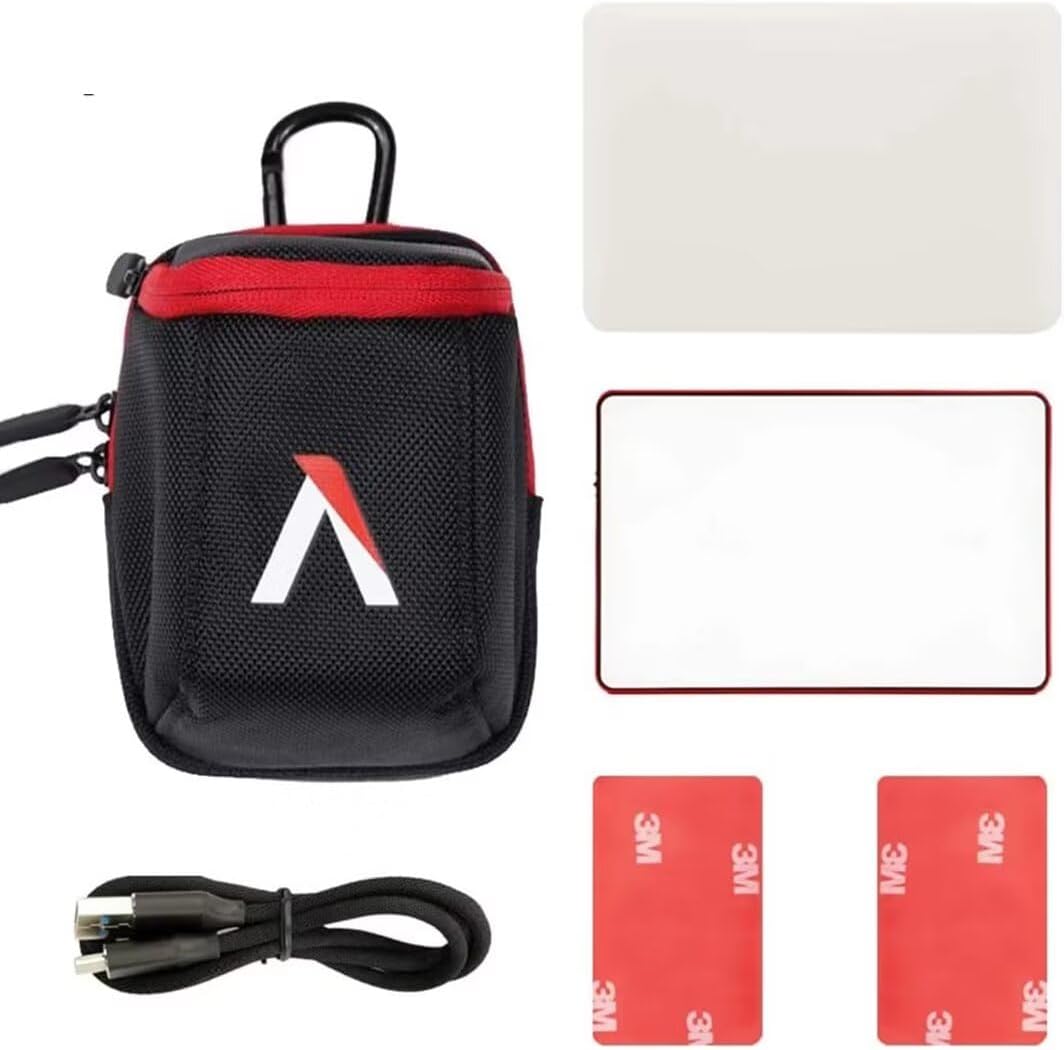
- Aputure MC Light *1
- USB Type-C 충전 케이블 *1
- Silicone Rubber Diffuser *1
- Adhesive Mounting Tape *2
- Aputure Carrying Bag *1
3. 제품 특징
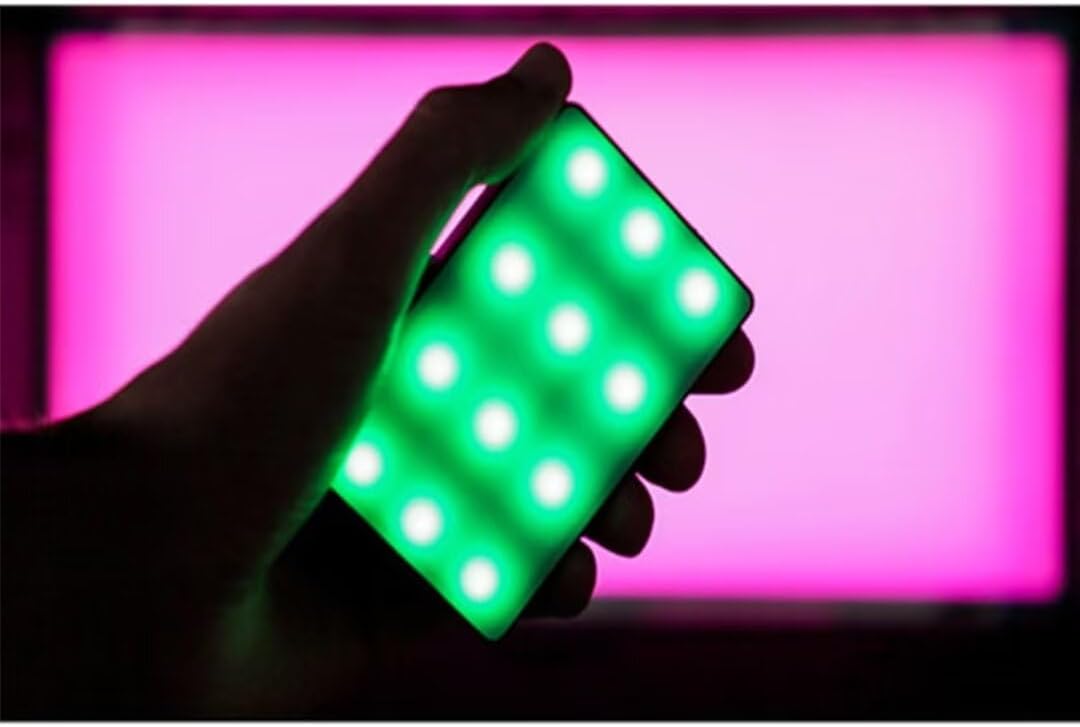
- Full HSI Color Control: The Amaran MC offers 360° of hue and 100 levels of saturation adjustment, allowing for convenient reproduction of any color.
- CCT 모드: Adjust white light color temperature from 3200K to 6500K.
- FX Lighting Modes: Includes 9 built-in lighting effects: Paparazzi, Fireworks, Faulty bulb, Lightning, TV, Pulsing, Fire, Party, and Cop Car.
- Stellar Color Quality: Achieves high color rendition with CRI and TLCI scores of 96+, and SSI scores of 84 (tungsten) and 74 (daylight).
- Sidus Link Control: Utilizes Sidus Mesh technology for controlling up to 100 lights simultaneously via the Sidus Link mobile app. Features a Color Picker function to match colors from your phone's camera.
- USB Type-C PD Charging & Wireless Charging: Supports 18W USB-C Power Delivery (PD) for a full charge in approximately 90 minutes. Compatible with Qi wireless charging protocols.


4. 설정
4.1 장치 충전
Before initial use, fully charge your Amaran MC. You have two charging options:
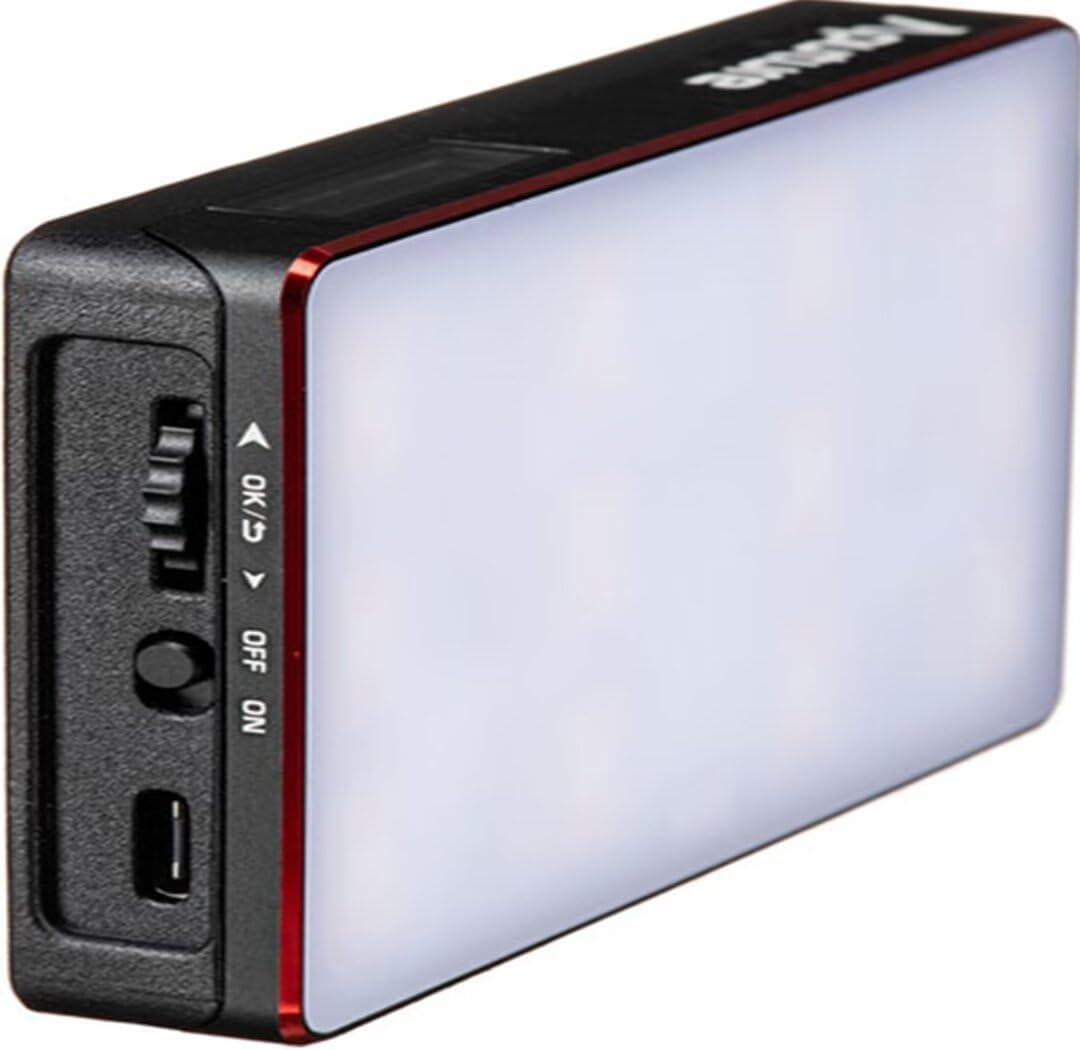
- USB 타입-C: Connect the provided USB Type-C charging cable to the USB-C port on the side of the Amaran MC and to a compatible USB power adapter (not included). The device supports 18W PD quick charging.
- 무선 충전: Place the Amaran MC on any Qi-compatible wireless charging pad. Ensure the light is properly aligned for efficient charging.

4.2 장착 옵션
The Amaran MC offers several versatile mounting options:
- 1/4"-20 Screw Mount: Use the integrated 1/4"-20 screw mount to attach the light to tripods, light stands, or camera rigs.
- 자기 흡착: The light features built-in magnets, allowing it to be securely attached to metallic surfaces.
- Adhesive Mounting Tape: For non-metallic surfaces, use the included adhesive mounting tapes to create a temporary mounting point for the magnets.

5. 사용 설명서
5.1 전원 켜기/끄기
Locate the power switch on the side of the Amaran MC. Slide the switch to the 'ON' position to power on the device. Slide it to 'OFF' to power it down.
5.2 조명 설정 조정
The Amaran MC features a function control wheel and an OLED screen for on-device adjustments:
- 모드 선택: Press the control wheel to cycle through different lighting modes: HSI, CCT, and FX.
- 매개변수 조정: Rotate the control wheel to adjust parameters within the selected mode (e.g., Hue, Saturation, Intensity, Color Temperature).
- 강함: In any mode, rotate the wheel to adjust the brightness (0-100% stepless dimming).
5.3 Sidus Link 앱 제어
For advanced control and features, download the Sidus Link mobile app (available on iOS and Android).
- 편성: Ensure Bluetooth is enabled on your mobile device. Open the Sidus Link app and follow the on-screen instructions to discover and pair with your Amaran MC.
- 원격 제어: Adjust HSI, CCT, and FX functions remotely.
- 색상 선택기: Use your phone's camera to capture a color from your environment, and the Amaran MC will reproduce it instantly.
- 메시 네트워크: Control multiple Amaran MC lights (up to 100) in a stable network, extending the control range.
6. 유지관리
- 청소: 부드럽고 마른 천으로 조명 외부를 닦으십시오. 강한 화학 약품이나 연마제를 사용하지 마십시오.
- 저장: Store the Amaran MC in its carrying bag in a cool, dry place away from direct sunlight and extreme temperatures.
- 배터리 관리 : 배터리 수명을 최적화하려면 배터리를 자주 완전히 방전시키지 마십시오. 장기간 보관할 경우 배터리를 약 50~70% 정도 충전하십시오.
7. 문제 해결
| 문제 | 가능한 원인 | 해결책 |
|---|---|---|
| 불이 켜지지 않습니다 | Low battery or power switch off | Charge the battery or ensure the power switch is in the 'ON' position. |
| Sidus Link 앱에 연결할 수 없습니다. | Bluetooth off, app not updated, or light not in pairing mode | Ensure Bluetooth is on, update the app, and restart the light. Refer to app instructions for pairing. |
| 일관되지 않은 조명 출력 | 배터리 부족 또는 간섭 | Charge the light fully. Ensure no strong magnetic or electronic interference nearby. |
8. 사양
| 특징 | 세부 사항 |
|---|---|
| 제품 치수 | 6.22 x 3.43 x 1.34인치(15.8 x 8.7 x 3.4cm) |
| 품목 무게 | 1.12파운드(0.51kg) |
| 품목 모델 번호 | 926308 |
| 배터리 | 비표준 배터리 1개 필요 |
| 제조업체 | 아퓨처 |
| 연결 기술 | 블루투스 |
| 하드웨어 인터페이스 | USB, USB 타입 C |
| 한국어: | 712350147426 |
9. 보증 및 지원
보증 정보 및 기술 지원에 대해서는 Aputure 공식 웹사이트를 참조하십시오. web사이트를 방문하거나 고객 서비스에 직접 문의하세요. 보증 청구를 위해 구매 영수증을 보관하세요.
Aputure 공식 Web대지: www.aputure.com