
소개
This manual provides comprehensive instructions for the setup, operation, and maintenance of your NETUM NT-R3 Mini 1D CCD Bluetooth Barcode Scanner. Please read this guide thoroughly to ensure proper use and to maximize the performance of your device.
패키지 내용
포장을 풀 때 아래 나열된 모든 품목이 들어 있고 상태가 양호한지 확인하세요.
- 1 x NETUM Mini Bluetooth Barcode Scanner (NT-R3)
- 1 x USB 충전 케이블
- 1 x 빠른 시작 가이드
- 1 x 2.4 GHz Adapter
제품 끝view
The NETUM NT-R3 is a compact and versatile 1D CCD barcode scanner designed for portability and ease of use. Its ring-style design allows for comfortable wear, enhancing productivity in various environments.

Image: The NETUM NT-R3 Mini Barcode Scanner, a small black electronic device with a screen and button, designed to be worn on a finger with an adjustable ring structure.
주요 특징:
- Ring Design: 마그네슘 합금 casing and trigger for durability and ease of use.
- 180° 회전: Unique rotatable design for scanning from various angles.
- CCD Scanning: Reads 1D barcodes directly from LCD screens of computers or mobile devices, including poorly printed or damaged barcodes.
- 무선 연결 : Supports Bluetooth (SPP, HID) and 2.4 GHz wireless connections.
- 폭넓은 호환성: Compatible with Windows XP/7/8/8.1/10, Google Android, iOS, and Mac OS X.
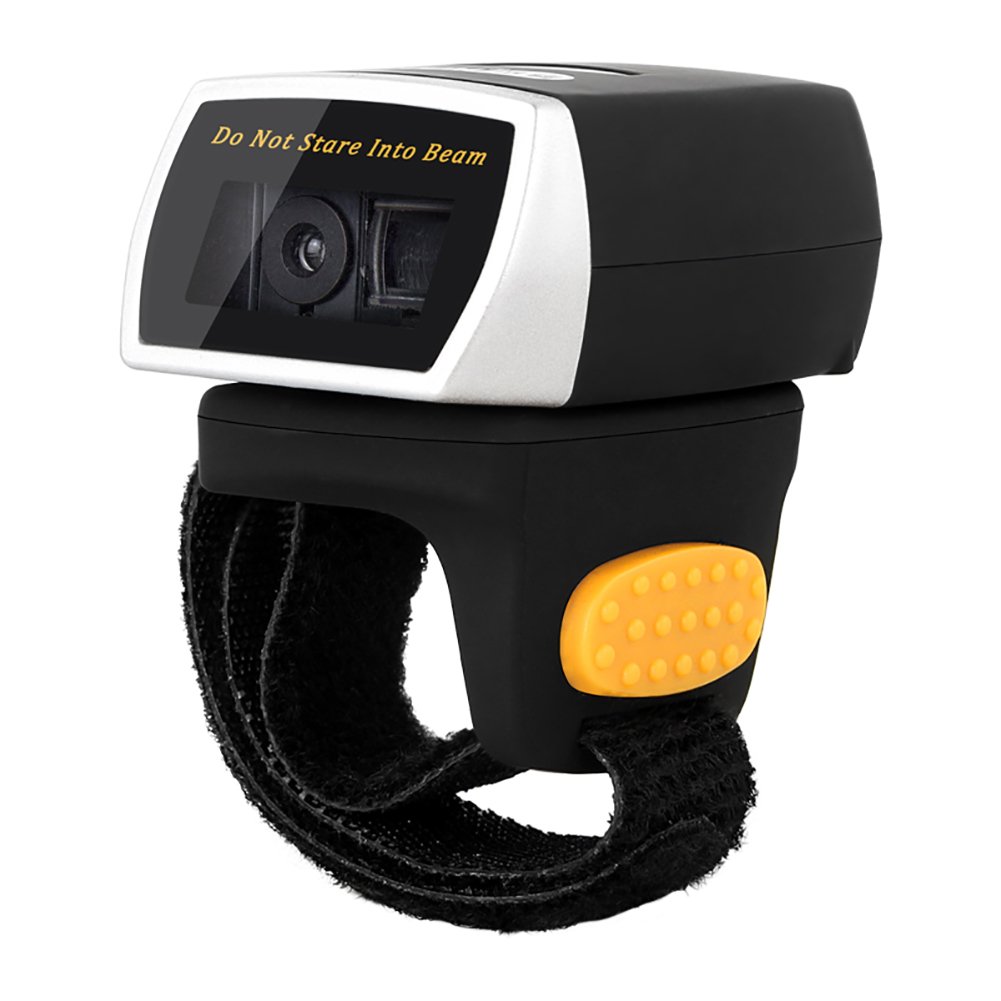
Image: The NETUM NT-R3 Mini Barcode Scanner demonstrating its 180-degree rotation design, allowing for flexible scanning angles.

Image: The NETUM NT-R3 Mini Barcode Scanner held in a hand, illustrating its compact dimensions (50mm x 44mm x 38mm) and light weight (50g), emphasizing its strong compatibility with various devices.
설정 및 연결
1. 스캐너 충전
Before initial use, fully charge the scanner using the provided USB charging cable. Connect the small end of the USB cable to the scanner's charging port and the other end to a USB power source (e.g., computer, USB wall adapter). The charging indicator light will show the charging status.
2. 전원 켜기 / 끄기
To power on the scanner, press and hold the trigger button for a few seconds until you hear a beep and see the indicator light. To power off, press and hold the trigger button again until the indicator light turns off.
3. 연결 옵션
The NT-R3 scanner offers two primary connectivity methods:
Bluetooth Connection (HID Mode - Keyboard Emulation)
- 스캐너의 전원이 켜져 있는지 확인하세요.
- Scan the "Bluetooth HID Mode" barcode (refer to the Quick Start Guide for specific barcodes).
- 호스트 기기(스마트폰, 태블릿, 컴퓨터)에서 블루투스를 활성화하고 사용 가능한 기기를 검색하세요.
- Select "NETUM Barcode Scanner" or a similar name from the list of devices.
- The scanner will beep to confirm successful pairing.
In HID mode, scanned barcodes are input directly as keyboard entries into any active text field.
Bluetooth Connection (SPP Mode - Serial Port Profile)
SPP mode is typically used for applications that require direct data communication with the scanner. This mode requires specific software on the host device to interpret the data. Refer to your application's documentation for SPP setup.
- 스캐너의 전원이 켜져 있는지 확인하세요.
- Scan the "Bluetooth SPP Mode" barcode (refer to the Quick Start Guide).
- Follow the instructions provided by your specific application for connecting to an SPP device.
2.4GHz 무선 연결
- Plug the provided 2.4 GHz adapter into a USB port on your computer.
- 스캐너의 전원이 켜져 있는지 확인하세요.
- Scan the "2.4G Wireless Mode" barcode (refer to the Quick Start Guide).
- The scanner will automatically connect to the adapter. A successful connection is indicated by a specific beep or light pattern (refer to the Quick Start Guide for details).
The 2.4 GHz connection offers a wireless range of up to 10 meters (30 feet).
작동 모드
The NETUM NT-R3 scanner supports two data upload modes:
1. 즉시 업로드 모드
In this mode, scanned barcodes are immediately transmitted to your connected device. This is suitable for real-time data entry.
2. 저장 모드
The scanner can store up to 2000 barcodes in its built-in flash memory. This mode is useful when working out of range of your host device. Barcodes can be uploaded later when a connection is established.
Image: A visual representation of the two upload modes. Instant Upload Mode shows barcodes being sent directly to a device. Storage Mode shows barcodes being stored internally and then uploaded later.
To switch between modes, scan the corresponding configuration barcodes found in the Quick Start Guide.
바코드 스캔
바코드를 스캔하려면:
- 스캐너의 스캔 창이 바코드를 향하도록 잡으세요.
- Press the trigger button. A red scanning line will appear.
- Align the red scanning line across the entire barcode.
- Once successfully scanned, the scanner will emit a beep, and the indicator light will flash.
The NT-R3 is capable of reading 1D barcodes from various surfaces, including:
- 인쇄된 라벨
- LCD screens (computers, smartphones, tablets)
- Poorly printed or damaged barcodes
유지
배터리 관리
- 배터리 수명을 연장하려면 배터리를 자주 완전히 방전하지 마세요.
- 스캐너를 계속 사용하지 않더라도 정기적으로 충전하십시오.
- 장시간 사용하지 않을 때는 스캐너를 서늘하고 건조한 곳에 보관하세요.
청소
- 스캐너 외부를 닦을 때는 부드럽고 마른 보풀 없는 천을 사용하십시오.
- 스캔 창은 렌즈 클리닝 천이나 부드러운 천으로 가볍게 닦아주세요.amp물이나 부드럽고 연마성이 없는 세척제로 세척하세요.
- 독한 화학 물질, 용제 또는 연마제를 사용하지 마십시오. 이러한 물질은 기기를 손상시킬 수 있습니다.
문제 해결
| 문제 | 가능한 원인 | 해결책 |
|---|---|---|
| 스캐너의 전원이 켜지지 않습니다. | 배터리가 부족합니다. | 스캐너를 최소 2시간 동안 충전하세요. |
| 스캐너가 블루투스로 연결되지 않습니다. | Incorrect mode selected; device not discoverable; out of range. | Ensure "Bluetooth HID Mode" or "SPP Mode" is scanned. Make sure Bluetooth is enabled on the host device and the scanner is within 10 meters. Try re-pairing. |
| Scanner does not connect via 2.4 GHz adapter. | Adapter not properly inserted; incorrect mode selected. | Ensure the 2.4 GHz adapter is securely plugged in. Scan the "2.4G Wireless Mode" barcode. |
| 스캐너가 바코드를 읽지 못합니다. | Barcode is unreadable; scanner not aligned; scanner in storage mode. | Ensure the barcode is clear and well-lit. Align the red line across the entire barcode. If in storage mode, switch to instant upload mode or upload stored data. |
| 스캔한 데이터가 잘못 표시됩니다. | Keyboard layout mismatch (for HID mode). | Scan the appropriate keyboard layout barcode (e.g., US, UK, French) from the Quick Start Guide. |
기술 사양
| 특징 | 세부 사항 |
|---|---|
| 모델 번호 | NT-R3 |
| 스캐닝 기술 | 1D CCD |
| 연결성 | Bluetooth (SPP, HID), 2.4 GHz Wireless, USB |
| 호환되는 운영 체제 | Windows XP/7/8/8.1/10, Google Android, iOS, Mac OS X |
| 스캔 속도 | 260초amp초당 레 |
| 저장 용량 | 최대 2000만 개의 바코드(저장 모드) |
| 배터리 유형 | 1 Lithium metal battery (included) |
| 전원 | 배터리 구동 |
| 운영 볼륨tage | 5 볼트 |
| 최대 보관 온도 | 섭씨 45도 |
| 인증 | CE, ISO, RoHS |
| 제조업체 | Guangzhou Netum Electronic Technology Co.,Ltd. |
| 원산지 | 중국 |
보증 및 지원
반품 정책
판매자의 반품 정책에 따라, 이 제품은 구매일로부터 30일 이내에 환불 또는 교환이 가능합니다.
제조업체 정보
Manufacturer: Guangzhou Netum Electronic Technology Co.,Ltd.
For further assistance or technical support, please refer to the contact information provided in your Quick Start Guide or visit the official NETUM web대지.
Note: Information regarding spare parts availability and guaranteed software updates is not available at this time.