
노키아 7610
노키아 7610 사용자 설명서
Comprehensive Guide for Your Nokia 7610 Unlocked Cell Phone
소개
The Nokia 7610 is a powerful and distinctively designed mobile phone, featuring a 1-megapixel camera and advanced multimedia capabilities. This manual provides essential information to help you set up, operate, maintain, and troubleshoot your device, ensuring you get the most out of its features.

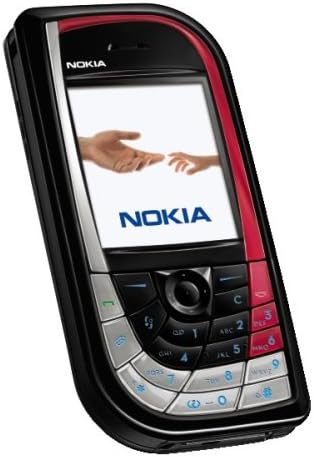
Image: The Nokia 7610 Unlocked Cell Phone, showcasing its unique design and display.
시작하기: 설정
Before using your Nokia 7610, follow these steps to prepare your device for operation.
1. 언박싱 및 패키지 구성품
Carefully unpack your Nokia 7610. Verify that all components are present.
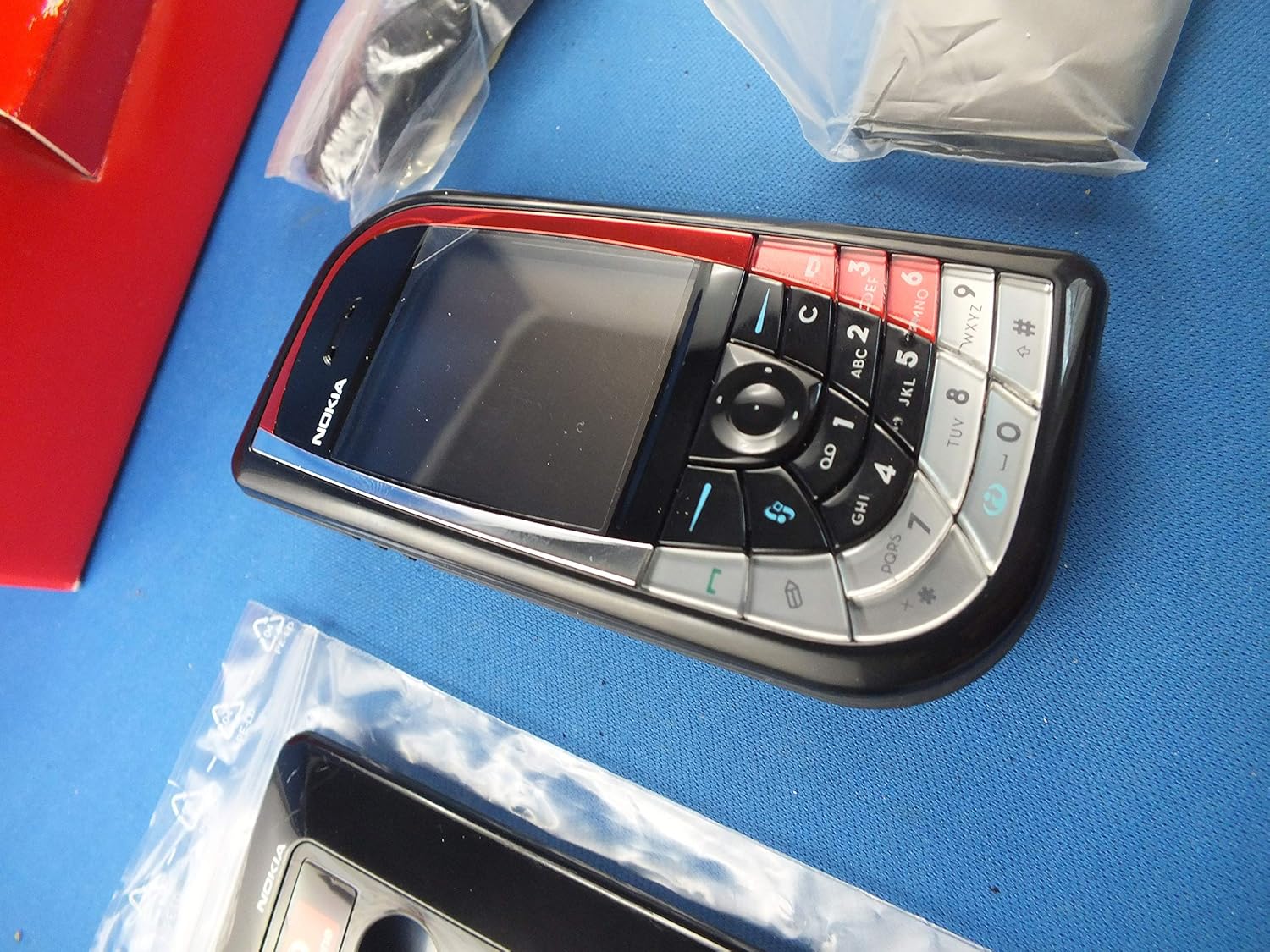
Image: Contents of the Nokia 7610 package, including the phone, charger, and additional accessories.
- 노키아 7610 휴대폰
- 배터리
- 충전기
- RS-MMC Memory Card (may vary by package)
- 사용자 가이드 (이 문서)
2. SIM 카드 및 배터리 삽입
The SIM card provides your subscription information to the network. The Nokia 7610 uses a standard SIM card.
- Ensure the phone is powered off and disconnected from the charger.
- Remove the back cover by gently prying it from the designated notch.
- Locate the SIM card slot. Insert the SIM card with the gold contacts facing down and the cut corner aligned with the slot.
- 배터리를 배터리 칸에 넣고 접촉면이 제대로 맞물리도록 하십시오.
- 뒷면 덮개를 다시 씌우고 딸깍 소리가 나면서 제자리에 고정될 때까지 세게 누르십시오.
이미지: 후면 view of the Nokia 7610 with the back cover removed, showing the battery compartment and SIM card slot.
3. 배터리 충전
처음 사용하기 전에 배터리를 완전히 충전하십시오.
- 충전기를 벽면 콘센트에 연결합니다.
- 충전기 케이블을 휴대폰의 충전 포트에 연결하세요.
- 화면의 배터리 표시등은 충전 진행 상황을 보여줍니다.
- 완전히 충전되면 충전기를 분리하세요.
4. 전원 켜기 / 끄기
- To power on, press and hold the power key (usually located on the top or side) until the Nokia logo appears.
- To power off, press and hold the power key until the "Power off" option appears, then select it.
노키아 7610 사용 방법
1. 기본 탐색 및 키패드
The Nokia 7610 features a unique keypad design for navigation and input.

이미지: 자세한 view of the Nokia 7610's keypad, highlighting the navigation cluster and alphanumeric keys.
- 탐색 키: Use the central five-way navigation key to scroll through menus and select items.
- 소프트 키: The keys directly below the display perform functions indicated by the text on the screen.
- 통화/종료 키: Use the green key to make or answer calls, and the red key to end calls or return to the home screen.
- 영숫자 키: For dialing numbers and typing text.
2. 전화 걸고 받기
- 전화 걸기: 키패드를 사용하여 전화번호를 입력하고 초록색 통화 버튼을 누르세요.
- 전화 받기 : When the phone rings, press the green call key.
- 통화 종료: Press the red end key.
3. 메시지(SMS/MMS)
Send and receive text messages (SMS) and multimedia messages (MMS) with images and sounds.
- Navigate to the "Messaging" menu.
- "메시지 작성" 또는 "새 메시지"를 선택하세요.
- Enter your message and add recipients. For MMS, attach media files.
- "보내기"를 선택하세요.
4. 카메라 및 비디오 녹화
The Nokia 7610 features a 1-megapixel camera for photos and video recording.
- 메인 메뉴에서 카메라에 접근하세요.
- Use the navigation key to zoom or adjust settings.
- Press the center selection key to capture a photo or start/stop video recording.
- The "Movie Director" application allows for editing and creating up to 10-minute movies.
5. 멀티미디어 재생
Enjoy your favorite music and videos on the go.
- The phone supports MP3 and other audio formats.
- Video playback is supported, with the ability to convert movies to DivX (MPEG-4) format for full-screen view주고받음.
- Access the "Gallery" or "Music Player" from the main menu to manage and play media files.
6. Connectivity (Bluetooth and EDGE)
- 블루투스 1.1 : Connect to compatible hands-free devices, headsets, or transfer file다른 Bluetooth 지원 장치와 연결할 수 있습니다.
- EDGE Data: Utilize EDGE (Enhanced Data rates for GSM Evolution) for faster internet browsing and data transfer compared to standard GPRS.
7. Organizer and Email
- The phone includes an organizer with features like a calendar, to-do lists, and alarm clock.
- Access your email accounts directly from the phone for on-the-go communication.
유지
Proper care ensures the longevity and optimal performance of your Nokia 7610.
- 청소: Use a soft, lint-free cloth to clean the screen and body of the phone. Avoid abrasive cleaners or solvents.
- 배터리 관리 :
- 배터리를 극한의 온도에 노출시키지 마십시오.
- 배터리를 뚫거나 손상시키지 마십시오.
- If the battery performance significantly degrades, consider replacing it with an original Nokia battery.
- 소프트웨어 업데이트: Periodically check for software updates from Nokia (if available) to ensure your phone has the latest features and security enhancements.
문제 해결
If you encounter issues with your Nokia 7610, refer to the following common problems and solutions.
| 문제 | 가능한 해결책 |
|---|---|
| 전화기의 전원이 켜지지 않습니다. | 배터리가 충전되어 있는지 확인하십시오. 배터리가 올바르게 삽입되었는지 확인하십시오. |
| 네트워크 신호가 없습니다. | Check if the SIM card is properly inserted. Ensure you are within network coverage. This phone is compatible with GSM carriers like AT&T and T-Mobile. It will not work with CDMA carriers like Verizon Wireless, Alltel, and Sprint. |
| 배터리가 빨리 소모됩니다. | 화면 밝기를 낮추세요. 사용하지 않는 앱을 닫으세요. 백그라운드 데이터 사용을 제한하세요. |
| 휴대전화가 멈추거나 응답하지 않습니다. | 배터리를 분리했다가 다시 장착하여 소프트 리셋을 수행하십시오. |
| Bluetooth를 통해 연결할 수 없습니다. | Ensure Bluetooth is enabled on both devices. Make sure devices are within range and discoverable. |
명세서
Key technical specifications for the Nokia 7610.
| 특징 | 세부 사항 |
|---|---|
| 모델명 | 노키아 7610 |
| 치수 | 4.28 x 2.09 x 0.74 인치 |
| 품목 무게 | 4 온스 |
| 운영 체제 | Symbian OS 7.0 |
| 화면 크기 | 4 인치 |
| 해결 | 1280 x 720 |
| 카메라 | 1-megapixel (Rear) |
| 연결성 | Bluetooth 1.1, Cellular (GSM) |
| 통화 시간 | 최대 3시간 |
| 대기 시간 | Up to 250 Hours (10+ days) |
| 메모리 저장 용량 | 8 GB (as per specifications, likely internal or bundled card) |
보증 및 지원
Your Nokia 7610 is covered by a manufacturer's warranty. Please refer to the warranty card included in your product packaging for specific terms and conditions, including warranty period and coverage details.
For technical support, service, or further inquiries, please contact Nokia customer support through their official website or designated service channels. Keep your proof of purchase handy when seeking support.
For additional resources and frequently asked questions, visit the official Nokia support web대지.
Ask a question about this manual
Ask about setup, troubleshooting, compatibility, parts, safety, or missing instructions. Manuals+ will review the question and use this page’s manual context to help answer it.