
TP-ಲಿಂಕ್ ಡೆಕೊ X20
TP-Link Deco X20 AX1800 Whole Home Mesh Wi-Fi System User Manual
ಮಾದರಿ: ಡೆಕೊ X20
ಪರಿಚಯ
The TP-Link Deco X20 AX1800 Whole Home Mesh Wi-Fi System provides seamless Wi-Fi 6 coverage throughout your home. This system replaces traditional routers and Wi-Fi extenders, offering faster connections, increased capacity, and reduced latency for a superior online experience. It includes features like HomeCare for security and parental controls, and is compatible with Alexa for voice control.
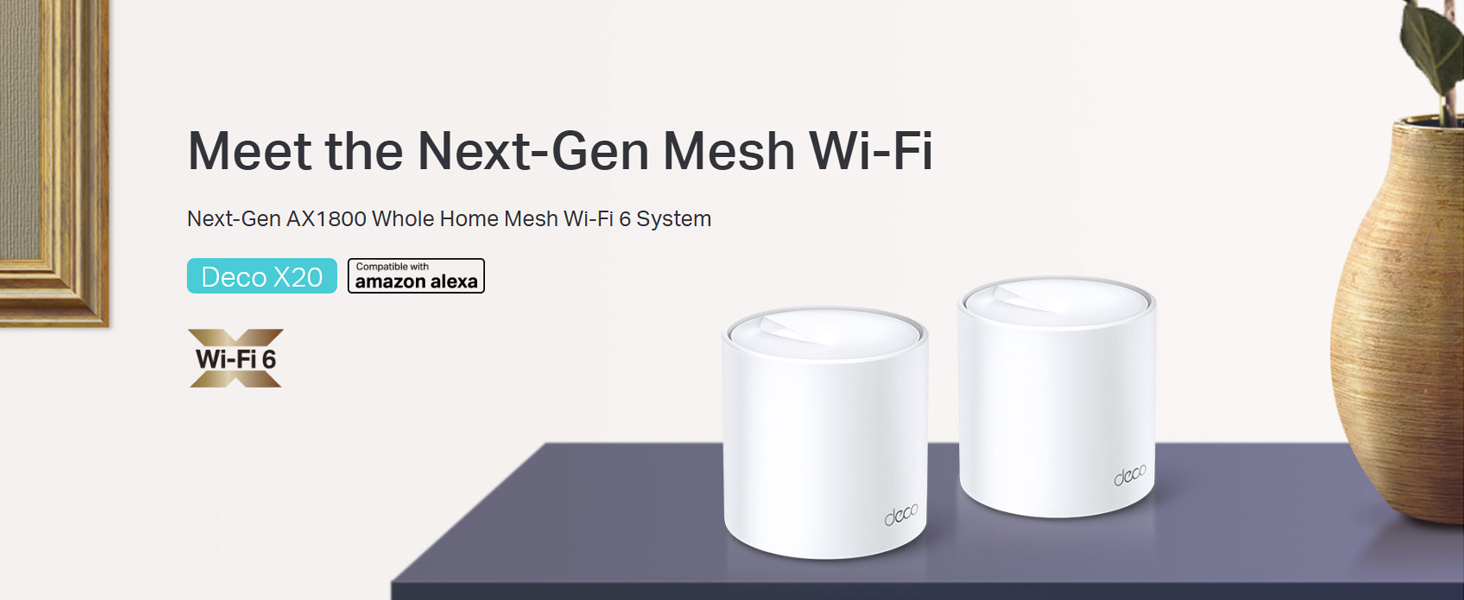
Image: Two TP-Link Deco X20 units on a table, showcasing the product design.
ಬಾಕ್ಸ್ನಲ್ಲಿ ಏನಿದೆ
The Deco X20 (2-Pack) system typically includes the following components:
- 2 x Deco X20 Units
- 1 x RJ45 ಈಥರ್ನೆಟ್ ಕೇಬಲ್
- 2 x ಪವರ್ ಅಡಾಪ್ಟರುಗಳು
- 1 x ತ್ವರಿತ ಅನುಸ್ಥಾಪನ ಮಾರ್ಗದರ್ಶಿ

Image: The TP-Link Deco X20 (2-Pack) retail box, displaying the included items.
ಸೆಟಪ್ ಗೈಡ್
Setting up your TP-Link Deco X20 system is designed to be straightforward using the Deco app. Follow these steps for initial installation:
- ಡೆಕೊ ಆಪ್ ಡೌನ್ಲೋಡ್ ಮಾಡಿ: ಹುಡುಕು "TP-Link Deco" in the App Store (iOS) or Google Play Store (Android) and install the application on your smartphone or tablet.
- Connect the Main Deco Unit:
- ನಿಮ್ಮ ಮೋಡೆಮ್ ಅನ್ನು ಪವರ್ ಆಫ್ ಮಾಡಿ.
- ಒದಗಿಸಿದ ಈಥರ್ನೆಟ್ ಕೇಬಲ್ ಅನ್ನು ಬಳಸಿಕೊಂಡು ನಿಮ್ಮ ಮೋಡೆಮ್ಗೆ ಒಂದು ಡೆಕೊ ಘಟಕವನ್ನು ಸಂಪರ್ಕಿಸಿ.
- ನಿಮ್ಮ ಮೋಡೆಮ್ ಅನ್ನು ಆನ್ ಮಾಡಿ, ನಂತರ ಡೆಕೊ ಯೂನಿಟ್ ಅನ್ನು ಆನ್ ಮಾಡಿ. ಡೆಕೊ ಯೂನಿಟ್ನ LED ನೀಲಿ ಬಣ್ಣಕ್ಕೆ ತಿರುಗುವವರೆಗೆ ಕಾಯಿರಿ.
- Launch the Deco App: ಡೆಕೊ ಅಪ್ಲಿಕೇಶನ್ ತೆರೆಯಿರಿ ಮತ್ತು TP-ಲಿಂಕ್ ಐಡಿಯನ್ನು ರಚಿಸಲು ಮತ್ತು ನಿಮ್ಮ ಮುಖ್ಯ ಡೆಕೊ ಘಟಕವನ್ನು ಹೊಂದಿಸಲು ಪರದೆಯ ಮೇಲಿನ ಸೂಚನೆಗಳನ್ನು ಅನುಸರಿಸಿ.
- Add Additional Deco Units: Once the main unit is configured, the app will guide you through adding the remaining Deco units. Place them strategically around your home for optimal coverage.
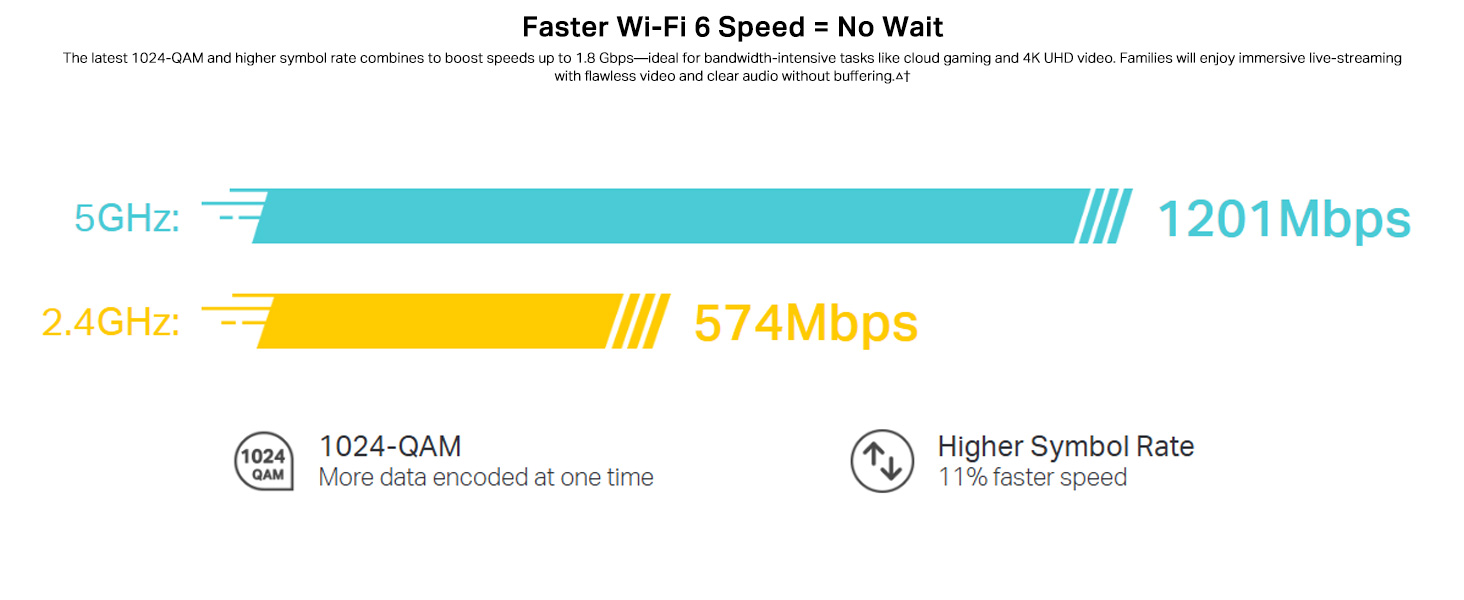
Image: Visual guide for setting up the Deco X20 system via the Deco mobile application.
ಆಪರೇಟಿಂಗ್ ಸೂಚನೆಗಳು
The TP-Link Deco X20 system operates as a unified network, providing seamless Wi-Fi coverage. Management is primarily done through the Deco mobile application.
Deco App Features:
- ನೆಟ್ವರ್ಕ್ ನಿರ್ವಹಣೆ: View connected devices, prioritize network traffic (QoS), and manage guest networks.
- ಪೋಷಕರ ನಿಯಂತ್ರಣಗಳು: Set time limits, block inappropriate content, and monitor online activity for family members.
- Antivirus (HomeCare/HomeShield): Protect your network and connected devices from malicious threats.
- ಫರ್ಮ್ವೇರ್ ಅಪ್ಡೇಟ್ಗಳು: The app facilitates easy firmware updates to ensure your system has the latest features and security enhancements.
- ಧ್ವನಿ ನಿಯಂತ್ರಣ: Integrate with Amazon Alexa for convenient voice commands to manage your Wi-Fi.

Image: The Deco app interface, demonstrating various control and monitoring features.
ತಡೆರಹಿತ ರೋಮಿಂಗ್:
The Deco system creates a single Wi-Fi network name (SSID) throughout your home. As you move, your devices automatically connect to the Deco unit with the strongest signal, ensuring an uninterrupted connection.
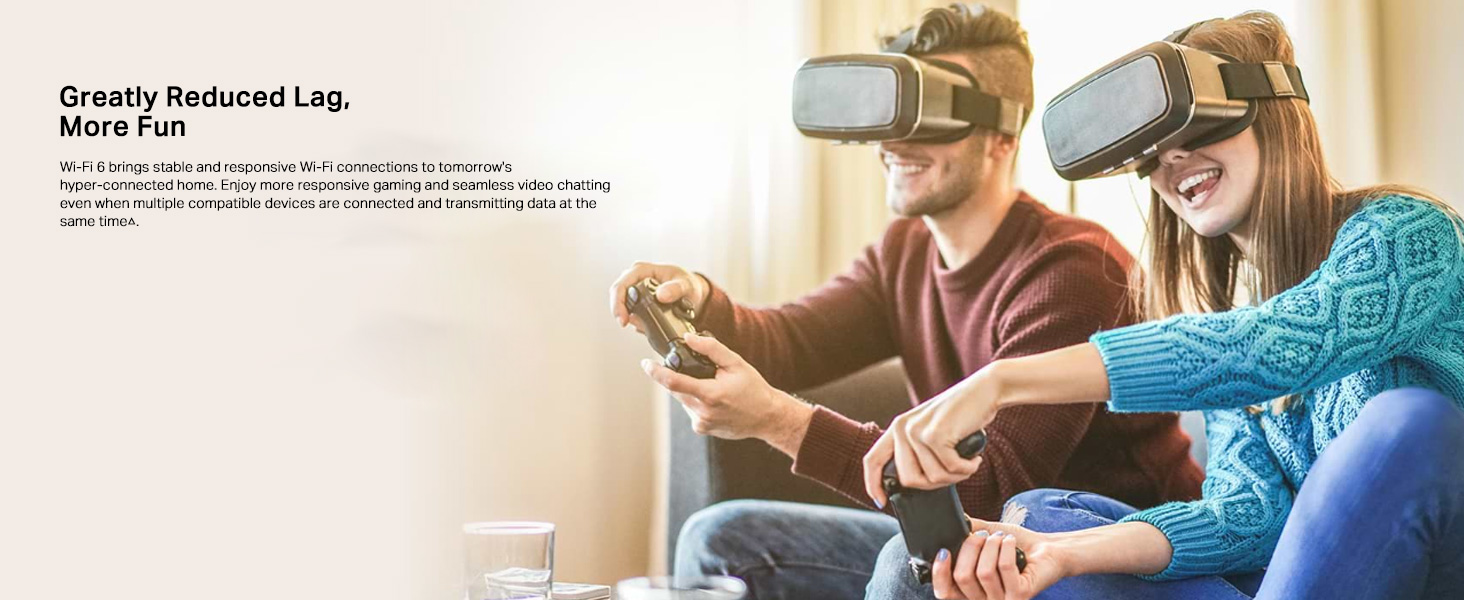
Image: Comparison of seamless roaming with Deco versus a traditional router and extender setup.
ಪ್ರಮುಖ ಲಕ್ಷಣಗಳು
- Wi-Fi 6 Technology (802.11ax): Provides faster speeds up to 1800 Mbps (1201 Mbps on 5GHz and 574 Mbps on 2.4GHz), increased capacity, and reduced network congestion.
- Whole Home Mesh Coverage: Eliminates Wi-Fi dead zones, covering up to 4000 sq ft with a 2-pack system.
- ಹೆಚ್ಚಿನ ಸಾಧನಗಳನ್ನು ಸಂಪರ್ಕಿಸಿ: OFDMA and MU-MIMO technologies allow simultaneous data transmission to multiple devices, supporting over 150 connected devices without performance degradation.
- ಅತಿ ಕಡಿಮೆ ಸುಪ್ತತೆ: Enhances responsiveness for gaming and video calls.
- TP-Link HomeCare/HomeShield: Offers comprehensive network security, robust parental controls, and Quality of Service (QoS) for a safer and optimized online experience.
- AI-Driven Mesh: The system intelligently learns your network environment and user behavior to optimize Wi-Fi performance continuously.
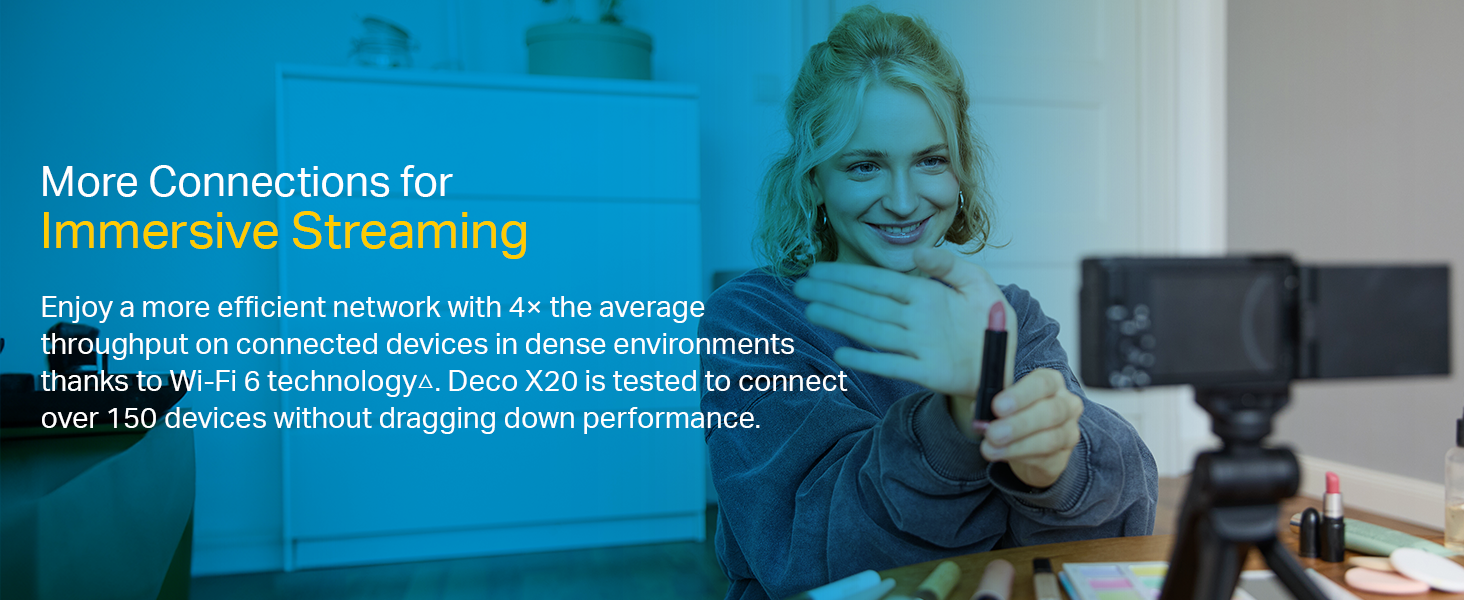
Image: Infographic highlighting the advantages of Wi-Fi 6, such as speed and efficiency.
ನಿರ್ವಹಣೆ
To ensure optimal performance and security of your Deco X20 system, consider the following maintenance practices:
- ನಿಯಮಿತ ಫರ್ಮ್ವೇರ್ ನವೀಕರಣಗಳು: Check the Deco app periodically for available firmware updates. Installing updates ensures you have the latest security patches and performance improvements.
- ಸೂಕ್ತ ನಿಯೋಜನೆ: Ensure Deco units are placed in open areas, away from obstructions like large metal objects, thick walls, and other electronic devices that may cause interference.
- ಸ್ವಚ್ಛತೆ: Keep the Deco units clean and free from dust to prevent overheating and maintain proper airflow. Use a soft, dry cloth for cleaning.
- ನೆಟ್ವರ್ಕ್ ಮಾನಿಟರಿಂಗ್: Use the Deco app to monitor network activity and identify any unusual behavior or unauthorized devices.
ದೋಷನಿವಾರಣೆ
If you encounter issues with your Deco X20 system, try the following troubleshooting steps:
- ಇಂಟರ್ನೆಟ್ ಸಂಪರ್ಕವಿಲ್ಲ:
- ನಿಮ್ಮ ಮೋಡೆಮ್ ಸರಿಯಾಗಿ ಕಾರ್ಯನಿರ್ವಹಿಸುತ್ತಿದೆಯೇ ಎಂದು ಪರಿಶೀಲಿಸಿ.
- Ensure the Ethernet cable between the main Deco unit and the modem is securely connected.
- ನಿಮ್ಮ ಮೋಡೆಮ್ ಮತ್ತು ಮುಖ್ಯ ಡೆಕೊ ಘಟಕವನ್ನು ಮರುಪ್ರಾರಂಭಿಸಿ.
- Weak Wi-Fi Signal or Dead Zones:
- Relocate Deco units closer to each other or to the areas with weak signals.
- Ensure there are no major physical obstructions (e.g., thick concrete walls) between Deco units.
- Consider adding another Deco unit if coverage is still insufficient.
- Deco Unit LED Status:
- ಘನ ಹಸಿರು: Deco is working normally.
- ಪಲ್ಸಿಂಗ್ ನೀಲಿ: ಡೆಕೊ ಸೆಟಪ್ಗೆ ಸಿದ್ಧವಾಗಿದೆ.
- ಘನ ಕೆಂಪು: Deco has an issue (e.g., no internet connection).
- ಪಲ್ಸಿಂಗ್ ಕೆಂಪು: Deco is disconnected from the main unit.
- Cannot Connect to Deco App:
- Ensure your smartphone is connected to the Deco Wi-Fi network.
- Restart the Deco app.
- Reinstall the Deco app if the issue persists.
ಹೆಚ್ಚಿನ ಸಹಾಯಕ್ಕಾಗಿ, TP-ಲಿಂಕ್ ಬೆಂಬಲವನ್ನು ನೋಡಿ. webಸೈಟ್ ಅಥವಾ ಗ್ರಾಹಕ ಸೇವೆಯನ್ನು ಸಂಪರ್ಕಿಸಿ.
ವಿಶೇಷಣಗಳು
| ವೈಶಿಷ್ಟ್ಯ | ವಿವರ |
|---|---|
| ಬ್ರ್ಯಾಂಡ್ | ಟಿಪಿ-ಲಿಂಕ್ |
| ಮಾದರಿ ಹೆಸರು | ಡೆಕೊ ಎಕ್ಸ್ 20 |
| ವೈರ್ಲೆಸ್ ಸ್ಟ್ಯಾಂಡರ್ಡ್ | 802.11ax (Wi-Fi 6) |
| ಆವರ್ತನ ಬ್ಯಾಂಡ್ ವರ್ಗ | ಡ್ಯುಯಲ್-ಬ್ಯಾಂಡ್ (2.4 GHz & 5 GHz) |
| ಡೇಟಾ ವರ್ಗಾವಣೆ ದರ (ಗರಿಷ್ಠ) | 1800 Mbps (1201 Mbps on 5GHz, 574 Mbps on 2.4GHz) |
| ವ್ಯಾಪ್ತಿ | Up to 4000 sq ft (2-pack) |
| ಬಂದರುಗಳ ಸಂಖ್ಯೆ | 2 Gigabit Ethernet ports per Deco unit |
| ಭದ್ರತಾ ಪ್ರೋಟೋಕಾಲ್ | ಡಬ್ಲ್ಯೂಪಿಎ-ಪಿಎಸ್ಕೆ, ಡಬ್ಲ್ಯೂಪಿಎ2-ಪಿಎಸ್ಕೆ, ಡಬ್ಲ್ಯೂಪಿಎ3 |
| ನಿಯಂತ್ರಣ ವಿಧಾನ | Deco App, Amazon Alexa |
| ಆಯಾಮಗಳು (L x W x H) | 11L x 11W x 11.4H ಸೆಂಟಿಮೀಟರ್ಗಳು |
| ಆಪರೇಟಿಂಗ್ ಸಿಸ್ಟಮ್ | RouterOS (internal) |
| RAM Memory Installed | 16 ಜಿಬಿ (Note: This value is from the provided product data and may refer to flash storage or a specific component, as typical router RAM is lower.) |
ಖಾತರಿ ಮತ್ತು ಬೆಂಬಲ
ಖಾತರಿ ಮಾಹಿತಿ:
The TP-Link Deco X20 comes with a 3 ವರ್ಷದ ಖಾತರಿ. For any product quality related issues, it is recommended to reach out to TP-Link's customer service support for resolution.
ಗ್ರಾಹಕ ಬೆಂಬಲ:
For technical support, warranty claims, or general inquiries, please contact TP-Link customer service:
- ಟೋಲ್ ಫ್ರೀ: 1800-209-4168
- ಇಮೇಲ್: support.in@tp-link.com
- ತಯಾರಕರ ವಿಳಾಸ: TP-Link Systems Inc. 10 Mauchly, Irvine, CA 92618, USA or TP-Link India Private Limited Office No.1, Tower 2, Level 2, Raiaskaran Tech Park, Andheri Kurla Road, M.V Road, Andheri East-400072
Please retain your proof of purchase for warranty services.
ಪ್ರಮುಖ ಸುರಕ್ಷತಾ ಮಾಹಿತಿ
- Do not expose the device to water or humidity.
- ಸಾಧನವನ್ನು ಡಿಸ್ಅಸೆಂಬಲ್ ಮಾಡಲು ಅಥವಾ ದುರಸ್ತಿ ಮಾಡಲು ಪ್ರಯತ್ನಿಸಬೇಡಿ.
- ಒದಗಿಸಲಾದ ಪವರ್ ಅಡಾಪ್ಟರುಗಳನ್ನು ಮಾತ್ರ ಬಳಸಿ.
- Ensure proper ventilation around the Deco units to prevent overheating.
ಸಂಬಂಧಿತ ದಾಖಲೆಗಳು - ಡೆಕೊ ಎಕ್ಸ್ 20
 |
TP-ಲಿಂಕ್ ಉತ್ಪನ್ನ ಮಾರ್ಗದರ್ಶಿ: ಸಮಗ್ರ Wi-Fi 6 ಮತ್ತು ಮೆಶ್ ನೆಟ್ವರ್ಕಿಂಗ್ ಪರಿಹಾರಗಳು ಇತ್ತೀಚಿನ Wi-Fi 6, ಮೆಶ್ Wi-Fi ವ್ಯವಸ್ಥೆಗಳು, 5G ಸಂಪರ್ಕ ಮತ್ತು ತಡೆರಹಿತ, ವಿಶ್ವಾಸಾರ್ಹ ಮನೆ ಮತ್ತು SOHO ನೆಟ್ವರ್ಕಿಂಗ್ಗಾಗಿ ವಿನ್ಯಾಸಗೊಳಿಸಲಾದ ಸ್ಮಾರ್ಟ್ ಹೋಮ್ ತಂತ್ರಜ್ಞಾನಗಳನ್ನು ಒಳಗೊಂಡ TP-Link ನ ವ್ಯಾಪಕ ಉತ್ಪನ್ನ ಮಾರ್ಗದರ್ಶಿಯನ್ನು ಅನ್ವೇಷಿಸಿ. |
 |
TP-ಲಿಂಕ್ ಡೆಕೊ X20 AX1800 ಹೋಲ್ ಹೋಮ್ ಮೆಶ್ ವೈ-ಫೈ 6 ಸಿಸ್ಟಮ್ ಬಳಕೆದಾರ ಮಾರ್ಗದರ್ಶಿ TP-Link Deco X20 AX1800 ಹೋಲ್ ಹೋಮ್ ಮೆಶ್ ವೈ-ಫೈ 6 ಸಿಸ್ಟಮ್ಗಾಗಿ ಸಮಗ್ರ ಬಳಕೆದಾರ ಮಾರ್ಗದರ್ಶಿ, ಅತ್ಯುತ್ತಮ ಹೋಮ್ ನೆಟ್ವರ್ಕ್ ಕಾರ್ಯಕ್ಷಮತೆಗಾಗಿ ಸೆಟಪ್, ವೈಶಿಷ್ಟ್ಯಗಳು, ನಿರ್ವಹಣೆ ಮತ್ತು ದೋಷನಿವಾರಣೆಯನ್ನು ಒಳಗೊಂಡಿದೆ. |
 |
TP-ಲಿಂಕ್ ಡೆಕೊ X20-DSL AX1800 VDSL ಹೋಲ್ ಹೋಮ್ ಮೆಶ್ ವೈ-ಫೈ 6 ಸಿಸ್ಟಮ್ ಬಳಕೆದಾರ ಮಾರ್ಗದರ್ಶಿ TP-Link Deco X20-DSL AX1800 VDSL ಹೋಲ್ ಹೋಮ್ ಮೆಶ್ ವೈ-ಫೈ 6 ಸಿಸ್ಟಮ್ಗಾಗಿ ಸಮಗ್ರ ಬಳಕೆದಾರ ಮಾರ್ಗದರ್ಶಿ, ಸೆಟಪ್, ಕಾನ್ಫಿಗರೇಶನ್, ಹೋಮ್ಶೀಲ್ಡ್ನಂತಹ ವೈಶಿಷ್ಟ್ಯಗಳು ಮತ್ತು ದೋಷನಿವಾರಣೆಯನ್ನು ಒಳಗೊಂಡಿದೆ. |
 |
TP-Link Deco M5 AC1300 User Guide: Whole Home Mesh Wi-Fi System Comprehensive user guide for the TP-Link Deco M5 AC1300 Whole Home Mesh Wi-Fi System. Learn about setup, features like seamless roaming, parental controls, antivirus, and network optimization. |
 |
ಟಿಪಿ-ಲಿಂಕ್ ಡೆಕೊ ಕ್ವಿಕ್ ಇನ್ಸ್ಟಾಲೇಶನ್ ಗೈಡ್ - ವೈ-ಫೈ ಮೆಶ್ ಸೆಟಪ್ ಈ ಮಾರ್ಗದರ್ಶಿ ನಿಮ್ಮ TP-Link Deco Wi-Fi Mesh ವ್ಯವಸ್ಥೆಯನ್ನು ಹೊಂದಿಸಲು ಸೂಚನೆಗಳನ್ನು ಒದಗಿಸುತ್ತದೆ, ಇದರಲ್ಲಿ LED ಸ್ಥಿತಿ, ಸುರಕ್ಷತಾ ಮಾಹಿತಿ ಮತ್ತು ಖಾತರಿ ವಿವರಗಳು ಸೇರಿವೆ. ನಿಮ್ಮ ನೆಟ್ವರ್ಕ್ ಅನ್ನು ಹೇಗೆ ಸಂಪರ್ಕಿಸುವುದು ಮತ್ತು ಕಾನ್ಫಿಗರ್ ಮಾಡುವುದು ಎಂದು ತಿಳಿಯಿರಿ. |
 |
TP-ಲಿಂಕ್ ಡೆಕೊ M9 ಪ್ಲಸ್ AC2200 ಸ್ಮಾರ್ಟ್ ಹೋಮ್ ಮೆಶ್ ವೈ-ಫೈ ಸಿಸ್ಟಮ್ ಬಳಕೆದಾರ ಮಾರ್ಗದರ್ಶಿ A comprehensive user guide for the TP-Link Deco M9 Plus AC2200 Smart Home Mesh Wi-Fi System, covering setup, app features, parental controls, antivirus, and regulatory information. |
Ask a question about this manual
Ask about setup, troubleshooting, compatibility, parts, safety, or missing instructions. Manuals+ will review the question and use this page’s manual context to help answer it.