

D-Link DWC-2000 Wireless Controller Installation Guide
File info: application/pdf · 64 pages · 3.26MB
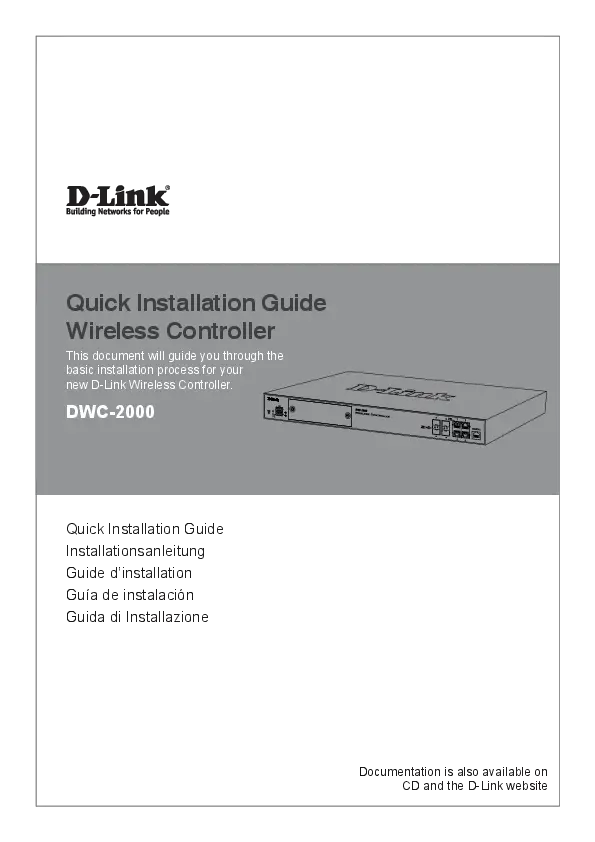
Quick Installation Guide Wireless Controller
ation is also available on CD and the D-Link website This document will guide you through the basic installation process for your new D-Link Wireless Controller.
Download
DWC-2000 Wireless Controller | D-Link UK
Descargar
DWC-2000 Wireless Controller | D-Link España
Extracted Text
Quick Installation Guide

Wireless Controller

This document will guide you through the basic installation process for your new D-Link Wireless Controller.

DWC-2000

Fan

Quick Installation Guide Installationsanleitung Guide d'installation Gu�a de instalaci�n Guida di Installazione

Documentation is also available on CD and the D-Link website

ENGLISH

About This Guide
This guide gives step-by-step instructions for setting up your D-Link DWC-2000 Wireless Controller. Please note that the model you have purchased may appear slightly different from those shown in the illustrations.
The DWC-2000 Wireless Controller is a fullfeatured wireless LAN controller designed for medium to large network environments. The controller has a range of network and access point management functions, can control up to 64 access points by default, and up to 256 with license pack upgrades.
The DWC-2000 can be upgraded with three optional license packs:
� The DWC-2000-AP32/DWC-2000-AP32LIC License Packs allow management of up to 32 additional access points.
� The DWC-2000-AP64/DWC-2000-AP64LIC License Packs allow management of up to 64 additional access points.
� The DWC-2000-AP128/DWC-2000-AP128LIC License Packs allow management of up to 128 additional access points.
The DWC-2000 can be upgraded multiple times with license packs, enabling support for up to a maximum of 256 access points.

Item

Part

Description

A

Reset button

System reset

B

Power LED

Indicates if the wireless controller is powered on

C

Fan LED

Indicates the fan status on the wireless controller

These ports can support

D

USB ports (1-2)

various USB 1.1 or 2.0

devices

E

Hard disk drive module Slot for the hard disk drive

slot

module

Connect to Ethernet

F

Gigabit LAN SFP ports devices such as

(1-4)

computers, switches, and

hubs

Connect to Ethernet

G

Gigabit LAN RJ-45

devices such as

ports (1-4)

computers, switches, and

hubs

Used to access the

H

Console port

Command Line Interface (CLI) via an RJ-45 to

DB-9 console cable

I

Power switch Powers On/Off the device

J

Power outlet

Connects to the power cord

Status LEDs and Ethernet Port LEDs

Link Speed

TX/RX Status

Product Overview

Figure 3. Ethernet RJ-45 Port LEDs

Link Speed & TX/RX Status

ABCD

E Figure 1. Front Panel

F GH

Figure 4. Ethernet SFP Port LEDs
The following table lists the name, color, status, and description of each device LED.

IJ Figure 2. Rear Panel
1

ENGLISH

LED Indicator
Power/ Status

Color
Orange/ Green

Fan USB

Green/ Red
Green

Tx/Rx Green Status of RJ-45 Port
Link Speed Green/ of RJ-45 Orange Port

Link and TX/RX of SFP Port

Green/ Orange

Status

Description

Solid Power-on process

Orange

in progress.

Solid Green Power-on process

complete.

Blinking

Device has

Orange crashed and is in

recovery mode.

Light Off The device is pow-

ered off.

Solid Green The fan is operat-

ing normally.

Solid Red The fan has failed.

Solid Green The link is good.

Blinking There is activity on

Green

this port.

Light Off

No link.

Solid Green Link is present.

Blinking Port is sending or

Green

receiving data.

Link Off

No link.

Solid Green Port is operating at

100 Mbps.

Solid Port is operating at

Orange

1000 Mbps.

Light Off Port is operating at

10 Mbps.

Solid Green Port is operating at

100 Mbps.

Blinking Port is sending or

Green receiving data at

100 Mbps.

Solid Port is operating at

Orange

1000 Mbps.

Blinking Port is sending or

Orange receiving data at

1000 Mbps.

� Before installation, always check that the power supply is disconnected.
� Ensure that the room in which you are operating the device has adequate air circulation and that the room temperature does not exceed 40 �C (104 �F).
� Ensure there is at least one meter (three feet) of clear space in front and back of the device.
� Do not place the device in an equipment rack frame that blocks the air vents on the sides of the chassis. Ensure that enclosed racks have fans and louvred sides.
� Ensure that none of these hazardous conditions exist before installation: moist or wet floors, leaks, ungrounded or frayed power cables, or missing safety grounds.

Step 1 � Unpacking
Open the shipping carton and carefully unpack its contents. Please consult the following packing list to make sure that all items are present and undamaged. If any item is missing or damaged, please contact your local D-Link reseller for a replacement.

Package Contents

DWC-2000 Wireless Controller

1

Default Interface Settings

Power Cord

1

Ethernet Interface IP Address Web-Based

Console Cable (RJ-45 to DB-9 Cable)

1

Interface Type

Management

LAN (1-4) Static IP 192.168.10.1/24 Enabled

Ethernet Cable (CAT5 UTP/Straight Through)

1

Reference CD

1

Rack Mounting Brackets

2

Installation and Connection

Screws Pack

1

This section describes how to install a

QIG

1

DWC-2000 in a standard 19-inch equipment

rack and how to connect cables and power to

the device.

Before You Begin
Observe the following precautions to help prevent shutdowns, equipment failures, and injuries:

2

ENGLISH

Step 2 � Installation
You can mount the DWC-2000 into a standard 19-inch equipment rack. To install the DWC-2000 into a rack:
1. Attach the mounting brackets to each side of the chassis as shown in Figure 5 and secure them with the screws provided.

Figure 7. Connecting to Your Network

1. Connect an RJ-45 cable from one of the

Fan

ports labelled LAN (1-4) to a switch in the

LAN network segment.

Figure 5. Mounting Brackets
2. Use the screws provided with the equipment rack to mount the device in the rack as shown in Figure 6.
Fan
Figure 6. Mount into the Rack

2. Connect an RJ-45 to DB-9 cable from the console port to a workstation to use the CLI (Command Line Interface) for management.
Step 4 � Powering on the Device
The AC power cord shipped with the device connects the device to earth ground when plugged into a grounded AC power outlet. The device must be grounded during normal operation.
To connect the device to a power source, plug one end of the AC power cord into the AC power connector on the back panel of the device. Plug the other end into an electrical outlet and switch ON the power switch.
Note: We recommend using a surge protector for the power connection.

Step 3 � Connecting the Device to a Network
This section provides basic information about physically connecting the DWC-2000 to a network.
Connect the necessary cables as shown in Figure 7.

3

ENGLISH

Initial Configuration
The wireless controller software is preinstalled on the DWC-2000. When the device is powered on, it is ready to be configured. It comes with a default factory configuration that allows you to connect to it, but you should configure the controller for your specific network requirements.

4. Log into the wireless controller Web interface. The default login information is:
� Username: admin � Password: admin

Discovering the Wireless Controller

Figure 9. Login Page

Using the Web UI
To use the Web UI, the workstation from which you are managing the device must initially be on the same subnet as the device. You will also need a compatible browser:

Browser Microsoft Internet Explorer Mozilla Firefox
Apple Safari
Google Chrome

Minimum Version 9, 10
23
iOS: 6.1.3 Windows: 5.1.7
26

Connecting via Console (RJ-45 to DB-9 DCE)
The DWC-2000 Wireless Controller provides a serial port that allows you to connect to a computer or terminal for monitoring and configuring the device. This port is an RJ-45 connector, and is implemented as a data communication terminal equipment (DCE) connection.
To use the console port connection, you need the following equipment:
1. A terminal or a computer with both a serial port and the ability to emulate a terminal.
2. The included RJ-45 to DB-9 cable.

To access the device's Web UI:
1. Connect your workstation to one of the ports labelled LAN (1-4).
2. Ensure your workstation is configured with a static IP address in the 192.168.10.0/24 subnet.
Note: To avoid issues, disable any pop-up blocking software or add the management IP address http://192.168.10.1 to your pop-up blocker's allow list.
3. Launch your browser and enter the IP address for the LAN interface (The default IP address is http://192.168.10.1), then press Enter.

3. If your laptop or PC does not have an RS-232 connector, a converter (not included) is required.
To establish a console connection:
1. Plug the RJ-45 connector end of the supplied RJ-45 to DB-9 cable directly into the console port on the wireless controller.
2. Connect the other end of the cable to a terminal or to the serial connector of a computer running terminal emulation software. Set the terminal emulation software values as follows:
� Baud rate: 115200 � Data bits: 8 � Parity: None � Stop bits: 1 � Flow control: None

Figure 8. Using the Browser 4

ENGLISH

3. Connect the wireless controller following the instructions in the "Powering on the Device" section in this guide. The boot sequence will be displayed on the terminal.

5. Click the "Run..." button to run the WLAN Wizard.

4. Once the boot sequence is completed, the command prompt will be displayed and the device is ready to be configured.
Discovering and Managing the Unified AP
Internet

Unified Access
Point

Router/ DHCP Server

Switch LAN

LAN DWC-2000

Figure 12. Run WLAN Wizard
1. Enter the following information to complete the WLAN Setup Wizard:
� Wireless Global Configuration: Choose the country code.
� Wireless Default Radio Configuration: Create an AP Profile for the radio setting of the wireless network. Set the radio mode for each radio.
� Wireless Default VAP Configuration: Enter the SSID network name, and then select a security method. If you select Static WEP or WPA Personal, enter a secure passphrase for your WLAN.

Figure 10. Network Topology
To discover and manage the Unified AP:
1. Record the MAC address of each Unified AP on the network.

2. Connect the Unified AP you want to configure to the local area Ethernet network.
3. Log into the DWC-2000 and set the LAN IP address to be in the subnet of the local area Ethernet network.
4. Go through the Wizard to manage your access points. Click "Wizard" at the top right corner.

Figure 13. WLAN Wizard
2. Below are two methods to add access points in the managed AP list:
a. List of APs Awaiting to be Configured: Select the access points which are discovered automatically by the wireless controller.

b. Valid Access Point Summary: Enter access point MAC address manually.

Figure 11. Wizard

List of APs Awaiting to be Configured: This is a list of discovered access points. Switch the Status of the access point you want to manage to ON.

5

ENGLISH

Additional Information

Figure 14. Configure AP
Valid Access Point Summary: Enter the MAC address of the AP you want to manage.
Figure 15. Enter MAC addresses
3. Save Settings and Connect - When the WLAN Connection Setup Wizard has been completed, click the Connect button to save your settings and connect your APs.

You can refer to the additional documentation on the accompanying master CD or you can visit http://support.dlink.com online for more support on how to configure your DWC-2000.
� D-Link Wireless Controller User Manual
This manual describes the general operation and control of the wireless controller firmware which drives and controls the wireless controller hardware. It includes examples of how to carry out typical administrative tasks such as setting up Rogue AP detection and how to use the wireless controller in various scenarios.
� D-Link Wireless Controller CLI Reference Guide
This document describes all available textbased commands that can be used on an RJ-45 to DB-9 Console or SSH interface to configure the wireless controller.
Online Support
If there are any issues which are not in the user manual, please visit http://support.dlink.com, which will direct you to your appropriate local D-Link support website.
Warranty Information
The D-Link Limited Lifetime Warranty information is available at http://warranty.dlink. com/

Figure 16. Summary 6

DEUTSCH

Informationen zum Handbuch
Dieses Handbuch enth�lt ausf�hrliche Anleitungen zum Einrichten Ihres DWC-2000 Wireless Controllers von D-Link. Beachten Sie, dass Ihr Modell sich m�glicherweise geringf�gig von denen der Abbildungen unterscheidet.
Bei dem DWC-2000 Wireless Controller handelt es sich um einen f�r mittelgro�e und gro�e Netwerkumgebungen entwickelten und mit umfangreichen Funktionen ausgestatteten WLAN Controller. Der Controller bietet eine Reihe von Netzwerk- und Access PointManagementfunktionen und kann standardm��ig bis zu 64 Access Points steuern und bis zu 256 mit Lizenzpaket-Upgrades versorgen.
F�r ein Upgrade des DWC-2000 stehen Ihnen wahlweise die folgenden drei Lizenzpakete zur Verf�gung:
� Die Lizenzpakete DWC-2000-AP32/ DWC-2000-AP32-LIC erm�glichen das Management bis zu 32 zus�tzlicher Access Points.
� Die Lizenzpakete DWC-2000-AP64/ DWC-2000-AP64-LIC erm�glichen das Management bis zu 64 zus�tzlicher Access Points.
� Die Lizenzpakete DWC-2000-AP128/ DWC-2000-AP128-LIC erm�glichen das Management bis zu 128 zus�tzlicher Access Points.
Ein Upgrade des DWC-2000 kann mithilfe dieser Lizenzpakete mehrere Male erfolgen und erm�glicht so eine Unterst�tzung von maximal 256 Access Points.

Ref.

Element

Beschreibung

A R�cksetztaste (Reset) System zur�cksetzen

B

LED-Betriebsanzeige

Zeigt an, ob der Wireless Controller eingeschaltet ist.

Zeigt den Status des

C

L�fter-LED

Wireless Controller-L�fters

an

Diese Ports k�nnen

D

USB-Ports (1-2) verschiedene USB 1.1 oder

2.0 Ger�te unterst�tzen.

E

Festplattenmodul-

Ein Steckplatz f�r das

Steckplatz

Festplattenlaufwerkmodul

F�r den Anschluss von

F

Gigabit LAN SFP Ports Ethernet-Ger�ten wie

(1-4)

Computer, Switches und

Hubs

F�r den Anschluss von

G

Gigabit LAN RJ-45 Ethernet-Ger�ten wie

Ports (1-4)

Computer, Switches und

Hubs

Zum Zugriff auf die CLI

H

Konsolenport

(Befehlszeilenschnittstelle) �ber ein RJ-45-zu-DB-9

Konsolenkabel

I

Ein-/Aus-Schalter

Zum Ein-/Ausschalten des Ger�ts

J

Stromamschluss

Zum Anschluss des Netzkabels

Status-LEDs und Ethernet-Port-LEDs

LinkGeschwindigkeit

TX/RXStatus

Abbildung 3. Ethernet RJ-45 Port LEDs

Produkt�bersicht

Link-Geschwindigkeit & TX/RX-Status

ABCD

E

F GH

Abbildung 1. Vorderseite

Abbildung 4. Ethernet SFP Port LEDs
In der folgenden Tabelle sind Name, Farbe, Status und Beschreibung f�r jede Ger�te-LED aufgef�hrt.

Abbildung 2. R�ckseite

IJ

7

DEUTSCH

LED-An- Farbe

Status

Beschreibung

zeige

Betriebs- Orange- Durchgehend Einschalt- und

anzeige/ farben/ orangefarben Hochfahrvorgang

Status

Gr�n

im Gange.

Durchgehend Einschalt- und

gr�n

Hochfahrvorgang

abgeschlossen.

Blinkt

Ger�t abgest�rzt

orangefarben und im Wiederher-

stellmodus.

Leuchtet

Das Ger�t ist

nicht

ausgeschaltet.

L�fter Gr�n/Rot Durchgehend Der L�fter arbeitet

gr�n

ordnungsgem��.

Durchgehend Der L�fter ist

rot

ausgefallen.

USB

Gr�n Durchgehend Gute Verbindung.

gr�n

Gr�n

Dieser Port ist

blinkend

aktiv.

Leuchtet Keine Verbindung.

nicht

Tx/Rx Sta- Gr�n Durchgehend Verbindung ist

tus des RJ-

gr�n

hergestellt.

45 Ports

Gr�n

Port sendet oder

blinkend empf�ngt Daten.

Verb. aus Keine Verbindung.

Verbin- Gr�n/ Durchgehend Port-Betrieb mit

dungs- Orange-

gr�n

100 Mbit/s.

geschw. farben Durchgehend Port-Betrieb mit

des RJ-45

orangefarben 1000 Mbit/s.

Ports

Leuchtet Port-Betrieb mit

nicht

10 Mbit/s.

Verb. u. Gr�n/ Durchgehend Port-Betrieb mit

TX/RX des Orange-

gr�n

100 Mbit/s.

SFP-Ports farben

Gr�n

Port sendet oder

blinkend empf�ngt Daten

mit 100 Mbit/s.

Durchgehend Port-Betrieb mit

orangefarben 1000 Mbit/s.

Blinkt

Port sendet oder

orangefarben empf�ngt Daten

mit 1000 Mbit/s.

Standardeinstellungen f�r die Schnittstellen

Ethernet- Schnitt- IP-Adresse Webbasiertes

Schnitt- stellentyp

Management

stelle

LAN (1-4) Statische 192.168.10.1/24 Aktiviert

IP-Adres-

se

Installation und Verbindung
In diesem Abschnitt wird beschrieben, wie Sie ein DWC-2000-Ger�t in einem 19-Zoll-Standardrack installieren und Kabel am Ger�t anschlie�en.

Erste Schritte
Beachten Sie die folgenden Vorsichtsma�nahmen, um Fehler, Ger�teausf�lle und Verletzungen zu vermeiden:
� Vor der Installation muss die Stromversorgung getrennt werden.
� Das Ger�t muss in einem Raum mit ausreichender Bel�ftung betrieben werden. Die Raumtemperatur darf 40 �C nicht �berschreiten.�
� Vor und hinter dem Ger�t muss freier Platz von mindestens 1 Meter sein.
� Achten Sie beim Installieren des Ger�ts in einem Rackrahmen darauf, dass die L�ftungs�ffnungen an den Seiten des Geh�uses nicht blockiert sind. Stellen Sie sicher, dass geschlossene Racks �ber L�fter und seitliche L�ftungsschlitze verf�gen.
� Beseitigen Sie vor der Installation die folgenden Gefahrenquellen: feuchte oder nasse B�den, Lecks, besch�digte oder nicht geerdete Stromkabel und fehlende Sicherheitserdungen.
Schritt 1: - Auspacken des Produkts
�ffnen Sie den Versandkarton, entnehmen Sie den Inhalt und packen Sie ihn vorsichtig aus. Stellen Sie bitte sicher, dass alle auf der folgenden Packliste aufgef�hrten Artikel auch tats�chlich geliefert wurden und unbesch�digt sind. Sollte ein Artikel fehlen oder besch�digt sein, wenden Sie sich zum Zwecke einer Ersatzlieferung umgehend an Ihren D-Link-Fachh�ndler.

Packungsinhalt

DWC-2000 Wireless Controller

1

Netzkabel

1

Konsolenkabel (RJ-45-zu-DB-9Kabel)

1

Ethernet-Kabel (CAT5 UTP/StraightThrough)

1

Reference CD

1

Rackmontagehalterungen

2

Schraubens�tze

1

Installationsanleitung

1

8

DEUTSCH

Schritt 2 � Installation
Der DWC-2000 kann in ein Ger�terack mit einer Standardgr��e von 19 Zoll eingebaut werden. So installieren Sie den DWC-2000 in einem Rack:
1. Bringen Sie die Befestigungsklammern an den beiden Seiten des Geh�uses an, wie in Abbildung 5 gezeigt, und fixieren Sie sie mit den mitgelieferten Schrauben.

Fan
Abbildung 5. Rackbefestigungsklammern
2. Befestigen Sie das Ger�t mithilfe der mit dem Rack gelieferten Schrauben im Ger�terack (siehe Abbildung 6).

Abbildung 7. Anschluss an Ihr Netzwerk
1. Verbinden Sie einen der mit LAN gekennzeichneten Ports (1-4) mithilfe eines RJ-45-Kabels mit einem Switch im LANNetzwerksegment.
2. Verbinden Sie den Konsolenport mithilfe eines RJ-45-zu-DB-9-Kabels mit einem Arbeitsplatzrechner, um die Verwaltung �ber die CLI (Command Line Interface/ Befehlszeilenschnittstelle) zu erm�glichen.

Schritt 4 � Einschalten des Ger�ts

Fan
Abbildung 6. Montage im Rack
Schritt 3 - Anschlie�en des Ger�ts an ein Netzwerk
In diesem Abschnitt wird der physische Anschluss des DWC-2000 an ein Netzwerk beschrieben. Schlie�en Sie die erforderlichen Kabel an (siehe Abbildung 7).

Das zusammen mit dem Ger�t gelieferte Netzkabel verbindet das Ger�t mit Masse, wenn es an eine Schuko-Netzsteckdose angeschlossen wird. Das Ger�t muss w�hrend des normalen Betriebs geerdet sein.
Stecken Sie zur Stromversorgung des Ger�ts ein Ende des Netzkabels in den Netzstromeingang auf der Ger�ter�ckseite. Stecken Sie das andere Kabelende in eine Steckdose und schalten Sie die Stromzufuhr ein (bzw. stellen Sie den Schalter auf ON (EIN)).
Hinweis: D-Link empfiehlt die Verwendung eines �berspannungsschutzes f�r die Stromverbindung.

9

DEUTSCH

Erstkonfiguration
Die Wireless Controller-Software ist bereits auf dem DWC-2000 vorinstalliert. Sobald das Ger�t eingeschaltet ist, kann es konfiguriert werden. Obwohl das Ger�t eine werkseitige Standardkonfiguration aufweist, die es Ihnen erm�glicht, eine Verbindung zu dem Ger�t herzustellen, sollten Sie den Controller f�r Ihre speziellen Netzwerkerfordernisse konfigurieren.
Ihr Wireless Controller

Abbildung 8. Die Verwendung des Browsers
4. Melden Sie sich auf der webbasierten Benutzeroberfl�che des Wireless Controller an. Die standardm��igen Anmeldeinformationen sind:
� Username (Benutzername): admin � Password (Kennwort): admin

Die webbasierte grafische Benutzeroberfl�che

Damit Sie die webbasierte grafische Benutzeroberfl�che (Web UI) verwenden k�nnen, muss sich der Arbeitsplatzrechner,
mit dem das Ger�t verwaltet wird, zun�chst
im gleichen Subnetz wie das Ger�t befinden. Sie ben�tigen au�erdem einen kompatiblen
Browser:

Abbildung 9. Anmeldeseite
Verbindung �ber die Konsole (RJ-45-zuDB-9 DCE) herstellen

Browser Microsoft Internet Explorer Mozilla Firefox
Apple Safari
Google Chrome

Minimum Version 9, 10
23
iOS: 6.1.3 Windows: 5.1.7
26

Ihr DWC-2000 Wireless Controller bietet einen seriellen Port, �ber den Sie einen Computer oder ein Terminal zur �berwachung und Konfiguration des Ger�ts anschlie�en k�nnen. Dieser Port verwendet einen RJ-45-Verbindungsstecker zur Verbindung mit einem Datenkommunikationsger�t (DCE, z. B. einem Modem).
Zur Verwendung der Konsolenport-Verbindung ben�tigen Sie Folgendes:

Zugriff auf die Web-UI des Ger�ts:
1. Schlie�en Sie Ihren Arbeitsplatzrechner an einen der Ports an, der mit LAN (1-4) gekennzeichnet ist.
2. Stellen Sie sicher, dass der Arbeitsplatzrechner mit einer statischen IP-Adresse im Subnetz 192.168.10.0/24 konfiguriert ist.
Hinweis: Um potentielle Problem zu vermeiden, deaktivieren Sie die Popup-Blocker-Software oder f�gen Sie die Management-IP-Adresse http://192.168.10.1 der Liste der zugelassenen Adressen Ihrer Popup-Blocker-Software hinzu.
3. Starten Sie Ihren Browser und geben Sie die IP-Adresse f�r die LAN-Schnittstelle ein. (Die vorgegebene Standard-IP-Adresse ist http://192.168.10.1). Dr�cken Sie dann auf die Eingabetaste.
10

1. Ein Terminal oder einen Computer mit einem seriellen Port und TerminalEmulationsf�higkeiten.
2. Das im Lieferumfang enthaltene RJ-45-zu-DB9-Kabel.
3. Weist Ihr Laptop oder PC keine RS-232Anschlussbuchse auf, ist ein Konverter (nicht im Lieferumfang enthalten) n�tig.
So stellen Sie eine Konsolenverbindung her:
1. Stecken Sie den RJ-45-Verbindungsstecker des mitgelieferten RJ45-zu-DB9-Kabels direkt in den Konsolenport des Wireless Controllers.
2. Schlie�en Sie das andere Ende des Kabels an ein Terminal oder an den seriellen Anschluss eines Computers an, auf dem Terminal-

DEUTSCH

Emulations-Software ausgef�hrt wird. Nehmen Sie in der Terminal-Emulations-Software folgende Einstellungen vor:
� Baud rate (Baudrate): 115200 � Data bits (Datenbits): 8 � Parity (Parit�t): None (Keine) � Stop bits (Stoppbits): 1 � Flow Control (Datenflusssteuerung): None
(Keine) 3. Schlie�en Sie den Wireless Controller an, indem
Sie den Anleitungen im Abschnitt "Einschalten des Ger�ts" dieses Handbuchs folgen. Die Startsequenz wird am Terminal angezeigt.
4. Nach Abschluss der Startsequenz wird die Eingabeaufforderung der Befehlszeile angezeigt. Das Ger�t kann jetzt konfiguriert werden.
Die Verwaltungsfunktionen des Unified AP

So nutzen Sie die Verwaltungsfunktionen des Unified AP: 1. Erfassen Sie die MAC-Adresse jedes Unified
AP im Netz.
2. Verbinden Sie den Unified AP, den Sie konfigurieren m�chten, mit dem Ethernet-LAN.
3. Melden Sie sich auf dem DWC-2000 an und konfigurieren Sie die LAN IP-Adresse passend zu dem IP-Subnetz in Ihrem Ethernet-LAN.
4. Folgen Sie den Anweisungen des Assistenten zum Einsatz und zur Verwaltung Ihrer Access Point. Klicken in der oberen rechten Ecke auf "Wizard" (Assistent).
Abbildung 11. Der Assistent
5. Klicken Sie auf "Run..." (Ausf�hren), um den WLAN-Assistenten auszuf�hren.

Internet

Unified Access
Point

Router/ DHCPServer

Switch LAN

LAN DWC-2000

Abbildung 10. Netzwerktopologie

Abbildung 12. Den WLAN-Assistenten ausf�hren
1. Geben Sie die folgenden Informationen zur Fertigstellung des WLAN Setup-Assistenten ein:

� Wireless Global Configuration (Konfiguration globaler drahtloser Verbindungen): W�hlen
Sie den L�ndercode.

� Wireless Default Radio Configuration

(Standardkonfiguration

f�r

die

Funkverbindung): Erstellen Sie ein AP-

Profil f�r die Funkeinstellung des drahtlosen

Netzwerks. Richten Sie den Funkmodus

jeder Funkfrequenz ein.

� Wireless Default VAP Configuration (Standardkonfiguration der virtuellen WLAN Basisstation): Geben Sie den Netzwerknamen (SSID) ein und w�hlen Sie eine Verschl�sselungsmethode. Geben Sie ein sicheres Kennwort (Passphrase) f�r Ihr WLAN ein, wenn Sie 'Static WEP' oder 'WPA Personal' w�hlen.

11

DEUTSCH

Valid Access Point Summary (G�ltiger Access Point - �bersicht): Geben Sie die MACAdresse des AP ein, der verwaltet werden soll.

Abbildung 13. Der WLAN-Assistent
2. Es stehen Ihnen die zwei unten beschriebene Methoden zum Hinzuf�gen von Access Points zur Managed AP-Liste zur Verf�gung:
a. List of APs Awaiting to be Configured (Liste der zu konfigurierenden APs): W�hlen Sie die Access Points, die vom Wireless Controller automatisch erkannt werden.
b. Valid Access Point Summary (G�ltiger Access Point - �bersicht): Geben Sie die MAC-Adresse des Access Point manuell ein.

Abbildung 15. Eingabe der MAC-Adressen
3. Einstellungen speichern und Verbindung herstellen - Sobald der Einrichtungsvorgang des Assistenten f�r die WLAN-Verbindung beendet ist, klicken Sie auf 'Connect' (Verbinden), um Ihre Einstellungen zu speichern und Ihre APS zu verbinden.

List of APs Awaiting to be Configured (Liste der zu konfigurierenden APs): Dies ist eine Liste der gefundenen Access Points. Stellen Sie den
Status des AP, den Sie verwalten m�chten, auf
ON (EIN).

Abbildung 16. �bersicht

Abbildung 14. Konfiguration des AP

12

DEUTSCH

Weitere Informationen
Weitere Informationen und Hilfe zur Konfiguration des DWC-2000 finden Sie in der Begleitdokumentation auf der im Lieferumfang enthaltenen Master-CD oder auf der Website http://support.dlink.com von D-Link. � D-Link Wireless Controller -
Benutzerhandbuch In diesem Handbuch werden die allgemeinen Operationen und Steuerelemente der Wireless Controller-Firmware beschrieben, die die Hardware des Wireless Controllers steuert. Enthalten sind Beispiele zur Durchf�hrung typischer administrativer Aufgaben wie das Einrichten der Rogue AP-Erkennung und Beispiele zur Verwendung des Wireless Controllers in verschiedenen Szenarien. � D-Link Wireless Controller - CLI Referenzhandbuch In diesem Handbuch werden alle verf�gbaren textbasierten Befehle beschrieben, die auf einer RJ45-zu-DB9 Konsole oder der SSHSchnittstelle zur Konfiguration des Wireless Controllers verwendet werden k�nnen. Online Support Sollten Probleme aufgetreten sein, die nicht im Benutzerhandbuch behandelt werden, besuchen Sie bitte die Website http://support.dlink.com. Dort werden Sie an Ihre entsprechende regionale Support Website von D-Link weitergeleitet. Garantiebestimmungen Informationen zur eingeschr�nkten Garantie auf Lebenszeit f�r Produkte von D-Link finden Sie unter http://warranty.dlink.com/
13

FRAN�AIS

� Propos de ce Guide
Ce guide fournit des instructions qui vous aideront � configurer �tape par �tape votre contr�leur sans fil DWC-2000 de D-Link. Notez que le mod�le que vous avez achet� peut l�g�rement diff�rer de celui illustr� sur les figures.
Le contr�leur sans fil DWC-2000 est un contr�leur de r�seau local sans fil complet, con�u pour les environnements r�seau de taille moyenne � grande. Le contr�leur poss�de toute une gamme de fonctions de gestion et de s�curit� des r�seaux et des points d'acc�s. Par d�faut, il peut contr�ler jusqu'� 64 points d'acc�s et jusqu'� 256 apr�s mise � jour avec des packs de licence.
Le DWC-2000 peut �tre mis � jour avec trois packs de licence en option :
� Les packs de licence DWC-2000-AP32/DWC2000-AP32-LIC permettent de g�rer jusqu'� 32 points d'acc�s suppl�mentaires.
� Les packs de licence DWC-2000-AP64/DWC2000-AP64-LIC permettent de g�rer jusqu'� 64 points d'acc�s suppl�mentaires.
� Les packs de licence DWC-2000-AP128/ DWC-2000-AP128-LIC permettent de g�rer jusqu'� 128 points d'acc�s suppl�mentaires.
Le DWC-2000 peut �tre mis � jour plusieurs fois avec des packs de licences, permettant la prise en charge d'un maximum de 256 points d'acc�s.

�l�ment

Composant

Description

A

Bouton de r�initialisation

R�initialisation du syst�me

B

Voyant d'alimentation

Indique si le contr�leur sans fil est sous tension

Indique l'�tat du C Voyant du ventilateur ventilateur du contr�leur
sans fil

Ces ports peuvent

D

Ports USB (1-2)

prendre en charge diff�rents p�riph�riques

USB 1.1 ou 2.0.

E

Emplacement de module de disque dur

Emplacement pour le module de disque dur

Connexion aux

F

Ports LAN Gigabit SFP (1-4)

p�riph�riques Ethernet tels que des ordinateurs,
des commutateurs et des

concentrateurs.

Connexion aux

G

Ports LAN Gigabit RJ-45 (1-4)

p�riph�riques Ethernet tels que des ordinateurs,
des commutateurs et des

concentrateurs.

Permet d'acc�der � l'interface de ligne de

H

Port de console commande (CLI) via un

c�ble de console RJ-45 �

DB-9

I Bouton Marche/Arr�t

Allume/�teint le p�riph�rique

J

Prise de courant

Permet de connecter le cordon d'alimentation

Voyants d'�tat et voyants des ports Ethernet

Pr�sentation du produit

Connexion Vitesse

�tat d'�mission/r�ception

Figure 3. Voyants du port Ethernet RJ-45

ABCD

E Figure 1. Fa�ade

F GH

IJ Figure 2. Panneau arri�re 14

Vitesse de liaison et �tat d'�mission/
r�ception
Figure 4. Voyants du port Ethernet SFP
Le tableau suivant r�pertorie le nom, la couleur, l'�tat et la description de chaque voyant du p�riph�rique.

FRAN�AIS

Voyant Couleur

�tat

Description

lumineux

Alimentation/ Orange/ Orange fixe Processus de mise

�tat

Vert

sous tension en

cours.

Vert fixe

Processus de

mise sous tension

termin�.

Orange

Le p�riph�rique

clignotant

a plant� et est

en mode de

r�cup�ration.

Voyant �teint Le p�riph�rique est

�teint.

Ventilateur Vert/rouge Vert fixe

Le ventilateur

fonctionne

normalement.

Rouge fixe Le ventilateur est en

panne.

USB

Vert

Vert fixe La connexion est

correcte.

Vert clignotant Ce port pr�sente

une activit�.

Voyant �teint Pas de liaison.

�tat

Vert

Vert fixe Une connexion est

d'�mission/

active.

r�ception du

Vert clignotant Le port envoie ou

port RJ-45

re�oit des donn�es.

Voyant �teint Pas de liaison.

Vitesse de Vert/

Vert fixe Le port fonctionne �

liaison du port Orange

100 Mbits/s.

RJ-45

Orange fixe Le port fonctionne �

1000 Mbits/s.

Voyant �teint Le port fonctionne �

10 Mbits/s.

Liaison et Vert/

Vert fixe Le port fonctionne �

�mission/ Orange

100 Mbits/s.

r�ception du

Vert clignotant Le port envoie ou

port SFP

re�oit des donn�es

� 100 Mbits/s.

Orange fixe Le port fonctionne �

1000 Mbits/s.

Orange Le port envoie ou

clignotant re�oit des donn�es

� 1000 Mbits/s.

Param�tres par d�faut de l'interface

Interface Type

IP Address Gestion Web

Ethernet d'interface (Adresse IP) :

LAN (1-4) IP statique 192.168.10.1/24

Activ�

Installation et connexion
Cette section d�crit comment installer un DWC-2000 dans un rack standard de 19 pouces et comment y relier des c�bles et l'alimentation.

Avant de commencer
Respectez les pr�cautions suivantes afin d'�viter tout risque d'arr�t, de dysfonctionnement de l'�quipement ou de blessure :
� Avant l'installation, v�rifiez toujours que l'alimentation est d�connect�e.
� V�rifiez que la pi�ce dans laquelle le p�riph�rique est utilis� est correctement a�r�e et que la temp�rature ambiante ne d�passe pas 40 �
� Veillez � laisser au moins un m�tre devant et derri�re le p�riph�rique.
� Si vous installez l'appareil dans un rack, veillez � ce que le cadre de ce dernier ne bouche pas les orifices de ventilation de l'appareil. Assurez-vous que les racks int�gr�s poss�dent des ventilateurs et des orifices lat�raux.
� Assurez-vous qu'aucune des conditions dangereuses suivantes n'est pr�sente avant l'installation : sols humides ou mouill�s, fuites, c�bles d'alimentation non reli�s � la terre ou endommag�s ou us�s, ou absence des bornes de mise � la terre.

�tape 1 - D�ballage
Ouvrez le carton d'emballage et d�ballez soigneusement son contenu. Consultez la liste de colisage ci-dessous pour vous assurer qu'il ne manque aucun article et qu'ils sont tous en bon �tat. Si un des �l�ments est manquant ou endommag�, veuillez contacter votre revendeur D-Link local pour obtenir un remplacement.

Contenu de la bo�te

Contr�leur sans fil DWC-2000

1

Cordon d'alimentation

1

C�ble de console (c�ble RJ-45 � DB-9)

1

C�ble Ethernet (CAT5 UTP/droit)

1

CD de r�f�rence

1

Supports de montage en rack

2

Pack de vis

1

Guide d'installation rapide

1

15

FRAN�AIS

�tape 2 - Installation
Vous pouvez monter le DWC-2000 dans un rack standard de 19 pouces. Pour installer le DWC-2000 dans un rack :
1. Montez les supports de montage de chaque c�t� du ch�ssis comme indiqu� sur la Figure 5, puis fixez-les � l'aide des vis fournies.

Figure 7. Connexion au r�seau

1. Connectez un c�ble RJ-45 entre l'un des ports

�tiquet�s LAN (1-4) et un commutateur de la

Fan

section de r�seau LAN.

Figure 5. Supports de fixation
2. Utilisez les vis fournies avec le b�ti pour monter le p�riph�rique dedans, comme illustr� � la Figure 6.

2. Connectez un c�ble RJ-45 � DB-9 entre le port de console et une station de travail pour utiliser l'interface CLI (interface de ligne de commande) pour la gestion.
�tape 4 - Mise sous tension du p�riph�rique

Fan
Figure 6. Montage dans le rack
�tape 3 - Connexion du p�riph�rique � un r�seau

Le cordon d'alimentation CA fourni avec l'appareil permet de relier ce dernier � la terre lorsqu'il est branch� � une prise de courant CA reli�e � la terre. Le p�riph�rique doit �tre reli� � la terre pendant son fonctionnement normal.
Pour connecter le p�riph�rique � une source d'alimentation, branchez une extr�mit� du cordon CA au connecteur d'alimentation CA situ� � l'arri�re de l'appareil. Branchez l'autre extr�mit� dans une prise de courant et allumez l'interrupteur d'alimentation.
Remarque : Nous recommandons d'utiliser un parasurtenseur pour la connexion de l'alimentation.

Cette section fournit des informations de base sur la connexion physique du DWC-2000 � un r�seau.
Connectez les c�bles n�cessaires comme illustr� en Figure 7.

16

FRAN�AIS

Configuration initiale
Le logiciel du contr�leur sans fil est pr�install� sur le DWC-2000. Une fois le p�riph�rique allum�, il est pr�t � �tre configur�. Il est fourni avec une configuration d'usine par d�faut qui vous permet d'�tablir une connexion, mais vous devez configurer le contr�leur pour satisfaire aux besoins sp�cifiques de votre r�seau.
D�tection du contr�leur sans fil

Figure 8. Utilisation du navigateur
4. Ouvrez une session dans l'interface Web du contr�leur sans fil. Par d�faut, les informations d'ouverture de session sont les suivantes :
� Username (Nom d'utilisateur) : admin � Mot de passe : admin

Utilisation de l'interface Web

Pour utiliser l'interface Web, la station de
travail qui sert � g�rer le p�riph�rique doit se trouver initialement sur le m�me sous-r�seau que celui-ci. Vous aurez �galement besoin d'un navigateur compatible :

Figure 9. Page d'ouverture de session

Navigateur Microsoft Internet Explorer Mozilla Firefox
Apple Safari
Google Chrome

Version minimale 9, 10
23
iOS : 6.1.3 Windows : 5.1.7
26

Pour acc�der � l'interface Web du p�riph�rique :
1. Connectez votre poste de travail � l'un des ports �tiquet�s LAN (1-4).
2. Assurez-vous que le poste de travail est configur� avec une adresse IP statique dans le sous-r�seau 192.168.10.0/24.
Remarque : Pour �viter des probl�mes, d�sactivez tout logiciel de blocage des fen�tres publicitaires ou ajoutez l'adresse IP de gestion http://192.168.10.1 � la liste des sites autoris�s du bloqueur de fen�tres publicitaires.
3. Lancez votre navigateur, puis saisissez l'adresse IP de l'interface du r�seau local (l'adresse IP par d�faut est http://192.168.10.1), puis appuyez sur Enter (Entr�e).

Connexion via la console (ETCD RJ-45 � DB-9)
Le contr�leur sans fil DWC-2000 dispose d'un port s�rie vous permettant de vous connecter � un ordinateur ou un terminal afin de surveiller et configurer le p�riph�rique. Ce port utilise un connecteur RJ-45, permettant de r�aliser une connexion ETCD (�quipement Terminal de Circuit de Donn�es).
Pour utiliser la connexion du port de console, vous avez besoin du mat�riel suivant :
1. Un terminal ou un ordinateur poss�dant � la fois un port s�rie et la capacit� d'�muler un terminal.
2. Le c�ble RJ-45 � DB-9 inclus.
3. Si votre ordinateur portable ou votre PC ne poss�de pas de connecteur RS-232, un convertisseur (non fourni) est n�cessaire.
Pour �tablir une connexion de console :
1. Branchez le connecteur RJ-45 du c�ble RJ-45 � DB-9 fourni directement dans le port de la console du contr�leur sans fil.
2. Connectez l'autre extr�mit� du c�ble � un terminal ou � un connecteur s�rie d'un

17

FRAN�AIS

ordinateur ex�cutant un logiciel d'�mulation de terminal. Configurez les valeurs du logiciel d'�mulation du terminal de la fa�on suivante :

4. Ex�cutez l'Assistant pour g�rer vos points d'acc�s. Cliquez sur � Wizard � (Assistant) dans le coin sup�rieur droit.

� D�bit de baud : 115200
� Bits de donn�es : 8
� Parit� : Aucun
� Bits d'arr�t : 1
� Contr�le de flux : Aucun
3. Connectez le contr�leur sans fil suivant les instructions de la section � Mise sous tension du p�riph�rique � de ce guide. La s�quence de d�marrage appara�t sur le terminal.

Figure 11. Assistant
5. Cliquez sur le bouton � Run... � (Ex�cuter...) pour ex�cuter l'Assistant du r�seau local sans fil.

4. Une fois la s�quence de d�marrage termin�e, l'invite de commande s'affiche et le p�riph�rique est pr�t � �tre configur�.
D�tection et gestion du PA unifi�
Internet

Figure 12. Ex�cuter l'Assistant du r�seau local sans fil
1. Saisissez les informations suivantes pour compl�ter l'Assistant de configuration du r�seau local sans fil :
� Configuration globale sans fil : Choisissez le code pays.

Point d'acc�s unifi�

Routeur/ Serveur DHCP
R�seau local

Commutateur R�seau local

DWC-2000

� Configuration par d�faut de la carte r�seau sans fil : Cr�ez un Profil de PA correspondant au param�tre de la carte r�seau sans fil. D�finissez le mode Carte r�seau sans fil de chaque carte.
� Configuration par d�faut du VAP sans fil : Saisissez le nom de r�seau du SSID, puis s�lectionnez une m�thode de s�curit�. Si vous s�lectionnez WEP statique ou WPA personnel, saisissez un mot de passe s�curis� pour votre r�seau local sans fil.

Figure 10. Topologie de r�seau
Pour d�tecter et g�rer le PA unifi� :
1. Enregistrez l'adresse MAC de chaque PA unifi� sur le r�seau.
2. Connectez le PA unifi� que vous voulez configurer sur le r�seau Ethernet local.
3. Connectez-vous au DWC-2000 et d�finissez l'adresse IP du r�seau local pour acc�der au sous-r�seau du r�seau Ethernet local.

Figure 13. Assistant du r�seau local sans fil

18

2. Vous trouverez ci-dessous deux m�thodes pour ajouter des points d'acc�s dans la liste des PA g�r�s :

a. Liste des PA en attente d'�tre configur�s : S�lectionnez les points d'acc�s qui sont d�tect�s automatiquement par le contr�leur sans fil.

FRAN�AIS

b. R�capitulatif des points d'acc�s valides : Saisissez l'adresse MAC du point d'acc�s manuellement.
Liste des PA en attente d'�tre configur�s : Il s'agit de la liste des points d'acc�s d�tect�s. Faites passer l'�tat du point d'acc�s que vous souhaitez g�rer sur ON (Activ�).

Figure 16. R�sum�
Informations compl�mentaires
Vous pouvez consulter la documentation compl�mentaire propos�e sur le CD principal joint ou visiter le site http://support.dlink.com pour obtenir plus d'aide sur la configuration de votre DWC-2000.

Figure 14. Configuration du PA
R�capitulatif des points d'acc�s valides : Saisissez l'adresse MAC du PA que vous souhaitez g�rer.

� Manuel d'utilisation du contr�leur sans fil D-Link
Ce manuel explique comment faire fonctionner et commander le microprogramme du contr�leur sans fil qui g�re et commande le mat�riel du contr�leur sans fil. Il comporte des exemples de r�alisation de t�ches administratives types, telles que la configuration d'une d�tection de PA ind�sirables et l'utilisation du contr�leur sans fil dans diverses situations.
� Guide de r�f�rence du CLI du contr�leur sans fil de D-Link
Ce document pr�sente toutes les commandes textuelles disponibles que vous pouvez utiliser sur une console RJ-45 � DB-9 ou sur une interface SSH pour configurer le contr�leur sans fil.
Assistance en ligne

Figure 15. Saisie des adresses MAC
3. Enregistrez les param�tres et connectezvous - Lorsque l'Assistant de configuration de connexion au r�seau local sans fil a �t� ex�cut�, cliquez sur le bouton Connect (Connexion) pour enregistrer vos param�tres et connecter vos PA.

Si vous rencontrez des probl�mes non r�pertori�s dans le manuel d'utilisation, consultez le site http://support.dlink.com, qui vous renverra vers votre site Web de support D-Link local appropri�.
Informations sur la garantie
Les informations relatives � la garantie limit�e dans le temps D-Link sont disponibles � l'adresse suivante : http://warranty.dlink.com/

19

ESPA�OL

Acerca de esta gu�a

Esta gu�a ofrece instrucciones paso a paso para configurar el controlador inal�mbrico D-Link DWC-2000. Tenga en cuenta que el modelo que ha adquirido puede tener un aspecto ligeramente diferente al mostrado en las ilustraciones.
El controlador inal�mbrico DWC-2000 es un controlador LAN inal�mbrico totalmente equipado para entornos de red de tama�o mediano a grande. El controlador tiene una serie de funciones para la gesti�n de red y del punto de acceso, puede controlar de forma predeterminada hasta 64 puntos de acceso y hasta 256 con actualizaciones del paquete de licencia.
El DWC-2000 se puede actualizar con tres

paquetes de licencia opcionales:

� Los paquetes de licencia DWC-2000-AP32/ DWC-2000-AP32-LIC permiten gestionar hasta 32 puntos de acceso adicionales.

�

Los paquetes de licencia DWC-2000-

AP64/DWC-2000-AP64-LIC permiten

gestionar hasta 64 puntos de acceso

adicionales.

�

Los paquetes de licencia DWC-2000-

AP128/DWC-2000-AP128-LIC permiten

gestionar hasta 128 puntos de acceso

adicionales.

El DWC-2000 se puede actualizar varias veces con paquetes de licencia que permiten admitir hasta un m�ximo de 256 puntos de acceso.

Descripci�n general del producto

Elemento

Pieza

Descripci�n

A

Bot�n de reinicio Reiniciar el sistema

B

LED de alimentaci�n

Indica si el controlador
inal�mbrico est� encendido.

C

LED del ventilador

Indica el estado del ventilador en el controlador
inal�mbrico

D

Puertos USB (1-2)

Estos puertos pueden admitir diversos
dispositivos USB 1.1 o 2.0

E

Bah�a para m�dulo de unidad
de disco duro

Bah�a para el m�dulo de unidad de disco duro

la

Para conectarse a

F

Puertos Gigabit dispositivos Ethernet SFP de LAN (1-4) como ordenadores,

conmutadores y terminales

G

Puertos Gigabit RJ-45 de LAN
(1-4)

Para conectarse a dispositivos Ethernet como ordenadores, conmutadores y terminales

Se utiliza para acceder

H

Puerto de la consola

a la interfaz de l�nea de
comandos (CLI) a trav�s de un cable para consola

de RJ-45 a DB-9

I

Interruptor de alimentaci�n

Enciende y apaga el dispositivo

J

Toma de alimentaci�n

Se conecta al cable de alimentaci�n

Indicadores LED de estado e indicadores LED de puerto Ethernet
Figura 3. Indicadores LED de puerto Ethernet RJ-45

Velocidad de la conexi�n

Estado de transmisi�n/recepci�n

Figura 4. Indicadores LED de puerto Ethernet SFP

ABCD

E

F GH

Figura 1. Panel frontal

Velocidad de la conexi�n y estado
de transmisi�n/ recepci�n
La tabla siguiente enumera el nombre, el color, el estado y la descripci�n de cada LED del dispositivo.

IJ

20

Figura 2. Panel posterior

ESPA�OL

Indicador Color Estado

Descripci�n

LED

Alimentaci�n/ Naranja/ Naranja

Proceso de

estado

verde

encendido en

continuo

curso.

Verde

Proceso de

continuo

encendido

completo.

Naranja El dispositivo se

parpadeante ha bloqueado y

est� en modo de

recuperaci�n.

Luz apagada El dispositivo est�

apagado.

Ventilador Verde/

Verde

El ventilador

rojo

continuo

funciona

correctamente.

Rojo continuo El ventilador ha

fallado.

USB

Verde

Verde

La conexi�n es

continuo

buena.

Verde Existe actividad en

parpadeante este puerto.

Luz apagada No existe conexi�n.

Estado de Verde

Verde

Existe conexi�n.

transmisi�n/

continuo

recepci�n del

Verde

El puerto est�

puerto RJ-45

parpadeante enviando o

recibiendo datos.

Conexi�n No existe conexi�n.

apagada

Velocidad de Verde/

Verde El puerto funciona a

conexi�n del naranja continuo

100 Mbps.

puerto RJ-45

Naranja El puerto funciona a

1.000 Mbps.

continuo

Luz apagada El puerto funciona a

10 Mbps.

Conexi�n y Verde/

Verde El puerto funciona a

transmisi�n/ naranja continuo

100 Mbps.

recepci�n del

Verde

El puerto est�

puerto SFP

parpadeante enviando o

recibiendo datos a

100 Mbps.

Naranja El puerto funciona a

1.000 Mbps.

continuo

Naranja

El puerto est�

parpadeante enviando o

recibiendo datos a

1.000 Mbps.

Configuraci�n de interfaz predeterminada

Interfaz Tipo de Ethernet interfaz

Direcci�n IP

LAN (1-4) IP est�tica 192.168.10.1/24

Gesti�n basada en
web Activado

Instalaci�n y conexi�n
En esta secci�n se describe c�mo instalar un DWC-2000 en un estante de equipos est�ndar de 19 pulgadas y c�mo conectar los cables y la alimentaci�n al dispositivo.

Antes de empezar
Respete las precauciones siguientes para ayudar a evitar paradas, errores del equipo y lesiones:
� Antes de la instalaci�n, compruebe siempre que la fuente de alimentaci�n est� desconectada.
� Aseg�rese de que la sala en la que utiliza el dispositivo tiene la circulaci�n de aire adecuada y que la temperatura de la sala no supera los 40 �C (104 �F).
� Aseg�rese de que hay un metro (tres pies) de espacio como m�nimo en la parte frontal y en la parte trasera del dispositivo.
� No coloque el dispositivo en una estructura de estante de equipos que bloquee la ventilaci�n de aire en los laterales del chasis. Aseg�rese de que los estantes adjuntos tienen ventiladores y laterales con celos�a.
� Antes de la instalaci�n, aseg�rese de que no existe ninguna de las condiciones peligrosas siguientes: suelos h�medos o con agua, fugas, cables de alimentaci�n sin toma de tierra o falta de tomas de tierra de seguridad.

Paso 1 � Desempaquetado
Abra la caja del env�o y desempaquete su contenido con cuidado. Consulte la lista de envasado siguiente para asegurarse de que todos los art�culos est�n presentes y que no est�n da�ados. Si falta alg�n art�culo o est� da�ado, p�ngase en contacto con su proveedor local de D-Link para que lo reponga.

�Qu� contiene la caja?

DWC-2000 Wireless Controller

1

Cable de alimentaci�n

1

21

ESPA�OL

Cable para consola

1

(cable RJ-45 a DB-9)

Cable Ethernet

1

(CAT5 UTP/directo)

CD de referencia

1

Soportes de montaje en estante

2

Paquete de tornillos

1

Gu�a de instalaci�n r�pida

1

Paso 3 � Conexi�n del dispositivo a una red
Esta secci�n proporciona informaci�n b�sica acerca de la conexi�n f�sica entre el DWC-2000 y una red.
Conecte los cables necesarios como se muestra en la figura 7.

Paso 2 � Instalaci�n

Puede montar el DWC-2000 en un estante de equipos est�ndar de 19 pulgadas. Para instalar el
DWC-2000 en un estante:
1. Acople los soportes de montaje a cada lado del chasis, como se muestra en la figura 5 y f�jelos con los tornillos suministrados.
Figura 7. Conectando con la red
1. Conecte un cable RJ-45 desde uno de los puertos con la etiqueta LAN (1-4) a un conmutador en el segmento de red LAN.

Fan
Figura 5. Soportes de montaje
2. Utilice los tornillos suministrados con el estante de equipos para montar el dispositivo en el estante como se muestra en la figura 6.

2. Conecte un cable de RJ-45 a DB-9 desde el puerto de la consola a una estaci�n de trabajo para utilizar CLI (Interfaz de l�nea de comandos) para la gesti�n.
Paso 4 � Encendido del dispositivo

Fan
Figura 6. Montaje en el estante

El cable de alimentaci�n CA enviado con el dispositivo conecta el dispositivo a la toma de tierra cuando se enchufa en una toma de alimentaci�n CA conectada a tierra. El dispositivo debe estar conectado a tierra durante el funcionamiento normal.
Para conectar el dispositivo a una fuente de alimentaci�n, enchufe un extremo del cable de alimentaci�n CA en el conector de alimentaci�n de CA en el panel posterior del dispositivo. Enchufe el otro extremo a una toma el�ctrica y ENCIENDA el interruptor de alimentaci�n.
Nota: se recomienda el uso de un protector de sobretensi�n para la conexi�n de alimentaci�n.

22

ESPA�OL

Configuraci�n inicial
El software del controlador inal�mbrico est� preinstalado en el DWC-2000. Cuando se enciende el dispositivo, est� preparado para configurarse. Se env�a con una configuraci�n predeterminada de f�brica que permite conectarse al mismo, aunque deber� configurar el controlador para sus requisitos de red espec�ficos.
Descubrir el controlador inal�mbrico

Figura 8. Utilizaci�n del explorador
4. Inicie sesi�n en la interfaz de web del controlador inal�mbrico. La informaci�n predeterminada de inicio de sesi�n es:
� Nombre de usuario: admin � Contrase�a: admin

Utilizaci�n de la interfaz de usuario web

Para utilizar la interfaz de usuario web, la estaci�n
de trabajo desde la que gestiona el dispositivo
debe estar inicialmente en la misma subred que el dispositivo. Tambi�n necesitar� un explorador compatible:

Explorador Microsoft Internet Explorer Mozilla Firefox
Apple Safari

Versi�n m�nima 9, 10
23
iOS: 6.1.3 Windows: 5.1.7

Figura 9. P�gina de inicio de sesi�n
Conexi�n a trav�s de la consola (DCE de RJ-45 a DB-9)
El controlador inal�mbrico DWC-2000 incluye un puerto serie que permite conectarse a un ordenador o terminal para la monitorizaci�n y configuraci�n del dispositivo. Este puerto es un conector RJ-45 y se utiliza como una conexi�n de equipo terminal de comunicaci�n de datos (DCE).

Google Chrome

26

Para utilizar la conexi�n del puerto de la

consola, necesita el equipo siguiente:

Para acceder a la interfaz de usuario web del dispositivo:
1. Conecte la estaci�n de trabajo a uno de los puertos con la etiqueta LAN (1-4).
2. Aseg�rese de que la estaci�n de trabajo est� configurada con una direcci�n IP est�tica en la subred 192.168.10.0/24.
Nota: para evitar problemas, desactive cualquier software de bloqueo de elementos emergentes o a�ada la direcci�n IP de gesti�n http://192.168.10.1 a la lista de sitios permitidos.
3. Inicie el explorador e introduzca la direcci�n IP de la interfaz de LAN (la direcci�n IP predeterminada es http://192.168.10.1); a continuaci�n, pulse Intro.

1. Un terminal o un ordenador con un puerto serie y capacidad para emular un terminal.
2. El cable de RJ-45 a DB-9 incluido.
3. Si su ordenador port�til o de sobremesa no tiene un
conector RS-232, ser� necesario un convertidor (no incluido).
Para establecer una conexi�n de consola:
1. Enchufe directamente el extremo del conector RJ-45 del cable de RJ-45 a DB-9 suministrado al puerto para consola en el controlador inal�mbrico.

23

ESPA�OL

2. Conecte el otro extremo del cable a un terminal o al conector serie de un ordenador que ejecute el software de emulaci�n de terminal. Configure los valores del software de emulaci�n de terminal del modo siguiente:
� Frecuencia de baudios: 115.200
� Bits de datos: 8
� Paridad: Ninguno
� Bits de parada: 1
� Control de flujo: Ninguno 3. Conecte el controlador inal�mbrico siguiendo
las instrucciones de la secci�n "Encendido del dispositivo" de esta gu�a. En el terminal se mostrar� la secuencia de arranque.

3. Inicie sesi�n en el DWC-2000 y establezca la direcci�n IP de LAN para que est� en la subred de la red Ethernet de �rea local.
4. Siga el asistente para gestionar los puntos de acceso. Haga clic en "Asistente" en la esquina superior derecha.
Figura 11. Asistente
5. Haga clic en el bot�n "Ejecutar..." para ejecutar el asistente de WLAN.

4. Una vez completada la secuencia de arranque,
se mostrar� el s�mbolo del sistema y el dispositivo est� preparado para configurarse.

Descubrir y gestionar el AP unificado
Internet

Router/ servidor
DHCP

Punto de acceso unificado

Conmutador LAN

LAN DWC-2000

Figura 12. Ejecutar el asistente de WLAN
1. Introduzca la informaci�n siguiente para completar el Asistente para la configuraci�n de WLAN:
� Configuraci�n global inal�mbrica: elija el c�digo de pa�s.
� Configuraci�n de radio inal�mbrica predeterminada: cree un perfil de AP para la configuraci�n de radio de la red inal�mbrica. Establezca el modo de radio para cada radio.
� Configuraci�n de VAP inal�mbrico predeterminado: introduzca el nombre de red SSID y, a continuaci�n, seleccione un m�todo de seguridad. Si selecciona WEP est�tico o WPA Personal, introduzca una frase secreta segura para la WLAN.

Figura 10. Topolog�a de la red
Para descubrir y gestionar el AP unificado:
1. Registre la direcci�n MAC de cada AP unificado en la red.
2. Conecte el AP unificado que desea configurar a la red Ethernet de �rea local.

24

ESPA�OL

Figura 13. Asistente de WLAN
2. A continuaci�n se muestran dos m�todos para a�adir puntos de acceso a la lista de AP gestionados:
a. Lista de los AP que esperan para ser configurados: seleccione los puntos de acceso que el controlador inal�mbrico descubre autom�ticamente.

Figura 15. Introducir las direcciones MAC
3. Guardar par�metros y conectar: una vez completado el asistente para la configuraci�n de la conexi�n WLAN, haga clic en el bot�n Conectar para guardar los par�metros y conectar los AP.

b. Resumen de punto de acceso v�lido: introduzca la direcci�n MAC del punto
de acceso de forma manual.

Lista de los AP que esperan para ser configurados: esta es una lista de los puntos de acceso detectados. Cambie el estado del punto de acceso que desea gestionar a ACTIVADO.

Figura 16. Resumen

Figura 14. Configurar el AP
Resumen de punto de acceso v�lido: introduzca la direcci�n MAC del AP que desea gestionar.

Informaci�n adicional
Puede consultar la documentaci�n adicional que encontrar� en el CD maestro incluido o visitar en l�nea la p�gina http://support.dlink.com para obtener m�s asistencia sobre c�mo configurar el DWC-2000.
� Manual del usuario del controlador inal�mbrico D-Link
Este manual describe el funcionamiento y control general del firmware del controlador inal�mbrico que activa y controla el hardware del controlador inal�mbrico. Incluye ejemplos sobre c�mo llevar a cabo las tareas administrativas normales como, por ejemplo, configurar una detecci�n de AP deshonesta y c�mo utilizar el controlador inal�mbrico en diversas situaciones.

25

ESPA�OL

� Gu�a de referencia CLI del controlador inal�mbrico D-Link Este documento describe todos los comandos de texto disponibles que se pueden utilizar en una consola RJ-45 a DB-9 o interfaz SSH para configurar el controlador inal�mbrico.
Soporte t�cnico en l�nea Si surgen problemas que no aparecen en el manual de usuario, visite el sitio http://support. dlink.com, que le dirigir� al sitio web local de soporte de D-Link correspondiente. Informaci�n acerca de la garant�a La informaci�n sobre la Garant�a limitada de D-Link est� disponible en http://warranty.dlink. com/
26

Informazioni sulla guida

La presente guida contiene istruzioni passo-passo per la configurazione del controller wireless D-Link DWC-2000. Notare che il modello acquistato potrebbe essere leggermente diverso da quello raffigurato nelle illustrazioni.
DWC-2000 Wireless Controller � un controller LAN wireless progettato per ambienti di rete di dimensioni medio-grandi. Il controller include una vasta gamma di funzioni per la gestione della rete e dei punti di accesso. Per impostazione predefinita pu� controllare fino a 64 punti di accesso, che diventano 256 se si dispone di aggiornamenti con pacchetto licenza.

L'aggiornamento del controller DWC-2000 pu� essere effettuato utilizzando tre pacchetti licenza facoltativi:

� I pacchetti licenza DWC-2000-AP32/DWC-
2000-AP32-LIC consentono di gestire fino a 32 ulteriori punti di accesso.

�

I pacchetti licenza DWC-2000-AP64/DWC-

2000-AP64-LIC consentono di gestire fino a

64 ulteriori punti di accesso.

�

I pacchetti licenza DWC-2000-AP128/

DWC-2000-AP128-LIC consentono di gestire

fino a 128 ulteriori punti di accesso.

Il dispositivo DWC-2000 pu� essere aggiornato pi� volte con pacchetti licenza, offrendo il supporto per un massimo di 256 punti di accesso.

Elemento

Parte

Descrizione

A

Pulsante di reset

Reset sistema

B

LED di alimentazione

Indica se il controller wireless � acceso

C

LED della ventola

Indica lo stato della ventola del controller wireless

D

Porte USB (1-2)

Possono supportare diversi dispositivi USB 1.1 o 2.0

E

Slot modulo unit� Slot per il modulo dell'unit�

disco rigido

disco rigido

Utilizzate per la

F

Porte SFP LAN connessione a dispositivi

Gigabit (1-4)

Ethernet, ad esempio

computer, switch e hub

Utilizzate per la

G

Porte RJ-45 LAN connessione a dispositivi

Gigabit (1-4)

Ethernet, ad esempio

computer, switch e hub

Utilizzata per accedere

all'interfaccia della riga di

H

Porta per console

comando (Command Line Interface, CLI) tramite il

cavo per console da RJ-45

a DB-9

I

Interruttore di alimentazione

Consente di accendere/ spegnere il dispositivo

Utilizzata per il

J

Presa elettrica collegamento del cavo di

alimentazione

LED di stato e LED delle porte Ethernet

Panoramica sul prodotto

Velocit� Velocit�

Stato TX/RX

Figura 3. LED della porta RJ-45 Ethernet

ITALIANO

ABCD

E

F GH

Figura 1. Pannello frontale

IJ Figura 2. Pannello posteriore

Velocit� collegamento e stato TX/RX
Figura 4. LED della porta SFP Ethernet
Nella seguente tabella sono elencati il nome, il colore, lo stato e la descrizione di tutti i LED del dispositivo.
27

ITALIANO

Indicatore Colore

Stato

Descrizione

LED

Accensione/ Arancione/ Arancione Processo di

Stato

Verde

fisso

accensione in

corso.

Verde fisso Processo di

accensione

completato.

Arancione Il dispositivo si �

lampeggiante arrestato in modo

anomalo e si trova

in modalit� di

ripristino.

Spia spenta Il dispositivo �

spento.

Ventola

Verde/ Verde fisso

La ventola

Rosso

funziona

normalmente.

Rosso fisso La ventola non

funziona.

USB

Verde Verde fisso Collegamento

corretto.

Verde Attivit� sulla porta.

lampeggiante

Spia spenta Collegamento

assente.

Stato TX/RX Verde Verde fisso Collegamento

della porta

presente.

RJ-45

Verde

La porta invia o

lampeggiante riceve dati.

Spia

Collegamento

collegamento assente.

spenta

Stato

Verde/ Verde fisso La porta funziona

collegamento Arancione

a 100 Mbps.

della porta

Arancione La porta funziona

RJ-45

fisso

a 1000 Mbps.

Spia spenta La porta funziona

a 10 Mbps.

Collegamento Verde/ Verde fisso La porta funziona

e TX/RX della Arancione

a 100 Mbps.

porta SFP

Verde

La porta invia o

lampeggiante riceve dati a 100

Mbps.

Arancione La porta funziona

fisso

a 1000 Mbps.

Arancione La porta invia o

lampeggiante riceve dati a 1000

Mbps.

Prima di iniziare
Per prevenire arresti, malfunzionamenti del dispositivo e lesioni, osservare le precauzioni descritte di seguito.
� Prima dell'installazione, verificare sempre che il cavo di alimentazione sia scollegato.
� Verificare che l'ambiente di installazione del dispositivo abbia una sufficiente ventilazione e che la temperatura non superi i 40 �C (104 �F).
� Verificare che anteriormente e posteriormente al dispositivo vi sia uno spazio libero di almeno un metro (tre piedi).
� Non collocare il dispositivo in un rack che blocchi le prese d'aria poste sui lati del telaio. Verificare che i rack chiusi siano dotati di ventole e lati con prese d'aria.
� Prima dell'installazione verificare che non sussista alcuna delle seguenti condizioni di pericolo: pavimenti bagnati o umidi, perdite, cavi di alimentazione non collegati a terra o logorati oppure mancanza di connessioni a terra di sicurezza.

Passo 1 - Disimballaggio
Aprire la confezione e disimballarne il contenuto prestando particolare attenzione. Verificare il contenuto sulla base dell'apposito elenco riportato di seguito per accertarsi che tutti gli articoli siano presenti e integri. Se un articolo manca o � danneggiato, chiederne la sostituzione al rivenditore D-Link di zona.

Contenuto della confezione

Controller wireless DWC-2000

1

Impostazioni predefinite dell'interfaccia

Cavo di alimentazione

1

Interfaccia Tipo di

Indirizzo IP

Ethernet interfaccia

Gestione basata sul

Cavo per connessione tramite console (cavo da RJ-45 a DB-9)

1

LAN (1-4) IP statico 192.168.10.1/24

Web Abilitato

Cavo Ethernet (CAT5 UTP/dritto)

1

CD di riferimento

1

Staffe per il montaggio in rack

2

Installazione e collegamento

Bustina con viti

1

Guida di installazione rapida

1

In questa sezione viene descritto come installare

un dispositivo DWC-2000 in un rack standard da

19 pollici e come collegare i cavi e l'alimentazione

al dispositivo. 28

ITALIANO

Passo 2 - Installazione
� possibile montare il dispositivo DWC-2000 in un rack standard da 19 pollici. Per installare il dispositivo DWC-2000 in un rack:
1. Collegare le staffe di montaggio su ciascun lato del telaio, come illustrato nella Figura 5 e fissarle utilizzando le viti in dotazione.

Figura 7. Connessione alla rete

1. Collegare con un cavo RJ-45 una delle porte

Fan

contrassegnate LAN (1-4) a uno switch nel

segmento di rete LAN.

Figura 5. Staffe per il montaggio
2. Utilizzare le viti in dotazione con il rack, per montare il dispositivo nel rack come indicato nella Figura 6.

2. Collegare con un cavo da RJ-45 a DB-9 la porta della console a una workstation per utilizzare l'interfaccia CLI (Command Line Interface) per la gestione.
Passo 4 - Accensione del dispositivo

Fan
Figura 6. Montaggio nel rack
Passo 3 - Collegamento del dispositivo in rete

Il cavo di alimentazione CA fornito in dotazione, collega il dispositivo con la messa a terra se inserito in una presa CA collegata a terra. Durante il normale funzionamento il dispositivo deve essere collegato a terra.
Per collegare il dispositivo all'alimentazione, inserire un'estremit� del cavo di alimentazione CA nella presa di alimentazione CA posta sul pannello posteriore. Collegare l'altra estremit� a una presa elettrica e posizionare su ON l'interruttore di accensione.
Nota: si consiglia l'uso di un dispositivo di protezione da sovratensioni per il collegamento all'alimentazione.

In questa sezione vengono fornite informazioni di base sul collegamento fisico del controller DWC-2000 a una rete.
Collegare i cavi necessari come illustrato nella Figura 7.

29

Configurazione iniziale
Il software del controller wireless � preinstallato nel dispositivo DWC-2000. All'accensione il dispositivo � pronto per essere configurato. Il controller prevede una configurazione predefinita in fabbrica che ne consente l'utilizzo, tuttavia sono necessarie ulteriori impostazioni di configurazione a seconda dei requisiti specifici della rete.
Rilevazione del controller wireless

Figura 8. Utilizzo del browser
4. Accedere all'interfaccia Web del controller wireless. Le informazioni di default per l'accesso sono le seguenti:
� Nome utente: admin � Password: admin

ITALIANO

Utilizzo dell'interfaccia utente Web

Per utilizzare l'interfaccia utente Web, la workstation da cui si gestisce il dispositivo deve appartenere inizialmente alla stessa subnet del dispositivo. � inoltre necessario un browser compatibile.

Browser Microsoft Internet Explorer Mozilla Firefox
Apple Safari

Versione minima 9, 10
23
iOS: 6.1.3 Windows: 5.1.7

Figura 9. Pagina di accesso
Connessione tramite console (DCE da RJ-45 a DB-9)
Il controller wireless DWC-2000 fornisce una porta seriale che consente il collegamento a un computer o a un terminale utilizzabile per il monitoraggio e la configurazione del dispositivo. Tale porta utilizza un connettore RJ-45 e viene implementata come connessione DCE (Data Communication Terminal Equipment).

Google Chrome

26

Per utilizzare la connessione tramite la porta della console, � necessario disporre di quanto descritto di seguito.

Per accedere all'interfaccia utente Web del dispositivo:
1. Collegare la workstation a una delle porte contrassegnate LAN (1-4).
2. Verificare che la workstation sia configurata con un indirizzo IP statico nella subnet 192.168.10.0/24.
Nota: Per evitare problemi, disabilitare eventuale software per il blocco dei popup oppure aggiungere l'indirizzo IP di gestione http://192.168.10.1 all'elenco degli indirizzi consentiti dal software per il blocco dei popup.
3. Avviare il browser, quindi immettere l'indirizzo IP per l'interfaccia LAN (l'indirizzo IP predefinito � http://192.168.10.1), quindi premere Invio.

1. Terminale o computer dotato di porta seriale e della funzione per l'emulazione di terminale
2. Cavo da RJ-45 a DB-9 in dotazione.
3. Se il laptop o il PC non dispongono di un connettore RS-232, � necessario utilizzare un convertitore (non in dotazione).
Per stabilire una connessione tramite console:
1. Collegare l'estremit� del cavo da RJ-45 a DB-9 con il connettore RJ-45 in dotazione direttamente alla porta della console del controller wireless.

30

ITALIANO

2. Collegare l'altra estremit� del cavo a un terminale o al connettore seriale di un computer che esegue il software di emulazione del terminale. Impostare i valori del software di emulazione terminale nel modo seguente:
� Velocit� in baud: 115200 � Bit di dati: 8 � Parit�: Nessuno � Bit di stop: 1 � Controllo del flusso: Nessuno 3. Collegare il controller wireless seguendo le istruzioni riportate nella sezione "Accensione del dispositivo" di questa guida. Sul terminale compare la sequenza di avvio.

Per rilevare e gestire il punto di accesso unificato:
1. Registrare l'indirizzo MAC di ogni punto di accesso unificato della rete.
2. Collegare il punto di accesso unificato da configurare alla rete LAN Ethernet.
3. Accedere al dispositivo DWC-2000 e impostare l'indirizzo IP LAN in modo che sia incluso nella subnet della rete LAN Ethernet.
4. Eseguire la procedura guidata per gestire i punti di accesso. Fare clic su "Configurazione guidata" nell'angolo in alto a destra.

4. Al termine della sequenza di avvio, viene visualizzato il prompt dei comandi per indicare che il dispositivo � pronto per essere configurato.
Rilevazione e gestione del punto di accesso unificato

Figura 11. Configurazione guidata
5. Fare clic sul pulsante "Esegui" per avviare la Configurazione guidata WLAN.

Internet

Router/ Server DHCP

Punto di accesso unificato

Switch LAN

LAN DWC-2000

Figura 10. Topologia di rete

Figura 12. Esecuzione della Configurazione guidata WLAN
1. Immettere le informazioni seguenti per completare la Configurazione guidata WLAN:
� Configurazione globale wireless: Selezionare il codice paese.
� Configurazione radio predefinita per wireless: Creare un profilo AP per l'impostazione radio della rete wireless. Impostare la modalit� per ciascuna radio.
� Configurazione VAP predefinita per wireless: immettere il nome di rete SSID, quindi selezionare un metodo di protezione. Se si seleziona WEP statico o WPA personale, immettere una passphrase sicura per la WLAN.

31

ITALIANO

Figura 13. Configurazione guidata WLAN
2. Di seguito sono elencati i due metodi per aggiungere punti di accesso all'elenco dei punti di accesso gestiti:
a. Elenco dei punti di accesso in attesa di essere configurati: Selezionare i punti di accesso rilevati automaticamente dal controller wireless.

Figura 15. Immissione degli indirizzi MAC
3. Salvataggio delle impostazioni e connessione - Al termine della Configurazione guidata connessione WLAN fare clic sul pulsante Connetti per salvare le impostazioni e connettere i punti di accesso.

b. Riepilogo punti di accesso validi: Immettere manualmente l'indirizzo MAC dei punti di accesso.

Elenco dei punti di accesso in attesa di essere configurati: Questo � un elenco di tutti i punti di accesso rilevati. Impostare su ON lo stato del punto di accesso che si desidera gestire.

Figura 16. Riepilogo

Figura 14. Configurazione del punto di accesso
Riepilogo punti di accesso validi: Immettere l'indirizzo MAC del punto di accesso che si desidera gestire.
32

Ulteriori informazioni
� possibile fare riferimento alla documentazione aggiuntiva disponibile nel CD in dotazione o visitare il sito Web http://support.dlink.com per ulteriori informazioni su come configurare il dispositivo DWC-2000.
� Manuale dell'utente del controller wireless D-Link
In questo manuale sono descritte le procedure di utilizzo generale e i comandi del firmware del controller wireless che consente di gestire e controllare l'hardware del controller wireless. Sono inoltre inclusi esempi relativi all'esecuzione di attivit� amministrative standard, ad esempio la configurazione del rilevamento rogue del punto di accesso, e all'utilizzo del controller wireless in vari scenari.

ITALIANO

� Guida di riferimento CLI del controller wireless D-Link In questo documento sono descritti tutti i comandi di testo disponibili che possono essere utilizzati con la console da RJ-45 a DB-9 o con l'interfaccia SSH per configurare il controller wireless.
Supporto tecnico online In caso di problemi non descritti nel manuale dell'utente, visitare il sito http://support.dlink.com, che indirizzer� l'utente al sito Web del supporto D-Link locale appropriato. Termini di garanzia Per informazioni sulla garanzia limitata D-Link, visitare il sito all'indirizzo http://warranty.dlink. com/
33

GPL Code Statement
This D-Link product includes software code developed by third parties, including software code subject to the GNU General Public License ("GPL") or GNU Lesser General Public License ("LGPL"). As applicable, the terms of the GPL and LGPL, and information on obtaining access to the GPL code and LGPL code used in this product, are available to view the full GPL Code Statement at: https://tsd.dlink.com.tw/GPL The GPL code and LGPL code used in this product is distributed WITHOUT ANY WARRANTY and is subject to the copyrights of one or more authors. For details, see the GPL code and the LGPL code for this product and the terms of the GPL and LGPL.
Written Offer for GPL and LGPL Source Code
Where such specific license terms entitle you to the source code of such software, D-Link will provide upon written request via email and/or traditional paper mail the applicable GPL and LGPLsource code files via CDROM for a nominal cost to cover shipping and media charges as allowed under the GPL and LGPL. Please direct all inquiries to: Email: GPLCODE@dlink.com Snail Mail: Attn: GPLSOURCE REQUEST D-Link Systems, Inc. 17595 Mt. Herrmann Street Fountain Valley, CA 92708
34

English

EUROPEAN COMMUNITY DECLARATION OF CONFORMITY
D-Link hereby declares that this product, accessories, and software are in compliance with directive 2014/53/EU. More information about EU Declaration of Conformity please visit www.dlink.com/cedoc
NOTICE OF WIRELESS RADIO LAN USAGE IN THE EUROPEAN COMMUNITY ( ONLY FOR WIRELESS PRODUCT )
� This device is restricted to indoor use when operated in the European Community using channels in the 5.15-5.35 GHz band to reduce the potential for interference.
� This device is a 2.4 GHz wideband transmission system (transceiver), intended for use in all EU member states and EFTA countries. This equipment may be operated in AL, AD, BE, BG, DK, DE, FI, FR, GR, GW, IS, IT, HR, LI, LU, MT, MK, MD, MC, NL, NO, AT, PL, PT, RO, SM, SE, RS, SK, UK(NI), ES, CI, HU, CZ and CY.
Usage Notes: � To remain in conformance with European National spectrum usage regulations, frequency and channel limitations will be applied on the products
according to the country where the equipment will be deployed. � This device is restricted from functioning in Ad-hoc mode while operating in 5 GHz. Ad-hoc mode is direct peer-to-peer communication between
two client devices without an Access Point. � Access points will support DFS (Dynamic Frequency Selection) and TPC (Transmit Power Control) functionality as required when operating in the
5 GHz band within the EU. � Please refer to the product manual or datasheet to check whether your product uses 2.4 GHz and/or 5 GHz wireless.

Technology 5 G 2.4 G

Frequency 5.15 � 5.25 GHz 5.25 � 5.35 GHz 5.47 � 5.725 GHz 2.4 � 2.4835 GHz

Max. Output Power (EIRP) 200 mW 200 mW 1 W 100 mW

NOTICE OF BLUETOOTH USAGE IN THE EUROPEAN COMMUNITY
� This device is a Bluetooth system, intended for use in all EU member states and EFTA countries. This equipment may be operated in AL, AD, BE, BG, DK, DE, FI, FR, GR, GW, IS, IT, HR, LI, LU, MT, MK, MD, MC, NL, NO, AT, PL, PT, RO, SM, SE, RS, SK, UK(NI), ES, CI, HU, CZ and CY.

Technology Bluetooth 2.4GHz

Frequency 2.4 � 2.4835 GHz

Max. Output Power (ERP) 100 mW (20 dBm)

Usage Notes: � Please refer to the product manual or datasheet to check whether your product uses Bluetooth wireless, and its applicable operating frequencies
band(s) and maximum RF power of your product.
CE EMI CLASS A WARNING (only for class A product)
This equipment is compliant with Class A of EN 55032. In a residential environment this equipment may cause radio interference.
SAFETY INSTRUCTIONS
The following general safety guidelines are provided to help ensure your own personal safety and protect your product from potential damage. Remember to consult the product user instructions for more details. � Static electricity can be harmful to electronic components. Discharge static electricity from your body (i.e. touching grounded bare metal) before
touching the product. � Do not attempt to service the product and never disassemble the product. For some products with a user replaceable battery, please read and
follow the instructions in the user manual. � Do not spill food or liquid on your product and never push any objects into the openings of your product. � Do not use this product near water, areas with high humidity, or condensation unless the product is specifically rated for outdoor application. � Keep the product away from radiators and other heat sources. � Always unplug the product from mains power before cleaning and use a dry lint free cloth only.

DISPOSING AND RECYCLING YOUR PRODUCT
This symbol on the product or packaging means that according to local laws and regulations this product should be not be disposed of in the household waste but sent for recycling. Please take it to a collection point designated by your local authorities once it has reached the end of its life, some will accept products for free. By recycling the product and its packaging in this manner you help to conserve the environment and protect human health.

35

Bulgarian []


  D-Link ,   ,   ,     2014/53/.          , ,  www.dlink.com/cedoc
      LAN     (   )

�         ,        ,     5.15-5.35 GHz,      .
�    2.4-    (- ),                .         AL, AD, BE, BG, DK, DE, FI, FR, GR, GW, IS, IT, HR, LI, LU, MT, MK, MD, MC, NL, NO, AT, PL, PT, RO, SM, SE, RS, SK, UK(NI), ES, CI, HU, CZ  CY.
  : �              ,
         ,      . �       Ad-hoc,    5 GHz.  Ad-hoc
       . �          DFS (   )  TPC (
),        5 GHz    . � ,          ,
 2.4 GHz / 5 GHz  .

 5 G 2.4 G

 5.15 � 5.25 GHz 5.25 � 5.35 GHz 5.47 � 5.725 GHz 2.4 � 2.4835 GHz

.   (   ) 200 mW
200 mW
1 W
100 mW

    BLUETOOTH   .
�    Bluetooth , a               .
        AL, AD, BE, BG, DK, DE, FI, FR, GR, GW, IS, IT, HR, LI, LU, MT, MK, MD, MC, NL, NO, AT, PL, PT, RO, SM, SE, RS, SK, UK(NI), ES, CI, HU, CZ  CY.


.   (   )

Bluetooth 2.4GHz

2.4 � 2.4835 GHz

100 mW (20 dBm)

  : � ,          ,
 Bluetooth   () ()  () (),        .

      (CE)    (EMI)      (     )
         EN 55032.         .

      ,                 .            . �         .       (.
   )    . �           .     ,
, ,        . �                 . �       ,      ,
  . �          . �              .

      ,      ,          ,      . ,            ,          .        .         ,          .
36

Czech [Cesky]

PROHL�SEN� ES O SHOD
Spolecnost D-Link t�mto prohlasuje, ze tento v�robek, p�slusenstv� a software jsou v souladu se smrnic� 2014/53/EU. V�ce informac� o prohl�sen� o shod EU najdete na str�nce www.dlink.com/cedoc

UPOZORNN� NA POUZ�V�N� BEZDR�TOV� R�DIOV� S�T V EVROPSK�M SPOLECENSTV� (POUZE PRO BEZDR�TOV� V�ROBKY)
� Toto za�zen� je omezeno na pouz�v�n� v interi�ru, pokud jej provozujete v Evropsk�m spolecenstv�, pomoc� kan�l v p�smu 5,15-5,35 GHz za �celem sn�zen� potenci�ln�ho rusen�.
� Toto za�zen� je sirokop�smov� penosov� syst�m 2,4 GHz (vys�lac-pij�mac) urcen� pro pouz�v�n� ve vsech clensk�ch st�tech EU a zem�ch EFTA. Toto za�zen� lze provozovat v zem�ch AL, AD, BE, BG, DK, DE, FI, FR, GR, GW, IS, IT, HR, LI, LU, MT, MK, MD, MC, NL, NO, AT, PL, PT, RO, SM, SE, RS, SK, UK(NI), ES, CI, HU, CZ a CY.

Pozn�mky k pouz�v�n�: � Aby byla splnna na�zen� EU o pouz�v�n� spektra, budou v z�vislosti na zemi, ve kter� se za�zen� bude pouz�vat, uplatov�na omezen�
frekvence a omezen� kan�l v�robk. � Na toto za�zen� se vztahuje omezen� funkce jednor�zov�ho rezimu v p�smu 5 GHz. Jednor�zov� rezim pedstavuje p�mou komunikaci mezi
dvma klienty bez p�stupov�ho bodu. � P�stupov� body budou podporovat funkce DFS (Dynamic Frequency Selection) a TPC (Transmit Power Control) vyzadovan� pro pouz�v�n� v
p�smu 5 GHz v r�mci EU. � Informace o bezdr�tov�m p�smu 2,4 GHz a/nebo 5 GHz najdete v p�rucce nebo datov�m listu k v�robku.

Technologie 5 G 2,4 G

Frekvence 5,15-5,25 GHz 5,25-5,35 GHz 5,47-5,725 GHz 2,4-2,4835 GHz

Max. v�stupn� v�kon (EIRP) 200 mW 200 mW 1 W 100 mW

UPOZORNN� NA POUZ�V�N� BLUETOOTH V EVROPSK�M SPOLECENSTV�
� Toto za�zen� je syst�m Bluetooth urcen� pro pouz�v�n� ve vsech clensk�ch st�tech EU a zem�ch EFTA. Toto za�zen� lze provozovat v zem�ch AL, AD, BE, BG, DK, DE, FI, FR, GR, GW, IS, IT, HR, LI, LU, MT, MK, MD, MC, NL, NO, AT, PL, PT, RO, SM, SE, RS, SK, UK(NI), ES, CI, HU, CZ a CY.

Technologie

Frekvence

Max. v�stupn� v�kon (EIRP)

Bluetooth 2,4 GHz

2,4-2,4835 GHz

100 mW (20 dBm)

Pozn�mky k pouz�v�n�: � V n�vodu k v�robku nebo datov�m listu ov�te, zda v�robek pouz�v� bezdr�tov� protokol Bluetooth, a tak� �daje o platn�m provozn�m
p�smu frekvenc� a maxim�ln�m v�konu v�robku.

UPOZORNN� NA CE EMI T�DY A (pouze pro v�robky t�dy A)
Toto za�zen� je v souladu s t�dou A EN 55032. V obytn�ch oblastech mze toto za�zen� zpsobovat r�diov� rusen�.
BEZPECNOSTN� POKYNY
Dodrzujte pros�m n�sleduj�c� bezpecnostn� pravidla, kter� pom�haj� zajistit vasi osobn� bezpecnost a chr�nit v�robek ped mozn�m poskozen�m. V�ce podrobnost� najdete v pokynech pro uzivatele v�robku. � Statick� elektina mze poskodit elektronick� souc�stky. D�ve nez se v�robku dotknete, zajistte v�boj statick� elektiny z tla (nap. tak, ze se
dotknete uzemnn�ho cist�ho kovu). � Nepokousejte se prov�dt servis v�robku a nikdy v�robek nedemontujte. V p�pad nkter�ch prod t s bateri� vymnitelnou uzivatelem si
pros�m pectte pokyny uveden� v p�rucce pro uzivatele. � Na v�robek se nesm� dostat j�dlo nebo tekutiny a do otvor v�robku nesm�te zasouvat z�dn� pedmty. � Nepouz�vejte tento v�robek v bl�zkosti vody, oblast� s vysokou vlhkost� nebo kondenzac�, pokud je v�robek urcen pedevs�m pro pouz�v�n� v
exteri�ru. � V�robek uchov�vejte mimo dosah radi�tor a jin�ch zdroj tepla. � Ped cistn�m v�robek vzdy odpojte ze s�t a pouz�vejte pouze suchou l�tku bez vl�ken.
LIKVIDACE A RECYKLACE V�ROBKU
Tento symbol na v�robku nebo jeho obalu znamen�, ze podle m�stn platn�ch pedpis se v�robek nesm� vyhazovat do komun�ln�ho odpadu, ale odeslat k recyklaci. Az v�robek doslouz�, odneste jej pros�m na sbrn� m�sto urcen� m�stn�mi �ady k tomuto �celu. Nkter� sbrn� m�sta pij�maj� v�robky zdarma. Recyklac� v�robku i obalu pom�h�te chr�nit zivotn� prosted� i lidsk� zdrav�.

37

Croatian [Hrvatski]

DEKLARACIJA O SUKLADNOSTI S PROPISIMA EUROPSKE ZAJEDNICE
Tvrtka D-Link ovim putem izjavljuje da su ovaj proizvod, pribor i softver sukladni s Direktivom 2014/53/EU. Za vise informacija o Deklaraciji o sukladnosti s propisima EU-a, posjetite www.dlink.com/cedoc
NAPOMENA O UPORABI BEZICNE RADIJSKE LOKALNE MREZE (LAN) U EUROPSKOJ UNIJI (SAMO ZA BEZICNE PROIZVODE)
� Ovaj ureaj je ogranicen na uporabu u zatvorenom prostoru kada se koristi u Europskoj zajednici na kanalima u opsegu od 5,15-5,35 GHz, kako bi se smanjio potencijal za interferencije.
� Ovaj ureaj je sirokopojasni odasiljacki sustav (transciver) koji radi na valnoj duljini od 2,4 GHz i namijenjen je za uporabu u svim drzavama clanicama EU-a i drzavama EFTA-e. Ova oprema moze biti koristena u AL, AD, BE, BG, DK, DE, FI, FR, GR, GW, IS, IT, HR, LI, LU, MT, MK, MD, MC, NL, NO, AT, PL, PT, RO, SM, SE, RS, SK, UK(NI), ES, CI, HU, CZ, i CY.
Napomene o uporabi: � Radi sukladnosti s pravilima uporabe u europskom nacionalnom spektrumu, ogranicenja frekvencije i kanala e biti primijenjena na sve
proizvode u skladu sa drzavom u kojoj e oprema biti distribuirana. � Ovaj ureaj ne moze funkcionirati u Ad-hoc nacinu rada dok radi na 5 GHz. Ad-hoc nacin rada je izravna ,,peer-to-peer" komunikacija izmeu
dva ureaja - klijenta bez uporabe pristupne tocke. � Pristupne tocke e podrzavati DFS (,,Dynamic Frequency Selection", dinamicki odabir frekvencije) i TPC (,,Transmit Power Control", kontrola
snage odasiljanja) funkcionalnosti zahtijevane pri radu u opsegu od 5 GHz u EU-u. � Pogledajte prirucnik za proizvod ili list s podacima kako biste provjerili koristi li vas proizvod bezicnu mrezu na 2.4 GHZ i/ili 5 GHz.

Tehnologija 5 G 2,4 G

Frekvencija 5,15-5,25 GHz 5,25-5,35 GHz 5,47-5,725 GHz 2,4-2,4835 GHz

Najvea izlazna snaga (EIRP) 200 mW 200 mW 1 W 100 mW

NAPOMENA O UPORABI BLUETOOTHA U EUROPSKOJ ZAJEDNICI
� Ovaj ureaj je Bluetooth sustav, namijenjen za uporabu u svim drzavama clanicama EU-a i drzavama EFTA-e. Ova oprema moze biti koristena u AL, AD, BE, BG, DK, DE, FI, FR, GR, GW, IS, IT, HR, LI, LU, MT, MK, MD, MC, NL, NO, AT, PL, PT, RO, SM, SE, RS, SK, UK(NI), ES, CI, HU, CZ, i CY.

Tehnologija

Frekvencija

Najvea izlazna snaga (EIRP)

Bluetooth 2,4GHz 2,4 � 2,4835 GHz

100 mW (20 dBm)

Napomene o uporabi:
� Pogledajte prirucnik za proizvod ili list s podacima kako biste provjerili koristi li vas proizvod Bluetooth bezicnu mrezu i njene primjenjive radne frekvencijske opsege, te maksimalnu RF snagu vaseg proizvoda.

UPOZORENJE ZA CE EMI KLASU A (samo za proizvode klase A)
Ova oprema je sukladna s Klasom A EN 55032. U stambenim okruzenjima ova oprema moze uzrokovati radijske interferencije.
SIGURNOSNE UPUTE
Sljedee ope sigurnosne smjernice se pruzaju kako bi se osigurala vasa osobna sigurnost i zastita vaseg proizvoda od mogueg osteenja. Uvijek pogledajte korisnicke upute za proizvod za vise pojedinosti. � Staticki elektricitet moze ostetiti elektronicke komponente. Ispraznite staticki elektricitet iz svog tijela (npr. dodirujui uzemljeni neizolirani metal)
prije dodirivanja proizvoda. � Nemojte pokusavati servisirati proizvod i nikad nemojte rastavljati proizvod. Za proizvode u kojima se nalazi baterija koju mijenja korisnik, procitajte
upute u korisnickom prirucniku i pridrzavajte ih se. � Nemojte prosipati hranu ili tekuinu na vas proizvod i nikad nemojte gurati bilo koje predmete u otvore na proizvodu. � Nemojte koristiti ovaj proizvod u blizini vode, u podrucjima s visokom vlaznosu ili kondenzacijom, osim ako je proizvod posebice namijenjen
uporabi na otvorenom prostoru. � Drzite proizvod dalje od radijatora i drugih izvora toplote. � Uvijek iskljucite proizvod iz elektricne uticnice prije cisenja i za cisenje upotrijebite samo suhu tkaninu koja ne otpusta dlacice.
ODLAGANJE I RECIKLIRANJE VASEG PROIZVODA
Ovaj simbol na pakiranju proizvoda znaci da, sukladno lokalnim zakonima i propisima, ovaj proizvod ne treba odlagati u kuni otpad, nego ga treba poslati na recikliranje. Na kraju zivotnog vijeka proizvoda odnesite proizvod u sakupljaliste otpada koji odrede vase lokalne vlasti, neka sakupljalista besplatno preuzimaju proizvode. Recikliranjem proizvoda i njegovog pakiranja na ovaj nacin pomazete u ocuvanju okolisa i zastiti zdravlja ljudi.

38

Danish [Dansk]

EF-OVERENSSTEMMELSESERKL�RING
D-Link erkl�rer hermed, at dette produkt, tilbeh�r og software overholder direktivet 2014/53/EU. Flere oplysninger om EU-overensstemmelseserkl�ring findes p� www.dlink.com/cedoc

BEM�RKNING OM TR�DL�ST RADIOBASERET LOKALNET I EF (KUN FOR TR�DL�ST PRODUKT)
� Denne enhed er begr�nset til indend�rs brug, n�r den bruges i EF med kanalerne i 5,15 - 5,35 GHz-b�ndet for at reducere potentiel interferens.
� Denne enhed er et 2,4 GHz bredb�ndsoverf�rselssystem (transceiver), der kan bruges i alle EU-medlemslande og EFTA-lande. Dette udstyr kan bruges i AL, AD, BE, BG, DK, DE, FI, FR, GR, GW, IS, IT, HR, LI, LU, MT, MK, MD, MC, NL, NO, AT, PL, PT, RO, SM, SE, RS, SK, UK(NI), ES, CI, HU, CZ og CY.
Forbrugsnoter: � For at forblive inden for det europ�iske nationale spektrumforbrugsregulativer anvendes frekvens- og kanalbegr�nsninger p� produkterne i
overensstemmelse med det land, hvor udstyret bliver implementeret. � Denne enhed m� ikke bruges i Ad hoc-tilstand, n�r den k�rer i 5 GHz. Ad hoc-tilstand er direkte peer-to-peer-kommunikation mellem to klienter
uden et adgangspunkt. � Adgangspunkter vil underst�tte funktionaliteten DFS (Dynamic Frequency Selection) og TPC (Transmit Power Control) som kr�vet ved brug i
5 GHz-b�ndet inden for EU. � Der henvises til produktvejledningen eller dataarket for at se, om produktet bruger 2,4 GHz og/eller 5 GHz tr�dl�st.

Teknologi 5 G 2,4 G

Frekvens 5,15-5,25 GHz 5,25-5,35 GHz 5,47-5,725 GHz 2,4-2,4835 GHz

Maks. udgangseffekt (EIRP) 200 mW 200 mW 1 W 100 mW

ERKL�RING OM BLUETOOTH-BRUG I EF
� Denne enhed er et Bluetooth-system, der kan bruges i alle EU-medlemslande og EFTA-lande. Dette udstyr kan bruges i AL, AD, BE, BG, DK, DE, FI, FR, GR, GW, IS, IT, HR, LI, LU, MT, MK, MD, MC, NL, NO, AT, PL, PT, RO, SM, SE, RS, SK, UK(NI), ES, CI, HU, CZ og CY.

Teknologi

Frekvens

Maks. udgangseffekt (EIRP)

Bluetooth 2,4 GHz

2,4-2,4835 GHz

100 mW (20 dBm)

Forbrugsnoter:
� Der henvises til produktvejledningen eller dataarket for at se, om produktet bruger Bluetooth tr�dl�st og det g�ldende driftsfrekvensb�nd og maks. RF-str�m p� produktet.

CE EMI-KLASSE A-ADVARSEL (kun for klasse A-produkt)

Dette udstyr overholder Klasse A i EN 55032. I et beboelsesmilj� kan dette udstyr medf�re radiointerferens.
SIKKERHEDSFORSKRIFTER
F�lgende generelle sikkerhedsforholdsregler gives for at sikre din personlige sikkerhed og beskytte produktet mod potentiel skade. Husk at se i produktets brugerinstruktioner for at f� flere detaljer. � Statisk elektricitet kan skade elektroniske komponenter. Aflad statisk elektricitet fra kroppen (dvs. ber�r jordet n�gent metal), f�r du ber�rer
produktet. � Pr�v ikke at servicere produktet, og tag det aldrig fra hinanden. Ved nogle produkter med et brugerudskifteligt batteri, skal du l�se og f�lge
instruktionerne i brugervejledningen. � Spild ikke mad eller v�sker p� produktet, og skub aldrig nogen genstand ind i produktets �bninger. � Brug ikke produktet t�t p� vand, omr�der med h�j fugtighed eller kondens, medmindre produktet er specifikt klassificeret til udend�rs
anvendelse. � Opbevar produktet v�k fra radiatorer og andre varmekilder. � Tr�k altid produktet ud af stikkontakten, f�r du reng�r, og brug kun en t�r, fnugfri klud.
BORTSKAFFELSE OG GENBRUG AF PRODUKTET
Dette symbol p� produktet eller emballagen betyder, at dette produkt i henhold til lokale love og regler ikke m� bortskaffes som husholdningsaffald, mens skal sendes til genbrug. Indlever produktet til et indsamlingssted som angivet af de lokale myndigheder, n�r det er n�et til slutningen af dets levetid. I nogle tilf�lde vil produktet blive modtaget gratis. Ved at indlevere produktet og dets emballage til genbrug p� denne m�de bidrager du til at beskytte milj�et og den menneskelige sundhed.

39

Dutch [Nederlands]
CONFORMITEITSVERKLARING VAN DE EUROPESE GEMEENSCHAP
D-Link verklaart hierbij dat dit product, toebehoren en software aan de richtlijn 2014/53/EG voldoet. Ga naar www. dlink.com/cedoc voor meer informatie over de EG-conformiteitsverklaring
OPMERKING OVER DRAADLOOS LAN-GEBRUIK BINNEN DE EUROPESE GEMEENSCHAKP (ALLEEN VOOR DRAADLOZE PRODUCTEN)
� Binnen de Europese Gemeenschap is het gebruik van dit apparaat uitsluitend binnenshuis en in de bandbreedte 5,15 tot 5,35 GHz toegestaan om potenti�le interferentie te beperken.
� Dit apparaat is een 2,4 GHz breedbandoverdrachtssysteem (ontvanger) bedoeld voor gebruik in alle EU-lidstaten en EFTA-landen. Het gebruik van dit apparaat is toegestaan in AL, AD, BE, BG, DK, DE, FI, FR, GR, GW, IS, IT, HR, LI, LU, MT, MK, MD, MC, NL, NO, AT, PL, PT, RO, SM, SE, RS, SK, UK(NI), ES, CI, HU, CZ en CY.
Gebruiksopmerkingen: � Om de conformiteit met Europese gebruikswetgevingen te garanderen, worden frequentie- en kanaalbeperkingen toegepast op de producten in
overeenstemming met het land waar het apparaat zal worden gebruikt. � Dit apparaat mag bij 5 GHz niet in de ad-hoc-modus worden gebruikt. De ad-hoc-modus is de directe peer-to-peer-communicatie tussen twee
clientapparaten zonder een Acces Point. � Access points ondersteunen DFS (Dynamic Frequency Selection) en TPC (Transmit Power Control) zoals vereist bij werking in de 5 GHz-band
binnen de EU. � Raadpleeg de producthandleiding of het gegevensblad om te controleren of uw product 2,4 GHz en/of 5 GHz draadloos gebruikt.

Technologie 5 G 2,4 G

Frequentie 5,15-5,25 GHz 5,25-5,35 GHz 5,47-5,725 GHz 2,4-2,4835 GHz

Max. uitgangsvermogen (EIRP) 200 mW 200 mW 1 W 100 mW

OPMERKING OVER HET GEBRUIK VAN BLUETOOTH IN DE EUROPESE GEMEENSCHAP
� Dit apparaat is een Bluetooth-systeem en bedoeld voor gebruik in alle EU-lidstaten en EVA-landen. Het gebruik van dit apparaat is toegestaan in AL, AD, BE, BG, DK, DE, FI, FR, GR, GW, IS, IT, HR, LI, LU, MT, MK, MD, MC, NL, NO, AT, PL, PT, RO, SM, SE, RS, SK, UK(NI), ES, CI, HU, CZ en CY.

Technologie

Frequentie

Max. uitgangsvermogen (EIRP)

Bluetooth 2,4 GHz

2,4-2,4835 GHz

100 mW (20 dBm)

Gebruiksopmerkingen: � Raadpleeg de handleiding of het gegevensblad van het product om te weten of uw product draadloos Bluetooth gebruikt. In deze documentatie
worden ook de gebruikte frequentieband(en) en het maximum RF-vermogen van uw product vermeld.

CE EMI KLASSE A-WAARSCHUWING (alleen voor klasse A-producten)

Dit apparaat voldoet aan Klasse A van EN 55032. Dit apparaat kan in een woonomgeving radio-interferentie veroorzaken.

VEILIGHEIDSINSTRUCTIES
De volgende algemene veiligheidsrichtlijnen worden verstrekt om uw eigen persoonlijke veiligheid te helpen garanderen en uw product tegen potenti�le schade te beschermen. Raadpleeg de productinstructies voor meer details. � Statische elektriciteit kan elektronische componenten beschadigen. Ontlaad de statische elektriciteit van uw lichaam (bijv. door een geaarde
metalen objecten aan te raken) alvorens het product aan te raken. � Probeer het product niet zelf te repareren of te demonteren. Voor producten met een door de gebruiker vervangbare batterij moet de gebruiker de
instructies in de gebruikershandleiding lezen en volgen. � Mors geen voedsel of vloeistof op uw product en duw geen voorwerpen in de openingen van uw product. � Gebruik dit product niet in de buurt van water, plekken met hoge luchtvochtigheid of condensatie, tenzij het product speciaal voor buitengebruik is
ontwikkeld. � Houd uw product uit de buurt van radiatoren en andere warmtebronnen. � Koppel het product altijd los van de stroomvoorziening alvorens het te reinigen en gebruik uitsluitend een droge pluisvrije doek.

AFVALVERWERKING EN RECYCLING VAN UW PRODUCT
Dit symbool op het product of op de verpakking betekent dat dit product in overeenstemming met lokale wetgeving en regelgevingen niet als huishoudelijk vuil mag worden verwerkt, maar voor recycling moet worden ingeleverd. Wanneer dit product het einde van zijn levensduur bereikt, moet het bij een door de gemeente erkend verzamelpunt worden ingeleverd. Bepaalde producten worden gratis geaccepteerd. Door het product en de verpakking te recyclen beschermt u het milieu en de menselijke gezondheid.

40

Finnish [Suomi]

EY-VAATIMUSTENMUKAISUUSVAKUUTUS

D-Link ilmoittaa, ett� t�m� tuote, tarvikkeet ja ohjelmisto noudattavat 2014/53/EU-direktiivi�. Katso lis�tietoja EU:n vaatimustenmukaisuuden vakuutuksesta vierailemalla osoitteessa www.dlink.com/cedoc

ILMOITUS LANGATTOMAN RADIO-L�HIVERKON K�YT�ST� EUROOPAN YHTEIS�SS� (VAIN LANGATTOMALLE TUOTTEELLE)
� T�m�n laitteen k�ytt� on rajoitettu sis�tiloihin, kun sit� k�ytet��n Euroopan yhteis�ss� taajuuksilla 5.15-5.35 GHz mahdollisten h�iri�iden v�hent�miseksi.
� T�m� laite on 2.4 GHz laajakaistasiirtoj�rjestelm� (l�hetin-vastaanotin), joka on tarkoitettu k�ytett�v�ksi kaikissa EU-j�senvaltioissa ja EFTA-maissa. T�t� laitetta voidaan k�ytt�� seuraavissa maissa: AL, AD, BE, BG, DK, DE, FI, FR, GR, GW, IS, IT, HR, LI, LU, MT, MK, MD, MC, NL, NO, AT, PL, PT, RO, SM, SE, RS, SK, UK(NI), ES, CI, HU, CZ ja CY.

K�ytt�� koskevat huomautukset: � Jotta tuotteet noudattavat Euroopan kansallisia k�ytt�s��d�ksi�, niihin sovelletaan taajuutta ja kanavaa koskevia rajoituksia sen maan mukaisesti,
jossa se otetaan k�ytt��n. � T�m� laite on rajoitettu toimimasta ad-hoc -tilassa, kun sit� k�ytet��n 5 GHz:n taajuudella. Ad-hoc -tila on suora vertaisviestint� kahden asiakkaan
laitteen v�lill� ilman k�ytt�oikeuspistett�. � K�ytt�oikeuspisteet tukevat dynaamista kanavanvalintaa (DFS) ja TPC-h�iri�nlievent�mistekniikkaa tarvittaessa, kun niit� k�ytet��n 5 GHz:n
taajuudella EU:ssa. � Katso tuoteoppaasta tai tietolehtisest�, k�ytt��k� tuotteesi langatonta taajuutta 2,4 GHz ja/tai 5 GHz.

Teknologia 5 G 2,4 G

Taajuus 5,15-5,25 GHz 5,25-5,35 GHz 5,47-5,725 GHz 2,4-2,4835 GHz

Maksimil�ht�teho (EIRP) 200 mW 200 mW 1 W 100 mW

HUOMAUTUS BLUETOOTHIN K�YT�ST� EUROOPAN YHTEIS�SS�
� T�m� laite on Bluetooth-j�rjestelm�, joka on tarkoitettu k�ytett�v�ksi kaikissa EU-j�senvaltioissa ja EFTA-maissa. T�t� laitetta voidaan k�ytt�� seuraavissa maissa: AL, AD, BE, BG, DK, DE, FI, FR, GR, GW, IS, IT, HR, LI, LU, MT, MK, MD, MC, NL, NO, AT, PL, PT, RO, SM, SE, RS, SK, UK(NI), ES, CI, HU, CZ ja CY.

Teknologia

Taajuus

Maksimil�ht�teho (EIRP)

Bluetooth 2,4 GHz

2,4-2,4835 GHz

100 mW (20 dBm)

K�ytt�� koskevat huomautukset: � arkista tuoteoppaasta tai tietolehtisest�, k�ytt��k� tuotteesi langatonta Bluetooth-laitetta, sek� siihen sovellettavat k�ytt�taajuudet ja RF-
maksimiteho.

CE EMI -LUOKAN VAROITUS (vain A-luokan tuotteelle)

T�m� laite noudattaa EN 55032:n mukaisia A-laitetta koskevia s��d�ksi�. T�m� laite saattaa aiheuttaa radioh�iri�it� asumisymp�rist�ss�.
TURVALLISUUSOHJEITA
Seuraavat turvallisuusohjeet on tarkoitettu varmistamaan turvallisuutesi ja suojaamaan tuotettasi mahdollisilta vaurioilta. Muista katsoa lis�ohjeita tuotteen k�ytt�ohjeista. � Staattinen s�hk� voi olla haitallista s�hk�komponenteille. Pura kehoosi varautunut staattinen s�hk� juuri ennen kuin kosket tuotetta (esim.
koskettamalla maadoitettua paljasta metallipintaa. � �l� yrit� huoltaa tuotetta �l�k� koskaan pura tuotetta. Jos tuotteessa on paristot, jotka k�ytt�j�n t�ytyy vaihtaa, lue ja noudata k�ytt�oppaan
ohjeita. � �l� l�ikyt� ruokaa tai nestett� tuotteeseen �l�k� ty�nn� mit��n esineit� tuotteesi aukkoihin. � �l� k�yt� t�t� tuotetta veden l�hell� tai alueilla, joissa kosteus tai kondensaatio on suuri, jos tuotetta ei ole erityisesti luokiteltu k�ytett�v�ksi
ulkona. � Pid� tuote pois l�mp�patterien ja muiden l�mp�l�hteiden l�helt�. � Irrota tuotteen pistoke aina verkkovirrasta ennen puhdistusta ja k�yt� vain nukatonta liinaa.

TUOTTEEN H�VITT�MINEN JA KIERR�TT�MINEN

T�m� symboli tuotteen pakkauksessa tarkoittaa, ett� paikallisten lakien ja s��nn�sten mukaisesti t�t� tuotetta ei pid� h�vitt�� yleisen kotitalousj�tteen seassa vaan se tulee toimittaa kierr�tett�v�ksi. Kun tuote on elinkaarensa p��ss�, toimita se l�himp��n viranomaisten hyv�ksym��n kierr�tyspisteeseen. Kierr�tt�m�ll� k�ytetyn tuotteen ja sen pakkauksen autat tukemaan sek� ymp�rist�n ett� ihmisten terveytt� ja hyvinvointia.

41

French [Fran�ais]

D�CLARATION DE CONFORMIT� DE LA COMMUNAUT� EUROP�ENNE
D-Link d�clare par la pr�sente que ce produit, ses accessoires et ses logiciels sont conformes � la directive 2014/53/UE. Pour plus d'informations sur la d�claration de conformit� de l'UE, visitez www.dlink.com/cedoc

AVIS D'UTILISATION DE LAN RADIO SANS FIL DANS LA COMMUNAUT� EUROP�ENNE (SEULEMENT POUR UN PRODUIT SANS FIL)
� Cet appareil est limit� � une utilisation en int�rieur lorsqu'il est utilis� dans la Communaut� europ�enne en utilisant des canaux dans la bande 5,15-5,35 GHz afin de r�duire le risque d'interf�rence.
� Cet appareil est un syst�me de transmission � large bande de 2,4 GHz (�metteur-r�cepteur), destin� � �tre utilis� dans tous les �tats membres de l'UE et les pays de l'AELE. Cet �quipement peut �tre utilis� en AL, AD, BE, BG, DK, DE, FI, FR, GR, GW, IS, IT, HR, LI, LU, MT, MK, MD, MC, NL, NO, AT, PL, PT, RO, SM, SE, RS, SK, UK(NI), ES, CI, HU, CZ et CY.

Notes d'utilisation :
� Afin de rester en conformit� avec la r�glementation europ�enne sur l'utilisation du spectre, les limitations de fr�quences et de canaux seront appliqu�es aux produits en fonction du pays dans lequel l'�quipement sera d�ploy�.
� Cet appareil ne peut pas fonctionner en mode Ad-hoc lorsqu'il fonctionne � 5 GHz. Le mode Ad-hoc est une communication directe d'�gal � �gal entre deux appareils clients sans point d'acc�s.
� Les points d'acc�s prendront en charge la fonctionnalit� DFS (s�lection dynamique de fr�quence) et TPC (contr�le de transmission de puissance), selon les besoins, lorsqu'ils fonctionnent dans la bande des 5 GHz au sein de l'UE.
� Veuillez vous reporter au manuel ou � la fiche technique du produit pour v�rifier si votre produit utilise une connexion sans fil 2,4 GHz et / ou 5 GHz.

Technologie 5 G 2,4 G

Fr�quence 5,15-5,25 GHz 5,25-5,35 GHz 5,47-5,725 GHz 2,4-2,4835 GHz

Puissance de sortie max. (EIRP) 200 mW 200 mW 1 W 100 mW

AVIS D'UTILISATION DE BLUETOOTH DANS LA COMMUNAUT� EUROP�ENNE
� Cet appareil est un syst�me Bluetooth, destin� � �tre utilis� dans tous les �tats membres de l'UE et les pays de l'AELE. Cet �quipement peut �tre utilis� en AL, AD, BE, BG, DK, DE, FI, FR, GR, GW, IS, IT, HR, LI, LU, MT, MK, MD, MC, NL, NO, AT, PL, PT, RO, SM, SE, RS, SK, UK(NI), ES, CI, HU, CZ et CY.

Technologie Bluetooth 2,4 GHz

Fr�quence 2,4-2,4835 GHz

Puissance de sortie max. (EIRP) 100 mW (20 dBm)

Notes d'utilisation :
� Veuillez vous reporter au manuel ou � la fiche technique du produit pour v�rifier si votre produit utilise la technologie sans fil Bluetooth et ses bandes de fr�quences de fonctionnement applicables et la puissance RF maximale de votre produit.

AVERTISSEMENT CE EMI CLASSE A (uniquement pour les produits de classe A)
Cet �quipement est conforme � la classe A de la norme EN 55032. Dans un environnement r�sidentiel, cet �quipement peut provoquer des interf�rences radio.
CONSIGNES DE S�CURIT�
Les consignes de s�curit� g�n�rales suivantes sont fournies pour assurer votre propre s�curit� et prot�ger votre produit des dommages potentiels. N'oubliez pas de consulter les instructions d'utilisation du produit pour plus de d�tails. � L'�lectricit� statique peut �tre dangereuse pour les composants �lectroniques. D�chargez l'�lectricit� statique de votre corps (par ex., en touchant
du m�tal nu mis � la terre) avant de toucher le produit. � N'essayez pas de r�parer le produit et ne le d�montez jamais. Pour certains produits avec une batterie rempla�able par l'utilisateur, veuillez lire et
suivre les instructions du mode d'emploi. � Ne renversez pas de nourriture ou de liquide sur votre produit et n'introduisez jamais aucun objet dans les ouvertures de votre produit. � N'utilisez pas ce produit � proximit� d'eau, de zones tr�s humides ou de condensation, � moins que le produit ne soit sp�cifiquement con�u pour
une application ext�rieure. � Gardez le produit � l'�cart des radiateurs et autres sources de chaleur. � D�branchez toujours l'appareil du secteur avant de le nettoyer et utilisez uniquement un chiffon sec non pelucheux.
MISE AU REBUT ET RECYCLAGE DE VOTRE PRODUIT
Ce symbole sur le produit ou l'emballage signifie que, conform�ment aux lois et r�glements locaux, ce produit ne doit pas �tre jet� avec les ordures m�nag�res mais envoy� au recyclage. Veuillez le d�poser � un point de collecte d�sign� par vos autorit�s locales une fois qu'il a atteint la fin de sa vie ; certains accepteront les produits gratuitement. En recyclant le produit et son emballage de cette mani�re, vous contribuez � pr�server l'environnement et � prot�ger la sant� humaine.

42

German [Deutsch]
KONFORMITAT�TSERKL�RUNG DER EUROP�ISCHEN GEMEINSCHAFT
D-Link erkl�rt hiermit, dass dieses Produkt, Zubeh�r und die Software der Richtlinie 2014/53/EU entsprechen. Weitere Informationen zur EU-Konformit�tserkl�rung finden Sie unter www.dlink.com/cedoc

HINWEIS ZUR NUTZUNG VON WIRELESS-FUNK-LAN IN DER EUROP�ISCHEN GEMEINSCHAFT (NUR F�R WIRELESS-PRODUKTE)
� Dieses Ger�ts ist bei Betrieb in der Europ�ischen Gemeinschaft bei Nutzung von Kan�len im 5,15 - 5,35 GHz Band auf Innenr�ume beschr�nkt, um m�gliche Interferenzen zu reduzieren.
� Bei diesem Ger�t handelt es sich um ein 2,4 GHz Breitband-�bertragungssystem (Transceiver), das f�r die Verwendung in allen EUMitgliedstaaten und EFTA-Staaten vorgesehen ist. Der Betrieb dieses Ger�ts ist in den folgenden L�ndern zul�ssig: AL, AD, BE, BG, DK, DE, FI, FR, GR, GW, IS, IT, HR, LI, LU, MT, MK, MD, MC, NL, NO, AT, PL, PT, RO, SM, SE, RS, SK, UK(NI), ES, CI, HU, CZ und CY.
Gebrauchshinweise: � Zur fortlaufenden Entsprechung und Einhaltung der europ�ischen Vorgaben und Vorschriften auf nationaler Ebene zur Frequenznutzung, gelten
Frequenz- und Kanalbeschr�nkungen auf die Produkte gem�� dem Land, in dem das Ger�t zum Einsatz kommt. � F�r dieses Ger�t gilt eine Funktionseinschr�nkung bez�glich des Ad-hoc-Modus bei Betrieb in 5 GHz. Bei dem Ad-hoc-Modus handelt es sich um
eine Peer-to-Peer-Kommunikation zwischen zwei Client-Ger�ten ohne einen Access Point. � Access Points unterst�tzen die Funktionen DFS (Dynamic Frequency Selection/Dynamische Frequenzauswahl) und TPC (Transmit Power
Control/Regelung der Sendeleistung bei Funksystemen mit mobilen Teilnehmern), die bei dem Betrieb in 5 GHz innerhalb der Europ�ischen Gemeinschaft erforderlich sind. � Bitte lesen Sie das Produkthandbuch oder das Datenblatt um zu erfahren, ob Ihr Produkt 2,4 GHz und/oder 5 GHz Wireless verwendet.

Technologie 5 G 2,4 G

Frequenz 5,15-5,25 GHz 5,25-5,35 GHz 5,47-5,725 GHz 2,4-2,4835 GHz

Max. Ausgangsleistung (EIRP) 200 mW 200 mW 1 W 100 mW

HINWEISE ZUR VERWENDUNG VON BLUETOOTH IN DER EUROP�ISCHEN GEMEINSCHAFT
� Bei diesem Ger�t handelt es sich um ein Bluetooth-System, das f�r die Verwendung in allen EU-Mitgliedstaaten und EFTA-Staaten vorgesehen ist. Der Betrieb dieses Ger�ts ist in den folgenden L�ndern zul�ssig: AL, AD, BE, BG, DK, DE, FI, FR, GR, GW, IS, IT, HR, LI, LU, MT, MK, MD, MC, NL, NO, AT, PL, PT, RO, SM, SE, RS, SK, UK(NI), ES, CI, HU, CZ und CY.

Technologie

Frequenz

Max. Ausgangsleistung (EIRP)

Bluetooth 2,4 GHz

2,4-2,4835 GHz

100 mW (20 dBm)

Gebrauchshinweise: � �berpr�fen Sie im Produkthandbuch oder im Datenblatt, ob Ihr Produkt Bluetooth Wirless nutzt, sowie die Betriebsfrequenzb�nder und die
maximale Funkfrequenzleistung Ihres Produkts.

WARNUNG ZUR CE EMI KLASSE A (gilt nur f�r Produkte der Klasse A)

Dieses Ger�t entspricht Klasse A der EN 55032. In einer Wohngeb�udeumgebung kann dieses Ger�t Funkst�rungen verursachen.
SICHERHEITSVORSCHRIFTEN
Die folgenden Sicherheitshinweise sollen Ihre eigene Sicherheit gew�hrleisten und Ihr Produkt vor m�glichen Sch�den bewahren. Weitere Details finden Sie den Benutzeranweisungen zum Produkt. � Statische Elektrizit�t kann sch�dlich f�r elektronische Komponenten sein. Entladen Sie statische Elektrizit�t von Ihrem K�rper (z. B. durch
Ber�hren von geerdetem Metall), ehe Sie das Produkt ber�hren. � Versuchen Sie nicht, das Produkt zu reparieren und demontieren Sie es auf keinen Fall. Eine Produkte verwenden eine vom Benutzer
auszutauschende Batterie. Bitte befolgen Sie die Anweisungen im Benutzerhandbuch. � Sch�tten Sie keine Fl�ssigkeiten auf Ihr Produkt und stecken Sie keine Fremdk�rper in die �ffnungen Ihres Produkts. � Verwenden Sie dieses Produkt nicht in der N�he von Wasser, in Bereichen mit hoher Feuchtigkeit oder Kondensation, es sei denn, das Produkt ist
speziell f�r die Anwendung im Freien gedacht. � Halten Sie Ihr Ger�t von Heizk�rpern und Quellen fern, die W�rme erzeugen. � Trennen Sie das Ger�t immer von der Steckdose, ehe Sie es reinigen, und verwenden Sie nur ein trockenes, fusselfreies Tuch.
ENTSORGUNG UND RECYCLING IHRES PRODUKTS
Dieses Symbol auf dem Produkt oder der Verpackung weist darauf hin, dass dieses Produkt gem�� bestehender �rtlicher Gesetze und Vorschriften nicht �ber den normalen Hausm�ll entsorgt werden sollte, sondern einer Wiederverwertung zuzuf�hren ist. Bringen Sie es bitte zu einer von Ihrer Kommunalbeh�rde entsprechend amtlich ausgewiesenen Sammelstelle, sobald das Produkt das Ende seiner Nutzungsdauer erreicht hat. F�r die Annahme solcher Produkte erheben einige dieser Stellen keine Geb�hren. Durch ein auf diese Weise durchgef�hrtes Recycling des Produkts und seiner Verpackung helfen Sie, die Umwelt zu schonen und die menschliche Gesundheit zu sch�tzen.
43

Greek []


  ,  D-Link     ,          2014/53/.           ,    www.dlink.com/cedoc
       (   )
�                     5,15-5,35 GHz,      .
�        ()    2,4 GHz,        -       .        : AL, AD, BE, BG, DK, DE, FI, FR, GR, GW, IS, IT, HR, LI, LU, MT, MK, MD, MC, NL, NO, AT, PL, PT, RO, SM, SE, RS, SK, UK(NI), ES, CI, HU, CZ  CY.
    : �            ,
     ,          . �          Ad-hoc      5 GHz.   Ad-hoc
,     ,   . �       DFS (Dynamic Frequency Selection,   )  TPC (Transmit
Power Control,   ),  ,      5 GHz   . �                     2,4
GHz /  5 GHz.

 5 G 2,4 G

 5,15-5,25 GHz 5,25-5,35 GHz 5,47-5,725 GHz 2,4-2,4835 GHz

.   (EIRP) 200 mW 200 mW 1 W 100 mW

  BLUETOOTH

�       Bluetooth,        -       .
       : AL, AD, BE, BG, DK, DE, FI, FR, GR, GW, IS, IT, HR, LI, LU, MT, MK, MD, MC, NL, NO, AT, PL, PT, RO, SM, SE, RS, SK, UK(NI), ES, CI, HU, CZ  CY.

Technologie

Frequenz

Max. Ausgangsleistung (EIRP)

Bluetooth 2,4 GHz

2,4-2,4835 GHz

100 mW (20 dBm)

    : �
Bluetooth,            RF  .

 CE EMI  A (    A)

       A  EN 55032.   ,       .


                         .            . �           .         (..
    )    . �           .
 ,          . �                    . �                ,
       . �          . �                      .

         ,        ,               .       ,           �      .           ,         .

44

Hungarian [Magyar]
AZ EUR�PAI K�Z�SS�GBEN �RV�NYES MEGFELELS�GI NYILATKOZAT
A D-Link ezennel kijelenti, hogy ez a term�k, tartoz�kok �s szoftver megfelelnek a 2014/53/EU ir�nyelvnek. Tov�bbi inform�ci� az EU megfelels�gi nyilatkozatr�l: www.dlink.com/cedoc

NYILATKOZAT VEZET�K N�LK�LI R�DI�ALAP� H�L�ZAT HASZN�LAT�RA AZ EUR�PAI K�Z�SS�GBEN (CSAK VEZET�K N�LK�LI TERM�KEKHEZ)

� Az Eur�pai K�z�ss�gben ez az eszk�z az 5,15�5,35 GHz csatorn�k haszn�lata eset�n az interferencia lehets�g�nek cs�kkent�se �rdek�ben csak belt�ren haszn�lhat�.
� Ez az eszk�z egy 2,4 GHz-es sz�less�v� �tviteli rendszer (ad�-vev), amely minden EU-tag�llamban �s EFTA-tagorsz�gban haszn�lhat�. Ez a berendez�s a k�vetkez orsz�gokban haszn�lhat�: AL, AD, BE, BG, DK, DE, FI, FR, GR, GW, IS, IT, HR, LI, LU, MT, MK, MD, MC, NL, NO, AT, PL, PT, RO, SM, SE, RS, SK, UK(NI), ES, CI, HU, CZ �s CY.
Haszn�lati megjegyz�sek:
� Az eur�pai nemzeti spektrumhaszn�lati el�r�soknak val� megfelel�s �rdek�ben a term�kre a term�k haszn�lat�nak orsz�ga szerinti frekvencia�s a csatornakorl�toz�sok vonatkoznak.
� Az eszk�z 5 GHz-en korl�tozottan mk�dik ad-hoc �zemm�dban. Az ad-hoc m�d k�zvetlen v�gpontok k�z�tti kommunik�ci�t jelent a klienseszk�z�k k�z�tt, hozz�f�r�si pont n�lk�l.
� A hozz�f�r�si pontok az el�r�soknak megfelelen t�mogatj�k a DFS (Dynamic Frequency Selection) �s TPC (Transmit Power Control) funkci�kat az 5 GHz-es s�von az EU-ban t�rt�n haszn�lat eset�n.
� K�rj�k, tanulm�nyozza a term�k k�zik�nyv�t vagy adatlapj�t annak ellenrz�s�re, hogy a k�sz�l�k 2,4 GHz-es �s/vagy 5 GHz-es vezet�k n�lk�li s�vot haszn�l-e.

Technol�gia 5 G 2,4 G

Frekvencia 5,15-5,25 GHz 5,25-5,35 GHz 5,47-5,725 GHz 2,4-2,4835 GHz

Max. kimeneti teljes�tm�ny (EIRP) 200 mW 200 mW 1 W 100 mW

BLUETOOTH HASZN�LATA AZ EUR�PAI K�Z�SS�GBEN
� Ez az eszk�z egy Bluetooth-rendszer, amely minden EU-tag�llamban �s EFTA-tagorsz�gban haszn�lhat�. Ez a berendez�s a k�vetkez orsz�gokban haszn�lhat�: AL, AD, BE, BG, DK, DE, FI, FR, GR, GW, IS, IT, HR, LI, LU, MT, MK, MD, MC, NL, NO, AT, PL, PT, RO, SM, SE, RS, SK, UK(NI), ES, CI, HU, CZ �s CY.

Technol�gia

Frekvencia

Max. kimeneti teljes�tm�ny (EIRP)

Bluetooth 2,4 GHz 2,4-2,4835 GHz

100 mW (20 dBm)

Haszn�lati megjegyz�sek:
� K�rj�k, tanulm�nyozza a term�k k�zik�nyv�t vagy adatlapj�t annak ellenrz�s�re, hogy a term�k haszn�l-e Bluetooth vezet�k n�lk�li technol�gi�t, valamint hogy mi(k) a vonatkoz� mk�d�si frekvenciatartom�nya(i) �s a term�k maxim�lis RF-teljes�tm�nye.

CE EMI A OSZT�LY� FIGYELMEZTET�S (csak A oszt�ly� term�k eset�n)
Ez a berendez�s megfelel a EN 55032 A oszt�ly�nak. Lak�k�rnyezetben ez a berendez�s r�di�interferenci�t okozhat.
BIZTONS�GI UTAS�T�SOK
Az al�bbi �ltal�nos biztons�gi �tmutat� saj�t szem�lyi biztons�g�t �s a term�k lehets�ges meghib�sod�sa elleni v�delm�t szolg�lja. Ne feledje, hogy tov�bbi r�szleteket a term�k haszn�lati �tmutat�j�ban tal�l. � A statikus elektromoss�g k�ros lehet az elektronikus alkatr�szek sz�m�ra. Vezesse el test�bl a statikus elektromoss�got (p�ld�ul f�ldelt
csupasz f�m meg�rint�s�vel), mieltt hozz��rne a term�khez. � Ne pr�b�lkozzon a term�k szervizel�s�vel, �s soha ne szedje sz�t a term�ket. Egyes, felhaszn�l� �ltal cser�lhet akkumul�torral rendelkez
term�kekn�l olvassa el �s k�vesse a haszn�lati �tmutat�ban le�rt utas�t�sokat. � Ne �nts�n �telt vagy folyad�kot a term�kre, �s soha ne nyomjon semmilyen t�rgyat a term�k ny�l�saiba. � Ne haszn�lja a term�ket v�z, magas p�ratartalm� vagy p�ralecsap�d�s �ltal jellemzett hely k�zel�ben, hacsak a term�k kifejezetten szabadt�ri
alkalmaz�sra nem k�sz�lt. � Tartsa t�vol a term�ket radi�torokt�l �s m�s hforr�sokt�l. � Tiszt�t�s eltt mindig h�zza ki a term�k t�pk�bel�t, �s csak sz�raz, sz�szmentes ruh�t haszn�ljon.
A TERM�K HULLAD�KKEZEL�SE �S �JRAFELHASZN�L�SA
Ez a szimb�lum a term�ken vagy a csomagol�son azt jelenti, hogy a helyi t�rv�nyeknek �s szab�lyoknak megfelelen ez a term�k nem semmis�thet meg a h�ztart�si hullad�kkal egy�tt, hanem �jrahasznos�t�sra kell k�ldeni. K�rj�k, hogy a term�k �lettartam�nak eltelt�t k�veten vigye azt a helyi hat�s�g �ltal kijel�lt gyjthelyre. A term�kek egyes helyeken ingyen elhelyezhetk. A term�k �s a csomagol�s �jrahasznos�t�s�val seg�ti v�deni a k�rnyezetet �s az emberek eg�szs�g�t.
45

Icelandic [�slenska]
SAMR�MISYFIRL�SING EVR�PUBANDALAGSINS
D-Link l�sir �v� h�r me� yfir a� �essi vara, fylgihlutir og hugb�na�ur er � samr�mi vi� tilskipun 2014/53/EB. Frekari uppl�singar um samr�misyfirl�singu ESB m� finna � www.dlink.com/cedoc

TILKYNNING UM �R��LAUSA FJARSKIPTANOTKUN � EVR�PUBANDALAGINU (A�EINS FYRIR �R��LAUSA V�RU)
� �etta t�ki er takmarka� vi� notkun innanh�ss �egar �a� er nota� � Evr�pubandalaginu me� �v� a� nota r�sir � 5,15-5,35 GHz bandinu til a� draga �r truflunum.
� �etta t�ki er 2,4 GHz brei�bandssendingarkerfi (sendit�ki), �tla� til notkunar � �llum ESB-r�kjum og EFTA-l�ndum. �ennan b�na� m� nota � AL, AD, BE, BG, DK, DE, FI, FR, GR, GW, IS, IT, HR, LI, LU, MT, MK, MD, MC, NL, NO, AT, PL, PT, RO, SM, SE, RS, SK, UK(NI), ES, CI, HU, CZ og CY.
Athugasemdir var�andi notkun: � Til a� vera � samr�mi vi� evr�pskar reglur um notkun � rafsegulsvi�um ver�a t��ni- og r�sartakmarkanir beittar � v�rurnar � samr�mi vi�
landi� �ar sem b�na�urinn ver�ur nota�ur. � �etta t�ki er takmarka� fr� �v� a� virka � Ad-hoc-stillingu me�an �a� er nota� � 5 GHz. Ad-hoc stillingin er bein samskipti � milli tveggja t�kja
�n a�gangssta�ar. � A�gangssta�ir sty�ja DFS (virkt val � t��nisvi�um) og TPC (st�ring � sendiafli) virkni eins og krafist er �egar unni� er � 5 GHz bandinu innan
ESB. � Vinsamlegast sko�a�u handb�kina e�a gagnabl��in til a� athuga hvort varan ��n notar 2,4 GHz og/e�a 5 GHz �r��laust.

T�kni 5 G 2,4 G

T��ni 5,15-5,25 GHz 5,25-5,35 GHz 5,47-5,725 GHz 2,4-2,4835 GHz

H�m. afk�st (EIRP) 200 mW 200 mW 1 W 100 mW

TILKYNNING � BLUTETOOTH NOTKUN � EVR�PUBANDALAGINU
� �etta t�ki er Bluetooth kerfi, �tla� til notkunar � �llum ESB-r�kjum og EFTA-l�ndum. �ennan b�na� m� nota � AL, AD, BE, BG, DK, DE, FI, FR, GR, GW, IS, IT, HR, LI, LU, MT, MK, MD, MC, NL, NO, AT, PL, PT, RO, SM, SE, RS, SK, UK(NI), ES, CI, HU, CZ og CY.

T�kni

T��ni

H�m. afk�st (EIRP)

Bluetooth 2,4 GHz

2,4-2,4835 GHz

100 mW (20 dBm)

Athugasemdir var�andi notkun:
� Vinsamlegast sko�a�u handb�kina e�a gagnabl��in til a� athuga hvort varan ��n notar Bluetooth �r��laust og vi�eigandi notkunart��niband og h�marks RF afl v�runnar �innar.

VI�V�RUN FYRIR CE EMI FLOKK A (a�eins fyrir v�ru � flokki A)
�essi b�na�ur er � samr�mi vi� Flokk A � EN 55032. �essi b�na�ur kann a� valda fjarskiptatruflunum � �b�aumhverfi.
�RYGGISLEI�BEININGAR
Eftirfarandi almennar �ryggislei�beiningar eru veittar til a� tryggja �ryggi �itt og vernda v�runa gegn hugsanlegum skemmdum. Mundu a� leita frekari uppl�singa � notkunaruppl�singum v�runnar. � St��urafmagn getur ska�a� rafr�na hluti. Losa�u st��urafmagn fr� l�kamanum (�.e. me� �v� a� snerta jar�tengdan m�lm) ��ur en �� snertir
v�runa. � Ekki reyna a� sinna vi�haldi � v�runni og aldrei taka hana � sundur. Vinsamlegast lestu og fylgdu lei�beiningunum � notkunarhandb�kinni fyrir
��r v�rur sem eru me� endurn�janlega rafhl��u. � Ekki missa mat e�a v�kva � v�runa og aldrei �r�sta hlutum � op � v�runni. � Nota�u ekki �essa v�ru n�l�gt vatni, sv��um me� miklum raka e�a ��ttingu nema varan s� s�rstaklega flokku� fyrir notkun utandyra. � Geymi� v�runa � burtu fr� ofnum og ��rum hitagj�fum. � V�runa skal �vallt taka �r sambandi fyrir �rif og notast skal a�eins vi� �urran kl�t.

F�RGUN OG ENDURVINNSLA V�RUNNAR

�etta t�kn � v�runni e�a umb��unum ���ir a� � samr�mi vi� gildandi l�g og regluger�ir skal ekki farga �essari v�ru me� heimilissorpi heldur skal senda hana til endurvinnslu. Vinsamlegast far�u me� hana � s�fnunarsta� sveitarf�lags ��ns �egar h�n hefur n� endingart�ma s�num, sumir sta�ir taka vi� v�rum �n endurgjalds. Me� �v� a� endurvinna v�runa og umb��ir hennar me� �essum h�tti hj�lpar �� a� var�veita umhverfi� og vernda heilsu manna.

46

Italian [Italiano]

DICHIARAZIONE DI CONFORMIT� DELLA COMUNIT� EUROPEA
D-Link dichiara che il prodotto, gli accessori e il software sono conformi alla direttiva 2014/53/UE. Per ulteriori informazioni sulla Dichiarazione di conformit� dell'UE, vedere www.dlink.com/cedoc

NOTA SULL'USO DELLA RETE LAN RADIO WIRELESS NELLA COMUNIT� EUROPEA (SOLO PER PRODOTTI WIRELESS)
� Il presente dispositivo � limitato all'uso interno quando utilizzato nella Comunit� europea utilizzando i canali della banda 5.15-5.35 GHz per ridurre il rischio di interferenze.
� Questo dispositivo � un sistema di trasmissione a banda larga 2.4 GHz (ricetrasmettitore), previsto per l'uso in tutti gli stati membri dell'UE e nei paesi EFTA. Quest'apparecchiatura pu� essere usata in AL, AD, BE, BG, DK, DE, FI, FR, GR, GW, IS, IT, HR, LI, LU, MT, MK, MD, MC, NL, NO, AT, PL, PT, RO, SM, SE, RS, SK, UK(NI), ES, CI, HU, CZ e CY.

Note d'uso: � Per mantenere la conformit� con le normative sull'uso delle frequenze nel territorio nazionale europeo, le limitazioni di frequenza e di canale
saranno applicate ai prodotti in base al paese di distribuzione delle apparecchiature. � Il funzionamento del presente dispositivo � limitato "ad-hoc" durante l'uso in 5 GHz. La modalit� "Ad-hoc" � una comunicazione diretta tra due
dispositivi client senza Punto di accesso. � I punti di accesso supporteranno le funzionalit� DFS (Dynamic Frequency Selection) e TPC (Transmit Power Control) come richiesto quando si
opera in banda 5 GHz nell'UE. � Consultare il manuale del prodotto o la scheda dati per verificare se il prodotto utilizza 2.4 GHz e/o 5 GHz wireless.

Tecnologia

Frequenza 5.15 � 5.25 GHz

Potenza massima in uscita (EIRP)
200 mW

5 G

5.25 � 5.35 GHz

200 mW

5.47 � 5.725 GHz

1 W

2.4 G

2.4 � 2.4835 GHz

100 mW

NOTA D'USO DEL BLUETOOTH NELLA COMUNIT� EUROPEA
� Questo dispositivo � un sistema Bluetooth, concepito per l'uso in tutti gli stati membri dell'UE e nei paesi EFTA. Quest'apparecchiatura pu� essere usata in AL, AD, BE, BG, DK, DE, FI, FR, GR, GW, IS, IT, HR, LI, LU, MT, MK, MD, MC, NL, NO, AT, PL, PT, RO, SM, SE, RS, SK, UK(NI), ES, CI, HU, CZ e CY.

Tecnologia

Frequenza

Potenza massima in uscita (EIRP)

Bluetooth 2.4GHz

2.4 � 2.4835 GHz

100 mW (20 dBm)

Note d'uso:
� Consultare il manuale del prodotto o la scheda dati per verificare se il prodotto usa Bluetooth wireless, le relative bande di frequenza operativa e la potenza RF massima del prodotto.

CE EMI CLASSE A AVVISO (solo per prodotti di classe A)

La presente apparecchiatura � conforme alla Classe A di EN 55032. In ambienti residenziali, questa apparecchiatura potrebbe causare interferenze radio.
ISTRUZIONI PER LA SICUREZZA
Le seguenti linee generali sulla sicurezza sono fornite per contribuire a garantire la sicurezza personale e proteggere il prodotto da potenziali danni. Per ulteriori dettagli consultare le istruzioni per l'utente: � L'elettricit� statica pu� essere dannosa per i componenti elettrici. Scaricare l'elettricit� statica dal corpo (toccando ad esempio una piastra di
metallo con messa a terra). � Non tentare di riparare il prodotto o di smontarlo. Per i prodotti con batterie sostituibili dall'utente, leggere le istruzioni nell'apposito manuale. � Non versare alimenti o liquidi nel prodotto n� spingere oggetti all'interno delle aperture del prodotto. � Non usare il prodotto vicino all'acqua, in aree con molta umidit� o condensa, tranne se specificamente indicato che il prodotto pu� essere usato in
applicazioni all'aperto. � Tenere il prodotto lontano da caloriferi e fonti di calore. � Scollegare sempre il prodotto dalla presa di alimentazione prima di pulirlo e usare un panno pulito senza pelucchi.

SMALTIMENTO E RICICLO DEL PRODOTTO
La presenza di questo simbolo sul prodotto o sulla confezione del prodotto indica che, in conformit� alle leggi e alle normative locali, questo prodotto non deve essere smaltito nei rifiuti domestici, ma avviato al riciclo. Una volta terminato il ciclo di vita utile, portare il prodotto presso un punto di raccolta indicato dalle autorit� locali. Alcuni questi punti di raccolta accettano gratuitamente i prodotti da riciclare. Scegliendo di riciclare il prodotto e il relativo imballaggio, si contribuir� a preservare l'ambiente e a salvaguardare la salute umana.
47

Maltese [Malti]

DIKJARAZZJONI TA' KONFORMIT� TAL-KOMUNIT� EWROPEA
D-Link hawnhekk tiddikjara li dan il-prodott, aessorji u softwer huma konformi mad-Direttiva 2014/53/UE. Gal aktar informazzjoni dwar id-Dikjarazzjoni ta' Konformit� tal-UE jekk jogbok ur www.dlink.com/cedoc
AVVI TAL-UU TA' RADJU BLA FILI LAN FIL-KOMUNIT� EWROPEA (GAL PRODOTT BLA FILI BISS)
� Dan it-tagmir huwa ristrett gal uu fuq ewwa meta jitaddem fil-Komunit� Ewropea billi jua stazzjonijiet fil-medda ta' 5.15-5.35 GHz biex inaqqas il-potenzjal ta' interferenza.
� Dan it-tagmir huwa sistema ta' trasmissjoni ta' frekwenza wiesga ta' 2.4 GHz (transciever), masub gall-uu fl-Istati Membri kollha tal-UE u l-pajjii tal-EFTA. Dan it-tagmir jista' jitaddem f'AL, AD, BE, BG, DK, DE, FI, FR, GR, GW, IS, IT, HR, LI, LU, MT, MK, MD, MC, NL, NO, AT, PL, PT, RO, SM, SE, RS, SK, UK(NI), ES, CI, HU, CZ, u CY.
Noti tal-uu: � Biex tibqa' f'konformit� mar-Regolamenti tal-uu tal-ispettru nazzjonali Ewropew, il-limitazzjonijiet tal-frekwenza u l-istazzjon jiu applikati fuq il-
prodotti skont il-pajji fejn se jintua t-tagmir. � Dan it-tagmir huwa ristrett milli jadem fil-modalit� Ad-hoc waqt li jadem f'5 GHz. Modalit� Ad-hoc hija komunikazzjoni diretta bejn il-pari bejn
ew tagmir tal-klijent mingajr Punt ta' Aess. � Il-punti ta' aess jappojaw il-funzjonalit� DFS (Selezzjoni ta' Frekwenza Dinamika) u TPC (Trasmissjoni tal-Kontroll tal-Enerija) kif metie
meta joperaw fil-medda ta' 5 GHz fl-UE. � Jekk jogbok irreferi gall-manwal tal-prodott jew il-fuljett tad-dejta biex tiekkja jekk il-prodott tiegek juax 2.4 GHz u / jew 5 GHz mingajr fili.

Teknololoija 5 G 2,4 G

Frekwenza 5,15-5,25 GHz 5,25-5,35 GHz 5,47-5,725 GHz 2,4-2,4835 GHz

Enerija tal-ru Mass. (EIRP) 200 mW 200 mW 1 W 100 mW

AVVI TAL-UU TA' BLUETOOTH FIL-KOMUNIT� EWROPEA
� Dan it-tagmir huwa sistema Bluetooth, masuba gall-uu fl-Istati Membri kollha tal-UE u l-pajjii tal-EFTA. Dan it-tagmir jista' jitaddem f'AL, AD, BE, BG, DK, DE, FI, FR, GR, GW, IS, IT, HR, LI, LU, MT, MK, MD, MC, NL, NO, AT, PL, PT, RO, SM, SE, RS, SK, UK(NI), ES, CI, HU, CZ, u CY.

Teknololoija

Frekwenza

Enerija tal-ru Mass. (EIRP)

Bluetooth 2,4 GHz

2,4-2,4835 GHz

100 mW (20 dBm)

Noti tal-uu: � Jekk jogbok irreferi gall-manwal tal-prodott jew il-fuljett ta' tagrif biex jii ekkjat jekk il-prodott tiegek juax Bluetooth bla fili, u l-medda/
meded tal-frekwenzi operattivi applikabbli tiegu u l-qawwa massima RF tal-prodott tiegek.

TWISSIJA CE EMI CLASS A (gall-prodott ta' klassi A biss)
Dan it-tagmir huwa konformi mal-Klassi A tas-EN 55032. F'ambjent residenzjali dan it-tagmir jista' jikkawa interferenza tar-radju.

STRUZZJONIJIET DWAR IS-SIGURT�
Dawn il-linji gwida enerali ta' sikurezza li ejjin huma pprovduti biex jginu jiguraw is-sigurt� personali tiegek stess u jipproteu l-prodott tiegek minn sara potenzjali. Ftakar biex tikkonsulta l-istruzzjonijiet tal-utent tal-prodott gal aktar dettalji. � L-elettriku statiku jista' jkun ta' sara gall-komponenti elettronii Skarika l-elettriku statiku mill-isem tiegek (jiifieri miss ma' metall mhux miksi)
qabel tmiss il-prodott. � Tipprovax tisservisja l-prodott u qatt m'gandek iarma l-prodott. Gal xi prodotti b' batterja sostitwibbli mill-utent, aqra u segwi l-istruzzjonijiet fil-
manwal tal-utent. � Ixxerridx ikel jew likwidu fuq il-prodott tiegek u qatt m'gandek iddaal xi oetti fil-fetiet tal-prodott tiegek. � Tuax dan il-prodott qrib l-ilma, oni b'umdit� golja, jew kondensazzjoni sakemm il-prodott ma jkunx speifikament ikklassifikat gall-applikazzjoni
fuq barra. � omm il-prodott 'il bogod minn radjaturi u sorsi ora ta' sana. � Dejjem aqla' l-prodott mill-kurrent tal-elettriku qabel tnaddfu u ua biss drapp xott mingajr tnietex.
IR-RIMI U R-RIIKLA TAL-PRODOTT TIEGEK
Dan is-simbolu fuq il-prodott jew l-imballa ifisser li skont il-liijiet u r-regolamenti lokali dan ilprodott m'gandux jintrema fl-iskart domestiku imma jintbagat gar-riikla. Jekk jogbok udu f'punt ta' bir magul mill-awtoritajiet lokali tiegek ladarba ma jkunx jista' jibqa' jintua, xi wud jaettaw prodotti b'xejn. Meta tirriikla l-prodott u l-ippakkjar tiegu b'dan il-mod inti tgin biex tikkonserva l-ambjent u tipprotei s-saa tal-bniedem.

48

Norwegian [Norsk]

DET EUROPEISKE FELLESSKAP - SAMSVARSERKL�RING

D-Link erkl�rer herved at dette produktet, tilbeh�r, og programvare er i samsvar med direktiv 2014/53/EU. For mer informasjon om EUs samsvarserkl�ring, g� til www.dlink.com/cedoc

MERKNAD FOR BRUK AV TR�DL�S RADIO LAN I DET EUROPEISKE FELLESSKAP (KUN FOR TR�DL�SE PRODUKTER)
� Denne enheten er begrenset til innend�rs bruk ved drift i det Europeiske Fellesskap, og til bruk av kanaler i b�nd mellom 5,15-5,35 GHz for � redusere potensialet for interferens.
� Denne enheten er et 2,4 GHz bredb�nds-overf�ringsystem (mottaker), ment for bruk i alle medlemsstater av EU s�vel som det Europeiske Frihandelsomr�det. Dette utstyret kan brukes i AL, AD, BE, BG, DK, DE, FI, FR, GR, GW, IS, IT, HR, LI, LU, MT, MK, MD, MC, NL, NO, AT, PL, PT, RO, SM, SE, RS, SK, UK(NI), ES, CI, HU, CZ, og CY.

Bruksmerknader: � For � forbli i samsvar med EUs forskrifter vil regulering av spektrumbruk, frekvens og kanalbegrensninger p�legges produktet i henhold til
landet der hvor utstyret vil tas i bruk. � Denne enheten er sperret fra bruk i Ad-hoc modus mens det brukes i 5 GHz. Ad-hoc modus er direkte maskin til maskin-kommunikasjon
mellom to klientenheter, uten et tilgangspunkt. � Tilgangspunkter vil st�tte funksjonene DFS (Dynamisk Frekvensvalg) og TPC (Dynamisk Str�mstyring) etter behov ved bruk i 5 GHz-b�ndet
innenfor EU. � Se produktets brukerh�ndbok eller dataark for � sjekke om produktet bruker 2,4 GHz og/eller 5GHz tr�dl�st.

Teknologi 5 G 2,4 G

Frekvens 5,15-5,25 GHz 5,25-5,35 GHz 5,47-5,725 GHz 2,4-2,4835 GHz

Maks. utgangsstr�m (EIRP) 200 mW 200 mW 1 W 100 mW

MERKNAD OM BRUK AV BLUETOOTH I DET EUROPEISKE FELLESSKAP
� Denne enheten er et Bluetooth-system, ment for bruk i alle EUs medlemsland og i det Europeiske Frihandelsomr�det. Dette utstyret kan brukes i AL, AD, BE, BG, DK, DE, FI, FR, GR, GW, IS, IT, HR, LI, LU, MT, MK, MD, MC, NL, NO, AT, PL, PT, RO, SM, SE, RS, SK, UK(NI), ES, CI, HU, CZ, og CY.

Teknologi

Frekvens

Maks. utgangsstr�m (EIRP)

Bluetooth 2,4 GHz

2,4-2,4835 GHz

100 mW (20 dBm)

Bruksmerknader:
� Vennligst se produktets brukerh�ndbok eller dataark for � sjekke om produktet bruker Bluetooth tr�dl�st, og dets anvendelige driftsfrekvensb�nd og maksimal RF-effekt.

CE EMI KLASSE A ADVARSEL (kun for klasse A-produkter)
Dette utstyret samsvarer med klasse A i EN 55032. Dette utstyret kan for�rsake radioforstyrrelser i bostedsomr�der.
SIKKERHETSINSTRUKSJONER
F�lgende generelle sikkerhetsforbehold er forsynt for � hjelpe med � sikre din egen personlige sikkerhet, og beskytte produktet fra potensiell skade. Husk � se produktets brukerinstruksjoner for mer informasjon. � Statisk elektrisitet kan v�re skadelig for elektriske komponenter. Utlad statisk elektrisitet fra kroppen (f.eks. ved � ber�re jordet metall) f�r
ber�ring av produktet. � Ikke fors�k � utf�re service p� produktet, og aldri ta produktet fra hverandre. For produkter med et batteri som kan skiftes av brukeren, les og f�lg
instruksjonene i brukerh�ndboken. � Ikke s�l mat eller v�ske p� produktet, og dytt aldri gjenstander inn i produktets �pninger. � Ikke bruk dette produktet i n�rheten av vann, omr�der med h�y fuktighetsgrad, eller kondensering, dersom produktet ikke er spesielt ment for
utend�rsbruk. � Hold produktet unna radiatorer og andre varmekilder. � Trekk alltid ut produktets st�psel fra hovedstr�mmen f�r rengj�ring, og bruk kun en t�rr, lofri klut.
AVHENDIG OG GJENVINNING AV PRODUKTET

Dette symbolet p� produkt eller emballasje betyr at i henhold til lokale lover og forskrifter skal dette produktet ikke avhendes i husholdningsavfallet, men sendes for gjenvinning. Bring
produktet til et innsamlingspunkt designert av dine lokale myndigheter etter at det har n�dd enden av sitt livsl�p. Enkelte vil akseptere produktet gratis. Ved � gjenvinne produktet og emballasjen p� denne m�ten, hjelper du med � bevare milj�et og beskytte personhelse.

49

Polish [Polski]
DEKLARACJA ZGODNOCI WSP�LNOTY EUROPEJSKIEJ
D-Link niniejszym deklaruje, e ten produkt, akcesoria i oprogramowanie s zgodne z dyrektyw 2014/53/ UE. Wicej informacji na temat Deklaracji zgodnoci UE mona znale na stronie www.dlink.com/cedoc
UWAGA DOTYCZCA UYTKOWANIA BEZPRZEWODOWEJ RADIOWEJ SIECI LAN WE WSP�LNOCIE EUROPEJSKIEJ (DOTYCZY TYLKO PRODUKTU BEZPRZEWODOWEGO)
� To urzdzenie eksploatowane w krajach Wsp�lnoty Europejskiej jest ograniczone do zastosowa we wntrzach z uyciem pasma 5,15�5,35 GHz w celu ograniczenia potencjalnych zakl�ce.
� To urzdzenie to szerokopasmowy system nadawczy (transceiver) na pasmo 2,4 GHz, przeznaczony do uycia we wszystkich krajach czlonkowskich UE i krajach EFTA. Ten sprzt moe by uytkowany w nastpujcych krajach: AL, AD, BE, BG, DK, DE, FI, FR, GR, GW, IS, IT, HR, LI, LU, MT, MK, MD, MC, NL, NO, AT, PL, PT, RO, SM, SE, RS, SK, UK(NI), ES, CI, HU, CZ i CY.
Uwagi dotyczce eksploatacji: � W celu zachowania zgodnoci z przepisami dotyczcymi korzystania z pasma w krajach europejskich w produktach zostan zastosowane
ograniczenia czstotliwoci i kanal�w zgodnie z przepisami kraju, w kt�rym sprzt ma by uytkowany. � To urzdzenie ma zablokowany tryb ad-hoc podczas pracy w pamie 5 GHz. Tryb ad-hoc to bezporednia komunikacja midzy dwoma
r�wnorzdnymi urzdzeniami klienckimi bez udzialu punktu dostpu. � Punkty dostpu bd obslugiwa funkcje DFS (Dynamic Frequency Selection) i TPC (Transmit Power Control) zgodnie z wymaganiami
podczas pracy w pamie 5 GHz w Unii Europejskiej. � Informacje o tym, czy produkt pracuje w pamie 2,4 GHz i/lub 5 GHz mona znale w instrukcji obslugi lub specyfikacjach technicznych.

Technologia 5 G 2,4 G

Czstotliwo 5,15-5,25 GHz 5,25-5,35 GHz 5,47-5,725 GHz 2,4-2,4835 GHz

Maks. moc wyjciowa (EIRP) 200 mW 200 mW 1 W 100 mW

UWAGA DOTYCZCA KORZYSTANIA Z URZDZE BLUETOOTH W KRAJACH WSP�LNOTY EUROPEJSKIEJ
� To urzdzenie to system Bluetooth przeznaczony do uycia we wszystkich krajach czlonkowskich UE i krajach EFTA. Ten sprzt moe by uytkowany w nastpujcych krajach: AL, AD, BE, BG, DK, DE, FI, FR, GR, GW, IS, IT, HR, LI, LU, MT, MK, MD, MC, NL, NO, AT, PL, PT, RO, SM, SE, RS, SK, UK(NI), ES, CI, HU, CZ i CY.

Technologia

Czstotliwo

Maks. moc wyjciowa (EIRP)

Bluetooth 2,4 GHz

2,4-2,4835 GHz

100 mW (20 dBm)

Uwagi dotyczce eksploatacji: � Sprawd w instrukcji obslugi lub specyfikacjach, czy produkt uywa lcznoci bezprzewodowej Bluetooth oraz jakie s robocze pasma
czstotliwoci i maksymalna moc fal radiowych wysylanych przez produkt.

OSTRZEENIE CE EMI KLASA A (tylko dla produkt�w klasy A)
Ten sprzt jest zgodny z klas A normy EN 55032. W strefach zamieszkania ten sprzt moe powodowa zakl�cenia radiowe.
INSTRUKCJE DOTYCZCE BEZPIECZESTWA
W celu zapewnienia osobistego bezpieczestwa oraz ochrony produktu przed moliwym uszkodzeniem, naley stosowa si do poniszych og�lnych zasad bezpieczestwa. Wicej szczeg�lowych informacji mona znale w instrukcjach obslugi produkt�w. � Elektryczno statyczna moe by szkodliwa dla podzespol�w elektronicznych. Przed dotkniciem produktu naley odprowadzi elektryczno
statyczn ze swojego ciala (np. dotykajc uziemionego metalu). � Nie pr�bowa naprawia produktu ani go demontowa. W przypadku produkt�w z bateri wymienian przez uytkownika przeczyta
odpowiednie instrukcje w podrczniku uytkownika i stosowa si do nich. � Chroni przed kontaktem z ywnoci i cieczami; nigdy nie wklada adnych przedmiot�w w otwory produktu. � Nie uywa tego produktu w pobliu wody ani w rodowisku z wysok wilgotnoci lub kondensacj, o ile produkt nie jest przeznaczony do
zastosowa zewntrznych. � Trzyma produkt z dala od grzejnik�w i r�del ciepla. � Zawsze odlcza produkt od sieci elektrycznej przed czyszczeniem; czyci wylcznie such, niepylc szmatk.

UTYLIZACJA I RECYKLING PRODUKTU
Ten symbol umieszczony na produkcie lub opakowaniu oznacza, e zgodnie z miejscowym prawem i lokalnymi przepisami niniejszego produktu nie wolno wyrzuca jak odpady czy mieci z gospodarstwa domowego, lecz naley go podda procesowi recyklingu. Po zakoczeniu uytkowania produktu, niekt�re odpowiednie do tego celu podmioty przyjm takie produkty nieodplatnie, dlatego, prosimy dostarczy go do punktu zbi�rki, wskazanego przez lokalne wladze. Poprzez proces recyklingu i dziki takiemu postpowaniu z produktem oraz jego opakowaniem, pomog Pastwo chroni rodowisko naturalne i dba o ludzkie zdrowie.

50

Portuguese [Portugu�s]

DECLARA��O DE CONFORMIDADE DA COMUNIDADE EUROPEIA
Pelo presente, a D-Link declara que este produto, acess�rios e o software est�o em conformidade com a diretiva 2014/53/EU. Para obter mais informa�es sobre a Declara��o de Conformidade da UE, visite www.dlink.com/cedoc
AVISO SOBRE A UTILIZA��O DA REDE DE R�DIO LAN SEM FIOS NA COMUNIDADE EUROPEIA (APENAS PARA PRODUTOS SEM FIOS)
� Este dispositivo est� restringido a utiliza��o em espa�os interiores quando funcionar na Comunidade Europeia com recurso aos canais na banda 5,15-5,35 GHz para reduzir o potencial de interfer�ncias.
� Este dispositivo � um sistema de transmiss�o de banda larga de 2,4 GHz (transmissor-recetor), destinado � utiliza��o em todos os estadosmembros da UE e nos pa�ses da EFTA. Este equipamento pode ser operado em AL, AD, BE, BG, DK, DE, FI, FR, GR, GW, IS, IT, HR, LI, LU, MT, MK, MD, MC, NL, NO, AT, PL, PT, RO, SM, SE, RS, SK, UK(NI), ES, CI, HU, CZ e CY.

Notas de utiliza��o:
� Para manter a conformidade com as regulamenta�es de utiliza��o do espectro nacional europeu, ser�o aplicadas limita�es de frequ�ncia e canal aos produtos, de acordo com o pa�s onde o equipamento vai ser implantado.
� Este dispositivo tem o funcionamento restrito no modo Ad-hoc quando operar na banda 5 GHz. O modo Ad-hoc � a comunica��o direta, ponto a ponto, entre dois dispositivos clientes sem um Ponto de Acesso.
� Os pontos de acesso suportam as funcionalidade DFS (Dynamic Frequency Selection - sele��o de frequ�ncia din�mica) e TPC (Transmit Power Control - controlo de pot�ncia de transmiss�o), conforme necess�rio, quando operar na banda 5 GHz na UE.
� Consulte o manual do produto ou a folha de dados para verificar se o seu produto usa a banda sem fios de 2,4 GHz e/ou 5 GHz.

Tecnologia 5 G 2,4 G

Frequ�ncia 5,15-5,25 GHz 5,25-5,35 GHz 5,47-5,725 GHz 2,4-2,4835 GHz

Pot�ncia Sa�da M�x. (EIRP) 200 mW 200 mW 1 W 100 mW

AVISO SOBRE A UTILIZA��O DE BLUETOOTH NA COMUNIDADE EUROPEIA
� Este dispositivo � um sistema de transmiss�o Bluetooth, destinado � utiliza��o em todos os estados-membros da UE e nos pa�ses da EFTA. Este equipamento pode ser operado em AL, AD, BE, BG, DK, DE, FI, FR, GR, GW, IS, IT, HR, LI, LU, MT, MK, MD, MC, NL, NO, AT, PL, PT, RO, SM, SE, RS, SK, UK(NI), ES, CI, HU, CZ e CY.

Tecnologia Bluetooth 2,4 GHz

Frequ�ncia 2,4-2,4835 GHz

Pot�ncia Sa�da M�x. (EIRP) 100 mW (20 dBm)

Notas de utiliza��o: � Consulte o manual do produto ou a folha de dados para verificar se o seu produto usa a tecnologia sem fios Bluetooth e a(s) respetiva(s) banda(s)
de frequ�ncia de funcionamento aplic�veis e a pot�ncia RF m�xima do seu produto.
AVISO CE SOBRE EMISS�ES DA CLASSE A (apenas para produtos da classe A)

Este equipamento � compat�vel com a Classe A da EN 55032. Em ambiente residencial, este equipamento pode causar interfer�ncia de r�dio.

INSTRU��ES DE SEGURAN�A
S�o indicadas as seguintes diretrizes gerais de seguran�a para o ajudar a garantir a sua seguran�a pessoal e para proteger o seu produto de potenciais danos. Recorde que deve consultar as instru�es de utilizador do produto para obter mais detalhes. � A eletricidade est�tica pode ser prejudicial para os componentes eletr�nicos. Descarregue a eletricidade est�tica do seu corpo (ou seja, toque
numa pe�a de metal sem isolamento e ligada � terra) antes de tocar o produto. � N�o tente reparar o produto e nunca o desmonte. Para alguns produtos com bateria substitu�vel pelo utilizador, leia e siga as instru�es no
respetivo manual de utilizador. � N�o derrame alimentos ou l�quidos sobre o seu produto e nunca introduza quaisquer objetos atrav�s das aberturas do aparelho. � N�o use este produto na proximidade de �gua, �reas com elevados �ndices de humidade ou condensa��o, exceto se o produto estiver
especificamente classificado para utiliza��o em espa�os exteriores. � Mantenha o produto afastado de radiadores e outras fontes de calor. � Desligue sempre o produto da fonte de alimenta��o antes de limpar e use apenas um pano de microfibras seco.

ELIMINA��O E RECICLAGEM DO SEU PRODUTO
Este s�mbolo no produto ou na embalagem significa que, de acordo com as leis e regulamenta�es locais, este produto n�o dever� ser eliminado juntamente com o lixo dom�stico mas que deve ser enviado para reciclagem. Entregue-o para um ponto de recolha designado pelas suas autoridades locais no fim da sua vida �til. Alguns destes pontos aceitam os produtos gratuitamente. Ao reciclar o produto e a respetiva embalagem desta forma, ajuda a preservar o ambiente e protege a sa�de humana.

51

Romanian [Rom�n]

DECLARAIE DE CONFORMITATE PENTRU COMUNITATEA EUROPEAN
Prin prezenta, D-Link declar c acest produs, accesoriile i software-ul sunt conforme cu Directiva 2014/53/ UE. Pentru informaii suplimentare despre Declaraia UE, vizitai www.dlink.com/cedoc
NOT PRIVIND UTILIZAREA REELELOR LAN WIRELESS �N COMUNITATEA EUROPEAN (NUMAI PENTRU PRODUSUL WIRELESS)

� Acest dispozitiv este restricionat la utilizarea �n interior atunci c�nd este operat �n Comunitatea European folosind canalele din banda de 5,15-5,35 GHz pentru a reduce potenialul de interferen.
� Acest dispozitiv este un sistem de emisie �n band larg de 2,4 GHz (emisie-recepie), destinat utilizrii �n toate statele membre UE i �n rile EFTA. Acest echipament poate fi operat �n AL, AD, BE, BG, DK, DE, FI, FR, GR, GW, IS, IT, HR, LI, LU, MT, MK, MD, MC, NL, NO, AT, PL, PT, RO, SM, SE, RS, SK, UK(NI), ES, CI, HU, CZ i CY.
Note de utilizare: � Pentru a rm�ne �n conformitate cu regulamentele de utilizare a spectrului naional european, se vor aplica limitri de frecven i de canal la
produse �n funcie de ara �n care echipamentul va fi utilizat. � Acest dispozitiv este restricionat la funcionarea �n mod ad-hoc �n timpul utilizrii �n banda de 5 GHz. Modul ad-hoc este un mod de
comunicare direct peer-to-peer �ntre dou dispozitive client fr un punct de acces. � Punctele de acces vor accepta funcionalitile DFS (Dynamic Frequency Selection -Selecie de Frecven Dinamic) i TPC (Transmit Power
Control - Control al Puterii de Emisie ) �n funcie de necesiti atunci c�nd funcioneaz �n banda de 5 GHz �n cadrul UE. � V rugm s consultai manualul produsului sau fia tehnic de securitate pentru a afla dac produsul dumneavoastr utilizeaz banda de 2,4
GHz i/sau 5 GHz wireless.

Tehnologie 5 G 2,4 G

Frecven 5,15-5,25 GHz 5,25-5,35 GHz 5,47-5,725 GHz 2,4-2,4835 GHz

Putere de ieire max. (EIRP) 200 mW 200 mW 1 W 100 mW

NOT PENTRU UTILIZAREA BLUETOOTH �N COMUNITATEA EUROPEAN
� Acest dispozitiv este un sistem Bluetooth, destinat utilizrii �n toate statele membre UE i �n rile EFTA. Acest echipament poate fi operat �n AL, AD, BE, BG, DK, DE, FI, FR, GR, GW, IS, IT, HR, LI, LU, MT, MK, MD, MC, NL, NO, AT, PL, PT, RO, SM, SE, RS, SK, UK(NI), ES, CI, HU, CZ i CY.

Tehnologie Bluetooth 2,4 GHz

Frecven 2,4-2,4835 GHz

Putere de ieire max. (EIRP) 100 mW (20 dBm)

Note de utilizare:
� V rugm s consultai manualul produsului sau fia tehnic de securitate pentru a verifica dac produsul dumneavoastr utilizeaz Bluetooth wireless, precum i banda (benzile) sa (sale) de frecven aplicabil(e) i puterea de RF maxim a produsului dumneavoastr.

AVERTIZARE PRIVIND CLASA A EMI CE (numai pentru produsul din clasa A)
Acest echipament este conform cu Clasa A din EN 55032. �ntr-un mediu rezidenial, acest echipament poate cauza interferen radio.
INSTRUCIUNI DE SIGURAN
Urmtoarele linii directoare generale de siguran sunt furnizate pentru a ajuta la asigurarea siguranei dumneavoastr personale i pentru a proteja produsul �mpotriva potenialei deteriorri. Reinei s consultai instruciunile de utilizare a produsului pentru mai multe detalii. � Electricitatea static poate fi periculoas pentru componentele electronice. Descrcai electricitatea static din corpul dumneavoastr (adic
atingei un obiect de metal legat la pm�nt) �nainte de a atinge produsul. � Nu �ncercai s depanai produsul i nu demontai niciodat produsul. Pentru unele produse a cror baterie poate fi �nlocuit de utilizator, v rugm
s citii i s respectai instruciunile din manualul de utilizare. � Nu turnai alimente sau lichid pe produs i nu �mpingei niciodat obiecte �n orificiile produsului. � Nu utilizai acest produs �n apropierea apei, �n condiii de umiditate sau condens dec�t dac produsul este special clasificat pentru aplicaii �n aer
liber. � inei produsul la distan de radiatoare i alte surse de cldur. � Deconectai �ntotdeauna produsul de la priza de reea �nainte de curare i utilizai doar o lavet uscat care nu las scame.
ELIMINAREA LA DEEURI I RECICLAREA PRODUSULUI
Acest simbol aplicat pe produs sau pe ambalaj �nseamn c, �n conformitate cu legile i reglementrile locale, acest produs nu trebuie s fie aruncat cu deeurile menajere, ci trebuie s fie trimis pentru reciclare. V rugm ca, dup ce a ajuns la sf�ritul duratei de via, s �l predai la un centru de colectare desemnat de autoritile locale. Unele dintre aceste centre accept produsele gratuit. Prin reciclarea produsului i a ambalajului su �n acest mod, ajutai la conservarea mediului i la protecia sntii umane.

52

Slovak [Slovensky]

VYHL�SENIE O S�LADE PRE EUR�PSKE
SPOLOCENSTVO
Spolocnos D-Link vyhlasuje, ze tento v�robok, pr�slusenstvo a softv�r s� v s�lade so smernicou 2014/53/E�. alsie inform�cie o Vyhl�sen� o s�lade pre E� n�jdete na webovej str�nke www.dlink.com/cedoc

OZN�MENIE O POUZ�VAN� BEZDR�TOVEJ SIETE LAN V EUR�PSKOM SPOLOCENSTVE (LEN PRE V�ROBOK S BEZDR�TOVOU KOMUNIK�CIOU)

� Toto zariadenie sa m�ze pouz�va len v interi�ri, ak na �zem� eur�pskeho spolocenstva pouz�va kan�ly v p�sme 5,15 az 5,35 GHz, aby sa zn�zila moznos rusenia.
� Toto zariadenie je sirokop�smov� prenosov� syst�m v p�sme 2,4 GHz (vysielac/prij�mac) urcen� na pouzitie vo vsetk�ch clensk�ch st�toch E� a krajin�ch, ktor� s� s�casou Eur�pskeho zdruzenia von�ho obchodu. Toto zariadenie sa m�ze pouz�va v t�chto krajin�ch: AL, AD, BE, BG, DK, DE, FI, FR, GR, GW, IS, IT, HR, LI, LU, MT, MK, MD, MC, NL, NO, AT, PL, PT, RO, SM, SE, RS, SK, UK(NI), ES, CI, HU, CZ a CY.

Pozn�mky k pouz�vaniu: � V r�mci zachovania s�ladu s predpismi t�kaj�cim sa vyuzitia spektra platn�mi pre Eur�pu pre v�robky platia obmedzenia frekvenci� a kan�lov
poda krajiny, kde bude zariadenie pouz�van�. � Toto zariadenie m� obmedzen� fungovanie v rezime Ad-hoc pocas vyuz�vania frekvencie 5 GHz. Rezim Ad-hoc je priama partnersk� komunik�cia
medzi dvomi klientskymi zariadeniami bez pouzitia pr�stupov�ho bodu. � Pri pouz�van� v p�sme 5 GHz v r�mci E� s� potrebn� pr�stupov� body podporuj�ce funkciu DFS (Dynamic Frequency Selection) a TPC (Transmit
Power Control).
� Inform�cie o tom, ci zariadenia vyuz�va bezdr�tov� p�smo 2,4 GHz a/alebo 5 GHz, n�jdete v n�vode k v�robku alebo na �dajovom h�rku.

Technol�gia 5 G 2,4 G

Frekvencia 5,15-5,25 GHz 5,25-5,35 GHz 5,47-5,725 GHz 2,4-2,4835 GHz

Max. v�stupn� v�kon (EIRP) 200 mW 200 mW 1 W 100 mW

OZN�MENIE O POUZ�VAN� FUNKCIE BLUETOOTH V EUR�PSKOM SPOLOCENSTVE

� Toto zariadenie je syst�m Bluetooth urcen� na pouzitie vo vsetk�ch clensk�ch st�toch E� a krajin�ch, ktor� s� s�casou Eur�pskeho zdruzenia von�ho obchodu.
Toto zariadenie sa m�ze pouz�va v t�chto krajin�ch: AL, AD, BE, BG, DK, DE, FI, FR, GR, GW, IS, IT, HR, LI, LU, MT, MK, MD, MC, NL, NO, AT, PL, PT, RO, SM, SE, RS, SK, UK(NI), ES, CI, HU, CZ a CY.

Technol�gia

Frekvencia

Max. v�stupn� v�kon (EIRP)

Bluetooth 2,4 GHz

2,4-2,4835 GHz

100 mW (20 dBm)

Pozn�mky k pouz�vaniu: � Inform�cie o tom, ci v�s v�robok vyuz�va bezdr�tov� syst�m Bluetooth, a platn� prev�dzkov� frekvencn� p�sma a maxim�lny r�diofrekvencn�
v�kon v�robku, n�jdete v n�vode k v�robku alebo na �dajovom liste.

VAROVANIE PODA CE EMI TRIEDA A (len pre v�robok triedy A)
Toto zariadenie je v s�lade s triedou A predpisu EN 55032. V obytnom prostred� m�ze toto zariadenie sp�sobova r�diov� rusenie.
BEZPECNOSTN� POKYNY
V r�mci zaistenia vlastnej bezpecnosti a ochrany syst�mu pred mozn�m poskoden�m dodrziavajte nasleduj�ce vseobecn� bezpecnostn� usmernenia. alsie podrobnosti n�jdete v pokynoch na pouz�vanie v�robku. � Statick� elektrina m�ze poskodzova elektronick� s�casti. Pred t�m, nez sa dotknete v�robku, vybite z tela statick� elektrinu (tzn. tak, ze sa
dotknete uzemnen�ho kovu. � Nepok�sajte sa v�robok opravova ani ho nikdy nerozoberajte. Pri niektor�ch v�robkoch s pouz�vateom vymenitenou bat�riou si prec�tajte
pokyny v pouz�vateskej pr�rucke a dodrziavajte ich. � V�robok nesmie pr�s do styku s jedlom ani tekutinou. Do otvorov na v�robku nikdy nevkladajte ziadne predmety. � Nepouz�vajte v�robok bl�zko vody, na miestach s vysokou vlhkosou alebo kondenz�ciou, ak v�robok nie je v�slovne urcen� na pouz�vanie v
exteri�ri. � Zariadenie neumiestujte do bl�zkosti radi�torov ani in�ch zdrojov tepla. � Pred cisten�m vzdy v�robok odpojte od elektrickej siete a pouz�vajte len such� handricku, ktor� nep�sa vl�kna.
LIKVID�CIA A RECYKL�CIA V�ROBKU
Tento symbol na v�robku alebo na obale znamen�, ze v s�lade s miestnymi z�konmi a predpismi nesmie by tento v�robok likvidovan� v beznom domovom odpade, ale mus� by odoslan� na recykl�ciu. Zaneste ho na zbern� miesto urcen� miestnymi �radmi, ke uplynie jeho zivotnos. Niektor� z nich prevezm� v�robok bezplatne. Recykl�ciou v�robku a jeho obalu t�mto sp�sobom pom�hate zachov�va zivotn� prostredie a chr�ni udsk� zdravie.
53

Slovenian [Slovenski]

IZJAVA O SKLADNOSTI ZA EVROPSKO UNIJO
Druzba -Link s tem jamci, da so ta izdelek, pripomocki in programska oprema v skladu z direktivo 2014/53/EU. Za dodatne informacije o izjavi o skladnosti za Evropsko unijo obiscite spletno mesto www.dlink.com/cedoc.
OPOMBA ZA UPORABO BREZZICNEGA RADIJSKEGA OMREZJA LAN V EVROPSKI SKUPNOSTI (SAMO ZA BREZZICNE IZDELKE)
� Ta naprava je v Evropski skupnosti omejena na notranjo uporabo, ce uporabljate kanale v frekvencnem pasu od 5,15 do 5,35 GHz, da se zmanjsa moznost motenj.
� Ta naprava je 2,4-GHz sirokopasovni prenosni sistem (oddajnik-sprejemnik), namenjen za uporabo v vseh drzavah clanicah EU in drzavah EFTA. To opremo lahko uporabljate v drzavah AL, AD, BE, BG, DK, DE, FI, FR, GR, GW, IS, IT, HR, LI, LU, MT, MK, MD, MC, NL, NO, AT, PL, PT, RO, SM, SE, RS, SK, UK(NI), ES, CI, HU, CZ in CY.
Opombe o uporabi: � Za zagotovitev skladnosti s pravilniki o uporabi evropskega nacionalnega spektra bodo za izdelke uvedene omejitve frekvenc in kanalov glede
na drzavo, v kateri bo oprema uporabljena. � Ta naprava pri delovanju v 5-GHz pasu ne sme delovati v ad hoc nacinu. Nacin ad hoc pomeni neposredne enakovredne komunikacije med
dvema odjemalskima napravama brez dostopne tocke. � Dostopne tocke bodo zagotavljale podporo za funkcionalnost DFS (Dynamic Frequency Selection) in TPC (Transmit Power Control), potrebno
za delovanje v 5-GHz pasu znotraj EU. � V prirocniku izdelka ali na podatkovnem listu preverite, ali izdelek uporablja 2,4-GHz in/ali 5-GHz brezzicno povezavo.

Tehnologija 5 G 2,4 G

Frekvenca 5,15-5,25 GHz 5,25-5,35 GHz 5,47-5,725 GHz 2,4-2,4835 GHz

Najvecja izhodna moc (EIRP) 200 mW 200 mW 1 W 100 mW

OPOMBA O UPORABI SISTEMA BLUETOOTH V EVROPSKI SKUPNOSTI
� Ta naprava je sistem Bluetooth, namenjen za uporabo v vseh drzavah clanicah EU in drzavah EFTA. To opremo lahko uporabljate v drzavah AL, AD, BE, BG, DK, DE, FI, FR, GR, GW, IS, IT, HR, LI, LU, MT, MK, MD, MC, NL, NO, AT, PL, PT, RO, SM, SE, RS, SK, UK(NI), ES, CI, HU, CZ in CY.

Tehnologija

Frekvenca

Najvecja izhodna moc (EIRP)

Bluetooth 2,4 GHz 2,4-2,4835 GHz

100 mW (20 dBm)

Opombe o uporabi:
� V prirocniku izdelka ali na podatkovnem listu preverite, ali vas izdelek uporablja brezzicni sistem Bluetooth in njegove ustrezne frekvencne pasove ter najvecjo moc RF izdelka.

OPOZORILO CE EMI ZA RAZRED A (samo za izdelke razreda A)
Ta oprema je zdruzljiva z razredom A EN 55032. V stanovanjskem okolju lahko povzroca radijske motnje.
VARNOSTNA NAVODILA
Spodnja splosna varnostna navodila so navedena kot pomoc pri zagotavljanju vase varnosti in zasciti izdelka pred morebitno skodo. Za podrobnosti ne pozabite prebrati uporabniskih navodil za izdelek. � Staticna elektrika lahko poskoduje elektronske komponente. Preden se dotaknete izdelka, se razelektrite (tako da se dotaknete gole ozemljene
kovinske povrsine). � Ne poskusajte servisirati izdelka in ga nikoli ne razstavljajte. Za izdelke z akumulatorjem, ki ga lahko zamenja uporabnik, preberite in
upostevajte navodila v uporabniskem prirocniku. � Po izdelku ne stresajte hrane ali polivajte tekocin in v odprtine izdelka nikoli ne potiskajte predmetov. � Tega izdelka ne uporabljajte v blizini vode ali na mestih z visoko stopnjo vlaznosti ali kondenzacije, razen ce je izdelek izrecno namenjen za
zunanjo uporabo. � Izdelek postavite stran od radiatorjev in drugih virov toplote. � Pred ciscenjem izdelek vedno izklopite iz elektricnega napajanja in uporabljajte samo suho krpo brez vlaken.
ODLAGANJE IN RECIKLIRANJE IZDELKA
Ta simbol na izdelku ali embalazi pomeni, da izdelka v skladu z lokalno zakonodajo ali predpisi ni dovoljeno odvreci med gospodinjske odpadke, pac pa ga je treba reciklirati. Ko izdelek doseze konec svoje zivljenjske dobe, ga odnesite na zbirno mesto, ki so ga dolocili lokalni organi; nekateri sprejemajo izdelke brezplacno. Z recikliranjem izdelka in njegove embalaze na ta nacin pomagate ohranjati okolje in varovati zdravje ljudi.

54

Spanish [Espa�ol]

DECLARACI�N DE CONFORMIDAD DE LA COMUNIDAD EUROPEA
D-Link por la presente declara que este producto, sus accesorios y el software cumplen la directiva 2014/53/EU. Si desea m�s informaci�n sobre la Declaraci�n de Conformidad para la UE, visite www.dlink.com/cedoc

AVISO DE USO DE LA LAN DE RADIO INAL�MBRICA EN LA COMUNIDAD EUROPEA (SOLO PARA PRODUCTOS INAL�MBRICOS)
� El uso de este dispositivo est� restringido a interiores cuando funciona en la Comunidad Europea utilizando canales en la banda de 5,15-5,35 GHz, para reducir la posibilidad de interferencias.
� Este dispositivo es un sistema de transmisi�n de banda ancha de 2,4 GHz (transceptor) dise�ado para su uso en todos los estados miembros de la UE y en los pa�ses de la EFTA. Este equipo se puede utilizar en AL, AD, BE, BG, DK, DE, FI, FR, GR, GW, IS, IT, HR, LI, LU, MT, MK, MD, MC, NL, NO, AT, PL, PT, RO, SM, SE, RS, SK, UK(NI), ES, CI, HU, CZ y CY.

Notas de uso: � Para seguir cumpliendo las normas europeas de uso del espectro nacional, se aplicar�n limitaciones de frecuencia y canal en los productos en
funci�n del pa�s en el que se pondr� en funcionamiento el equipo. � Este dispositivo tiene restringido el funcionamiento en modo Ad-hoc mientras funcione en 5 GHz. El modo Ad-hoc es la comunicaci�n directa de
igual a igual entre dos dispositivos cliente sin un punto de acceso. � Los puntos de acceso admitir�n la funcionalidad DFS (Selecci�n de frecuencia din�mica) y TPC (Control de la potencia de transmisi�n) si es
necesario cuando funcionan en la banda de 5 GHz dentro de la UE. � Consulte el manual del producto o la ficha de datos para verificar si el producto usa la banda inal�mbrica de 2,4 GHz y/o de 5 GHz.

Tecnolog�a 5 G 2,4 G

Frecuencia 5,15-5,25 GHz 5,25-5,35 GHz 5,47-5,725 GHz 2,4-2,4835 GHz

Potencia de salida m�x. (EIRP) 200 mW 200 mW 1 W 100 mW

AVISO DE USO DE BLUETOOTH EN LA COMUNIDAD EUROPEA
� Este dispositivo es un sistema Bluetooth, dise�ado para su uso en todos los estados miembros de la UE y en los pa�ses de la EFTA. Este equipo se puede utilizar en AL, AD, BE, BG, DK, DE, FI, FR, GR, GW, IS, IT, HR, LI, LU, MT, MK, MD, MC, NL, NO, AT, PL, PT, RO, SM, SE, RS, SK, UK(NI), ES, CI, HU, CZ y CY.

Tecnolog�a Bluetooth 2,4 GHz

Frecuencia 2,4-2,4835 GHz

Potencia de salida m�x. (EIRP) 100 mW (20 dBm)

Notas de uso:
� Consulte el manual del producto o la ficha de datos para verificar si el producto usa Bluetooth inal�mbrico, as� como las bandas de frecuencias operativas aplicables y la potencia de RF m�xima del producto.

ADVERTENCIA DE CE EMI CLASE A (solo para productos de clase A)
Este equipo cumple la Clase A de EN 55032. En un entorno residencial, este equipo podr�a provocar interferencias de radio.
INSTRUCCIONES DE SEGURIDAD
Las siguientes directrices de seguridad generales se proporcionan para ayudar a garantizar su propia seguridad personal y proteger el sistema de posibles da�os. Recuerde consultar las instrucciones de uso del producto para obtener m�s informaci�n. � La electricidad est�tica puede ser da�ina para los componentes electr�nicos. Descargue la electricidad est�tica de su cuerpo (por ejemplo,
tocando un metal desnudo conectado a tierra) antes de tocar el producto. � No intente reparar el producto y nunca desarme el producto. Para algunos productos con una bater�a reemplazable por el usuario, lea y siga
las instrucciones del manual del usuario. � No derrame comida o l�quido sobre su producto y nunca introduzca ning�n objeto en las aberturas del producto. � No utilice este producto cerca del agua, �reas con alta humedad o condensaci�n a menos que el producto est� espec�ficamente especificado
para aplicaciones en exteriores. � Mantenga el dispositivo alejado de radiadores y fuentes de calor. � Mantenga el producto alejado de radiadores y otras fuentes de calor.
DESECHAR Y RECICLAR EL PRODUCTO

Este s�mbolo en el producto o el embalaje significa que, de acuerdo con la legislaci�n y la normativa local, este producto no se debe desechar en la basura dom�stica sino que se debe reciclar. Ll�vela a un punto de recogida designado por las autoridades locales una vez que haya llegado al final de su ciclo de vida; algunos aceptan productos de forma gratuita. Al reciclar el producto y su embalaje
de esta manera, ayuda a conservar el medio ambiente y proteger la salud humana.

55

Swedish [Svenska]
EG-F�RS�KRAN OM �VERENSST�MMELSE
D-Link f�rs�krar h�rmed att den h�r produkten, dess tillbeh�r och programvara �verensst�mmer med direktiv 2014/53/EU. Bes�k www.dlink.com/cedoc f�r mer information om EG-f�rs�kran om �verensst�mmelse

MEDDELANDE OM ANV�NDNING AV TR�DL�ST LAN I EUROPEISKA GEMENSKAPEN ( ENDAST F�R TR�DL�SA PRODUKTER )

� Den h�r enheten �r, f�r att minska risken f�r st�rning, begr�nsad till inomhusanv�ndning n�r den anv�nds i Europeiska gemenskapen med kanaler p� 5,15-5,35 GHz-bandet.
� Den h�r enheten �r ett 2,4 GHz-bredbands�verf�ringssystem (s�ndtagare) som �r avsedd f�r anv�ndning i alla EG-medlemsstater och Eftal�nder. Den h�r utrustningen f�r anv�ndas i AL, AD, BE, BG, DK, DE, FI, FR, GR, GW, IS, IT, HR, LI, LU, MT, MK, MD, MC, NL, NO, AT, PL, PT, RO, SM, SE, RS, SK, UK(NI), ES, CI, HU, CZ och CY.

Anv�ndningsanteckningar:
� F�r att efterleva nationella f�reskrifter om spektrumanv�ndning i Europa kan frekvens- och kanalbegr�nsningar till�mpas p� produkterna beroende p� vilket land utrustningen ska anv�ndas i.
� Den h�r enheten �r begr�nsad fr�n att fungera i Ad-hoc-l�ge n�r den anv�nds med 5 GHz. Ad-hoc-l�ge �r direkt peer-to-peer-kommunikation mellan tv� klientenheter utan en �tkomstpunkt.
� �tkomstpunkter har st�d f�r DFS (Dynamic Frequency Selection) och TCP (Transmit Power Control)-funktionalitet vid behov n�r den anv�nds
p� 5 GHz-bandet inom EU. � Se produktens bruksanvisning eller datablad f�r att se huruvida din produkt anv�nder tr�dl�st 2,4 GHz och/eller 5 GHz.

Teknik

Frekvens

Max. uteffekt (EIRP)

5,15-5,25 GHz

200 mW

5 G

5,25-5,35 GHz

200 mW

5,47-5,725 GHz

1 W

2,4 G

2,4-2,4835 GHz

100 mW

MEDDELANDE OM BLUETOOTHANV�NDNING I DEN EUROPEISKA GEMENSKAPEN
� Den h�r enheten �r ett Bluetoothsystem som �r avsedd f�r anv�ndning i alla EG-medlemsstater och Efta-l�nder. Den h�r utrustningen f�r anv�ndas i AL, AD, BE, BG, DK, DE, FI, FR, GR, GW, IS, IT, HR, LI, LU, MT, MK, MD, MC, NL, NO, AT, PL, PT, RO, SM, SE, RS, SK, UK(NI), ES, CI, HU, CZ och CY.

Teknik

Frekvens

Max. uteffekt (EIRP)

Bluetooth 2,4 GHz

2,4-2,4835 GHz

100 mW (20 dBm)

Anv�ndningsanteckningar:
� Se produktens bruksanvisning eller datablad f�r att kontrollera huruvida din produkt anv�nder tr�dl�s Bluetooth och dess till�mpliga frekvensband samt maximal RF-effekt f�r din produkt.

CE EMI KLASS A-VARNING (endast f�r produkt i klass A)
Den h�r utrustningen efterlever Klass A i EN 55032. Den h�r utrustningen kan orsaka radiost�rningar i bostadsomr�den.
S�KERHETSINSTRUKTIONER
F�ljande allm�nna s�kerhetsriktlinjer tillhandah�lls f�r att hj�lpa dig att s�kerst�lla din egen personliga s�kerhet och skydda din produkt fr�n eventuell skada. Kom ih�g att se produktens anv�ndarinstruktioner och f� mer information. � Statisk elektricitet kan vara skadlig f�r elektriska komponenter. Ladda ur statisk elektricitet fr�n din kropp (dvs. r�r vid jordad metall) innan du
r�r vid produkten. � F�rs�k inte att utf�ra service p� produkten och montera aldrig is�r den. Vissa produkter har ett batteri som anv�ndaren kan byta, l�s och f�lj
instruktionerna i anv�ndarbruksanvisningen. � Spill inte livsmedel eller v�tska p� din produkt och tryck aldrig in n�gra f�rem�l i din produkts �ppningar. � Anv�nd inte den h�r produkten n�ra vatten, omr�den med h�g luftfuktighet eller kondensering, s�vida inte produkten �r s�rskilt klassad f�r
utomhusanv�ndning. � H�ll produkten p� avst�nd fr�n element och andra v�rmek�llor. � Koppla alltid bort produkten fr�n eln�tet innan du reng�r och anv�nd endast en torr luddfri trasa.

KASSERING OCH �TERVINNING AV DIN PRODUKT
Den h�r symbolen p� produkten eller f�rpackningen betyder att den h�r produkten enligt lokala lagar och best�mmelser inte ska kastas i hush�llsavfallet utan l�mnas in f�r �tervinning. Ta den till en uppsamlingsplats som dina lokala myndigheter utsett n�r den har n�tt slutet av sin livsl�ngd, vissa tar emot produkter kostnadsfritt. Genom att �tervinna produkten och dess f�rpackning p� det h�r s�ttet hj�lper du till att bevara milj�n och skydda m�nniskors h�lsa.

56

UNITED KINGDOM
DECLARATION OF CONFORMITY
D-Link hereby declares that this product, accessories, and software are in compliance with the Radio Equipment Regulations 2017. More information about UK Declaration of Conformity please visit www.dlink.com/cedoc
NOTICE OF WIRELESS RADIO LAN USAGE IN THE UNITED KINGDOM ( ONLY FOR WIRELESS PRODUCT )
� This device is restricted to indoor use when operated in the United Kingdom using channels in the 5.15-5.35 GHz band to reduce the potential for interference.
� This device is a 2.4 GHz wideband transmission system (transceiver), intended for use in UK. This equipment may be operated in UK.
Usage Notes: � To remain in conformance with United Kingdom spectrum usage regulations, frequency and channel limitations will be applied on the products
according to the country where the equipment will be deployed. � This device is restricted from functioning in Ad-hoc mode while operating in 5 GHz. Ad-hoc mode is direct peer-to-peer communication between
two client devices without an Access Point. � Access points will support DFS (Dynamic Frequency Selection) and TPC (Transmit Power Control) functionality as required when operating in the 5
GHz band within the UK. � Please refer to the product manual or datasheet to check whether your product uses 2.4 GHz and/or 5 GHz wireless.

Technology 5 G 2.4 G

Frequency 5.15 � 5.25 GHz 5.25 � 5.35 GHz 5.47 � 5.725 GHz 2.4 � 2.4835 GHz

Max. Output Power (EIRP) 200 mW 200 mW 1 W 100 mW

NOTICE OF BLUETOOTH USAGE IN THE UNITED KINGDOM
� This device is a Bluetooth system, intended for use in UK. This equipment may be operated in UK.

Technology

Frequency

Max. Output Power (ERP)

Bluetooth 2.4GHz

2.4 � 2.4835 GHz

100 mW (20 dBm)

Usage Notes: � Please refer to the product manual or datasheet to check whether your product uses Bluetooth wireless, and its applicable operating frequencies
band(s) and maximum RF power of your product.

UKCA EMI CLASS A WARNING (only for class A product)
This equipment is compliant with Class A of EN 55032. In a residential environment this equipment may cause radio interference.
SAFETY INSTRUCTIONS
The following general safety guidelines are provided to help ensure your own personal safety and protect your product from potential damage. Remember to consult the product user instructions for more details. � Static electricity can be harmful to electronic components. Discharge static electricity from your body (i.e. touching grounded bare metal) before
touching the product. � Do not attempt to service the product and never disassemble the product. For some products with a user replaceable battery, please read and
follow the instructions in the user manual. � Do not spill food or liquid on your product and never push any objects into the openings of your product. � Do not use this product near water, areas with high humidity, or condensation unless the product is specifically rated for outdoor application. � Keep the product away from radiators and other heat sources. � Always unplug the product from mains power before cleaning and use a dry lint free cloth only.

DISPOSING AND RECYCLING YOUR PRODUCT

This symbol on the product or packaging means that according to local laws and regulations this product should be not be disposed of in the household waste but sent for recycling. Please take it to a collection point designated by your local authorities once it has reached the end of its life, some will accept products for free. By recycling the product and its packaging in this manner you help to conserve the environment and protect human health.

57

CAUTION: The equipment power supply cord shall be connected to a socket-outlet with earthing connection. PR�CAUTION: Le cordon d'alimentation de l'�quipement doit �trebranch� sur une prise de courant dot�e d'une connexion � la terre. CAUTION: The MiniGBIC ports should use UL listed Optical Transceiver product, Rated Laser Class I. 3.3Vdc. PR�CAUTION: Les ports Mini GBIC doivent utiliser la liste UL. Produit �metteur-r�cepteur optique, classe laser I. 3.3Vdc. CAUTION: Risk of Explosion if Battery is replaced by an Incorrect Type. Dispose of Used Batteries According to the Instructions. PR�CAUTION : Risque d'explosion si la batterie est remplac�e par un type incorrect. Jetez les piles usag�es conform�ment aux instructions.
58

NOTES
59

NOTES
60

Ver. 4.00(EU) 2021/02/23 29072600DW20004
 Smart Home, SMB and Enterprise solutions | D-Link
  warranty.dlink
  warranty.dlink.com/
  European Union Declaration of Conformity | D-Link
  D-Link | Technical Support | GPL Source Code Support