📘 សៀវភៅណែនាំ PDP • ឯកសារ PDF អនឡាញឥតគិតថ្លៃ
និមិត្តសញ្ញា PDP

សៀវភៅណែនាំ និងការណែនាំអ្នកប្រើប្រាស់ PDP

PDP (ផលិតផលរចនាឡើងសម្រាប់ដំណើរការខ្ពស់) គឺជាក្រុមហ៊ុនផលិតគ្រឿងបន្ថែមហ្គេមវីដេអូឈានមុខគេ រួមទាំងឧបករណ៍បញ្ជា កាសស្តាប់ត្រចៀក និងប្រព័ន្ធសាកថ្មសម្រាប់ Xbox, PlayStation និង Nintendo Switch។

គន្លឹះ៖ សូមរួមបញ្ចូលលេខម៉ូដែលពេញលេញដែលបានបោះពុម្ពនៅលើស្លាក PDP របស់អ្នកសម្រាប់ការផ្គូផ្គងដ៏ល្អបំផុត។

About PDP manuals on Manuals.plus

Performance Designed Products (PDP) is a prominent gaming accessory manufacturer known for designing stylish and functional peripherals for major gaming consoles and PC. Now part of the Turtle Beach family, PDP produces a wide range of officially licensed products including wired and wireless controllers, gaming headsets, and charging solutions.

Key product lines include the vibrant ពន្លឺក្រោយ ស៊េរី, បន្ត controllers, and various specialized gaming gear. PDP focuses on delivering high-performance accessories that enhance the gaming experience through ergonomic designs, programmable features, and durable build quality.

សៀវភៅណែនាំ PDP

សៀវភៅណែនាំចុងក្រោយបង្អស់ពី manuals+ រៀបចំសម្រាប់ម៉ាកនេះ។

មគ្គុទ្ទេសក៍ចាប់ផ្តើមរហ័សសម្រាប់ឧបករណ៍បញ្ជា Afterglow Wireless Deluxe - PDP

មគ្គុទ្ទេសក៍ចាប់ផ្តើមរហ័ស
មគ្គុទ្ទេសក៍នេះផ្តល់នូវការណែនាំសម្រាប់ការដំឡើង ការសាកថ្ម ការសរសេរកម្មវិធីប៊ូតុង និងការប្ដូរភ្លើង LED តាមបំណងសម្រាប់ឧបករណ៍បញ្ជា PDP Afterglow Wireless Deluxe សម្រាប់ Nintendo Switch។

មគ្គុទ្ទេសក៍ចាប់ផ្តើមរហ័សសម្រាប់ឧបករណ៍បញ្ជាឥតខ្សែ PDP REALMz™ សម្រាប់ Nintendo Switch

មគ្គុទ្ទេសក៍ចាប់ផ្តើមរហ័ស
ចាប់ផ្តើមយ៉ាងរហ័សជាមួយឧបករណ៍បញ្ជាឥតខ្សែ PDP REALMz™ សម្រាប់ Nintendo Switch។ ការណែនាំនេះគ្របដណ្តប់លើការផ្គូផ្គង ការសាកថ្ម ភ្លើង LED និងច្រើនទៀត។

ឧបករណ៍បញ្ជាខ្សែ REMATCH សម្រាប់ Nintendo Switch៖ ការណែនាំចាប់ផ្តើមរហ័ស

ការណែនាំអំពីការចាប់ផ្តើមរហ័ស
ការណែនាំចាប់ផ្តើមរហ័សសម្រាប់ឧបករណ៍បញ្ជាខ្សែ REMATCH សម្រាប់ Nintendo Switch ដែលគ្របដណ្តប់លើការដំឡើងដំបូង ការកំណត់រចនាសម្ព័ន្ធអូឌីយ៉ូ ការគ្រប់គ្រងកម្រិតសំឡេង និងការសរសេរកម្មវិធីប៊ូតុងថយក្រោយ។

មគ្គុទ្ទេសក៍ចាប់ផ្តើមរហ័សសម្រាប់ឧបករណ៍បញ្ជាខ្សែ REALMz™ សម្រាប់ Nintendo Switch

មគ្គុទ្ទេសក៍ចាប់ផ្តើមរហ័ស
ការណែនាំចាប់ផ្តើមរហ័សសម្រាប់ឧបករណ៍បញ្ជាខ្សែ REALMz™ សម្រាប់ Nintendo Switch។ ស្វែងយល់ពីលក្ខណៈពិសេសនៃការដំឡើង សំឡេង កម្រិតសំឡេង និងភ្លើង LED។

ឧបករណ៍បញ្ជាខ្សែភ្លើង Afterglow Wave៖ ការដំឡើង លក្ខណៈពិសេស និងការណែនាំអំពីការប្ដូរតាមបំណង

ការណែនាំអំពីការចាប់ផ្តើមរហ័ស
A comprehensive guide to the Afterglow Wave Wired Controller for Xbox and PC, covering initial setup, button programming, volume and chat balance, lighting effects, and customization via the PDP Control…

កាសស្តាប់ត្រចៀកលេងហ្គេមស្តេរ៉េអូ PDP LVL40 សម្រាប់ PlayStation ការណែនាំចាប់ផ្តើមរហ័ស

មគ្គុទ្ទេសក៍ចាប់ផ្តើមរហ័ស
ការណែនាំចាប់ផ្តើមរហ័ស និងព័ត៌មានធានាមានកំណត់សម្រាប់កាសស្តាប់ត្រចៀកលេងហ្គេមស្តេរ៉េអូ PDP LVL40 ដែលអាចប្រើបានជាមួយ PlayStation 5 និង PlayStation 4។

ឧបករណ៍បញ្ជាឥតខ្សែ Afterglow Deluxe សម្រាប់ Nintendo Switch - មគ្គុទ្ទេសក៍ចាប់ផ្តើមរហ័ស និងលក្ខណៈពិសេស | PDP

ការណែនាំអំពីការចាប់ផ្តើមរហ័ស
ចាប់ផ្តើមជាមួយឧបករណ៍បញ្ជា PDP Afterglow Wireless Deluxe សម្រាប់ Nintendo Switch របស់អ្នក។ ស្វែងយល់ពីរបៀបភ្ជាប់ សាកថ្ម ប្ដូរភ្លើងតាមបំណង កំណត់ប៊ូតុងថយក្រោយ និងយល់ពីការធានាមានកំណត់។

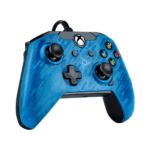
PDP Wired Controller សម្រាប់ Xbox Quick Start Guide

មគ្គុទ្ទេសក៍ចាប់ផ្តើមរហ័ស
ចាប់ផ្តើមយ៉ាងឆាប់រហ័សជាមួយនឹងឧបករណ៍បញ្ជាខ្សែ PDP របស់អ្នកសម្រាប់ Xbox ។ ការណែនាំនេះផ្តល់នូវការណែនាំអំពីការដំឡើង មុខងារប៊ូតុង និងព័ត៌មានការធានា។

សៀវភៅណែនាំ PDP ពីអ្នកលក់រាយតាមអ៊ីនធឺណិត

PDP Afterglow AGU.50 Wired Headset User Manual

AGU.50 • November 22, 2025
Instruction manual for the PDP Afterglow AGU.50 Wired Headset, covering setup, operation, maintenance, troubleshooting, and specifications for Xbox 360, PlayStation 3, PC, and Wii U.

PDP support FAQ

សំណួរទូទៅអំពីសៀវភៅដៃ ការចុះឈ្មោះ និងការគាំទ្រសម្រាប់ម៉ាកនេះ។

  • How do I pair my PDP wireless controller?

    For most wireless PDP controllers, press and hold the sync button (usually located on the top or back) for 3-5 seconds until the LED blinks rapidly. Then, activate the pairing mode on your console or PC adapter.

  • Why is my PDP controller not charging?

    Ensure you are using the provided USB cable and that it is connected directly to the console. If using a charging dock, verify the controller is seated correctly on the pins. Blinking orange LEDs typically indicate charging is in progress.

  • Where can I download the PDP Control Hub app?

    The PDP Control Hub app, used for customizing button mapping and lighting, is available on the Microsoft Store for Xbox and Windows PC.

  • Does my PDP product have a warranty?

    Yes, PDP typically offers a manufacturer's warranty for their products. You can verify coverage and initiate claims through the PDP support webគេហទំព័រ។