
សេចក្តីផ្តើម
This manual provides essential instructions for the safe and effective use, installation, and maintenance of your ElecKeys K10 Cordless Vacuum Cleaner Replacement Battery and Power Adapter. Please read this manual thoroughly before use and retain it for future reference.
សេចក្តីណែនាំអំពីសុវត្ថិភាពសំខាន់ៗ
តែងតែអនុវត្តតាមការប្រុងប្រយ័ត្នសុវត្ថិភាពជាមូលដ្ឋាននៅពេលប្រើប្រាស់ឧបករណ៍អគ្គិសនី ដើម្បីកាត់បន្ថយហានិភ័យនៃអគ្គីភ័យ ការឆក់អគ្គិសនី ឬរបួស។
- Use only the provided ElecKeys K10 replacement battery and power adapter with compatible ElecKeys K10 vacuum cleaners.
- Do not attempt to disassemble, modify, or repair the battery or adapter. Refer all servicing to qualified personnel.
- Keep the battery and adapter away from water, moisture, and high temperatures.
- កុំធ្វើឱ្យភ្លើងខ្លីដល់ស្ថានីយថ្ម។
- If the battery or adapter is damaged, discontinue use immediately and contact customer support.
- Dispose of batteries according to local regulations. Do not dispose of batteries in household waste or fire.
មាតិកាកញ្ចប់
សូមពិនិត្យមើលកញ្ចប់សម្រាប់ធាតុដូចខាងក្រោមៈ
- 1 x ElecKeys K10 Replacement Battery
- 1 x ElecKeys K10 Power Adapter
- 1 x សៀវភៅណែនាំអ្នកប្រើប្រាស់ (ឯកសារនេះ)
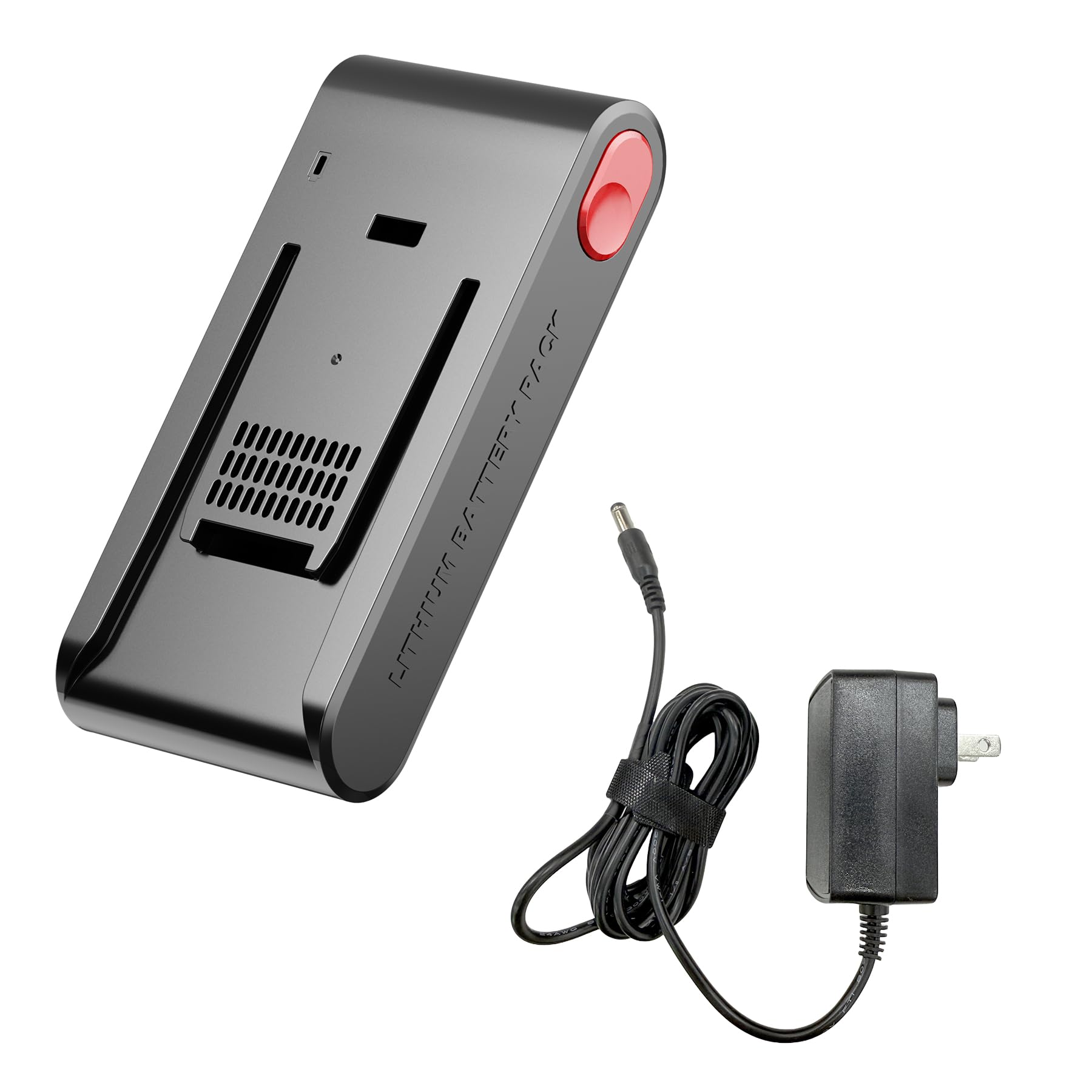
Image: The ElecKeys K10 replacement battery and power adapter. The battery is a black cylindrical unit with connectors, and the adapter is a standard power brick with a cable.
ការដំឡើងនិងការដំឡើង
1. Installing the Replacement Battery
- ត្រូវប្រាកដថាម៉ាស៊ីនបូមធូលីត្រូវបានបិទ និងផ្តាច់ចេញពីប្រភពថាមពលណាមួយ។
- Locate the battery compartment on your ElecKeys K10 cordless vacuum cleaner. This is typically on the main body of the vacuum.
- Press the battery release button or unlatch the battery cover, depending on your vacuum model.
- យកថ្មចាស់ចេញដោយប្រុងប្រយ័ត្ន។
- Insert the new ElecKeys K10 replacement battery into the compartment, ensuring it clicks securely into place.
- Close the battery compartment cover if applicable.
2. ការភ្ជាប់អាដាប់ទ័រថាមពល
- Plug the small end of the power adapter into the charging port on your ElecKeys K10 vacuum cleaner.
- Plug the larger end of the power adapter into a standard wall outlet.
- Ensure the connection is firm. The vacuum's charging indicator (if present) should illuminate, indicating that charging has begun.
សេចក្តីណែនាំប្រតិបត្តិការ
សាកថ្ម
- ដើម្បីទទួលបានដំណើរការល្អបំផុត សូមសាកថ្មឱ្យពេញ មុនពេលប្រើប្រាស់លើកដំបូង។
- Connect the power adapter as described in the Setup section.
- Charging time may vary. Refer to your vacuum cleaner's original manual for specific charging duration.
- The vacuum's battery indicator lights will typically show charging progress and a full charge status.
ការប្រើប្រាស់ Vacuum
Once the battery is charged, you can operate your ElecKeys K10 cordless vacuum cleaner as usual. The replacement battery provides power, and the adapter facilitates recharging.
ការថែទាំនិងការថែទាំ
ការថែរក្សាថ្ម
- ដើម្បីពន្យារអាយុកាលថ្ម សូមជៀសវាងការអស់ថ្មទាំងស្រុងមុនពេលសាកឡើងវិញ។
- ទុកថ្មក្នុងកន្លែងត្រជាក់ និងស្ងួត នៅពេលដែលមិនប្រើក្នុងរយៈពេលយូរ។
- If storing for a long time, charge the battery to approximately 50% capacity every 3-6 months.
- Clean the battery terminals periodically with a dry cloth to ensure good electrical contact.
ការថែទាំអាដាប់ទ័រថាមពល
- Keep the power adapter clean and free from dust.
- Avoid bending or crimping the adapter cable excessively.
- Do not use the adapter if the cable or plug is damaged.
ការដោះស្រាយបញ្ហា
| បញ្ហា | មូលហេតុដែលអាចកើតមាន | ដំណោះស្រាយ |
|---|---|---|
| Vacuum does not power on after battery replacement. | Battery not installed correctly; Battery not charged. | Ensure battery is fully seated and clicked into place. Charge the battery fully. |
| ថ្មមិនសាក។ | Power adapter not connected; Outlet not working; Damaged adapter/battery. | Check all connections. Try a different wall outlet. Contact customer support if components are damaged. |
| Reduced run time. | Battery not fully charged; Battery nearing end of life. | Ensure battery is fully charged. If the issue persists, the battery may need replacement. |
លក្ខណៈបច្ចេកទេស
- ម៉ាក៖ ElecKeys
- លេខម៉ូដែល៖ K10-BP
- ពណ៌៖ ខ្មៅ
- ចំនួនធាតុ៖ 1 (Battery and Adapter are separate components, but sold as a set)
- ភាពឆបគ្នា៖ Specifically designed for ElecKeys K10 Cordless Vacuum Cleaner
ការធានា និងការគាំទ្រ
ElecKeys is committed to providing reliable products and excellent customer service. For any inquiries or support needs, please refer to the following:

រូបភាព៖ ចប់view of ElecKeys after-sales service, detailing customer support, returns, and product protection.
- ជំនួយអតិថិជនពិសេស៖ 24 ម៉ោង។
- Flexible Returns & Exchanges: 30 ថ្ងៃ។
- Official Product Protection: 2 ឆ្នាំ។
For further assistance, please visit the official ElecKeys website or contact our customer service team through your purchase platform.