
សេចក្តីផ្តើម
This manual provides instructions for the MARVO GT-80 Wireless Gamepad. It covers setup, operation, maintenance, and troubleshooting for optimal use with compatible devices including PlayStation 4, PC, Android, and iOS.
មាតិកាកញ្ចប់
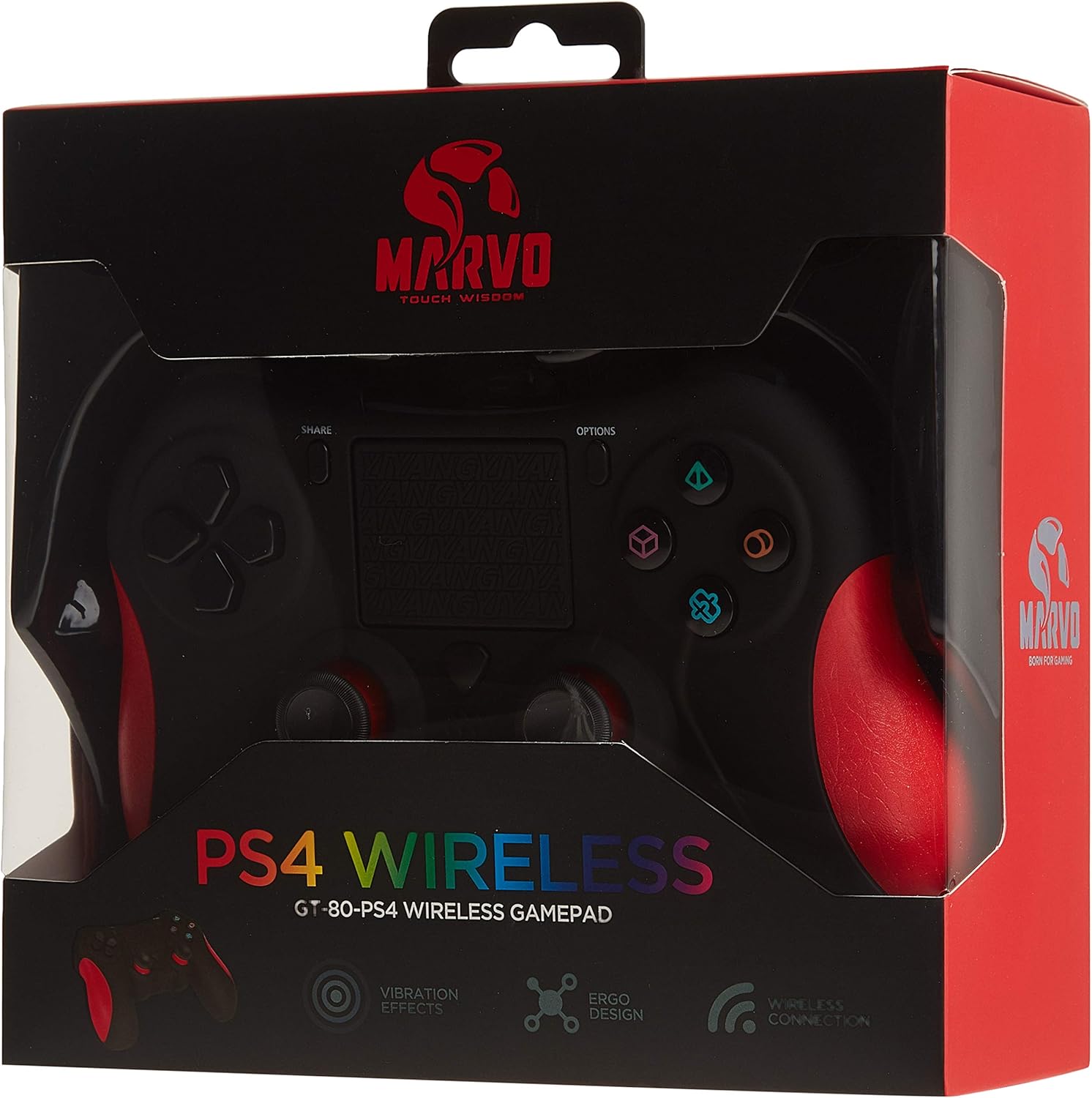
Image: The MARVO GT-80 Wireless Gamepad in its retail packaging.
- MARVO GT-80 Gamepad ឥតខ្សែ
- USB Charging Cable (80 cm)
- សៀវភៅណែនាំអ្នកប្រើ (ឯកសារនេះ)
លក្ខណៈពិសេសផលិតផល
- Wireless connectivity via Bluetooth V4.2
- Wired connectivity via USB cable
- Built-in rechargeable battery (600 mAh capacity)
- Double vibration feedback for immersive gaming
- Integrated 6-axis sensor (3D-Sensor + G-Sensor)
- Large LED light bar
- Built-in loudspeaker function
- រន្ធដោតកាសស្តាប់ត្រចៀកស្តេរ៉េអូ 3.5 មីលីម៉ែត្រ
- វត្ថុបញ្ជា Touchpad
- 19 ប៊ូតុងដែលអាចសរសេរកម្មវិធីបាន។
រៀបចំ
1. សាកថ្ម Gamepad
Before first use, fully charge the gamepad. Connect the supplied USB cable to the Micro USB port on the gamepad and the other end to a USB power source (e.g., console, PC, USB wall adapter).

Image: The MARVO GT-80 Gamepad connected to its USB charging cable.
The LED light bar will indicate charging status. A full charge typically takes approximately 2-3 hours.
2. Connecting to PlayStation 4 (PS4)
- បើកកុងសូល PS4 របស់អ្នក។
- Connect the gamepad to the PS4 console using the USB cable.
- Press the "PS" button on the gamepad. The gamepad will pair with the console.
- នៅពេលភ្ជាប់រួច អ្នកអាចផ្ដាច់ខ្សែ USB សម្រាប់ចាក់តន្ត្រីឥតខ្សែបាន។
៣.៣. ការភ្ជាប់ទៅកុំព្យូទ័រ (វីនដូ)
The gamepad supports both D-input and X-input modes for PC.
ការតភ្ជាប់ខ្សែ៖
Connect the gamepad to your PC using the USB cable. The PC should automatically detect and install the necessary drivers. The gamepad will operate in D-input mode by default. Some games may require X-input mode, which can often be toggled via specific button combinations or software.
ការតភ្ជាប់ប៊្លូធូស៖
- ត្រូវប្រាកដថាកុំព្យូទ័ររបស់អ្នកបានបើកប៊្លូធូស។
- Put the gamepad into pairing mode (specific button combination, usually "SHARE" + "PS" button until LED flashes rapidly).
- នៅលើកុំព្យូទ័ររបស់អ្នក សូមចូលទៅកាន់ការកំណត់ប៊្លូធូស ហើយស្វែងរកឧបករណ៍ថ្មីៗ។
- Select "Wireless Controller" or "GT-80" from the list of available devices to pair.
4. Connecting to Android/iOS Devices
- ត្រូវប្រាកដថា Bluetooth ត្រូវបានបើកនៅលើឧបករណ៍ Android ឬ iOS របស់អ្នក។
- Put the gamepad into pairing mode (specific button combination, usually "SHARE" + "PS" button until LED flashes rapidly).
- On your mobile device, go to Bluetooth settings and search for new devices.
- Select "Wireless Controller" or "GT-80" from the list of available devices to pair.
សេចក្តីណែនាំប្រតិបត្តិការ
ប្លង់ប៊ូតុង និងមុខងារ

រូបភាព៖ ខាងមុខ view of the MARVO GT-80 Wireless Gamepad.

រូបភាព៖ ខាងក្រោយ view of the MARVO GT-80 Wireless Gamepad, highlighting the M-buttons.
- Direction Buttons (D-Pad): Used for directional input.
- ដំបងអាណាឡូក៖ Two analog sticks for precise 3D movement and camera control.
- ប៊ូតុងសកម្មភាព (ត្រីកោណ រង្វង់ ឈើឆ្កាង ការ៉េ)៖ Primary action buttons.
- ប៊ូតុងចែករំលែក៖ Used for sharing gameplay content (PS4).
- ប៊ូតុងជម្រើស៖ ចូលប្រើម៉ឺនុយក្នុងហ្គេម ឬជម្រើសប្រព័ន្ធ។
- ប៊ូតុង PS៖ Power on/off the gamepad, access PS4 system menu.
- ប៊ូតុង L1/R1៖ ប៊ូតុងស្មា។
- L2/R2 Triggers: Analog triggers.
- បន្ទះប៉ះ៖ Multi-touch input surface.
- M1, M2, M3, M4 Buttons: Programmable back buttons (refer to device-specific instructions for programming).
មុខងារពិសេស
- Double Vibration: ផ្តល់នូវមតិប្រតិកម្មប៉ះអំឡុងពេលលេងហ្គេម។
- 6-Axis Sensor: Includes a 3D-Sensor and G-Sensor for motion-controlled gameplay.
- បន្ទប់លួងលោម: Integrated speaker for enhanced audio effects (PS4).
- មុខងារកាសស្តាប់ត្រចៀក៖ Connect a 3.5mm stereo headset for audio output and microphone input (PS4).
ថែទាំ
ការសម្អាត
Wipe the gamepad with a soft, dry cloth. Do not use harsh chemicals or abrasive cleaners. Avoid getting moisture into openings.
ការផ្ទុក
Store the gamepad in a cool, dry place away from direct sunlight and extreme temperatures. Avoid placing heavy objects on the gamepad.
ការដោះស្រាយបញ្ហា
Gamepad Does Not Power On
- Ensure the gamepad is fully charged. Connect it to a power source using the USB cable.
- Press the PS button to attempt to power it on.
បញ្ហានៃការតភ្ជាប់
- ឥតខ្សែ៖ Ensure Bluetooth is enabled on your device and the gamepad is in pairing mode. Try re-pairing the device.
- មានខ្សែ៖ ត្រូវប្រាកដថាខ្សែ USB ត្រូវបានភ្ជាប់យ៉ាងរឹងមាំទៅនឹងដៃហ្គេម និងឧបករណ៍។ សាកល្បងរន្ធ USB ឬខ្សែផ្សេង។
- PS4៖ If issues persist, try resetting the gamepad (a small reset button is usually located on the back, requiring a pin to press).
ប៊ូតុង ឬ យ៉យស្ទីក មិនឆ្លើយតប
- Ensure the gamepad is properly connected and powered on.
- Test the gamepad with another game or application to rule out software issues.
- If possible, try resetting the gamepad.
រំញ័រមិនដំណើរការ
- សូមពិនិត្យមើលការកំណត់ក្នុងហ្គេម ដើម្បីធានាថាមតិប្រតិកម្មរំញ័រត្រូវបានបើក។
- ត្រូវប្រាកដថា gamepad ត្រូវបានសាកពេញ។
លក្ខណៈបច្ចេកទេស

Image: Technical specifications as printed on the product packaging.
| លក្ខណៈ | លម្អិត |
|---|---|
| គំរូ | GT-80 |
| ការតភ្ជាប់ | Wireless (Bluetooth V4.2), Wired (USB cable) |
| ប៊ូតុង | 19 |
| សមត្ថភាពថ្ម | 600 mA |
| វាគ្មិន | 6/8Ω-1W |
| ចំណុចប្រទាក់ | ការគាំទ្រ EXT, Jack 3.5 ម។ |
| ភាពឆបគ្នា។ | PS4, PC (D-input & X-input), Android, iOS |
| ឧបករណ៍ចាប់សញ្ញាចលនា | 3D-Sensor + G-Sensor |
| ប្រវែងខ្សែ Micro USB | 80 សង់ទីម៉ែត្រ |
| វិមាត្រ | 40.49 x 9.5 x 9.5 សង់ទីម៉ែត្រ |
| ទម្ងន់ | ៣៨៥ ក្រាម។ |
ការធានា និងការគាំទ្រ
For warranty information and technical support, please refer to the documentation provided with your purchase or contact MARVO customer service directly. Keep your proof of purchase for warranty claims.