
1. Өнім аяқталдыview
The Philips 55MLED610/94 is a 55-inch 4K Ultra HD QLED Smart QD-Mini LED Google TV. It features advanced display technology, smart connectivity, and integrated audio solutions for an enhanced viewтәжірибесі.

Алдыңғы view of the Philips 55MLED610/94 55-inch 4K QD-Mini LED Google TV.
Негізгі ерекшеліктері:
- Көрсеткіш: 4K QD-Mini LED Panel, Philips Halo Control Technology, Dolby Vision, Local Dimming, 120 Hz Motion Clarity HSR, HDR 10+, 178 Degree Wide Viewing Angle, MEMC, ALLM.
- Smart TV: Google TV operating system, 2GB RAM, 32GB ROM, Quad Core Processor, Dual band WIFI 5, Hands-Free Voice Control, Screen Mirroring, Google Assistant compatibility.
- Аудио: 36 Watts Output, Dolby Atmos, Dolby Audio.
- Қосылу мүмкіндігі: 3 HDMI Ports (including HDMI 2.1), 2 USB Ports, 1 LAN Port, 1 Antenna Input, 1 Satellite Input, 1 Digital Audio Out (Optical), 1 AV-IN, 1 Earphone port.
2. Орнату және орнату
2.1 Қаптаманы ашу және мазмұны
Carefully unpack the television and ensure all components are present.
- 1N TV Unit
- 2N Stand Bases
- 1N жылдам бастау нұсқаулығы
- 1N кепілдік картасы
- 1N қашықтан басқару пульті
- 2N AAA батареялары (қашықтан басқару үшін)
- 1N қуат сымы
- 4N Screws (for stand/mount)
- 1N AV Converting Cable

Illustration showing the TV unit and its included accessories for setup.
2.2 Тұғырды орнату немесе қабырғаға орнату
The television supports both table-top stand installation and wall mounting.
- Үстел орнату: Attach the provided stand bases to the bottom of the TV unit using the included screws. Ensure the stand is stable on a flat surface.
- Қабырғаға бекіту: For wall mounting, use a compatible VESA wall mount (not included) and follow the instructions provided with the wall mount. Refer to the TV's back panel for mounting points.

Артқы view of the television, highlighting the mounting points and various input/output ports.
2.3 Перифериялық құрылғыларды қосу
Connect your external devices such as set-top boxes, gaming consoles, and audio systems to the TV using the appropriate ports.
- HDMI: Use HDMI ports for high-definition video and audio from devices like Blu-ray players or gaming consoles. HDMI 2.1 supports advanced features.
- USB: Connect USB drives for media playback or external storage.
- LAN: Тұрақты сымды интернет қосылымы үшін.
- Антенна/Спутник: Теледидарды тарату үшін антеннаны немесе спутниктік тарелканы қосыңыз.
- Сандық дыбыс шығысы (оптикалық): Сыртқы дыбыс жүйелеріне қосылу үшін.
- AV-IN: Құрама бейне және стерео дыбысты пайдаланатын ескі құрылғыларға арналған.
- Құлаққап: Жеке тыңдау үшін.

Егжей-тегжейлі view of the television's input and output ports, including HDMI, USB, LAN, and audio connections.
3. Пайдалану нұсқаулары
3.1 Бастапқы қуат қосу және Google TV орнату
After connecting the power cord, press the power button on the remote control or TV. Follow the on-screen instructions to complete the initial setup, including language selection, network connection (Wi-Fi or LAN), and Google account sign-in.

The Google TV interface, showing various streaming applications and content recommendations.
3.2 Қашықтан басқару құралының функциялары
The provided remote control uses both IR and Bluetooth technology. Insert the two AAA batteries as indicated.

The remote control for the Philips 55MLED610/94 TV, featuring dedicated buttons for streaming services and Google Assistant.
- Қуат түймесі: Теледидарды қосады немесе өшіреді.
- Навигациялық тақта: Мәзірді шарлау және таңдау үшін.
- Google Assistant түймесі: Пәрмендер мен іздеулер үшін дауыспен басқаруды іске қосады.
- Дыбыс/арна түймелері: Дыбыс деңгейін реттейді және арналарды өзгертеді.
- Қолданба пернелер тіркесімдері: Direct access to popular streaming services like Netflix and Prime Video.
3.3 Smart TV Features and Applications
The Google TV platform provides access to a wide range of applications and services.
- Алдын ала орнатылған қолданбалар: Access popular streaming services such as Prime Video, Netflix, Hotstar, Zee5, YouTube, Eros Now, Hungama, JioCinema, and SonyLiv.
- Google Assistant: Use hands-free voice control to search for content, control smart home devices, and get information.
- Экранды көрсету (Miracast): Cast content from compatible mobile devices to the TV screen.
- Web Браузер: Интернетті тікелей теледидарда шолыңыз.
3.4 Дисплей және дыбыс параметрлері
Оңтайландыру үшін сурет пен дыбыс параметрлерін реттеңіз viewтыңдау және тыңдау тәжірибесі.
- Сурет режимдері: Select from various picture modes (e.g., Standard, Vivid, Movie, Game) or customize settings like brightness, contrast, color, and sharpness.
- Dolby Vision және HDR10+: The TV automatically detects and optimizes content for Dolby Vision and HDR10+ for enhanced dynamic range and color.
- Дыбыс режимдері: Choose sound modes (e.g., Standard, Music, Movie) or adjust equalizer settings. Dolby Atmos provides immersive audio.
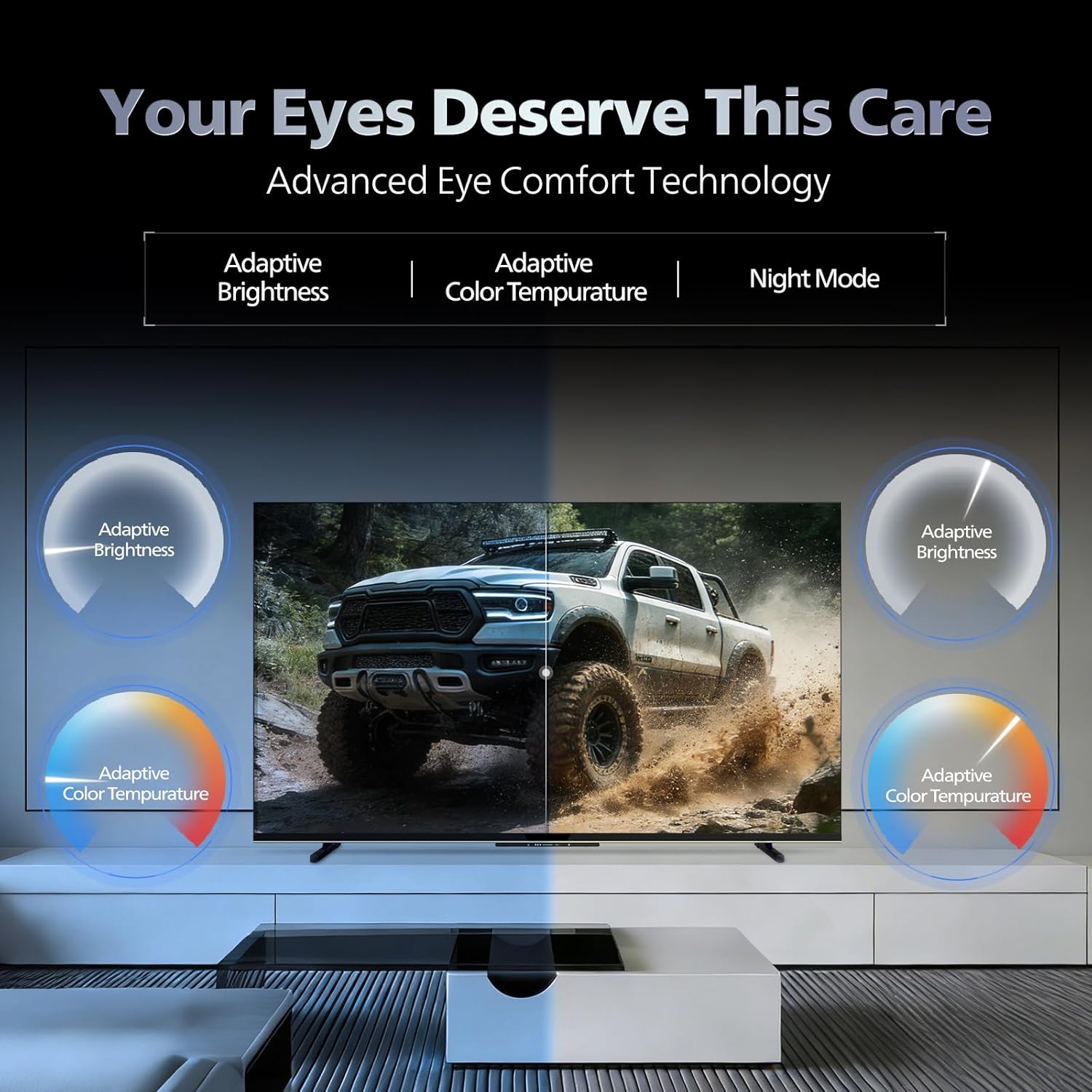
- Көзге жайлылық технологиясы: Features like Adaptive Brightness, Adaptive Color Temperature, and Night Mode are available to reduce eye strain.

Visual representation of the TV's advanced eye comfort technology, including adaptive brightness and color temperature.

A visual demonstrating the immersive multi-dimensional audio experience provided by Dolby Atmos on the television.
4. Техникалық қызмет көрсету
4.1 Теледидарды тазалау
To clean the screen and cabinet, first unplug the power cord. Use a soft, lint-free cloth. For stubborn marks, lightly dampшүберекті сумен немесе жұмсақ, абразивті емес экран тазалағышпен. Тазартқышты ешқашан экранға тікелей шашпаңыз.
Маңызды: The television is суға төзімді емес. Avoid exposing it to liquids.
4.2 Бағдарламалық құралды жаңарту
Ensure your TV's software is up to date for optimal performance and security. The TV will typically prompt you for available updates. You can also manually check for updates in the settings menu.
5. Ақаулықтарды жою
If you encounter issues with your television, try the following basic troubleshooting steps before contacting support.
- Қуат жоқ: Қуат сымының теледидарға да, жұмыс істеп тұрған розеткаға да мықтап жалғанғанына көз жеткізіңіз. Басқа розетканы қолданып көріңіз.
- Сурет/дыбыс жоқ: Check all cable connections (HDMI, AV, Antenna). Ensure the correct input source is selected on the TV.
- Қашықтан басқару пульті жұмыс істемейді: Қашықтан басқару пультіндегі батареяларды ауыстырыңыз. Қашықтан басқару пульті мен теледидардың инфрақызыл сенсоры арасында кедергілер жоқ екеніне көз жеткізіңіз.
- Интернетке қосылу мәселелері: Restart your Wi-Fi router. Check the TV's network settings and ensure it's connected to the correct network. Try a wired LAN connection if possible.
- Сурет сапасына қатысты мәселелер: Сурет параметрлерін реттеңіз (жарықтық, контраст, айқындық). Мазмұн көзінің жоғары сапалы екеніне көз жеткізіңіз.
The television displaying a fast-paced gaming scene, highlighting its 120Hz refresh rate and gaming optimization features.
6. Техникалық сипаттамалар
| Ерекшелік | Мәлімет |
|---|---|
| Үлгі нөмірі | 55MLED610/94 |
| Экран өлшемі | 55 дюйм (138 см) |
| Көрсету технологиясы | QD-Mini LED |
| Ажыратымдылық | 4K Ultra HD (3840 x 2160) |
| Жаңарту жылдамдығы | 120 Hz HSR |
| HDR форматына қолдау көрсетіледі | HDR10+, Dolby Vision |
| Viewбұрыш | 178 градус |
| Дыбыс шығысы | 36 Вт |
| Аудио кодтау | Dolby Atmos, Dolby Audio |
| Операциялық жүйе | Google TV |
| Жедел Жадтау Құрылғысы | 2 ГБ |
| ROM | 32 ГБ |
| Қосылу мүмкіндігі | Wi-Fi (Dual band WIFI 5), Bluetooth 5.1, 3 HDMI (1x HDMI 2.1 eARC), 2 USB, 1 LAN, 1 Antenna, 1 Satellite, 1 Digital Audio Out (Optical), 1 AV-IN, 1 Earphone |
| Өнім өлшемдері (D x W x H) | 8D x 144.5W x 84H Сантиметр |
| Item Weight Without Stand | 9.4 келі |
| Қуатты тұтыну | 130 Вт |
| Энергия рейтингі | 3 жұлдыз |
| Жылдық энергия тұтынуы | 182 кВт / сағ |
| Қосылған құрамдас бөліктер | TV Unit, Stand Bases, Quick Start Guide, Warranty Card, Remote, Batteries, Power cord, Screws, AV Converting Cable |

Dimensional drawing of the Philips 55MLED610/94 TV, showing height, width, and depth measurements.
7. Кепілдік және қолдау
7.1 Кепілдік туралы ақпарат
A 1-year warranty is provided by the manufacturer from the date of purchase. Warranty claims can be processed using your Amazon e-invoice.
The warranty covers manufacturing defects but does not cover spares.
7.2 Тұтынушыларды қолдау қызметі
For assistance, contact the brand's toll-free number: 18004256396. Please provide the product's model name (55MLED610/94) and seller's details from your invoice. The service center will schedule a convenient service slot.
Өндіруші: Radiant Appliances And Electronics Private Limited
Survey No. 111, 112, S-2 A 1, Ecity, Fabcity, Maheshwaram Mandal Raviryala Village, Ranga Reddy, Telangana- 501141
Импорттаушы: TPV Technology India Private Limited компаниясы
Unit No. 307-308 3rd Floor, SEWA Corporate Park MG Road Gurugram Haryana 122002