
1. შესავალი
The Nautica SP700 Waterproof Portable Bluetooth Speaker is engineered for robust audio performance and portability. It features 16 watts of audio output, delivering clear highs, rich mids, and deep bass. Designed for outdoor use, it boasts an IPX7 waterproof rating, allowing it to withstand rain, splashes, and immersion up to 3.3 feet for 30 minutes. The speaker offers up to 10 hours of playback on a single charge, supports fast charging via Type-C, and utilizes Bluetooth 5.3 for stable wireless connectivity. For an enhanced audio experience, two SP700 units can be paired wirelessly using TWS (True Wireless Stereo) technology. Integrated RGB ambient lighting provides a dynamic visual element. This manual provides detailed instructions for setup, operation, and maintenance of your Nautica Nayman SP700 speaker.
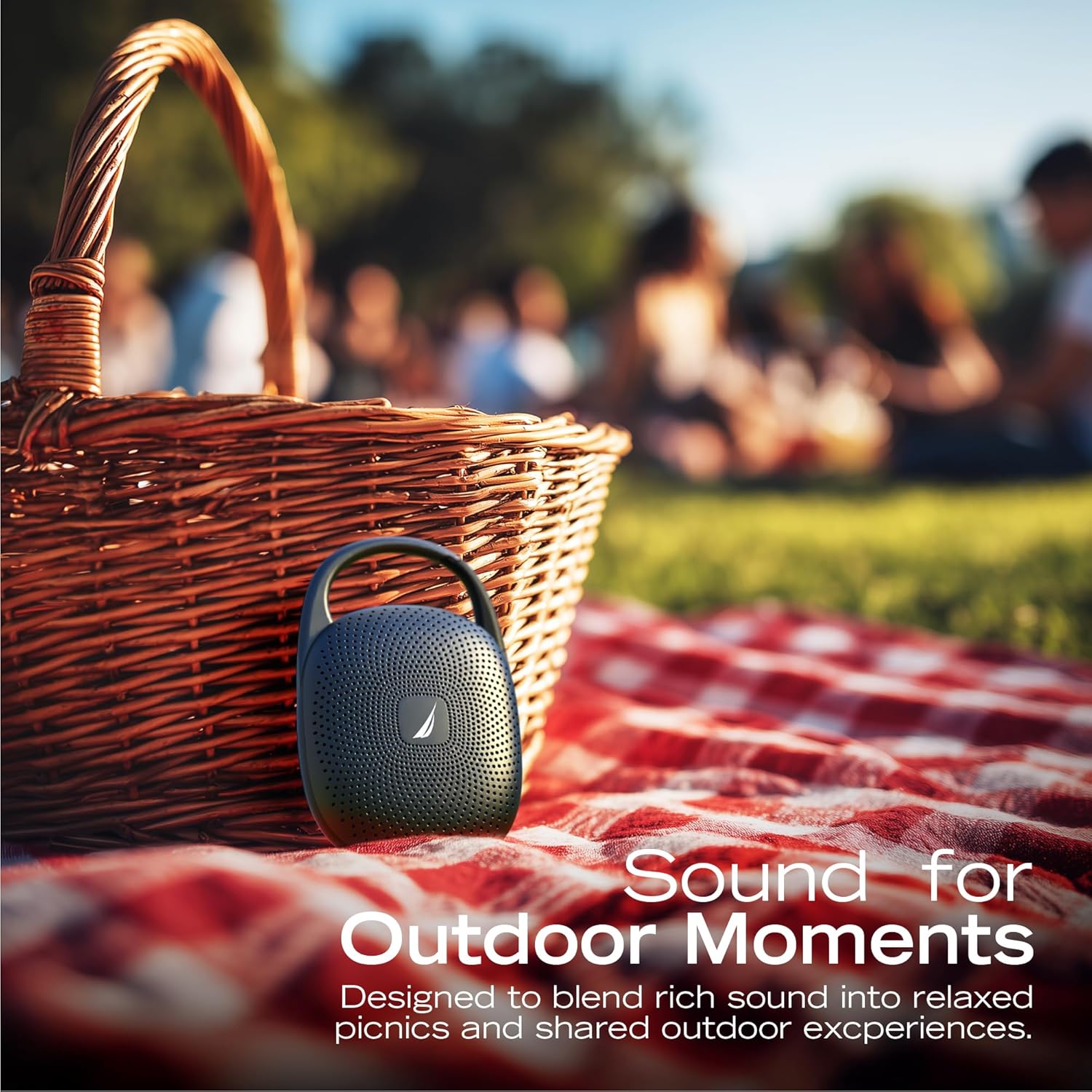
Image: The Nautica Nayman SP700 speaker is designed for outdoor use, providing sound for various activities.
2. რა არის ყუთში
გთხოვთ, შეამოწმოთ პაკეტის შიგთავსი, რათა დარწმუნდეთ, რომ ყველა ნივთი ადგილზეა:
- Nautica Nayman SP700 Portable Bluetooth Speaker
- USB-C დამტენი კაბელი
- მომხმარებლის სახელმძღვანელო
3. პროდუქტი დასრულდაview
The Nautica Nayman SP700 features a compact design with intuitive controls and a convenient clip for portability.
3.1 ძირითადი მახასიათებლები
- 16 ვატიანი ძლიერი ხმა: Engineered for bold, balanced audio.
- ღრმა ბასის შესრულება: გაუმჯობესებული დაბალი სიხშირის რეაქცია.
- IPX7 წყალგაუმტარი: Withstands rain, splashes, and full immersion.
- 10-საათიანი სათამაშო დრო: Extended battery life for continuous music.
- Bluetooth 5.3: Ensures stable and quick wireless pairing.
- RGB გარემოს განათება: Integrated LEDs for dynamic mood lighting.
- TWS დაწყვილება: Connect two SP700 units for true stereo sound.
- ჩამონტაჟებული მიკროფონი: უკონტაქტო ზარებისთვის.
- MicroSD ბარათის სლოტი: For direct music playback.
- ინტეგრირებული კლიპი: For easy attachment to bags or gear.

სურათი: შიდა view highlighting the 16W audio components of the Nautica Nayman SP700 speaker.
3.2 კონტროლი და პორტები
Familiarize yourself with the buttons and ports on your speaker:
- დენის ღილაკი: ხანგრძლივად დააჭირეთ ჩართვის/გამორთვისთვის.
- ხმის გაზრდა (+): მოცულობის გაზრდა.
- Ხმის დაწევა (-): მოცულობის შემცირება.
- დაკვრის/პაუზის ღილაკი: მუსიკის დაკვრა ან პაუზა, ზარებზე პასუხი/ზარის დასრულება.
- რეჟიმის ღილაკი (M): Switch between Bluetooth, MicroSD, and AUX modes.
- RGB სინათლის ღილაკი: Cycle through RGB lighting modes.
- USB-C დატენვის პორტი: დინამიკის დასატენად.
- MicroSD ბარათის სლოტი: Insert a MicroSD card for local music playback.

Image: The Nautica Nayman SP700 speaker features a robust integrated clip for easy portability.
4. დაყენება
4.1 საწყისი დატენვა
Before first use, fully charge your Nautica Nayman SP700 speaker. Connect the provided USB-C charging cable to the speaker's charging port and the other end to a USB power adapter (not included) or a computer's USB port. The charging indicator light will show the charging status.
4.2 ჩართვა/გამორთვა
- ჩართვა: დააჭირეთ და გააჩერეთ ჩართვის ღილაკი დაახლოებით 3 წამის განმავლობაში, სანამ არ გაიგონებთ ხმოვან შეტყობინებას და ინდიკატორის შუქები არ აინთება.
- გამორთვა: დააჭირეთ და გააჩერეთ ჩართვის ღილაკი დაახლოებით 3 წამის განმავლობაში, სანამ არ გაიგონებთ ხმოვან შეტყობინებას და ინდიკატორის შუქები არ გაქრება.
4.3 Bluetooth დაწყვილება
დინამიკის Bluetooth-თან თავსებად მოწყობილობასთან დასაკავშირებლად:
- Ensure the speaker is powered on and in Bluetooth pairing mode (the indicator light will flash blue).
- თქვენს მოწყობილობაზე (სმარტფონი, პლანშეტი და ა.შ.) გადადით Bluetooth-ის პარამეტრებში და ჩართეთ Bluetooth.
- ძიება available devices and select "Nautica SP700" from the list.
- დაკავშირების შემდეგ, დინამიკი გამოსცემს ხმოვან დადასტურებას და ინდიკატორი მუდმივად ლურჯად აინთება.
5. საოპერაციო ინსტრუქციები
5.1 მუსიკის დაკვრა
- დაკვრა/პაუზა: დააჭირეთ Play/Pause ღილაკს ერთხელ.
- მოცულობა: დააჭირეთ ღილაკს '+'.
- Ხმის დაწევა: დააჭირეთ ღილაკს '-'.
- შემდეგი სიმღერა: დააჭირეთ და გააჩერეთ ღილაკი „+“.
- წინა ჩანაწერი: დააჭირეთ და გეჭიროთ '-' ღილაკი.
5.2 ხელების გარეშე ზარები
Bluetooth-ის საშუალებით დაკავშირებისას, ზარების მართვა პირდაპირ დინამიკიდან შეგიძლიათ:
- უპასუხე ზარს: დააჭირეთ Play/Pause ღილაკს ერთხელ.
- ზარის დასრულება: ზარის დროს ერთხელ დააჭირეთ დაკვრის/პაუზის ღილაკს.
- ზარის უარყოფა: ხანგრძლივად დააჭირეთ დაკვრა/პაუზა ღილაკს 2 წამის განმავლობაში.
5.3 MicroSD ბარათის დაკვრა
Insert a MicroSD card (up to 32GB, FAT32 format) with your music files into the MicroSD card slot. The speaker will automatically switch to MicroSD mode and begin playback. Use the Play/Pause and Volume buttons to control playback.
5.4 TWS (ნამდვილი უსადენო სტერეო) დაწყვილება
To pair two Nautica SP700 speakers for a stereo experience:
- Ensure both SP700 speakers are powered on and not connected to any Bluetooth device.
- On one speaker (this will be the primary speaker), press and hold the Mode button (M) for 2-3 seconds. The speaker will enter TWS pairing mode, indicated by a specific sound or light pattern.
- The two speakers will automatically connect to each other. Once connected, you will hear an audible confirmation.
- ახლა, Bluetooth-ის საშუალებით, თქვენი მოწყობილობა ძირითად დინამიკს დაუკავშირეთ, როგორც ეს 4.3 ნაწილშია აღწერილი. ორივე დინამიკი აუდიოს სტერეო ფორმატში დაუკრავს.

Image: Two Nautica Nayman SP700 speakers demonstrating TWS pairing for an immersive stereo sound experience.
5.5 RGB გარემოს განათება
The speaker features integrated RGB ambient lights. Press the dedicated RGB Light button to cycle through different lighting modes or to turn the lights off.

Image: The Nautica Nayman SP700 speaker showcasing its vibrant RGB ambient lighting feature.
6. მოვლა
6.1 დასუფთავება
დინამიკის გასაწმენდად გამოიყენეთ რბილი,amp cloth. Avoid using harsh chemicals, cleaning solvents, or strong detergents, as these may damage the speaker's surface or internal components.
6.2 წყლის წინააღმდეგობა (IPX7)
The Nautica SP700 is IPX7 waterproof, meaning it can be immersed in water up to 1 meter (3.3 feet) for 30 minutes. Ensure the USB-C charging port cover is securely closed before exposing the speaker to water. After exposure to water, wipe the speaker dry before charging.

Image: The Nautica Nayman SP700 speaker is built for full water immersion, designed to play confidently in wet environments.
6.3 შენახვა
Store the speaker in a cool, dry place away from extreme temperatures and direct sunlight. If storing for an extended period, charge the battery periodically to maintain its lifespan.
7. Დიაგნოსტიკა
| პრობლემა | შესაძლო მიზეზი | გამოსავალი |
|---|---|---|
| დინამიკი არ ირთვება. | ბატარეა დაცლილია. | დინამიკი სრულად დატენეთ. |
| Bluetooth-ის საშუალებით დაწყვილება შეუძლებელია. | დინამიკი არ არის დაწყვილების რეჟიმში ან უკვე დაკავშირებულია სხვა მოწყობილობასთან. | Ensure speaker is in pairing mode (flashing blue light). Disconnect from other devices. Turn off and on Bluetooth on your device. |
| ხმა არ არის. | Volume is too low, device is not connected, or incorrect mode. | Increase speaker and device volume. Re-pair Bluetooth. Check if the correct mode (Bluetooth/MicroSD) is selected. |
| TWS დაწყვილება ვერ ხერხდება. | დინამიკები ძალიან შორს არის ერთმანეთისგან ან უკვე დაკავშირებულია მოწყობილობასთან. | დარწმუნდით, რომ დინამიკები ერთმანეთთან ახლოსაა. TWS დაწყვილების დაწყებამდე ორივე დინამიკი Bluetooth მოწყობილობიდან გათიშეთ. |
| დატენვა ნელია ან არ მუშაობს. | გაუმართავი კაბელი ან კვების ადაპტერი. | სცადეთ სხვა USB-C კაბელი და კვების ადაპტერი. დარწმუნდით, რომ დამტენი პორტი სუფთაა და ნარჩენებისგან თავისუფალი. |
8. სპეციფიკაციები
| ფუნქცია | დეტალი |
|---|---|
| ბრენდი | ნაუტიკა |
| მოდელის ნომერი | SP700 |
| დინამიკის მაქსიმალური გამომავალი სიმძლავრე | 16 ვატი |
| სიხშირის პასუხი | 80 ჰც |
| დაკავშირების ტექნოლოგია | Bluetooth |
| Bluetooth ვერსია | 5.3 |
| აუდიო გამოყვანის რეჟიმი | სტერეო (TWS-ით) |
| წყალგაუმტარი რეიტინგი | IPX7 |
| ბატარეის საშუალო ხანგრძლივობა | 10 საათი |
| დენის წყარო | ბატარეით მუშაობს (მოყვება 1 არასტანდარტული ბატარეა) |
| კონტროლის მეთოდი | შეეხეთ ღილაკებს |
| ელემენტის ზომები (D x W x H) | 5.24" სიღრმე x 3.37" სიგანე x 1.77" სიმაღლე (13.3 სმ x 8.5 სმ x 4.5 სმ) |
| წონა | 0.5 ფუნტი (დაახლოებით) |
| თავსებადი მოწყობილობები | სმარტფონი, პლანშეტი |
| დამატებითი ფუნქციები | RGB Ambient Lighting, TWS Function, Built-in Mic, MicroSD Playback |

Image: Dimensions and weight of the Nautica Nayman SP700 Portable Bluetooth Speaker.

Image: The Nautica Nayman SP700 speaker offers up to 10 hours of uninterrupted music playback.
9. უსაფრთხოების ინფორმაცია
- არ დაშალოთ, შეაკეთოთ ან შეცვალოთ დინამიკი.
- დინამიკი მოარიდეთ ექსტრემალურ ტემპერატურას, მზის პირდაპირ სხივებს და ღია ცეცხლს.
- არ დაუშვათ დინამიკის ძლიერი მაგნიტური ველების ზემოქმედება.
- Use only the provided or a certified USB-C cable for charging.
- დინამიკი და მისი ბატარეა პასუხისმგებლობით გადააგდეთ ადგილობრივი რეგულაციების შესაბამისად.
- მოერიდეთ დიდი ხნით მოსმენას სმენის დაზიანების თავიდან ასაცილებლად.
10. გარანტია და დახმარება
The Nautica Nayman SP700 Portable Bluetooth Speaker comes with a limited warranty. For detailed warranty information, product support, or to register your product, please refer to the official Nautica webსაიტი ან დაუკავშირდით მომხმარებელთა მომსახურებას.
მწარმოებელი: Technofashion, Inc.
UPC: 810073308534