
Samsung QN55S85FAFXZA
Samsung QN55S85FAFXZA 55 Inch OLED HDR 4K Smart TV User Manual
მოდელი: QN55S85FAFXZA
შესავალი
This manual provides comprehensive instructions for the setup, operation, maintenance, and troubleshooting of your Samsung QN55S85FAFXZA 55 Inch OLED HDR 4K Smart TV. Please read this manual thoroughly before using your television to ensure safe and optimal performance.
უსაფრთხოების ინფორმაცია
Always observe the following safety precautions to prevent fire, electric shock, or personal injury.
- არ დაუშვათ ეს მოწყობილობა წვიმის ან ტენიანობის ქვეშ.
- არ დაბლოკოთ სავენტილაციო ღიობები.
- არ დააინსტალიროთ სითბოს წყაროსთან ახლოს.
- დაიცავით დენის კაბელი სიარულისგან ან დაჭერისგან.
- გამოიყენეთ მხოლოდ მწარმოებლის მიერ მითითებული დანართები/აქსესუარები.
- მიმართეთ ყველა მომსახურება კვალიფიციურ მომსახურე პერსონალს.
პაკეტის შიგთავსი
დარწმუნდით, რომ ყველა ნივთი შედის თქვენს პაკეტში:
- Samsung QN55S85FAFXZA 55 Inch OLED HDR 4K Smart TV
- დისტანციური მართვა (BT SolarCell Remote)
- დენის კაბელი
- სადგამის კომპონენტები (ასეთის არსებობის შემთხვევაში)
- მომხმარებლის სახელმძღვანელო (ეს დოკუმენტი)
- Amber Protection HDTV ეკრანის საწმენდი ნაკრები

Image: The Samsung QN55S85FAFXZA 55 Inch OLED HDR 4K Smart TV shown with its included 6-Year Amber Protection Plan documentation.

Image: The Amber Protection HDTV Screen Cleaner Kit, including a spray bottle and cleaning cloth.
დაყენება
1. Assembling the Stand (Optional)
If you are not wall-mounting your TV, attach the stand components securely. Ensure all screws are tightened to prevent the TV from tipping.

სურათი: გვერდითი პროფესიონალიfile of the Samsung QN55S85FAFXZA TV, illustrating its slim design and the attached stand.
2. გარე მოწყობილობების დაკავშირება
Connect your external devices such as cable boxes, Blu-ray players, or gaming consoles to the appropriate ports on the back of the TV.
- HDMI პორტები: The TV features 4 HDMI ports for high-definition audio and video. Use HDMI 3 for eARC/ARC compatible soundbars or receivers.
- USB პორტები: Two USB-A ports are available for connecting USB storage devices.
- LAN პორტი: სადენიანი ინტერნეტ კავშირისთვის.
- ANT შემოსულია: ანტენის შესაერთებლად ეთერში გადასაცემად.
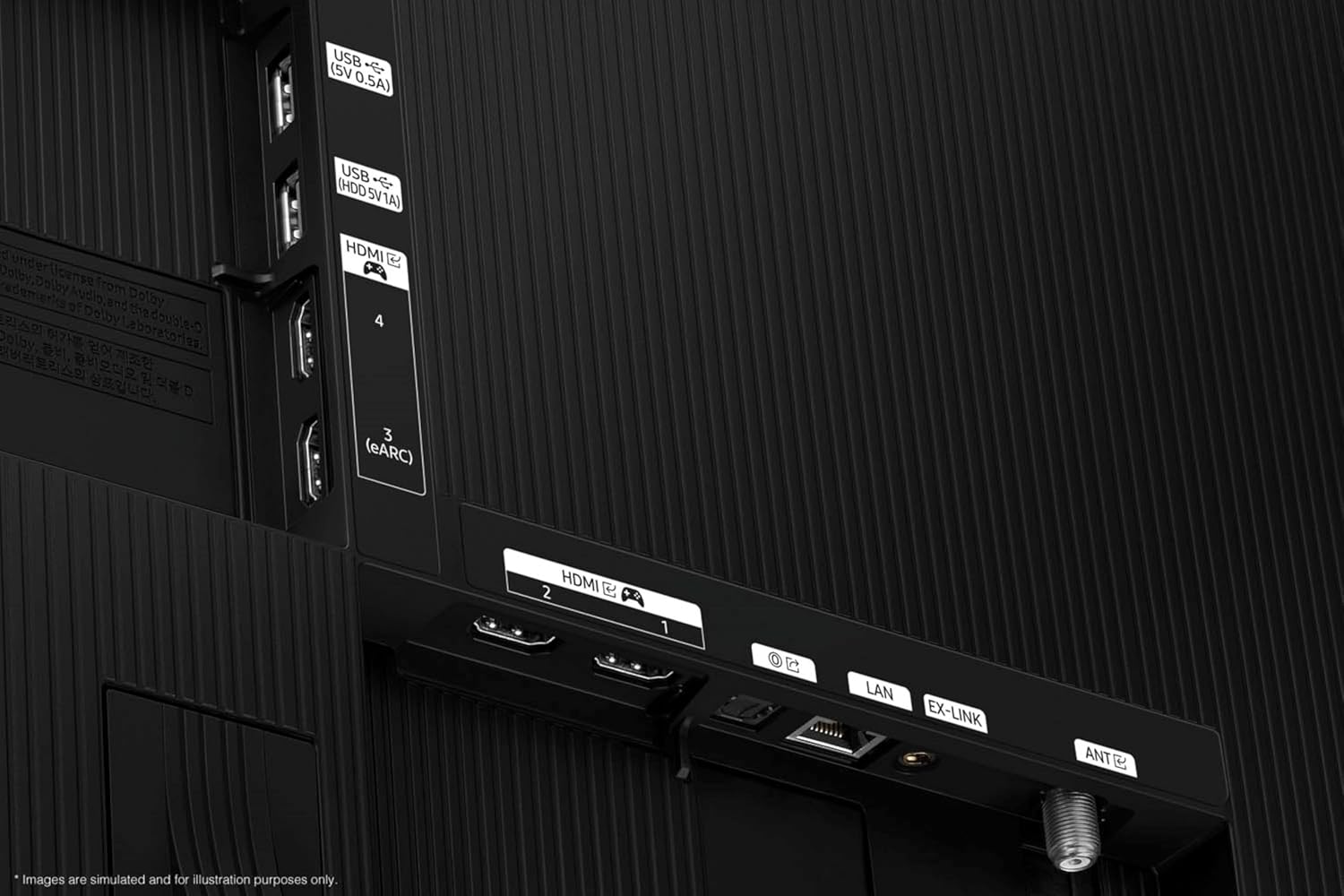
Image: Close-up of the TV's back panel, highlighting the various input ports including HDMI, USB, LAN, and antenna connections.
3. დენის კავშირი
დენის კაბელი შეაერთეთ ტელევიზორის დენის წყაროში, შემდეგ კი - კედლის როზეტში. ტელევიზორი გადავა ლოდინის რეჟიმში.
4. საწყისი დაყენების ოსტატი
Upon first power-on, the TV will guide you through the initial setup process, including language selection, network connection (Wi-Fi 5 or LAN), and channel scanning.
თქვენი ტელევიზორის მართვა
დისტანციური მართვა
The included BT SolarCell Remote allows for easy navigation and control of your TV's features. It charges via indoor lighting or USB-C.
Smart TV Features (Tizen OS)
Your Samsung Smart TV runs on the Tizen operating system, providing access to a wide range of streaming services and apps. Supported internet services include Netflix, Prime Video, Disney+, Hulu, Apple TV, YouTube, HBO Max, Peacock, Sling, and more.
გამოსახულების და ხმის გაუმჯობესება
- NQ4 ხელოვნური ინტელექტის მე-2 თაობის პროცესორი: This advanced processor enhances picture clarity and upscales content to 4K resolution.
- OLED HDR: Experience optimized brightness and improved contrast with self-illuminating pixels.
- Pantone-ის მიერ დადასტურებული: Ensures true-to-life color reproduction and accurate skin tones.
- Q-Symphony Pro: Synchronizes TV speakers with compatible Samsung soundbars for an enhanced audio experience.
- Dolby Atmos და OTS Lite: Provides immersive, three-dimensional sound.
- Motion Xcelerator 120Hz: უზრუნველყოფს სწრაფი ტემპის კონტენტის გლუვ მოძრაობას.

Image: A visual representation of the NQ4 AI Gen2 Processor chip, highlighting its role in advanced image processing.

Image: A split-screen demonstration of OLED HDR, showing enhanced contrast and brightness in a cave scene.
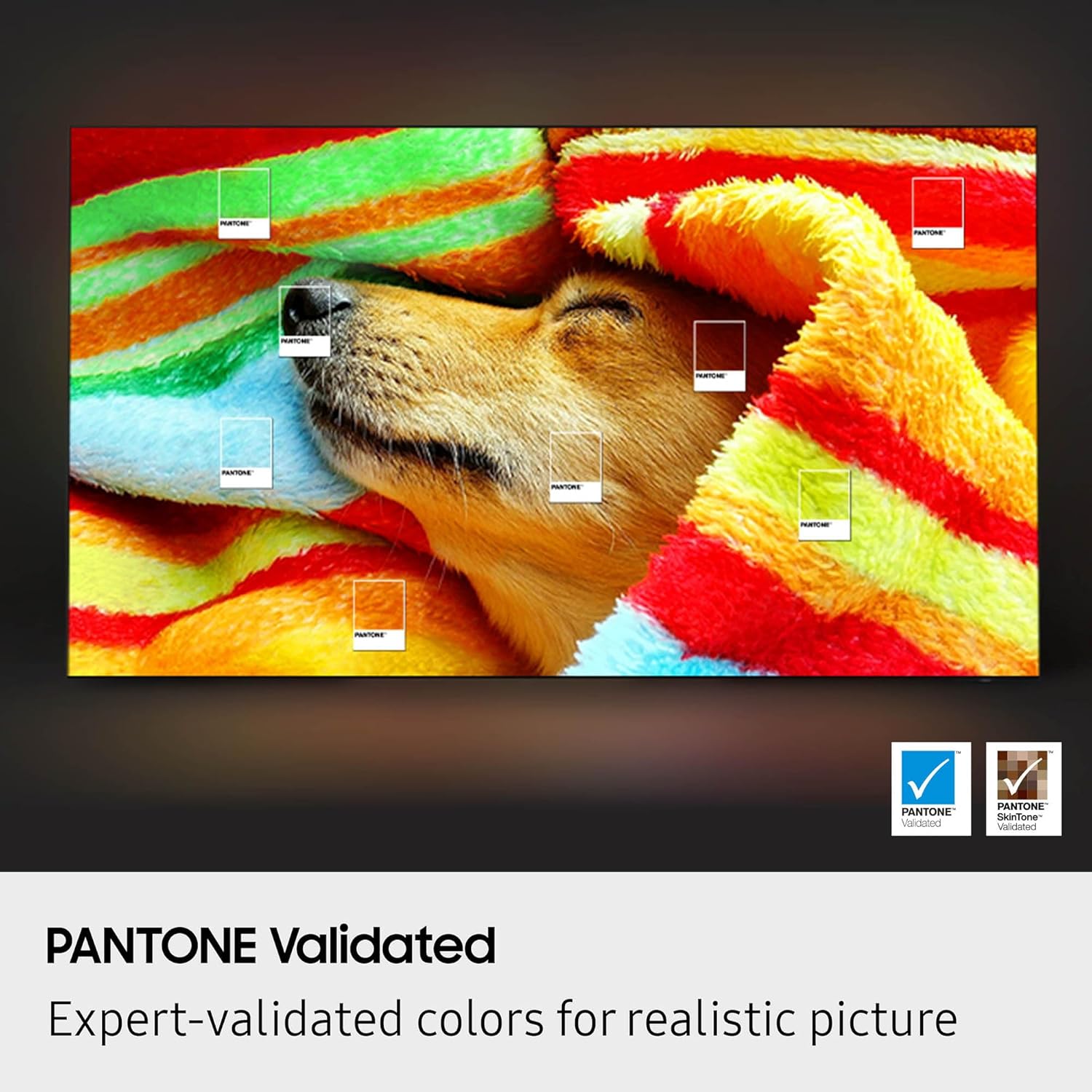
Image: A screen displaying a dog wrapped in a blanket, with Pantone color swatches overlaid to demonstrate color accuracy.
მოვლა
ეკრანის წმენდა
Use the provided Amber Protection HDTV Screen Cleaner Kit to clean your TV screen. This non-ammonia and alcohol-free solution cleans without dripping, streaking, or leaving residue, effectively removing dust, dirt, and fingerprints.
- Spray the cleaning solution onto the included microfiber cloth, not directly onto the screen.
- Gently wipe the screen in a circular motion until clean and dry.
- არ გამოიყენოთ აბრაზიული საწმენდები ან ქსოვილები.
ზოგადი მოვლა
- ტელევიზორი მოარიდეთ მზის პირდაპირ სხივებს და სითბოს წყაროებს.
- ტელევიზორის გარშემო საკმარისი ვენტილაცია უზრუნველყავით.
- გამორთეთ ტელევიზორი ელექტრომომარაგებიდან ჭექა-ქუხილის დროს ან ხანგრძლივი გამოყენებისას.
პრობლემების მოგვარება
ეს განყოფილება განიხილავს გავრცელებულ პრობლემებს, რომლებიც შეიძლება თქვენს Samsung ტელევიზორთან დაკავშირებით შეგხვდეთ.
| პრობლემა | შესაძლო მიზეზი / გამოსავალი |
|---|---|
| არ არის ძალა | შეამოწმეთ, რომ კვების კაბელი საიმედოდ არის შეერთებული როგორც ტელევიზორში, ასევე კედლის როზეტში. შეამოწმეთ როზეტი სხვა მოწყობილობით. |
| სურათის არარსებობა / დამახინჯებული სურათი | Ensure the correct input source is selected. Check cable connections (HDMI, antenna). Try a different HDMI cable. Perform a picture test in the TV settings. |
| No Sound / Distorted Sound | Check volume levels and mute status. Verify audio cable connections. If using an external sound system, ensure it's properly connected and configured. Check TV sound settings. |
| დისტანციური მართვა არ მუშაობს | Ensure the remote is charged (SolarCell remote). Point the remote directly at the TV. If it's a Bluetooth remote, ensure it's paired. |
| Wi-Fi-სთან დაკავშირება შეუძლებელია | Check your router and modem. Restart both the TV and your network equipment. Re-enter the Wi-Fi password. Try connecting via a wired LAN cable. |
For more detailed troubleshooting, refer to the on-screen help menu or Samsung's official support webსაიტი.
სპეციფიკაციები
| ფუნქცია | დეტალი |
|---|---|
| მოდელის სახელი | QN55S85FAFXZA |
| ეკრანის ზომა | 55 ინჩი (140 სმ ხილული დიაგონალი) |
| ჩვენების ტექნოლოგია | OLED |
| რეზოლუცია | 4K (3840 x 2160) |
| განახლების სიხშირე | 120 ჰც |
| პროცესორი | NQ4 AI Gen2 პროცესორი |
| ოპერაციული სისტემა | Tizen Smart TV |
| დაკავშირება | Wi-Fi 5, Bluetooth, HDMI x 4, USB-A x 2, LAN, ANT In |
| აუდიო ფუნქციები | Dolby Atmos, OTS Lite, Q-Symphony Pro, Built-In Speakers, Active Voice Amplifier Pro, ადაპტური ხმის პრო |
| ზომები (სტენდით) | 9.3"D x 48.2"W x 30.1"H |
| ნივთის წონა | 27.8 ფუნტი |
| ფერი | გრაფიტის შავი |
| VESA Mount თავსებადი | 300 მმ x 200 მმ |
| ენერგოეფექტურობა | Energy Star თავსებადი |
გარანტია და მხარდაჭერა
მწარმოებლის გარანტია
Your Samsung QN55S85FAFXZA TV comes with a full 1-year manufacturer's warranty. Please retain your proof of purchase for warranty claims.
Amber Protection Plan
This product bundle includes a 5-year Amber Protection Plan in addition to the manufacturer's warranty. This plan covers:
- Mechanical & Electrical Failures
- დენის დენის დაცვა
- Access to a Nationwide Network of Service Providers
- 24/7/365 Customer Support
The Amber Protection Plan begins from the date of purchase and is inclusive of the manufacturer's limited coverage. Benefits such as Power Surge Protection and Mechanical & Electrical Failures begin on Day 1.

Image: Details of the Extended Protection Features & Benefits, outlining coverage for mechanical/electrical failures and power surges.
მომხმარებელთა მხარდაჭერა
For technical assistance, troubleshooting, or warranty inquiries, please contact Samsung customer support or the provider of your Amber Protection Plan. Refer to the documentation included with your protection plan for specific contact details.
Ask a question about this manual
Ask about setup, troubleshooting, compatibility, parts, safety, or missing instructions. Manuals+ will review the question and use this page’s manual context to help answer it.