
YESPER Armor
YESPER Armor 3000A Jump Starter User Manual
მოდელი: ჯავშანი
1. პროდუქტი დასრულდაview
The YESPER Armor 3000A Jump Starter is a portable device designed to jump-start 12V vehicles with up to 10L gas or 8L diesel engines. It features a 20000mAh battery capacity, 100W two-way fast charging, an LED display for real-time monitoring, and multiple safety protections. Beyond jump-starting, it functions as a power bank for various electronic devices and includes a 400-lumen LED light.
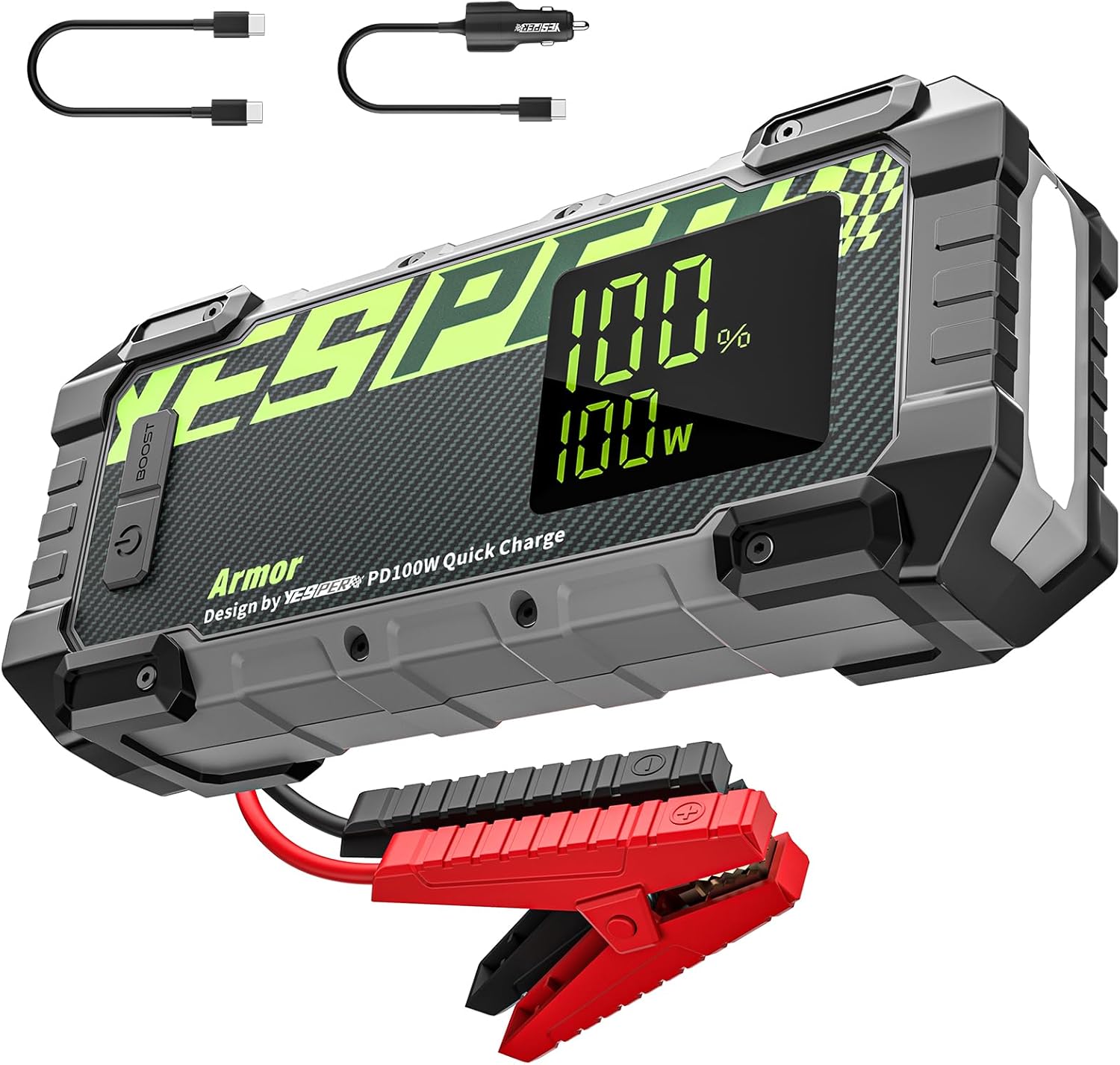
Image 1.1: The YESPER Armor 3000A Jump Starter, showing the main unit, jumper cables, and charging cables.
2. რა არის ყუთში
ყუთის გახსნისას დარწმუნდით, რომ ყველა კომპონენტი ადგილზეა:
- 1 x YESPER Armor 3000A Jump Starter (20000mAh)
- 1 x Jumper Cable with Smart Clamps
- 1 x 100 W მანქანის დამტენი
- 1 x 60W USB-C to C Cable
- 1 x სიგარეტის სანთებელას ადაპტერი
- 1 x მომხმარებლის სახელმძღვანელო

Image 2.1: All items included in the YESPER Armor 3000A Jump Starter package.
3. დაყენება და დატენვა
3.1 საწყისი გადასახადი
Before first use, fully charge the YESPER Armor Jump Starter. The device supports 100W two-way fast charging via its Type-C port. A full charge from 0% to 100% can be achieved in approximately 45 minutes using the included 100W car charger and USB-C to C cable.

Image 3.1: The jump starter being charged via its Type-C port, illustrating the 100W fast charging capability.
Video 3.1: Demonstration of the 100W fast charging feature of the YESPER Armor Jump Starter.
3.2 მოწყობილობის კომპონენტები
Familiarize yourself with the device's buttons, ports, and display:

Image 3.2: Labeled diagram showing the Power Button, BOOST Button, Jumper Cable Socket, DC Out Port, USB Out Ports, Display Screen, and LED Light.
- დენის ღილაკი: Turns the device on/off and cycles through LED light modes.
- BOOST ღილაკი: Used for jump-starting completely dead batteries.
- Jumper Cable Socket: Connects the smart jumper cables.
- DC გამომავალი პორტი: Provides 15V output for compatible devices like tire inflators.
- 5V/2.4A USB Out Port: სტანდარტული USB გამომავალი მოწყობილობების დასატენად.
- QC3.0 USB Out Port: Quick Charge 3.0 compatible USB output.
- PD100W USB-C In/Out Port: For 100W fast charging input and output.
- ეკრანის ჩვენება: აჩვენებს ბატარეის პროცენტსtage, charge/discharge power, and status indicators.
- LED განათება: Provides illumination with steady, strobe, and SOS modes.
4. საოპერაციო ინსტრუქციები
4.1 გადახტომა მანქანის გაშვება
თქვენი მანქანის უსაფრთხოდ დასაქოქად, მიჰყევით ამ ნაბიჯებს:
- შემაერთებელი კაბელების შეერთება: Insert the smart jumper cable plug into the jump starter's socket.
- მიამაგრეთ Clamps: დააკავშირეთ წითელი (+) clamp to the vehicle's positive battery terminal and the შავი (-) clamp to the vehicle's negative battery terminal. Ensure a secure connection.
- შეამოწმეთ ჩვენება: Turn on the jump starter. The display should show "READY" if the connections are correct and the battery has sufficient charge.
- მანქანის დაწყება: Attempt to start your vehicle. If it doesn't start immediately, wait 30 seconds before trying again.
- ამოიღეთ Clamps: Once the vehicle starts, immediately remove the black clamp ჯერ, შემდეგ წითელი კლamp, and finally disconnect the jumper cable from the jump starter.

Image 4.1: The YESPER Armor Jump Starter connected to a car battery, ready for jump-starting.
Video 4.1: Step-by-step guide on how to jump start a car using the YESPER Armor Jump Starter.
4.2 Boost Start Mode (for completely dead batteries)
If your vehicle's battery is completely dead and the jump starter does not show "READY", use the Boost Start Mode:
- Follow steps 1 and 2 from "Jump Starting a Vehicle" above.
- დააჭირეთ და გააჩერეთ გაძლიერება button on the jump starter until the display shows "READY".
- Attempt to start your vehicle within 30 seconds.
- Once the vehicle starts, immediately remove the black clamp ჯერ, შემდეგ წითელი კლamp, and finally disconnect the jumper cable from the jump starter.
4.3 გამოყენება როგორც Power Bank
The YESPER Armor can charge various electronic devices:
- USB-C პორტი: Use the PD100W USB-C port for fast charging compatible smartphones, tablets, and laptops.
- QC3.0 USB პორტი: For quick charging devices that support QC3.0.
- 5V/2.4A USB პორტი: For standard charging of USB-powered devices.
- 15 ვ DC გამომავალი: Connect the cigarette lighter socket adapter to the DC Out Port to power 15V/12V DC devices such as tire inflators or car vacuums.
4.4 LED Light Functions
Press the Power Button to cycle through the LED light modes:
- მუდმივი განათება: ზოგადი განათებისთვის.
- სტრობი: სიგნალიზაციისთვის ან ყურადღების მისაპყრობად.
- SOS: საგანგებო სიგნალიზაციისთვის.

Image 4.2: The jump starter's 400-lumen LED light being used to illuminate an engine bay.
5. მოვლა
To ensure the longevity and optimal performance of your YESPER Armor Jump Starter:
- შენახვა: შეინახეთ მოწყობილობა გრილ, მშრალ ადგილას, მოარიდეთ მზის პირდაპირ სხივებს და ექსტრემალურ ტემპერატურას.
- გადატვირთვა: For optimal performance, recharge the jump starter every 6 months, even if not in use. The device can hold a full charge for up to 24 months under moderate storage conditions.
- დასუფთავება: გაწმინდეთ მოწყობილობა რბილი, მშრალი ქსოვილით. არ გამოიყენოთ უხეში ქიმიკატები ან აბრაზიული მასალები.
- უსაფრთხოება: The device is housed in an IP65-rated rugged case, making it waterproof, dustproof, and drop-proof. However, avoid intentional submersion or severe impacts.

Image 5.1: The jump starter highlighting its 24-month standby capability and low-power technology.
6. Დიაგნოსტიკა
The 3.2-inch LED display provides important status indicators to assist with troubleshooting:

Image 6.1: The jump starter's display showing battery percentagე, ვატtage, and status icons like 'READY', 'Low Voltage', 'Misconnection Prevention', and 'Battery Low Temperature Reminder'.
- "READY" not displayed: უზრუნველყოს clamps are correctly attached to the battery terminals. If the vehicle battery is completely dead, use the Boost Start Mode.
- დაბალი ტომიtage ინდიკატორი: If the jump starter's battery is low, recharge it. For immediate jump-starting with low voltage, the Boost function may be necessary.
- Misconnection Prevention Indicator: This indicates incorrect clamp connection (e.g., reverse polarity). Disconnect and re-attach clamps correctly. The smart clamps have 10 built-in protections to prevent sparks and misoperation.
- Battery Low Temperature Reminder: In extremely cold conditions, the jump starter may indicate low temperature. Allow the device to warm up slightly before use for optimal performance.
- მოწყობილობა არ ირთვება: Ensure the power button is pressed firmly. If the battery is completely drained, charge the device.
If you encounter issues not covered here, please refer to the Warranty & Support section for assistance.
7. სპეციფიკაციები
| ფუნქცია | სპეციფიკაცია |
|---|---|
| ბრენდი | დიახ |
| მოდელი | ჯავშანი |
| მაქსიმალური გამომავალი დენი | 3000 Amps |
| ბატარეის ტევადობა | 20000 mAh |
| ძრავის თავსებადობა | 10 ლიტრამდე ბენზინი / 8 ლიტრი დიზელი |
| დატენვის შეყვანა/გამომავალი | 100W Two-Way Type-C |
| USB გამომავალი პორტები | QC3.0, 5V/2.4A |
| DC გამომავალი პორტი | 15V (compatible with 15V/12V devices) |
| LED სინათლის სიკაშკაშე | 400 ლუმენი |
| უსაფრთხოების დაცვა | 10 built-in protections (short circuit, over current, over charge, over discharge, over voltage, over temperature, reverse charge, reverse connection, AI software, low power consumption) |
| წყალგაუმტარი რეიტინგი | IP65 |
| პროდუქტის ზომები | 2.08"D x 4.13"W x 9.37"H |
| ნივთის წონა | 1.98 ფუნტი |
| ბატარეის ტიპი | ლითიუმის პოლიმერი |
8. გარანტია და მხარდაჭერა
8.1 Product Reliability
The YESPER Armor Jump Starter is designed for reliability, maintaining a full charge for up to 24 months under normal storage conditions. Its smart auto-shutoff feature helps preserve power.
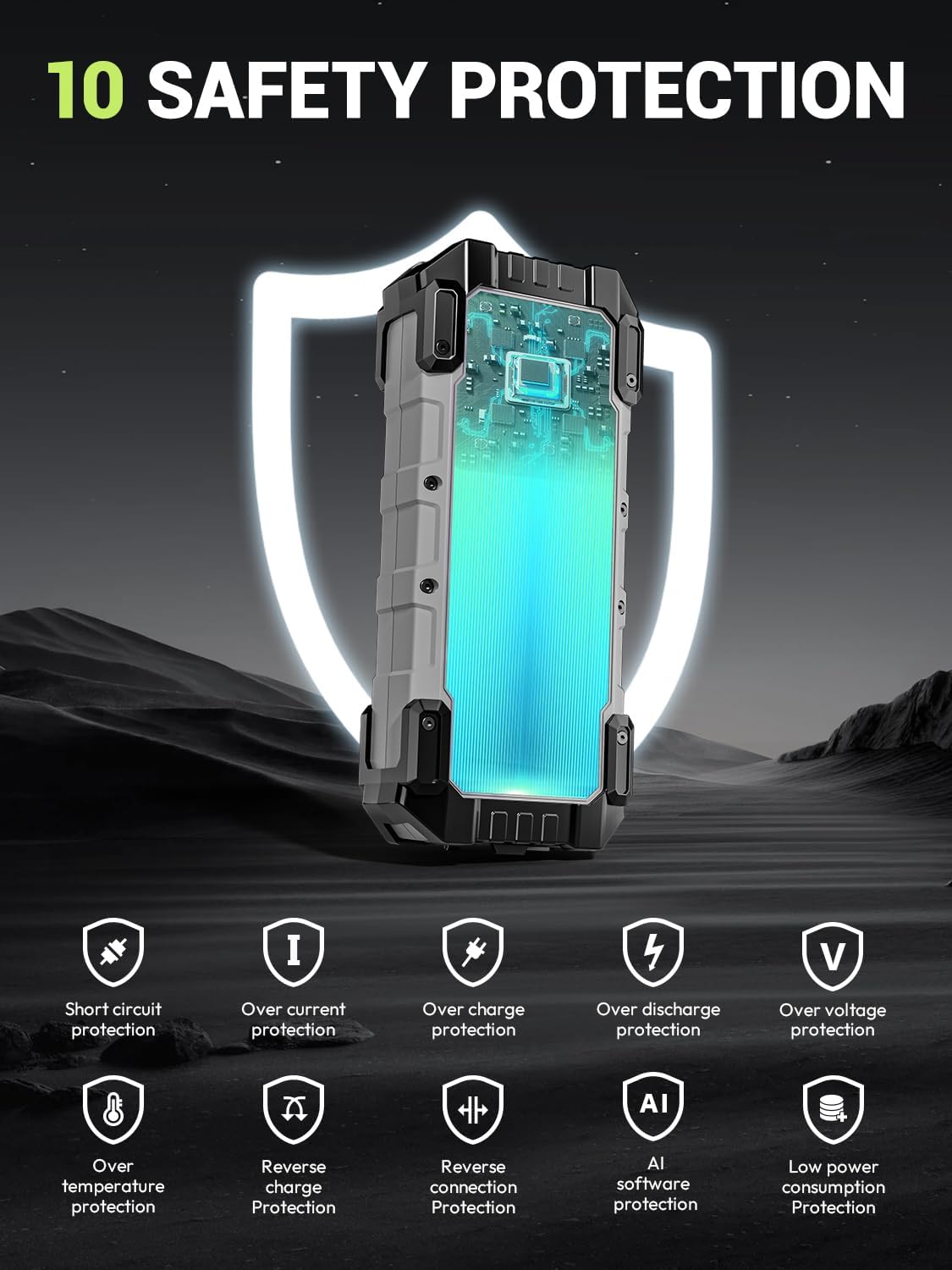
Image 8.1: The jump starter emphasizing its 10 built-in safety protections for user and device safety.
8.2 მომხმარებელთა მხარდაჭერა
For any questions, concerns, or technical assistance regarding your YESPER Armor Jump Starter, please contact our customer support team. Refer to the contact information provided in your product packaging or visit the official YESPER webსაიტი მხარდაჭერის დეტალებისთვის.
თქვენ ასევე შეგიძლიათ ეწვიოთ YESPER Store on Amazon დამატებითი ინფორმაციისა და პროდუქტის განახლებებისთვის.
Ask a question about this manual
Ask about setup, troubleshooting, compatibility, parts, safety, or missing instructions. Manuals+ will review the question and use this page’s manual context to help answer it.