
1. პროდუქტი დასრულდაview
The Creator C420 is a specialized OBD2 diagnostic scanner designed for BMW and Mini vehicles. It provides comprehensive system diagnostics and advanced service reset functions, in addition to standard OBD2 capabilities for all OBD2 compliant vehicles. This manual provides instructions for its proper setup, operation, and maintenance.
2. პაკეტის შიგთავსი
დარწმუნდით, რომ ქვემოთ ჩამოთვლილი ყველა ნივთი შედის თქვენს პაკეტში:
- 1 x Creator C420 BMW Code Reader
- 1 x სატარებელი
- 1 x ბარათის წამკითხველი
- 1 x USB კაბელი
- 1 x მომხმარებლის სახელმძღვანელო (ეს დოკუმენტი)
3. დაყენება და კავშირი
Follow these steps to connect the C420 scanner to your vehicle:
- იპოვეთ OBD-II პორტი: The OBD-II port is typically located under the dashboard on the driver's side of the vehicle. Refer to your vehicle's owner's manual if you cannot locate it.
- სკანერის დაკავშირება: Plug the C420's OBD-II connector firmly into the vehicle's OBD-II port.
- ჩართვა: The scanner will power on automatically once connected to the vehicle's OBD-II port, drawing power directly from the vehicle. Ensure the vehicle's ignition is in the 'ON' position (engine off or running, depending on the diagnostic task).
- Adapter for Older Models: For BMW and Mini vehicles manufactured between 1997-2004, a 20-pin adapter (not included) may be required to connect the C420 scanner.

Image: The Creator C420 scanner with its OBD-II connector, ready for connection to a vehicle.
4. საოპერაციო ინსტრუქციები
The C420 features a 2.4" TFT 240K true color LCD display and a silicone keypad for navigation. The menu layout is designed for ease of use.
4.1. Vehicle Coverage
The Creator C420 is compatible with most BMW and Mini models from 2001 and newer. Specific series covered include:
- 1 სერია: E81, E82, E87, E88, F20, F21
- 2 სერია: F22, F23, F45, F46, F87
- 3 სერია: E46, E90, E91, E92, E93, F30, F31, F34, F35, F80
- 4 სერია: F32, F33, F36, F82, F83
- 5 სერია: E39, E60, E61, F07(GT), F10, F11, F18
- 6 სერია: E63, E64, F06, F12, F13
- 7 სერია: E38, E65, E66, E68, F01, F02, F03, F04, G11, G12
- I Series: I01, I12
- X სერია: X1: E84/F48/F49, X3: E83/F25, X4: F26, X5: E53/E70/F15/F85, X6: E71/E72/F16/F86
- Z სერია: Z3: E36, Z4: E85/E86/E89
- MINI: R50, R52, R53, R55, R56, R57, R58, R59, R60, R61, F54, F55, F56, F57

Image: Detailed list of BMW and Mini series and chassis codes supported by the C420 scanner.
4.2. სისტემის სრული დიაგნოსტიკა
The C420 supports diagnostic functions for all major vehicle systems, allowing you to read and clear trouble codes. Systems include, but are not limited to:
- Engine (ENG)
- დაბლოკვის საწინააღმდეგო დამუხრუჭების სისტემა (ABS)
- Supplemental Restraint System (SRS / Airbag)
- საჭის კუთხის სენსორი (SAS)
- ელექტრონული პარკირების სამუხრუჭე (EPB)
- ბატარეის მართვის სისტემა (BMS)
- გადაცემის მართვის მოდული (TCM)
- საბურავების წნევის მონიტორინგის სისტემა (TPMS)
- Immobilizer System (IMMO)
- Air Conditioning / HVAC
- სხეულის კონტროლის მოდული (BCM)
- საწვავის სისტემა

Image: Visual representation of the full system diagnostic capabilities of the C420 scanner.
4.3. Advanced Reset Features
The C420 offers several advanced service reset functions specifically for BMW and Mini vehicles:
- CBS Reset: Condition Based Service reset.
- ბატარეის რეგისტრაცია: არეგისტრირებს ახალ აკუმულატორს ავტომობილის სისტემაში.
- ზეთის გადატვირთვა: ზეთის შეცვლის შემდეგ ხელახლა ანათებს ზეთის მომსახურების ნათურას.
- ABS Reset: Resets the Anti-lock Braking System.
- SRS გადატვირთვა: Resets the Supplemental Restraint System (Airbag).
- SAS-ის გადატვირთვა: საჭის კუთხის სენსორის გადატვირთვა.
- EPB-ის გადატვირთვა: აღადგენს ელექტრონული სადგომი მუხრუჭის სისტემას.
- DPF Service: Diesel Particulate Filter service functions.
- Throttle Body Alignment: Performs throttle body adaptation.
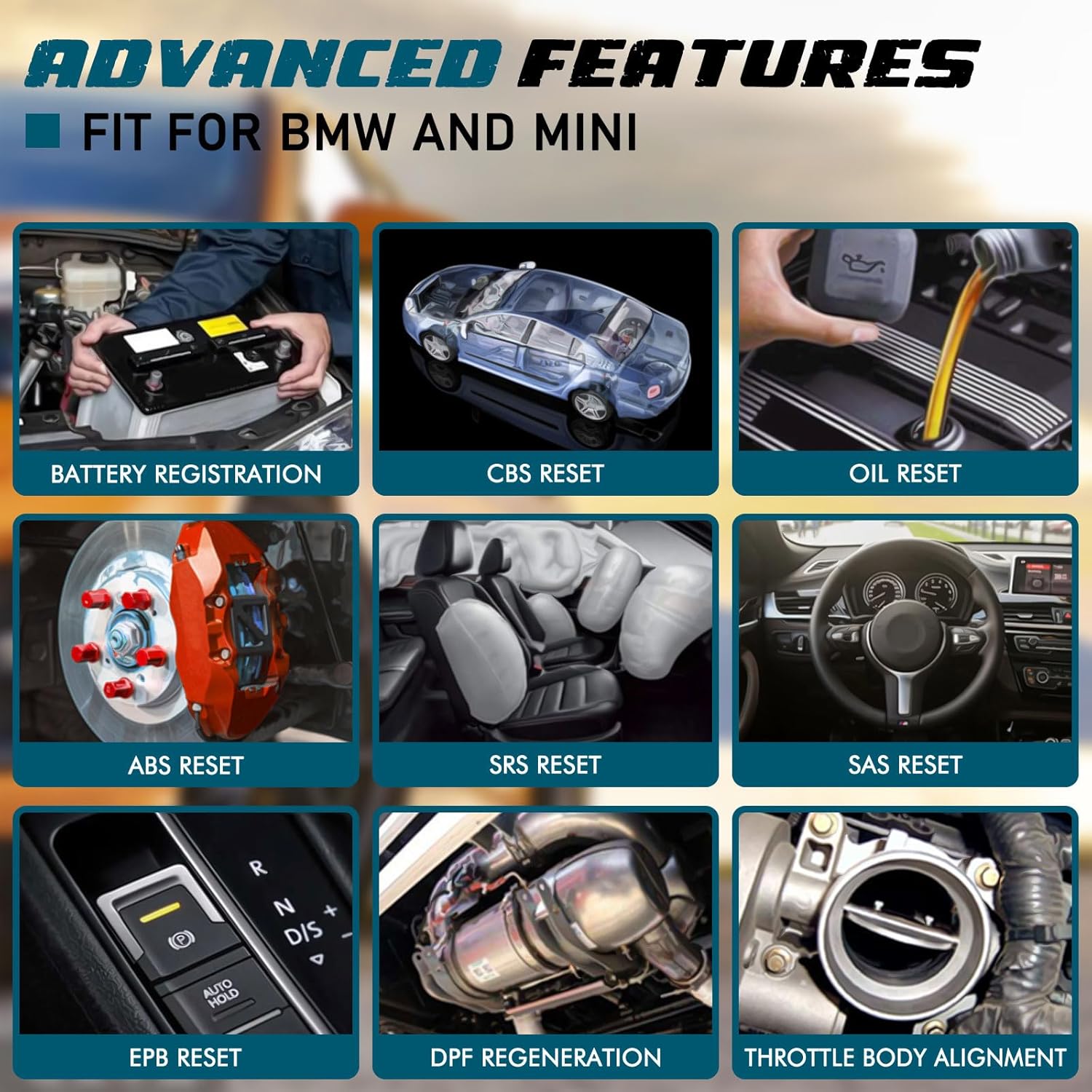
სურათი: მაგamples of advanced features available on the C420, including battery registration, CBS reset, and oil reset.
Battery Registration Specifics:
The battery registration function does not support vehicles manufactured before 2004, nor does it support the following E chassis models: 3_Series E46, 5_Series E39, 7_Series E38, X3_E83, X5_E53, Z3_E36, Z4_E85/E86, MINI_R50/R51/R52/R53. For these specific models, direct battery replacement is sufficient as registration is not required. The battery registration function is intended for batteries of the same type and capacity as the original.

Image: Step-by-step screen prompts for performing battery registration using the C420 scanner.
4.4. Universal OBD2 Functions
In addition to BMW/Mini specific functions, the C420 also serves as a universal OBD2 code reader for all OBD2 compliant vehicles, supporting functions such as:
- Turn-Off Malfunction Indicator Light (MIL)
- I/M მზადყოფნის სტატუსი
- ბატარეის ტესტი
- Live Data Streams
- ავტომობილის ინფორმაცია (VIN, CID, CVN)
- საბორტო მონიტორის ტესტი
- ჩარჩოს მონაცემების გაყინვა
- DTC ძიება
- O2 სენსორის ტესტი

Image: The C420 display showing various universal OBD2 functions and icons for supported languages.
5. მოვლა
5.1. პროგრამული უზრუნველყოფის განახლებები
The Creator C420 supports lifetime free software upgrades. New parameters, functions, and the latest vehicle data are regularly updated. To update the software:
- Visit the official Creator website to download the update tool and latest software package.
- Connect the C420 scanner to your computer using the provided USB cable.
- Follow the instructions provided with the update tool to install the new software.
5.2. მოწყობილობის მოვლა
- შეინახეთ მოწყობილობა სუფთა და მშრალი.
- Store the device in its rugged drop-proof carrying case when not in use to prevent damage.
- მოერიდეთ მოწყობილობის ექსტრემალურ ტემპერატურაზე ან მზის პირდაპირ სხივებზე დიდი ხნის განმავლობაში ყოფნას.
6. Დიაგნოსტიკა
- მოწყობილობა არ ირთვება: Ensure the scanner is securely connected to the vehicle's OBD-II port and the vehicle's ignition is in the 'ON' position. Check the vehicle's fuse for the OBD-II port if the issue persists.
- Limited information displayed: If using on a non-BMW/Mini vehicle, the scanner will only provide universal OBD2 functions. For BMW/Mini, ensure the correct vehicle model is selected if prompted.
- Navigation difficulties: The menu system requires selection of vehicle model and series for specific functions. Use the 'OK' button to confirm selections and the 'ESC' button to go back.
- Update issues: Ensure a stable internet connection during software updates. If the update fails, try a different USB port or computer.
7. სპეციფიკაციები
| ფუნქცია | სპეციფიკაცია |
|---|---|
| ბრენდი | შემოქმედი |
| მოდელის ნომერი | Creator C420 for BMW |
| დენის წყარო | OBD-II ინტერფეისი |
| ოპერაციული სისტემა | SCM |
| ეკრანის ზომა | 2.4 ინჩი |
| მშობლიური რეზოლუცია | 240 ათასი |
| პუნქტების რაოდენობა | 1 |
8. გარანტია და მხარდაჭერა
8.1. გარანტია
The Creator C420 comes with a 12-month manufacturer's warranty from the date of purchase. Please retain your proof of purchase for warranty claims.
8.2. ტექნიკური მხარდაჭერა
Creator offers lifetime free software upgrades and dedicated technical support. For assistance with product operation, troubleshooting, or software updates, please refer to the contact information provided on the official Creator website or in the product packaging. Technical support is available to assist with any inquiries.