
შესავალი
The Motorola Edge 40 Neo is a powerful 5G smartphone designed for seamless performance and connectivity. It features a robust processor, ample memory, and advanced camera capabilities. This manual provides essential information to help you set up, operate, maintain, and troubleshoot your device, ensuring you get the most out of your Motorola Edge 40 Neo.

სურათი 1: წინა და უკანა მხარე view of the Motorola Edge 40 Neo smartphone.
1. დაყენება
1.1 ყუთის გახსნა და პირველადი შემოწმება
Upon receiving your Motorola Edge 40 Neo, carefully open the packaging and inspect all contents. The retail box typically includes the smartphone and a USB Cable. Ensure all items are present and undamaged.
- Motorola Edge 40 Neo Smartphone
- USB კაბელი
- (Note: Charger may vary by region or may not be included. Please check your specific package contents.)
1.2 SIM ბარათის დაყენება
The Motorola Edge 40 Neo supports Dual-SIM functionality. To install your SIM cards:
- იპოვეთ SIM ბარათის უჯრა მოწყობილობის გვერდზე.
- ჩადეთ SIM ბარათის ამოსაღები ხელსაწყო (ასეთის არსებობის შემთხვევაში) უჯრის გვერდით მდებარე პატარა ხვრელში და ფრთხილად დააჭირეთ, სანამ უჯრა არ ამოვარდება.
- Place your Nano-SIM cards into the designated slots on the tray. Ensure the gold contacts are facing down and the notched corner aligns correctly.
- ფრთხილად ჩადეთ SIM ბარათის უჯრა მოწყობილობაში, სანამ არ დააწკაპუნებს.
მნიშვნელოვანი შენიშვნა ქსელის თავსებადობის შესახებ:
For USA Buyers: This Smartphone is not compatible/will not work with any CDMA Networks including: VERIZON, SPRINT, US CELLULAR. Please check with your network provider for 3G or 4G/LTE compatibility check before you purchase.
მხარდაჭერილი სიხშირეები (SIM ბარათი 1 და 2):
- 2G: GSM 850 / 900 / 1800 / 1900
- 3G: HSDPA 800(B19) / 850(B5) / 900(B8) / 1700|2100(B4) / 1900(B2) / 2100(B1)
- 4G: FDD-LTE 700(B12) / 700(B13) / 700(B17) / 700(B28) / 800(B20) / 850(B5) / 850(B18) / 850(B19) / 850(B26) / 900(B8) / 1500(B32) / 1700|2100(B4) / 1800(B3) / 1900(B2) / 1900(B25) / 2100(B1) / 2100(B66) / 2600(B7) : TDD-LTE 1900(B39) / 2300(B40) / 2500(B41) / 2600(B38) / 3500(B42) / 3500(B48) / 3700(B43)
- 5G: N1/N2/N3/N5/N7/N8/N20/N28/N38/N40/N41/N66/N77/N77
1.3 მოწყობილობის დატენვა
The Motorola Edge 40 Neo is equipped with a Li-Po 5000 mAh non-removable battery and supports 68W TurboPower charging. To charge your device:
- შეაერთეთ USB კაბელი თქვენი ტელეფონის დამტენ პორტთან.
- Connect the other end of the USB cable to a compatible 68W TurboPower charger (if available) and plug it into a power outlet.
- The device will display a charging indicator.

Figure 2: The Motorola Edge 40 Neo supports 68W TurboPower for rapid charging.
2. თქვენი მოწყობილობის მუშაობა
2.1 ჩვენების მახასიათებლები
Experience vibrant visuals on the Motorola Edge 40 Neo's 6.55-inch P-OLED display. Key features include:
- ზომა: 6.55 ინჩი
- ტექნოლოგია: P-OLED, 1 Billion colors
- განახლების სიჩქარე: 144Hz for smooth scrolling and gaming
- სიკაშკაშე: HDR10+, 1300 ნიტი (პიკური)
- რეზოლუცია: 1080 x 2400 პიქსელი (~402 ppi სიმკვრივე)

Figure 3: The stunning 6.55-inch P-OLED display with a 144Hz refresh rate.
2.2 შესრულება და პროგრამული უზრუნველყოფა
The device runs on Android 13 and is powered by the MediaTek Dimensity 7030 (6nm) Octa-core processor (2x2.5 GHz Cortex-A78 & 6x2.0 GHz Cortex-A55), ensuring efficient multitasking and smooth application performance.
- ოპერაციული სისტემა: Android 13
- პროცესორი: MediaTek Dimensity 7030 (6nm), Octa-core
- ოპერატიული მეხსიერება: 12 GB
- შიდა საცავი: 256 GB (გაფართოების გარეშე)

Figure 4: The MediaTek Dimensity 7030 processor powers the Motorola Edge 40 Neo.
2.3 კამერის სისტემა
Capture stunning photos and videos with the advanced camera setup:
- უკანა კამერა: 50 MP (main sensor)
- წინა კამერა: 32 დეპუტატი
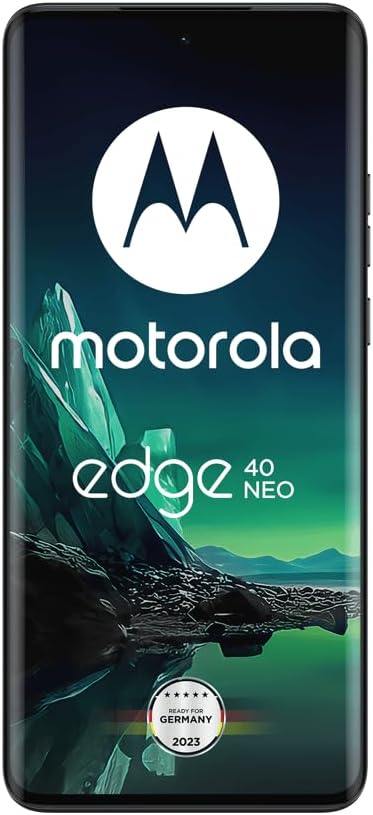
Figure 5: Detail of the 50MP Ultra-Pixel camera system on the Motorola Edge 40 Neo.
2.4 დაკავშირება
The Motorola Edge 40 Neo offers comprehensive connectivity options:
- უსადენო კომუნიკაცია: Cellular (2G, 3G, 4G, 5G)
- სადენიანი კავშირი: USB
- ნავიგაცია: GPS ჩართულია
- ჩვენების სხვა მახასიათებლები: უსადენო
3. მოვლა
3.1 ბატარეის მოვლა
To maximize the lifespan and performance of your 5000 mAh battery:
- Use only the original or certified Motorola chargers and cables.
- მოერიდეთ მოწყობილობის ექსტრემალურ ტემპერატურაზე (ძალიან ცხელ ან ძალიან ცივ) ზემოქმედებას.
- არ დატოვოთ მოწყობილობა დიდი ხნის განმავლობაში დატენვის მდგომარეობაში მას შემდეგ, რაც ის 100%-ს მიაღწევს.
- ოპტიმალური ბატარეის მუშაობისთვის, ეცადეთ, დატენვის დონე 20%-დან 80%-მდე შეინარჩუნოთ.
3.2 Water Protection (IP68)
The Motorola Edge 40 Neo features IP68 water protection, meaning it is designed to withstand immersion in up to 1.5 meters of fresh water for up to 30 minutes. However, it is not waterproof. To maintain its water resistance:
- Avoid exposing the device to salt water, chlorinated water, or other liquids.
- Do not charge the device if the charging port is wet.
- Ensure all ports and covers are securely closed.
- If the device gets wet, dry it thoroughly with a clean, soft cloth before use or charging.

Figure 6: The Motorola Edge 40 Neo features IP68 water protection.
3.3 ზოგადი მოვლა
- გაწმინდეთ ეკრანი და კორპუსი რბილი, ბუსუსების გარეშე ქსოვილით.
- მოერიდეთ უხეში ქიმიკატების ან აბრაზიული მასალების გამოყენებას.
- Protect the screen with a screen protector and the body with a protective case.
4. Დიაგნოსტიკა
4.1 საერთო საკითხები და გადაწყვეტილებები
- მოწყობილობა არ ირთვება: დარწმუნდით, რომ აკუმულატორი დატენილია. შეაერთეთ დამტენთან და ჩართვის მცდელობამდე დაელოდეთ რამდენიმე წუთი.
- ქსელთან დაკავშირების პრობლემები: Verify SIM card installation. Check network compatibility with your carrier (refer to Section 1.2). Try restarting the device.
- აპლიკაციების გაყინვა ან შენელებული მუშაობა: Close background applications. Clear app cache. Restart the device. If issues persist, consider a factory reset (backup your data first).
- დატენვის პრობლემები: Ensure the USB cable and charger are securely connected. Try a different outlet or charger.
For more detailed troubleshooting, please refer to Motorola's official support webსაიტი ან დაუკავშირდით მომხმარებელთა მომსახურებას.
5. სპეციფიკაციები
| ფუნქცია | სპეციფიკაცია |
|---|---|
| მოდელის სახელი | Motorola Edge 40 Neo |
| პროდუქტის ზომები | 6.28 x 0.31 x 2.83 ინჩი |
| ნივთის წონა | 6 უნცია (170 გრამი) |
| ASIN | B0CCW6FBLS |
| ოპერაციული სისტემა | Android 13.0 |
| ოპერატიული მეხსიერება | 12 GB |
| მეხსიერების შენახვის მოცულობა | 256GB ROM (non-expandable) |
| უსადენო კომუნიკაციის ტექნოლოგიები | Cellular (5G capable) |
| დაკავშირების ტექნოლოგიები | USB |
| GPS | მართალია |
| ადამიანის ინტერფეისის შეყვანა | სენსორული ეკრანი |
| ეკრანის ზომა | 6.55 ინჩი |
| რეზოლუცია | 1080 x 2400 პიქსელი |
| კამერის სხვა მახასიათებლები | Front (32 MP), Rear (50 MP) |
| აუდიო ჯეკი | ყურსასმენის პორტი არ არის |
| ფერი | შავი მზეთუნახავი |
| ბატარეის სიმძლავრის რეიტინგი | 5000 mAh (ლითიუმის პოლიმერი) |
| მწარმოებელი | მოტოროლა |
| პირველი ხელმისაწვდომი თარიღი | 28 წლის 2023 სექტემბერი |
| რა დევს ყუთში | USB კაბელი |
6. გარანტია და მხარდაჭერა
Your Motorola Edge 40 Neo comes with a standard manufacturer's warranty. For specific warranty terms and conditions, please refer to the warranty card included in your product packaging or visit the official Motorola support webსაიტი.
For technical support, service, or additional information, please visit the Motorola-ს მაღაზია Amazon-ზე or their official global support portal.