1. შესავალი
This manual provides comprehensive instructions for the setup, operation, and maintenance of your CPVAN Wireless Security Camera (Model BC01). Please read this guide thoroughly before using the product to ensure optimal performance and safety.

Figure 1: CPVAN Wireless Security Camera (Model BC01)
2. პროდუქტის მახასიათებლები
- 1080P HD ვიდეო: Captures clear 1080P HD video and images with a 120-degree wide-angle view.
- AI Recognition & Smart Motion Detection: Accurately analyzes and recognizes people, vehicles, pets, and packages, sending instant notifications.
- ფერადი ღამის ხედვა: Integrated white and infrared light sources provide full-color and infrared night vision up to 33 ft.
- ორმხრივი აუდიო: Built-in microphone and speaker for real-time two-way communication.
- სირენის სიგნალიზაცია და განათება: Deter unwanted visitors with an audible siren and flashing white light.
- Wire-Free & Waterproof: Rechargeable battery for 1-5 months of use on a single charge and IP65 waterproof rating for outdoor installation.
- შენახვის პარამეტრები: Supports up to 128GB SD card and free 3-day rolling cloud storage.
3. რა არის ყუთში
დარწმუნდით, რომ ყველა კომპონენტი შეფუთვაშია:
- CPVAN Wireless Security Camera (BC01)
- სამონტაჟო ფრჩხილი
- USB დამტენი კაბელი
- სამონტაჟო ხრახნები და კედლის ანკერები
- მომხმარებლის სახელმძღვანელო
4. დაყენების გზამკვლევი
4.1 საწყისი დატენვა
Before first use, fully charge the camera. Connect the provided USB cable to the camera's charging port and a compatible USB power adapter (not included). The indicator light will be yellow during charging and turn green when fully charged. A full charge may take 8-10 hours.

Figure 2: Camera charging port and indicator light. The yellow light indicates charging, green indicates fully charged.
4.2 App Installation & Account Creation
- Download the 'VicoHome' app from your smartphone's App Store (iOS) or Google Play Store (Android).
- Open the VicoHome app and create a new account using your email address. Follow the on-screen prompts to set up your account details and password.
- Verify your account using the confirmation code sent to your registered email.
4.3 Camera Pairing & Wi-Fi Connection
- In the VicoHome app, select 'Add a new camera' or the '+' icon to begin the pairing process.
- Turn on the camera by long-pressing the power button for 3 seconds. The camera will emit voice prompts and its indicator light will flash.
- Confirm in the app that the camera is emitting a beeping sound.
- Input your 2.4GHz Wi-Fi network password when prompted by the app. Ensure your Wi-Fi signal is strong in the camera's intended location.
- The app will display a QR code. Position the camera to scan this QR code from your phone screen. Hold the camera about 4-12 inches from the phone.
- Once the camera successfully scans the QR code, it will emit a voice prompt indicating connection. The app will then show 'Connection succeeded'.
- Name your camera and set its location within the app (e.g., 'Front Door', 'Garden').
Video 1: This video demonstrates the step-by-step process of connecting the CPVAN Wireless Security Camera to the VicoHome app, including account creation, camera power-on, and scanning the QR code for Wi-Fi pairing.
4.4 კამერის დამონტაჟება
The camera can be installed indoors or outdoors. Choose a location with a clear view და ძლიერი Wi-Fi სიგნალი.
- Secure the mounting bracket to the desired surface using the provided screws and wall anchors.
- მიამაგრეთ კამერა სამონტაჟო ფრჩხილზე და ოპტიმალური დაფარვისთვის შეცვალეთ მისი კუთხე.
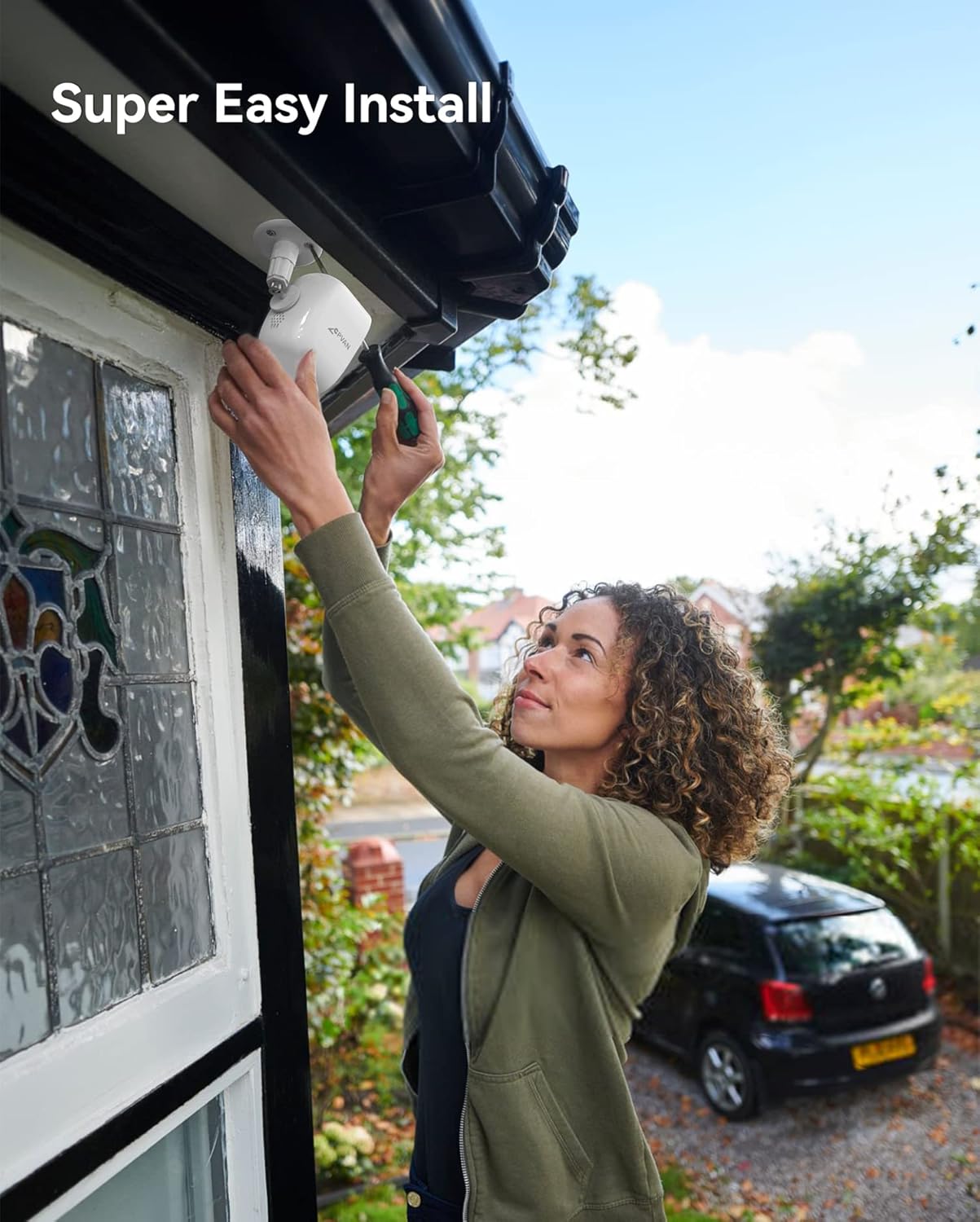
Figure 3: Illustration of easy camera installation on an outdoor wall.
5. საოპერაციო ინსტრუქციები
5.1 ცოცხალი View & დაკვრა
Access the VicoHome app to view იცოცხლეtagთქვენი კამერიდან ნებისმიერ დროს. ასევე შეგიძლიათ ხელახლაview recorded events stored on the SD card or cloud.
Figure 4: VicoHome app interface displaying recorded events and cloud storage options.
5.2 Motion Detection & AI Recognition
The camera uses PIR motion detection and AI recognition to identify specific objects and send alerts.
- PIR სენსორი: Detects heat signatures for accurate motion detection.
- ხელოვნური ინტელექტის ამოცნობა: Distinguishes between people, vehicles, pets, and packages to reduce false alarms.

Figure 5: AI recognition actively identifying a person and a pet within the camera's view.
5.3 აქტივობის ზონები
კამერის შიგნით კონკრეტული ზონების განსაზღვრა view for motion detection. This helps in focusing on critical areas and minimizing unwanted notifications.
Video 2: This video illustrates how to set up custom activity zones within the VicoHome app, allowing users to define specific areas for motion detection and alerts.
5.4 ღამის ხედვის რეჟიმები
კამერას აქვს ღამის ხედვის ორი რეჟიმი:
- ინფრაწითელი რეჟიმი: უზრუნველყოფს გამჭვირვალე შავ-თეთრ საკვებსtage დაბალი განათების პირობებში.
- სრული ფერის რეჟიმი: Utilizes the built-in spotlight to capture color video at night.

Figure 6: Comparison of day, white light (color night vision), and infrared night vision modes.
Video 3: This video showcases the camera's night vision capabilities, demonstrating its ability to capture clear footage დაბალი განათების პირობებში.
5.5 2-Way Audio & Siren Alarm
Use the 2-way audio feature to communicate with visitors or deter intruders. Activate the siren alarm directly from the app for added security.

Figure 7: Two-way audio communication feature in use.
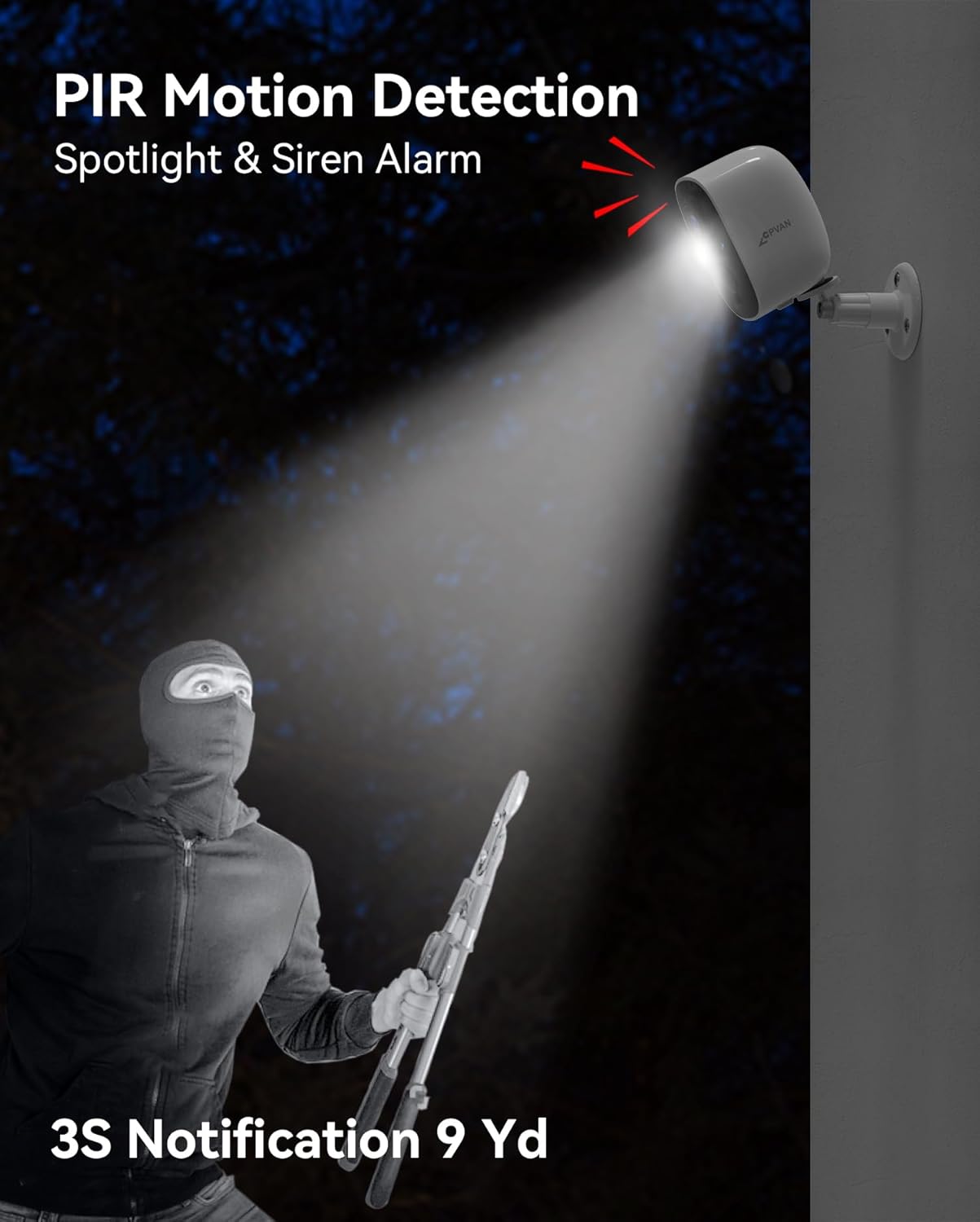
Figure 8: The camera's spotlight and siren alarm activating upon detecting an intruder.
6. მოვლა
6.1 ბატარეის მართვა
The camera is powered by a rechargeable lithium-ion battery, offering 1 to 5 months of usage depending on activity. Monitor battery levels via the VicoHome app and recharge as needed using the provided USB cable.

Figure 9: The camera can be paired with an optional solar panel for continuous charging.
6.2 ამინდისადმი მდგრადობა
With an IP65 waterproof rating, the camera is designed to withstand various weather conditions, including rain, snow, and extreme temperatures.

Figure 10: The camera's IP65 rating ensures durability in various weather conditions.
6.3 დასუფთავება
პერიოდულად გაწმინდეთ კამერის ლინზა და კორპუსი რბილი, დamp ქსოვილი გამოსახულების სიცხადის ხარისხის უზრუნველსაყოფად. მოერიდეთ უხეში ქიმიკატების გამოყენებას.
7. Დიაგნოსტიკა
- კამერა არ უკავშირდება Wi-Fi-ს: Ensure the camera is within range of your 2.4GHz Wi-Fi network. Verify the Wi-Fi password entered in the app is correct.
- სურათის ცუდი ხარისხი: Check if the camera lens is clean and free from obstructions. Ensure adequate lighting, especially at night.
- ბატარეის სწრაფად დაცლა: Reduce the sensitivity of motion detection or the frequency of recordings. Ensure the camera is fully charged.
- მოძრაობის აღმოჩენის შეტყობინებები არ არის: Verify that motion detection is enabled in the app settings and that activity zones are correctly configured.
- აპლიკაციის პრობლემები: Ensure your VicoHome app is updated to the latest version. Restart the app or your smartphone if issues persist.
8. სპეციფიკაციები
| ფუნქცია | დეტალი |
|---|---|
| მოდელის ნომერი | BC01 |
| ვიდეო გადაღების გარჩევადობა | 1080p |
| ეფექტური ვიდეო რეზოლუცია | 1080 პიქსელი |
| ეფექტური მაინც რეზოლუცია | 16 დეპუტატი |
| დაკავშირების ტექნოლოგია | უსადენო (Wi-Fi) |
| დენის წყარო | იკვებება ბატარეით (1 ლითიუმ-იონური ბატარეა მოყვება) |
| შიდა/გარე გამოყენება | შიდა, გარე |
| წყლის წინააღმდეგობის დონე | წყალგაუმტარი (IP65) |
| ღამის ხედვის დიაპაზონი | 33 ფუტი |
| განსაკუთრებული თვისებები | Motion Sensor, Night Vision, 2-Way Audio, AI Recognition, Siren Alarm, Spotlight |
| შენახვა | SD ბარათი (128 გბ-მდე), ღრუბლოვანი საცავი |
| ელემენტის ზომები (L x W x H) | 2.64 x 2.28 x 3.5 ინჩი |
| ნივთის წონა | 7 უნცია (0.2 კილოგრამი) |
| კონტროლის მეთოდი | App (VicoHome) |
9. გარანტია და მხარდაჭერა
For warranty information and technical support, please refer to the documentation included with your product or visit the official CPVAN website. If you encounter any issues not covered in this manual, please contact CPVAN customer service for assistance.