
1. შესავალი
This manual provides detailed instructions for the safe and efficient operation of your TOTAL Digital Sound Level Meter, model Tetsl01. Please read this manual thoroughly before using the device and keep it for future reference. This device is designed for measuring sound levels in various environments.
2. უსაფრთხოების ინფორმაცია
მოწყობილობის დაზიანების ან დაზიანების თავიდან ასაცილებლად, ყოველთვის დაიცავით შემდეგი უსაფრთხოების ზომები:
- Do not attempt to open or modify the device. Internal repairs should only be performed by qualified personnel.
- მოერიდეთ მოწყობილობის ექსტრემალურ ტემპერატურას, ტენიანობას ან მზის პირდაპირ სხივებს.
- შეინახეთ მოწყობილობა ძლიერი მაგნიტური ველებისგან.
- დარწმუნდით, რომ ელემენტები სწორად არის ჩასმული პოლარობის მარკირების შესაბამისად. ამოიღეთ ელემენტები, თუ მოწყობილობას დიდი ხნის განმავლობაში არ გამოიყენებთ.
- გაწმინდეთ მოწყობილობა რბილი, მშრალი ქსოვილით. არ გამოიყენოთ აბრაზიული საწმენდები ან გამხსნელები.
- This device is not waterproof. Avoid contact with liquids.
3. პროდუქტის კომპონენტები
Familiarize yourself with the main components of your sound level meter:

სურათი 3.1: წინა View of the Sound Level Meter. This image displays the front of the TOTAL Digital Sound Level Meter Tetsl01, showing the display screen, microphone with foam windscreen, and control buttons including Power, F/S (Fast/Slow), REC (Record), RAN (Range), and UNIT. The brand "TOTAL" is visible above the screen, and "TETSL01 Digital Sound Level Meter" is printed below the buttons.

სურათი 3.2: უკან View of the Sound Level Meter. This image shows the back of the TOTAL Digital Sound Level Meter Tetsl01. A red battery compartment cover is visible, with a "CAUTION" label and text indicating compliance standards (EN61010-1, EN61326-1) and battery type (DC1.5V x 3 AAA). A CE mark and a crossed-out wheeled bin symbol are also present, along with a serial number "H12B-Q098922".
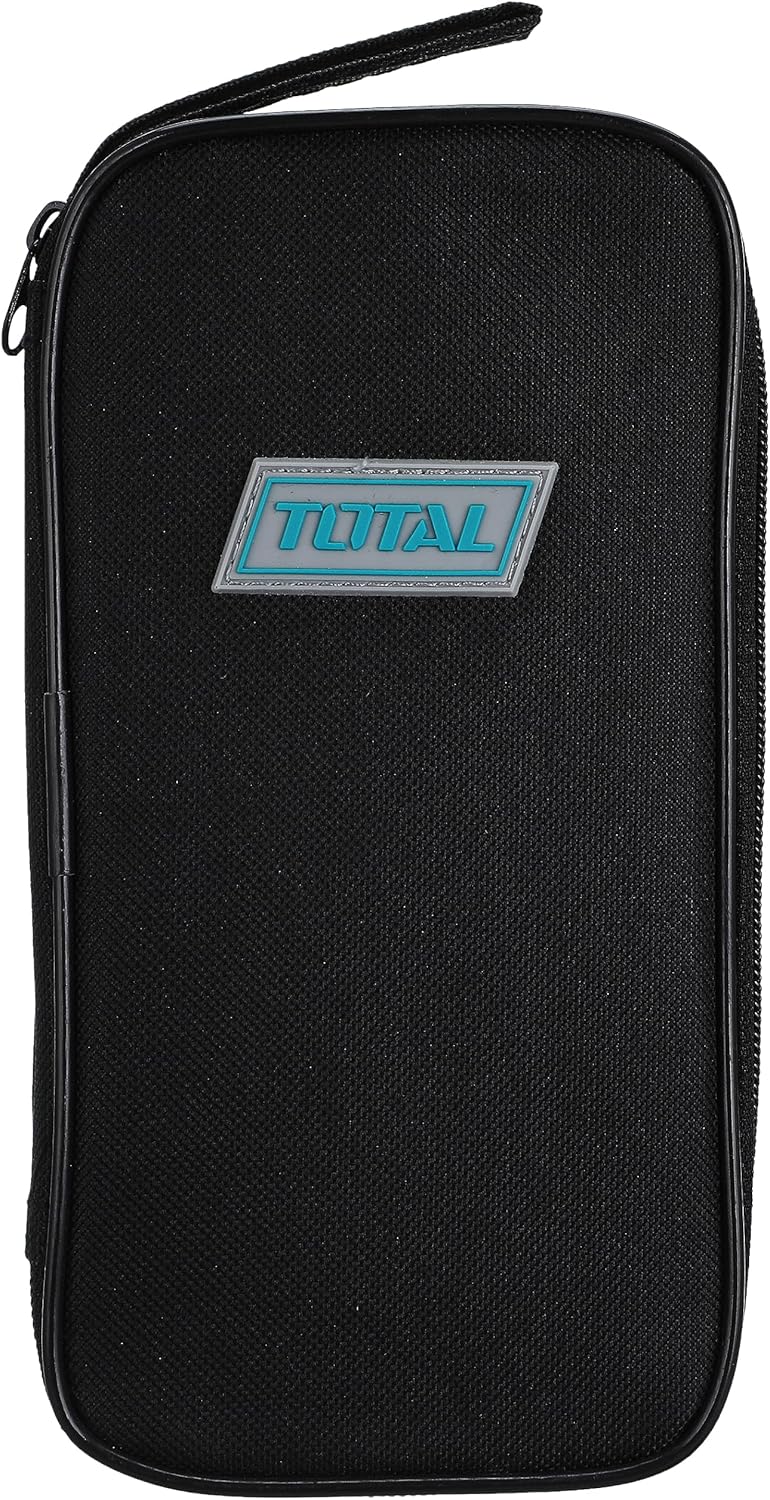
Figure 3.3: Carrying Case. This image features a black zippered carrying case for the TOTAL Digital Sound Level Meter. The case has a rectangular shape with rounded corners and a prominent "TOTAL" logo badge in blue and white on the front.

სურათი 3.4: მოწყობილობის ზომები. This image illustrates the approximate dimensions of the TOTAL Digital Sound Level Meter Tetsl01 in relation to a hand. The device measures approximately 4.7 inches (11 cm) in length.
4. დაყენება
4.1. ბატარეის მონტაჟი
- იპოვეთ ბატარეის განყოფილება მოწყობილობის უკანა მხარეს (იხილეთ სურათი 3.2).
- Carefully slide or unscrew the battery compartment cover to open it.
- ჩადეთ სამი (3) AAA ტიპის ელემენტი, დარწმუნდით, რომ სწორი პოლარობა (+/-) არის მითითებული განყოფილებაში.
- უსაფრთხოდ შეცვალეთ ბატარეის განყოფილების საფარი.
4.2. პირველადი ჩართვა
დააჭირეთ ძალაუფლება button (usually marked with an 'I/O' symbol) to turn on the device. The display should illuminate, showing current sound level readings or a standby screen.
5. საოპერაციო ინსტრუქციები
5.1. ძირითადი გაზომვა
- Turn on the device using the ძალაუფლება ღილაკი.
- Hold the meter with the microphone pointed towards the sound source.
- The display will show the current sound level in decibels (dB).
5.2. Fast/Slow Response Time
დააჭირეთ ფ/ს button to switch between Fast and Slow response times. Fast response is suitable for capturing sudden noise peaks, while Slow response provides an average reading for more stable measurements.
5.3. Recording Data (REC)
დააჭირეთ REC button to activate data recording. The device may store minimum and maximum readings or a series of measurements, depending on the model's capabilities. Refer to the on-screen indicators for recording status.
5.4. Range Selection (RAN)
გამოიყენეთ RAN button to adjust the measurement range. Selecting an appropriate range ensures accuracy. If the reading is outside the current range, an "OVER" or "UNDER" indicator may appear.
5.5. Unit Selection (UNIT)
The ერთეული button allows you to cycle through different measurement units or weighting functions (e.g., dBA, dBC), if supported by the device. dBA is commonly used for environmental noise measurements.
6. მოვლა
6.1. დასუფთავება
Wipe the device exterior with a soft, dry, lint-free cloth. Do not use liquid cleaners, aerosols, or solvents, as these can damage the casing or internal components. Ensure the microphone foam windscreen is free of dust and debris for accurate readings.
6.2. შენახვა
When not in use, store the sound level meter in its protective carrying case (refer to Figure 3.3) in a cool, dry place, away from direct sunlight and extreme temperatures. Remove batteries if storing for extended periods to prevent leakage.
6.3. კალიბრაცია
For professional applications requiring high accuracy, periodic calibration by a certified laboratory is recommended. Consult the manufacturer's website or contact support for calibration services.
7. Დიაგნოსტიკა
| პრობლემა | შესაძლო მიზეზი | გამოსავალი |
|---|---|---|
| მოწყობილობა არ ჩაირთვება. | მკვდარი ან არასწორად დამონტაჟებული ბატარეები. | შეამოწმეთ ბატარეის პოლარობა. შეცვალეთ ახალი AAA ბატარეებით. |
| არაზუსტი წაკითხვები. | Microphone obstructed, incorrect range, or device needs calibration. | Ensure microphone is clear. Adjust measurement range. Consider professional calibration. |
| Display shows "OVER" or "UNDER". | Sound level is outside the current measurement range. | დააჭირეთ RAN button to select a different measurement range. |
| ღილაკები არ რეაგირებს. | დროებითი პროგრამული უზრუნველყოფის გაუმართაობა ან დაბალი ბატარეა. | Turn the device off and on again. Replace batteries. |
8. სპეციფიკაციები
| ფუნქცია | დეტალი |
|---|---|
| ბრენდი | სულ |
| მოდელის ნომერი | Tetsl01 |
| ნივთის წონა | 5 გრამი |
| პროდუქტის ზომები | 12 x 6.1 x 4.6 სმ |
| ფერი | მრავალფერიანი |
| საჭიროა ბატარეები | Yes (3 x AAA) |
| პირველი ხელმისაწვდომი თარიღი | 8 წლის 2021 აპრილი |
| შესაბამისობა | EN61010-1, EN61326-1 (as per device marking) |
9. გარანტია და დახმარება
9.1. ინფორმაცია გარანტიის შესახებ
This product comes with a standard manufacturer's warranty. For specific warranty terms and conditions, please refer to the warranty card included with your purchase or visit the official TOTAL webსაიტი. შეინახეთ შეძენის დამადასტურებელი საბუთი გარანტიის მოთხოვნისთვის.
9.2. მომხმარებელთა მხარდაჭერა
If you encounter any issues not covered in the troubleshooting section or require further assistance, please contact TOTAL customer support. Contact details can typically be found on the product packaging or the official TOTAL webსაიტი.
For online resources and frequently asked questions, visit: www.totaltools.com (This is a placeholder link, replace with actual support link if available).