
1. はじめに
This manual provides essential information for using your new XIAOMI 17T smartphone. Please read it carefully before using the device to ensure proper operation and to maximize its features. Keep this manual for future reference.

Image: The XIAOMI 17T smartphone, showcasin洗練されたデザイン。
2. パッケージ内容
製品パッケージにすべてのアイテムが揃っていることを確認します。
- XIAOMI 17T Smartphone
- USB-Cケーブル
- SIM Eject Tool (SIM-Pin)
- Silicone Cover (may vary by region/bundle)
- クイックスタートガイド(本書)

Image: Contents of the XIAOMI 17T package, including the smartphone, USB-C cable, and SIM eject tool.
3. セットアップ
3.1 SIMカードの挿入
- デバイスの側面にある SIM カード トレイを見つけます。
- SIM取り出しツールをトレイの横にある小さな穴に挿入し、トレイが飛び出すまでしっかりと押します。
- Nano-SIMカードを、金色の接点を下にしてトレイに挿入してください。正しい向きに挿入してください。
- カチッと音がするまで、トレイを慎重にスロットに戻します。
3.2 初期電源投入と設定
- XIAOMI ロゴが表示されるまで電源ボタンを押し続けます。
- 画面上の指示に従って言語と地域を選択し、Wi-Fi に接続して、Google アカウントを設定します。
- 古いデバイスからデータを転送するように求められる場合があります。必要に応じて指示に従ってください。
- セットアッププロセスを完了してホーム画面にアクセスします。
4. Operating Your XIAOMI 17T
4.1 表示機能
The XIAOMI 17T features a 6.59-inch 120Hz Eye-Care Display. This display offers a high refresh rate for smooth visuals and includes intelligent visual protection features adapted to environment, time, and usage.
- 120Hzリフレッシュレート: Provides fluid scrolling and gaming experience.
- Super Sunlight Display: Enhances visibility in bright outdoor conditions.
- Wet Touch 2.0: Improves touch responsiveness even with wet fingers.
- 低ブルーライト認証: 長時間使用時の目の疲れを軽減します。

Image: The XIAOMI 17T display, highlighting its eye-care features.
4.2カメラシステム
The device is equipped with a Leica 5x Telephoto lens, offering advanced photography capabilities.
- Leica 5x Telephoto: Provides 5x optical zoom and 10x optical-level lossless zoom.
- AI Ultra Zoom: Achieve up to 120x digital zoom for distant subjects.
- Leica Live Moment: Captures decisive moments and the story leading up to them with authentic Leica imagery.
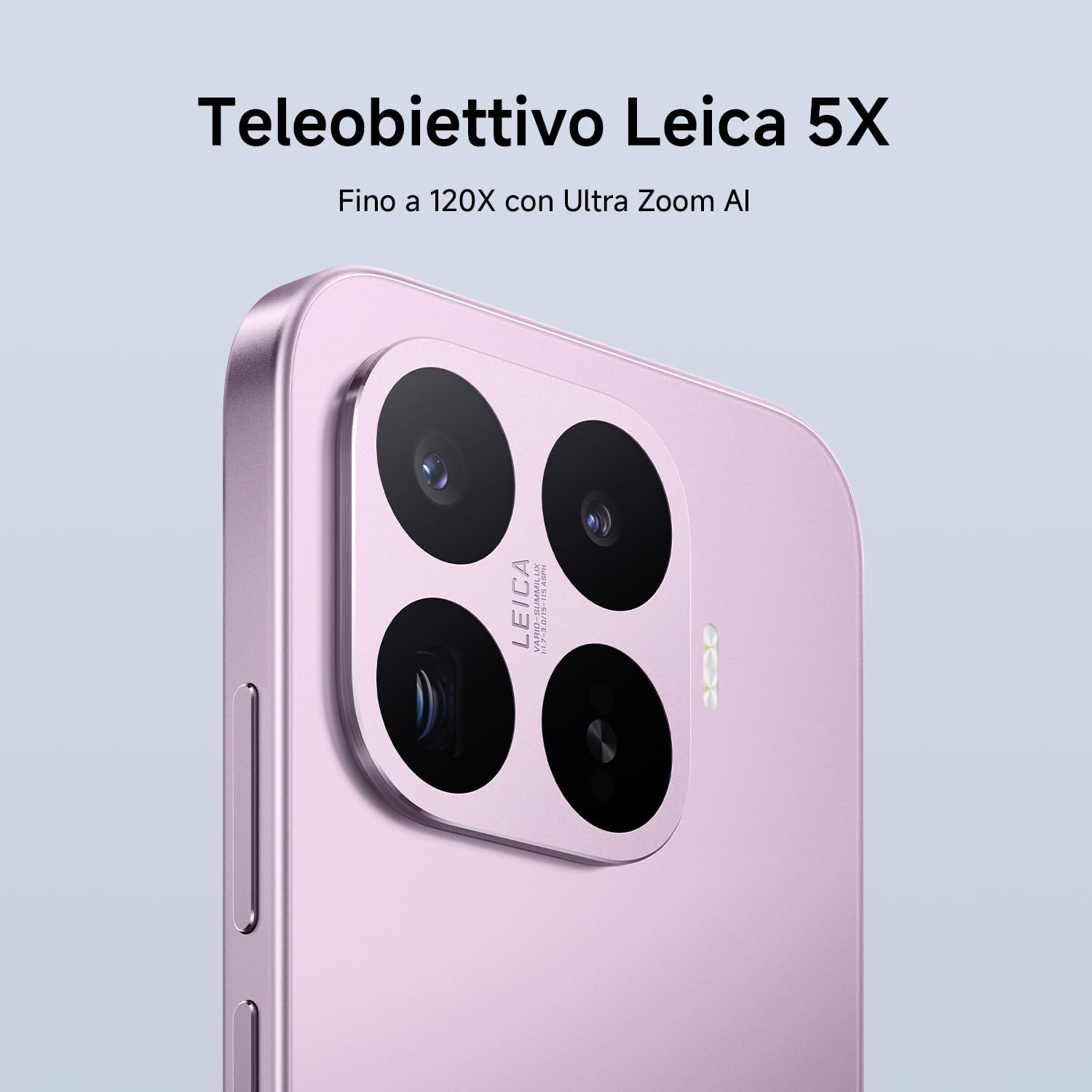
Image: Close-up of the XIAOMI 17T's Leica camera module.

画像: 元ample of photography using the Leica Live Moment feature, capturing dynamic motion.
4.3バッテリーと充電
The XIAOMI 17T is equipped with a 6500mAh Silicon-Carbon battery, designed for extended usage.
- 6500mAh(標準)バッテリー: Offers up to 17.2 hours of continuous use.
- 67W HyperCharge: Achieve 100% charge in approximately 58 minutes.
- 急速充電サポート: Supports 50W PD/PPS fast charging and other third-party protocols.
- Wired Reverse Charging: Up to 22.5W for charging other devices.

Image: Diagram illustrating the internal structure and capacity of the 6500mAh Silicon-Carbon battery.
4.4 パフォーマンス
Powered by the MediaTek Dimensity 9500 processor, the XIAOMI 17T delivers robust performance.
- メディアテック ディメンシティ 9500: Built on a 4nm TSMC process for high performance and efficiency.
- 8-core GPU: Ensures smooth multitasking and intense gaming experiences.
- Xiaomi 3D IceLoop システム: An efficient cooling system designed to maintain optimal performance by dissipating heat rapidly.

Image: Representation of the MediaTek Dimensity 9500-Ultra processor chip.

Image: Diagram showing the Xiaomi 3D IceLoop System for efficient heat dissipation within the smartphone.
4.5 Software (Xiaomi HyperOS)
The XIAOMI 17T runs on Xiaomi HyperOS, providing a seamless and intuitive user experience.
- HyperOS: An advanced operating system designed for enhanced performance and efficiency.
- AI機能: Availability of AI features may vary by region. Check your local web詳細についてはサイト。

Image: The Xiaomi HyperOS logo, indicating the operating system of the device.
5. メンテナンス
- クリーニング: 画面と本体の清掃には、柔らかく糸くずの出ない布をご使用ください。研磨剤や刺激の強い化学薬品の使用は避けてください。
- 耐水性: The device may have a degree of water resistance, but it is not waterproof. Avoid submerging it in water.
- 温度: 推奨温度範囲(通常は 0°C ~ 35°C)内でデバイスを操作してください。
- ソフトウェアアップデート: 最適なパフォーマンスとセキュリティを確保するために、デバイスのソフトウェアを定期的に更新してください。
6。 トラブルシューティング
| 問題 | 考えられる解決策 |
|---|---|
| デバイスの電源が入りません。 | バッテリーが充電されていることを確認してください。充電器に10分以上接続してから、再度電源を入れてみてください。 |
| 画面が反応しません。 | 電源ボタンを約10〜15秒間押し続けて、強制的に再起動します。 |
| 電池の寿命が短い。 | バックグラウンド アプリの使用状況を確認し、画面の明るさを下げ、使用していないときは GPS や Bluetooth などの不要な機能を無効にします。 |
| Camera issues. | Clear the camera app's cache and data. Ensure there are no obstructions on the camera lenses. |
| Network connectivity problems. | Check SIM card insertion. Restart the device. Reset network settings in the phone's settings menu. |
If problems persist, contact customer support or visit an authorized service center.
7. 仕様
| 特徴 | 詳細 |
|---|---|
| ブランド | 小米 |
| モデル名 | 小米科技17T |
| ストレージ容量 | 256ギガバイト |
| 色 | 黒 |
| 画面 | 6.59" Eye-Care Display, 120Hz |
| バッテリー | 6500mAh Silicon-Carbon (typ) |
| 充電 | 67W HyperCharge, 50W PD/PPS, 22.5W Wired Reverse Charging |
| リアカメラ | Leica 5x Telephoto, AI Ultra Zoom up to 120x |
| プロセッサ | MediaTek Dimensity 9500 (4nm TSMC process, 8-core GPU) |
| オペレーティング·システム | Xiaomi ハイパーOS |
8. 保証とサポート
Your XIAOMI 17T smartphone comes with a standard warranty. Please refer to the warranty card included in your package or visit the official XIAOMI webお住まいの地域に固有の詳細な保証条件については、こちらのサイトをご覧ください。
- 保証期間: Typically 2-3 years, depending on local regulations.
- カスタマーサポート: For technical assistance, troubleshooting, or service requests, please contact XIAOMI customer support through their official website or local service centers.
- オンラインリソース: XIAOMIの公式ウェブサイトをご覧ください webFAQ、ソフトウェア アップデート、追加のサポート マテリアルについては、こちらのサイトをご覧ください。
Note: This product is not a medical device. Its functions are not intended for medical purposes and are not designed to predict, diagnose, prevent, or cure any disease.