
1.製品オーバーview
The LongPlus 8MP Wireless Outdoor Security Camera (Model CLK2-W1X8) is designed to provide reliable surveillance for your home or property. This battery-powered camera features 4K UHD resolution, advanced color night vision, AI-powered motion detection, two-way audio communication, and flexible storage options. It supports both 2.4GHz and 5GHz Wi-Fi networks for stable connectivity.
画像1.1: 以上view of the LongPlus 8MP Wireless Outdoor Security Camera highlighting its features.

Image 1.2: Key features of the LongPlus 4K Wireless Security Camera, including 4K 8MP HD, 5200mAh battery, multi-user sharing, two-way talk, human/car detection, SD/cloud storage, and night vision capabilities.
2. 箱の中身
始める前に、パッケージにすべてのコンポーネントが揃っていることを確認してください。
- LongPlus 8MP Wireless Outdoor Security Camera
- 壁掛け
- 取扱説明書(本書)
- 取り付けネジとアンカー
3.セットアップガイド
3.1 カメラの充電
Fully charge the camera before its initial use. Connect the camera to a power source using a standard USB charging cable (not included). The charging indicator light will show the charging status.

Image 3.1: The camera being charged via a USB cable connected to a wall adapter.
3.2 アプリのダウンロードとインストール
ダウンロード ヴィコホーム app from the App Store (iOS) or Google Play Store (Android). Follow the in-app instructions to create an account and add your new camera.
3.3 Wi-Fi接続
The camera supports both 2.4GHz and 5GHz Wi-Fi networks. During the app setup process, select your preferred network and enter the password. Ensure the camera is within range of your Wi-Fi router for a stable connection.

Image 3.2: The camera's compatibility with both 2.4GHz and 5GHz Wi-Fi networks.
3.4カメラの取り付け
Choose a suitable outdoor location for optimal surveillance. Use the provided wall mount and screws to securely attach the camera. Adjust the camera angle for the desired field of view.

Image 3.3: Demonstrating how to attach the camera to its wall mount.
4. 操作手順
4.1 ビデオ録画モード
カメラは柔軟な録画オプションを提供します:
- Always-On Power Mode (24/7 Recording): Enables continuous recording. Note that this mode consumes more battery.
- Power Saving Mode (Event-Triggered Recording): Records only when motion is detected, conserving battery life. You can set personalized working times for AI detection.

Image 4.1: The LongPlus Smart 4K Wireless Security Camera in an outdoor setting, illustrating its comprehensive features.
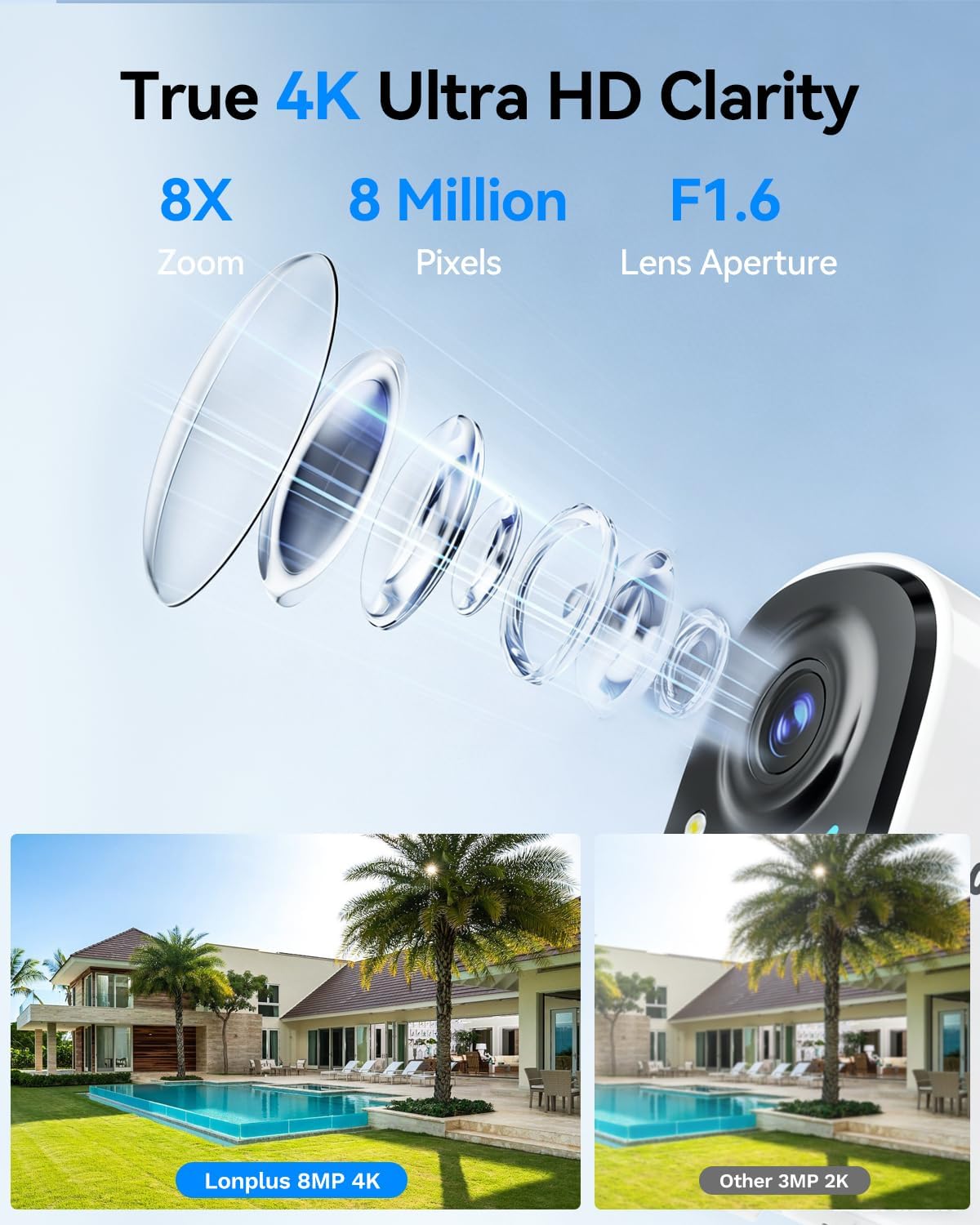
4.2 4K UHD Vision and Zoom
The camera provides 4K (8MP) resolution for clear video. You can utilize the 8x digital zoom feature within the app to view finer details in your recordings or live feed.

Image 4.2: A visual comparison demonstrating the clarity of 4K 8MP resolution with 8x zoom versus 2K resolution.
4.3 カラーナイトビジョン
Equipped with an advanced starlight sensor and large aperture lens, the camera delivers vivid full-color night vision even in low-light conditions. You can switch between infrared mode and full-color supplemental lighting mode via the app.
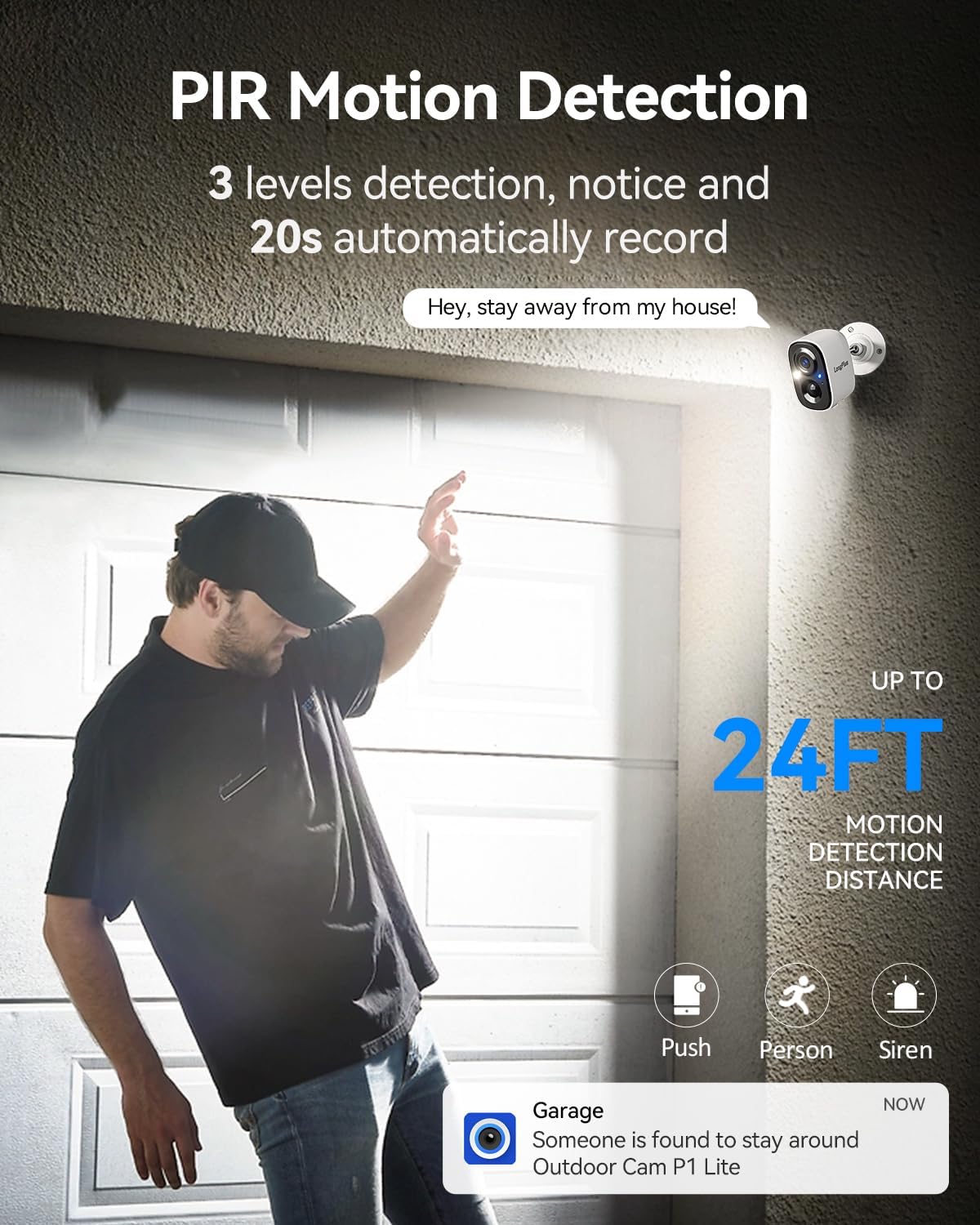
Image 4.3: A comparison showing the enhanced clarity of color night vision compared to standard infrared and human eye perception at night.
4.4 AI Motion Detection and Smart Alarm
The camera features AI-powered human and vehicle detection, reducing false alerts. When motion is detected, the camera activates PIR detection to start recording, and can trigger flashing white lights and a loud siren to deter unwanted visitors. You can adjust sensitivity settings in the app.

Image 4.4: The camera's PIR motion detection feature, showing a person triggering an alert and recording.

画像4.5: 元ampスマートフォンで受信した動体検知通知の画像。
4.5 双方向通話
Utilize the built-in microphone and speaker for real-time two-way communication through your smartphone. This allows you to speak to visitors or deter intruders remotely.
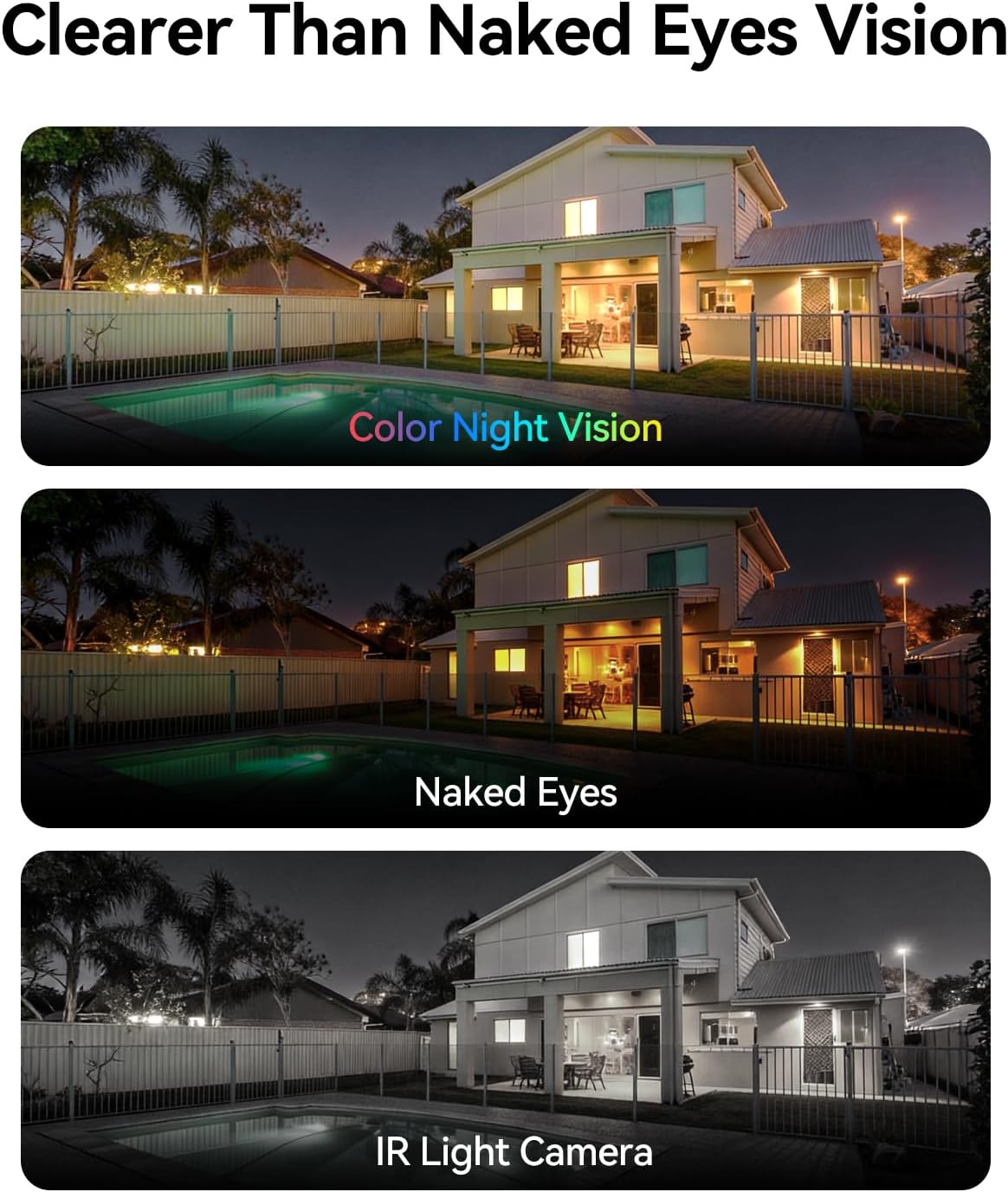
Image 4.6: Demonstrating the two-way talk feature, allowing communication with individuals at your door.
4.6 ストレージオプション
The camera supports both local and cloud storage:
- ローカルストレージ: Supports a micro SD card up to 512GB (card not included).
- クラウドストレージ: A 7-day free trial is available, with subscription plans for continuous video history and enhanced data protection.

Image 4.7: The camera offers multiple storage options, including local SD card storage and cloud storage.
4.7 複数ユーザー共有
The camera allows up to 5 users to live view simultaneously, enabling family members to monitor the property together.
5. メンテナンス
5.1 バッテリー管理
The camera is equipped with a 5200mAh battery. Battery life can vary significantly based on usage, environmental conditions (especially cold weather), and recording settings (e.g., 24/7 recording vs. event-triggered). Regular recharging is necessary. For optimal battery life, consider using Power Saving Mode and adjusting motion detection sensitivity.

画像5.1: 内部 view of the camera highlighting its 5200mAh battery.
5.2 クリーニング
カメラのレンズとハウジングを定期的に柔らかくてきれいな布で拭いてください。amp 鮮明な画像と正常な動作を保つために、布で拭いてください。刺激の強い化学薬品や研磨剤の使用は避けてください。
6。 トラブルシューティング
- カメラが Wi-Fi に接続していない: Ensure the camera is within range of your router. Verify Wi-Fi password accuracy. Try restarting your router and the camera. The camera supports both 2.4GHz and 5GHz networks; ensure your router is configured correctly.
- バッテリー寿命が短い: Battery performance can be affected by frequent motion detection events, continuous recording (Always-On Power Mode), and cold temperatures. Consider switching to Power Saving Mode and adjusting motion detection sensitivity to reduce power consumption.
- アプリの問題: If the app is not functioning correctly, ensure it is updated to the latest version. Try reinstalling the app. For specific app-related issues, contact LongPlus customer support.
- 画質が悪い: Ensure the camera lens is clean and free from obstructions. Check your Wi-Fi signal strength; a weak signal can affect video streaming quality.
- 誤動作アラート: Adjust the motion detection sensitivity settings within the VicoHome app. Utilize AI detection for human and vehicle filtering to minimize alerts from pets or environmental factors.
7. 仕様
| 特徴 | 仕様 |
|---|---|
| ブランド | ロングプラス |
| モデル名 | CLK2-W1X8 |
| 接続技術 | ワイヤレス(2.4GHzおよび5GHz Wi-Fi) |
| 推奨用途 | 屋外セキュリティ |
| 特集 | 2-Way Audio, 4K (8MP) resolution, Dual-Band WiFi, Motion Sensor, Color Night Vision, Spotlight |
| 屋内/屋外での使用 | 屋外 |
| 対応デバイス | スマートフォン |
| マウントタイプ | 壁掛け |
| 色 | 白 |
| 実効静止画解像度 | 8 MP |
| 電源 | 電池駆動 |
| 暗視範囲 | 33フィート |
| フラッシュメモリサポート最大サイズ | 512 GB(マイクロSDカード) |
| ビデオキャプチャ解像度 | 4K |
| アイテムの寸法 | 2.3 x 3.5 x 2.3インチ |
8. 保証とサポート
保証情報およびテクニカルサポートについては、LongPlusの公式ウェブサイトをご覧ください。 web公式サイトをご覧いただくか、カスタマーサービスに直接お問い合わせください。保証請求のために購入時のレシートを保管してください。
メーカー: LongPlus Direct