
1. はじめに
This manual provides detailed instructions for the installation, operation, and maintenance of your LongPlus CLK2-W1X8 4K 8MP UHD Wireless Outdoor Security Camera. Please read this manual thoroughly before using the product to ensure proper function and safety. Keep this manual for future reference.
2. 箱の中身
パッケージにすべてのコンポーネントが含まれていることを確認します。
- カメラ
- 壁掛け
- ユーザーマニュアル
- ネジ
3.製品オーバーview および機能
The LongPlus CLK2-W1X8 is a 4K 8MP UHD wireless outdoor security camera designed for home surveillance. It offers advanced features for comprehensive monitoring.
3.1 主な特徴
- 4K (8MP) UHD Resolution: Delivers ultra-clear video and image details.
- カラーナイトビジョン: Advanced starlight sensor and large aperture lens provide vivid full-color night vision in low-light conditions.
- 24時間7日録画: Supports continuous recording in Always-On Power Mode.
- デュアルバンドWi-Fi: 2.4GHz と 5GHz の両方の Wi-Fi ネットワークと互換性があり、安定した接続を実現します。
- 双方向オーディオ: リアルタイム通信用のマイクとスピーカーが内蔵されています。
- AIモーション検出: PIR detection with adjustable sensitivity, triggering recording, flashing white lights, and a siren.
- 柔軟なストレージ: Supports local SD card storage (up to 512GB, not included) and cloud storage options.
- 電池駆動: 5200mAh battery provides extended operation.
3.2 視覚的特徴
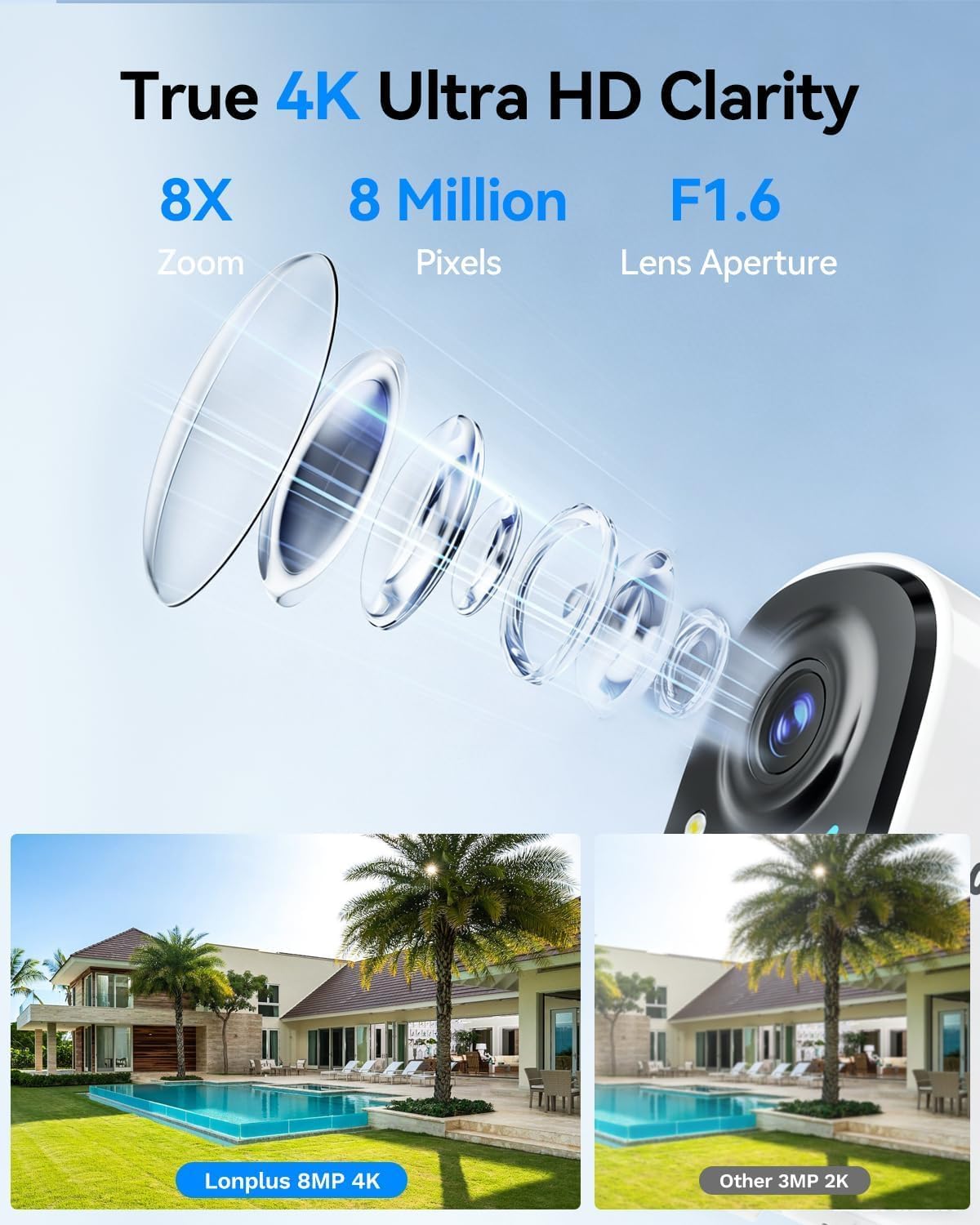
画像1: Illustrates the 4K 8MP UHD clarity of the LongPlus camera, showing a detailed lens diagram and a comparison of 8MP 4K footage versus 3MP 2K footage of a house with a pool.

画像2: Shows the LongPlus 4K 8MP wireless outdoor camera mounted on a wall, highlighting features such as 4K 8MP HD, 5200mAh battery, multi-user share, 2-way talk, human/car detection, SD/cloud storage, sound/light alarm, and color/infrared night vision.

画像3: Depicts PIR motion detection in action, showing a man near a garage door and a notification indicating a person detected by the outdoor camera. It mentions 3 levels of detection, automatic 20-second recording, and a motion detection distance of up to 24 feet.

画像4: Compares different night vision capabilities, showing a house at night with Color Night Vision, what is visible to the Naked Eyes, and the view from an IR Light Camera, demonstrating enhanced clarity with color night vision.

画像5: Illustrates the two-way talk feature, with a delivery person at a door and a smartphone screen showing a video feed and a text message exchange, demonstrating voice and call functionality.
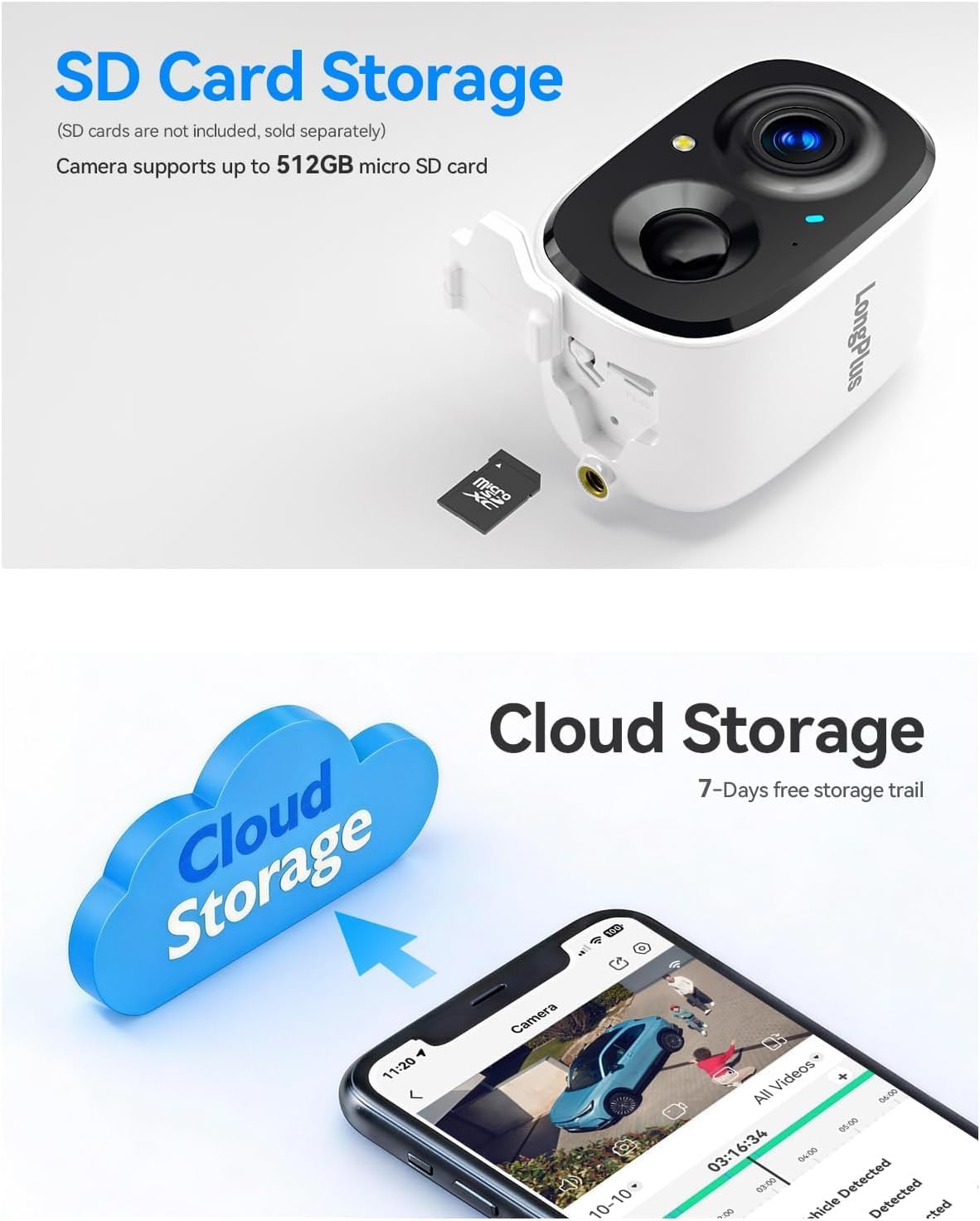
画像6: Details the storage options, showing the camera with an inserted micro SD card (up to 512GB supported) and a cloud storage graphic with a smartphone displaying recorded video, indicating both local and cloud storage availability.

画像7: Provides an exploded view of the camera, highlighting its 5200mAh battery and internal components, emphasizing its 100% wire-free battery-powered design and extended battery life.
4.セットアップガイド
4.1 初期充電
Before first use, fully charge the camera battery using a standard 5V USB charger (not included). The charging indicator light will change color when charging is complete.
4.2 アプリのダウンロードとアカウント作成
- Download the 'SV360' app from your smartphone's app store (iOS or Android).
- Open the app and create a new user account, following the on-screen instructions.
4.3 Wi-Fiを使用したカメラのペアリング
- カメラの電源を入れます。
- In the SV360 app, tap 'Add Device' or the '+' icon.
- Select your camera model and follow the in-app prompts to connect to your Wi-Fi network. The camera supports both 2.4GHz and 5GHz Wi-Fi bands. Ensure your phone is connected to the same Wi-Fi network during setup.
- 指示に従って、携帯電話に表示される QR コードをカメラのレンズでスキャンします。
- 接続したら、カメラに名前を付けてセットアップを完了します。
4.4 インストール
- Choose an outdoor location with a clear view of the area you wish to monitor. Ensure good Wi-Fi signal strength at the chosen location.
- Use the provided wall mount and screws to securely attach the camera to a wall or suitable surface.
- 必要な監視エリアをカバーするようにカメラの角度を調整します。
5. 操作手順
5.1 ライブ View 録音
- Open the SV360 app and select your camera to view ライブフィード。
- 24/7 Recording (Always-On Power Mode): This mode enables continuous recording. Be aware that this consumes more battery.
- Power Saving Mode (Event-Triggered Recording): The camera records only when motion is detected, conserving battery life. You can switch between these modes in the app settings.
5.2 双方向オーディオ
ライブから view in the app, tap the microphone icon to speak through the camera's speaker. Tap the speaker icon to listen to audio from the camera's microphone.
5.3 動きの検出とアラーム
- The camera uses PIR detection to identify motion. Adjust sensitivity levels in the app settings.
- Upon detection, the camera will automatically begin recording for 20 seconds.
- You can configure the camera to activate flashing white lights and a loud siren as a deterrent when motion is detected.
- Receive push notifications on your smartphone when motion events occur.
5.4 再生と保存
- SDカードストレージ: Insert a micro SD card (up to 512GB) into the camera's slot for local storage of recordings. Access recorded footagアプリの再生機能を介して。
- クラウドストレージ: The camera supports cloud storage. A 7-day free trial is typically offered, after which subscription plans are available for continuous video history and enhanced data protection. Access cloud recordings through the app.
6. メンテナンス
6.1 バッテリー管理
- Monitor the battery level through the SV360 app.
- Recharge the camera when the battery is low to ensure continuous operation.
- Battery life varies based on usage, recording mode, and environmental factors.
6.2 クリーニング
Periodically clean the camera lens and housing with a soft, dry cloth to remove dust and smudges. Do not use harsh chemicals or abrasive materials.
6.3ファームウェアアップデート
Check the SV360 app regularly for available firmware updates. Keeping your camera's firmware updated ensures optimal performance and access to new features.
6.4 SD カードの管理
If using an SD card, ensure it is formatted correctly within the app. Regularly back up important footage and consider replacing the SD card if it shows signs of degradation.
7。 トラブルシューティング
- カメラがWi-Fiに接続できない:
Ensure your Wi-Fi network is 2.4GHz or 5GHz and has a strong signal. Verify the Wi-Fi password. Try resetting the camera and repeating the pairing process. - ビデオ品質が悪い:
Check your Wi-Fi signal strength. Ensure the camera lens is clean and free from obstructions. Adjust video quality settings in the app if available. - モーション検出が機能しない:
Verify that motion detection is enabled in the app settings. Adjust PIR sensitivity. Ensure there are no physical obstructions blocking the sensor. - バッテリーの消耗が早い:
Frequent motion events, continuous recording (Always-On Power Mode), and low temperatures can reduce battery life. Consider switching to Power Saving Mode. - 双方向オーディオの問題:
スマートフォンとアプリの音量設定をご確認ください。カメラのマイクやスピーカーを遮るものがないことを確認してください。
For further assistance, refer to the FAQ section within the SV360 app or contact customer support.
8. 仕様
| モデル名 | CLK2-W1X8 |
| 解決 | 4K (8MP) UHD |
| 接続技術 | ワイヤレス(2.4GHzおよび5GHz Wi-Fi) |
| 特集 | 2-Way Audio, Color Night Vision, AI Motion Sensor, Siren, Flashing Lights |
| 屋内/屋外での使用 | 屋外 |
| 対応デバイス | スマートフォン(iOS、Android) |
| 制御方法 | App (SV360) |
| 電源 | バッテリー駆動(5200mAh) |
| View角度 | 110度 |
| 暗視範囲 | 33フィート |
| サポートされる最大フラッシュメモリ | 512 GB(マイクロSDカード) |
| アイテムの寸法 | 2.3 x 2.3 x 3.5インチ |
9. 保証とサポート
Your LongPlus CLK2-W1X8 camera is covered by a manufacturer's warranty. Please refer to the warranty card included in your package or the official LongPlus web具体的な利用規約についてはサイトをご覧ください。
For technical support, troubleshooting assistance, or warranty claims, please contact LongPlus customer service through the SV360 app or visit the official LongPlus support website. Have your product model number (CLK2-W1X8) and purchase information ready when contacting support.