
1. はじめに
This manual provides detailed instructions for the installation, configuration, and operation of your ZOSI 4K PoE Security Camera System. Please read this manual thoroughly before using the product to ensure proper functionality and safety.
主な特徴:
- 4K ウルトラ HD 解像度: Experience superior clarity with 8MP cameras.
- Power over Ethernet(PoE): Simplified installation with a single cable for power and data.
- H.265+ビデオ圧縮: 効率的なストレージと帯域幅の使用。
- スマート AI 検出: Accurate human, face, and vehicle detection to reduce false alarms.
- カラーナイトビジョン: 統合スポットライトにより暗い場所でも視認性が向上します。
- 24時間7日録画: Continuous recording with a pre-installed 2TB HDD, expandable up to 8TB.
- リモート アクセス: Monitor your property from anywhere using the ZOSI Smart App or ZOSI Client.
- 耐候性カメラ: IP66-rated cameras suitable for outdoor and indoor use.
2. パッケージ内容
下記のすべての品目がパッケージに含まれていることをご確認ください。不足品や破損品がある場合は、ZOSIカスタマーサポートまでご連絡ください。

Image: All components of the ZOSI 4K PoE Security Camera System, including NVR, cameras, cables, power supply, mouse, mounting hardware, and quick start guide.
- 1 x 8-Channel 4K PoE NVR (with pre-installed 2TB HDD)
- 4 x 8MP Wired IP PoE Cameras
- 1 xNVR電源
- 1 x USBマウス
- HDMIケーブル x 1
- 4 x Ethernet Cables (various lengths)
- 取り付けネジ袋 x 4
- 1 xアレンレンチ
- 取り付けテンプレート4枚
- 1 x警告ステッカー
- クイックスタートガイド x 1
3. システムセットアップ
3.1 NVR and Camera Connection
The ZOSI PoE system simplifies installation by using a single Ethernet cable for both power and video transmission. Follow these steps to connect your NVR and cameras:
- 電源の接続: Plug the NVR power supply into the NVR's DC IN port and then into a power outlet.
- ルーターに接続: Connect the NVR's NETWORK port to your internet router using an Ethernet cable.
- モニターを接続: モニターを NVR の HDMI または VGA ポートに接続します。
- USBマウスを接続します: ナビゲーションのために、USB マウスを NVR の USB ポートの 1 つに接続します。
- カメラを接続する: Connect each PoE camera to an available PoE port (POE 1-8) on the NVR using the provided Ethernet cables. Ensure the waterproof connector is properly sealed for outdoor installations.
- 電源オン: Turn on the NVR using the power switch. The system will boot up automatically.
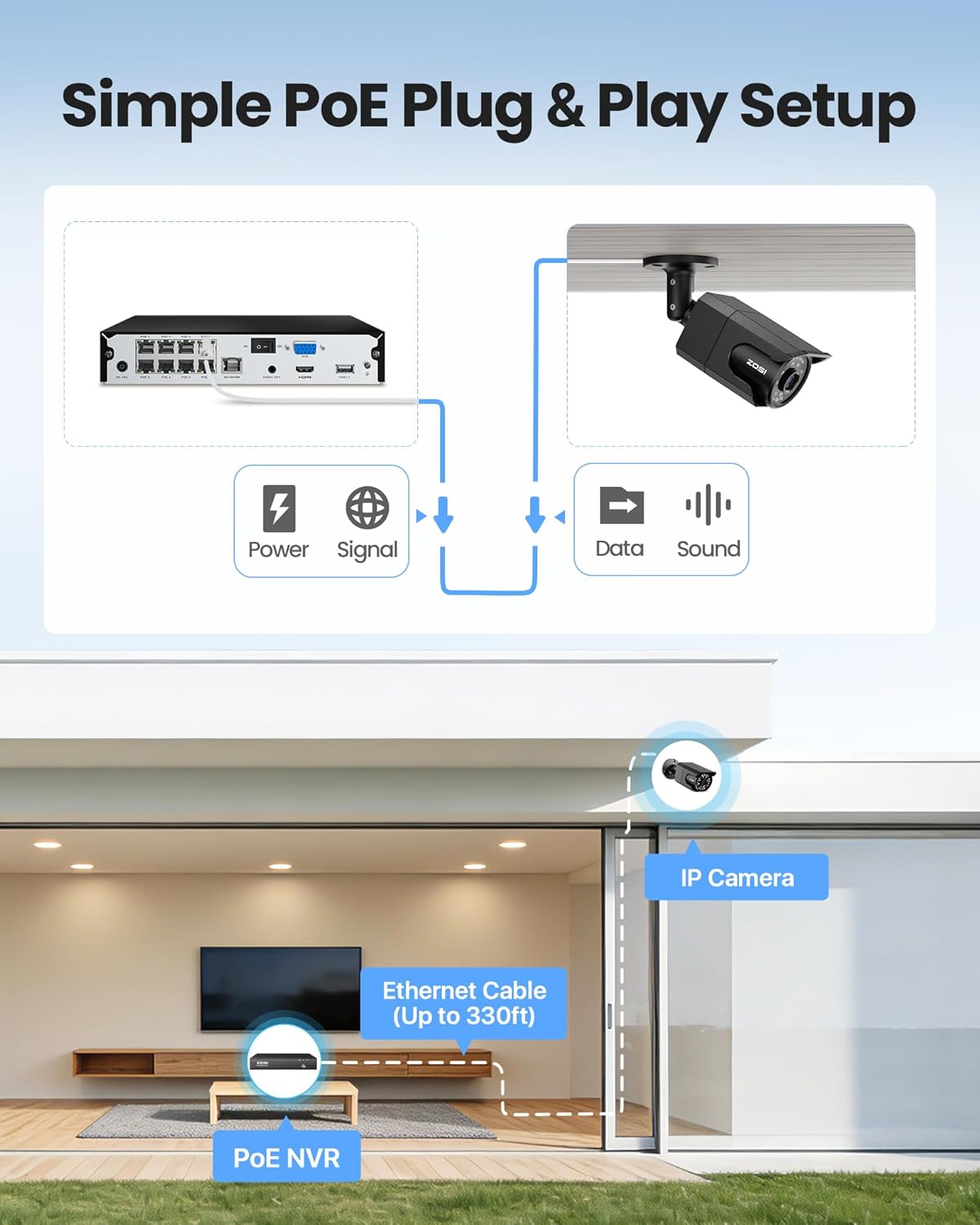
Image: Simple PoE Plug & Play Setup diagram.
3.2カメラの設置
Choose suitable locations for your cameras, ensuring good coverage and a stable network connection. The cameras are IP66 weatherproof, making them suitable for both indoor and outdoor environments.
- 場所を選択してください: Identify a mounting location that provides the desired viewing angle and is within reach of an Ethernet cable connection to the NVR.
- 取り付けステッカーを貼る: Use the provided mounting template sticker to mark the drill holes on the wall or ceiling.
- ドリル穴: Drill holes as marked and insert the rubber plugs.
- カメラマウント: Fix the camera to the mounting surface using the screws. Adjust the camera angle as needed.

Image: IP66 Weatherproof camera mounted outdoors.
3.3 Mobile App Setup (ZOSI Smart App)
に view your cameras remotely, download and configure the ZOSI Smart App on your mobile device.
- アプリをダウンロードする: Scan the QR code on the NVR or in the Quick Start Guide to download the ZOSI Smart App, or search for "ZOSI Smart" in your device's app store.
- 登録とログイン: アカウントを作成してアプリにログインします。
- Add NVR Device: Click the "+" icon in the app to add a new device. Scan the QR code located on the NVR.
- 接続を確認: Ensure the NVR is connected to the internet and follow the on-screen prompts to complete the device addition.
- デバイス名の設定: Assign a name to your NVR for easy identification.
Video: This video demonstrates the step-by-step process of setting up the ZOSI PoE security camera system, including connecting the NVR and adding the device to the ZOSI Smart App for remote viewing。
4. 操作
4.1 ライブ View 録音
Once your system is set up, you can view ライブfootage and manage recordings.
- 地元 Viewing: Connect the NVR to a monitor via HDMI/VGA to view live feeds directly.
- リモート Viewing: Use the ZOSI Smart App on your mobile device or the ZOSI Client software on your PC/tablet to access live viewどこからでも。
- 24時間7日連続録画: The NVR records continuously to the pre-installed 2TB hard drive. You can customize recording schedules and modes (e.g., scheduled, motion-activated).

Image: Multiple camera views showing 24/7 recording.
4.2 スマートAI検出
The system features advanced AI algorithms for accurate detection of humans, faces, and vehicles.
- 誤報の削減: AI detection minimizes alerts caused by animals, rain, or other environmental factors.
- Light Alerts: When activity is detected, the camera's built-in warning light can activate to deter intruders.
- インスタント通知: Receive real-time app push notifications and email alerts with snapshots.

Image: Smart AI Human, Face, and Vehicle Detection.
4.3 カラーナイトビジョン
The 8MP IP cameras provide starlight color night vision in low-light conditions and up to 100ft infrared night vision.

Image: 100ft Color Night Vision comparison.
4.4 Smart Playback and Audio Recording
- スマート再生: Easily search and playback recordings by date, hour, or minute to quickly find important events.
- 一方向音声: Cameras include a built-in microphone for one-way audio recording, allowing you to hear what is happening.

Image: Audio Recording in action.
5. メンテナンス
Regular maintenance ensures optimal performance and longevity of your ZOSI security system.
- クリーンカメラ: カメラのレンズは定期的に柔らかくてきれいな布で拭いてください。amp 画質に影響を与える可能性のあるほこりや汚れを取り除くための布です。
- 接続を確認してください: すべてのケーブル接続 (電源、イーサネット) が安全で損傷がないことを確認します。
- ファームウェアの更新: ZOSIをチェック website or app regularly for firmware updates to improve system stability and add new features. Follow the instructions provided with the update carefully.
- ハードドライブの健全性: The NVR's 2TB HDD is designed for continuous use. Monitor its health through the NVR's system settings. Back up important footag定期的に。
- 環境保護: While cameras are weatherproof, avoid directing high-pressure water jets directly at them. Ensure proper drainage around outdoor installations.
6。 トラブルシューティング
If you encounter issues with your ZOSI security system, refer to the following common solutions:
- ビデオ表示なし:
- Check NVR power and monitor connections.
- Ensure HDMI/VGA cables are securely connected.
- Verify cameras are powered and connected to the NVR's PoE ports.
- リモートアクセスなし:
- Confirm the NVR is connected to the internet (check network cable and router status).
- Ensure the ZOSI Smart App is updated to the latest version.
- Verify correct device ID and password in the app.
- 画質が悪い:
- カメラのレンズを掃除してください。
- カメラの視野内に障害物がないか確認する view.
- 最適な夜間視力性能を得るために十分な照明を確保してください。
- 誤動作アラート:
- Adjust AI detection sensitivity settings in the NVR or app.
- Configure detection zones to exclude areas with frequent irrelevant motion (e.g., moving trees).
- ハードドライブがいっぱいです:
- The NVR supports overwrite mode, automatically deleting oldest footage.
- Consider upgrading to a larger HDD (up to 8TB) or adjusting recording settings to conserve space.
さらにサポートが必要な場合は、ZOSI カスタマー サポートにお問い合わせください。
7. 仕様
| 特徴 | 仕様 |
|---|---|
| ブランド | ゾシ |
| モデル番号 | 8HQ-1058B4-20-US |
| 接続技術 | 有線(PoE) |
| ビデオキャプチャ解像度 | 4K(8MP) |
| チャンネル数 | 8 (16CH Expandable with optional PoE switch) |
| メモリストレージ容量 | 2 TB HDD(プリインストール) |
| 特集 | Human Detection, Face Detection, Vehicle Detection, Color Night Vision, One-Way Audio, Weatherproof (IP66) |
| 電源 | コード式電気 |
| 色 | 黒 |
| アイテム寸法(NVR) | 17 x 11 x 7インチ(約) |
8. 保証とサポート
ZOSI は、高品質の製品と優れた顧客サービスの提供に尽力しています。
8.1 保証情報
- 2年間の保証: Your ZOSI 4K PoE Security Camera System is covered by a 2-year warranty from the date of purchase.
- 30日間の返品ポリシー: 安心してご利用いただけるよう、30 日間の返品ポリシーをご用意しております。
For detailed warranty terms and conditions, please refer to the official ZOSI webサイトをご覧いただくか、カスタマー サポートにお問い合わせください。
8.2 テクニカルサポート
ZOSI offers comprehensive after-sales support to assist you with any questions or issues.
- 生涯テクニカルサポート: 製品に対する生涯にわたるテクニカル サポートをご利用ください。
- 連絡先: For technical assistance, visit the official ZOSI webサイト ZOSI Store or refer to the contact details provided in your Quick Start Guide.
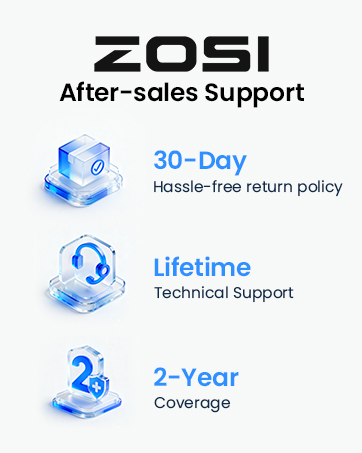
Image: ZOSI Customer Support.