
1. はじめに
ご購入ありがとうございますasing the Gueray MP3 Player. This device is a versatile digital audio player equipped with Bluetooth 5.0, a built-in speaker, and support for a 64GB TF card. It offers various functions including music playback, FM radio, voice recording, e-book reading, and an alarm clock. This manual provides detailed instructions for setup, operation, maintenance, and troubleshooting to ensure optimal use of your device.
2.製品オーバーview
2.1 パッケージ内容
- Gueray MP3 Player (White) x 1
- 64GB TF Card x 1 (pre-installed or included separately)
- 充電ケーブル×1
- ユーザーマニュアル(日本語)×1
2.2 デバイスのレイアウトとコントロール
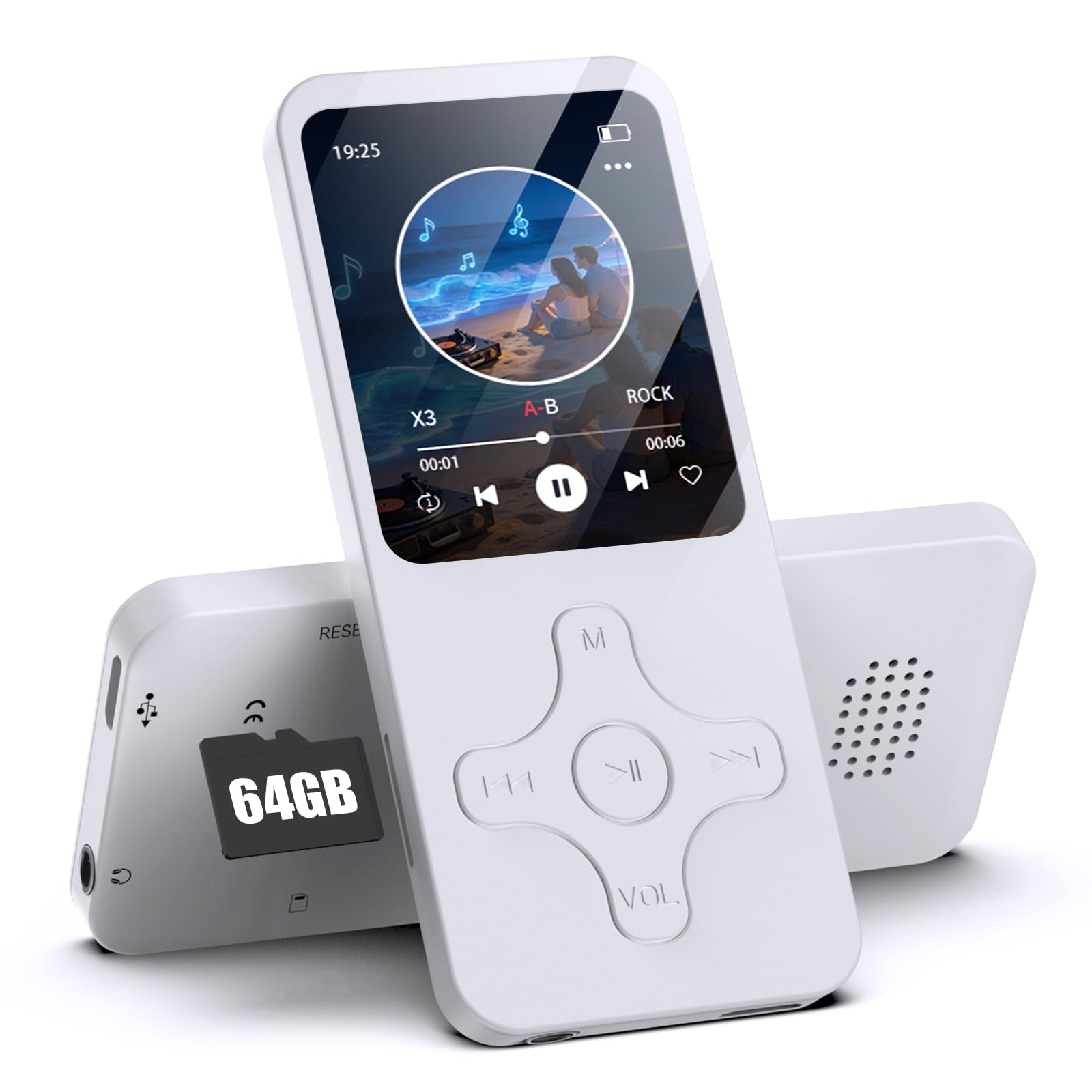
画像1: フロント view of the Gueray MP3 Player. The device features a 1.8-inch screen at the top, displaying time and date. Below the screen are physical control buttons: a central play/pause button, navigation buttons (left, right, up, down), a 'Menu' button (M), and a 'Volume' button (VOL). The overall design is compact and white.
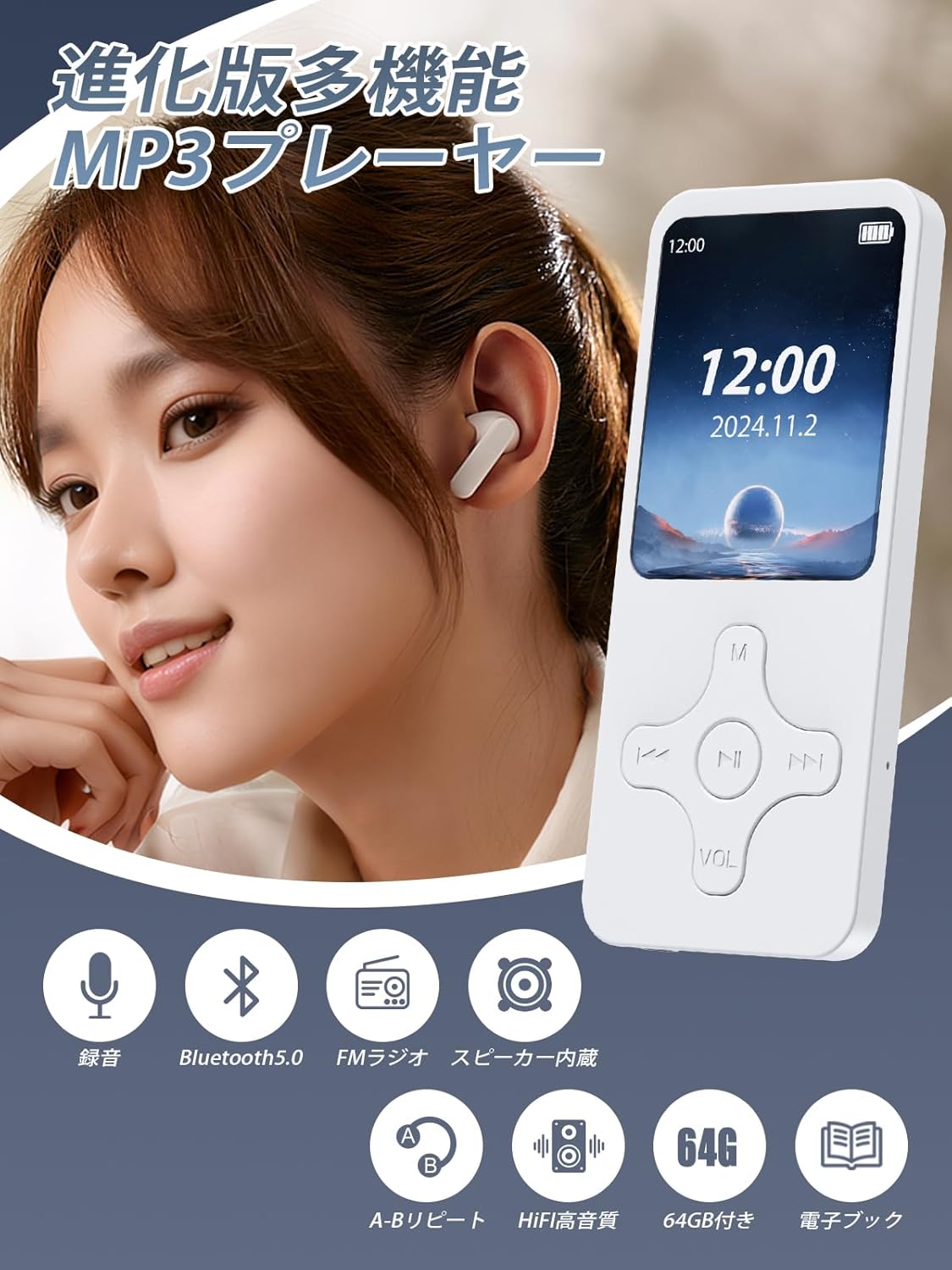
画像2: This image illustrates the multi-functional capabilities of the Gueray MP3 Player. It shows a user wearing earbuds with the player, surrounded by icons representing its features: recording, Bluetooth 5.0 connectivity, FM radio, built-in speaker, A-B repeat function, HIFI high-quality sound, 64GB storage capacity, and e-book reading.
3. セットアップ
3.1 TFカードの挿入
The MP3 player does not have internal memory. A TF (MicroSD) card is required for storing music and other files. The device comes with a 64GB TF card. Locate the TF card slot on the side of the player and gently insert the card until it clicks into place. Ensure the card is inserted correctly to avoid damage.

画像3: The Gueray MP3 Player is displayed alongside a large '64GB' graphic and a small TF card, visually confirming the included 64GB storage. A crucial note below the player states that the product does not have internal memory and requires a TF card for operation.
3.2デバイスの充電
Before first use, fully charge the MP3 player. Connect the included charging cable to the device's charging port and plug the other end into a USB power adapter (not included) or a computer's USB port. The battery indicator on the screen will show charging status. A full charge provides up to 8 hours of continuous music playback, though actual battery life may vary based on usage.
4. 操作手順
4.1 基本的なナビゲーション
- 電源オン/オフ: Press and hold the power button (usually on the side or top) for a few seconds.
- メニューナビゲーション: Use the up/down/left/right buttons to navigate through menus. Press the central button to select an option.
- 戻る: Press the 'M' (Menu) button to go back to the previous screen or exit a function.
- 音量コントロール: Use the 'VOL' button and navigation keys to adjust the volume.
4.2音楽の再生
- メインメニューから「音楽」を選択します。
- 音楽を閲覧する files by artist, album, or all songs.
- 曲を選択し、中央のボタンを押して再生します。
- Use the left/right buttons for previous/next track, and the central button for play/pause.
4.3 Bluetooth接続
The MP3 player features Bluetooth 5.0 for stable and fast wireless connections to Bluetooth headphones or speakers.
- Bluetooth ヘッドフォンまたはスピーカーがペアリング モードになっていることを確認します。
- On the MP3 player, go to the 'Bluetooth' menu.
- 利用可能な Bluetooth デバイスを見つけるには、「デバイスの検索」を選択します。
- Choose your device from the list to pair. Once paired, audio will be routed wirelessly.
注記: This device is designed to transmit audio to Bluetooth headphones/speakers. It is not compatible with receiving Bluetooth signals from smartphones or car Bluetooth systems.

画像4: 詳細な view of a Bluetooth 5.0 chip, symbolizing the advanced and stable wireless connectivity of the MP3 player. Below the chip, images of Bluetooth earphones, over-ear headphones, and a portable Bluetooth speaker are shown, indicating compatible audio output devices.
4.4FMラジオ
To use the FM radio function, you must connect wired headphones to the player. The wired headphones act as the antenna.
- Plug in your wired headphones.
- メインメニューから「FMラジオ」を選択します。
- ナビゲーション ボタンを使用して放送局をスキャンするか、手動で周波数をチューニングします。
4.5音声録音
デバイスには音声録音用の内蔵マイクが付いています。
- From the main menu, select 'Record'.
- Press the central button to start recording.
- Press the central button again to pause/resume, and the 'M' button to stop and save the recording.
4.6 OTG機能
The OTG (On-The-Go) function allows you to transfer files directly between the MP3 player and an OTG-compatible smartphone or tablet without needing a computer.
- Connect the MP3 player to your OTG-compatible smartphone or tablet using an appropriate OTG cable (not included).
- Once connected, you can manage files (transfer, save, delete, play) on the MP3 player from your smartphone/tablet.
注記: This function only works with OTG-compatible devices.

画像5: This image illustrates the OTG (On-The-Go) function. A person is holding the Gueray MP3 Player, while another person holds a smartphone displaying a file management interface. The visual suggests direct file transfer between the MP3 player and a smartphone or tablet without requiring a computer. A business meeting setting is in the background, implying professional use cases.
4.7 その他の機能
The MP3 player also supports:
- 電子書籍: テキストを読む files (TXT 形式)。
- アラーム: アラームを設定します。
- カレンダー: View カレンダー。
- HIFIロスレス音質: Enjoy clear audio with digital noise reduction.
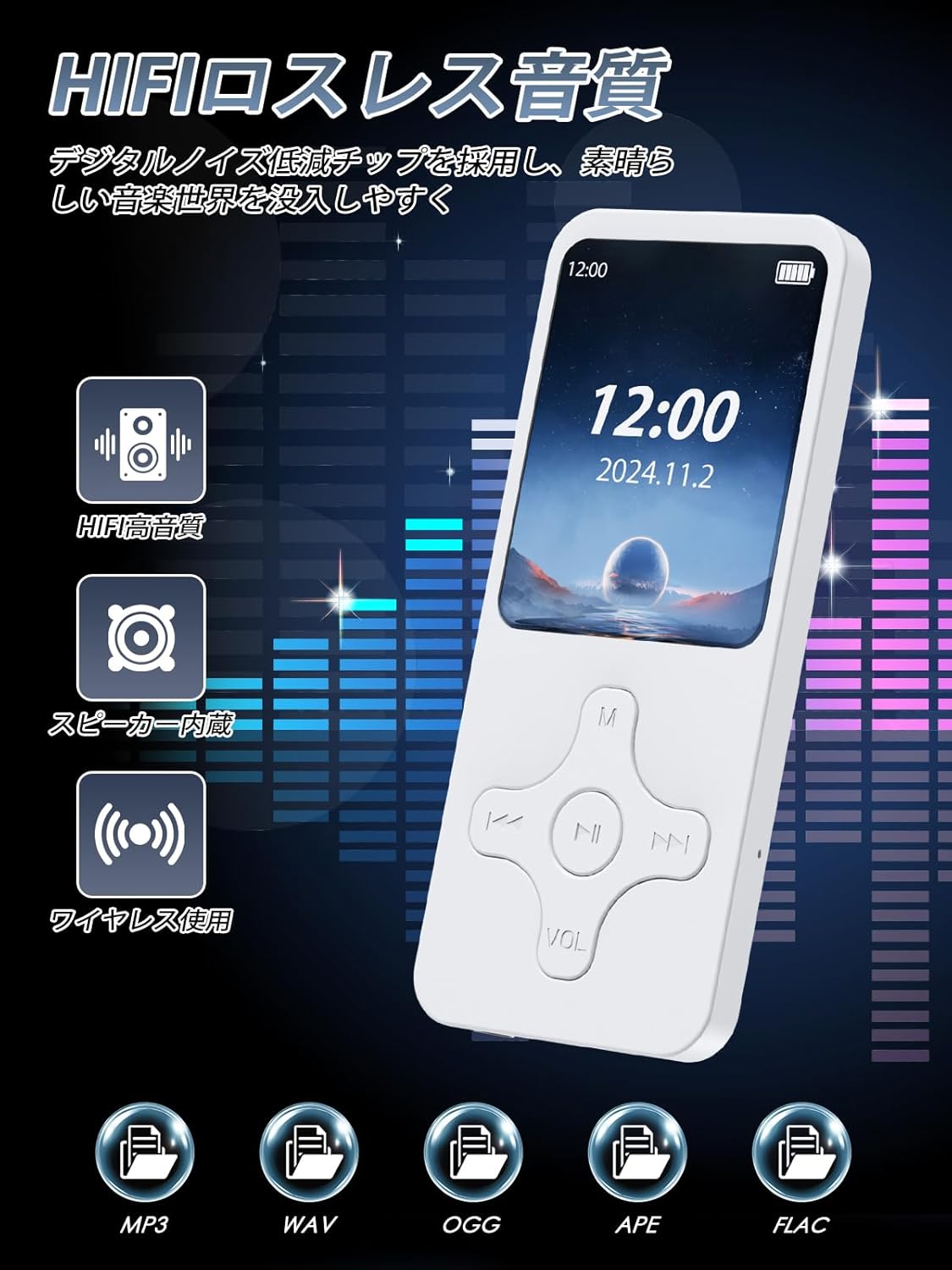
画像6: The Gueray MP3 Player is shown with vibrant sound wave graphics, emphasizing its HIFI lossless sound quality and digital noise reduction capabilities. Icons represent key audio features: HIFI high-quality sound, built-in speaker, wireless use, and supported audio formats including MP3, WAV, OGG, APE, and FLAC.
5. メンテナンス
- デバイスを乾燥した状態に保ってください。湿気や液体にさらさないでください。
- 柔らかく乾いた布でデバイスを拭いてください。研磨剤入りの洗剤や溶剤は使用しないでください。
- 極端な温度を避けてください。デバイスは涼しく乾燥した場所に保管してください。
- 落としたり、強い衝撃を与えないでください。
- 重要なものを定期的にバックアップする files from the TF card to prevent data loss.
6。 トラブルシューティング
6.1 デバイスの電源が入らない
- バッテリーが充電されていることを確認してください。デバイスを電源に接続して、もう一度お試しください。
- If the device is completely drained, it may take a few minutes of charging before it can power on.
6.2 音が出ない
- 音量レベルを確認してください。
- If using wired headphones, ensure they are properly plugged in.
- If using Bluetooth, ensure the device is correctly paired and connected to your headphones/speaker.
- オーディオを確認する files are not corrupted and are in a supported format (MP3, WMA, APE, FLAC, WAV, OGG).
6.3 転送できない Files
- Ensure the USB cable is securely connected to both the player and the computer/OTG device.
- If using OTG, confirm that your smartphone/tablet is OTG-compatible.
- Check if the TF card is properly inserted and not full.
6.4 FM Radio Not Working
- 有線ヘッドフォンはアンテナの役割を果たすため、接続されていることを確認してください。
- 別の場所で再度ステーションのスキャンを試してください。
7. 仕様
| ブランド | ゲレイ |
| モデル番号 | 1.864GB |
| 色 | 白 |
| 画面サイズ | 1.8インチ |
| ストレージ | 64GB TFカードをサポート(付属) |
| Bluetoothバージョン | 5.0 |
| サポートされているオーディオ形式 | MP3, WMA, APE, FLAC, WAV, OGG (20kbps~499kbps) |
| バッテリー容量 | 250mAh |
| 再生時間 | 最大8時間(使用状況によって異なります) |
| 特徴 | Built-in Speaker, FM Radio, Recording, E-book, Alarm, OTG Function, HIFI Lossless Sound Quality |
| 含まれるコンポーネント | MP3 Player, Charging Cable, User Manual (Japanese) |
| 原産国 | 中国 |
8. 保証とサポート
Gueray provides the following warranty policy from the date of purchase:
- 1ヶ月以内: Full refund, return, or exchange.
- 1~3ヶ月: Exchange or 70% refund.
- 3~6ヶ月: 50% refund.
- 6~12ヶ月: 20% refund.
For any issues or inquiries during use, please contact Gueray customer support. Refer to the contact information provided in the included Japanese user manual or on the product packaging.
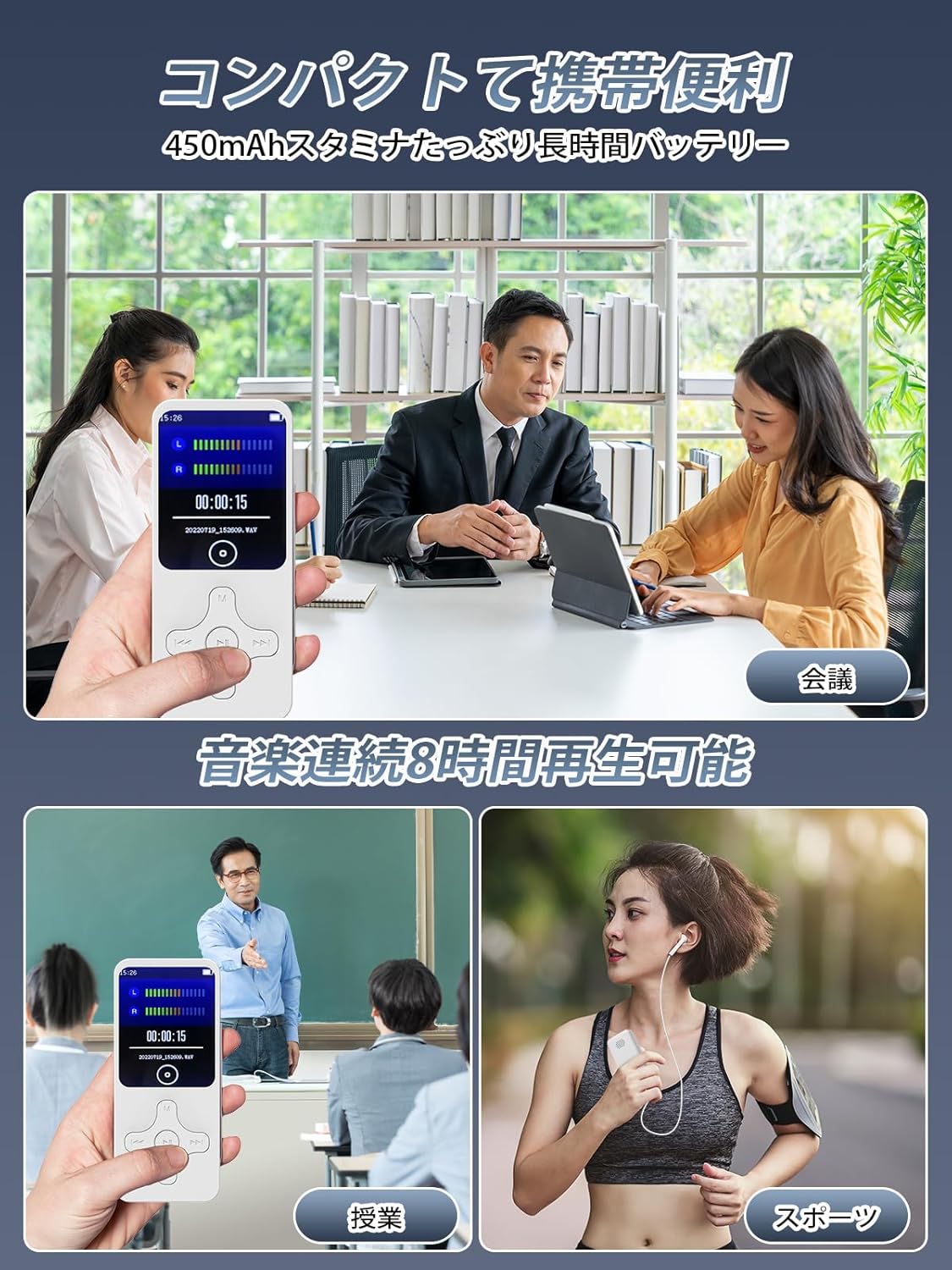
画像7: This image showcases the compact and portable nature of the Gueray MP3 Player, illustrating its versatility in various daily scenarios. It depicts the player being used for recording during a business meeting, for language learning in a classroom, for music playback during outdoor sports, and for entertainment during a commute. The image emphasizes the device's long battery life and ease of carrying.