
導入
Thank you for choosing the LIGE FVA21-D Smart Watch. This manual provides essential information for setting up, operating, and maintaining your device. Please read it carefully to ensure optimal performance and longevity of your smartwatch.
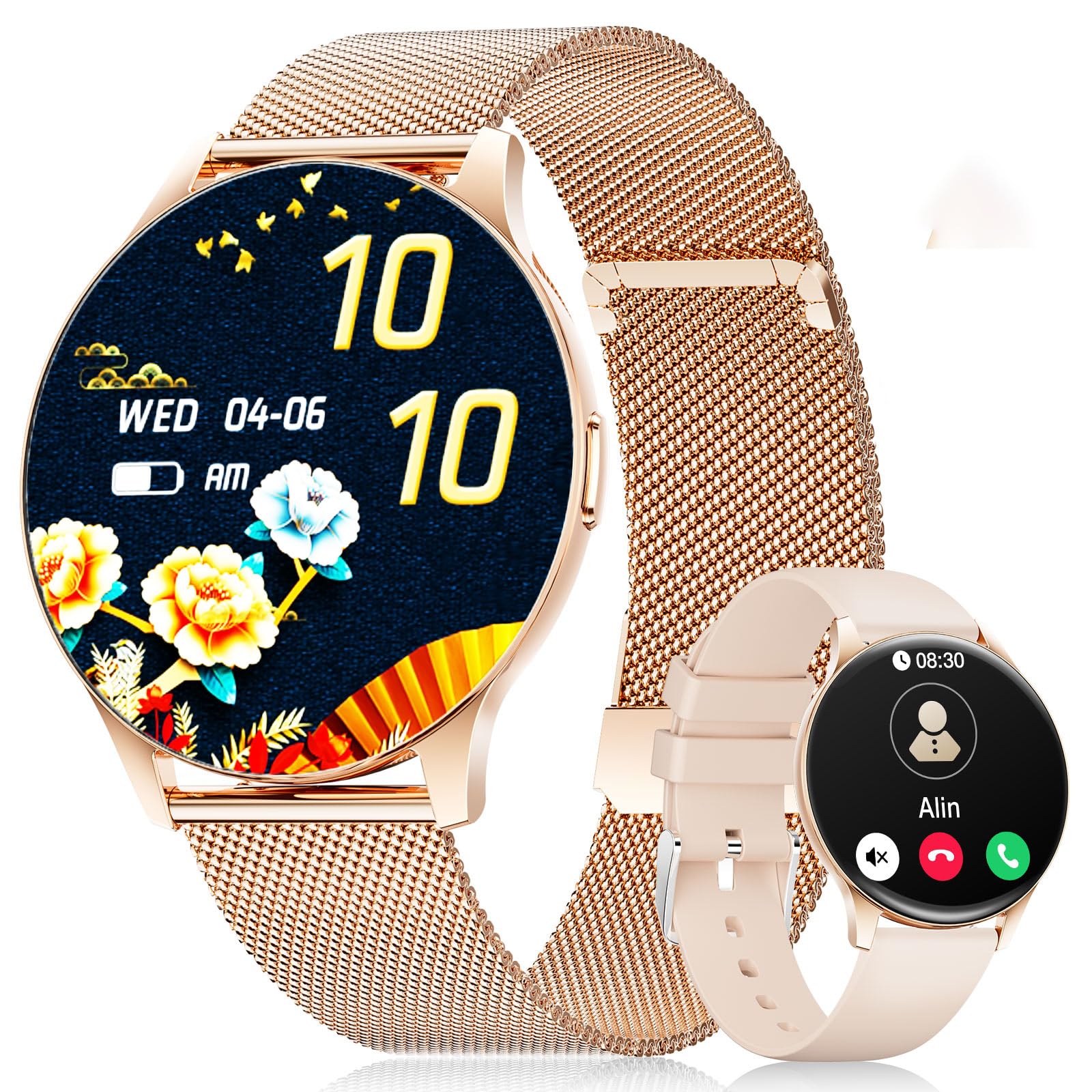
The LIGE FVA21-D Smart Watch featuring a 1.43-inch AMOLED display and a stylish gold mesh band.
箱の中身
Upon unboxing your LIGE FVA21-D Smart Watch, you should find the following items:
- LIGE FVA21-D Smart Watch
- 充電ケーブル
- Watch Strap (Gold Mesh)
- Additional Watch Strap (Apricot Silicone)
- Watch Setting Tools (if applicable for strap adjustment)
- スマートウォッチのマニュアル
This video demonstrates the unboxing process of the LIGE Smart Watch, showing all included components such as the watch, two different straps, charging cable, and user manual.
設定
1. スマートウォッチの充電
Before initial use, fully charge your LIGE FVA21-D Smart Watch. Connect the magnetic charging cable to the charging points on the back of the watch and plug the USB end into a power source.

The magnetic charging cable attaching to the back of the LIGE Smart Watch for convenient power replenishment.
2. アプリのインストールとペアリング
To unlock the full potential of your smartwatch, download and install the 'FitCloudPro' app on your smartphone. The app is compatible with Android 4.4+ and iOS 9.0+ devices.
- Scan the QR code displayed on your watch screen or in the manual to download the 'FitCloudPro' app.
- アプリを開き、画面の指示に従ってアカウントを作成するか、ログインします。
- Navigate to the 'Device' section in the app and select 'Add Device'.
- The app will search for nearby smartwatches. Select 'FV21' from the list to initiate pairing.
- スマートフォンとスマートウォッチの両方でペアリング要求を確認します。
This video demonstrates the process of installing the companion app and pairing the LIGE Smart Watch with a smartphone, including scanning the QR code and confirming the Bluetooth connection.
3. ストラップの取り付け
Your LIGE FVA21-D Smart Watch comes with two interchangeable straps: a gold mesh band and an apricot silicone band. To change the strap:
- Locate the quick-release pins on the back of the watch straps.
- Slide the pin inwards to detach the current strap from the watch body.
- Align the new strap with the watch lugs and slide the pin inwards.
- Release the pin to secure the strap in place. Gently pull on the strap to ensure it is properly attached.

The LIGE Smart Watch displayed with its two included straps, highlighting the versatility in style.
操作手順
1. 基本的なナビゲーション
The LIGE FVA21-D Smart Watch features a full touch HD AMOLED screen for intuitive navigation:
- スワイプダウン: クイック設定(明るさ、DND モードなど)にアクセスします。
- 上にスワイプする: View 通知。
- 左/右にスワイプ: Scroll through main functions and widgets (e.g., activity data, heart rate, weather, music control).
- サイドボタンを押します: Return to the main watch face or turn the screen on/off.
2. 関数を呼び出す
Once paired with your smartphone, the smartwatch supports Bluetooth calling:
- 電話をかける: Access the 'Telephone' function on your watch to dial numbers directly or select from frequent contacts synced from your phone.
- 通話の応答/拒否: When an incoming call is received, you can answer or reject it directly from your watch screen.

The LIGE Smart Watch displaying its Bluetooth call interface and message notification screen.
3. 通知
Receive real-time notifications for calls, messages, and various apps directly on your wrist. Ensure notification permissions are enabled in the 'FitCloudPro' app settings.
4. ウォッチフェイス
Personalize your watch with over 200 customizable watch faces available through the 'FitCloudPro' app. You can also upload your own photos to create unique watch faces.
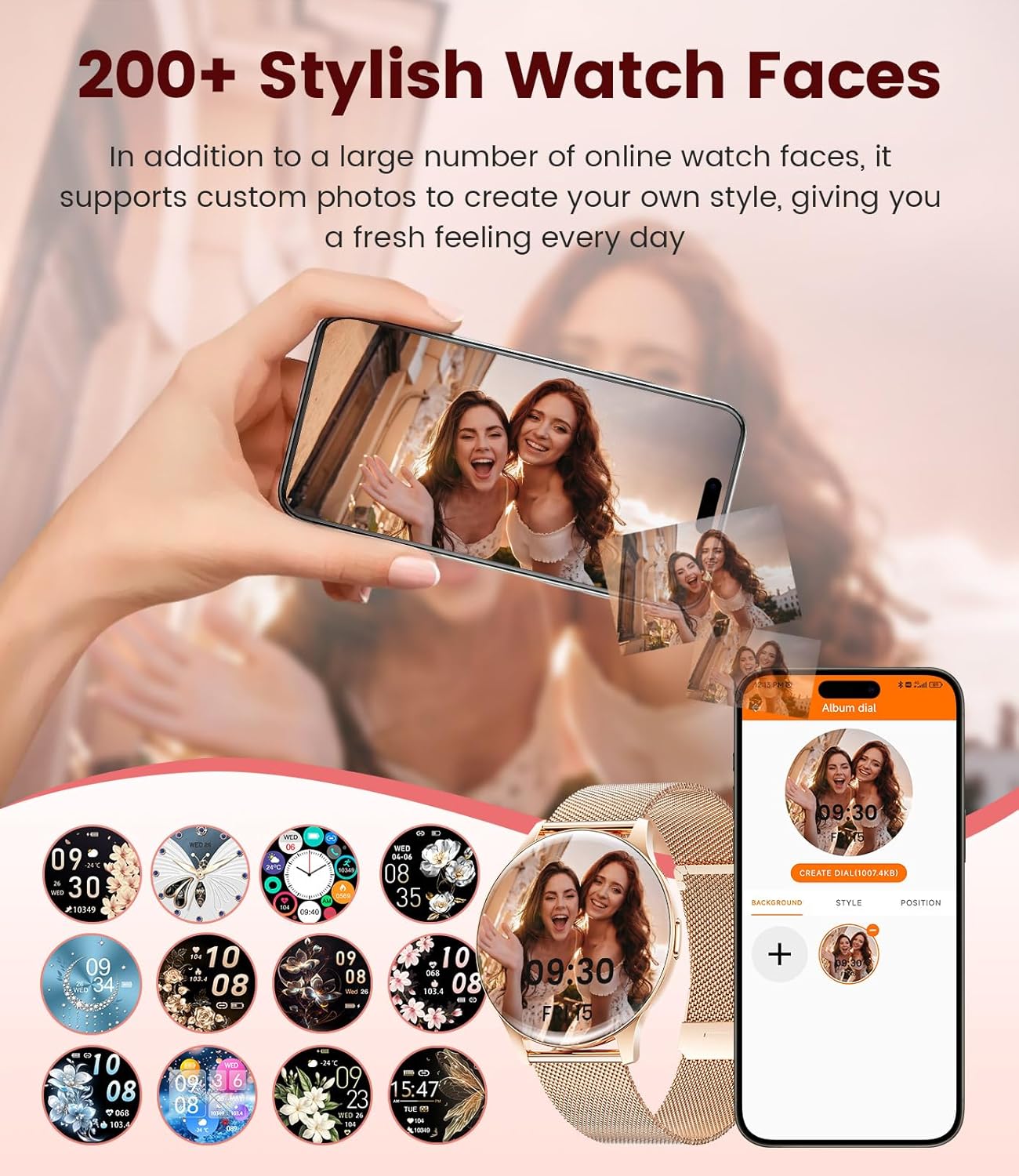
A selection of watch faces for the LIGE Smart Watch, including an option to customize with personal photos.
5. 健康モニタリング
The LIGE FVA21-D Smart Watch offers comprehensive health tracking features:
- 心拍数モニタリング: 一日を通して心拍数を継続的に監視します。
- 睡眠モニタリング: 深い睡眠、浅い睡眠、起きている時間などの睡眠パターンを追跡します。
- 女性の健康: Provides menstruation and pregnancy period reminders.
- Blood Oxygen & Blood Pressure: Measures blood oxygen levels and blood pressure (for reference only, not medical grade).
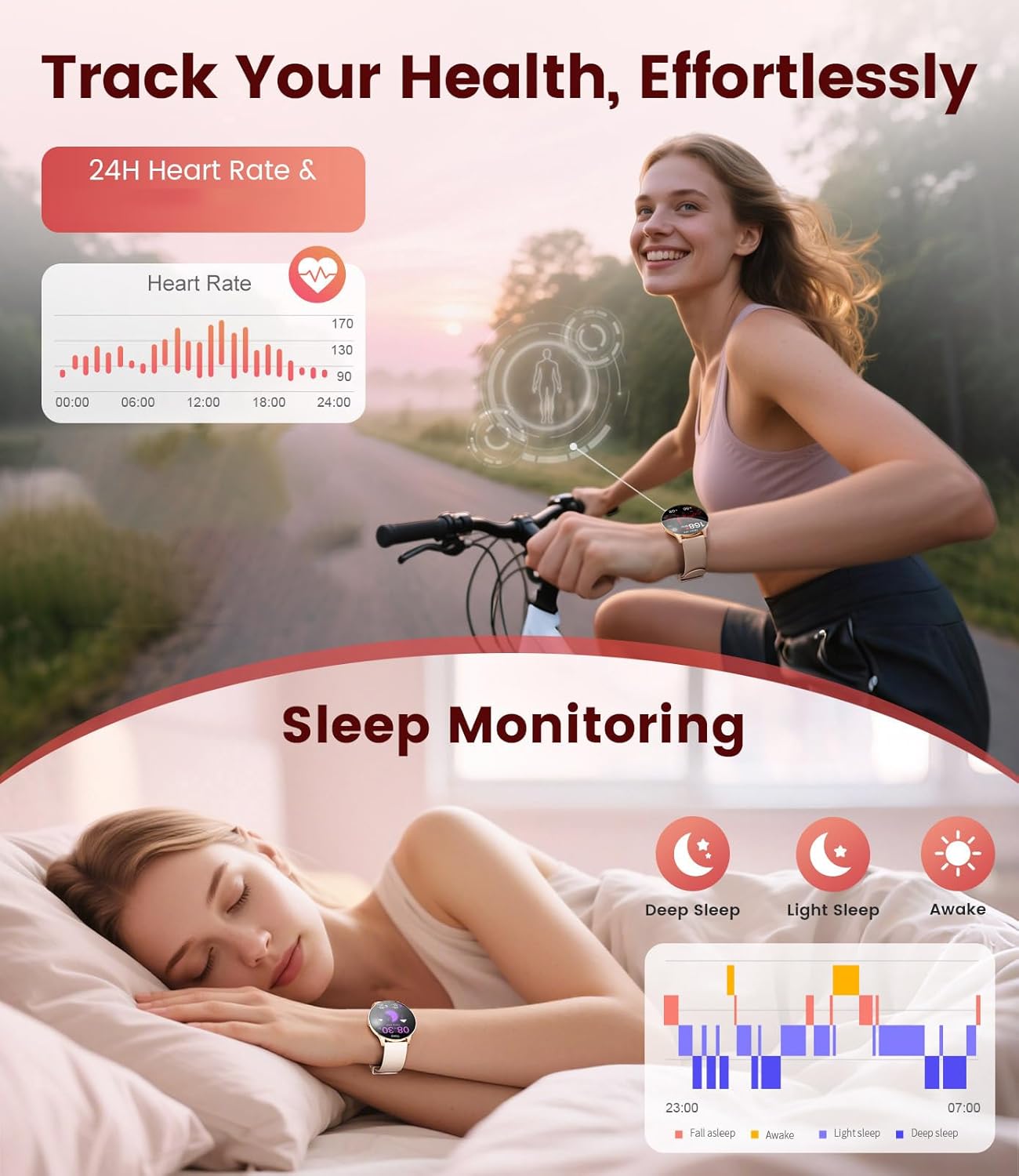
The LIGE Smart Watch displaying heart rate data and sleep monitoring graphs.

The LIGE Smart Watch interface showing menstruation and pregnancy period reminders for women's health tracking.
6. スポーツモード
With over 120 sports modes, the smartwatch helps you track various activities, including walking, running, cycling, yoga, and more. It records steps, distance, calories burned, and heart rate during workouts.

The LIGE Smart Watch displaying various sport mode icons and activity tracking metrics.
7. その他の機能
The smartwatch includes additional useful functions:
- 天気予報: リアルタイムの天気予報を入手します。
- 音楽コントロール: スマートフォンで音楽の再生を制御します。
- カメラコントロール: 時計を携帯電話のカメラのリモートシャッターとして使用します。
- アラームとリマインダー: Set alarms, sedentary reminders, and drink water reminders.
- 電話を探す: アラームを鳴らして、置き忘れた携帯電話を見つけます。
- Calculator & Stopwatch: 基本的なユーティリティ ツール。
A collage of the LIGE Smart Watch's multifunctional features, including weather display, music control, camera remote, and various reminders.
メンテナンス
1. 耐水性(IP68)
The LIGE FVA21-D Smart Watch is IP68 waterproof, meaning it is resistant to dust and can withstand immersion in water up to 1.5 meters for 30 minutes. It is suitable for daily use, such as hand washing, rain, and shallow swimming. However, it is not recommended for hot showers, saunas, or diving, as steam and high water pressure may compromise the seal.
This video demonstrates the water resistance of the LIGE Smart Watch, showing it being rinsed under running water and functioning normally.
2. 清掃
Regularly clean your watch and straps to prevent skin irritation and maintain appearance. Use a soft, dry cloth to wipe the watch body. For silicone straps, you can use mild soap and water. Ensure the watch is completely dry before wearing or charging.
3. バッテリーのお手入れ
バッテリー寿命を延ばすには:
- 極端な温度を避けてください。
- バッテリーを頻繁に完全に消耗させないでください。
- 付属の純正充電ケーブルを使用して時計を充電します。
トラブルシューティング
- 時計がオンにならない: Ensure the watch is fully charged. If it still doesn't turn on, try pressing and holding the side button for 10-15 seconds.
- 携帯電話とペアリングできません: Make sure Bluetooth is enabled on your phone and the watch is within range. Restart both devices and try pairing again. Ensure the 'FitCloudPro' app has necessary permissions.
- 通知を受信できませんでした: Check app notification settings on your phone and within the 'FitCloudPro' app. Ensure the watch is connected via Bluetooth.
- 不正確な健康データ: Ensure the watch is worn snugly on your wrist, not too tight or too loose. Avoid excessive movement during measurements. Note that health data is for reference and not for medical diagnosis.
- 短いバッテリー寿命: 画面の明るさを下げ、不要な通知を無効にし、必要ない場合は継続的な心拍数モニタリングを制限します。
仕様
| 特徴 | 仕様 |
|---|---|
| モデル番号 | FVA21-D |
| 画面サイズ | 1.43インチ AMOLED |
| ディスプレイ解像度 | 466x466 |
| オペレーティング·システム | Android 4.4以降およびiOS 9.0以降 |
| 接続性 | ブルートゥース |
| 耐水性 | IP68 |
| バッテリー容量 | 200ミリamp 時間(リチウムポリマー) |
| メモリストレージ | 256MB |
| アイテム重量 | 7.4オンス |
| メーカー | ライゲ |

Detailed product dimensions for the LIGE Smart Watch, including watch face diameter and strap length ranges.
保証とサポート
LIGE provides reliable service for its products. If you encounter any questions or require assistance with your FVA21-D Smart Watch, please refer to the contact information provided in your product packaging or visit the official LIGE support webサイト。 保証請求に備えて購入時のレシートを保管しておいてください。