
1. はじめに
The Xega 4G LTE Cellular Security Camera is designed for surveillance in locations without Wi-Fi access. This camera operates exclusively on a 4G SIM card, providing a reliable security solution for various environments such as camping sites, RVs, vacation cabins, and remote outdoor areas. It features a built-in, non-replaceable SIM card and requires a 4G data plan subscription for operation.

Image 1.1: The Xega 4G LTE Cellular Security Camera, showing its design and wall-mount capability. Note the antenna for 4G connectivity.
2 製品の特徴
- 4G接続: Operates solely on a 4G SIM card, eliminating the need for Wi-Fi.
- 長いバッテリー寿命: Equipped with a 10000mAh rechargeable battery, providing over 45 days of moderate use.
- 簡単なインストール: Supports desktop placement and wall mounting without requiring professional tools.
- HDビデオ品質: Captures video in 3MP (2K) resolution for clear details.
- ナイトビジョン: Features color and black-and-white night vision modes with a 20-meter range.
- スマート検出: Utilizes intelligent human detection to trigger audio-visual alarms and real-time app alerts.
- 移植性: Lightweight, palm-sized, and IP66 weatherproof for indoor and outdoor use.
- 共有アクセス: Allows multiple users to monitor the live feed simultaneously.
- カスタマイズ可能な検出ゾーン: Define specific areas for monitoring to reduce false alarms.
- 双方向オーディオ: カメラを介したリモート通信を可能にします。

図2.1: 爆発した view illustrating the high-capacity 10000mAh rechargeable battery integrated into the camera.
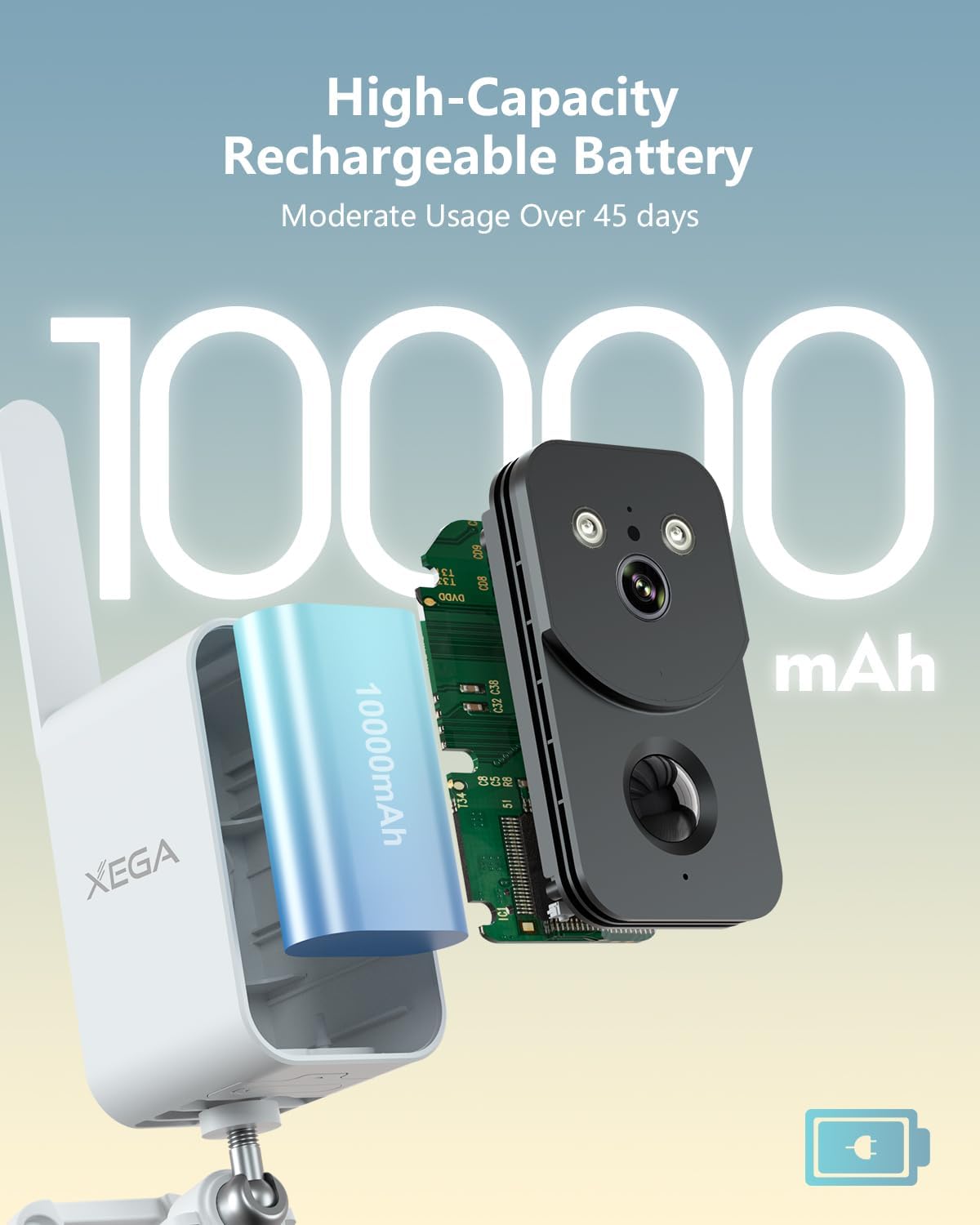
Image 2.2: The camera's human motion detection feature in action, showing a siren and spotlight activating to deter an intruder.
3. セットアップ
3.1 Data Plan Activation
The camera includes a 7-day SIM data trial for initial setup. After this period, a 4G data plan subscription is required for continued operation. Please refer to the provided documentation or the accompanying mobile application for details on subscription plans and activation.

画像3.1: 以上view of the required 4G data plan subscription options after the initial 7-day trial.
3.2物理的な設置
The camera offers flexible installation options. It can be placed on a flat surface or mounted to a wall. No specialized tools or expertise are needed for installation, which typically takes less than 5 minutes.
- デスクトップの配置: 監視したいエリア内の安定した平らな面にカメラを置くだけです。
- 壁掛け: Use the included mounting bracket and screws to secure the camera to a wall. Ensure the mounting surface is stable and can support the camera's weight.
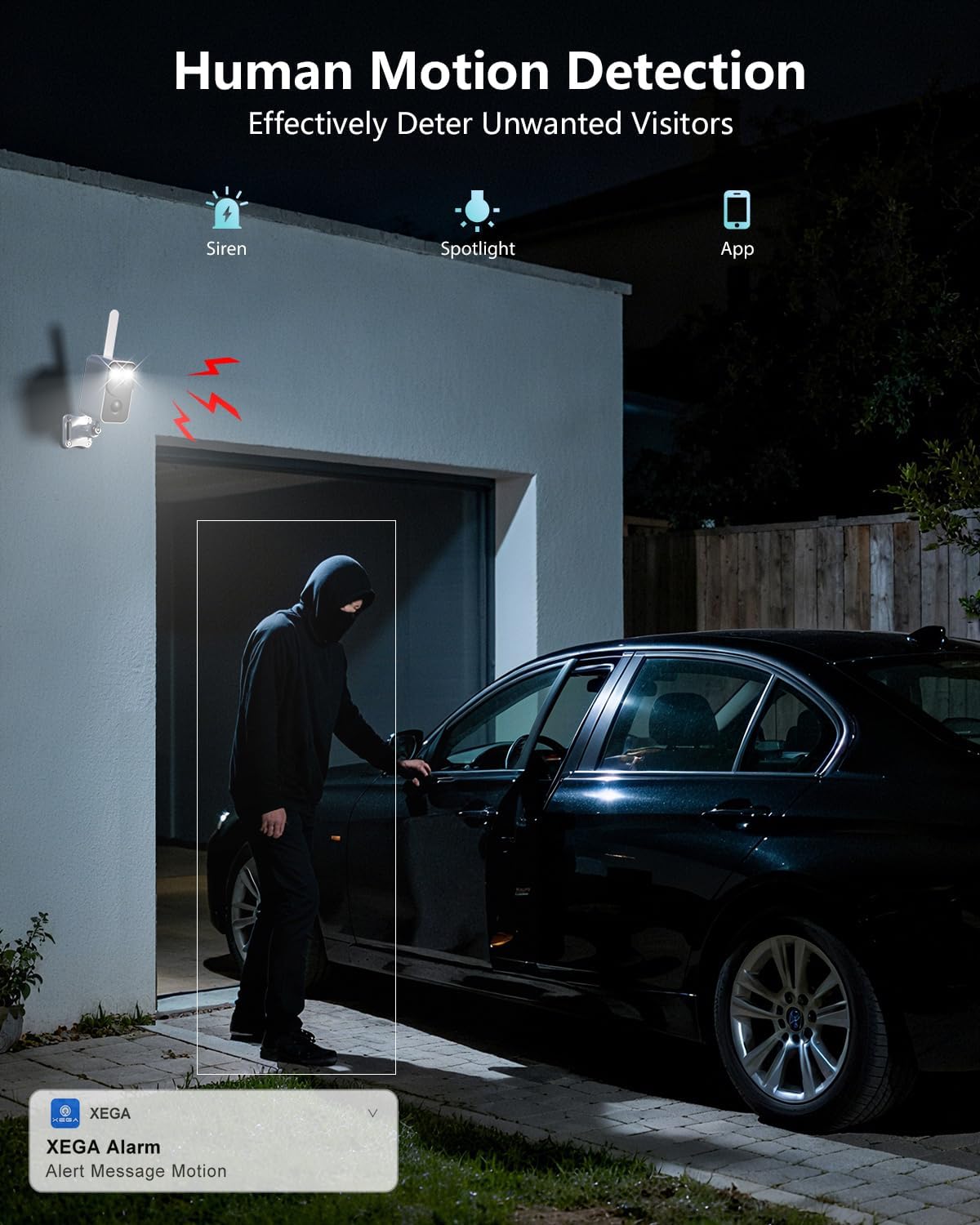
図3.2: 例amples of dual installation options: mounted outdoors under an eave and placed indoors on a table.
4. 操作
4.1 モバイルアプリケーション制御
Manage and monitor your camera using the dedicated mobile application. The app allows you to view live feeds, receive alerts, and adjust settings.
4.2 動きの検出とアラート
The camera features PIR (Passive Infrared) motion detection, specifically designed to detect human movement. When motion is detected, the camera can trigger audio-visual alarms and send real-time alerts to your mobile application.

Image 4.1: The camera's PIR motion detection identifying a person, with an alert message displayed on a smartphone.
4.3 双方向オーディオ
Utilize the two-way audio feature to communicate remotely. This allows you to speak through the camera to individuals at the camera's location or to deter unwanted visitors.
4.4 ストレージオプション
The camera supports both cloud storage and local storage via a TF (microSD) card (sold separately). You can choose the storage method that best suits your needs for recording and reviewふーんtage.
5. メンテナンス
5.1 バッテリーの充電
Recharge the camera's 10000mAh battery as needed. The battery life can exceed 45 days with moderate use, but frequent activity or extreme temperatures may reduce this duration. Use the provided charging cable and a compatible power adapter.
5.2 クリーニング
Periodically clean the camera lens and body with a soft, dry cloth to ensure optimal image quality and prevent dust buildup. Avoid using harsh chemicals or abrasive materials.
5.3 Data Plan Monitoring
Regularly monitor your 4G data plan usage and subscription status through the mobile application or your service provider to ensure uninterrupted camera operation.
6。 トラブルシューティング
- カメラが接続されません: Ensure your 4G data plan is active and has sufficient data. Remember, this camera does not support Wi-Fi connections.
- アラートを受信しませんでした: Check your mobile application settings to ensure notifications are enabled. Verify the camera has a stable 4G connection and sufficient battery charge.
- 短いバッテリー寿命: High motion detection frequency, continuous live viewing, or extreme temperatures can reduce battery life. Adjust detection sensitivity and frequency in the app if necessary.
- 画像品質が悪い: カメラのレンズを清掃してください。カメラの視野内に障害物がないことを確認してください。 view.
- SIM card issues: The SIM card is built-in and non-replaceable. If you suspect a SIM card issue, contact Xega customer support.
7. 仕様
| 接続性 | 4G LTE (Built-in SIM Card) |
| 解決 | 3MP(2K) |
| バッテリー容量 | 10000mAh充電式 |
| 暗視範囲 | Up to 20 meters (Color/B&W) |
| モーション検出 | PIR人体動体検知 |
| 耐候性評価 | IP66 |
| ストレージオプション | Cloud Storage, TF Card (up to 128GB, sold separately) |
| オーディオ | 双方向オーディオ |
8. 保証とサポート
For detailed warranty information, technical assistance, or customer support, please visit the official Xega web公式サイトをご覧いただくか、カスタマーサービス部門に直接お問い合わせください。保証請求のために購入時のレシートを保管してください。