
1.製品オーバーview
The Philips 55MLED610/94 is a 55-inch 4K Ultra HD QLED Smart QD-Mini LED Google TV. It features advanced display technology, smart connectivity, and integrated audio solutions for an enhanced viewing の経験。

フロント view of the Philips 55MLED610/94 55-inch 4K QD-Mini LED Google TV.
主な特徴:
- 画面: 4K QD-Mini LED Panel, Philips Halo Control Technology, Dolby Vision, Local Dimming, 120 Hz Motion Clarity HSR, HDR 10+, 178 Degree Wide Viewing Angle, MEMC, ALLM.
- スマートテレビ: Google TV operating system, 2GB RAM, 32GB ROM, Quad Core Processor, Dual band WIFI 5, Hands-Free Voice Control, Screen Mirroring, Google Assistant compatibility.
- オーディオ: 36 Watts Output, Dolby Atmos, Dolby Audio.
- 接続性: 3 HDMI Ports (including HDMI 2.1), 2 USB Ports, 1 LAN Port, 1 Antenna Input, 1 Satellite Input, 1 Digital Audio Out (Optical), 1 AV-IN, 1 Earphone port.
2. セットアップとインストール
2.1 開梱と内容物
Carefully unpack the television and ensure all components are present.
- 1N TV Unit
- 2N Stand Bases
- 1Nクイックスタートガイド
- 1N保証カード
- 1Nリモコン
- 2N AAA電池(リモコン用)
- 1N Power Cord
- 4N Screws (for stand/mount)
- 1N AV Converting Cable

Illustration showing the TV unit and its included accessories for setup.
2.2 スタンド設置または壁掛け
The television supports both table-top stand installation and wall mounting.
- テーブルマウント: Attach the provided stand bases to the bottom of the TV unit using the included screws. Ensure the stand is stable on a flat surface.
- ウォールマウント: For wall mounting, use a compatible VESA wall mount (not included) and follow the instructions provided with the wall mount. Refer to the TV's back panel for mounting points.

後方 view of the television, highlighting the mounting points and various input/output ports.
2.3 周辺機器の接続
Connect your external devices such as set-top boxes, gaming consoles, and audio systems to the TV using the appropriate ports.
- HDMI: Use HDMI ports for high-definition video and audio from devices like Blu-ray players or gaming consoles. HDMI 2.1 supports advanced features.
- USB: メディア再生または外部ストレージ用に USB ドライブを接続します。
- LAN: 安定した有線インターネット接続を実現します。
- アンテナ/衛星: Connect your antenna or satellite dish for broadcast TV.
- デジタルオーディオ出力(光): 外部のサウンド システムに接続します。
- AV-IN: 複合ビデオとステレオオーディオを使用する古いデバイス向け。
- イヤホン: プライベートリスニング用。

詳細 view of the television's input and output ports, including HDMI, USB, LAN, and audio connections.
3. 操作手順
3.1 初回電源オンとGoogle TVのセットアップ
After connecting the power cord, press the power button on the remote control or TV. Follow the on-screen instructions to complete the initial setup, including language selection, network connection (Wi-Fi or LAN), and Google account sign-in.

The Google TV interface, showing various streaming applications and content recommendations.
3.2リモコン機能
The provided remote control uses both IR and Bluetooth technology. Insert the two AAA batteries as indicated.

The remote control for the Philips 55MLED610/94 TV, featuring dedicated buttons for streaming services and Google Assistant.
- 電源ボタン: テレビの電源をオンまたはオフにします。
- ナビゲーションパッド: メニューのナビゲーションと選択に使用します。
- Google アシスタント ボタン: コマンドと検索の音声制御を有効にします。
- 音量/チャンネルボタン: 音量を調整し、チャンネルを変更します。
- アプリのショートカットボタン: Direct access to popular streaming services like Netflix and Prime Video.
3.3 スマートテレビの機能とアプリケーション
The Google TV platform provides access to a wide range of applications and services.
- プリインストールされたアプリ: Access popular streaming services such as Prime Video, Netflix, Hotstar, Zee5, YouTube, Eros Now, Hungama, JioCinema, and SonyLiv.
- Google アシスタント: ハンズフリーの音声コントロールを使用して、コンテンツの検索、スマートホームデバイスの制御、情報の取得を行います。
- 画面ミラーリング (Miracast): Cast content from compatible mobile devices to the TV screen.
- Web ブラウザ: テレビで直接インターネットを閲覧できます。
3.4 ディスプレイとオーディオの設定
画像とサウンドの設定を調整して最適化します viewとリスニングの経験。
- 画像モード: Select from various picture modes (e.g., Standard, Vivid, Movie, Game) or customize settings like brightness, contrast, color, and sharpness.
- ドルビービジョンとHDR10+: The TV automatically detects and optimizes content for Dolby Vision and HDR10+ for enhanced dynamic range and color.
- サウンドモード: Choose sound modes (e.g., Standard, Music, Movie) or adjust equalizer settings. Dolby Atmos provides immersive audio.
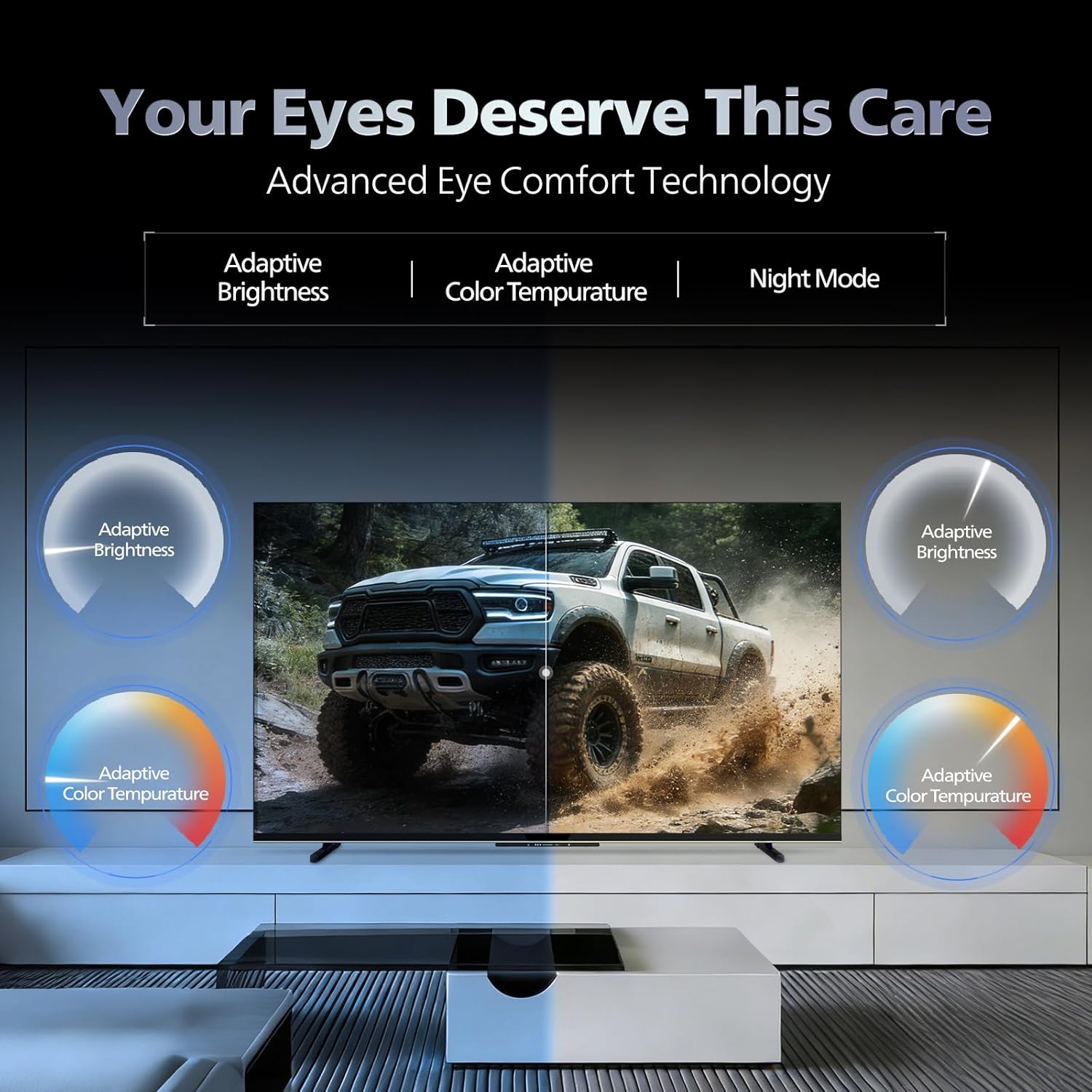
- アイコンフォートテクノロジー: Features like Adaptive Brightness, Adaptive Color Temperature, and Night Mode are available to reduce eye strain.

Visual representation of the TV's advanced eye comfort technology, including adaptive brightness and color temperature.

A visual demonstrating the immersive multi-dimensional audio experience provided by Dolby Atmos on the television.
4. メンテナンス
4.1 テレビの掃除
To clean the screen and cabinet, first unplug the power cord. Use a soft, lint-free cloth. For stubborn marks, lightly damp布に水または低刺激性で研磨剤を含まないスクリーンクリーナーを含ませてください。スクリーンに直接クリーナーをスプレーしないでください。
重要: The television is 耐水性はありません液体にさらさないでください。
4.2ソフトウェアアップデート
Ensure your TV's software is up to date for optimal performance and security. The TV will typically prompt you for available updates. You can also manually check for updates in the settings menu.
5。 トラブルシューティング
If you encounter issues with your television, try the following basic troubleshooting steps before contacting support.
- 電源なし: Ensure the power cord is securely plugged into both the TV and a working power outlet. Try a different outlet.
- 画像/音声なし: Check all cable connections (HDMI, AV, Antenna). Ensure the correct input source is selected on the TV.
- リモコンが機能しない: リモコンの電池を交換してください。リモコンとテレビの赤外線センサーの間に障害物がないことを確認してください。
- インターネット接続の問題: Restart your Wi-Fi router. Check the TV's network settings and ensure it's connected to the correct network. Try a wired LAN connection if possible.
- 画質の問題: 画像設定(明るさ、コントラスト、シャープネス)を調整します。コンテンツソースが高品質であることを確認します。
The television displaying a fast-paced gaming scene, highlighting its 120Hz refresh rate and gaming optimization features.
6. 仕様
| 特徴 | 詳細 |
|---|---|
| モデル番号 | 55MLED610/94 |
| 画面サイズ | 55インチ(138 cm) |
| ディスプレイ技術 | QD-ミニLED |
| 解決 | 4K ウルトラ HD (3840 x 2160) |
| リフレッシュレート | 120 Hz HSR |
| HDR フォーマット対応 | HDR10+、ドルビービジョン |
| View角度 | 178度 |
| サウンド出力 | 36ワット |
| オーディオエンコーディング | ドルビーアトモス、ドルビーオーディオ |
| オペレーティング·システム | Google TV |
| ラム | 2GB |
| ロム | 32GB |
| 接続性 | Wi-Fi (Dual band WIFI 5), Bluetooth 5.1, 3 HDMI (1x HDMI 2.1 eARC), 2 USB, 1 LAN, 1 Antenna, 1 Satellite, 1 Digital Audio Out (Optical), 1 AV-IN, 1 Earphone |
| 製品寸法(奥行き×幅×高さ) | 奥行き8cm x 幅144.5cm x 高さ84cm |
| Item Weight Without Stand | 9.4キログラム |
| 消費電力 | 130ワット |
| エネルギー評価 | 3 スター |
| 年間エネルギー消費量 | 182kWh /年 |
| 含まれるコンポーネント | TV Unit, Stand Bases, Quick Start Guide, Warranty Card, Remote, Batteries, Power cord, Screws, AV Converting Cable |

Dimensional drawing of the Philips 55MLED610/94 TV, showing height, width, and depth measurements.
7. 保証とサポート
7.1 保証情報
A 1-year warranty is provided by the manufacturer from the date of purchase. Warranty claims can be processed using your Amazon e-invoice.
The warranty covers manufacturing defects but does not cover spares.
7.2 カスタマーサポート
For assistance, contact the brand's toll-free number: 18004256396. Please provide the product's model name (55MLED610/94) and seller's details from your invoice. The service center will schedule a convenient service slot.
メーカー: Radiant Appliances And Electronics Private Limited
Survey No. 111, 112, S-2 A 1, Ecity, Fabcity, Maheshwaram Mandal Raviryala Village, Ranga Reddy, Telangana- 501141
輸入業者: TPVテクノロジー・インディア・プライベート・リミテッド
Unit No. 307-308 3rd Floor, SEWA Corporate Park MG Road Gurugram Haryana 122002