
1.製品オーバーview
The Magcubic Smart Projector HY350GT is a portable projector designed for versatile entertainment and presentation needs. It features 4K support, native 1080P resolution, and a built-in 4K TV stick for direct access to streaming applications. Key functionalities include automatic focus, keystone correction, obstacle avoidance, and screen alignment, ensuring a clear and properly framed image with minimal manual adjustment. Dual-band Wi-Fi and Bluetooth 5.1 provide robust connectivity options for various devices and audio accessories.
2. 箱の中身
- Magcubic Smart Projector HY350GT
- 電源アダプター
- リモートコントロール
- ユーザーマニュアル(このドキュメント)
3. セットアップ手順
3.1 初期配置と電源接続
Place the projector on a stable, flat surface. The flexible rotating stand allows for projection onto walls or ceilings. Connect the power adapter to the projector's power input port and then to a power outlet.

Image: The Magcubic HY350GT projector demonstrating its flexible rotating stand for various projection angles, including walls and ceilings.
3.2 自動画像補正
Upon powering on, the projector will automatically perform several corrections:
- オートフォーカス: The image will automatically sharpen.
- 自動台形補正: The image will adjust to be rectangular, even if the projector is at an angle.
- 自動障害物回避: The projector detects walls and barriers, adjusting the image to avoid interference.
- 自動画面調整: The image will align itself to the projection surface.
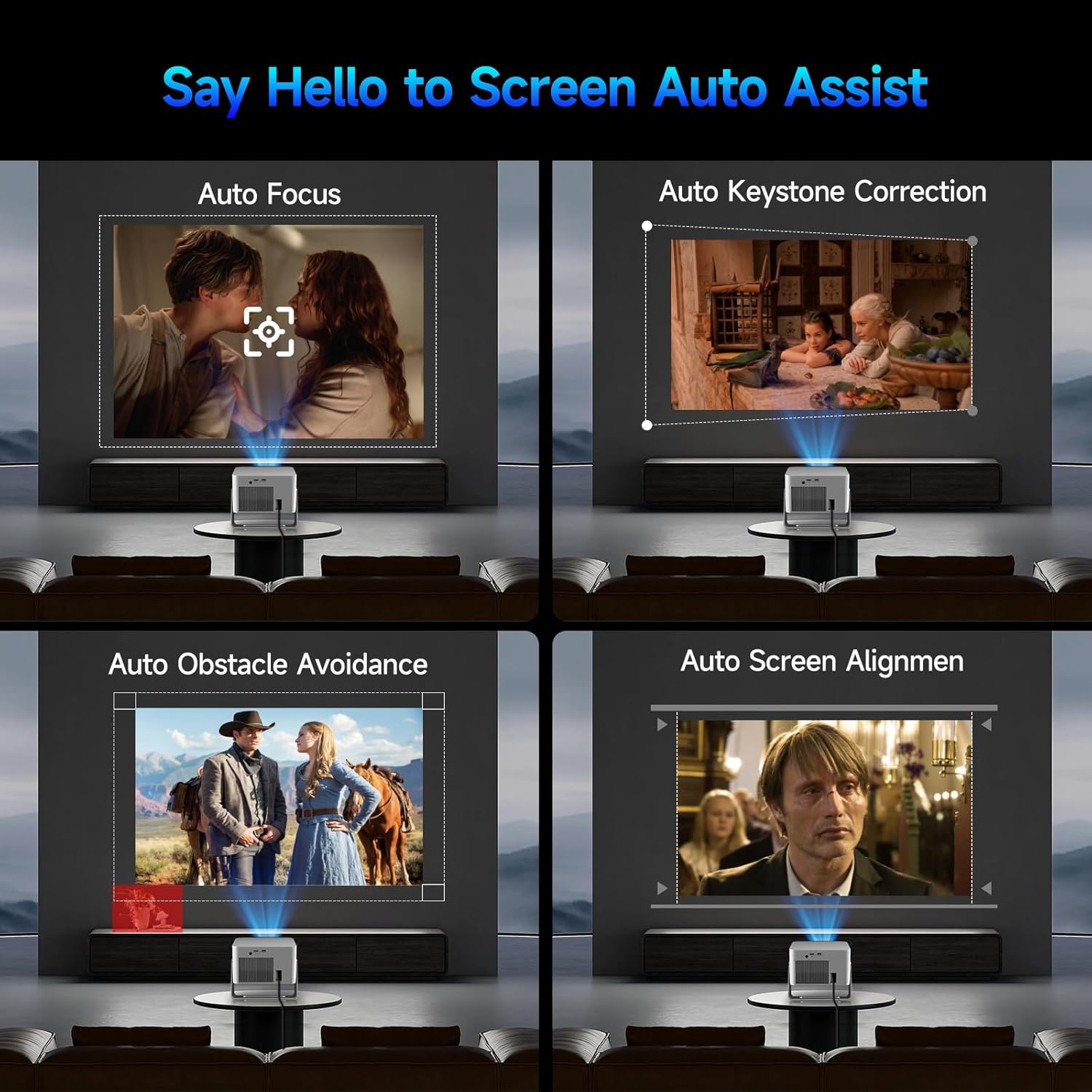
Image: Visual representation of the projector's automatic screen assist features, including auto focus, keystone correction, obstacle avoidance, and screen alignment.
3.3ネットワーク接続
Navigate to the 'Settings' menu using the remote control. Select 'Network settings' to connect to your Wi-Fi network (2.4G or 5G). This enables access to built-in streaming apps and online content.
4. 操作手順
4.1 リモコンと音声アシスタント
The included remote controls both the projector and the built-in streaming stick. Utilize the Voice Assistant feature by pressing the voice command button to quickly open apps, play movies, adjust volume, or check information.
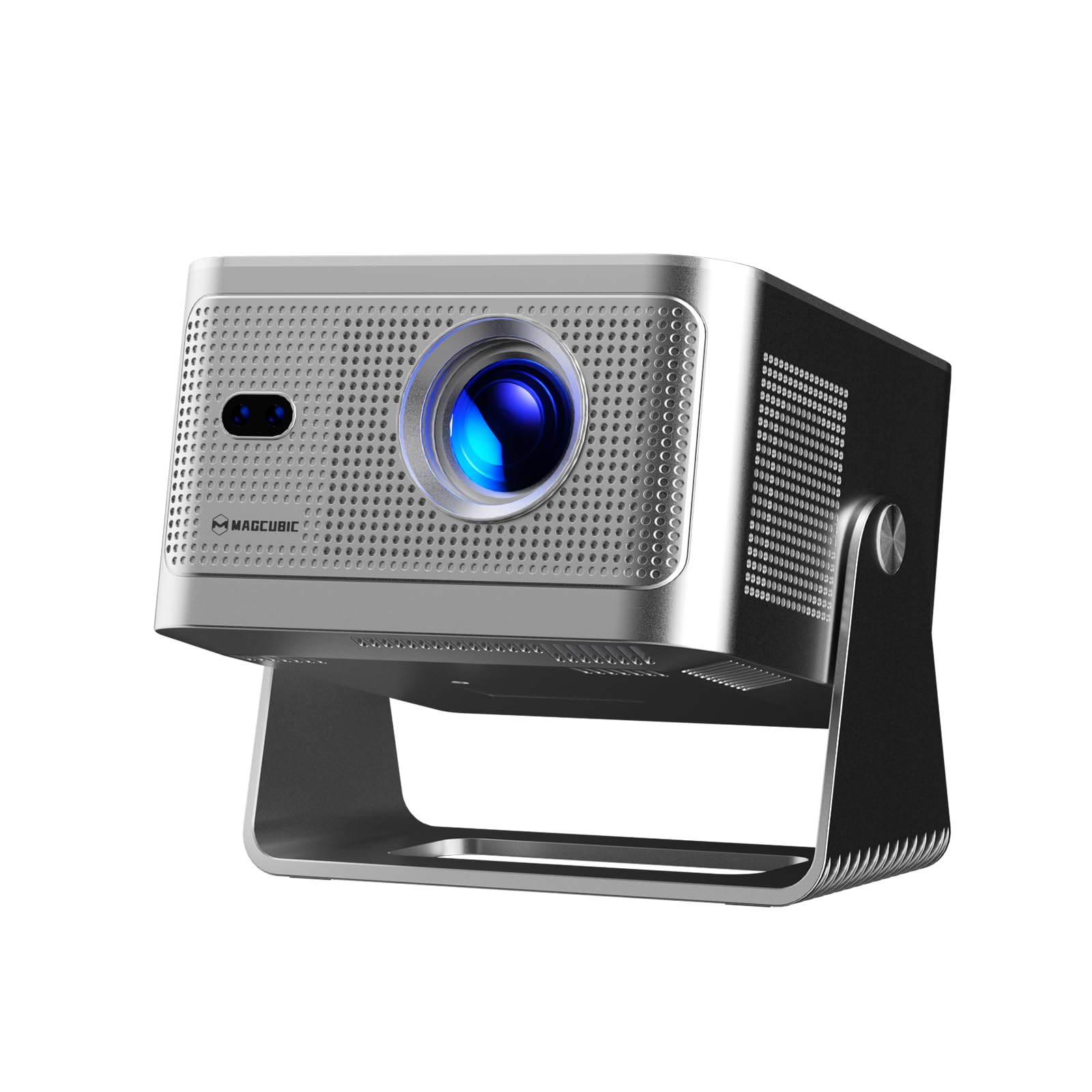
Image: The projector's main screen showing various streaming apps and the remote control, highlighting its voice assistant capabilities.
4.2 アプリケーションへのアクセス
The projector comes with a built-in 4K TV stick, providing access to a wide range of applications. Navigate to 'My Apps' or the 'Store' to browse and download additional streaming services and utilities.

Image: The projector's interface showing pre-installed and downloadable streaming applications.
4.3 投影設定
In the 'Settings' menu, select 'Projection settings' to fine-tune your display:
- デバイス モード: Switch between Standard and Energy Saving modes.
- インストールモード: Adjust for front projection, rear projection, or ceiling mounting.
- デジタルスケーリング: 画像サイズを80%から100%に調整します。
- オートフォーカス: Toggle automatic focus on/off.
- 自動四隅補正: Enable automatic trapezoidal correction.
- インテリジェントな障害物回避: Enable automatic image adjustment around obstacles.
- Screen Recognition: Enable automatic screen detection and alignment.
4.4オーディオ出力
The projector features a built-in 15W high-fidelity stereo speaker. For external audio, connect Bluetooth 5.1 compatible speakers or headphones via the 'Bluetooth' setting in the main menu.
4.5 外部接続
The rear panel of the projector includes:
- HDMIポート: Connect external devices such as laptops, gaming consoles (Switch, PS5), TV sticks, tablets, or smartphones.
- USBポート: Connect USB storage devices or a mouse for navigation.

画像: 詳細 view of the projector's rear ports for HDMI, USB, and power connections.
4.6 スクリーンミラーリング
The projector supports screen mirroring from both Android and iOS devices. Access this feature through the main menu to cast content directly from your phone or tablet.

Image: A smartphone wirelessly casting its screen to the projector, demonstrating the screen mirroring capability.
5. メンテナンス
- レンズクリーニング: プロジェクターレンズは、柔らかく糸くずの出ない布で優しく拭いてください。研磨剤や刺激の強い化学薬品の使用は避けてください。
- 換気: Ensure the projector's ventilation ports are clear of obstructions to prevent overheating. Do not block the air vents during operation.
- ストレージ: 使用していないときは、プロジェクターを直射日光や極端な温度を避け、涼しく乾燥した場所に保管してください。
6。 トラブルシューティング
- 画像無し: Ensure the projector is powered on and the correct input source (HDMI, USB, or internal apps) is selected. Check all cable connections.
- ぼやけた画像: Allow the auto-focus feature to complete. If needed, manually adjust focus via the projection settings. Ensure the projection surface is flat.
- 音が出ない: Check the volume level on both the projector and any connected external audio devices. Verify Bluetooth connection if using external speakers.
- 接続の問題: For Wi-Fi, ensure the network password is correct and the projector is within range. For Bluetooth, ensure the external device is in pairing mode.
- 画像の歪み: Allow auto keystone correction to complete. If necessary, manually adjust keystone settings in the projection menu.
7. 仕様
| 特徴 | 仕様 |
|---|---|
| ブランド名 | マグキュービック |
| モデル | HY350GT |
| アイテム重量 | 3.08ポンド |
| パッケージ寸法 | 9.61 x 8.27 x 5.39インチ |
| ディスプレイ解像度 | 1920 x 1080 (ネイティブ1080P、4Kサポート) |
| 輝度 | 650 ANSIルーメン |
| コントラスト比 | 10,000:1 |
| 色域 | 120% |
| 接続技術 | Bluetooth 5.1, Dual-Band Wi-Fi (2.4G&5G) |
| 特集 | 15W Speaker, Auto Focus, Auto Keystone Correction, Auto Obstacle Avoidance, Auto Screen Alignment |
| 推奨用途 | ビジネス、教育、ゲーム、ホームシアター |
8. 保証とサポート
Magcubic offers a 30-day return guarantee for this product. Additionally, 24-hour live customer support and lifetime technical support are included to assist with any inquiries or issues.