
1. はじめに
Thank you for choosing the CINMOORE CM-C2U 3K Indoor Security Camera. This manual provides essential information for setting up, operating, and maintaining your camera to ensure optimal performance and security. This camera is designed for indoor use, offering advanced features such as 3K UHD video, AI-powered detection, pan-tilt-zoom functionality, and dual-band Wi-Fi connectivity.
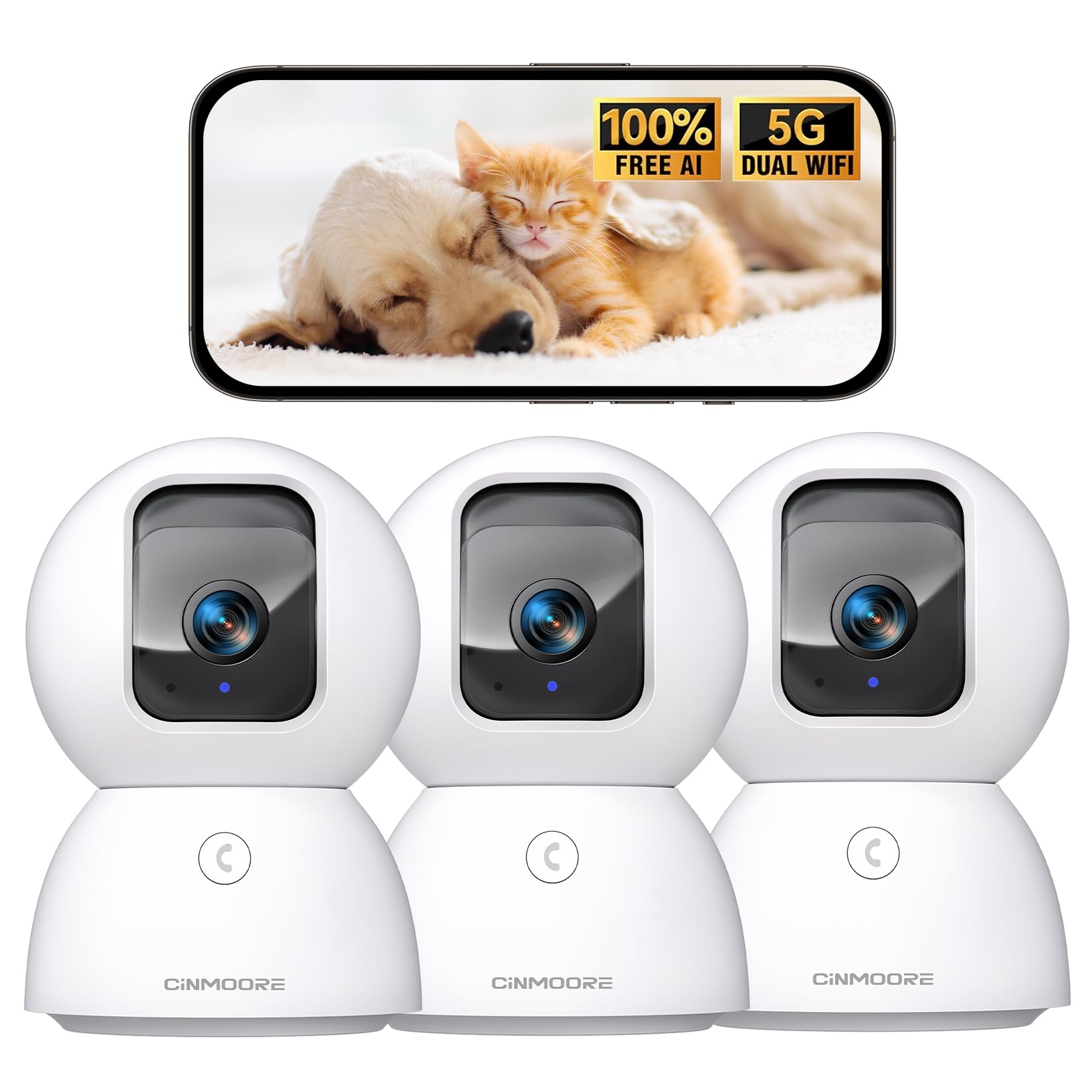
Figure 1: CINMOORE CM-C2U 3K Indoor Security Camera
2. 箱の中身
- CINMOORE Security Camera (x3)
- Mounting Bracket Base (x3)
- 電源アダプター(x3)
- データケーブル(3本)
- ネジアンカー(x3)
- ユーザーマニュアル (x1)
3. セットアップ手順
3.1 初期電源投入
- Connect the data cable to the camera's power port.
- 電源アダプタを標準のコンセントに差し込みます。
- The camera will power on, and an indicator light will blink, signaling it's ready for setup.
3.2 アプリのダウンロードと接続
- Download the official CINMOORE app from your smartphone's app store (iOS or Android).
- アカウントを作成するか、すでにアカウントをお持ちの場合はログインしてください。
- Follow the in-app instructions to add your new camera. This typically involves scanning a QR code located on the camera's base.
- Connect the camera to your home Wi-Fi network. The camera supports Dual-Band 2.4GHz/5GHz Wi-Fi 6 for a stable connection.
Video: C2U Indoor Camera 1-minute Setup. This video demonstrates the quick and easy setup process for the CINMOORE C2U Indoor Camera, guiding users through connecting the device to the power supply and linking it to the mobile application.
4. 操作手順
4.1 ライブビデオ監視
Access the live feed from your camera anytime, anywhere via the CINMOORE app. The 3K UHD resolution provides clear and detailed visuals.

Figure 2: Demonstrates the superior 3K clarity of the camera's video feed compared to 2K resolution, highlighting vivid detail for monitoring.
4.2 パン・チルト・ズーム(PTZ)制御
Use the virtual joystick in the app to remotely control the camera's movement. Enjoy a 360° horizontal pan and a 109° vertical tilt to cover every corner of your room. The camera also features AI auto-tracking to follow detected movement.

Figure 3: Illustrates the camera's comprehensive 360° pan and tilt capabilities, along with other key features like 3K Ultra HD, sound/crying alerts, and local facial recognition.
4.3 双方向オーディオ
Engage in real-time conversations using the full-duplex two-way audio feature. Speak through the app and hear responses from the camera's location. A one-click call button can trigger family alerts.
4.4 AIによる検出と追跡
The camera offers free AI detections for facial recognition (stores up to 5 faces locally), person detection, pet detection, baby crying detection, and smoke/gas alarm recognition. Receive instant alerts on your smartphone when activity is detected. Customize detection zones to focus on specific areas.

Figure 4: Highlights the camera's no-subscription local AI detection features, including recognition of up to 5 faces and 6 types of detections (person, pet, motion, noise, loitering, facial) while ensuring 100% privacy.
4.5 ナイトビジョン
The 0-Glow Night Vision 2.0 provides clear monitoring in low-light conditions without emitting a visible red glow, ensuring undisturbed sleep for babies and pets. The night vision range is up to 33 feet.

Figure 5: Compares the CINMOORE camera's 0-Glow Night Vision with a traditional camera's red glow, emphasizing safe and undisturbed monitoring for infants and pets.
4.6 ストレージオプション
Choose between local storage via an SD card (up to 512GB, not included) for 24/7 recording, or optional AWS Cloud storage with bank-level security (30-day free trial available). SD card encryption ensures footage is only viewable within the CINMOORE App.

Figure 6: Details the camera's encrypted and secure storage options, including SD card support (up to 512GB, not included) and optional AWS Cloud Storage with a 30-day free trial.
4.7 プライバシーモード
Activate the one-tap privacy mode, which physically covers the camera lens, ensuring your privacy when you are home.
5. 取り付けオプション
The CINMOORE CM-C2U camera offers flexible mounting options to suit your needs:
- 卓上マウント: テーブル、棚、机などの平らな面にカメラを置くだけです。
- ウォールマウント: Use the included mounting bracket base and screw anchors to securely attach the camera to a wall.
- 天井マウント: The camera can also be mounted to the ceiling using the provided bracket for an overhead view.
Ensure the camera is positioned to provide the optimal view希望する監視エリアに合わせて角度を調整します。
Video: Setup Guide for IMILAB indoor camera. This video provides a step-by-step guide on how to set up an IMILAB indoor camera, including unboxing, connecting to power, app setup, and mounting options.
6. 仕様
| モデル名 | CM-C2U |
| 屋内/屋外での使用 | 屋内 |
| ビデオキャプチャ解像度 | 3K/4MP |
| 接続プロトコル | Wi-Fi (Dual-Band 2.4GHz/5GHz Wi-Fi 6) |
| 電源 | コード式電気 |
| コントローラータイプ | アマゾンアレクサ |
| 取り付けタイプ | Ceiling Mount / Tabletop Mount / Wall Mount |
| 暗視範囲 | 33 Feet (0-Glow) |
| ローカルストレージ | SD card (up to 512GB, not included) |
| 寸法 | 3 x 4.5 x 3インチ |
| アイテム重量 | 2.33ポンド |
7. メンテナンス
- クリーニング: カメラのレンズと本体は、柔らかく乾いた布で優しく拭いてください。刺激の強い化学薬品や研磨剤の使用は避けてください。
- ファームウェアの更新: Regularly check the CINMOORE app for available firmware updates to ensure your camera has the latest features and security enhancements.
- 電源サイクル: If the camera experiences connectivity issues, try unplugging it from the power source for 10 seconds and then plugging it back in.
- SDカード管理: SDカードを使用している場合は、定期的にview 記録された食品を管理するtagカードがいっぱいにならないようにするためです。
8。 トラブルシューティング
- カメラが Wi-Fi に接続していない:
- Wi-Fi ネットワークが 2.4GHz または 5GHz であることを確認してください。
- Wi-Fiパスワードが正しく入力されていることを確認してください。
- カメラをWi-Fiルーターに近づけます。
- ルーターとカメラを再起動します。
- ビデオ品質が悪い:
- インターネット接続速度を確認してください。
- カメラのレンズが汚れていないことを確認してください。
- 可能な場合は、アプリでビデオ品質設定を調整します。
- モーション検出アラートなし:
- アプリ設定でモーション検出が有効になっていることを確認します。
- Adjust motion sensitivity levels.
- スマートフォンのアプリの通知設定を確認してください。
- 双方向オーディオの問題:
- Ensure your phone's microphone is enabled for the app.
- アプリの音量設定を確認してください。
- 背景ノイズを最小限に抑えて、よりクリアなコミュニケーションを実現します。
9. 保証とサポート
The CINMOORE CM-C2U camera comes with a 24-month warranty. For any issues or inquiries, please contact CINMOORE customer support. We offer free replacement for eligible issues, extended warranty options, and professional support to ensure your satisfaction.
For further assistance, refer to the help section within the CINMOORE app or visit our official webサイト。