
導入
The iLive Cinema Pop-up Movie Kit is a comprehensive portable entertainment solution designed to transform any space into a personal cinema. This kit includes a 720p projector, a 120-inch ultra-bright projector screen, an adjustable tripod, and a powerful Bluetooth 5.0 speaker system. Enjoy crisp images and rich audio for both indoor and outdoor movie nights.
含まれるもの
- 720pプロジェクター
- 120-inch Anti-Wrinkle Polyester Projector Screen (16:9 aspect ratio, 1.3 gain)
- Professional-Grade Tripod with integrated bubble level (360-degree pan, ±180-degree tilt, 41.73-inch max height, 4 kg capacity)
- Bluetooth 5.0 Speaker System (dual 4-inch full-range speakers, 16W peak output, LED light effects, rechargeable battery)
- リモートコントロール
- 電源ケーブル
- HDMIケーブル
- 3.5mmオーディオケーブル
- USBケーブル
- キャリングケース
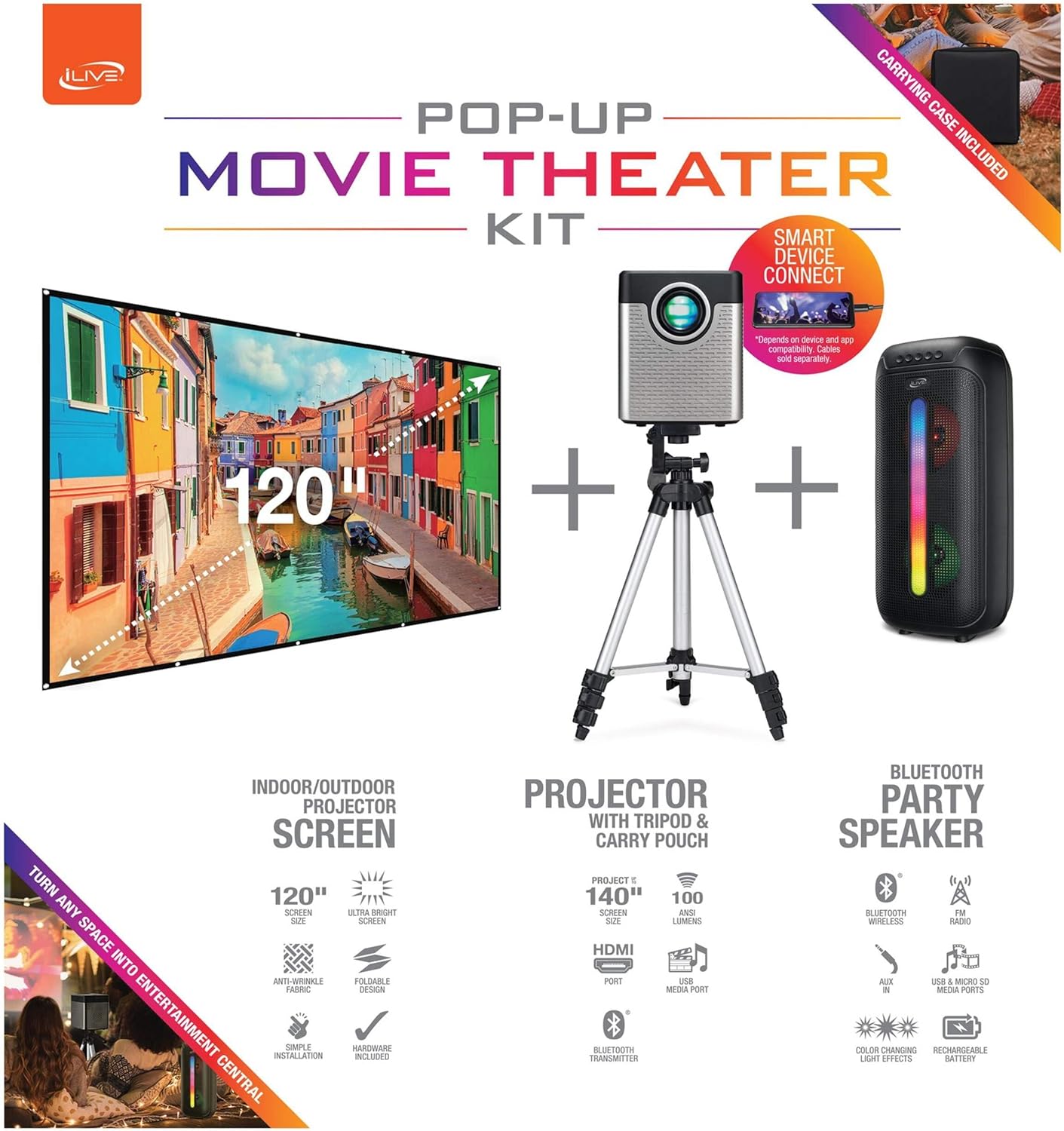
Figure 1: Diagram of the iLive Cinema Pop-up Movie Kit components.

Figure 2: The complete kit packed in its carrying case.
設定
- コンポーネントを解凍します: キャリングケースからすべてのアイテムを慎重に取り出します。
- 三脚の組み立て: Extend the legs of the tripod and secure them. Adjust the height to your desired viewing level. The integrated bubble level assists in ensuring a stable and level base.
- Mount Projector: Securely attach the projector to the tripod mount. Ensure it is stable and facing the desired projection area.
- Set Up Screen: Unfold the 120-inch anti-wrinkle screen. If using the tripod, attach the screen to the tripod frame using the provided fasteners. Ensure the screen is taut and wrinkle-free for optimal viewing. For alternative mounting, use the grommets along the screen's edges with appropriate wall hooks (not included).
- ポジションスピーカー: Place the Bluetooth speaker in a location that provides optimal sound distribution for your viewingエリア。
- 接続電源: 電源ケーブルをプロジェクターと適切な電源コンセントに接続します。
- デバイスを接続する(オプション): Connect your media source (e.g., laptop, gaming console, Blu-ray player) to the projector using an HDMI or USB cable. For external audio, use the 3.5mm audio input or connect wirelessly via Bluetooth to the speaker.

Figure 3: Projector mounted on the tripod.

図4:例ample outdoor setup with the projector and screen.
操作手順
プロジェクターの操作
- 電源オン/オフ: プロジェクターまたはリモコンの電源ボタンを押して、ユニットの電源をオンまたはオフにします。
- 入力ソース: Use the remote control to select the desired input source (HDMI, USB, etc.).
- フォーカス調整: 画像が鮮明になるまでプロジェクター レンズのフォーカス リングを調整します。
- キーストーン補正: If the projected image appears trapezoidal, use the keystone correction feature (manual or automatic, if available) to adjust the image to a rectangular shape. The projector supports vertical keystone correction.
- アスペクト比: Select between 16:9 and 4:3 aspect ratios based on your content and preference.
- 投影距離: The projector has a flexible projection range of 2.6 to 12.5 feet. Adjust the distance to achieve the desired screen size.
Bluetoothスピーカーの操作
- 電源オン/オフ: スピーカーの電源ボタンを長押しして、電源のオン/オフを切り替えます。
- Bluetoothのペアリング: デバイス(スマートフォン、タブレットなど)で Bluetooth を有効にします。 検索する the iLive speaker in the list of available devices and pair.
- 音量コントロール: スピーカーまたは接続されたデバイスのコントロールを使用して音量を調整します。
- LEDライト効果: The speaker features LED light effects. Refer to the speaker's specific controls for adjusting or disabling these effects.
- 真のワイヤレスステレオ(TWS): If you have two iLive Bluetooth speakers, you can pair them together for a True Wireless Stereo experience. Follow the instructions provided with the speaker for TWS pairing.
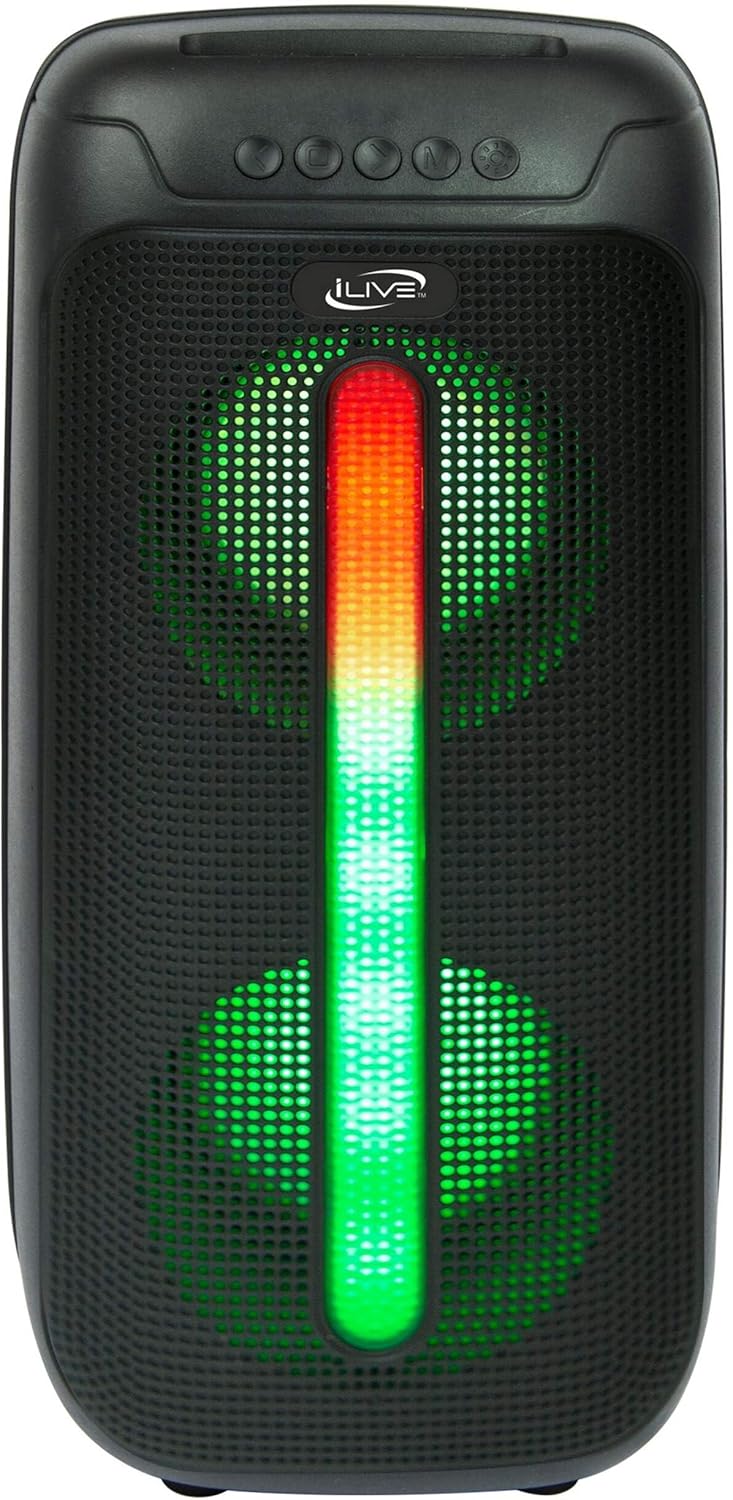
Figure 5: iLive Bluetooth 5.0 Speaker.
メンテナンス
- プロジェクターレンズ: Use a soft, lint-free cloth to gently clean the projector lens. Avoid abrasive materials or harsh chemicals.
- Projector Vents: Ensure the projector's ventilation openings are clear of dust and debris to prevent overheating.
- 画面のクリーニング: The anti-wrinkle polyester screen can be gently wiped with a damp cloth if necessary. Allow it to air dry completely before folding or storing.
- スピーカーのお手入れ: Keep the speaker dry and clean. Avoid exposing it to extreme temperatures or direct sunlight.
- ストレージ: When not in use, store all components in the provided carrying case in a cool, dry place to protect them from dust and damage.
トラブルシューティング
- 画面に画像が表示されない:
- プロジェクターの電源がオンになっており、レンズキャップが取り外されていることを確認します。
- プロジェクターで正しい入力ソースが選択されていることを確認します。
- すべてのケーブル接続(HDMI、USB)が安全であることを確認します。
- ぼやけた画像:
- プロジェクターレンズのフォーカスリングを調整します。
- Ensure the projection distance is within the recommended range (2.6-12.5 ft).
- Distorted Image (Trapezoidal):
- Use the keystone correction feature to adjust the image geometry.
- Ensure the projector is placed on a level surface or the tripod is properly adjusted.
- スピーカーから音が出ない:
- スピーカーの電源がオンになっていて充電されていることを確認します。
- Verify Bluetooth pairing or 3.5mm audio cable connection.
- スピーカーと接続されたデバイスの両方の音量レベルを確認します。
- Bluetooth ペアリングの問題:
- スピーカーがペアリングモードになっていることを確認します。
- スピーカーをデバイスに近づけます。
- Disconnect and re-pair the device.
仕様
| 特徴 | 仕様 |
|---|---|
| モデル番号 | THE2024BDL |
| ディスプレイ解像度 | 1280 x 720 (720p) |
| 表示タイプ | 導かれた |
| 輝度 | 3000ルーメン |
| コントラスト比 | 1000:1 |
| アスペクト比 | 16:9、4:3 |
| 光源寿命 | 20,000時間 |
| 投影範囲 | 2.6 - 12.5フィート |
| 最大画像サイズ | 120インチ |
| 接続性 | HDMI, USB, 3.5mm Audio, Bluetooth 5.0 |
| スピーカー出力 | 16W Peak (Dual 4-inch drivers) |
| Speaker Battery Life | 最大 4 時間 (音量 50% の場合) |
| 三脚の特徴 | Integrated bubble level, 360-degree pan, ±180-degree tilt, 41.73-inch max height, 4 kg capacity |
| ビデオエンコーディングのサポート | 264、265 |
| 制御方法 | リモートコントロール |
公式製品ビデオ
現時点ではこの商品の公式販売者ビデオはありません。
保証とサポート
For warranty information or technical support, please contact iLive customer service at 1-888-999-4215. Please have your model number (THE2024BDL) and proof of purchase ready when contacting support.