
導入
The Kuulaa Qi2 MagSafe Power Bank is a 10000mAh portable charger designed for iPhone 12-17 series, offering 15W wireless and 20W USB-C fast charging. It features a smart TFT display and a foldable stand for convenient use. This manual provides instructions for safe and efficient operation of your power bank.
主な特徴:
- Qi2 Certified 15W MagSafe Fast Charging for precise alignment and reliable performance.
- 10000mAh Compact Power for Travel, providing up to 1.3 full charges for an iPhone 16 Pro.
- 20W USB-C Fast Charging Option for wired output to various devices.
- Smart TFT Display showing real-time battery level, charging speed, and power status.
- Foldable Stand for hands-free view充電中に発生します。
- Optimized for iPhone 17, 16, 15, 14, 13, and 12 series with strong magnetic alignment.
パッケージ内容
開封したらパッケージの内容を確認してください:
- Kuulaa Qi2 MagSafe Power Bank (KL-YD92)
- USB-C-USB-C充電ケーブル
- ユーザーマニュアル

図1: パッケージ内容
製品終了view
Familiarize yourself with the components of your Kuulaa Qi2 MagSafe Power Bank.

Figure 2: Smart TFT Display Details
- MagSafe Charging Surface: For wireless charging compatible devices.
- スマートTFTディスプレイ: バッテリーの割合を表示しますtage、入力/出力ワットtage、異物検出など。
- 電源ボタン: Activates the display and controls power.
- USB-Cポート: For charging the power bank and wired charging other devices.
- 折りたたみ式スタンド: ハンズフリー用の一体型スタンド viewing。
設定
1 パワーバンクの充電
Before first use, fully charge your Kuulaa Qi2 MagSafe Power Bank.
- 付属の USB-C - USB-C ケーブルをパワーバンクの USB-C ポートに接続します。
- Connect the other end of the cable to a compatible USB-C wall adapter (not included). For optimal charging speed, use a 20W or higher power adapter.
- The Smart TFT Display will show the charging status and battery percentage. ディスプレイに 100% と表示されたら、パワーバンクは完全に充電されています。

図3: パワーバンクの充電
操作手順
1. ワイヤレス充電(MagSafe対応)
This power bank supports 15W Qi2 wireless charging for compatible devices, primarily iPhone 12 series and newer.
- Ensure your device is MagSafe compatible. For optimal magnetic attachment and charging, use an iPhone 12 series or newer, or a MagSafe-compatible case.
- Align your iPhone with the magnetic charging surface of the power bank. The magnets will snap into place, ensuring correct alignment.
- The Smart TFT Display will indicate wireless charging is active and show the charging speed.

Figure 4: Wireless Charging an iPhone

Figure 5: Secure Magnetic Attachment

Figure 6: Wireless Charging Speed Example
2. 有線充電(USB-C)
The USB-C port supports 20W fast charging for a wide range of devices, including other smartphones, tablets, and earbuds.
- 互換性のある USB-C ケーブルを使用して、デバイスをパワーバンクの USB-C ポートに接続します。
- The Smart TFT Display will show wired charging is active and display the output wattage.

Figure 7: Wired Charging via USB-C
注記: The power bank can charge multiple devices simultaneously (one wirelessly, one via USB-C), but total output will be shared.
3. 折りたたみ式スタンドの使用
折りたたみ式スタンドが内蔵されており、ハンズフリーで view充電中にデバイスを切断しないでください。
- Gently pull out the metal stand from the back of the power bank.
- お好みに合わせてスタンドを調整します view角度。
- Place your magnetically attached iPhone (or other device) on the stand.
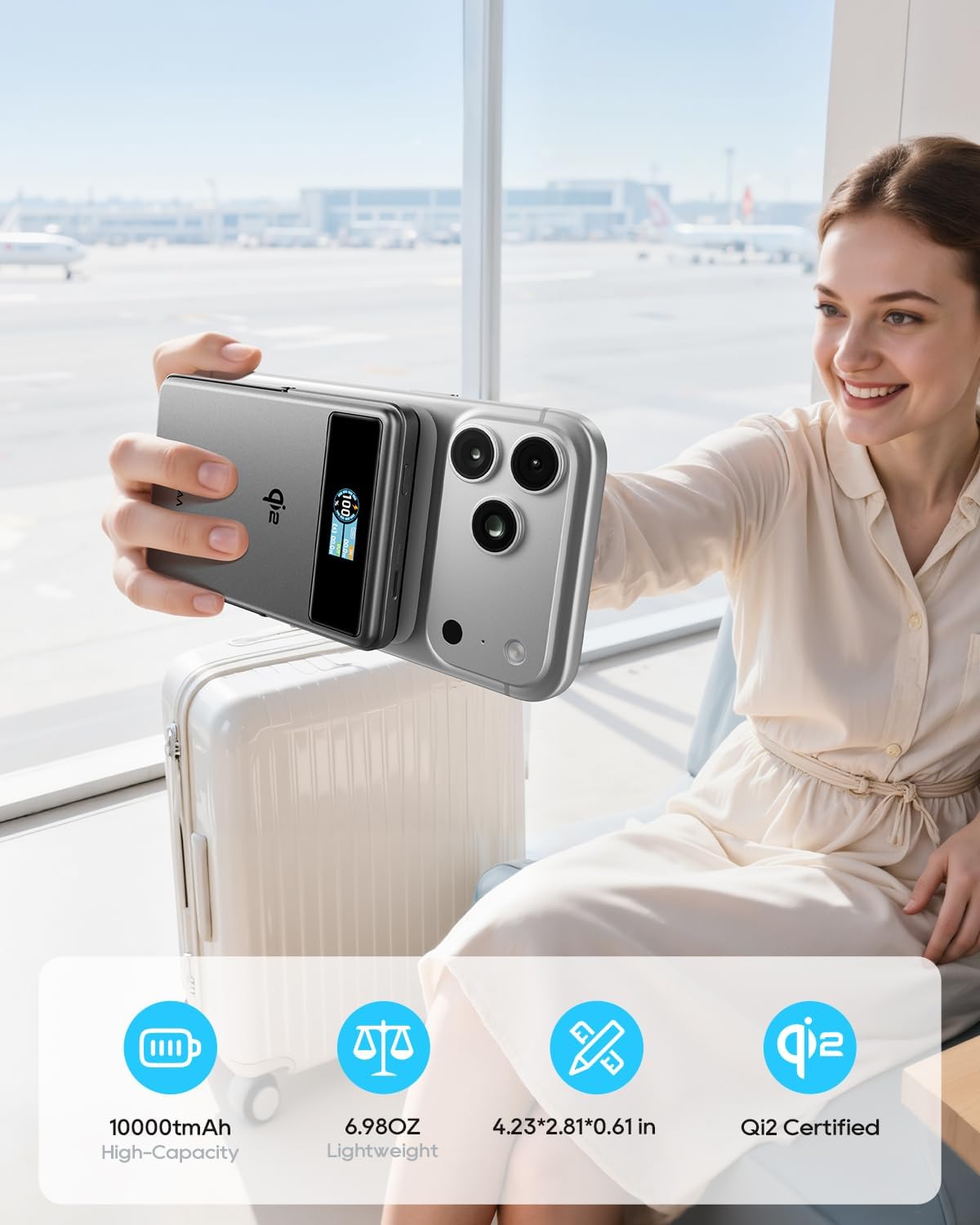
Figure 8: Using the Foldable Stand

Figure 9: Travel Convenience with Foldable Stand
4. Airplane Mode (Disable Wireless Charging)
To comply with airline regulations or if you only wish to use the stand function, you can disable wireless charging.
- 電源ボタンをダブルクリックします。
- Wait for approximately 2 seconds. The wireless charging function will be disabled. The power bank can then be used solely as a magnetic phone stand.

Figure 10: Airplane Friendly Mode
メンテナンス
- パワーバンクを水、火、高温から遠ざけてください。
- 落としたり、強い衝撃を与えないでください。
- 乾いた柔らかい布でデバイスを拭いてください。腐食性の洗剤は使用しないでください。
- モバイルバッテリーを使用しないときは、涼しく乾燥した場所に保管してください。
- For optimal battery life, fully charge the power bank at least once every three months.
トラブルシューティング
| 問題 | 考えられる原因 | 解決 |
|---|---|---|
| パワーバンクが充電されません。 | ケーブルまたはアダプタの問題、パワーバンクが完全に放電されています。 | Ensure the USB-C cable and wall adapter are functioning correctly. Try a different cable or adapter. Allow sufficient time for a fully discharged power bank to initiate charging. |
| デバイスがワイヤレスで充電されません。 | Misalignment; non-MagSafe device/case; foreign object; wireless charging disabled. | Realign the device on the charging surface. Ensure your device or case is MagSafe compatible. Remove any metal objects between the power bank and device. Double-check if wireless charging is accidentally disabled (refer to "Airplane Mode" section). |
| 充電が遅い。 | Low power adapter; multiple devices charging; high device usage. | Use a 20W or higher USB-C wall adapter for charging the power bank. Avoid charging multiple devices simultaneously for faster individual charging. Reduce device usage during charging. |
| Smart TFT Display not showing information. | Display timeout; power bank off. | Press the power button once to reactivate the display. The display has a timeout feature to conserve power. |
| パワーバンクは充電中に温かくなります。 | 通常動作です。 | It is normal for the power bank to become slightly warm during charging or discharging. If it becomes excessively hot, discontinue use and contact support. |
仕様
| 特徴 | 詳細 |
|---|---|
| モデル番号 | KL-YD92 |
| バッテリー容量 | 10000mAh(38.5Wh) |
| ワイヤレス充電出力 | 15W(Qi2認定) |
| USB-C出力 | 最大20W(5V/3A、9V/2.22A、12V/1.67A) |
| USB-C入力 | 最大18W(5V/3A、9V/2A、12V/1.5A) |
| 製品寸法 | 4.2 x 2.8 x 0.6インチ |
| アイテム重量 | 7オンス |
| 特集 | Digital Display, Fast Charging, Lightweight, Pocket Size, Wireless Charging, Foldable Stand |
| メーカー | Shenzhen Kula Technology Co.,Ltd |
保証とサポート
Kuulaa products come with a standard manufacturer's warranty. For detailed warranty information, product support, or technical assistance, please refer to the official Kuulaa webサイトをご覧いただくか、カスタマー サービスに直接お問い合わせください。
保証請求のために購入証明書を保管してください。
公式製品ビデオ
Video 1: Kuulaa Qi2 MagSafe Power Bank 15W 10000mAh & Foldable Stand. This video provides a quick overview of the power bank's features, including its magnetic attachment and foldable stand.