
1. はじめにview
This manual provides detailed instructions for setting up and using your Rapoo Blade-Series E9310M Wireless Keyboard and M300G Silent Mouse Combo. This combo offers multi-device connectivity and a compact design for enhanced productivity across various operating systems.
主な特徴:
- Compact Wireless Combo: Features a 99-key layout with number pad and arrow keys, paired with a silent mouse with side buttons. This design optimizes typing and browsing efficiency while occupying 20% less space.
- Multi-Device and Multi-OS Support: Connects to up to 4 devices across Windows, Mac OS, and Linux via Bluetooth 5.0/4.0 and a plug-and-play USB receiver.
- 流体タイピング体験: Laptop-like profile with incurve rounded keys ensures a fast, fluid, precise, and quiet typing experience.
- 5-DPI Adjustable Silent Mouse: The M300G mouse offers good portability and ergonomics, with 5 preset DPI levels (800/1000/1200/1600/2400) for smooth tracking.
- マルチメディアキー: Supports Windows and Mac OS dual system shortcuts for 12 common functions like play/pause and volume control.
- 美しく耐久性のあるデザイン: Constructed with an aluminum alloy frame and a matte antioxidant finish for a delicate texture and enhanced durability.
- Refined Details: Includes device and capitalization indicator lights for improved user awareness and an upgraded Bluetooth 5.0/4.0 for extended battery life.
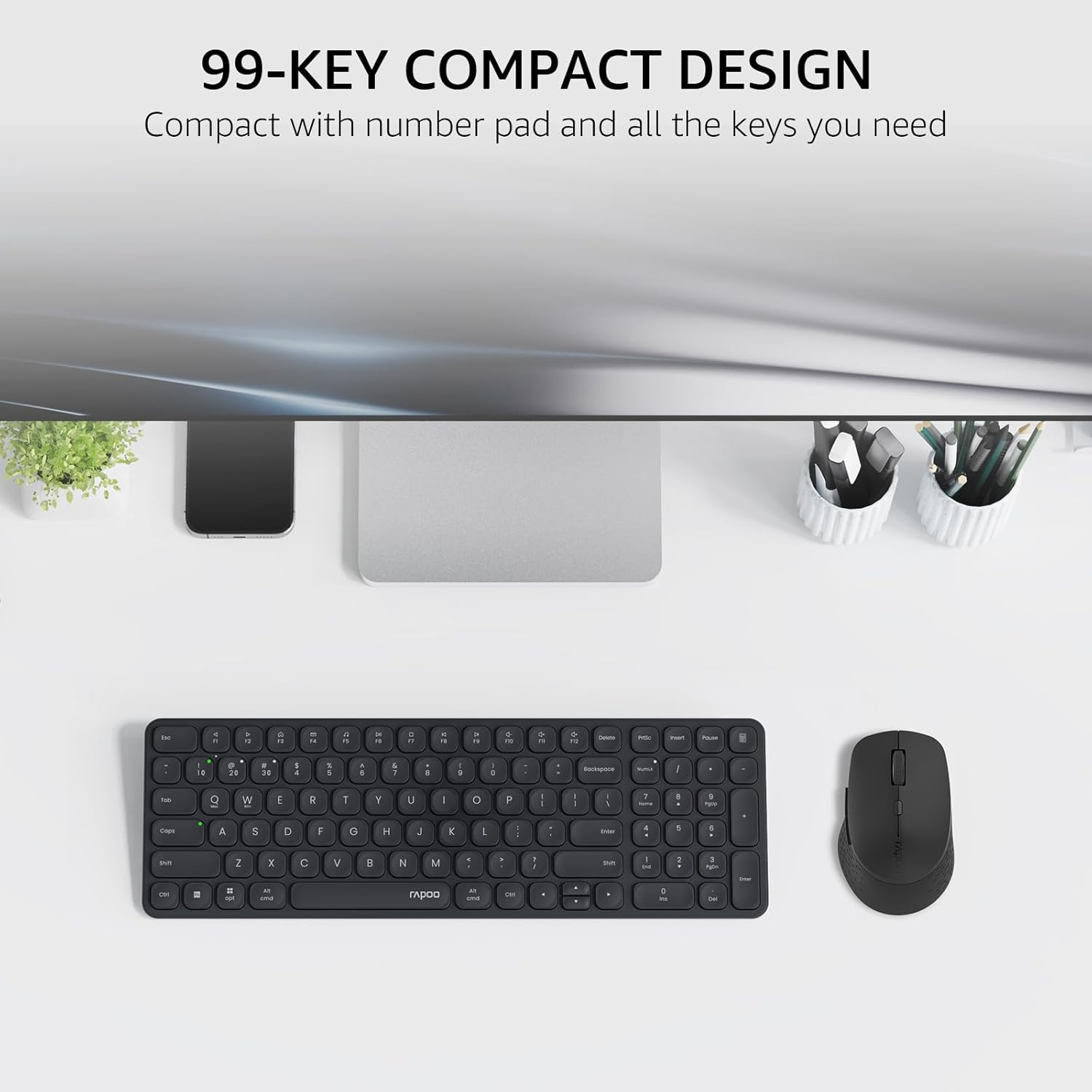
Image: The Rapoo E9310M keyboard and M300G mouse combo, showcasing its compact design on a desk.
2. セットアップ手順
2.1 バッテリーの取り付け
The keyboard and mouse require AAA batteries. Two AAA batteries are included with the product.
- キーボードとマウスの裏側にある電池ボックスを見つけます。
- 電池ボックスのカバーを開きます。
- 正しい極性 (+/-) を確認して、単 4 電池を挿入します。
- 電池カバーをしっかりと閉じてください。
2.2 デバイスへの接続
Your Rapoo combo supports connection via 2.4GHz USB receiver or Bluetooth 5.0/4.0, allowing connection to up to 4 devices (3 via Bluetooth, 1 via 2.4GHz).
2.2.1 2.4GHz USBレシーバー接続
- 通常、マウスの電池ボックス内に保管されている USB レシーバーを見つけます。
- USBレシーバーをコンピューターの使用可能なUSBポートに接続します。
- それぞれの電源スイッチを使用してキーボードとマウスの電源をオンにします。
- The devices should automatically connect to your computer. If not, press the 2.4G pairing button on the keyboard/mouse (refer to device for exact button location).
2.2.2 Bluetooth Connection (for up to 3 devices)
- キーボードとマウスの電源を入れます。
- On the keyboard, press and hold one of the Bluetooth pairing keys (e.g., Fn + 1, Fn + 2, or Fn + 3) until the indicator light flashes, indicating pairing mode.
- デバイス (PC、タブレット、スマートフォン) で Bluetooth 設定に移動し、新しいデバイスを検索します。
- Select the Rapoo keyboard from the list and follow any on-screen prompts to complete pairing.
- Repeat steps 2-4 for the mouse, pressing its Bluetooth pairing button (usually on the underside) until its indicator flashes.
- To switch between paired Bluetooth devices, simply press the corresponding Bluetooth key (Fn + 1/2/3) on the keyboard or the Bluetooth switch on the mouse.
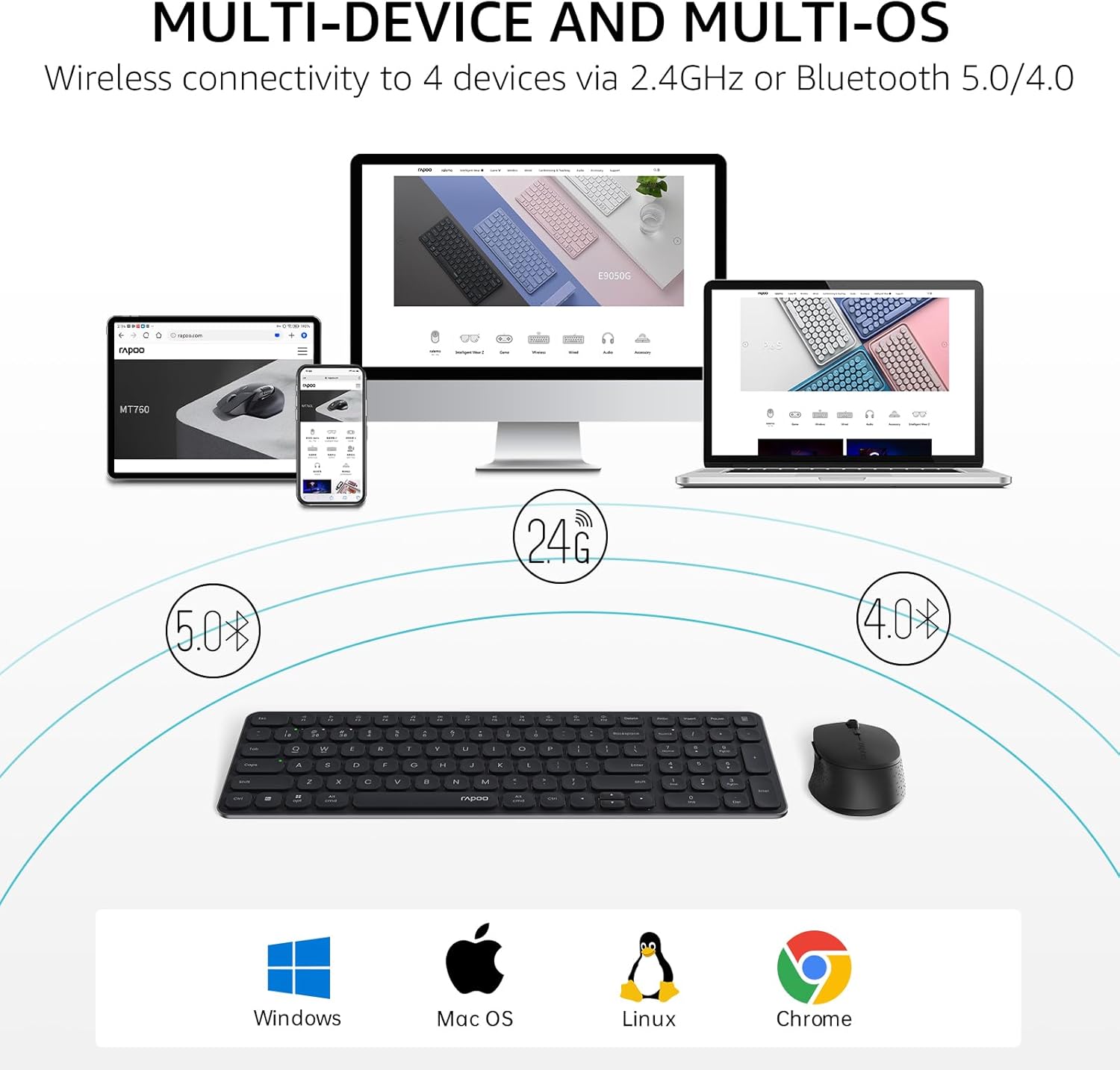
Image: The Rapoo keyboard and mouse combo connected to a desktop, laptop, tablet, and smartphone, illustrating its multi-device capability.
3. 操作手順
3.1 キーボードの機能
The E9310M keyboard features a 99-key layout, including a number pad and dedicated arrow keys, designed for efficient input.
3.1.1マルチメディアキー
Access 12 widely used function keys by pressing the Fn key in combination with the corresponding F-keys (F1-F12). These shortcuts are compatible with both Windows and Mac OS.
- Fn + F1: 再生/一時停止
- Fn + F2: 停止
- Fn + F3: 前のトラック
- Fn + F4: 次のトラック
- Fn + F5: ミュート
- Fn + F6: 音量を下げる
- Fn + F7: 音量を上げる
- Fn + F8: 検索
- Fn + F9: 家
- Fn + F10: 郵便
- Fn + F11: 私のコンピュータ
- Fn + F12: お気に入り
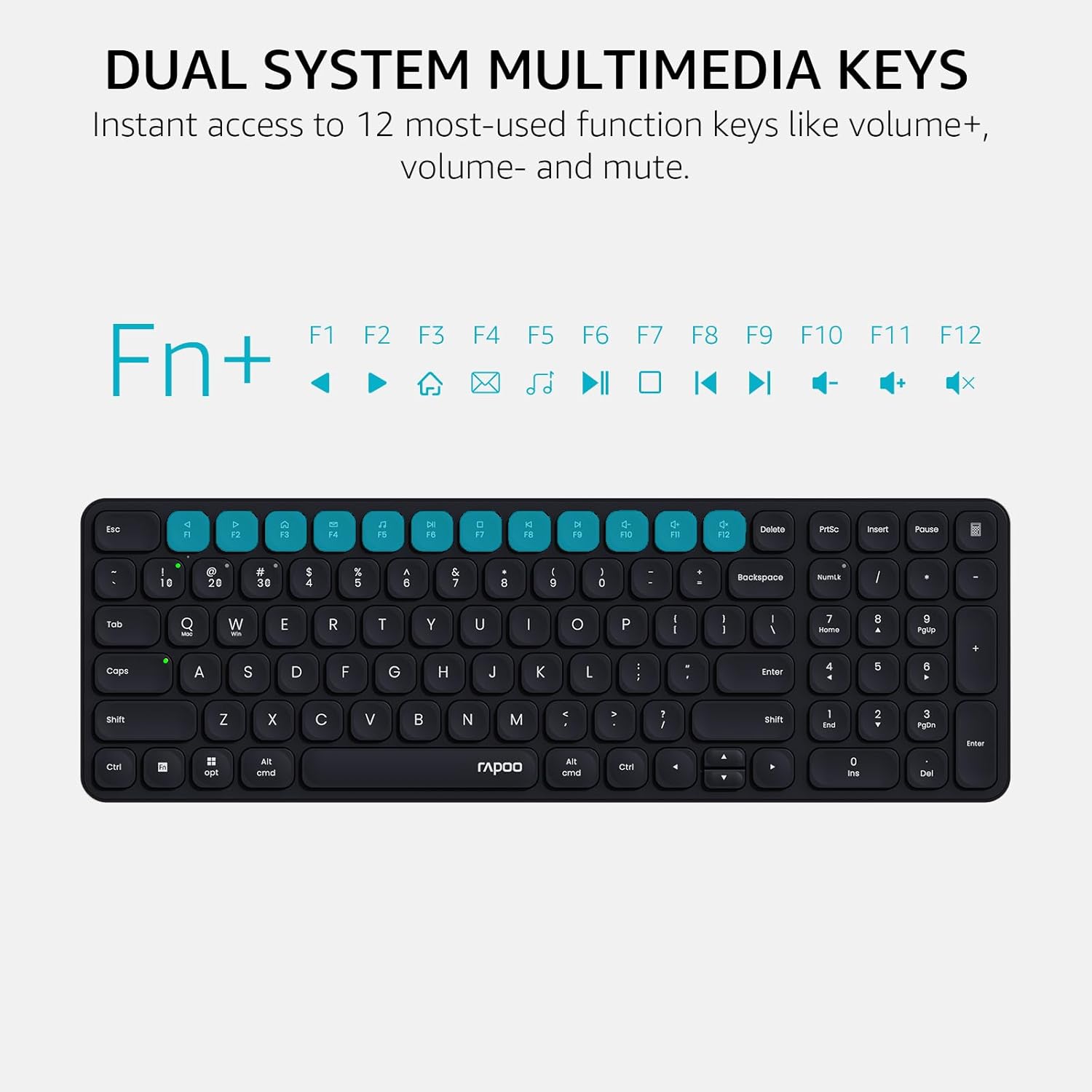
Image: Close-up of the Rapoo E9310M keyboard highlighting the multimedia function keys (F1-F12) and their corresponding icons.
3.1.2 Device and Capitalization Indicator Lights
The keyboard includes indicator lights to show which device is currently active and the status of the Caps Lock key.
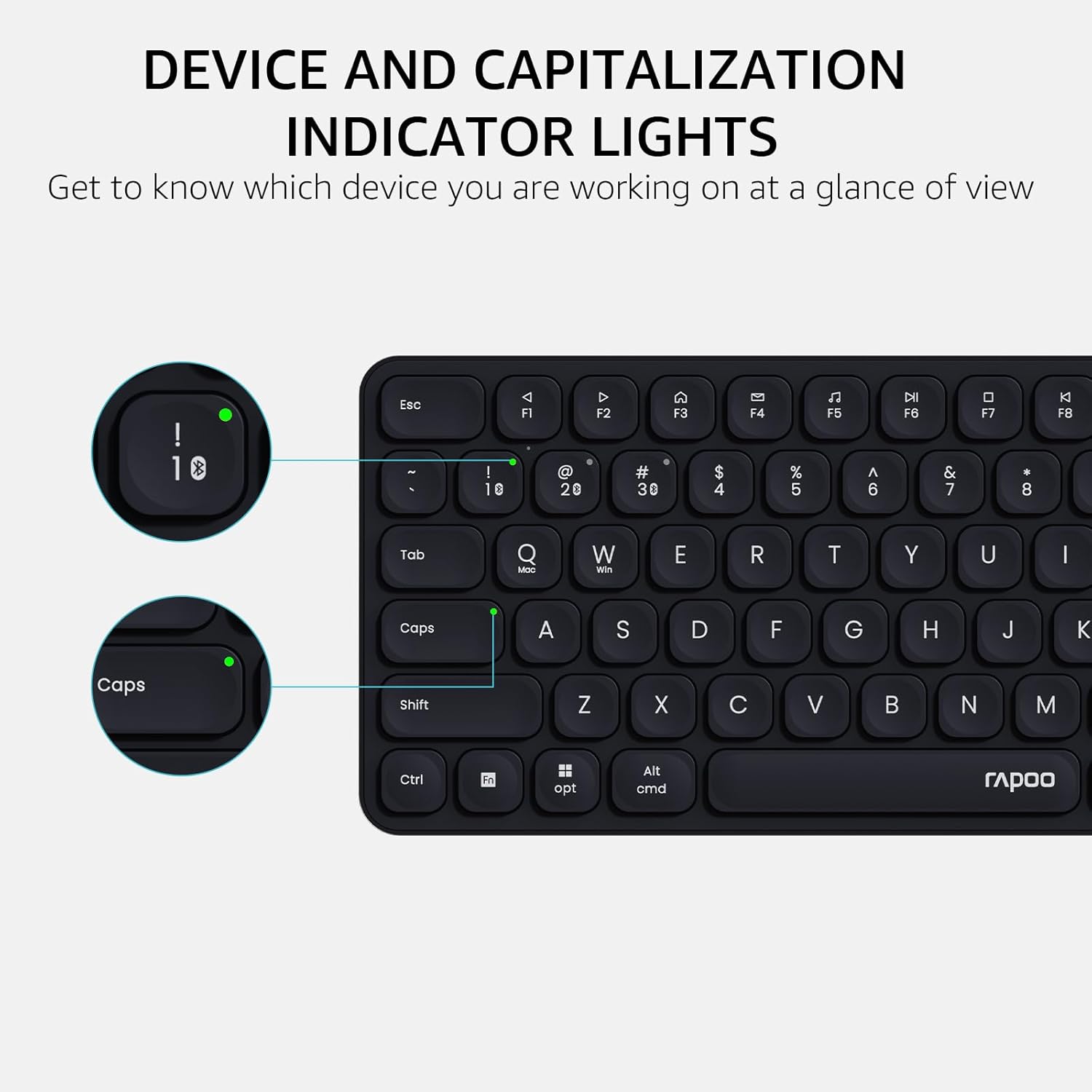
画像: 詳細な view of the Rapoo E9310M keyboard, pointing out the indicator lights for device connection and Caps Lock status.
3.2 マウスの機能
The M300G Silent Mouse provides precise control with adjustable DPI settings and a quiet click design.
3.2.1 DPI調整
The mouse features 5 adjustable DPI levels (800/1000/1200/1600/2400) to suit different screen resolutions and user preferences. Press the DPI button (usually located near the scroll wheel) to cycle through the settings.
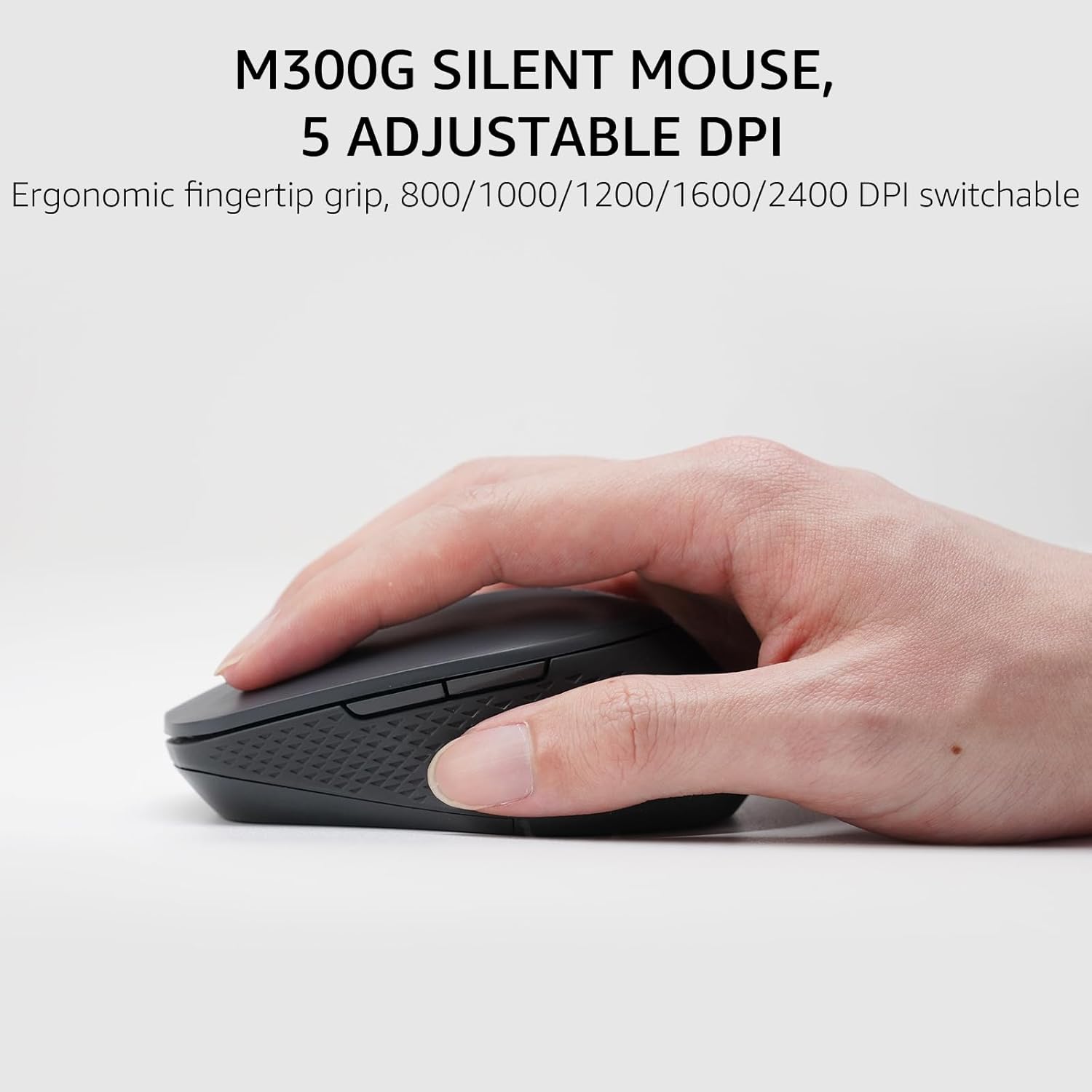
Image: The Rapoo M300G Silent Mouse, highlighting its ergonomic design and the DPI adjustment button.
4. メンテナンス
4.1 クリーニング
- キーボードとマウスの表面を清掃するには、柔らかく乾いた布を使用してください。
- 頑固な汚れには、軽くamp布を水または中性洗剤で湿らせてください。過度の湿気を避けてください。
- 研磨剤入りの洗剤、溶剤、エアゾールスプレーは使用しないでください。
4.2 電池の交換
When the battery indicator light flashes or performance degrades, replace the batteries. The upgraded Bluetooth 5.0/4.0 technology extends battery life up to 12 months.
- デバイスの電源をオフにします。
- 電池ケースを開けます。
- 古い電池を取り外し、地域の規制に従って廃棄してください。
- 正しい極性に注意して、新しい AAA 電池を挿入します。
- コンパートメントを閉じます。
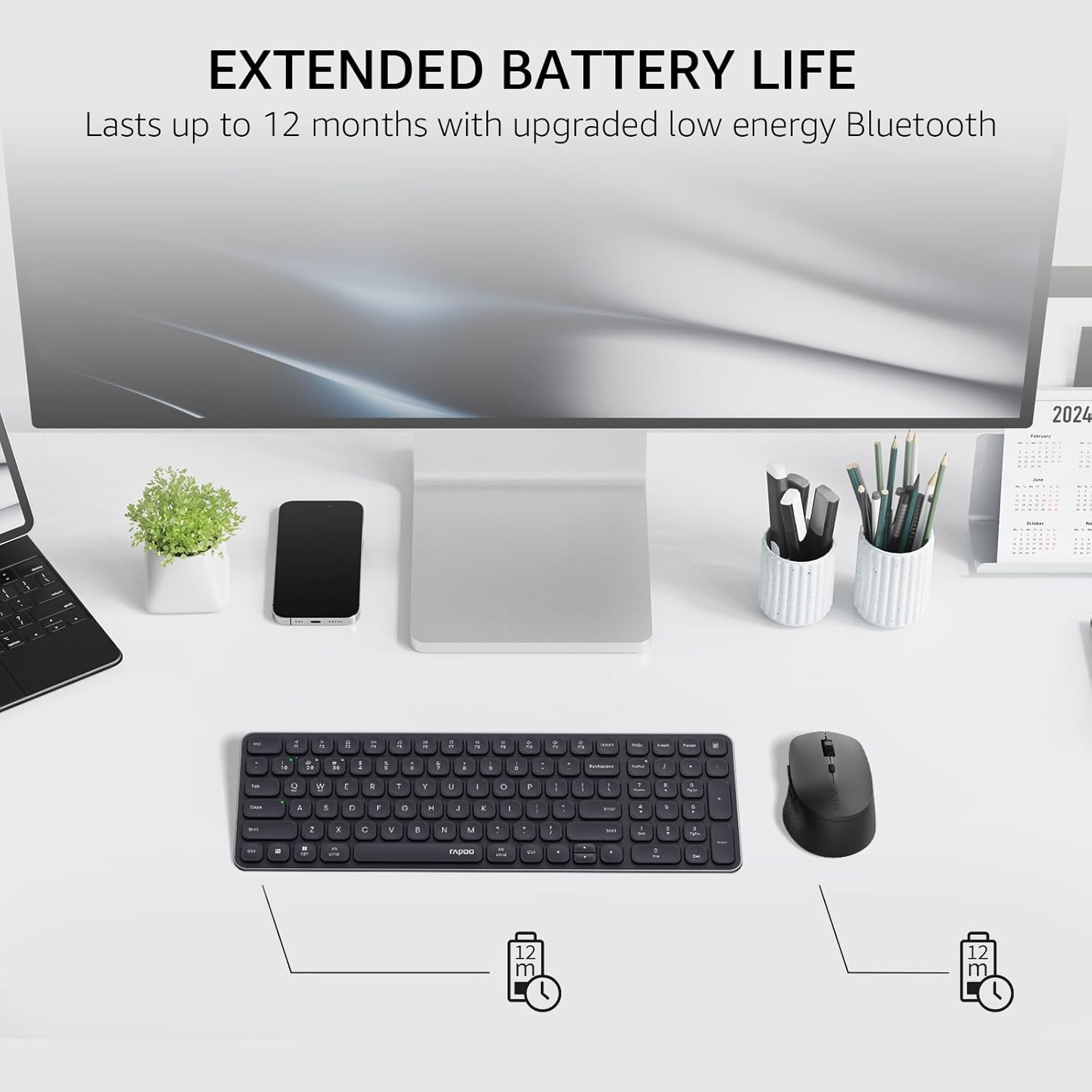
Image: The Rapoo keyboard and mouse on a desk, with an overlay indicating an extended battery life of up to 12 months.
5。 トラブルシューティング
5.1 接続の問題
- デバイスが接続されていません: Ensure the keyboard/mouse is turned on and in pairing mode (indicator light flashing). Check your device's Bluetooth settings to ensure Bluetooth is enabled and the correct Rapoo device is selected.
- 2.4GHz接続が不安定: Ensure the USB receiver is securely plugged into a working USB port. Try a different USB port. Ensure no other wireless devices are causing interference.
- Bluetooth接続が切断されました: Ensure the devices are within the effective range (typically 10 meters/33 feet). Check battery levels. Remove and re-pair the device if issues persist.
5.2 キーボード/マウスが反応しない
- 入力なし: Check battery levels and replace if necessary. Ensure the correct connection mode (2.4GHz or Bluetooth channel) is selected on the keyboard/mouse.
- キーが機能しない: 影響を受けたキーの周囲を清掃して、ゴミを取り除きます。
- マウスカーソルが不安定: Clean the mouse sensor. Ensure the mouse is used on a suitable surface. Adjust DPI settings if sensitivity is an issue.
6. 仕様
| 特徴 | 詳細 |
|---|---|
| ブランド | ラプー |
| モデル(キーボード) | E9310M |
| モデル(マウス) | M2G |
| 色 | 黒 |
| 接続技術 | Bluetooth (5.0/4.0), Radio Frequency (2.4GHz) |
| 対応デバイス | Laptop, Personal Computer (Windows, macOS, Linux, Chrome OS) |
| キーボードレイアウト | QWERTY, 99-Key with Number Pad |
| マウスDPI | 800/1000/1200/1600/2400 (Adjustable) |
| 電源 | 電池式(単2電池XNUMX本付属) |
| アイテム重量 | 393.2グラム |
| メーカー | 深センラプーテクノロジー株式会社 |
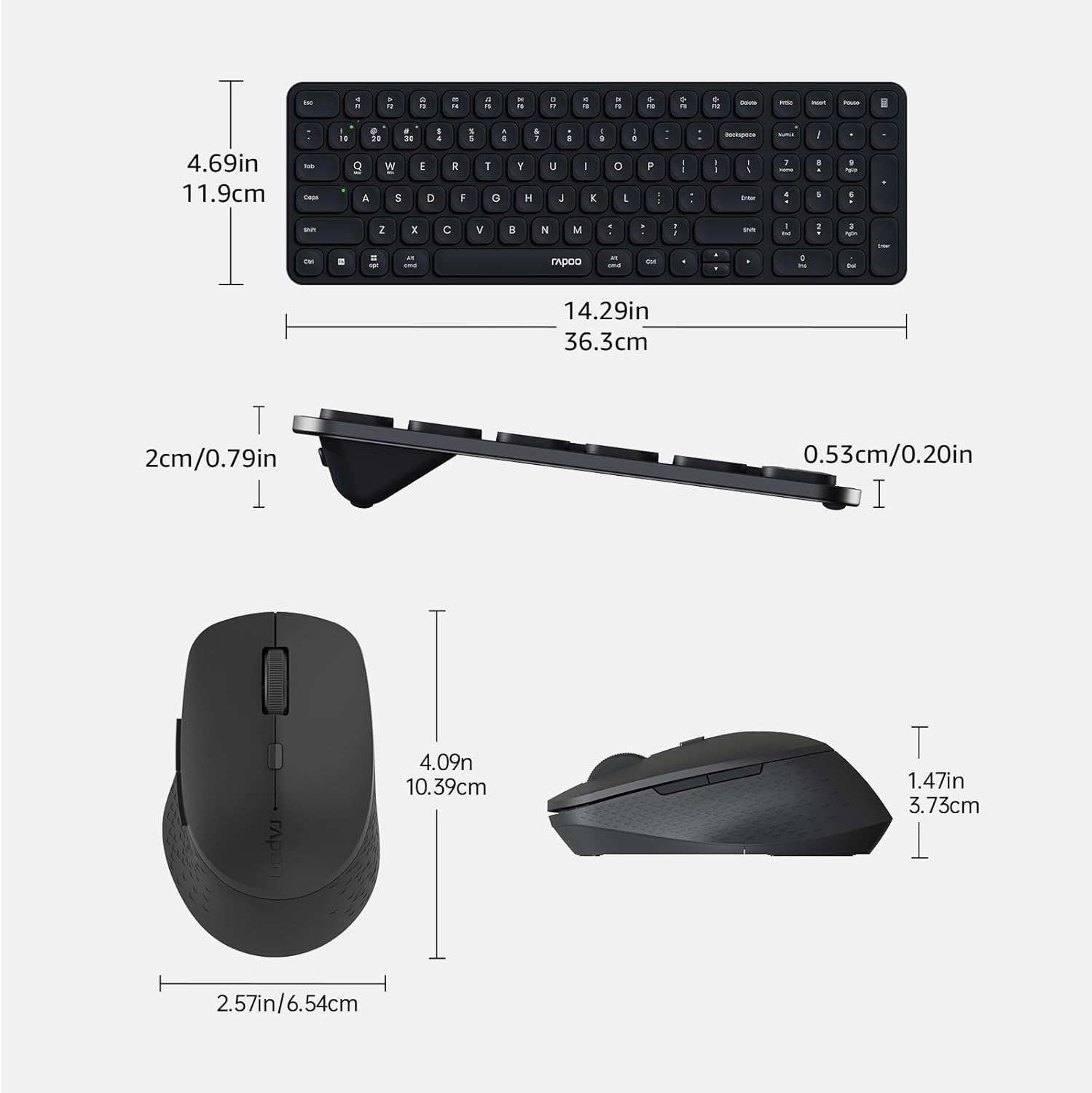
Image: Technical drawing showing the dimensions of the Rapoo E9310M keyboard and M300G mouse in inches and centimeters.
7. 保証とサポート
7.1 保証情報
この製品には、 1年間保証 ご購入日から1年間有効です。保証請求の際は、購入証明書を保管してください。保証は、通常の使用条件下での製造上の欠陥および故障を対象としています。
7.2 カスタマーサポート
For technical assistance, troubleshooting, or warranty inquiries, please contact Rapoo customer support. Refer to the official Rapoo web最新の連絡先情報については、サイトまたは製品パッケージをご覧ください。