
導入
This manual provides essential information for the proper installation, operation, and maintenance of your UGREEN 8K@60Hz Active Display Port to HDMI Unidirectional Adapter. Please read this manual thoroughly before using the product to ensure optimal performance and to prevent damage.

Image: UGREEN 8K@60Hz Active Display Port to HDMI Unidirectional Adapter, showcasinコンパクトなデザイン。
製品終了view および機能
The UGREEN 8K@60Hz Active Display Port to HDMI Unidirectional Adapter is designed to convert a DisplayPort 1.4 signal from a source device to an HDMI 2.1 signal for display on an HDMI-compatible monitor, TV, or projector. This adapter supports high resolutions and refresh rates, ensuring a high-quality visual and audio experience.
- High Resolution and Refresh Rate Support: Supports up to 8K@60Hz, 4K@240Hz, 2K@240Hz, and 1080P@480Hz.
- Uni-directional Signal Flow: Converts DisplayPort (source) to HDMI (display) only. It does not support HDMI to DisplayPort conversion.
- 高帯域幅: Provides up to 32.4Gbps bandwidth for stable and high-fidelity signal transmission.
- 先端技術: Compatible with DisplayPort 1.4, HDMI 2.1, HDCP 2.2, DSC1.2a, and HDR 10+ for vivid images and perfect synchronization.
- オーディオサポート: Supports 24-bit/192kHz audio sampling rate and various audio formats including Dolby Atmos and DTS:X.
- プラグアンドプレイ: 操作にはドライバーのインストールは必要ありません。
- 耐久性のある構造: Features a slim aluminum housing for heat dissipation, tinned copper conductors for conductivity, and gold-plated connectors for corrosion resistance.
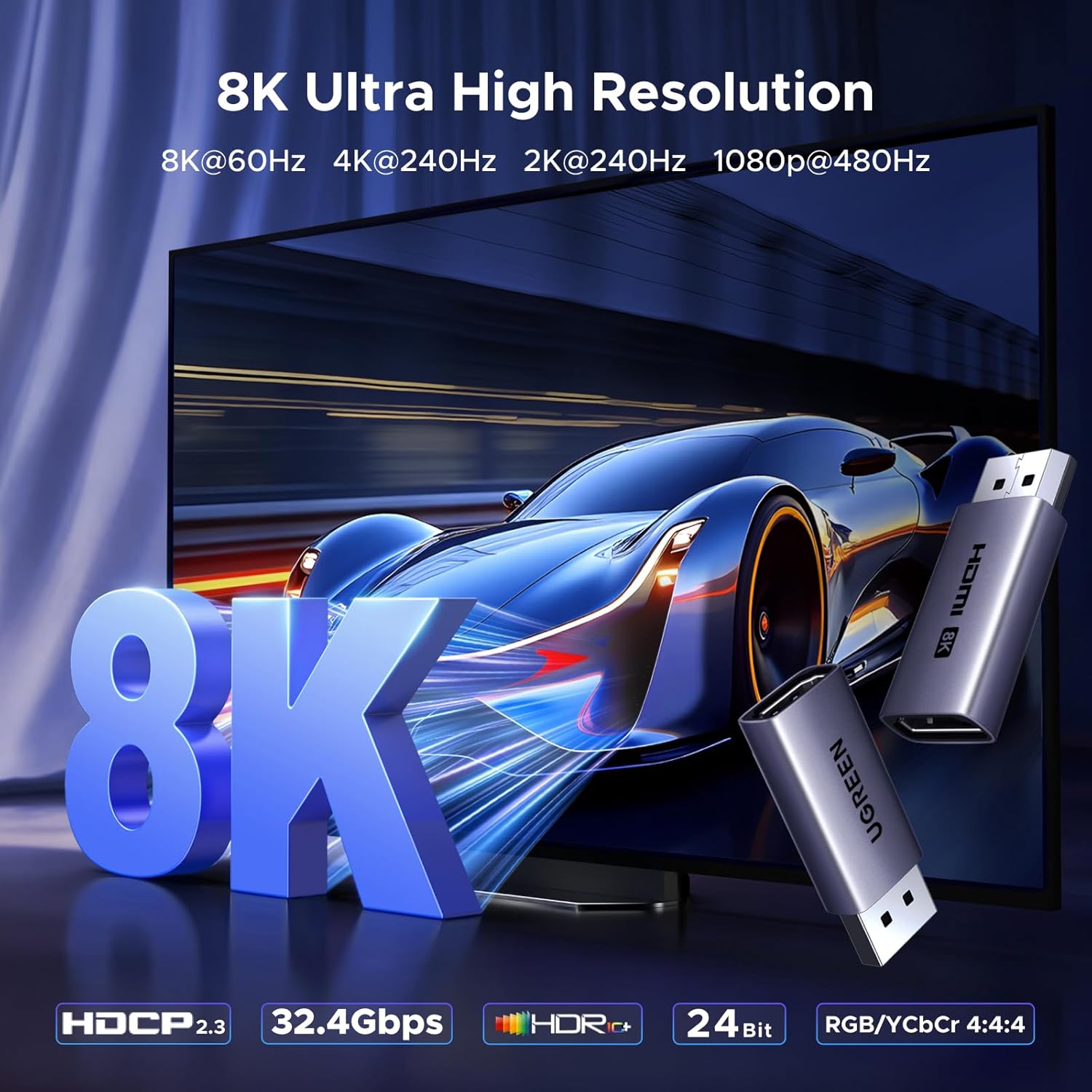
Image: Visual representation of 8K Ultra High Resolution capabilities.

Image: Depiction of smooth video and immersive experience with G-SYNC.

Image: Illustration of perfect audio-visual synchronization.

Image: Close-up of the UGREEN 8K Active DP Male to HDMI Female Adapter.
セットアップ手順
Follow these steps to connect your UGREEN DisplayPort to HDMI adapter:
- Connect the Adapter to the DisplayPort Source: Insert the DisplayPort male connector of the adapter into the DisplayPort output port of your source device (e.g., PC, laptop, graphics card).
- HDMIケーブルを接続します: Connect one end of an HDMI cable (not included) into the HDMI female port of the adapter.
- Connect to HDMI Display: Connect the other end of the HDMI cable to the HDMI input port of your display device (e.g., monitor, TV, projector).
The adapter is plug-and-play, requiring no additional drivers. Ensure both your DisplayPort source device and HDMI display device support the desired resolution and refresh rate (e.g., 8K@60Hz) to achieve that specific effect.

Image: Step-by-step visual guide for connecting the adapter.
Using an adapter can help protect the original DisplayPort on your device from wear and tear caused by repeated plugging and unplugging.

Image: Diagram illustrating how the adapter protects the original DisplayPort.
操作手順
Once connected, the adapter will automatically detect and transmit the video and audio signal from your DisplayPort source to the HDMI display. You can configure your display settings through your computer's operating system.
マルチディスプレイモード
This adapter supports common multi-display configurations:
- ミラーリングモード: Duplicates your primary display onto the connected HDMI display.
- 拡張モード: デスクトップを両方のディスプレイに拡張し、作業スペースを広げます。

画像: Visual examples of mirroring and extended display modes.
解像度とリフレッシュレート
The adapter will attempt to negotiate the highest possible resolution and refresh rate supported by both your source device and display. For specific resolutions like 8K@60Hz or 4K@240Hz, ensure all components in your setup (source, adapter, HDMI cable, and display) are compatible with these specifications.

Image: Illustration demonstrating high refresh rate capabilities.
互換性
This adapter is designed for specific DisplayPort to HDMI signal conversion. Please review 互換性情報は以下の通りです。
対応デバイス:
- DisplayPort Source Devices: PCs, Laptops, Graphics Cards (e.g., NVIDIA/AMD/RX 6000/7000, UltraSharp, ThinkPad T14 Gen 4) with a DisplayPort output.
- HDMI Display Devices: Monitors, TVs/HDTVs, Projectors with an HDMI input.
Non-Compatible Devices:
このアダプタは ない compatible with HDMI source devices or DisplayPort monitors. It will not function with:
- MacBook (HDMI source)
- PS5, PS4, Switch, Switch 2, Xbox, GoPro (HDMI source devices)
- DisplayPort Monitors (as a display device for an HDMI source)
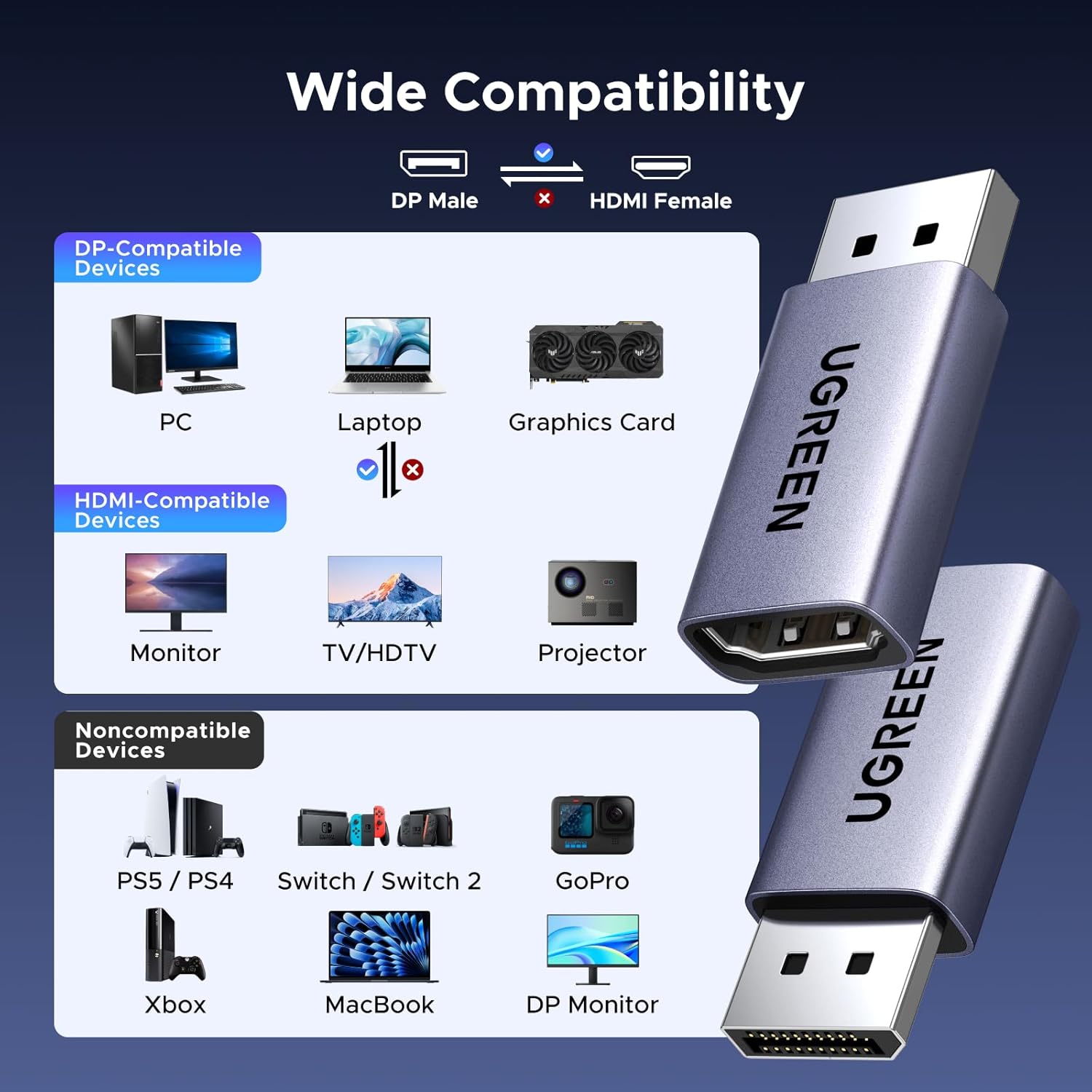
Image: Diagram showing compatible DisplayPort source devices and HDMI display devices, along with non-compatible devices.
仕様
| 特徴 | 仕様 |
|---|---|
| モデル番号 | 85996 |
| コネクタタイプ | DisplayPort オス - HDMI メス |
| 最大解像度のサポート | 8K@60Hz, 4K@240Hz, 2K@240Hz, 1080P@480Hz |
| 帯域幅 | 32.4Gbps |
| DisplayPort規格 | DP 1.4 (backward compatible with DP 1.3/1.2) |
| HDMI規格 | HDMI 2.1 |
| HDCPサポート | HDCP 2.2、HDCP 2.3 |
| HDR サポート | HDR10+ 対応 |
| オーディオサポート | 24-bit/192kHz, Dolby Atmos, DTS:X |
| 色 | グレー |
| ハウジング材質 | アルミニウム |
To achieve the stated resolutions, both the input and output devices, as well as the HDMI cable used, must support DisplayPort 1.4 and HDMI 2.1 standards respectively.

Image: Table detailing resolution support and recommended cable specifications.
トラブルシューティング
- 表示/信号なし:
- すべての接続が安全であることを確認します。
- Verify that the DisplayPort source device is powered on and outputting a signal.
- Confirm the HDMI display is set to the correct input source.
- Remember this is a uni-directional adapter (DP to HDMI only). It will not work if connecting an HDMI source to a DisplayPort display.
- 予想よりも低い解像度/リフレッシュ レート:
- Check that both your DisplayPort source device and HDMI display device support the desired resolution and refresh rate.
- Ensure your HDMI cable is rated for the desired resolution and refresh rate (e.g., an 8K HDMI cable for 8K@60Hz). Refer to the specifications table for cable length and AWG guidelines.
- Update graphics drivers on your source PC.
- オーディオの問題:
- Verify audio output settings on your source device are configured to send audio via DisplayPort/HDMI.
- ソースデバイスとディスプレイの両方の音量レベルを確認します。
- Display Not Recovering from Sleep Mode:
- If the display does not resume after the PC enters sleep mode, try unplugging and re-inserting the adapter.
- Consider adjusting power management settings on your PC to prevent the DisplayPort from entering a deep sleep state.
- G-SYNC/VRR Functionality:
- While G-SYNC compatibility has been reported, Variable Refresh Rate (VRR) support may vary depending on your specific hardware and software configuration.
メンテナンス
The UGREEN DisplayPort to HDMI adapter requires minimal maintenance. Follow these guidelines to ensure its longevity:
- Keep the adapter in a clean, dry environment.
- アダプタを極端な温度や直射日光にさらさないでください。
- Do not bend or twist the adapter excessively.
- Clean the connectors gently with a dry, lint-free cloth if necessary. Avoid using liquid cleaners.
保証とサポート
UGREEN製品は信頼性と性能を重視して設計されています。保証情報やテクニカルサポートについては、UGREENの公式ウェブサイトをご覧ください。 web公式サイトをご覧いただくか、カスタマーサービスに直接お問い合わせください。保証請求のために購入時のレシートを保管してください。