
1. はじめにview
The DATOUBOSS 6200W 48V Hybrid Solar Inverter is a pure sine wave inverter designed to convert 48V DC power to 220/230V AC power. It integrates a 120A MPPT solar charge controller and supports a maximum PV array power of 8500W. This inverter is engineered for reliable performance in various applications, including RVs, camping boats, and home emergency power systems. It features advanced protection mechanisms and flexible operating modes to optimize solar energy utilization.
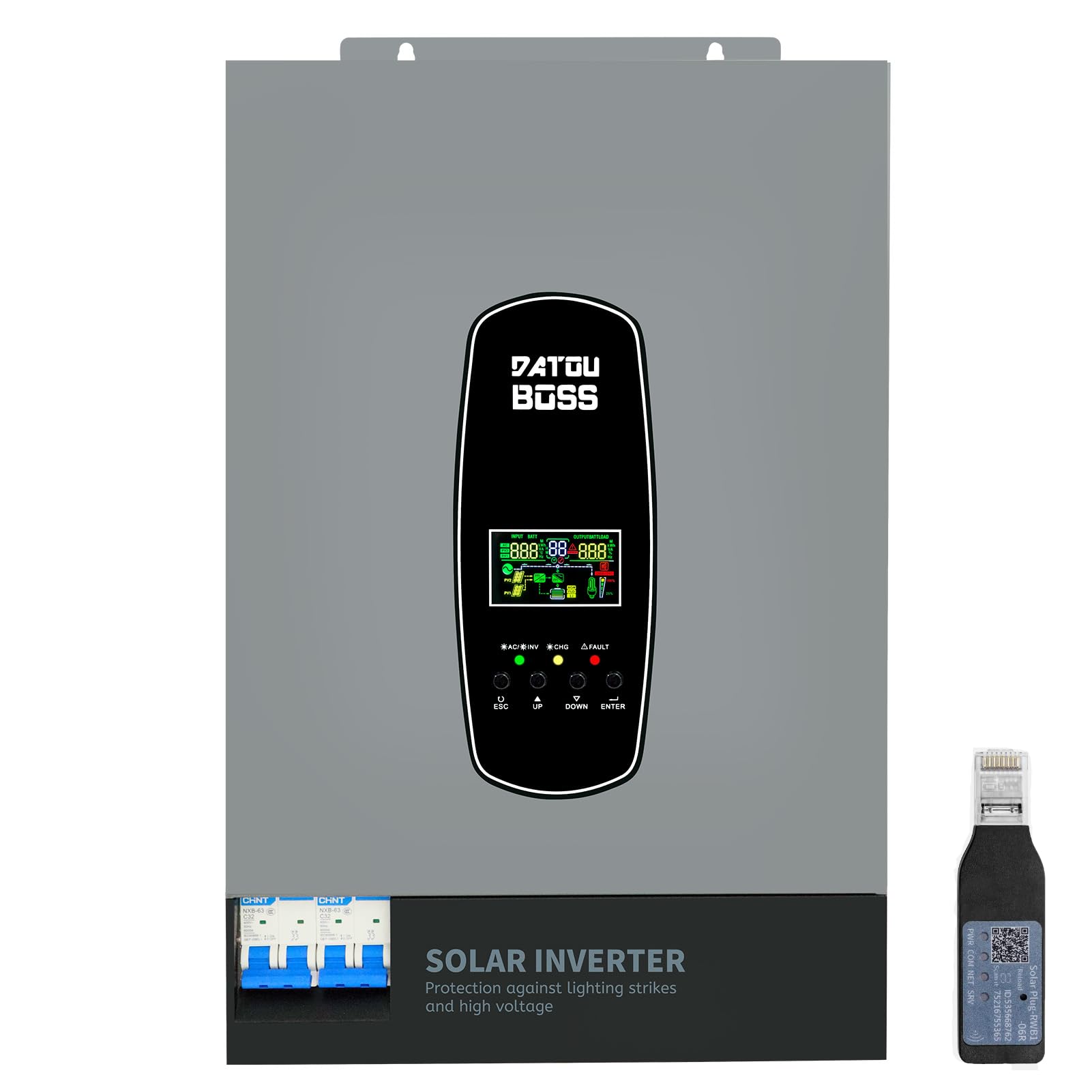
Image 1.1: The DATOUBOSS 6200W Hybrid Solar Inverter, highlighting its 6200W battery inverter output, 6500W PV inverter output, 120A MPPT charging, 8500W maximum PV input, and 60-500Vdc MPPT input voltage範囲。
2. 安全情報
Please read all safety instructions carefully before installation and operation. Failure to follow these instructions may result in electric shock, fire, or serious injury. Keep this manual for future reference.
- 専門家による設置: 設置は有資格者のみが行ってください。
- 換気: 過熱を防ぐために、インバータの周囲に十分な換気を確保してください。
- 水への露出: インバータを雨、雪、水しぶき、その他の液体にさらさないでください。
- 接地: 適切な接地は安全のために不可欠です。
- 緊急シャットダウン: 緊急時に素早く電源を切る方法を知っておきましょう。
- Lightning and Surge Protection: This inverter includes enhanced lightning and overvoltage protection. Integrated safety switches at input and output further enhance safety against overload, short circuit, and surge hazards.

Image 2.1: The inverter features a new lightning-proof design, offering lightning and high-voltage protection, input and output safety switches, increased PV input current, improved inverter performance under PV, higher PV utilization, and EMI filtering.
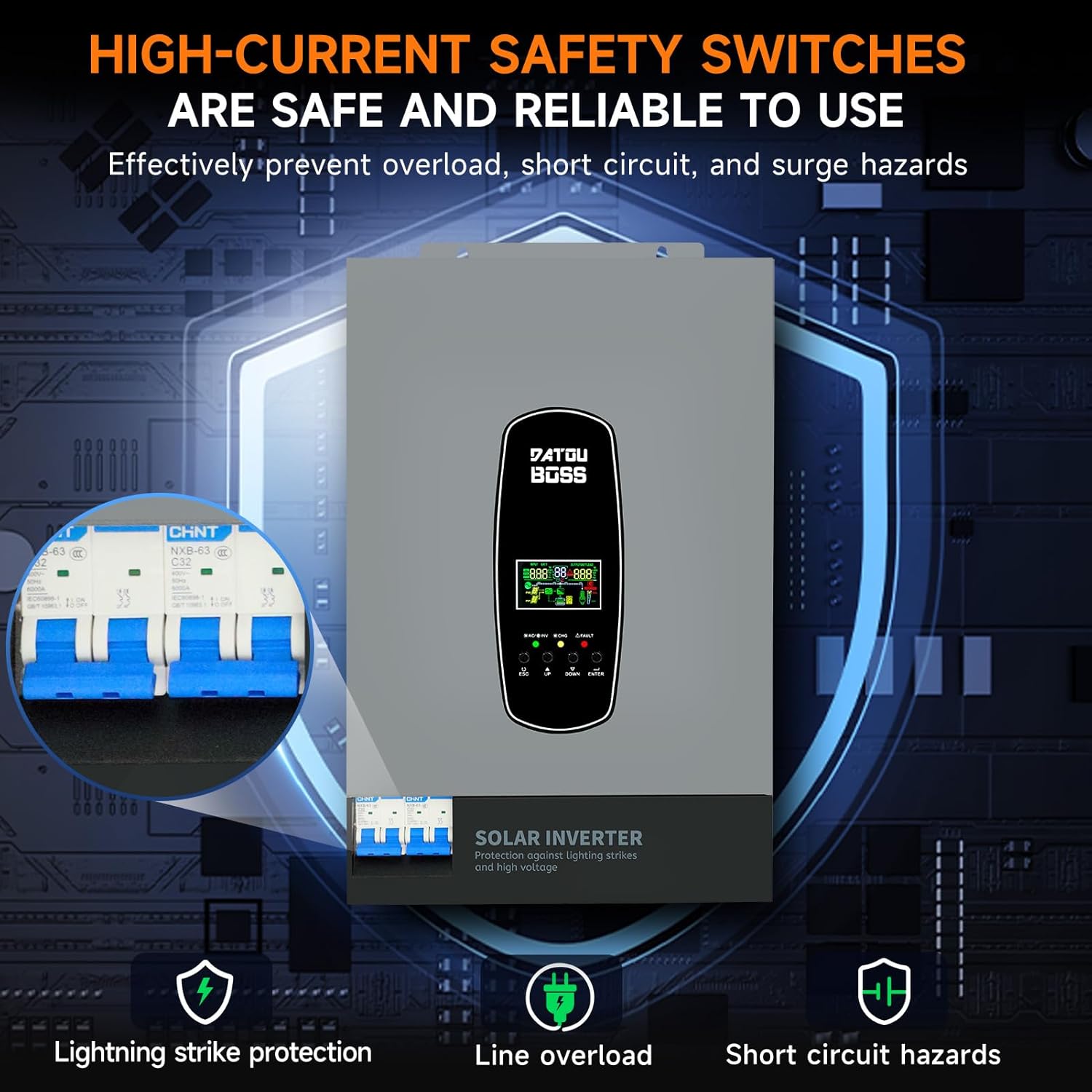
Image 2.2: High-current safety switches are integrated to effectively prevent overload, short circuit, and surge hazards, ensuring safe and reliable operation.
3 製品の特徴
- 純正正弦波出力: 繊細な電子機器に適した高品質の AC 電源を提供します。
- 統合型MPPT充電コントローラー: Features a 120A MPPT solar charge controller for efficient solar power harvesting.
- バッテリーレス操作: Supports direct power supply to loads from PV array or AC source without requiring a battery connection.
- BMS Protection System: Equipped with a Battery Management System for lithium batteries, preventing overcharge and deep discharge.
- Customizable Charging Modes: Offers three battery charging modes: Hybrid (solar and utility), Solar Limited, and Pure Solar.
- LCD Display and LED Indicators: Real-time system data and operating status are displayed on the LCD screen, complemented by 3 dynamic LED indicators. Error codes are shown for easy troubleshooting.
- EMI Filtering: Minimizes electromagnetic interference for stable operation.
- RS485通信ポート: Enables communication with batteries for monitoring and optimized charging.
4.外観の説明
The DATOUBOSS 6200W Hybrid Solar Inverter features a robust design with clearly labeled connection points and an intuitive user interface.

画像4.1: この画像は詳細な view of the inverter's front, left, and right sides. The front panel includes an LCD display, status indicators, and control buttons (ESC, UP, DOWN, ENTER). The top panel shows AC input, BMS/RS485, AC output, RS232 Dry Contact, and PV input ports. The bottom features a safety switch and ground wire connection. The left and right sides show ventilation grilles.
- フロントパネル: Features an LCD display for real-time data, status indicators (AC/INV, CHG, FAULT), and navigation buttons (ESC, UP, DOWN, ENTER).
- Top Connections: Includes terminals for AC input, AC output, PV input, BMS/RS485 communication, and RS232 Dry Contact.
- Bottom Connections: Equipped with a safety switch and a ground wire terminal.
- サイド: Designed with ventilation grilles for efficient heat dissipation.
5. 仕様
Key technical specifications for the DATOUBOSS 6200W 48V Hybrid Solar Inverter:

Image 5.1: A close-up of the inverter's detailed parameters label, showing model DT4862L, capacity, PV and DC specifications, operating temperature, and protection degree.
| 特徴 | 仕様 |
|---|---|
| モデル番号 | DATOUBOSS-48V-6200W |
| 容量 | 6200W/6200VA |
| 入力ボリュームtage | 48VDC |
| 出力巻tage | 230 VAC (Pure Sine Wave) |
| ピーク出力電力 | 9300ワット |
| MPPT PVボリュームtage範囲 | 60VDC~500VDC |
| 最大 PV アレイ電力 | 8500ワット |
| 最大ソーラー充電電流 | 120A |
| 最大AC充電電流 | 100A |
| Max Combined Charging Current (PV + AC) | 120A |
| 動作温度範囲 | -10°C ~ 50°C |
| 保護等級 | IP21 |
| 寸法(長さ×幅×高さ) | 31 x 13.4 x 46.3 cm |
| アイテム重量 | 10.4キログラム |
| 表示タイプ | 液晶 |
6. セットアップ
Proper setup is crucial for the safe and efficient operation of your hybrid solar inverter. Always ensure all power sources are disconnected before making any connections.
- 取り付け: Choose a suitable location for mounting the inverter. It should be indoors, well-ventilated, and protected from direct sunlight, moisture, and extreme temperatures. Ensure sufficient clearance around the unit for airflow.
- 接地: インバータのアース端子を信頼性の高いアースに接続します。
- バッテリー接続: Connect the battery bank to the inverter's battery terminals. Ensure correct polarity (positive to positive, negative to negative). Use appropriate cable gauges and fuses. The inverter supports 48V lithium batteries and includes a lithium battery activation function.
- PVアレイ接続: Connect the solar panel array to the PV input terminals. Verify that the PV voltage and current are within the inverter's specified operating range (60-500 VDC MPPT range, max 500 VDC open circuit voltage, max 27A input current). Ensure correct polarity.
- AC Input Connection (Utility/Generator): Connect the AC utility grid or a compatible generator to the AC input terminals.
- AC出力接続(負荷): Connect your AC loads (appliances, circuits) to the AC output terminals.
- 通信接続(オプション): If using, connect the RS485 port to a compatible battery or monitoring device. The WiFi module (if included) can be connected for remote monitoring.
- 最終チェック: Double-check all connections for tightness and correct polarity. Ensure all safety switches are in the OFF position before powering on.
7.運用
Once the inverter is properly installed and all connections are secure, you can begin operation.
- 電源オン: Turn on the battery breaker first, then the PV array breaker, and finally the AC input breaker (if connected). Switch the inverter's main power ON/OFF switch to the 'ON' position.
- LCDディスプレイ: The LCD screen will illuminate, displaying system data such as input voltage、出力ボリュームtage, battery status, and load percentage. Use the 'UP' and 'DOWN' buttons to navigate through different display screens and the 'ENTER' button to confirm selections.
- LEDインジケーター: Observe the three LED indicators:
- AC/INV: Indicates AC input status or inverter operation.
- 変更: バッテリーの充電状態を示します。
- 障害: Illuminates if an error occurs. Refer to the LCD for specific error codes.
- Setting Charging Modes: The inverter allows customization of battery charging modes:
- ハイブリッド充電: (Default) Utilizes both solar energy and AC utility power for charging.
- Solar Limited Charge: Prioritizes solar charging, using AC utility only when solar is insufficient.
- Pure Solar Charge: 太陽光のみでバッテリーを充電します。
- Battery-Less Mode: The inverter can operate without a battery connected, directly powering loads from the PV array or AC source. This mode can be configured through the system settings.
- 監視: Regularly check the LCD display for system status and performance. If a WiFi module is installed, use the dedicated application for remote monitoring.
8. メンテナンス
Regular maintenance ensures the longevity and optimal performance of your DATOUBOSS Hybrid Solar Inverter.
- クリーニング: Keep the inverter clean and free from dust. Use a dry cloth to wipe the exterior. Ensure ventilation openings are not blocked.
- 接続チェック: Periodically inspect all electrical connections for tightness and signs of corrosion. Tighten any loose connections.
- バッテリーの検査: If using batteries, regularly check their terminals for corrosion and ensure they are clean and secure. Monitor battery health via the inverter's display or communication port.
- 環境条件: Ensure the inverter remains in a suitable environment, free from excessive heat, cold, or humidity.
- ファームウェアの更新: メーカーの webインバーターに最新の機能とバグ修正が適用されていることを確認するには、サイトで利用可能なファームウェア アップデートを確認してください。
9。 トラブルシューティング
このセクションでは、よくある問題に関するガイダンスを提供します。複雑な問題については、テクニカルサポートにお問い合わせください。
| 問題 | 考えられる原因 | 解決 |
|---|---|---|
| インバータがオンにならない | No battery power; main switch off; loose connections. | バッテリー容量を確認するtage; ensure main switch is ON; verify all connections. |
| AC出力なし | Overload; short circuit; low battery voltage; fault code. | 負荷を減らし、短絡がないか確認し、バッテリーを充電し、LCD でエラー コードを確認します。 |
| バッテリーが充電されない | PV input too low/high; AC input unavailable; incorrect charging mode. | PVボリュームを確認するtage/current; verify AC input; adjust charging mode settings. |
| 障害LEDが点灯 | Internal error; over-temperature; over-voltage / current。 | Note the error code on the LCD and consult the full user manual for specific remedies. Power cycle the unit if safe to do so. |
10. 保証とサポート
DATOUBOSS is committed to providing high-quality products and customer satisfaction.
- 寿命: This product is designed for a 10-year lifespan.
- 保証: A 5-year guarantee covers manufacturing defects and malfunctions under normal use.
- カスタマーサポート: We offer 24-hour response for technical inquiries and support.
- サービス: Local warehouses are available for efficient service and parts.

Image 10.1: Visual representation of DATOUBOSS's commitment to product quality and customer service, including a 10-year lifespan, 5-year guarantee, 24-hour response, and local warehouses.
For further assistance or to report an issue, please contact DATOUBOSS customer service through the official channels provided with your purchase.