
1. はじめに
This manual provides essential information for the safe operation and maintenance of your 4DRC V31 RC Plane with Camera. Please read this manual thoroughly before operating the aircraft to ensure proper function and to avoid damage or injury. Keep this manual for future reference.

Figure 1: 4DRC V31 RC Plane, designed for beginner-friendly operation.
2. パッケージ内容
下記のすべての品目がパッケージに含まれていることをご確認ください。不足または破損している品目がある場合は、カスタマーサポートまでご連絡ください。
- 4DRC V31 RC飛行機
- リモコン送信機
- Rechargeable Batteries (2 C batteries included)
- USB充電ケーブル
- スペアプロペラ
- ドライバー
- ユーザーマニュアル(このドキュメント)
Note: The charger is included as part of the USB charging cable.
3 製品の特徴
- 360° Flip & Aerial Stunts: Perform aerobatic rolls and 360-degree circling.
- 内蔵カメラ: Advanced WiFi-enabled camera for real-time video streaming and capturing flight moments.
- Color LED Lights: Equipped with bright LED lights for visibility and aesthetic appeal during evening flights.
- 使いやすい: No assembly required. Features one-key takeoff/landing, altitude hold, and three speed options.
- 安全性と耐久性: Four built-in propellers with protective structure and sturdy EPP material construction for impact resistance.
- ヘッドレスモード: Simplifies control by eliminating the need to adjust the aircraft's position before flight.
- ワンキー離陸/着陸: フライトの開始と終了を簡素化します。
- 高度維持: Maintains a consistent altitude for stable hovering.
- 3 つの速度オプション: Adjustable flight speeds for different skill levels.
4. セットアップ
4.1 バッテリーの充電
- Connect the USB charging cable to the aircraft's battery port.
- Plug the USB end of the cable into a 5V/1A USB power adapter (not included) or a computer's USB port.
- 充電中はUSBケーブルのインジケータライトが点灯し、完全に充電されると消灯します。
- 充電時間は約60〜90分です。

Figure 2: The aircraft features a module battery and a low battery alert system. Two batteries provide approximately 40 minutes of flight time.
4.2 リモコンに電池を入れる
- リモコンの背面にある電池ボックスを開きます。
- Insert 2 C batteries (included), ensuring correct polarity (+/-).
- 電池ケースをしっかりと閉めてください。
4.3 Pairing the Aircraft with the Remote Control
- Place the aircraft on a flat surface.
- Turn on the aircraft's power switch. The LED lights on the aircraft will flash.
- リモコンの電源を入れます。
- Push the left joystick (throttle) all the way up, then all the way down. The aircraft's LED lights will stop flashing and remain solid, indicating successful pairing.
5. 操作手順
5.1 基本的な飛行制御
- 脱ぐ: Press the One-Key Takeoff button or push both joysticks outwards and downwards simultaneously to start the propellers, then push the left joystick up to ascend.
- 着陸: Press the One-Key Landing button or pull the left joystick down to descend.
- 上昇/下降: 左ジョイスティック(スロットル)を上下に操作します。
- 前方後方: 右ジョイスティックを上下に操作します。
- 左/右に曲がる: 左ジョイスティックを左/右に操作します。
- 左/右に飛ぶ(ストラフ): 右ジョイスティックを左右に操作します。
- 速度調整: Press the speed button on the remote control to cycle through three speed modes (low, medium, high).

Figure 3: Key flight functions including Headless Mode and One-Click Takeoff/Landing.
5.2ヘッドレスモード
In Headless Mode, the aircraft's orientation is locked to the remote control's orientation at the time of activation. This means pushing the right joystick forward will always make the aircraft fly away from you, regardless of which way the front of the aircraft is facing.
- To activate Headless Mode, press the Headless Mode button on the remote control. The aircraft's lights will flash to indicate activation.
- To exit Headless Mode, press the Headless Mode button again.
5.3 高度維持
The Altitude Hold function allows the aircraft to maintain a stable altitude without constant throttle input. This makes it easier to control and capture stable photos/videos.

Figure 4: The aircraft's Altitude Hold feature for stable flight and One-Click Quick Stop for emergency landings.
6. Camera and FPV Operation
6.1 アプリへの接続
- Download the "4DRC" app from your smartphone's app store.
- 航空機の電源を入れます。
- On your smartphone, go to Wi-Fi settings and connect to the Wi-Fi network named "4DRC-V31-XXXX".
- Open the 4DRC app. You should see the live FPV feed from the aircraft's camera.
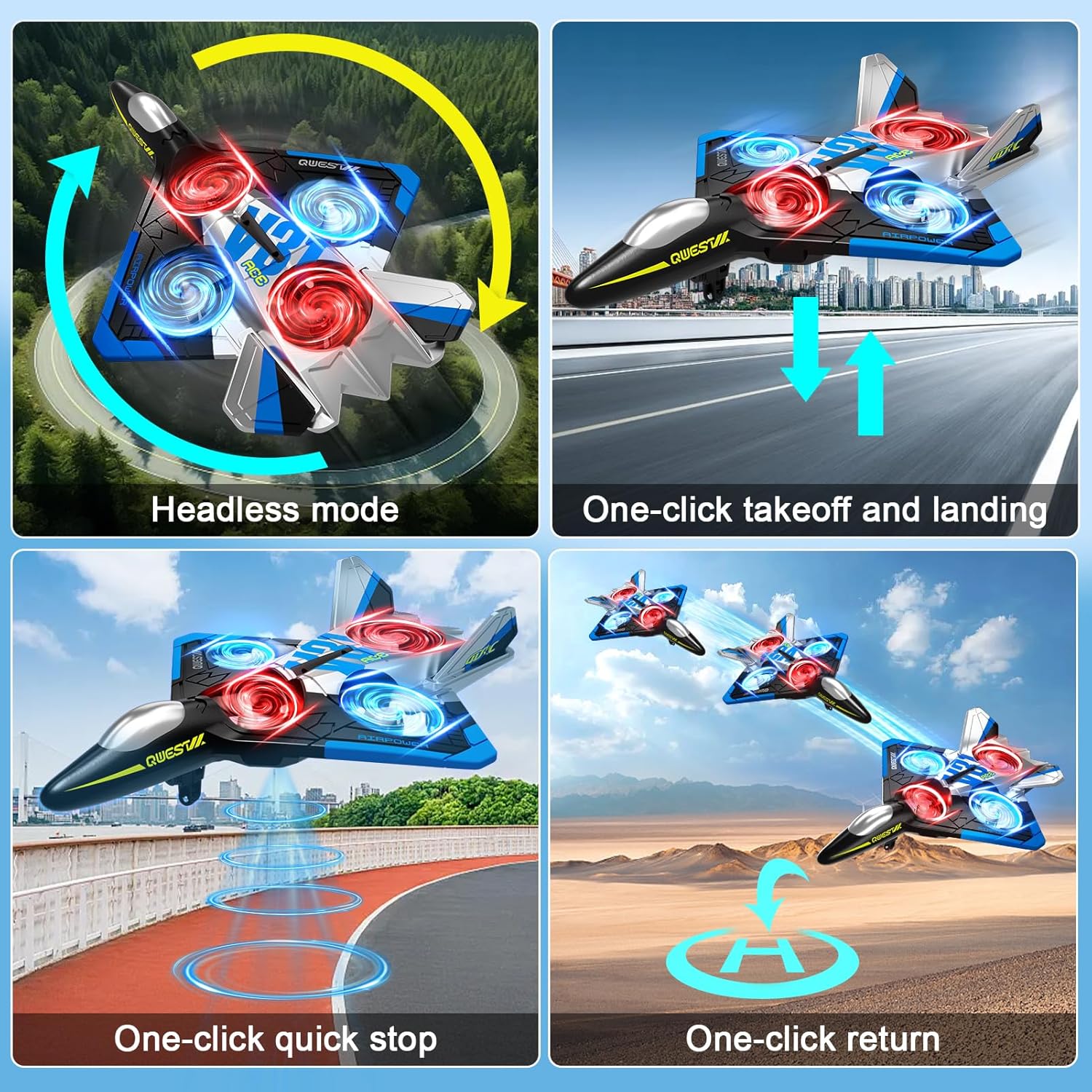
Figure 5: Experience real-time FPV transmission directly to your smartphone.
6.2 写真やビデオの撮影
Once connected to the app, you can use the on-screen controls to capture photos and record videos.
- 写真: アプリ内のカメラアイコンをタップして写真を撮ります。
- ビデオ: Tap the video icon to start recording. Tap again to stop.
- ジェスチャーコントロール: The aircraft supports gesture control for taking photos and videos. Refer to the app interface for specific gesture commands.

Figure 6: Utilize gesture control for hands-free photo and video capture.

Figure 7: The camera captures 1080P Full HD aerial images and videos.
7. 特別な飛行モード
7.1°フリップ
360°反転を実行するには:
- Fly the aircraft to a height of at least 3 meters.
- Press the 360° Flip button on the remote control.
- Immediately push the right joystick in the desired direction (forward, backward, left, or right) to execute the flip.

Figure 8: The aircraft is capable of performing exciting 3D flips.
7.2 360° Circling
To perform a 360° circling stunt:
- Ensure the aircraft is flying stably at a sufficient height.
- Press the One-Click Circling button on the remote control. The aircraft will automatically perform a 360-degree circle.
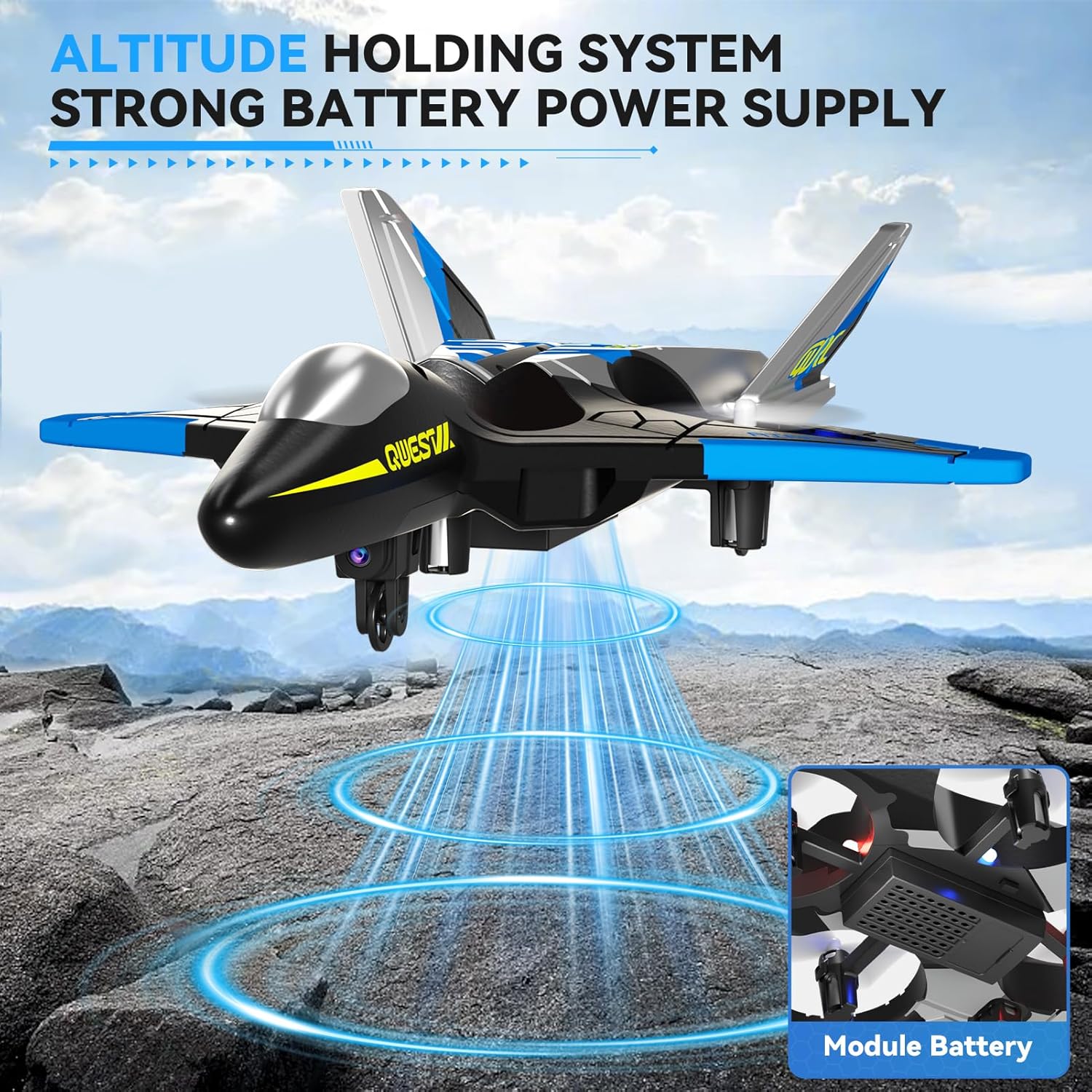
Figure 9: Execute impressive 360° circle flight stunts with ease.
7.3 軌道飛行
Using the app, you can draw a flight path on your smartphone screen, and the aircraft will follow it automatically.
- Connect your smartphone to the aircraft's Wi-Fi.
- Open the 4DRC app and enter the flight interface.
- Tap the Trajectory Flight icon.
- Draw your desired flight path on the screen. The aircraft will then fly along the specified route.

Figure 10: Utilize Trajectory Flight and Gesture Control for advanced flight maneuvers.
8. 安全性と耐久性
The 4DRC V31 RC Plane is designed with safety and durability in mind.
- プロペラ保護: Four built-in propellers are protected by the aircraft's frame, reducing the risk of injury from spinning blades.
- EPP素材: Constructed from soft yet sturdy EPP material, allowing the aircraft to withstand minor impacts and tumbles.
- 全方向障害物回避: The aircraft may feature an omnidirectional obstacle avoidance module to prevent collisions.
Video 1: Demonstrates various flight features including LED lights, one-click taxi takeoff, multi-gear speed adjustment, HD camera, real-time transmission, gesture photography/video, gravity induction, bump-proof design, jettisoning mode, optical flow localization, omnidirectional obstacle avoidance, 360° circling, 360° effect tumbling, trajectory flight, and one-touch landing.
9. メンテナンス
- クリーニング: Wipe the aircraft with a soft, dry cloth after each use. Avoid using water or harsh chemicals.
- プロペラの検査: プロペラに損傷(ひび割れ、曲がりなど)がないか定期的に点検してください。損傷したプロペラは、付属のスペアパーツを使用して直ちに交換してください。
- バッテリーのケア:
- バッテリーを過充電または過放電しないでください。
- バッテリーは直射日光を避け、涼しく乾燥した場所に保管してください。
- If not used for an extended period, charge the battery to about 50% before storing.
- ストレージ: Store the aircraft and remote control in a dry, cool environment, away from extreme temperatures and direct sunlight.
10。 トラブルシューティング
| 問題 | 考えられる原因 | 解決 |
|---|---|---|
| 航空機はリモコンに反応しません。 | Not paired; low battery in aircraft or remote. | Re-pair the aircraft and remote. Charge aircraft battery. Replace remote control batteries. |
| 航空機が不規則に飛行したり、漂流したりする。 | ジャイロスコープが校正されていない、プロペラが損傷している。 | Perform gyroscope calibration (refer to app or remote instructions). Check and replace damaged propellers. |
| Camera feed is not visible on smartphone. | Not connected to aircraft Wi-Fi; app not open. | Ensure smartphone is connected to the aircraft's Wi-Fi network. Open the 4DRC app. |
| 短い飛行時間。 | バッテリーが完全に充電されていない、古いバッテリーです。 | バッテリーが完全に充電されていることを確認してください。古いバッテリーの交換を検討してください。 |
11. 仕様
- モデル名: 4D-V31-BLUE-WIFI (V31 Series)
- ブランド: 4DRC
- 材質タイプ: Plastic (EPP Foam)
- アイテムの寸法: 8 x 3 x 11インチ
- 電池のタイプ: リチウムイオン
- 電池の数: C電池2個(付属)
- 含まれるコンポーネント: 充電器(USBケーブル)
- 年齢範囲: Kid Adults (Manufacturer Minimum Age: 96 months)
- 追加機能: RC plane, RC plane with camera, remote control airplane, 360° Flip, Headless Mode, One-Key Takeoff/Landing, Altitude Hold, Three Speed Options, Color LED Light.
12. 保証とサポート
For warranty information and customer support, please refer to the contact details provided on the product packaging or visit the official 4DRC webサイトでご確認ください。購入証明として購入レシートを保管してください。
メーカー: 4DRC
