
1. はじめに
This manual provides detailed instructions for the operation and maintenance of your ZAQE Clip MP3 Player X20. Please read this manual thoroughly before using the device to ensure proper function and to maximize your user experience. Keep this manual for future reference.
2. 箱の中身
Upon opening your ZAQE Clip MP3 Player X20 package, please verify that all the following items are included:
- ZAQE Clip MP3 Player X20
- USB充電ケーブル
- 有線イヤホン
- ユーザーマニュアル(このドキュメント)
不足または破損した商品がある場合は、カスタマー サポートにお問い合わせください。

Image: Contents of the ZAQE Clip MP3 Player X20 package, including the player, charging cable, earphones, and user manual.
3.製品オーバーview
3.1 デバイスのレイアウト
The ZAQE Clip MP3 Player X20 features a compact design with intuitive controls and a secure clip for portability.
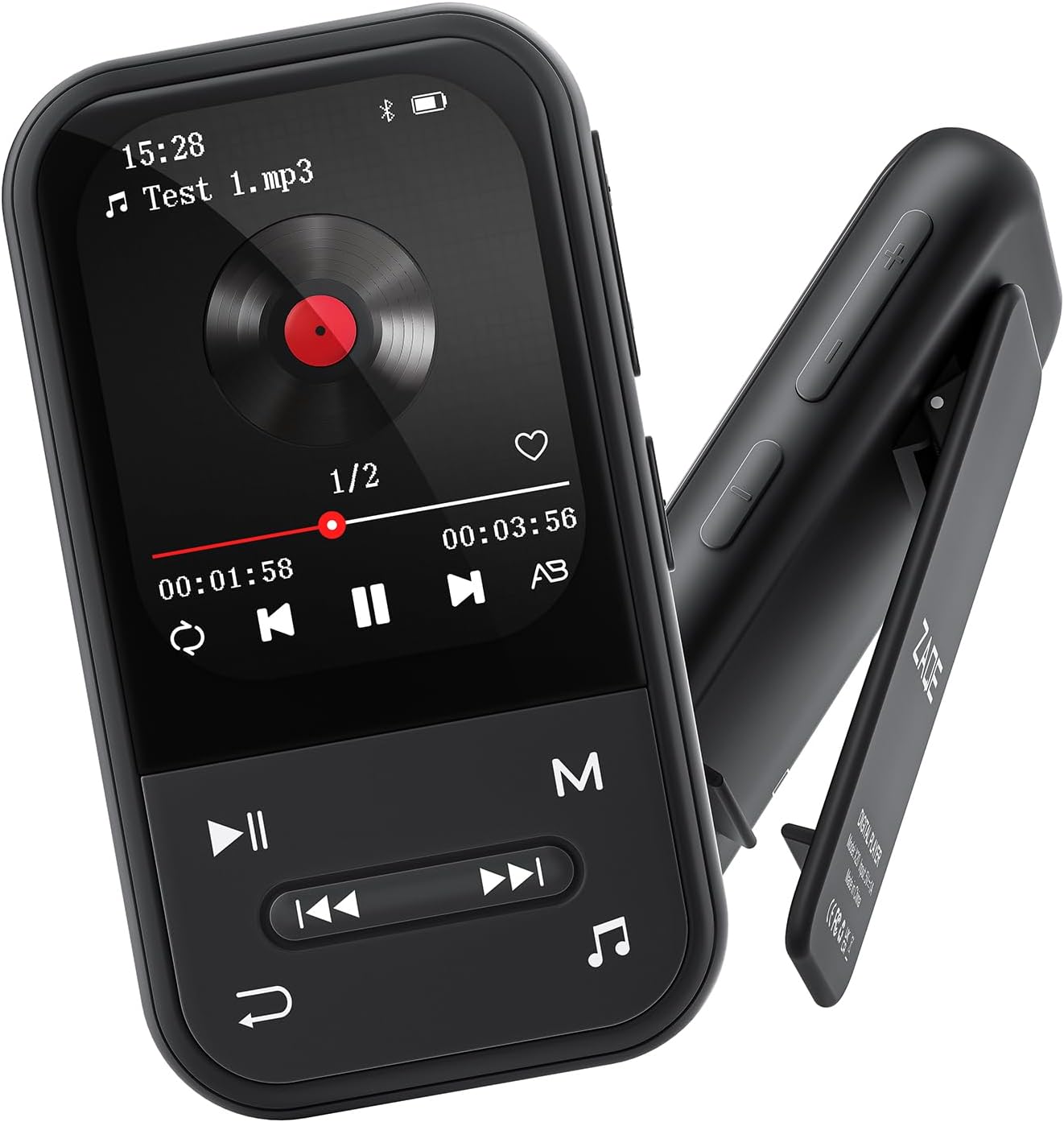
画像: 正面と側面 view of the ZAQE Clip MP3 Player X20, highlighting its compact design and rear clip.
3.2ディスプレイインターフェース
The device features a 2.0-inch TFT color display with a user-friendly interface for easy navigation through its various functions.
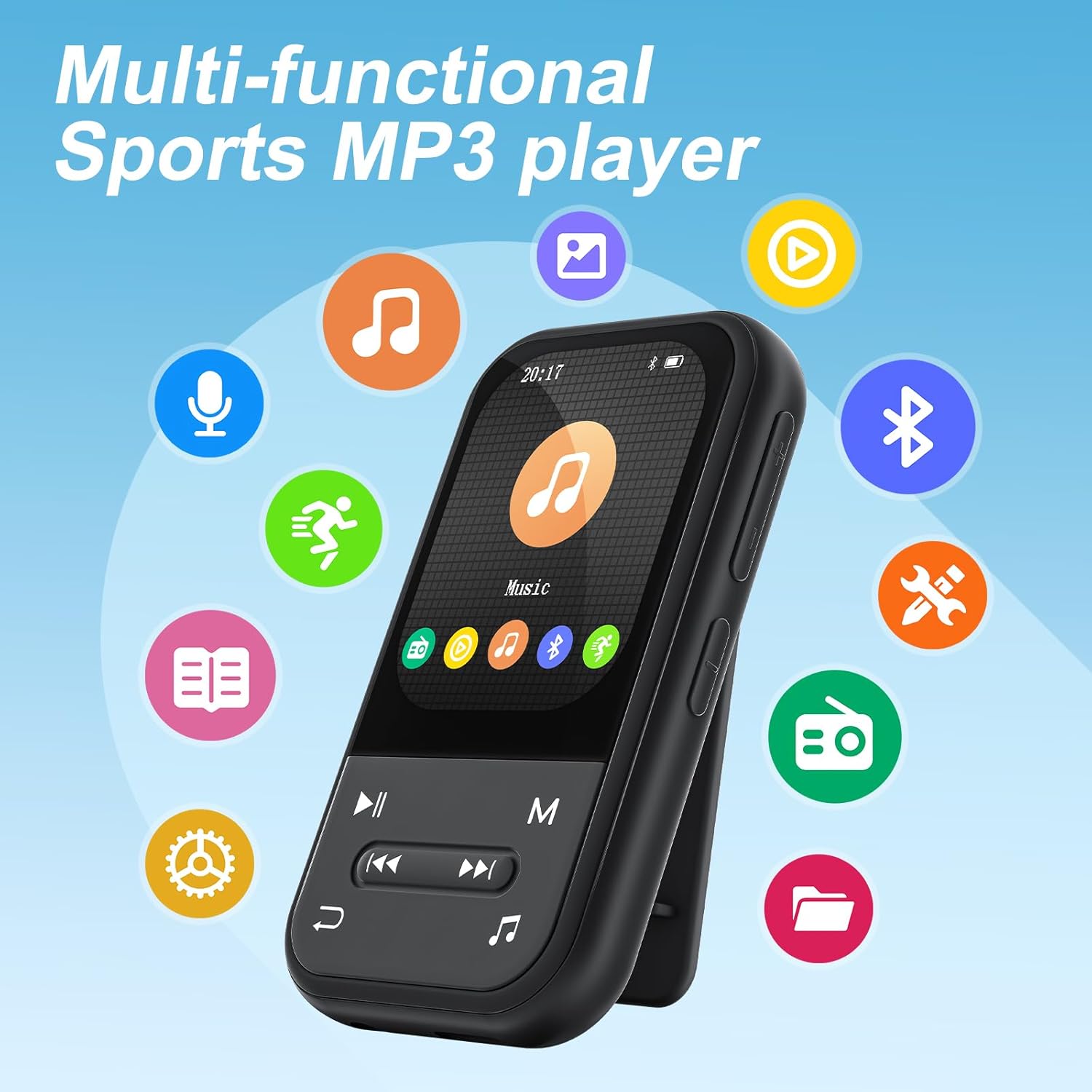
Image: The ZAQE Clip MP3 Player X20 displaying its main interface, surrounded by icons representing its various functions such as music, video, Bluetooth, FM radio, and pedometer.
4. はじめに
4.1デバイスの充電
Before first use, fully charge the MP3 player. Connect the provided USB charging cable to the device's charging port and to a USB power adapter (not included) or a computer's USB port. The battery indicator on the screen will show charging status.
4.2 電源のオン/オフ
- 電源を入れるには: 画面が点灯するまで電源ボタンを押し続けます。
- 電源を切るには: 電源オフのプロンプトが表示されるまで電源ボタンを押し続け、確認します。
4.3 File 移行
音楽、ビデオ、その他の fileMP3プレーヤーにダウンロード:
- USB ケーブルを使用して MP3 プレーヤーをコンピューターに接続します。
- デバイスはコンピュータ上でリムーバブル ディスクとして表示されます。
- 希望するものをドラッグアンドドロップ files into the appropriate folders on the MP3 player (e.g., 'Music' for audio files)。
- USB ケーブルを取り外す前に、デバイスをコンピューターから安全に取り外してください。

Image: The ZAQE Clip MP3 Player X20 supports 128GB internal storage and expandable memory.
4.4 MicroSDカードの挿入
The ZAQE Clip MP3 Player X20 supports expandable storage up to 128GB via a MicroSD card (not included). Locate the MicroSD card slot on the device and gently insert the card until it clicks into place. Ensure the card is inserted in the correct orientation.
5. 操作手順
5.1 基本的なナビゲーション
Use the physical buttons on the device to navigate through menus and select options. The central button typically acts as 'Enter' or 'Confirm', while directional buttons allow movement. The 'Back' button returns to the previous screen.
5.2音楽の再生
From the main menu, select the 'Music' icon to access your audio library. You can browse by artist, album, genre, or all songs. During playback, controls for play/pause, skip track, and volume adjustment are available.
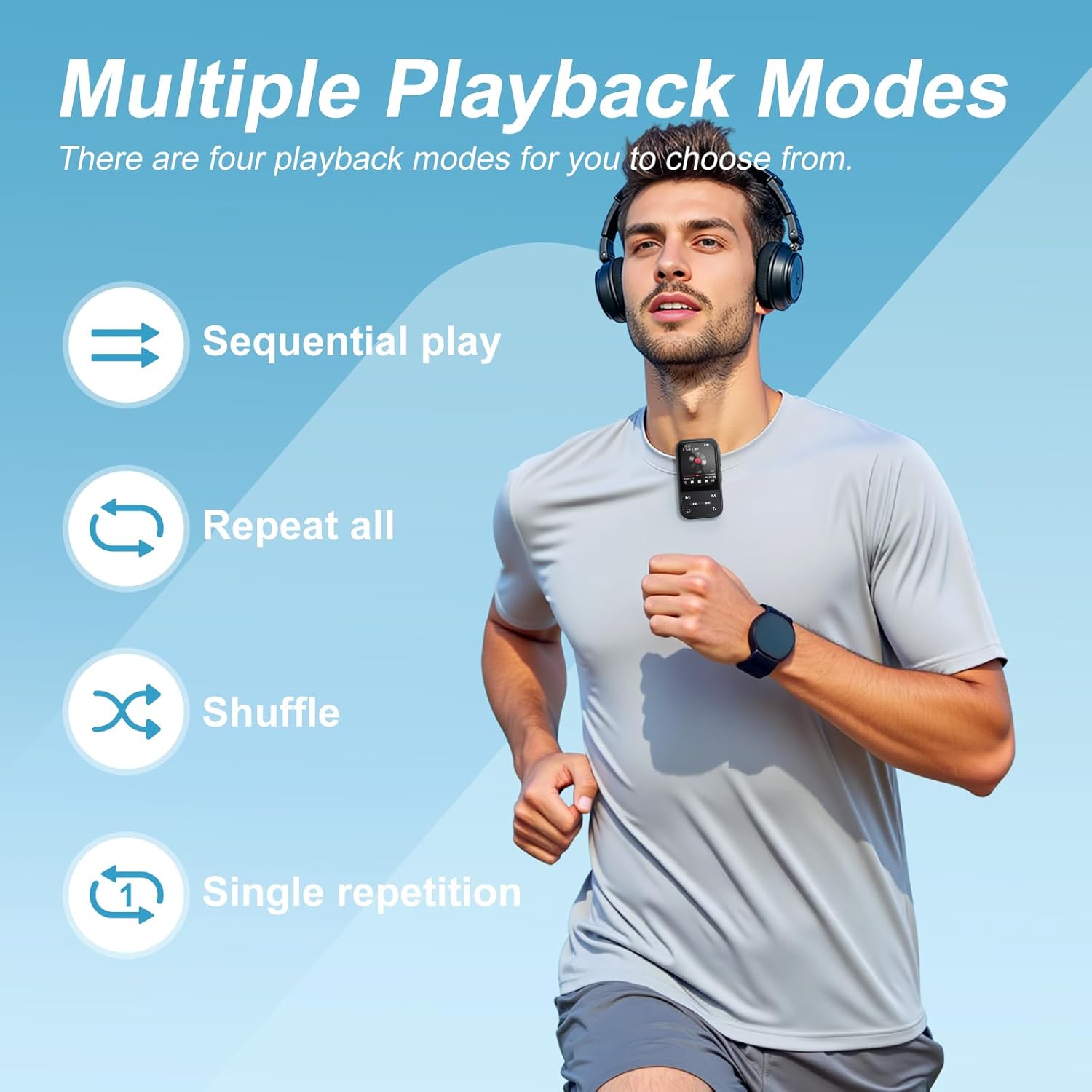
Image: The ZAQE Clip MP3 Player X20 offers multiple playback modes for music.

Image: Quick access to the music interface on the ZAQE Clip MP3 Player X20.
5.3 Bluetooth接続
The device features Bluetooth 5.3 for wireless audio streaming.
- メイン画面から「Bluetooth」メニューに移動します。
- Bluetoothをオンにして「検索する デバイス'。
- Bluetooth ヘッドフォンまたはスピーカーがペアリング モードになっていることを確認します。
- リストからペアリングするデバイスを選択します。
注記: This device cannot pair with smartphones or tablets.
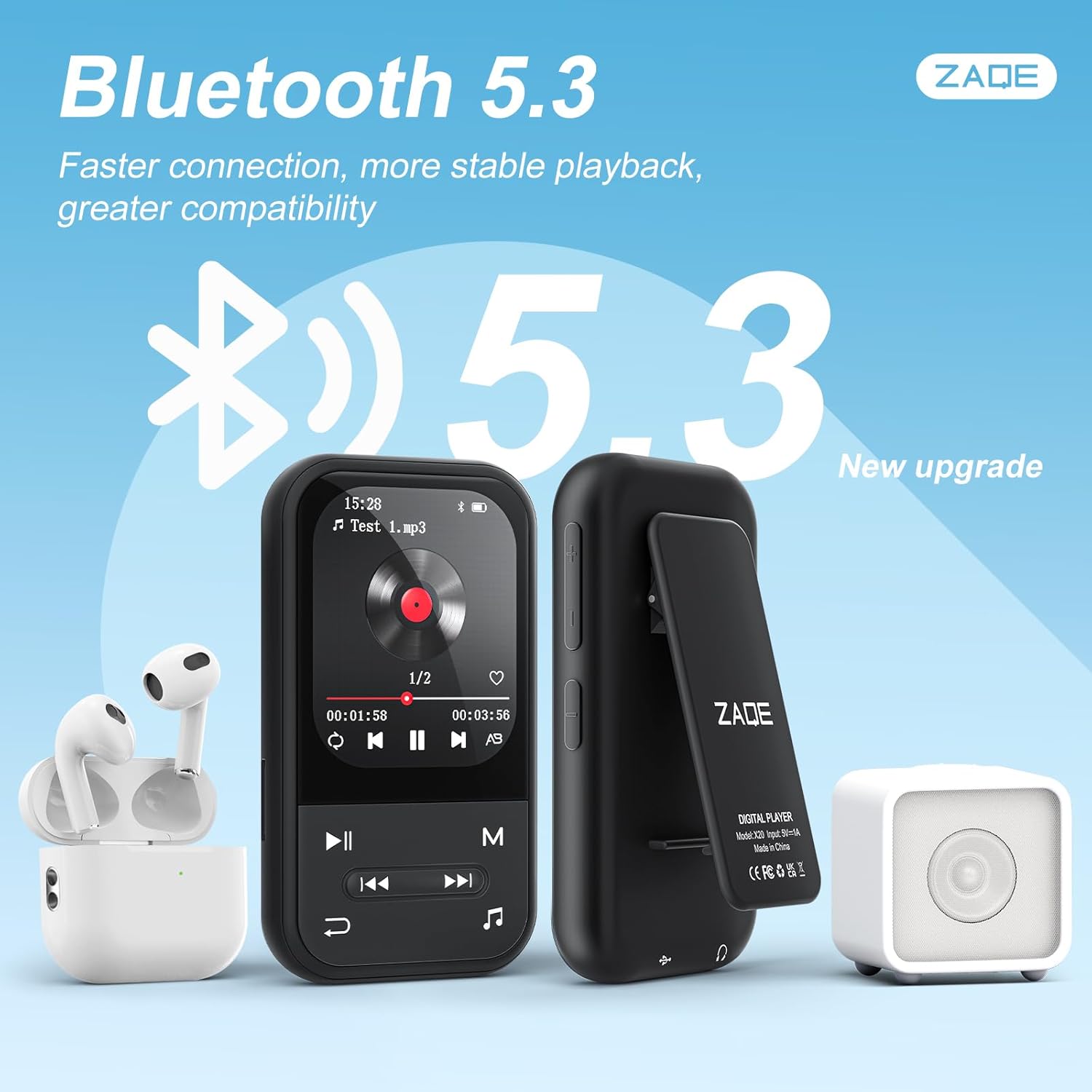
Image: ZAQE Clip MP3 Player X20 connected to Bluetooth headphones and speaker.
5.4FMラジオ
To use the FM Radio function, plug in the wired earphones (included) as they act as the antenna. Navigate to the 'FM Radio' icon, then scan for available stations.
5.5 ボイスレコーダー
Select the 'Voice Recorder' icon to access the recording function. You can start, pause, and save recordings. Recorded files are typically saved in WAV or MP3 format.
5.6 歩数計機能
The built-in pedometer tracks your steps. Access this feature via the 'Pedometer' icon. Ensure the device is securely clipped to your clothing for accurate tracking.

Image: The ZAQE Clip MP3 Player X20 is ideal for sports and activities.
5.7 電子書籍リーダー
このデバイスは電子書籍の閲覧に対応しています。互換性のあるテキストを転送します。 files to the 'E-Book' folder on the player. Select the 'E-Book' icon to browse and read your files.
5.8 追加ツール
The ZAQE Clip MP3 Player X20 includes several useful tools:
- 目覚まし時計: リマインダーやモーニングコール用のアラームを設定します。
- カレンダー: View the current date and manage simple schedules.
- ストップウォッチ: Use for timing activities or workouts.
6. メンテナンス
- デバイスを乾燥した状態に保ってください。湿気は電子部品に損傷を与える可能性があります。
- 画面と本体は柔らかく乾いた布で拭いてください。研磨剤入りの洗剤は使用しないでください。
- 極端な温度を避けてください。
- 落としたり、強い衝撃を与えないでください。
- 重要なものを定期的にバックアップする fileデータ損失を防ぐため。
7。 トラブルシューティング
| 問題 | 考えられる原因 | 解決 |
|---|---|---|
| デバイスの電源が入りません。 | バッテリー残量が少なくなりました。 | デバイスを少なくとも 30 分間充電します。 |
| 転送できません files. | USB 接続が正しくないか、ドライバーに問題があります。 | USBケーブルがしっかりと接続されていることを確認してください。別のUSBポートまたはコンピュータでお試しください。 |
| Bluetoothデバイスがペアリングされていません。 | デバイスがペアリングモードになっていないか、距離が遠すぎます。 | Ensure your Bluetooth device is in pairing mode and within range. Restart both devices. |
| FMラジオから音が出ません。 | イヤホンが接続されていないか、アンテナとして機能していません。 | Ensure wired earphones are properly plugged in. They serve as the antenna. |
| MicroSD カードが認識されません。 | Card improperly inserted or incompatible format. | Reinsert the card. Ensure it is formatted to FAT32 or exFAT. |
8. 仕様
| ブランド | ザケ |
| モデル | X20 (Clip Player) |
| メモリストレージ容量 | 128 GB (Internal) + Expandable via Micro SDHC |
| 画面サイズ | 2.0インチ |
| ディスプレイ技術 | TF-TFT の |
| Bluetoothバージョン | 5.3 |
| サポートされているオーディオ形式 | MP3, OGG, APE, FLAC, WAV, AAC, ACELP |
| バッテリー寿命 | Up to 40 Hours (audio playback) |
| アイテム重量 | 1グラム(0.035オンス) |
| パッケージ寸法 | 4.72 x 4.69 x 0.94インチ |
9. 保証とサポート
ZAQE products are designed for reliability and performance. For warranty information, technical support, or customer service inquiries, please refer to the contact details provided on the product packaging or visit the official ZAQE webサイト。
保証請求のために購入証明書を保管してください。