
導入
This manual provides detailed instructions for the operation and maintenance of your ZAQE M4 128GB MP3 Player. Please read this manual thoroughly before using the device to ensure proper functionality and to maximize your user experience.
The ZAQE M4 is a portable, multifunctional music player featuring a 2.4-inch full touchscreen, 128GB of internal storage, Bluetooth 5.4 connectivity, and a built-in speaker. It also includes functions such as FM radio, voice recorder, e-book reader, video player, and alarm clock.
製品終了view
含まれるコンポーネント
- ZAQE 128GB MP3 Player
- ユーザーマニュアル
- イヤホン
- USB Type-Cケーブル
- シリコン保護ケース
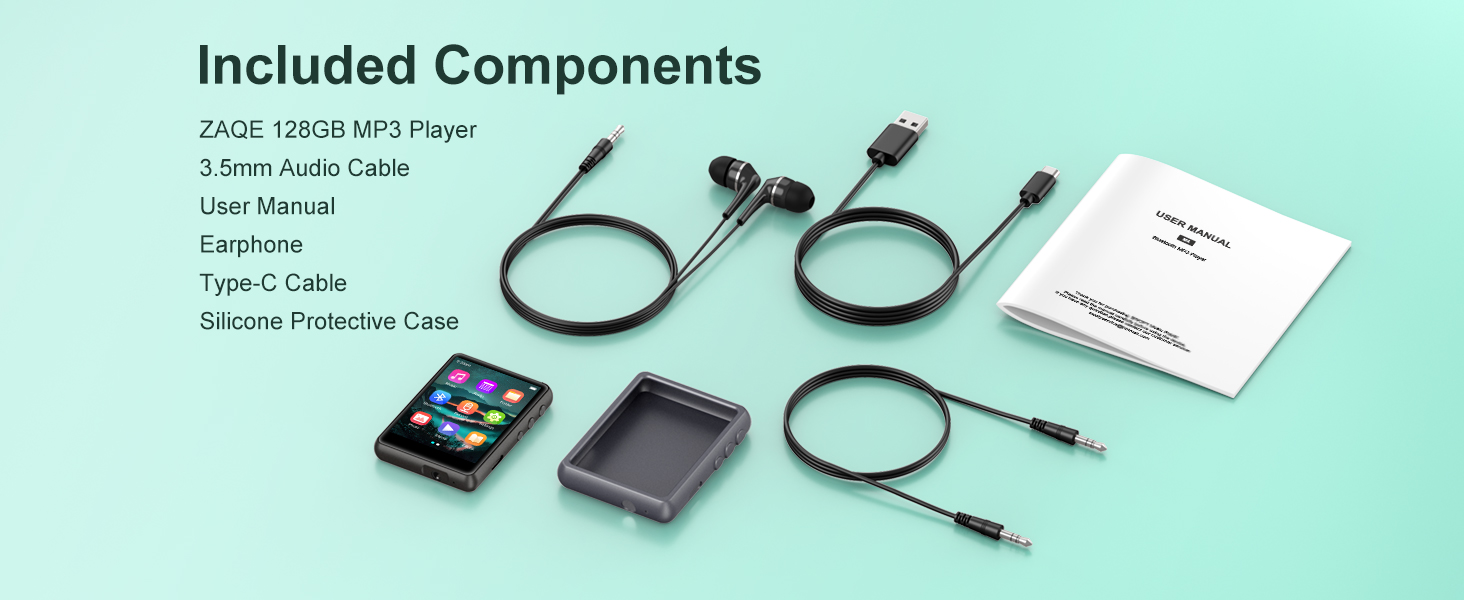
Image: All items included in the ZAQE M4 MP3 Player package.
デバイスの機能
- ストレージ: 128GB internal memory, capable of storing approximately 16,000 songs.
- 画面: 2.4-inch full color touchscreen for intuitive navigation.
- 接続性: 安定したワイヤレスオーディオ接続を実現する Bluetooth 5.4。
- オーディオ出力: Built-in speaker and 3.5mm headphone jack.
- 充電ポート: USBタイプC。
- 機能: Music player, FM radio, voice recorder, e-book reader, video player, alarm clock.
- オーディオフォーマット: Supports MP3, WAV, FLAC, AAC, WMA, APE.

Image: The ZAQE M4 MP3 Player displaying its main menu interface.
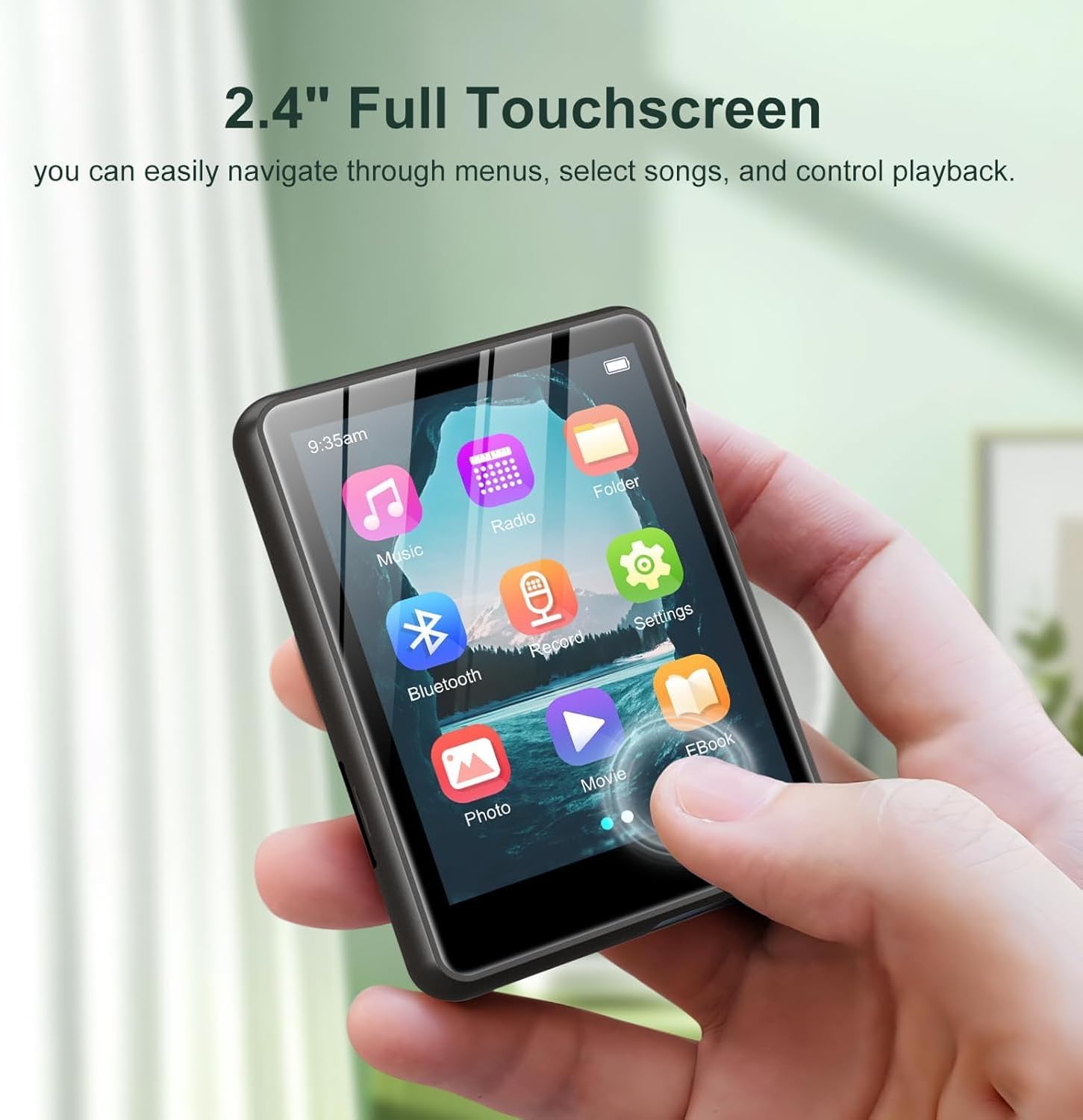
Image: A user interacting with the 2.4-inch full touchscreen of the ZAQE M4 MP3 Player.

Image: The ZAQE M4 MP3 Player playing music via its built-in speaker.
設定
1. デバイスの充電
初めてご使用になる前に、MP3プレーヤーを完全に充電してください。付属のUSB Type-Cケーブルをデバイスの充電ポートに接続し、もう一方の端をUSB電源アダプター(別売)またはパソコンのUSBポートに接続します。画面のバッテリーインジケーターに充電状態が表示されます。

Image: The 3.5mm audio jack and Type-C charging port on the ZAQE M4 MP3 Player.
2.転送 Files
Connect the MP3 player to your computer using the USB Type-C cable. The device will appear as a removable disk drive. You can drag and drop music, video, e-book, and other compatible files directly into the device's folders.
3. イヤホンの接続
Insert the 3.5mm jack of the included earphones (or your preferred earphones) into the headphone port located on the bottom of the device.
操作手順
基本的なナビゲーション
The ZAQE M4 features a full touchscreen interface. Tap icons to select functions, swipe to navigate menus, and use the back button (if present on-screen) or physical buttons on the side for navigation.
音楽再生に
- From the main menu, tap the 音楽 アイコン。
- アーティスト、アルバム、ジャンル、またはすべての曲別に音楽ライブラリを閲覧します。
- 曲をタップして再生を開始します。
- During playback, you can control volume, play/pause, skip tracks, and access playback modes (Single Loop, List Loop, Sequential Play, Random Play) via the on-screen controls.

Image: Music playback screen showing various loop and play modes.

Image: The ZAQE M4 MP3 Player displaying music playback and supported audio formats.
Bluetooth接続
- From the main menu, tap the ブルートゥース icon or navigate to 設定 > Bluetooth.
- Bluetoothをオンにする On.
- Bluetooth ヘッドフォンまたはスピーカーがペアリング モードになっていることを確認します。
- MP3プレーヤーが利用可能なデバイスをスキャンします。リストからデバイスを選択してペアリングしてください。
- ペアリングされると、オーディオは接続された Bluetooth デバイスを介してルーティングされます。

Image: The ZAQE M4 MP3 Player demonstrating Bluetooth 5.4 connectivity with external audio devices.
FMラジオ
- Connect wired earphones to the 3.5mm jack; they act as the antenna.
- From the main menu, tap the 無線 アイコン。
- 画面上のコントロールを使用して放送局をスキャンするか、手動で周波数をチューニングします。

Image: The FM Radio function of the ZAQE M4 MP3 Player.
ボイスレコーダー
- From the main menu, tap the 記録 アイコン。
- 録音ボタンをタップして録音を開始します。
- 停止ボタンをタップして録音を終了し、保存します。
電子書籍リーダー
- From the main menu, tap the 電子書籍 アイコン。
- Select an e-book file (TXT format is typically supported).
- Use the touchscreen to turn pages.
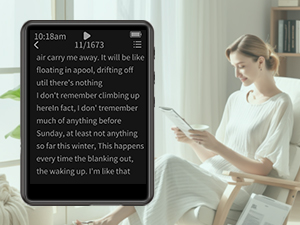
Image: The ZAQE M4 MP3 Player displaying an e-book.
ビデオの再生
- From the main menu, tap the 映画 アイコン。
- 動画を選択 file (compatible formats may vary, typically AVI, AMV).
- The video will play on the 2.4-inch screen.

Image: The ZAQE M4 MP3 Player displaying video content on its 2.4-inch color touchscreen.
目覚まし時計
- メインメニューから、 Settings > Alarm Clock.
- Set the desired time and alarm sound.
- アラームが有効になっていることを確認してください。

Image: The alarm clock function of the ZAQE M4 MP3 Player.
メンテナンス
クリーニング
Wipe the device with a soft, dry, lint-free cloth. Avoid using harsh chemicals or abrasive materials, as they may damage the screen or casing.
バッテリーケア
To prolong battery life, avoid fully discharging the battery frequently. Charge the device regularly, and if storing for an extended period, ensure it has at least a 50% charge.
ソフトウェアアップデート
定期的にメーカーの公式 website for any available firmware updates. Follow the provided instructions carefully to update the device's software.
トラブルシューティング
| 問題 | 考えられる原因 | 解決 |
|---|---|---|
| デバイスの電源が入らない | バッテリー残量低下、システムクラッシュ | デバイスを充電します。電源ボタンを 10 ~ 15 秒間押し続け、強制的に再起動します。 |
| Bluetoothデバイスに接続できません | Bluetoothが有効になっていません。デバイスがペアリングモードになっていません。干渉があります。 | Ensure Bluetooth is on and the external device is in pairing mode. Move closer to the device. Restart both devices. |
| ヘッドホン/スピーカーから音が出ない | Volume too low; Faulty headphones/speaker; Incorrect output selected | Increase volume. Test with different headphones/speaker. Ensure Bluetooth is connected or headphones are fully plugged in. |
| File転送されない | Loose USB connection; Incompatible file format; Full storage | Check USB cable connection. Ensure files are compatible. Delete unnecessary fileスペースを解放します。 |
仕様
- モデル名: M4
- ブランド: ザケ
- 記憶容量: 128ギガバイト
- 画面サイズ: 2.4インチ
- 接続技術: ブルートゥース5.4
- 特集: 内蔵スピーカー
- 対応デバイス: ヘッドフォン
- 電池: 1A電池(付属)
- 商品の重量: 6.4オンス
- パッケージ寸法: 5.83 x 5.79 x 0.75インチ
- 発売日: 30年2025月XNUMX日

Image: The ZAQE M4 MP3 Player highlighting its 128GB internal memory.
保証とサポート
保証情報
The ZAQE M4 MP3 Player comes with a warranty of up to 24 months from the date of purchase. This warranty covers manufacturing defects under normal use. Please retain your proof of purchase for warranty claims.
カスタマーサポート
For any questions, technical assistance, or warranty claims, please contact ZAQE customer support. Refer to the contact information provided on the product packaging or the official ZAQE web最新のサポート詳細については、サイトをご覧ください。