
導入
The Radtel RT13 Super Mini Walkie Talkie is a compact and lightweight two-way radio designed for clear and stable communication. This manual provides detailed instructions for setting up, operating, and maintaining your device to ensure optimal performance.
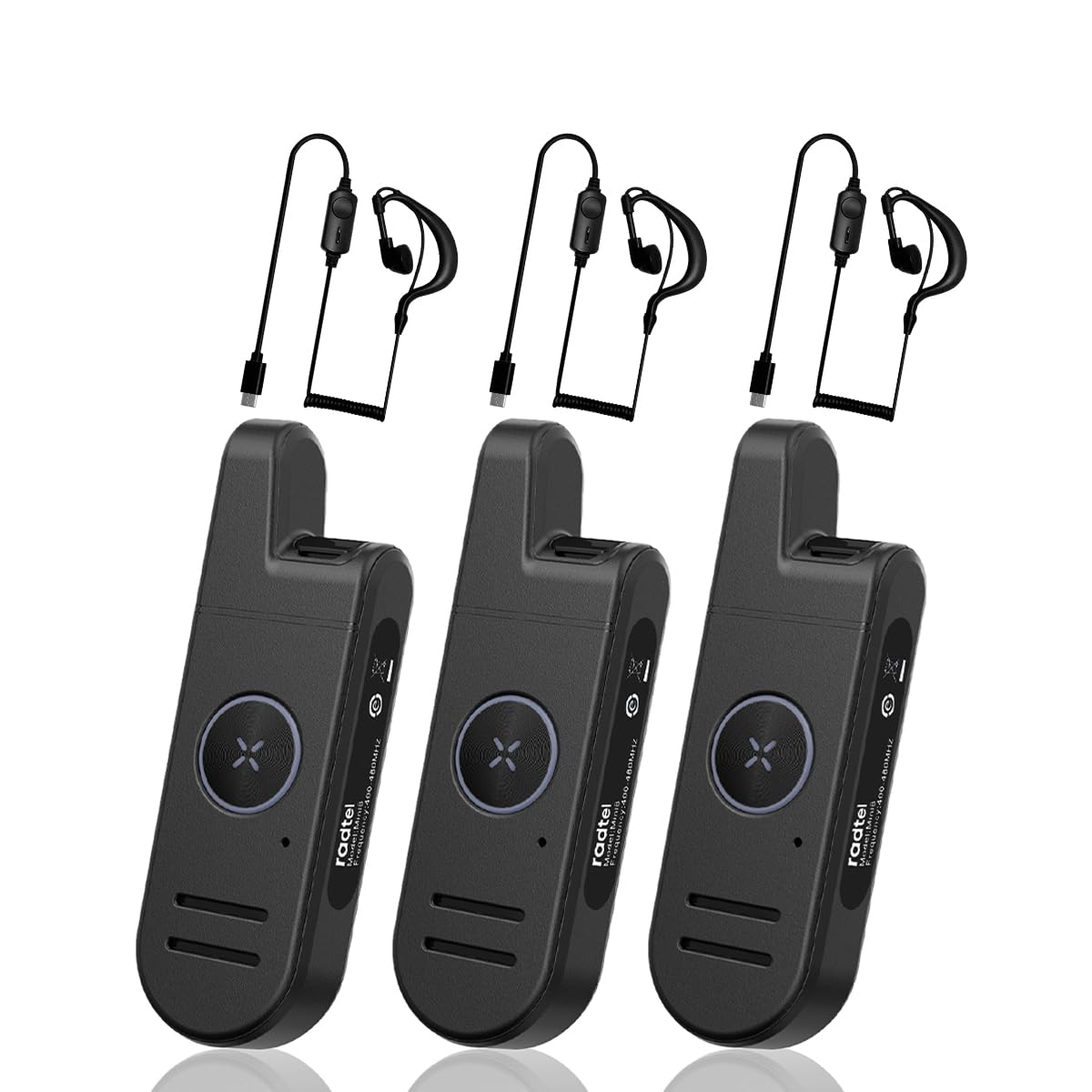
Image: The Radtel RT13 Super Mini Walkie Talkie, showcasinコンパクトなデザイン。
箱の中身
- 3x Radtel RT13 Radio with built-in battery
- 3x USB-C Charger cable
- イヤーピース×3
- ベルトクリップ x 3
- ユーザーマニュアル x 3

Image: Components included with the Radtel RT13, such as the radio unit, earpiece, and charging cable.
製品の特徴
- Super Mini and Lightweight: The RT13 features a compact design, making it easy to hold, pocket, or clip onto clothing.
- Long Range & Clear Audio: Equipped with 1W power and a fixed antenna for stable communication. Effective in downtown areas, open spaces, and multi-floor buildings.
- Voice-Activated Launching (VOX): Allows hands-free operation. Includes frequency hopping, inverter, high/low power switching, battery saving, and busy lock functions.
- 長いバッテリー寿命: Features a 700mAh Li-ion battery for extended continuous use.
- スタイリッシュで耐久性に優れています: Designed with a simple, fashionable aesthetic and constructed from strong, fall-resistant materials for a longer service life.
製品終了view およびコントロール
Familiarize yourself with the various parts and controls of your Radtel RT13 radio:

Image: Diagram illustrating the antenna, headphone/microphone/Type-C jack, power button, volume/channel buttons, PTT button, microphone, and speaker on the Radtel RT13.
- アンテナ: 信号の送受信用に統合されています。
- Headphone/Microphone/Type-C Jack: Multi-functional port for charging, connecting the earpiece, and external microphone.
- 電源ボタン: デバイスの電源のオン/オフに使用します。
- Volume+/Channel+ Button: Increases volume or changes to the next channel.
- Volume-/Channel- Button: Decreases volume or changes to the previous channel.
- PTT(プッシュ・トゥ・トーク)ボタン: 長押しすると音声が送信されます。
- マイクロフォン: 送信中に音声をキャプチャします。
- スピーカー: Outputs incoming audio.
- モード切り替えボタン: Used for various customizable functions (e.g., scan, keypad lock).
- ベルトクリップ: For convenient attachment to clothing or a belt.

Image: Various angles of the Radtel RT13, highlighting its slim profile and integrated belt clip.
設定
バッテリーの充電
The RT13 comes with a built-in 700mAh Li-ion battery. Use the provided USB-C charging cable to charge the device. A power block (not included) or any USB charging port can be used.

Image: Close-up of the Type-C charging port on the Radtel RT13.
The LED indicator will display red during charging and turn blue when fully charged. A low battery warning will remind you to recharge.
電源オン/オフ
To power ON: Press and hold the side power button until you hear "Welcome" and the current channel is announced. The LED indicator will light up green.
To power OFF: Press and hold the side power button until you hear two beeps ("ding-ding"), indicating the device is powered off. The LED indicator will flash red.
Video: Demonstrates how to power the Radtel RT13 on and off, including the voice prompts and LED indicator changes.
チャンネル選択
The radio has 22 channels. To select a channel, long press the Volume+ or Volume- side button. The radio will announce the current corresponding channel. Ensure all radios in your group are on the same channel for communication.
音量調整
Short press the Volume+ side button to increase volume. Short press the Volume- side button to decrease volume.
Switching Language (Chinese/English)
You can switch between Chinese and English voice prompts through computer programming software or by pressing and holding the power button and the Volume- button simultaneously when powering on the device.
操作手順
送信中
To transmit, press and hold the PTT (Push-to-Talk) button located on the front of the radio. Speak into the microphone in your normal tone of voice. The LED indicator will display red when transmitting. To maximize sound clarity, hold the transceiver three to eight centimeters from your mouth.

Image: The large PTT button on the Radtel RT13, illuminated red to indicate transmission.
受信
When not transmitting, the radio is in receive mode. The LED indicator will display green when receiving a signal.
VOX (Voice-Activated Transmission)
The VOX function allows for hands-free transmission. When enabled, the radio will automatically transmit when it detects your voice. The VOX gain level can be selected from 1 to 9 levels via programming software. This feature is useful when you need to communicate without pressing the PTT button.

Image: The Radtel RT13 demonstrating its voice-activated transmission (VOX) capability.
モニター機能
Short press the 'M' button to activate the monitor function. This allows you to listen to weak signals on the current channel without squelch. Press again to deactivate.
キーパッドのロック/ロック解除
Long press the 'M' button to lock or unlock the keypad. This prevents accidental changes to settings.
メンテナンス
バッテリーケア
To ensure long battery life, fully charge the device before first use. Avoid completely draining the battery frequently. Store the radio in a cool, dry place when not in use for extended periods.
クリーニング
ソフトでラジオを拭くdamp cloth. Do not use harsh chemicals or abrasive cleaners. Ensure the charging port cover is securely closed to prevent dust and moisture ingress.
耐水性
The Radtel RT13 is moisture resistant, offering protection against light splashes or rain. It is not designed to be submerged in water. Ensure all port covers are sealed when exposed to moisture.
トラブルシューティング
| 問題 | 考えられる原因 | 解決 |
|---|---|---|
| 電源なし | バッテリー残量が少ないか、消耗しています。 | 付属のUSB-Cケーブルを使用してバッテリーを充電します。 |
| 他の無線機と通信できない | Radios are on different channels. | Ensure all radios are set to the same channel. |
| 音質が悪い、または通信距離が短い | Obstructions (buildings, terrain) or interference. | Move to an open area. Ensure no large obstructions are between radios. |
| キーパッドが反応しない | キーパッドはロックされています。 | Long press the 'M' button to unlock the keypad. |
仕様
- 商品の重量: 15.8オンス
- 製品寸法: 3.9 x 0.67 x 1.26インチ
- 商品モデル番号: RT-13
- 電池: 700mAh リチウムイオン電池 (付属)
- チャンネル数: 22 FRS チャンネル
- 特集: Type-C Charging, Super Mini Pocket Radio
- 周波数範囲: 462/467Mhz FRS
- 通話範囲最大: 6キロメートル(約3.7マイル)
- 巻tage: 7.4ボルト
- 耐水性レベル: 耐湿性

Image: The Radtel RT13 walkie talkie with its compact dimensions highlighted.
保証とサポート
The Radtel RT13 comes with a 1-Year Warranty. For any support inquiries, troubleshooting assistance, or warranty claims, please contact Radtel customer service through the retailer where the product was purchased or visit the official Radtel webサイト。
追加情報やリソースについては、 AmazonのRadtelストア.
使用シナリオ
The Radtel RT13 is versatile and suitable for various environments requiring reliable short-range communication:
- 仕事: Ideal for hotels, warehouses, restaurants, hair salons, and security personnel.
- アウトドアアドベンチャー: cに最適amping, hiking, festivals, and other recreational activities.
- 個人使用: Great for families and friends to stay connected in close proximity.

Image: Collage showing the Radtel RT13 being used in diverse settings such as hotels, restaurants, car showrooms, and hair salons.
ビデオ: 簡単にview of the Radtel RT13, highlighting its small size and ease of use in various scenarios.