
1. はじめに
The COLMI R02 Smart Ring is a compact, wearable device designed to monitor various health and activity metrics directly from your finger. It provides continuous tracking of heart rate, blood oxygen levels, sleep patterns, and daily activity without requiring a subscription fee. This manual will guide you through the setup, operation, and maintenance of your smart ring to ensure optimal performance.
2. 重要な安全情報
- The COLMI R02 Smart Ring is not a medical device. Data obtained from this device is for reference only and should not be used for clinical diagnosis, medical research, diagnostic, or treatment purposes.
- Consult a healthcare professional before making any decisions based on the data provided by the ring.
- デバイスとその付属品を子供の手の届かないところに保管してください。
- Avoid exposing the ring to extreme temperatures or direct sunlight for prolonged periods.
- デバイスを分解または改造しないでください。保証が無効になり、損傷が発生する可能性があります。
3. 箱の中身
COLMI R02 スマートリングのパッケージを開けると、次のアイテムが見つかります。
- 1 x COLMI R02 Smart Ring
- 1xポータブル充電ケース
- 充電ケーブル x 1
- 取扱説明書(本書)1部
4. サイズガイド
Choosing the correct ring size is crucial for comfort and accurate data tracking. We recommend using a sizing kit or carefully measuring your finger circumference.
4.1. Measuring Your Finger
To measure your finger, you can use a non-elastic rope or paper strip. Wrap it snugly around your finger, mark the junction, and then measure the length with a ruler. Repeat this process multiple times for accuracy.

Figure 4.1: Visual guide for measuring finger circumference using a paper strip.
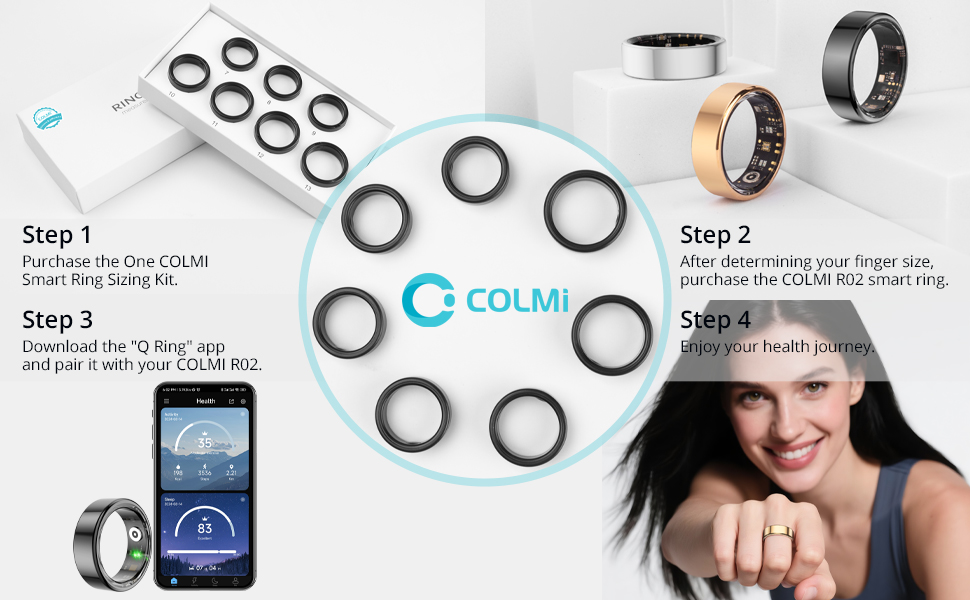
Figure 4.2: The COLMI Smart Ring Sizing Kit, recommended for precise size determination.
4.2. Ring Size Chart
| サイズ | Inner Diameter (inch) | 円周(インチ) | 円周(cm) |
|---|---|---|---|
| 7# | 0.69 | 2.17〜2.26 | 5.5〜5.74 |
| 8# | 0.72 | 2.26〜2.36 | 5.75〜6 |
| 9# | 0.75 | 2.36〜2.47 | 6.01〜6.27 |
| 10# | 0.79 | 2.47〜2.57 | 6.28〜6.53 |
| 11# | 0.82 | 2.57〜2.67 | 6.54〜6.77 |
| 12# | 0.85 | 2.67〜2.77 | 6.78〜7.03 |
| 13# | 2.77〜2.83 | 7.04〜7.2 |
Note: The above dimensions have a measurement tolerance of ± 0.2mm/0.0078inch. The ring size refers to the inner diameter, not the outer diameter.
4.3. Sizing Video Guide
Video 4.1: A detailed video guide on how to measure your finger for the correct ring size.
5.セットアップガイド
5.1. 初期充電と起動
Before first use, ensure your COLMI R02 Smart Ring is fully charged and activated.
- Remove the insulation film from the ring.
- Place the smart ring into the portable charging case.
- Connect the charging cable to the charging case and a 5V DC USB power supply. The indicator light on the case will show charging status.
- Once fully charged, the ring is activated and ready for use.
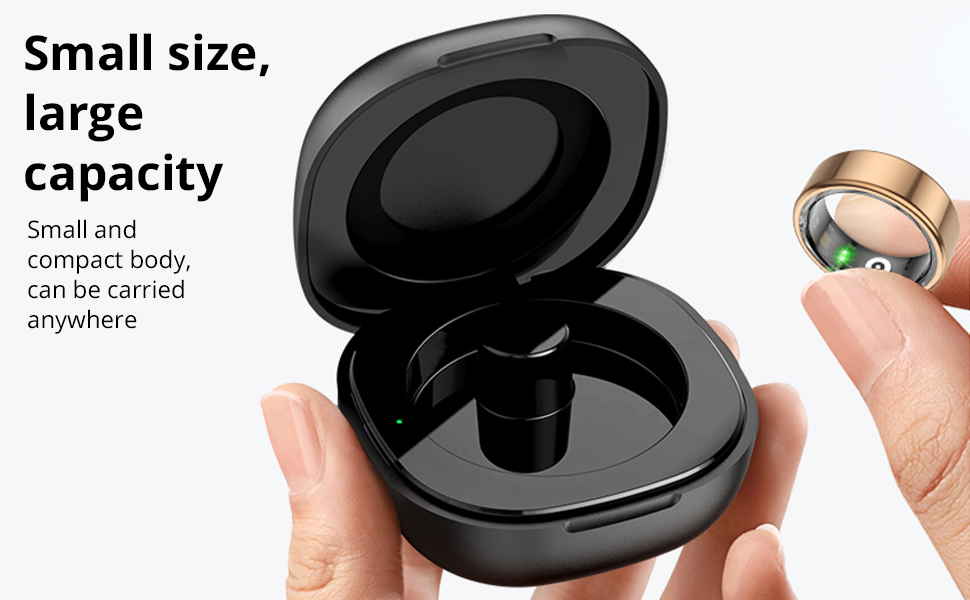
Figure 5.1: The COLMI R02 Smart Ring charging in its portable case. The case provides convenient charging on the go.
5.2. アプリのダウンロードとペアリング
To access and manage your health data, download the companion 'Q Ring' app and pair it with your smart ring.
- Download the 'Q Ring' app from the App Store (iOS) or Google Play Store (Android).
- スマートフォンでBluetoothが有効になっていることを確認します。
- Open the 'Q Ring' app and follow the on-screen instructions to search for and bind your COLMI R02 Smart Ring.
- The app will automatically synchronize data from the ring once connected.

Figure 5.2: The COLMI R02 Smart Ring and its companion app displaying various health metrics.
6. スマートリングの操作
The COLMI R02 Smart Ring continuously tracks your health data. Ensure the ring is worn correctly for accurate readings.
6.1。 心拍数モニタリング
The ring features a high-performance heart rate sensor that automatically collects heart rate data every 30 minutes. You can view your heart rate status and monitor for abnormalities in the app.
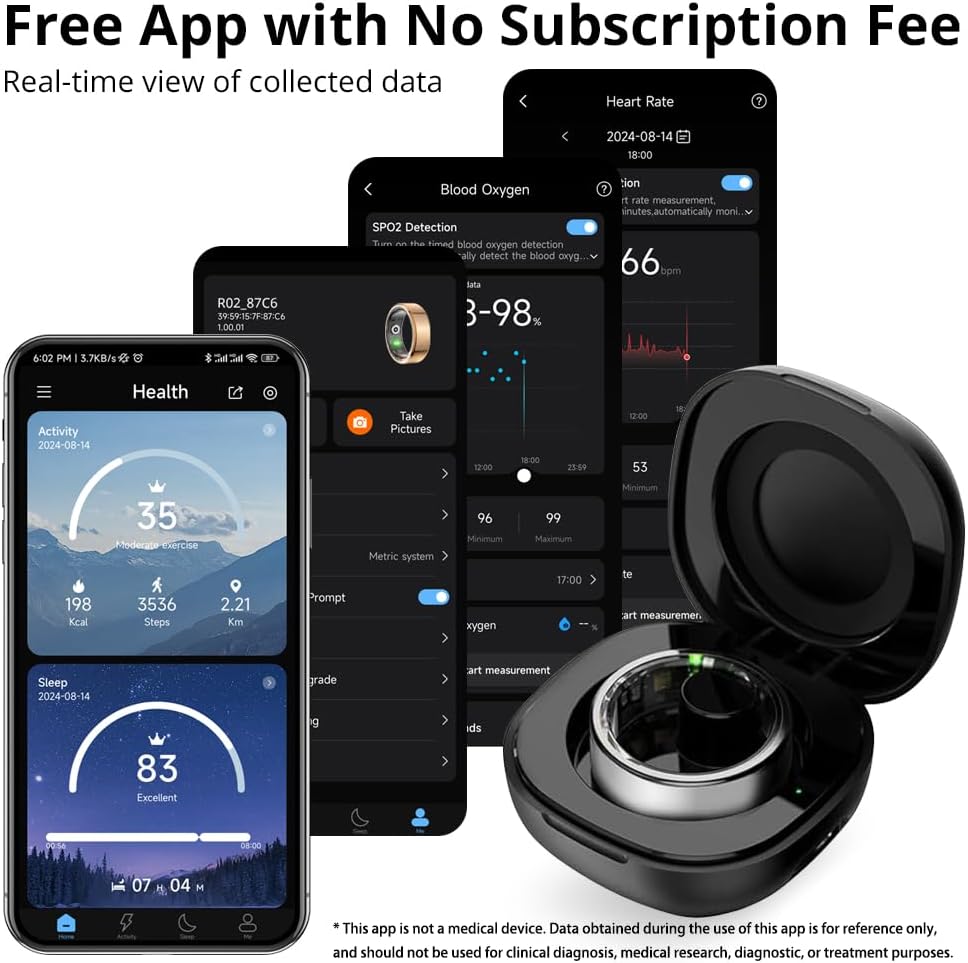
Figure 6.1: The app displays your heart rate data, including scheduled measurements and real-time readings.
6.2. 血中酸素モニタリング(SpO2)
The COLMI R02 records your blood oxygen data, an important indicator of human health. This data is accessible through the app.

Figure 6.2: The app provides a detailed view of your blood oxygen levels over time.
6.3. 睡眠モニタリング
The ring detects when you fall asleep and wake up, monitoring your sleep quality and duration. It generates concise reports to help you understand and improve your sleep patterns.
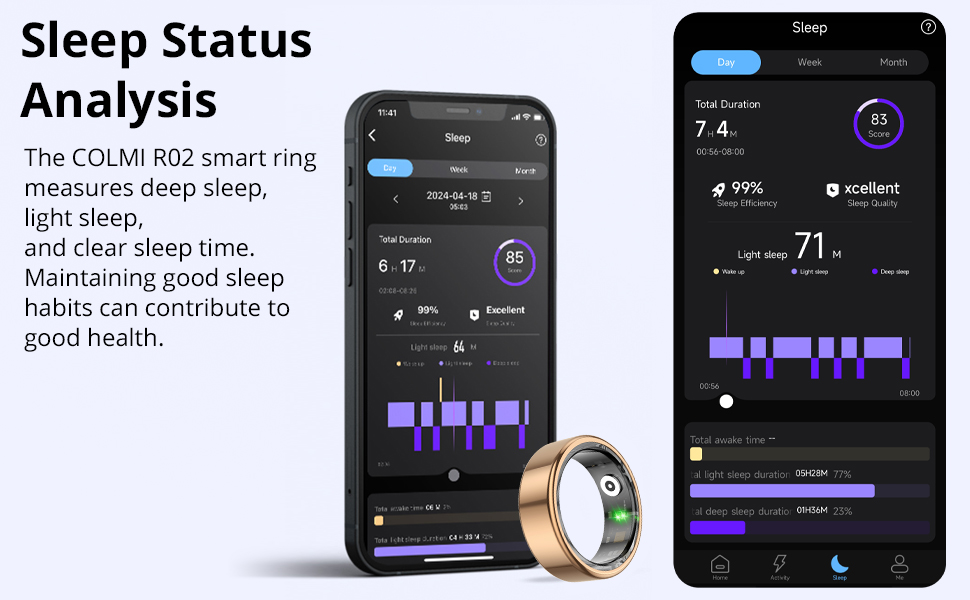
Figure 6.3: The app provides a comprehensive analysis of your sleep stagesと品質。
6.4. アクティビティトラッキング
Track your daily steps, distance traveled, and calories burned to stay motivated and monitor your fitness progress.

Figure 6.4: The app displays your daily activity metrics, including steps, distance, and calories.
6.5. Photo Control
Utilize the remote camera control function in the app. Simply flick your finger while wearing the ring to remotely capture photos on your paired smartphone.
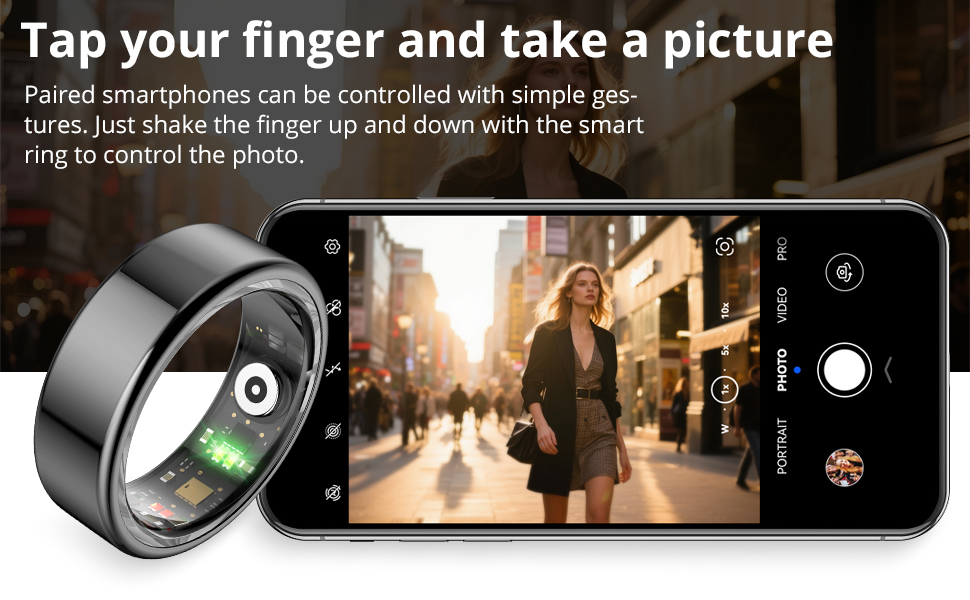
Figure 6.5: The smart ring allows for convenient remote control of your smartphone's camera.
7. メンテナンス
7.1. 指輪の洗浄
To maintain optimal performance and hygiene, regularly clean your COLMI R02 Smart Ring. Use a soft, damp cloth to wipe the surface of the ring. Avoid using harsh chemicals or abrasive materials, as these can damage the device.
7.2. 充電ケースのお手入れ
Keep the charging case clean and dry. Ensure the charging contacts inside the case are free from dust or debris to ensure proper charging of your ring.
8。 トラブルシューティング
8.1. リングがアプリに接続されない
- Ensure the ring is charged and activated.
- スマートフォンで Bluetooth が有効になっていることを確認します。
- Restart the 'Q Ring' app and try pairing again.
- 問題が解決しない場合は、スマートフォンを再起動してみてください。
8.2. 不正確なデータ読み取り
- リングが指にぴったりと装着され、センサーが肌にしっかりと接触していることを確認してください。
- Avoid excessive movement during measurements, especially for real-time heart rate or blood oxygen readings.
- リング内側のセンサーを定期的に清掃してください。
8.3. バッテリー寿命が短い
- 使用する前にリングが完全に充電されていることを確認してください。
- Frequent real-time monitoring (e.g., heart rate every 5 minutes) can shorten battery life. Adjust monitoring frequency in the app settings.
- Close unnecessary background apps on your phone that might be constantly trying to sync with the ring.
8.4. Heart Rate Measurement Settings Video
Video 8.1: This video demonstrates how to adjust heart rate measurement settings within the app to optimize data collection and battery life.
9. 仕様
| 特徴 | 詳細 |
|---|---|
| モデル名 | コルミR02 |
| オペレーティングシステムの互換性 | Android, iPhone (iOS) |
| 接続技術 | ブルートゥース |
| 無線通信規格 | ブルートゥース |
| 特集 | Heart rate monitoring, Photo Control, Sleep Measurement |
| 測定された指標 | Heart Rate, Sleep Duration, Blood Oxygen |
| バッテリー容量 | 15ミリamp 営業時間 |
| バッテリーセルの構成 | リチウムポリマー |
| 材料 | ステンレス鋼 |
| 耐水性レベル | 耐水性 |
| アイテム重量 | 100グラム |
| メーカー | Shenzhen COLMI Technology Co., Ltd |
10. 保証とサポート
10.1. 製品保証
The COLMI R02 Smart Ring comes with a 1-year standard/full warranty from the date of purchase. This warranty covers manufacturing defects and malfunctions under normal use. Please retain your proof of purchase for warranty claims.
10.2. カスタマーサポート
For any usage or quality issues, please contact COLMI customer service. Our professional after-sales service team is ready to assist you.
- オンラインサポート: 訪問する COLMI Store on Amazon よくある質問とお問い合わせオプションについては、こちらをご覧ください。
- メールサポート: Refer to the contact information provided in your product packaging or on the official COLMI webサイト。