
1. はじめに
This manual provides detailed instructions for the installation, operation, and maintenance of your ANJIELO SMART Wired Video Intercom System. This system is designed for multifamily apartments, offering secure and convenient communication with visitors. Please read this manual thoroughly before installation and use to ensure proper function and safety.
2.製品オーバーview
The ANJIELO SMART Wired Video Intercom System is a comprehensive solution for building access control and communication. It features a robust outdoor doorbell unit and multiple indoor monitors, enabling visual and audio communication with visitors, as well as remote unlocking capabilities via RFID cards.

Figure 2.1: Multifamily Intercom System Overview. This image illustrates a typical installation in a multi-story building, showing one outdoor doorbell unit connected to multiple indoor monitors, allowing separate monitoring for each unit without interference.
主な特徴:
- Multifamily Design: Supports 2 to 12 indoor monitors with one outdoor camera.
- ナイトビジョン: Built-in LED infrared lights for clear video in low-light conditions.
- 双方向オーディオ: 室内モニターと室外機間の通信を可能にします。
- サイレントモード: Option to mute doorbell rings for undisturbed rest.
- IP65耐候性: Outdoor unit is resistant to rain and dust.
- 7インチLCDモニター: Slim design, touch-key operation, hands-free display.
- RFIDカードのロック解除: Convenient access control for residents.
- 4線式接続: Standard wiring for reliable communication.
3. パッケージ内容
パッケージにすべてのアイテムが含まれていることを確認します。
- Outdoor Doorbell Unit (Quantity: 1)
- Indoor Monitor (Quantity: 3 for this specific model)
- 5メートル4芯接続ケーブル(テスト用)
- 取り付けネジとアンカー
- 電源アダプター
- ユーザーマニュアル(このドキュメント)
Note: Additional cables, electric locks, power supplies for locks, and exit buttons are not included and must be purchased separately if required for your installation.
4. 仕様
| 特徴 | 仕様 |
|---|---|
| モデル名 | 60120S-2+67022E |
| 接続性 | 有線(4線式) |
| Outdoor Unit Functions | Intercom, Monitor, RFID Unlock |
| 屋内モニター画面 | 7インチTFTLCD |
| カメラ解像度 | 1.0 MP |
| カメラ View 角度 | 120度 |
| ナイトビジョン | 内蔵LED赤外線ライト |
| 室外機材質 | ABS Plastic, Aluminum Alloy (weatherproof housing) |
| 屋内モニター素材 | ABSエンジニアリングプラスチック |
| 防水等級 | IP65(室外機) |
| Power Supply (Outdoor) | DC15V 1.2A |
| Power Supply (Indoor) | AC100-240V入力 |
| インストールタイプ | Surface Mounting (Outdoor & Indoor) |
| 動作温度 | -30°C~+60°C(室外機) |
| Outdoor Unit Dimensions (2-6 units) | 264 x 127 x 43 ミリメートル |
| Outdoor Unit Dimensions (8-12 units) | 330 x 127 x 43 ミリメートル |
| 屋内モニターの寸法 | 218 x 123 x 22 ミリメートル |
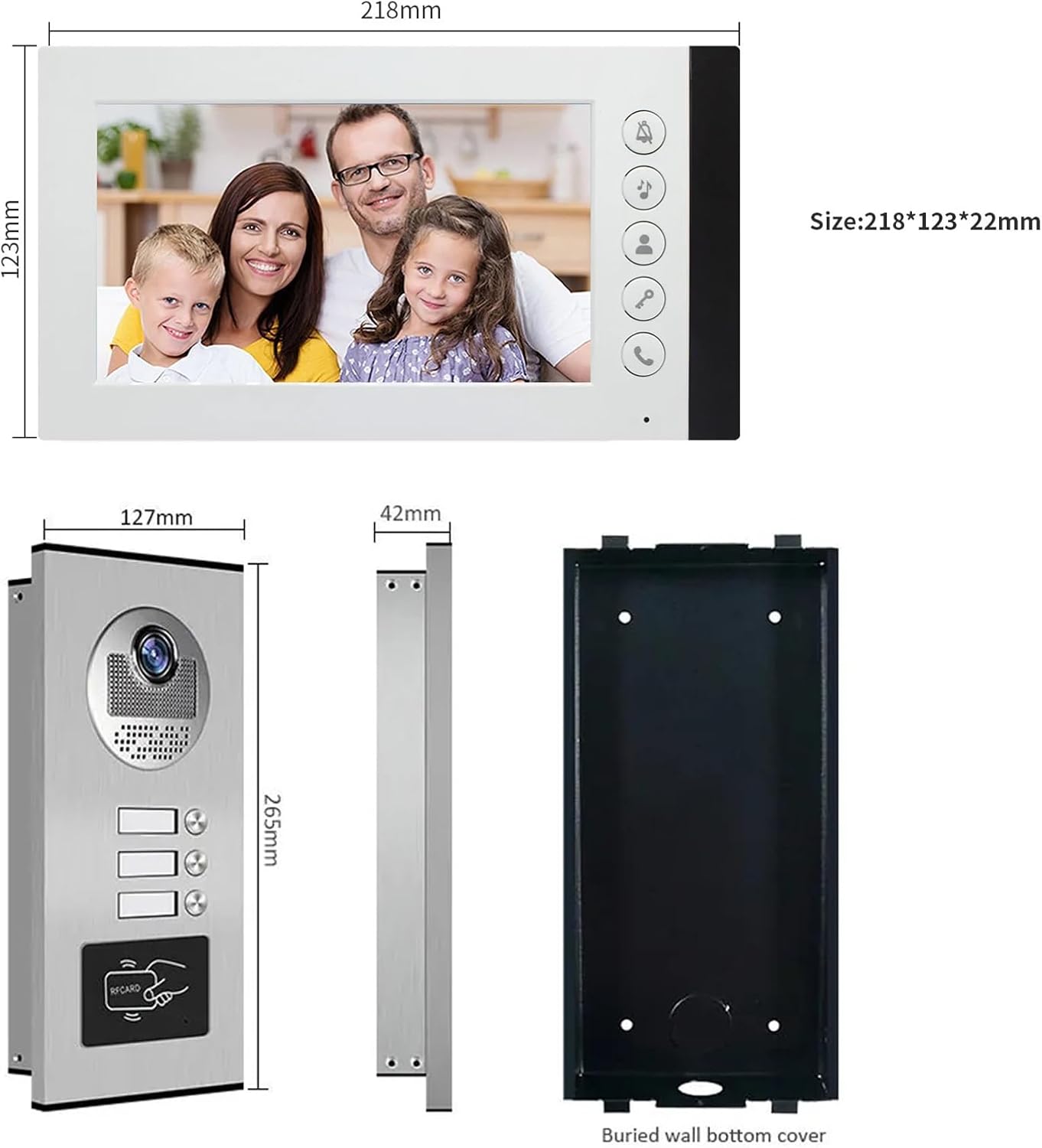
Figure 4.1: Product Dimensions. This image provides detailed measurements for both the indoor monitor and the outdoor doorbell unit, including the buried wall bottom cover for the outdoor unit.
5. 安全情報
- インストールやメンテナンスを行う前に必ず電源を切ってください。
- Ensure all wiring is correctly connected according to the wiring diagram to prevent damage to the system or electrical hazards.
- Do not expose the indoor monitor to water or high humidity.
- The outdoor unit is IP65 weatherproof, but avoid submerging it in water.
- Use only the provided power adapters or approved replacements.
- Keep the product away from strong magnetic fields or sources of interference.
- 複雑な配線設定の場合は専門家による設置をお勧めします。
6. セットアップとインストール
6.1配線手順
The system uses a 4-wire connection. A 5-meter 4-core cable is included for testing. For permanent installation, you will need to purchase longer cables based on the distance between the outdoor unit and the indoor monitors. Refer to the table below for recommended cable types and distances:
| 距離 | ケーブル直径 |
|---|---|
| 最大50メートル | 0.5mm²(AWG 20) |
| 50~100メートル | 0.75mm²(AWG 18) |
| 100メートル以上 | 1.0 mm² (AWG 17) or consult a professional |
Ensure all connections are secure and insulated. Incorrect wiring can damage the system.
6.2 室外機の取り付け
- Choose a suitable location near your entrance, typically at eye level (around 1.5 meters or 5 feet from the ground).
- Use the included mounting bracket as a template to mark drilling points on the wall.
- ドリルで穴を開け、壁アンカーを挿入します。
- 取り付けブラケットをネジで壁に固定します。
- Connect the 4-core wiring and power supply to the outdoor unit.
- Attach the outdoor unit to the mounting bracket, ensuring it is firmly in place.
- Verify the unit is level and the camera view 遮るものがありません。

Figure 6.1: Outdoor Unit Installation. This image shows the outdoor unit installed in an exterior environment, highlighting its weather resistance and suitable mounting location.
6.3 屋内モニターの取り付け
- Select a convenient indoor location, such as a hallway or living area, where the monitor is easily accessible.
- モニターの取り付けブラケットを使用して、穴あけポイントをマークします。
- ドリルで穴を開け、壁アンカーを挿入します。
- 取り付けブラケットを壁に固定します。
- Connect the 4-core wiring from the outdoor unit and the power adapter to the indoor monitor.
- Carefully attach the indoor monitor to the mounting bracket.
- 電源アダプターをコンセントに差し込みます。
7. 操作手順
7.1 電話を受ける
When a visitor presses the call button on the outdoor unit, the indoor monitor(s) will ring and automatically display the video feed from the outdoor camera.
- 電話に出るには、 答え button (typically a phone icon) on the indoor monitor.
- You can now speak with the visitor using the two-way audio function.
- 会話を終了するには、 答え もう一度ボタンを押します。
7.2 屋外エリアの監視
手動で view the outdoor area at any time:
- を押す モニター button (often an eye icon) on the indoor monitor. The screen will display the live video feed from the outdoor camera.
- を押す モニター ボタンをもう一度押して、ディスプレイをオフにします。
7.3ドアのロックを解除する
If an electric lock is connected to the system, you can unlock the door remotely:
- 通話中またはモニタリング中に、 ロック解除 button (often a key icon) on the indoor monitor. The connected electric lock will disengage.
- The outdoor unit also supports RFID card unlocking. Present a pre-programmed RFID card to the reader on the outdoor unit to unlock the door.
7.4 ナイトビジョン
The outdoor unit is equipped with built-in LED infrared lights, which automatically activate in low-light conditions to provide clear black-and-white video footage.

Figure 7.1: Day and Night Vision. This image illustrates the system's ability to provide clear visuals both during the day and at night, thanks to its integrated infrared night vision.
7.5 サイレントモード
To avoid disturbance, especially during nighttime, you can activate the silent mode:
- を押す サイレントモード button (often a bell with a slash through it) on the indoor monitor. The doorbell ringtone will be muted.
- The monitor will still display the video feed when a visitor calls, allowing you to see who is at the door without audible notification.
- を押す サイレントモード もう一度押すと無効になります。
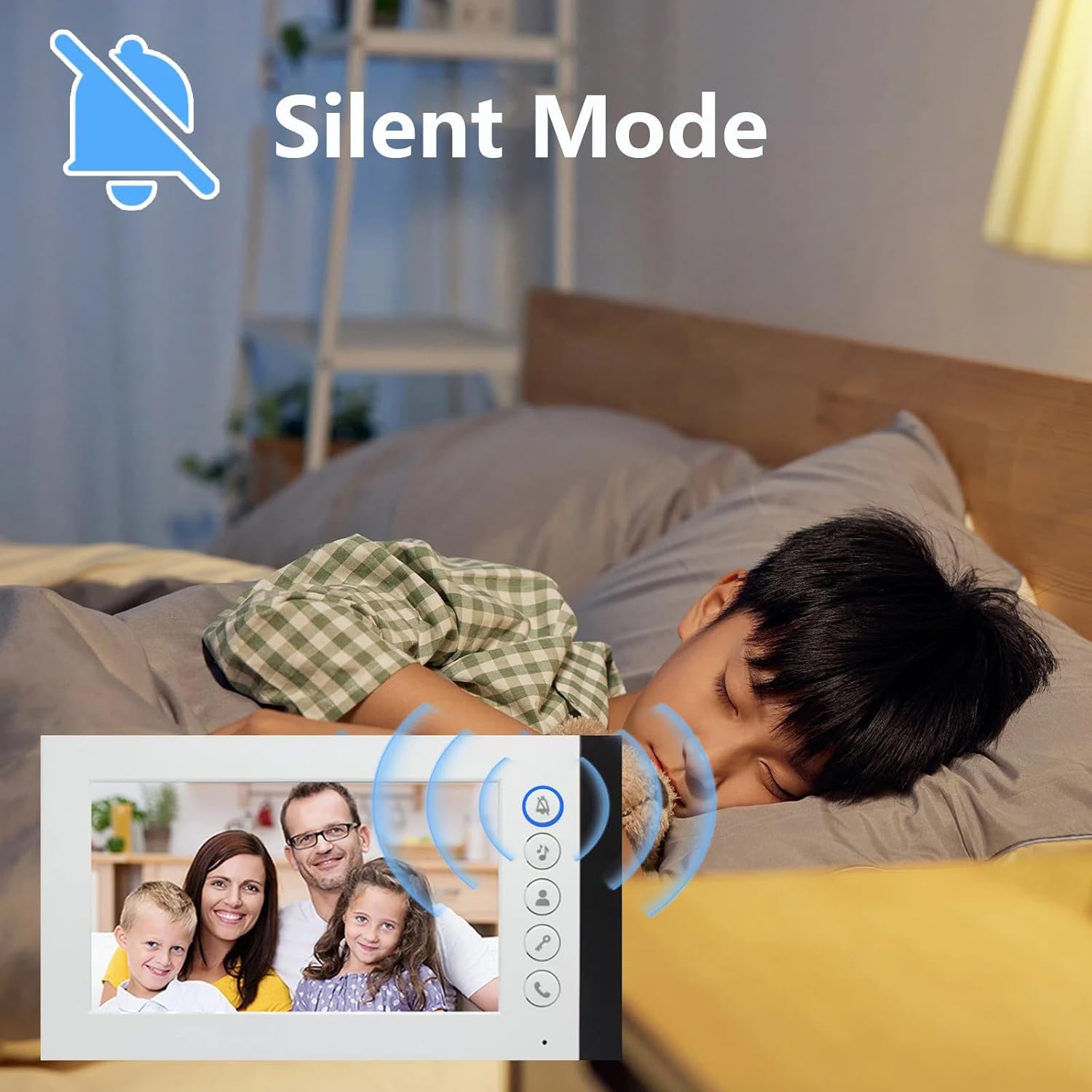
Figure 7.2: Silent Mode Activation. This image demonstrates the silent mode feature, which allows users to mute the doorbell ringtone for undisturbed rest while still being able to see visitors on the monitor.
7.6着信音の選択
The indoor monitor offers 52 different ringtones. Consult the monitor's on-screen menu or specific buttons to browse and select your preferred ringtone.
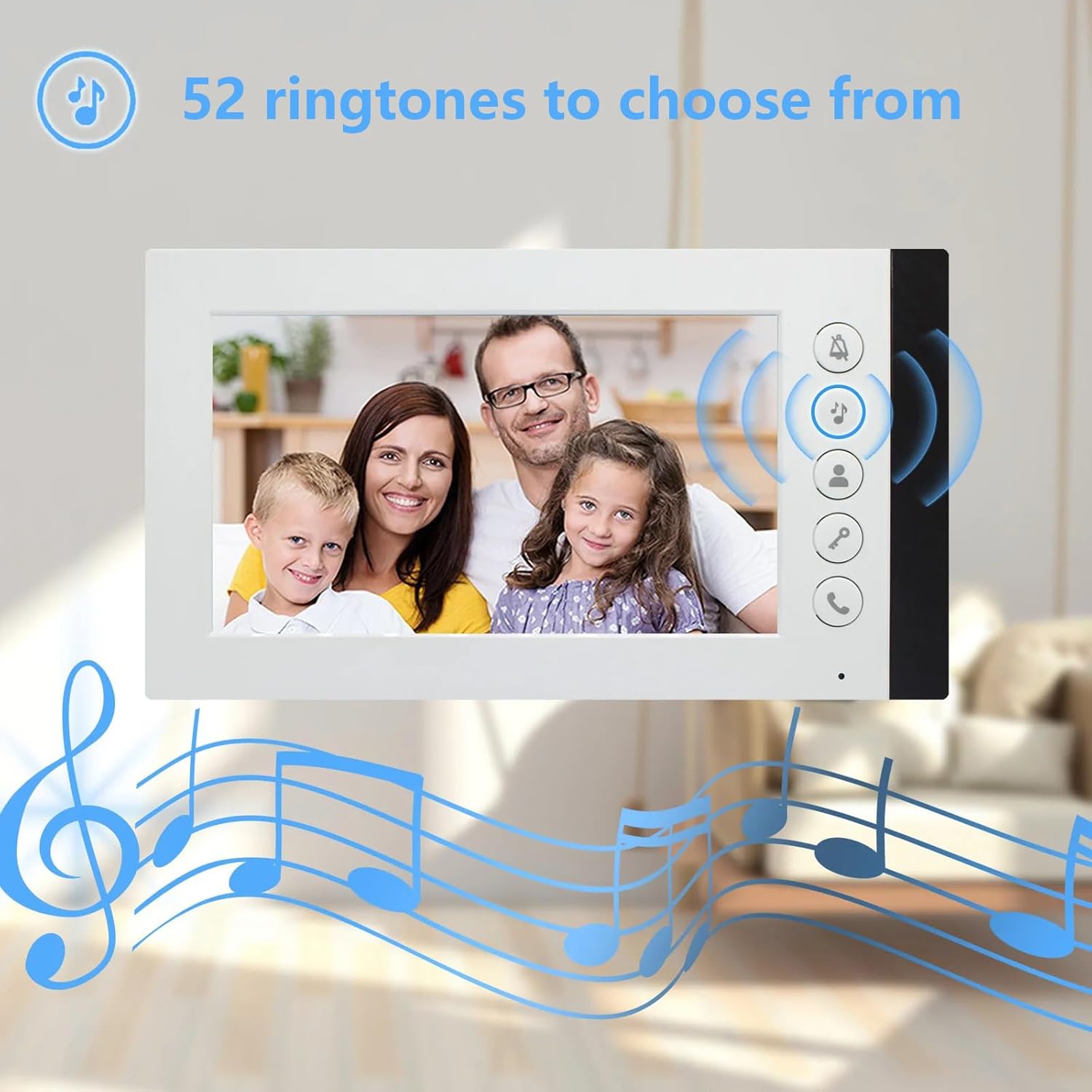
Figure 7.3: Ringtone Options. This image highlights the availability of 52 different ringtones for the indoor monitor, allowing users to customize their doorbell sound.
8. メンテナンス
- クリーニング: Use a soft, dry cloth to clean the indoor monitor and outdoor unit. For stubborn dirt, a slightly damp 布で拭くこともできますが、液体がデバイス内に入らないようにご注意ください。研磨剤入りの洗剤や溶剤は使用しないでください。
- ケーブル検査: Periodically check all wiring connections for signs of wear, damage, or loose connections. Repair or replace damaged cables immediately.
- Outdoor Unit Lens: Keep the camera lens on the outdoor unit clean and free from obstructions (e.g., dirt, spiderwebs) to ensure clear video quality.
- 電源: Ensure power adapters are not damaged and are securely plugged into outlets.
9。 トラブルシューティング
| 問題 | 考えられる原因 | 解決 |
|---|---|---|
| モニターにビデオや音声が表示されない |
|
|
| Monitor not ringing when doorbell is pressed |
|
|
| Poor video quality (blurry, dark) |
|
|
| ドアのロック解除機能が動作しない |
|
|
10. 保証とサポート
ANJIELO SMART products are designed for reliability and performance. For warranty information, technical support, or service inquiries, please refer to the contact information provided with your purchase documentation or visit the official ANJIELO SMART website. Please have your model number (60120S-2+67022E) and purchase date ready when contacting support.