
1.製品オーバーview
The Midtronics MVT-200 is an advanced handheld battery tester powered by MDX-AI technology, designed for fast and accurate diagnostics of 6V and 12V batteries across various applications. This device simplifies battery testing by leveraging extensive data to provide decisive results, often eliminating the need for charge and retest procedures.

Figure 1.1: Midtronics MVT-200 Handheld Battery Tester. This image displays the main unit of the MVT-200 tester, showing its screen interface and the attached red and black battery clamps.
主な機能は次のとおりです。
- MDX-AI Powered: Utilizes an advanced AI-based diagnostic algorithm for precise testing.
- Simplified and Accurate Testing: Provides clear, decisive results, reducing user input and potential errors.
- No Charge and Retest Needed: Minimizes the need for additional charging and retesting in-vehicle.
- 多目的テスト: Capable of testing various battery types (Flooded, AGM, AGM Spiral, Gel, EFB) without requiring specific CCA ratings, and performs reliably even with system noise or at remote posts.
- 幅広い用途: Suitable for automotive, marine, power sports, heavy-duty trucks (Group 31, 4D/8D), and lawn & garden batteries.
2. セットアップ
2.1 デバイスの開梱
Carefully remove the MVT-200 tester and its accessories from the packaging. Verify that all components listed in the 'What's in the Box' section are present: the tester unit and connecting cables.
2.2 初回電源投入と充電
The MVT-200 is designed to be rechargeable. Before first use, ensure the internal battery is sufficiently charged. Connect the tester to a power source using the provided charging cable (if applicable, specific charging method not detailed in product information, assume standard USB or AC adapter). The device is ready for use once powered on.
2.3 バッテリーへの接続
To connect the MVT-200 to a battery:
- Ensure the vehicle or equipment is turned off.
- 赤い正(+)clを接続しますamp バッテリーのプラス端子に接続します。
- 黒のネガ(-)clを接続しますamp バッテリーのマイナス端子へ。
- Ensure a secure connection to prevent inaccurate readings or damage.
3. 操作手順
The MVT-200 features an intuitive menu system for various testing procedures.
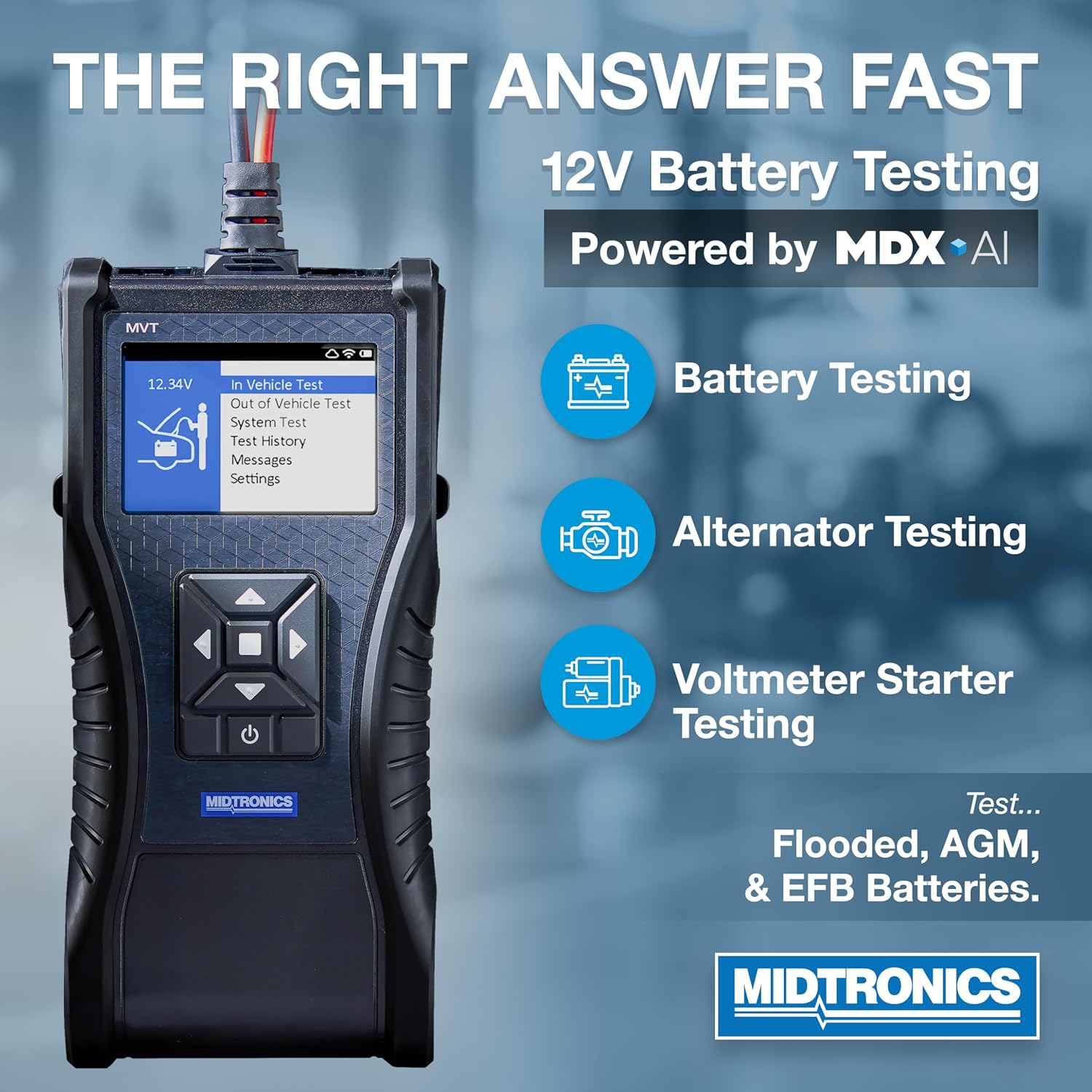
Figure 3.1: MVT-200 Displaying Test Options. This image illustrates the tester's screen with options for Battery Testing, Alternator Testing, and Voltmeter Starter Testing, indicating its comprehensive diagnostic capabilities.
3.1 メニューの操作
Use the directional buttons on the tester to navigate through the menu options displayed on the screen. Press the 'Enter' or 'Select' button (typically the center button) to confirm a selection.
3.2 バッテリーテストの実行
The MVT-200 supports both in-vehicle and out-of-vehicle battery testing.
- From the main menu, select either 'In Vehicle Test' or 'Out of Vehicle Test'.
- Follow the on-screen prompts. The MDX-AI technology will guide you through the process, often automatically detecting battery type and condition.
- The tester will provide a clear, decisive result regarding the battery's health.
3.3 System Test (Starting and Charging System)
To assess the vehicle's starting and charging system:
- 選択 'System Test' メインメニューから。
- The tester will prompt you to perform specific actions, such as starting the engine or revving it, to evaluate the starter and alternator performance.
- Results will indicate the health of the starting and charging components.
3.4 Test History and Settings
- Test History: 以前保存したテスト結果にアクセスして再度view and comparison.
- メッセージ: View system messages or alerts.
- 設定: Configure device preferences, such as language, display brightness, or unit of measurement.

Figure 3.2: Benefits of MDX-AI. This image emphasizes the MVT-200's ability to provide instant test decisions, eliminate the need for charge and retest, and deliver professional accuracy, all powered by MDX-AI.
4. メンテナンス
4.1デバイスのクリーニング
To maintain the MVT-200's performance and longevity:
- テスターの外側を柔らかくて乾いた布で拭いてください。amp 布。
- 研磨剤入りの洗剤や溶剤は使用しないでください。asing または画面。
- clを確認してくださいamps are clean and free of corrosion for optimal electrical contact.
4.2 ストレージ
When not in use, store the MVT-200 in a dry, cool place, away from direct sunlight and extreme temperatures. Keep the cables neatly coiled to prevent damage.
4.3 Internal Battery Care
Although the MVT-200 is rechargeable, for optimal battery life, avoid fully discharging the unit frequently. Recharge the device periodically, especially if it will be stored for an extended period.
5。 トラブルシューティング
This section addresses common issues you might encounter with the MVT-200.
| 問題 | 考えられる原因 | 解決 |
|---|---|---|
| テスターの電源が入りません。 | 内部バッテリーの電力が低いか消耗しています。 | Connect the tester to a power source and allow it to charge. |
| 不正確なテスト結果。 | Poor connection to battery terminals; dirty battery terminals; incorrect test parameters selected. | clを確認してくださいamps are securely attached and terminals are clean. Verify correct test type (in-vehicle/out-of-vehicle) is selected. |
| Tester displays an error message. | Specific error condition (e.g., reverse polarity, over-voltage)。 | Refer to the on-screen message for specific instructions. Disconnect and reconnect the tester, ensuring correct polarity. If the issue persists, contact support. |
| 画面が反応しないかフリーズしています。 | ソフトウェアの不具合。 | Press and hold the power button to force a restart. If unresponsive, allow the battery to fully discharge and then recharge. |
6. 仕様
The following are the technical specifications for the Midtronics MVT-200 Handheld Battery Tester:
- モデル番号: MVT-200
- サポートされているバッテリー容量tages: 6V、12V
- サポートされているバッテリーの種類: Flooded, AGM, AGM Spiral, Gel, EFB
- CCA 範囲: 100-3000CCA
- 電源: 内部充電式バッテリー
- 色: 黒
- パッケージ寸法: 12.75 x 12 x 4.4インチ
- 商品の重量: 4 ポンド
- コンプライアンス: UL Specification Met
- 含まれるもの: Tester, Cables

Figure 6.1: MVT-200 Testing Capabilities. This image details the MVT-200's CCA range (100-3000) and its compatibility with various applications including Automotive/Car, Heavy Duty Trucks, Powersport, Lawn & Garden, and Marine.
7. 保証とサポート
Midtronics products are manufactured to high standards and are backed by a manufacturer's warranty. For specific warranty terms and conditions, please refer to the warranty card included with your product or visit the official Midtronics webサイト。
7.1 カスタマーサポート
If you encounter any issues not covered in this manual or require further assistance, please contact Midtronics customer support. Contact information can typically be found on the Midtronics webサイトまたは製品パッケージ内に記載されています。
For more information about Midtronics and their range of professional automotive battery testers, visit the Midtronics Store on Amazon.