
1. はじめに
Thank you for choosing the Moondrop Space Travel 2 HiFi Noise-Canceling TWS Wireless Earphones. These earphones are designed to provide a superior audio experience with advanced features such as Active Noise Cancellation (ANC), low-latency game mode, and customizable EQ settings. This manual will guide you through the setup, operation, maintenance, and troubleshooting of your new earphones to ensure optimal performance and longevity.

The Moondrop Space Travel 2 earphones and their charging case, showcasin製品のデザイン。
2. パッケージ内容
パッケージにすべてのアイテムが含まれていることを確認してください。
- SPACE TRAVEL 2 Earphones (Left and Right)
- 充電ケース
- 充電ケーブル(USB-C)
- イヤーチップ(サイズ:S、M、L)
- ユーザーマニュアル
- アフターサービスカード
- ガイダンスカード
- サービスカード
- 証明書
3.製品オーバーview
The Moondrop Space Travel 2 consists of two wireless earbuds and a portable charging case. Familiarize yourself with the components for proper use.

The Moondrop Space Travel 2 earphones securely placed within their charging case.

Individual Moondrop Space Travel 2 earbuds and the charging case displayed separately on a technical drawing.
4. セットアップ
4.1 イヤホンの充電
Before first use, fully charge the earphones and the charging case. Connect the provided USB-C cable to the charging port on the case and a power source. The indicator light on the case will show charging status.
4.2 デバイスとのペアリング
- イヤホンが充電されていることを確認してください。
- 充電ケースを開けると、イヤホンは自動的にペアリングモードになります。
- デバイス(スマートフォン、タブレットなど)で Bluetooth を有効にします。
- 検索する available Bluetooth devices and select "Moondrop Space Travel 2".
- 接続されると、音声プロンプトによってペアリングの成功が確認されます。
4.3 Moondrop Link App Installation and Use
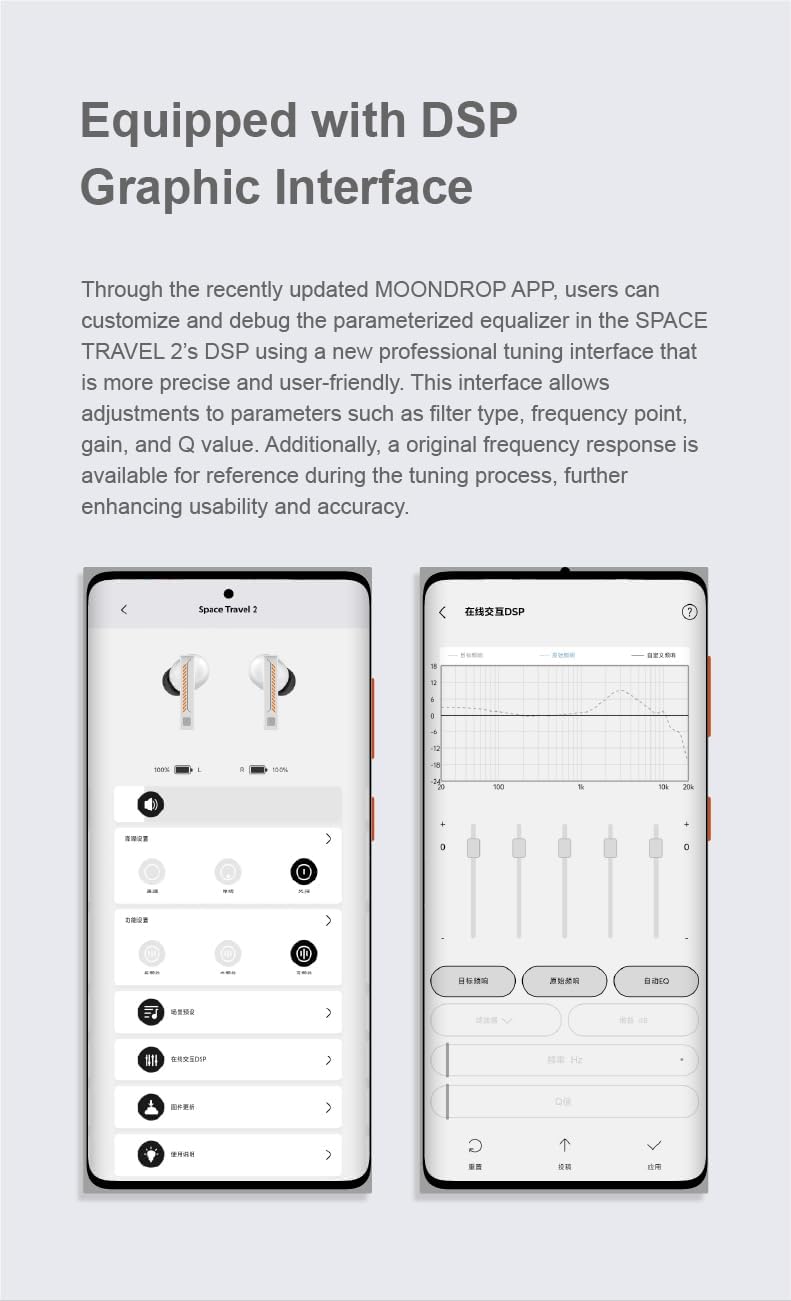
Enhance your experience by downloading the Moondrop Link App. The app allows for custom touch operations, ANC switch adjustments, and EQ settings.
- Download the "Moondrop Link" app from your device's app store.
- Open the app and connect to your Space Travel 2 earphones.
- Explore features such as:
- カスタムタッチ操作: Personalize the touch controls on each earbud.
- カスタム ANC スイッチ: Adjust settings for Active Noise Cancellation, Transparency Mode, and Standard Mode.
- ワンボタンEQ設定: Select from preset equalization profileまたは独自のものを作成します。
The Moondrop Link App interface, demonstrating control options and the DSP graphic equalizer for sound customization.
5. 操作手順
5.1 電源オン/オフ
- 電源オン: 充電ケースを開くと、イヤホンは自動的に電源が入り、最後にペアリングしたデバイスに接続します。
- 電源を切る: イヤホンを充電ケースに戻し、蓋を閉めます。自動的に電源がオフになり、充電が開始されます。
5.2 タッチコントロール
The Space Travel 2 earphones feature intuitive touch controls on each earbud. Specific functions can be customized via the Moondrop Link App.
| アクション | 機能(デフォルト) |
|---|---|
| シングルタップ | 再生/一時停止、通話の応答/終了 |
| ダブルタップ(左イヤホン) | 前のトラック |
| ダブルタップ(右イヤホン) | 次のトラック |
| トリプルタップ | 音声アシスタントを有効にする |
| 長押し(2秒) | Switch ANC/Transparency/Standard Mode |
| Four Taps | Toggle Low-latency Game Mode |
5.3 アクティブノイズキャンセリング(ANC)と透過モード
The Space Travel 2 features a single feedforward wide-band ANC for effective noise reduction without compromising sound quality. Transparency mode allows you to hear your surroundings while still enjoying your audio.

Visual representation of how Active Noise Cancellation reduces ambient sound.
5.4 低遅延ゲームモード
For an optimized gaming experience, activate the low-latency game mode. This mode reduces signal transmission delay to as low as 55ms.
- To activate: Tap the touch faceplate four times.
- To deactivate: Tap the touch faceplate four times again.
The Moondrop Space Travel 2 earphones, highlighting their dual Music and Game modes.
5.5 デュアルデバイス接続
The Space Travel 2 supports simultaneous connection to two different devices, allowing for seamless switching between them via the Moondrop Link App.

Illustration of the Moondrop Space Travel 2's ability to connect to and switch between two devices, such as a smartphone and a tablet.
6. メンテナンス
6.1 クリーニング
- Regularly clean the eartips and earbud surfaces with a soft, dry, lint-free cloth.
- イヤーチップを取り外し、小さなブラシまたは綿棒を使用してイヤホンのノズルから耳垢やゴミを取り除きます。
- 研磨剤入りの洗剤、アルコール、化学溶剤は使用しないでください。
6.2 ストレージ
使用していないときは、イヤホンをほこりや損傷から保護し、充電を保つために、必ず充電ケースに保管してください。
6.3バッテリーケア
- Avoid exposing the earphones and case to extreme temperatures (hot or cold).
- Do not fully discharge the battery for extended periods. Charge regularly to maintain battery health.
7。 トラブルシューティング
If you encounter issues with your Moondrop Space Travel 2 earphones, please refer to the following common solutions:
| 問題 | 考えられる解決策 |
|---|---|
| イヤホンがペアリングされない | Ensure earphones are charged. Turn off and on Bluetooth on your device. Try resetting the earphones (see below). |
| 音が出ない、または音量が小さい | Check device volume. Ensure earphones are properly connected. Clean earbud nozzles. |
| ANCが効果的に機能していない | Ensure proper fit of eartips. Check ANC mode in the Moondrop Link App. |
| イヤホンが充電されない | Ensure charging cable is securely connected. Clean charging contacts on earphones and case. Try a different charging cable or power source. |
7.1 イヤホンのリセット
If you experience persistent connectivity or functionality issues, a factory reset may resolve the problem:
- Delete the "Moondrop Space Travel 2" from your device's Bluetooth paired devices list.
- 両方のイヤホンを充電ケースに戻します。
- Take both earphones out of the case 同時に.
- Press and hold the touch controls on 両方 earphones simultaneously for approximately 10 seconds until the indicator lights flash, indicating a successful reset.
- ペアリングプロセスを繰り返します(セクション 4.2)。
8. 仕様
Detailed technical specifications for the Moondrop Space Travel 2 earphones:
| 特徴 | 詳細 |
|---|---|
| モデル名 | 宇宙旅行2 |
| 接続技術 | ワイヤレス(Bluetooth 6.0) |
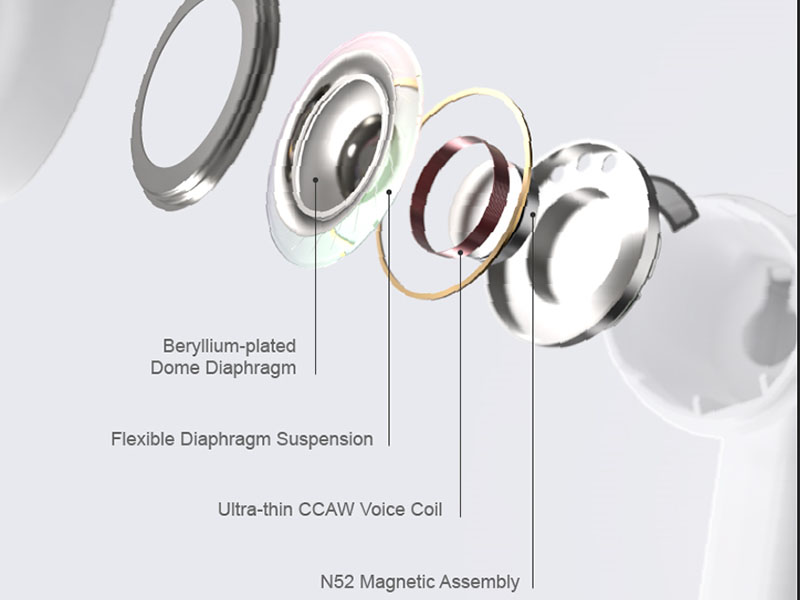
| ドライバ | 13mm Dynamic Driver with Beryllium-plated Dome Diaphragm |
| アクティブノイズキャンセル(ANC) | Single Feedforward with Lossless Sound Quality Wide-band ANC |
| AIノイズキャンセリング | Built-in NPU Hardware-level AI Noise Canceling (for calls) |
| 低遅延ゲームモード | 55ミリ秒 |
| バッテリー寿命 | 7 hours (earphones) + 24 hours (with charging case) |
| 重さ | 8.4オンス(パッケージ全体) |
| 寸法 | 4.06 x 2.87 x 1.42インチ(パッケージ) |
| メーカー | ムーンドロップ |

A detailed comparison highlighting the improvements and features of the Space Travel 2 over its predecessor.

Key features and performance benchmarks of the Moondrop Space Travel 2 earphones.
9. 保証とサポート
Moondrop products are manufactured to the highest quality standards. For warranty information and customer support, please refer to the After-service Card included in your package or visit the official Moondrop website. You can also find more information and contact support through the AmazonのMoondropストア.
For any technical inquiries or assistance, please contact Moondrop customer service directly.