
1. はじめに
The MINDKEEPS G90 is a retro handheld game console designed for portable gaming. It features a 7-inch IPS HD screen, a quad-core processor, and supports HDMI output for connection to external displays. This manual provides instructions for setting up, operating, and maintaining your G90 console.
2. パッケージ内容
以下にリストされているすべてのアイテムがパッケージに含まれていることを確認してください。
- G90 Console Unit
- タイプC充電ケーブル
- 取扱説明書(本書)
- 保護フィルム
- HDMIケーブル
- Gamepad Receiver/Adapter
- Alcohol Wipe Pack
- A Pair of Gamepads

Image: Standard accessories included with the G90 console, showing the console, packaging box, data line, and instruction manual.
3. デバイスのレイアウトとコントロール
Familiarize yourself with the buttons, ports, and features of your G90 console:
画像: 前面と背面 view of the G90 console with labels for 3D joysticks, directional keys, speaker, ESC, R1/R2, L1/L2, vol-/vol+, X/Y/A/B buttons, TF card slot, HDMI port, charging interface, On/Off button, and handle interface.
- 3D ジョイスティック: For precise directional control in games.
- Directional Keys (D-Pad): For menu navigation and game control.
- アクションボタン(X、Y、A、B): ゲーム内のアクション用。
- ショルダーボタン(L1、L2、R1、R2): 追加の制御入力。
- Volume Buttons (vol+, vol-): オーディオ出力を調整します。
- ESCボタン: Typically used to exit menus or games.
- SELECT/START/A Buttons: 標準的なゲームコントロールボタン。
- TFカードスロット: TF(microSD)カードを挿入してストレージを拡張します。
- 充電インターフェース(Type-C): 充電ケーブルを接続します。
- HDMIポート: For connecting the console to an external display.
- オン/オフボタン: Powers the console on or off.
- ハンドルインターフェース: For connecting external gamepads.
- 講演者: オーディオ出力用のステレオ スピーカーを内蔵。
4. セットアップ
4.1 コンソールの充電
Before first use, fully charge the console. Connect the provided Type-C charging cable to the console's charging interface and the other end to a compatible USB power adapter (not included) with a maximum load of 2A. The battery indicator will show charging status.
4.2 TFカードのインストール
The console supports TF card expansion up to 256GB for additional game storage. Locate the TF card slot on the console. Gently insert the TF card into the slot until it clicks into place. To remove, push the card in slightly until it springs out.
4.3 Connecting to an External Display (HDMI Output)
To play games on a larger screen, connect the G90 console to a TV or monitor using the provided HDMI cable. Plug one end of the HDMI cable into the console's HDMI port and the other end into an HDMI input on your display device. Select the correct HDMI input on your display.

Image: The G90 console displaying game content on an external television via HDMI output.
4.4 Connecting External Gamepads
The G90 console supports external gamepads for two-player gaming. Connect the gamepad receiver/adapter to the console's handle interface. The included gamepads should automatically connect to the receiver. Refer to the gamepad's individual instructions for specific pairing procedures if necessary.
5. 操作手順
5.1 電源オン/オフ
- 電源を入れるには: 画面が点灯するまでオン/オフボタンを押し続けます。
- 電源を切るには: Press and hold the On/Off button until a power-off prompt appears, then confirm. A short press will typically put the device into sleep mode.
5.2 Navigation and Game Selection
Use the 3D joysticks or directional keys to navigate through the console's menu interface. Press the 'A' button (or equivalent action button) to select options or launch games. The 'ESC' button typically functions as a back or exit command.
5.3 音量の調整
Use the 'vol+' and 'vol-' buttons located on the console to increase or decrease the audio volume from the integrated stereo speakers.
5.4言語設定
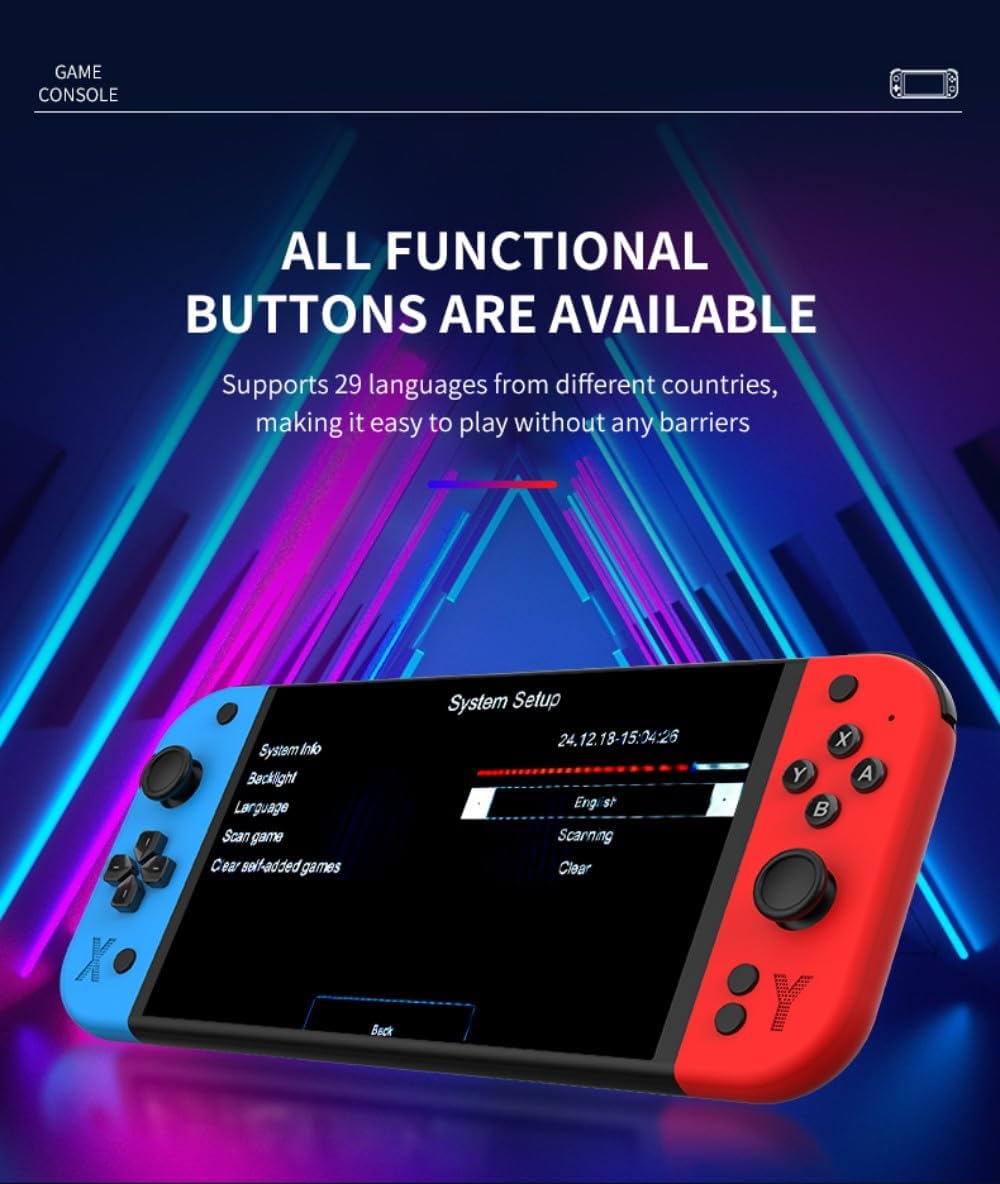
The G90 console supports 29 languages. To change the system language:
- Navigate to the 'System Setup' menu.
- オプションから「言語」を選択します。
- リストから希望の言語を選択してください。
Image: The G90 console's 'System Setup' screen, highlighting the language selection option.
6. メンテナンス
6.1 クリーニング
Use a soft, dry cloth to clean the console's exterior. For the screen, use a microfiber cloth. Avoid using harsh chemicals or abrasive materials, as they may damage the finish or screen. The included alcohol wipe pack can be used for screen cleaning.
6.2バッテリーケア
バッテリー寿命を延ばすには:
- バッテリーを頻繁に完全に放電することは避けてください。
- 長期間使用しない場合は、コンソールを涼しく乾燥した場所に保管してください。
- バッテリーの状態を維持するために、使用していない場合でもコンソールを定期的に充電してください。
7。 トラブルシューティング
- コンソールの電源が入らない: Ensure the console is fully charged. Connect the charging cable and try again.
- 画面が空白またはちらつく: Check HDMI cable connection if using an external display. Restart the console.
- Games are lagging or freezing: Ensure the TF card is properly inserted. Some games may require specific settings adjustments within the emulator.
- 音が出ない: Check the volume settings on the console and any connected external display. Ensure headphones are properly connected if in use.
- External gamepads not connecting: Ensure the gamepad receiver is properly inserted into the console's handle interface. Check gamepad batteries.
If issues persist, please refer to the support information provided with your purchase.
8. 仕様
| 特徴 | 仕様 |
|---|---|
| モデル番号 | 14RE304OZ04BKFYXRX3 |
| 画面 | 7-inch IPS HD Screen, OCA Lamination Technology |
| 解決 | 1024x600 |
| CPU | Quad-core ARM Cortex-A7MP |
| ラム | DDR3 1GB |
| ロム | 4GB メモリ |
| オペレーティング·システム | Linux 5.1 RetroArch |
| HDMI出力 | Supports HDMI high-definition output |
| 言語 | 29言語をサポート |
| オーディオ | 高品質ステレオスピーカー |
| バッテリー | 4000mAh |
| TFカードサポート | Up to 256GB expansion |
| 充電 | Type-C, max 2A load |
| External Gamepads | Supports external gamepads for two-player battles |
| ジョイスティック | Dual 3D stereo joysticks |
| 材料 | アブソリュート |
| Console Body Dimensions | 24.5 x 2.8 x 10.5 cm |
| Console Body Weight | 393グラム |
| 推奨年齢 | 15歳以上 |
9. 保証とサポート
For warranty information and technical support, please refer to the documentation included with your purchase or contact MINDKEEPS customer service through the retailer where the product was purchased. Keep your proof of purchase for warranty claims.