
導入
This manual provides instructions for the PIKOY Aurora Northern Lights Projector, Model WH-E22. This device integrates a Northern Lights projector, a white noise sound machine, and a Bluetooth speaker to create a versatile ambient experience. Please read this manual thoroughly before use to ensure proper operation and to maintain the product's longevity.
重要な安全情報
- Ensure the power source matches the device's requirements.
- デバイスを極端な温度や湿度にさらさないでください。
- お子様やペットの手の届かない場所に保管してください。
- ご自身でデバイスを分解したり修理したりしないでください。サポートが必要な場合はカスタマー サポートにお問い合わせください。
- 光源に長時間直接目を当てないようにしてください。
- この製品は屋内専用に設計されています。
パッケージ内容
パッケージにすべてのアイテムが揃っていることを確認します。
- PIKOY Aurora Northern Lights Projector (Model WH-E22)
- リモートコントロール
- USB電源ケーブル
- ユーザーマニュアル
設定
- デバイスを開梱します。 プロジェクターとすべての付属品をパッケージから慎重に取り出します。
- 電源接続: Connect the provided USB power cable to the projector's power input port. Plug the other end of the USB cable into a compatible USB power adapter (not included) or a USB port on another device (e.g., a lamp with a USB port).
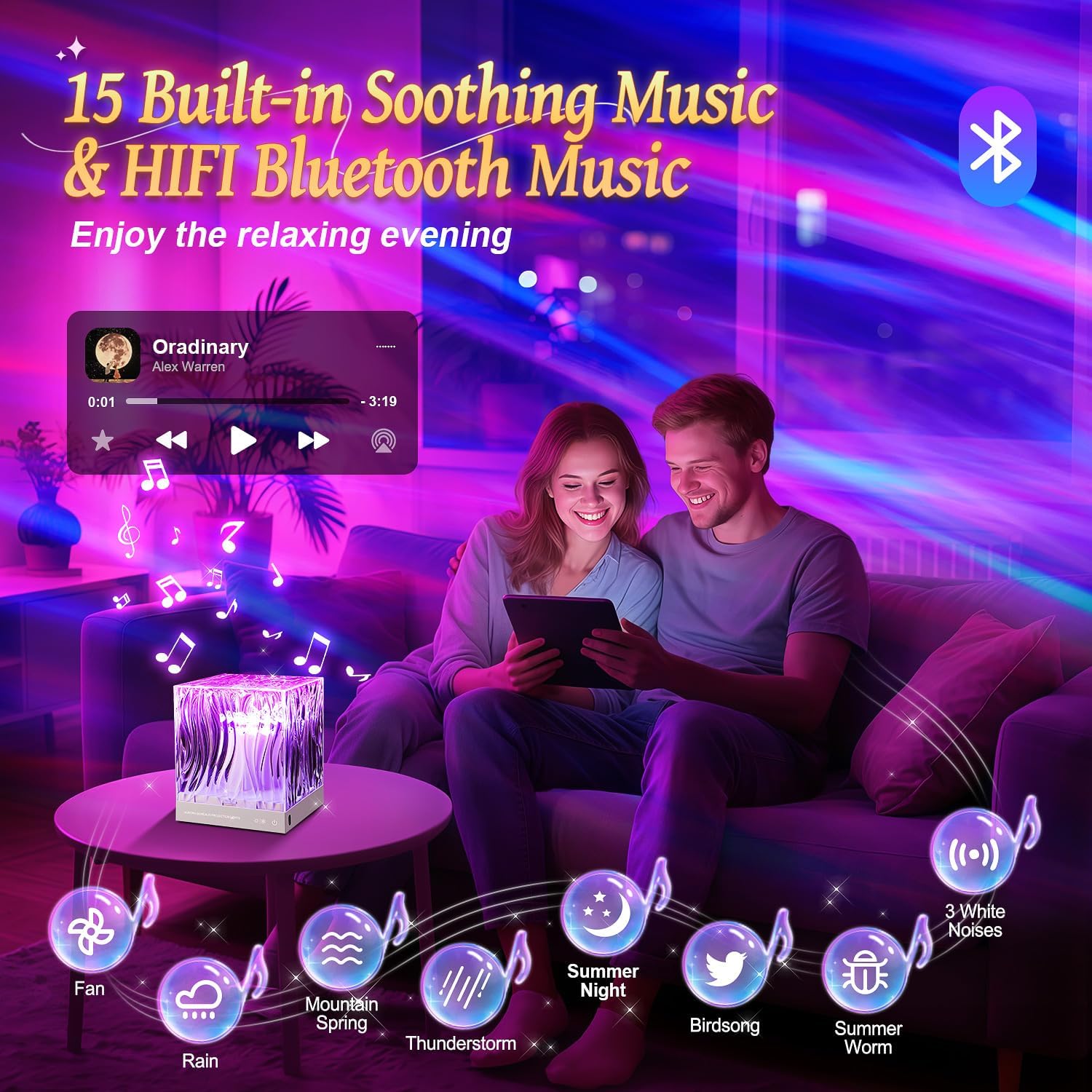
Image: The PIKOY Aurora Projector connected to a USB power source, demonstrating the power connection.
- リモートコントロール: Ensure the remote control has working batteries. If not, insert 2 AAA batteries (not included) according to the polarity markings.
- 配置: Place the projector on a stable, flat surface. For optimal Northern Lights projection, position the device in the center of the room or at a suitable distance from the ceiling and walls to achieve the desired coverage.
操作手順
電源オン/オフ
- を押す 電源ボタン (⏻) on the remote control or the main power button on the device to turn it on or off.
オーロラ投影
The projector offers 18 colors and 162 lighting modes to create a dynamic Northern Lights effect.
- 色の選択: Use the color buttons (R, G, B, W, Y, etc.) on the remote to select single colors or combinations.
- 明るさ調整: を押す 明るさアップ (▲) または ブライトネスダウン (▼) buttons to adjust the light intensity (3 levels available).
- モード選択: Use the 'M' button on the remote to cycle through different lighting modes and effects.

Image: The projector casting vibrant Northern Lights patterns in various colors onto a room's ceiling and walls.
Bluetoothスピーカー機能
The device features a 5.3 HiFi Bluetooth speaker for playing music or audio.
- ペアリング: Turn on the projector. Activate Bluetooth on your mobile device and search for "WH-E22" (or similar name). Select it to pair.
- 再生: Once paired, you can play audio from your device through the projector's speaker. Use your mobile device or the remote control for volume adjustment and track selection.

Image: A couple relaxing in a room with the projector displaying warm light, indicating the Bluetooth speaker function.
ホワイトノイズサウンドマシン
The projector includes 15 built-in white noise sounds to aid relaxation and sleep.
- サウンドの選択: を押す 音楽ボタン on the remote to cycle through the 15 built-in white noise sounds (lullabies, nature sounds like rain, sea waves, fan, bird singing, etc.).
- 音量コントロール: Adjust the volume using the remote control's volume buttons.
タイマー機能
自動シャットダウンのタイマーを設定します。
- を押す 1H リモコンの 1 時間タイマー ボタンを押します。
- を押す 8H button on the remote for an 8-hour timer.
- To cancel the timer, press the timer button again or turn off the device.

Image: The remote control with 1-hour and 8-hour timer options, positioned near the projector in a child's bedroom.
メンテナンス
- クリーニング: プロジェクターの表面を清掃する際は、柔らかく乾いた布を使用してください。研磨剤入りの洗剤や溶剤は使用しないでください。
- ストレージ: 長期間使用しない場合は、直射日光を避け、涼しく乾燥した場所に保管してください。
トラブルシューティング
| 問題 | 考えられる原因 | 解決 |
|---|---|---|
| デバイスの電源が入りません。 | 電源が入っていないか、接続が緩んでいます。 | USB ケーブルの接続を確認し、電源アダプターが動作していることを確認します。 |
| リモコンが機能しない。 | 電池切れまたは障害物。 | Replace remote batteries. Ensure no obstacles between the remote and the projector. |
| Bluetoothが接続されていません。 | デバイスがペアリング モードになっていないか、すでに別のデバイスに接続されています。 | Ensure Bluetooth is enabled on your mobile device and the projector is discoverable. Disconnect from other Bluetooth devices. |
| 投影が暗かったり不鮮明です。 | Room too bright or incorrect placement. | Ensure the room is dark. Adjust the projector's position and brightness settings. |
仕様
| 特徴 | 詳細 |
|---|---|
| モデル名 | WH-E22 |
| 製品寸法 | 奥行き4.72インチ x 幅4.72インチ x 高さ5.63インチ |
| アイテム重量 | 0.83 キログラム (1.83 ポンド) |
| 材料 | アクリロニトリルブタジエンスチレン(ABS) |
| 光源の種類 | 導かれた |
| 光源の数 | 5 |
| ライトカラー | 18 colors, multi-color projection |
| 照明モード | 162つのモード |
| 明るさレベル | 3 |
| Bluetoothバージョン | 5.3 HiFi |
| Built-in White Noise Sounds | 15 (lullabies, nature sounds) |
| 電源 | コード付き電気 (USB) |
| 特集 | Remote Control, Timer (1H, 8H) |
| 屋内/屋外での使用 | 屋内 |
| 防水です | 真実 |
保証とサポート
For warranty information or technical support, please refer to the contact details provided on the product packaging or visit the official PIKOY webサイトでご確認ください。保証請求の際は購入証明として領収書を保管してください。