
1. はじめに
This manual provides detailed instructions for the LIGE EF14-G Smartwatch. Please read this manual thoroughly before using your device to ensure proper operation and to fully utilize its features. Keep this manual for future reference.
2.製品オーバーview
The LIGE EF14-G Smartwatch is a robust and versatile wearable device designed for daily use and active lifestyles. It features a 1.62-inch HD AMOLED display, Bluetooth calling capabilities, comprehensive health monitoring, and multiple sport modes. Its durable construction and long-lasting battery make it a reliable companion.
主な特徴:
- 1.62インチAMOLEDディスプレイ: 480x480 resolution with 850 nits brightness for clear visuals.
- 730mAh Polymer Battery: Provides 5-7 days of typical use and up to 50 days standby.
- 耐久性のある構造: Zinc Alloy casing, Polycarbonate back, and soft silicone strap.
- 3ATM防水: Suitable for rain, sweat, and swimming.
- 110+ Professional Sport Modes: Comprehensive activity tracking.
- 24時間7日の健康モニタリング: Heart Rate, Blood Oxygen (SpO2), Blood Pressure, Sleep Analysis.
- Bluetooth 5.3: For calls, notifications, and music control.
- Integrated LED Tactical Flashlight.
- 多言語サポート: Compatible with Android 5.0+ and iOS 10.0+ via FitCloudPro app.

The LIGE EF14-G Smartwatch, showcasinデザインや付属品など。

The LIGE EF14-G Smartwatch, highlighting its robust design for outdoor activities.
3. セットアップ
3.1デバイスの充電
Before initial use, fully charge your smartwatch. Connect the magnetic charging cable to the charging points on the back of the watch. Connect the other end to a USB power adapter (not included) or a computer's USB port. A full charge takes approximately 2.5 hours.

The smartwatch connected to its magnetic charging cable, illustrating the charging process.

An illustration highlighting the 730mAh battery capacity, indicating extended usage time.
3.2 アプリのインストール
ダウンロード フィットクラウドプロ application on your smartphone. You can find it in the Apple App Store for iOS devices or the Google Play Store for Android devices. Alternatively, scan the QR code provided in the watch's packaging or on the watch screen to download the app.

The smartwatch displaying a QR code for easy FitCloudPro app download, shown alongside a smartphone with the app interface.
3.3 デバイスのペアリング
Ensure Bluetooth is enabled on your smartphone. Open the FitCloudPro app, register or log in, and follow the on-screen instructions to add your device. Select 'EF14-G' from the list of available devices to establish a Bluetooth 5.3 connection. Grant all necessary permissions for full functionality.
4. 操作手順
4.1 基本的なナビゲーション
The smartwatch features a full-touch AMOLED display and physical buttons for navigation. Swipe left/right, up/down to access different functions and menus. Press the side buttons to return to the home screen or access specific features.
4.2 Bluetooth通話と通知
Once paired with your smartphone, the watch supports Bluetooth calls. You can answer, reject, or make calls directly from your wrist. The watch will also display notifications for messages, social media alerts, and other app updates.

A close-up of the smartwatch on a wrist, displaying an incoming call notification.

The smartwatch screen displaying multiple notification icons from various applications.
4.3 健康状態のモニタリング
The EF14-G smartwatch continuously monitors your health metrics. Access the dedicated sections on the watch or in the FitCloudPro app for detailed data.
- 心拍: リアルタイムの心拍数追跡。
- 血中酸素濃度(SpO2): 血中酸素飽和度を測定します。
- 血圧: 血圧測定値を提供します。
- 睡眠追跡: 睡眠を分析するtages (深い、浅い、覚醒) と持続時間。

The smartwatch screen displaying detailed heart rate monitoring data and a historical graph.

A visual representation of the smartwatch's wellness features, including heart rate, daily activity, sleep, and breathing exercise tracking.
4.4 スポーツモードとアクティビティトラッキング
The watch supports over 110 professional sport modes. Select your desired activity to track steps, calories burned, distance, and other relevant metrics. All fitness data synchronizes with the FitCloudPro app for detailed analysis.

The smartwatch displaying an active sport mode, showing real-time metrics like duration, heart rate, and step count.

A man wearing the smartwatch while engaged in rock climbing, demonstrating its use during outdoor sports.
4.5 LEDタクティカル懐中電灯
The smartwatch is equipped with a powerful LED flashlight for emergencies or low-light conditions. Activate this feature through the watch's menu.
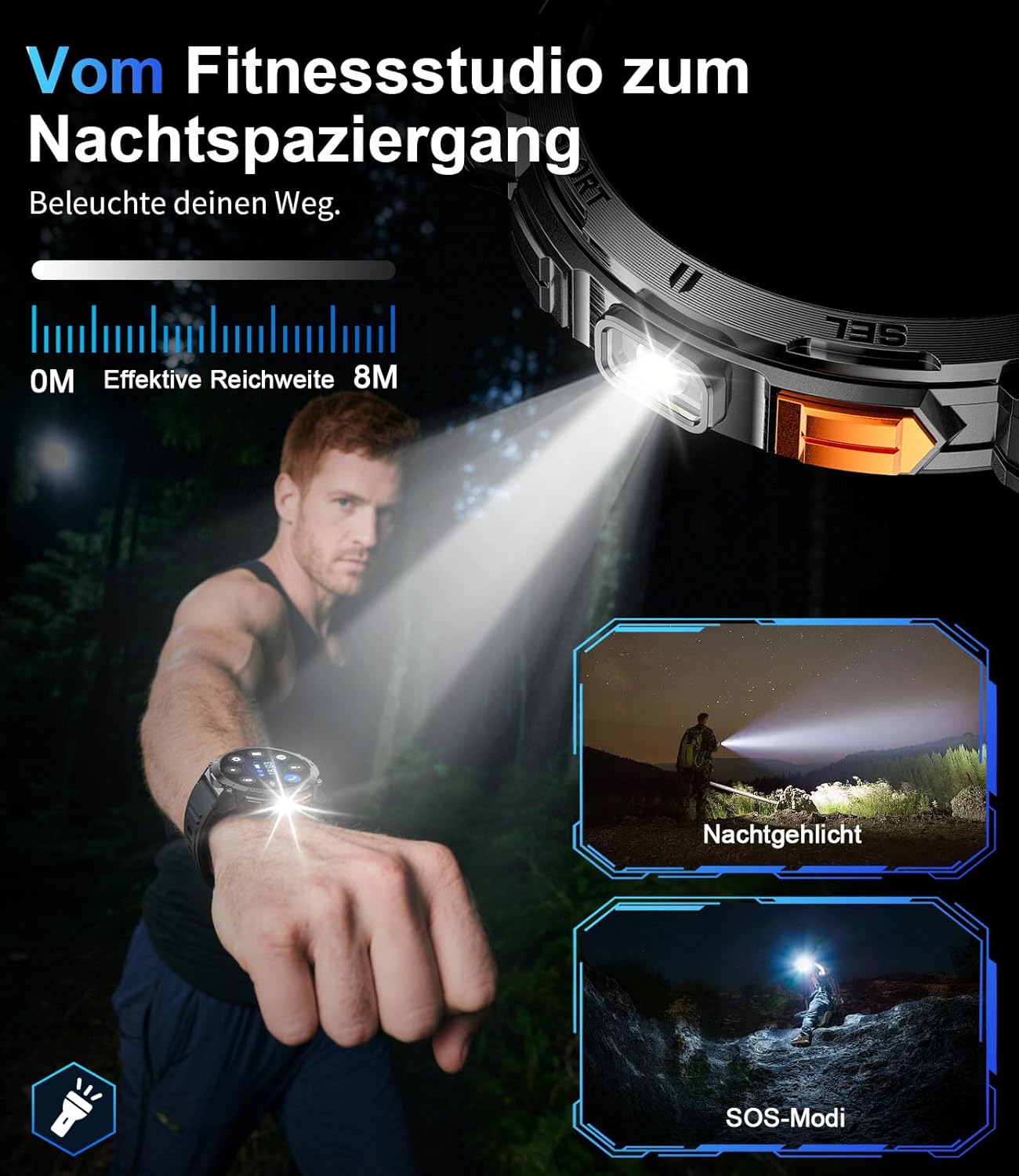
クローズアップ view of the smartwatch with its integrated LED flashlight activated.

A person using the smartwatch's LED light to navigate in a dark outdoor environment.
4.6のカスタマイズ
Personalize your smartwatch experience. Choose from a variety of pre-installed watch faces or create custom ones through the FitCloudPro app. The 22mm interchangeable straps allow for further personalization.
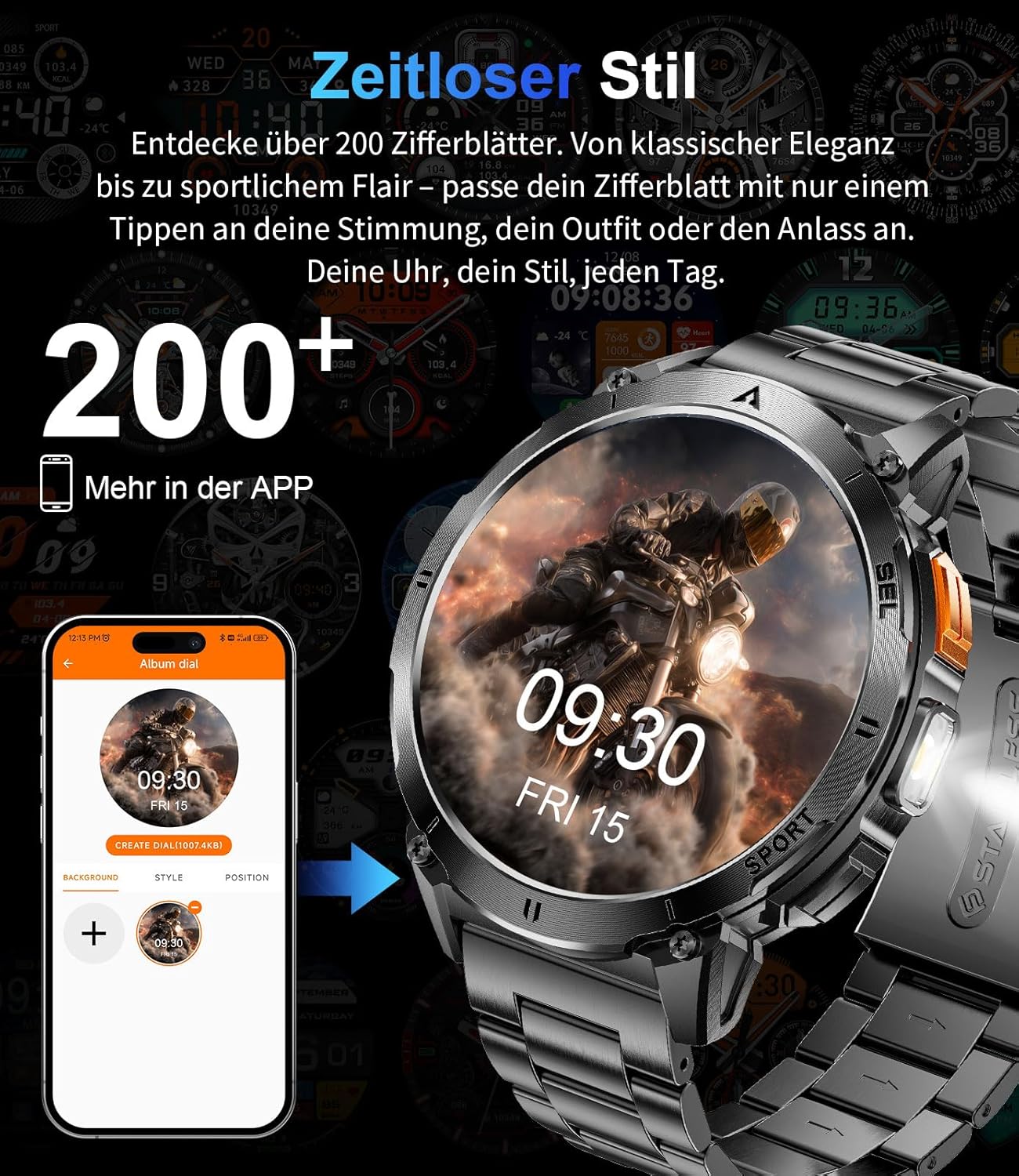
The smartwatch display showing various customizable watch face options.
5. メンテナンス
5.1 クリーニング
肌への刺激を防ぎ、最適なパフォーマンスを維持するために、スマートウォッチとストラップを定期的にクリーニングしてください。柔らかくて清潔な布を使用してください。amp 画面を拭く布とasing. 刺激の強い化学薬品や研磨剤は使用しないでください。
5.2 耐水性
The EF14-G smartwatch is 3ATM water-resistant, meaning it can withstand splashes, rain, and brief immersion in water, making it suitable for swimming. However, it is not recommended for diving or exposure to hot water, steam, or high-pressure water jets, as this may compromise the seals.

A visual representation highlighting the smartwatch's durability, including its waterproof, shockproof, and dustproof capabilities.
6。 トラブルシューティング
If you encounter issues with your LIGE EF14-G Smartwatch, refer to the following common solutions:
- デバイスの電源が入らない: 時計が完全に充電されていることを確認してください。充電器に少なくとも30分間接続してください。
- スマートフォンとペアリングできない:
- 携帯電話で Bluetooth が有効になっていることを確認してください。
- 時計が携帯電話の範囲内にあることを確認してください。
- 携帯電話とスマートウォッチの両方を再起動します。
- FitCloudPro アプリに必要な権限がすべて付与されているかどうかを確認します。
- アプリでデバイスのペアリングを解除し、再度ペアリングしてみてください。
- 不正確な健康測定値:
- 時計が手首にぴったりとフィットし、きつすぎたり緩すぎたりしていないことを確認してください。
- 時計の裏側にあるセンサーを清掃してください。
- 測定中は過度の動きを避けてください。
- バッテリー寿命が短い:
- 画面の明るさを下げます。
- 不要な通知や機能を無効にします。
- 毎回時計が完全に充電されていることを確認してください。
- 通知が表示されない:
- Check app permissions on your phone for FitCloudPro.
- Ensure notifications are enabled in both the phone's settings and the FitCloudPro app.
- Bluetooth 接続が安定していることを確認します。
7. 仕様
Detailed technical specifications for the LIGE EF14-G Smartwatch:
| ブランド | ライゲ |
| モデル番号 | EF14-G |
| 色 | 黒 |
| オペレーティング·システム | Wear OS (Compatible with FitCloudPro app) |
| 画面サイズ | 1.62インチ |
| 表示タイプ | AMOLED, 480x480 pixels, 850 nits |
| 接続性 | ブルートゥース5.3 |
| バッテリー容量 | 730mAhリチウムポリマー |
| バッテリー寿命 | 5~7日間(通常使用)、最大50日間(スタンバイ) |
| 耐水性 | 3気圧 |
| 特集 | LED light, Pedometer, Fitness Tracker, Heart Rate Monitor, SpO2 Monitor, Sleep Tracker, Bluetooth Calls, Music Player, Voice Assistant, Reminders, Alarms, Notifications, Sedentary Reminder, Calculator |
| 対応デバイス | スマートフォン(Android 5.0以降 / iOS 10.0以降) |
| メモリストレージ容量 | 256MB |
| GPS | GPSなし |
8. 保証とサポート
LIGE provides comprehensive support for your EF14-G Smartwatch.
- 保証: 購入日から2年間の保証。
- 返品規則: 30-day return service.
- 顧客サービス: お問い合わせやサポートについては、24 時間のカスタマー サポートをご利用いただけます。

An illustration detailing the customer support services: 24-hour customer service, 6-month return policy, and 2-year warranty service.