
導入
This manual provides detailed instructions for the Monster Open Ear AC220 Bluetooth Earbuds, Model E102. These clip-on, open-ear earbuds are designed for comfortable wear and clear audio, allowing you to stay aware of your surroundings while enjoying music or calls. Please read this manual carefully before using your earbuds to ensure proper operation and longevity.

Image: Monster AC220 Earbuds designed for comfort and versatility in various daily activities.
箱の中身
開梱したら、すべてのコンポーネントが揃っていることを確認してください。
- Monster Open Ear AC220 Bluetooth Earbuds (Left and Right)
- 充電ケース
- USB-C充電ケーブル
- ユーザーマニュアル(このドキュメント)
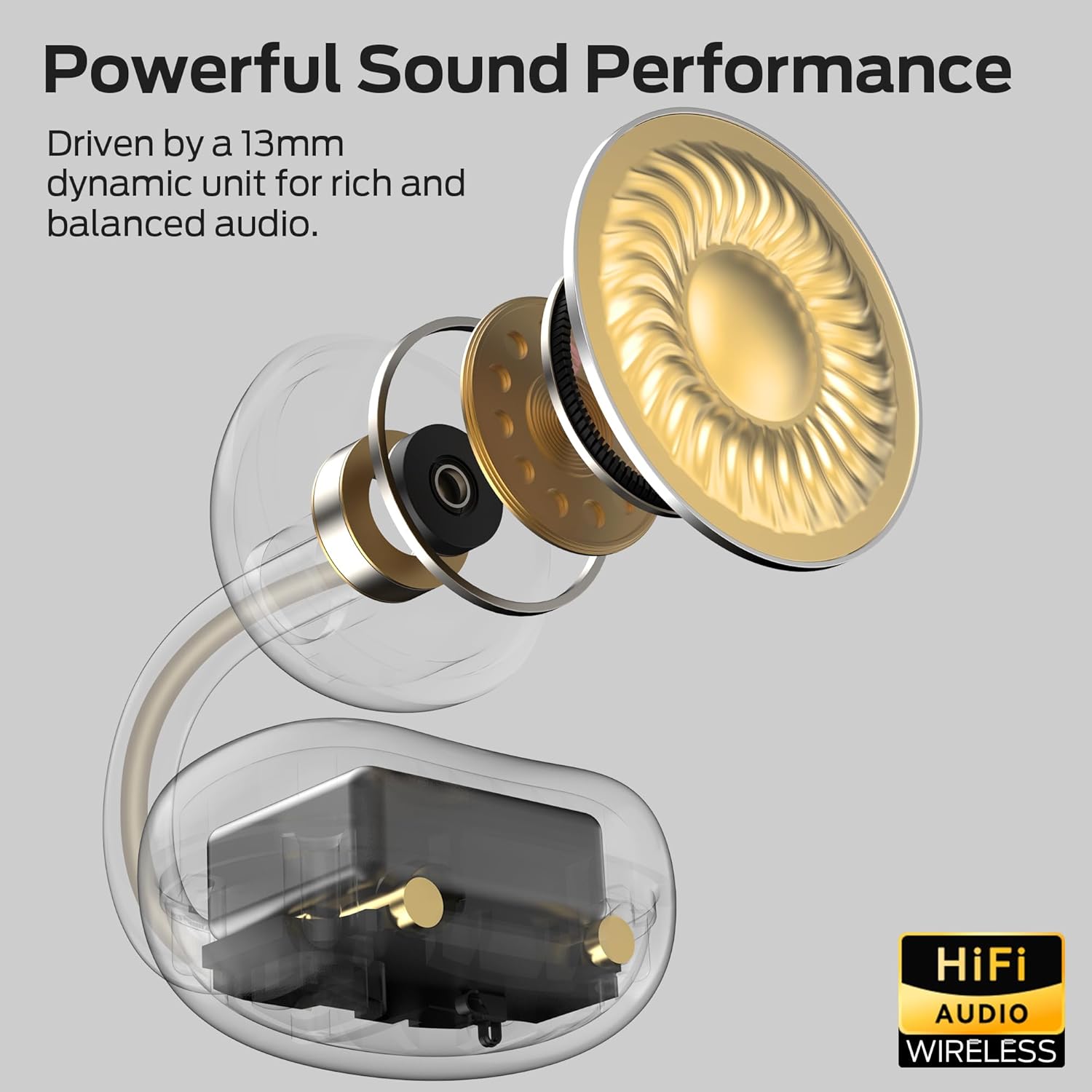
Image: The Monster AC220 Open Ear Earbuds securely placed within their charging case.
設定
1. イヤホンとケースの充電
初めて使用する前に、イヤホンと充電ケースを完全に充電してください。
- USB-C 充電ケーブルをケースの充電ポートと電源に接続します。
- ケースのインジケーターライトが充電状態を示します。完全に充電されると、ライトが点灯して完了を示します。
- Place the earbuds into the charging case. Ensure they are correctly seated to begin charging.

Image: The Monster AC220 Earbuds in their charging case, illustrating the USB-C charging port and long-lasting battery life.
2. Bluetoothデバイスとのペアリング
- 充電ケースを開けます。イヤホンは自動的にペアリングモードに入り、イヤホンのLEDライトが点滅します。
- デバイス(スマートフォン、タブレットなど)で Bluetooth を有効にします。
- 検索する 利用可能なBluetoothデバイスを選択し、 'Monster AC220' リストから。
- Once connected, a voice prompt will confirm successful pairing, and the LED light on the earbuds will stop flashing.
- If pairing fails, turn off Bluetooth on your device, place the earbuds back in the case, close it, and then repeat the steps.

Image: Illustration of the Monster AC220 Earbuds featuring upgraded Bluetooth 6.0 technology for quick and stable pairing.
3. イヤホンの装着
- 左 (L) と右 (R) のイヤホンを識別します。
- Gently clip the earbuds onto your ears, ensuring a secure and comfortable fit. The open-ear design allows for situational awareness.

Image: A user wearing the Monster AC220 Open Ear Earbuds, demonstrating the 'Hear Without Limits' design for situational awareness.

画像: 詳細 view of the Monster AC220 Earbuds' directional acoustic structure and secure, stable fit with an adjustable C-bridge.
操作手順
1. 電源のオン/オフ
- The earbuds power on automatically when removed from the charging case.
- They power off automatically when placed back into the charging case and the lid is closed.
2.音楽の再生
- 再生/一時停止: どちらかのイヤホンのタッチコントロール領域を 1 回タップします。
- 次のトラック: 右のイヤフォンをダブルタップします。
- 前のトラック: 左のイヤフォンをダブルタップします。
3.通話管理
- 通話の応答/終了: どちらかのイヤホンのタッチコントロール領域を 1 回タップします。
- 通話を拒否: どちらかのイヤホンのタッチコントロール領域を 2 秒間押し続けます。
4. 音声アシスタント
- 音声アシスタントを有効にする: Triple-tap the touch control area on either earbud to activate your device's voice assistant (e.g., Siri, Google Assistant).
メンテナンス
1. 清掃
- イヤホンと充電ケースは、柔らかく乾いた糸くずの出ない布で定期的に清掃してください。
- 過酷な化学薬品、洗浄溶剤、または強力な洗剤は使用しないでください。
2. ストレージ
- 使用しないときは、イヤホンを保護し、充電を保つために充電ケースに保管してください。
- 極端な温度を避け、涼しく乾燥した場所に保管してください。
3. 耐水性
The Monster AC220 earbuds feature an IPX5 water-resistant rating, making them resistant to sweat and light splashes.
- イヤホンを水に浸したり、大雨にさらしたりしないでください。
- 損傷を防ぐため、イヤホンを充電ケースに戻す前に必ず乾いていることを確認してください。

Image: The Monster AC220 Earbuds are rated IPX5, indicating resistance to sweat and splashes, suitable for workouts.
トラブルシューティング
If you encounter any issues with your Monster AC220 Earbuds, please refer to the following common solutions:
イヤホンがペアリングされない:
- デバイスで Bluetooth が有効になっていることを確認してください。
- イヤホンが充電されていることを確認してください。
- イヤホンをケースに戻し、蓋を閉じて数秒待ってから開けて、ペアリング モードを再度開始します。
- Try forgetting 'Monster AC220' from your device's Bluetooth list and re-pairing.
片方のイヤホンから音が出ない:
- 両方のイヤホンが充電されているかどうかを確認します。
- 両方のイヤホンをケースに戻して、もう一度取り出してみてください。
- Reset the earbuds (refer to the full user manual for specific reset instructions if available, or try the re-pairing steps).
充電に関する問題:
- 充電ケーブルがケースと電源の両方にしっかりと接続されていることを確認してください。
- 別の USB-C ケーブルまたは電源アダプターを試してください。
- 乾いた綿棒でイヤホンとケースの両方の充電接点を清掃します。
音量が低い、または音質が悪い:
- 接続しているデバイスの音量を調整します。
- イヤホンが耳に正しく装着されていることを確認してください。
- Check for any obstructions on the earbud speakers.
仕様
| ブランド | モンスター |
| モデル名 | E102(AC220) |
| フォームファクター | オープンイヤー、クリップオン |
| 接続技術 | ワイヤレス(Bluetooth) |
| ワイヤレステクノロジー | ブルートゥース6.0 |
| 色 | 白 |
| 耐水性 | IPX5 |
| バッテリー寿命 | Up to 22 hours with charging case (5 hours single earbud playback) |
| ドライバーサイズ | 13mmダイナミックユニット |
| 特集 | AI-enhanced clear calls, Directional Acoustic Structure |
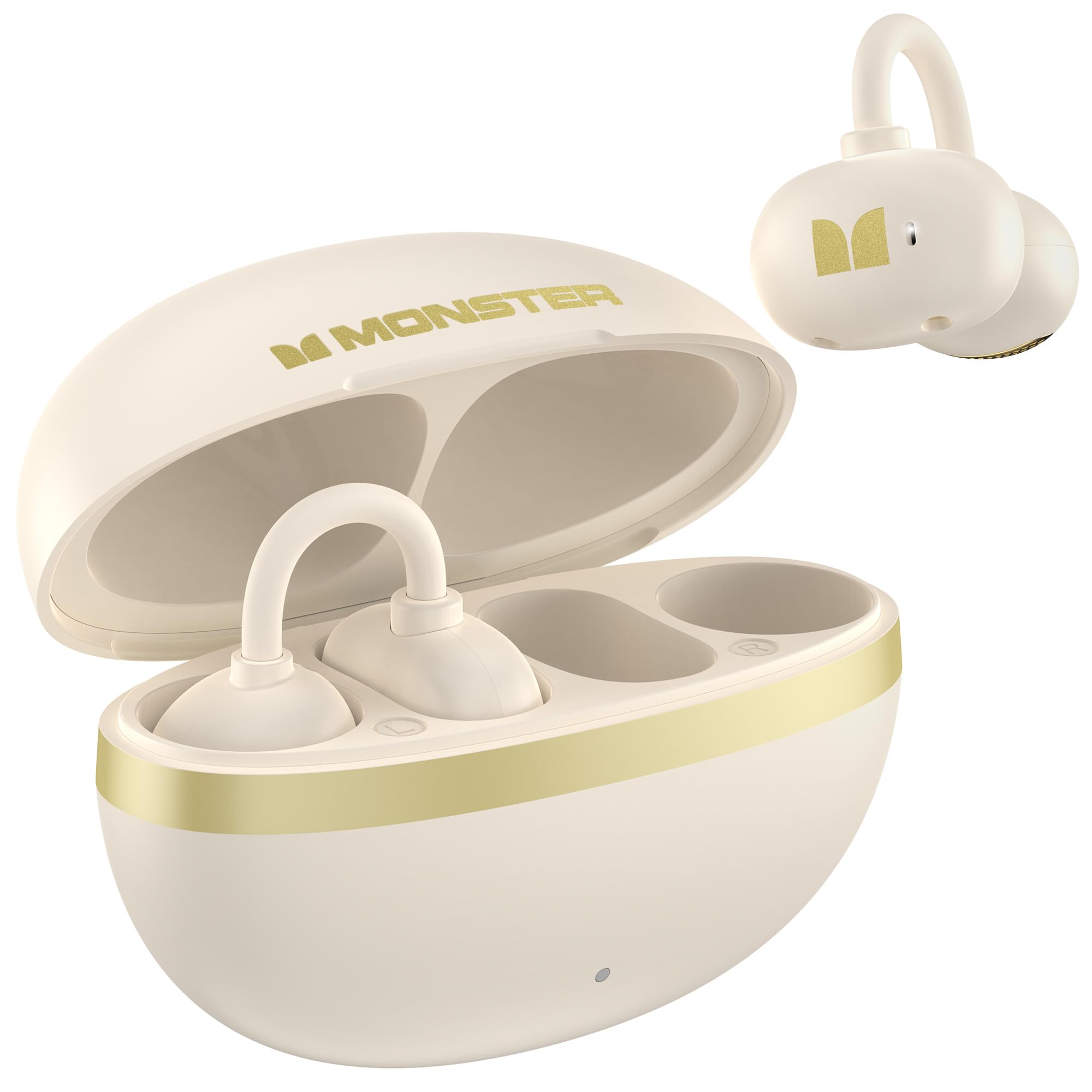
画像: 内部 view of the Monster AC220 Earbud, highlighting the 13mm dynamic unit for powerful sound performance.
保証とサポート
Monster products are designed and manufactured to the highest quality standards. For detailed warranty information and technical support, please visit the official Monster webサイトにアクセスするか、カスタマーサービスにお問い合わせください。
公式モンスター Webサイト: Amazonのモンスターストアをご覧ください